Introduction
Goal tracking apps are specialized software solutions designed to help individuals and organizations define, monitor, and execute their objectives. Unlike standard to-do lists that focus on isolated tasks, these platforms emphasize the hierarchy of achievement—connecting daily habits to overarching milestones. By providing a visual representation of progress and automated reminders, they reduce the cognitive load of project management and help maintain the “streak” of consistency required for success.
The importance of these tools lies in their ability to provide real-time feedback and accountability. Key real-world use cases include managing complex OKRs (Objectives and Key Results) in corporate environments, building health and wellness habits like daily meditation or exercise, and tracking financial milestones such as debt repayment or investment targets. When evaluating goal tracking tools, users should look for SMART goal guidance, cross-platform synchronization, advanced data analytics (to spot trends in performance), and a user interface that reduces rather than increases friction.
Best for: Professionals juggling multiple projects, HR managers overseeing employee development, high-performance students, and anyone committed to personal transformation. They are essential for mid-to-large-size organizations requiring alignment across disparate departments.
Not ideal for: Individuals who prefer analog systems (like bullet journaling) for their tactile benefits, or those with very simple, singular goals where a basic smartphone reminder app or a calendar entry would suffice without the overhead of a dedicated platform.
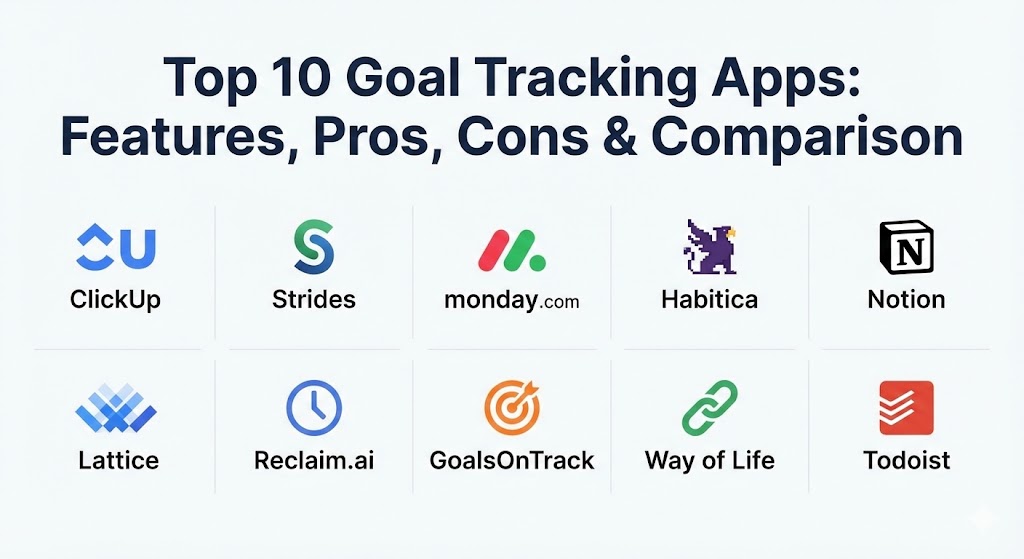
Top 10 Goal Tracking Apps
1 — ClickUp
ClickUp is a comprehensive productivity platform that treats goal tracking as a core feature rather than an add-on. It is designed for both individuals and high-growth teams who need to connect their daily tasks to high-level objectives in a single workspace.
- Key features:
- Goal Folders: Group similar objectives (e.g., Q1 Marketing, Personal Fitness) for organized tracking.
- Numerical, Monetary, and True/False Targets: Set diverse types of measurable key results.
- Automatic Progress Roll-ups: Watch your goal percentage increase as you complete individual tasks.
- Dashboard Visualizations: Create custom widgets to view real-time goal progress alongside team workload.
- Milestones: Mark critical turning points within a goal to maintain momentum.
- Native Time Tracking: Measure exactly how much effort is spent on reaching specific targets.
- Pros:
- Unmatched flexibility; it can adapt to almost any professional or personal goal framework.
- Consolidates goal tracking, project management, and document storage into one app.
- Cons:
- The sheer number of features can lead to a steep learning curve for new users.
- Mobile app performance can sometimes lag compared to the desktop version.
- Security & compliance: SOC 2 Type II certified, GDPR compliant, and utilizes 256-bit AES encryption.
- Support & community: 24/7 world-class support, a massive “ClickUp University” training portal, and an active user community.
2 — Strides
Strides is often cited as the premier goal-tracking app for Apple ecosystem users. It focuses on beautiful data visualization and offers “track anything” flexibility combined with four distinct tracker types.
- Key features:
- Four Tracker Types: Habits, Targets, Averages, and Milestones to cover every goal format.
- Smart Goal Guidance: Prompts users to set Specific, Measurable, and Time-bound objectives.
- Visual Progress Charts: High-resolution graphs that show your trajectory over days, weeks, or months.
- Daily Checklist: A unified view of all tasks required to keep your goals on track today.
- Powerful Reminders: Customizable alerts that ensure you never miss a tracking window.
- Pros:
- The UI is incredibly clean and intuitive, making the logging process take seconds.
- Excellent for identifying “streaks” and building long-term psychological momentum.
- Cons:
- Limited primarily to the iOS and Mac ecosystem; no native Android app.
- Lacks the deep team collaboration features found in tools like Monday.com.
- Security & compliance: Standard Apple App Store data protections; GDPR compliant.
- Support & community: Responsive email support and a well-maintained FAQ section.
3 — Monday.com
Monday.com is a work OS that excels in “Cascading Goals.” It is best for teams that need to see how individual contributions contribute to department objectives and company-wide strategic visions.
- Key features:
- OKR Board Templates: Pre-built structures to get teams started with Objective and Key Results.
- Color-coded Statuses: Instantly identify which goals are “On Track,” “Stuck,” or “At Risk.”
- Automations: Trigger notifications or status changes automatically when milestones are reached.
- High-level Dashboards: Aggregate data from 50+ boards into a single executive view.
- Workload View: Ensure no single team member is over-burdened by too many high-priority goals.
- Pros:
- Highly visual and aesthetically pleasing; it encourages daily engagement from team members.
- Very strong integration with external tools like Slack, Zoom, and Google Drive.
- Cons:
- The pricing structure can be expensive for very small teams.
- It can feel like “overkill” for simple personal habit tracking.
- Security & compliance: ISO 27001, SOC 1/2/3, HIPAA, and GDPR compliant.
- Support & community: 24/7 support with a 30-minute average response time and a robust global partner network.
4 — Habitica
Habitica takes a radically different approach by gamifying goal tracking. It turns your life into a Role-Playing Game (RPG) where your real-life tasks earn you experience points and gold to level up a digital avatar.
- Key features:
- RPG Mechanics: Fight monsters and complete quests by finishing your real-world to-dos.
- Custom Rewards: Set up real-life rewards (e.g., “30 minutes of Netflix”) that cost in-game gold.
- Social Parties: Join “guilds” and “parties” with friends to keep each other accountable.
- Pet and Gear Collection: Unlock cosmetic items and companions as you maintain your streaks.
- Habit vs. Daily vs. To-Do: Separate your recurring habits from one-time objectives.
- Pros:
- Unrivaled for people who struggle with traditional productivity apps and enjoy gaming.
- The social accountability of “failing a quest” if you miss a habit is a powerful motivator.
- Cons:
- The pixel-art aesthetic may not appeal to corporate or professional users.
- It can become a distraction if you spend more time on the game than the actual goals.
- Security & compliance: Standard web encryption; GDPR compliant.
- Support & community: A huge, passionate community and a very active Discord channel.
5 — Notion
Notion is the “System Builder’s” choice. It is a blank canvas that allows you to build a completely custom goal-tracking database from the ground up, linking your goals to your journals, reading lists, and project plans.
- Key features:
- Relational Databases: Link goals to specific projects and individual tasks.
- Custom Views: View your goals as a Kanban board, a Calendar, a Timeline, or a simple List.
- Formula Properties: Calculate progress percentages based on the status of sub-tasks.
- Template Gallery: Thousands of community-made goal-tracking templates.
- Notion AI: Use integrated AI to help break down vague goals into actionable steps.
- Pros:
- Infinite customizability; you are never locked into a specific workflow.
- Excellent for “Second Brain” enthusiasts who want all their knowledge in one place.
- Cons:
- Requires a significant time investment to set up and maintain a complex system.
- The mobile experience can be clunky for quick data entry.
- Security & compliance: SOC 2 Type II, GDPR, and ISO 27001 compliant.
- Support & community: Massive community-led support; thousands of tutorials on YouTube.
6 — Lattice
Lattice is a “People Management” platform designed specifically for HR teams and managers to align employee performance with organizational strategy through the OKR framework.
- Key features:
- Goal Alignment Maps: Visualize exactly how an individual’s goal supports the company’s mission.
- Check-ins and 1:1s: Integrated goal discussions within weekly manager meetings.
- Public Praise: Connect goal completion to social recognition within the company feed.
- Continuous Feedback: Allow peers to provide input on goal progress in real-time.
- Performance Reviews: Automatically pull goal data into quarterly or annual reviews.
- Pros:
- Best-in-class for fostering a culture of transparency and accountability in large companies.
- Simplifies the administrative burden of performance management.
- Cons:
- Not available for individual users; it is strictly an enterprise-level tool.
- Focused heavily on professional goals; lacks personal habit tracking features.
- Security & compliance: SOC 2, HIPAA, GDPR, and Privacy Shield certified.
- Support & community: Dedicated customer success managers for enterprise clients and extensive HR resources.
7 — Reclaim.ai
Reclaim.ai is a “Calendar-First” goal tracker. It uses artificial intelligence to automatically find and defend time on your calendar for your habits and objectives around your existing meetings.
- Key features:
- Smart Habits: Set a goal like “Exercise 3x a week,” and Reclaim finds the best time for it.
- Calendar Buffers: Automatically adds travel time or “decompress” time after big meetings.
- Priority Scoring: Tell the AI which goals are critical and which can be moved if a conflict arises.
- Focus Time: Defends large blocks of time for deep work on your most important objectives.
- Integration with Task Managers: Syncs with Todoist, Linear, and Google Tasks.
- Pros:
- Solves the problem of “having a list but no time”—it literally builds your schedule for you.
- Dramatically reduces the time spent on manual “calendar Tetris.”
- Cons:
- Works best within the Google Calendar ecosystem; Outlook support is still maturing.
- It is more of a scheduling assistant than a traditional data-heavy goal tracker.
- Security & compliance: SOC 2 Type II, GDPR, and utilizes Google/Microsoft OAuth.
- Support & community: Active Slack community and comprehensive documentation.
8 — GoalsOnTrack
GoalsOnTrack is designed for high achievers who follow a methodical, step-by-step approach to goal setting. It is one of the few apps that natively follows the SMART goal methodology and includes a built-in vision board.
- Key features:
- Multi-level Goal Hierarchy: Break large goals into sub-goals and actionable tasks.
- Vision Board: Upload images to visualize your success and maintain daily motivation.
- Goal Journaling: A dedicated space to reflect on your progress and challenges.
- Time Tracking: Integrated timer to see how long you spend on goal-related activities.
- SMART Goal Templates: Prompts you to ensure every goal is specific and time-bound.
- Pros:
- The most “serious” tool for goal-setting purists; it forces you to think deeply about your objectives.
- Includes unique features like “Sub-goal templates” for recurring types of achievement.
- Cons:
- The user interface feels a bit dated and “web 2.0” compared to ClickUp or Monday.com.
- Lacks modern collaborative features for large-scale enterprise teams.
- Security & compliance: Standard web encryption; GDPR compliant.
- Support & community: Knowledge base and email support available.
9 — Way of Life
Way of Life is the “Minimalist’s” habit tracker. It is designed for speed, allowing users to log their entire day’s progress in less than 3 seconds using a unique color-coded grid.
- Key features:
- The Journal: A fast, grid-based view to mark habits as “Yes,” “No,” or “Skip.”
- Streak Tracking: Visual chains that help you see how long you’ve maintained a habit.
- Chains and Trends: Advanced analytics that show you exactly where you’re falling off.
- Note-taking: Add context to why you failed or succeeded on a specific day.
- Cloud Backup: Ensures your data is never lost, even if you switch devices.
- Pros:
- The lowest-friction logging experience on the market.
- The color-coded system provides an instant psychological reward for a “Green” day.
- Cons:
- Not suitable for complex, multi-step professional projects.
- Lacks task-level management; it is purely for binary (Yes/No) habits.
- Security & compliance: Varies / N/A (local data storage with cloud backup options).
- Support & community: Helpful FAQ and direct email support.
10 — Todoist
Todoist is primarily a task manager, but its “Karma” system and Goal features make it an excellent choice for those who want their goal tracking to be part of their daily to-do list without any extra complexity.
- Key features:
- Daily and Weekly Goals: Set a target for the number of tasks you want to complete.
- Todoist Karma: A gamified points system that tracks your productivity over time.
- Sub-tasks and Sections: Organize complex goals into manageable chunks.
- Natural Language Processing: Type “Gym every Tuesday at 6 am,” and it sets the goal automatically.
- Labels and Filters: Focus only on goals related to “Work” or “Self-Improvement.”
- Pros:
- Fast, reliable, and available on every platform (Watch, Phone, Desktop, Browser).
- Excellent for maintaining a simple, stress-free overview of your daily productivity.
- Cons:
- Lacks advanced data visualization (charts/graphs) found in apps like Strides.
- No native OKR or cascading goal features for large team structures.
- Security & compliance: SOC 2 Type II, GDPR, and HIPAA compliant.
- Support & community: Extensive “Productivity Methods” blog and a massive global user base.
Comparison Table
| Tool Name | Best For | Platform(s) Supported | Standout Feature | Rating (G2 / TrueReview) |
| ClickUp | Project-based Goals | Web, Win, Mac, iOS, Android | Progress Roll-ups | 4.7 / 5 |
| Strides | Visual Data Lovers | iOS, Mac, Apple Watch | Four Tracker Types | 4.8 / 5 |
| Monday.com | Team Alignment | Web, iOS, Android | Cascading Boards | 4.6 / 5 |
| Habitica | Gamification | Web, iOS, Android | Social RPG Mechanics | 4.5 / 5 |
| Notion | System Builders | Web, Win, Mac, iOS, Android | Relational Databases | 4.7 / 5 |
| Lattice | Enterprise HR | Web, iOS, Android | Alignment Mapping | 4.6 / 5 |
| Reclaim.ai | Busy Professionals | Web (GCal integration) | AI Calendar Defense | 4.8 / 5 |
| GoalsOnTrack | SMART Goal Purists | Web, iOS, Android | Built-in Vision Board | 4.3 / 5 |
| Way of Life | Minimalists | iOS, Android | Color-coded Grid | 4.7 / 5 |
| Todoist | Simple Task Lists | All Platforms | Natural Language Input | 4.8 / 5 |
Evaluation & Scoring of Goal Tracking Apps
To help you objectively compare these tools, we have evaluated them across seven critical categories using a weighted scoring model.
| Category | Weight | Evaluation Focus |
| Core Features | 25% | Capacity for SMART goals, sub-goals, and measurable key results. |
| Ease of Use | 15% | Friction in the daily logging process and intuitiveness of the UI. |
| Integrations | 15% | Ability to connect with calendars, Slack, and other productivity tools. |
| Security & Compliance | 10% | Data encryption, GDPR/SOC 2 compliance, and privacy controls. |
| Performance | 10% | Speed of sync across devices and offline access reliability. |
| Support & Community | 10% | Availability of help docs, active forums, and customer support. |
| Price / Value | 15% | Generosity of the free tier vs. the ROI of the paid features. |
Which Goal Tracking App Tool Is Right for You?
Selecting the right app depends on where you fall on the spectrum of Simplicity vs. Depth.
- Solo Users vs. SMB vs. Enterprise: If you are a solo user, focus on Strides (visuals) or Way of Life (speed). For SMBs needing project alignment, ClickUp offers the best balance. For large Enterprises, Lattice is the gold standard for connecting individual employee goals to the CEO’s vision.
- Budget-conscious vs. Premium: Todoist and Habitica offer the most robust free versions. If you are willing to pay for premium automation, Reclaim.ai and Monday.com provide the highest return on investment through time saved.
- Feature Depth vs. Ease of Use: If you want a tool that does everything, choose Notion or ClickUp. If you find that “too many options” paralyze you, stick with a minimalist tool like Way of Life.
- Integration and Scalability Needs: If your goals are tied to a team’s output, you must have a tool that integrates with your existing stack. Monday.com and ClickUp lead the market in native integrations.
- Security and Compliance Requirements: Healthcare and financial professionals should prioritize Lattice or Monday.com for their rigorous compliance certifications (HIPAA/SOC 2).
Frequently Asked Questions (FAQs)
1. What is the difference between a task manager and a goal tracker?
A task manager (like Todoist) focuses on “what” needs to be done today. A goal tracker (like ClickUp or Strides) focuses on the “why”—connecting those daily tasks to long-term outcomes and progress percentages.
2. Can I use these apps for Team OKRs?
Yes. Monday.com, Lattice, and ClickUp are specifically designed to handle Objectives and Key Results (OKRs), allowing for cascading goals across an entire company.
3. Do these apps work offline?
Most desktop-native apps (like Notion, Strides, and Todoist) allow for offline logging, which then syncs to the cloud once you are back online. Purely web-based tools like Reclaim.ai require a connection.
4. Are my personal goals private?
In tools like Lattice or Monday.com, visibility settings are usually managed by your employer. For personal apps like Strides or Way of Life, your data is private and often stored only on your device or personal cloud.
5. How long does it take to see results with these tools?
According to behavioral science, it takes about 66 days to form a new habit. Most users report a “clarity breakthrough” within the first 14 days of consistent tracking.
6. What is “Gamification” in goal tracking?
It is the use of game design elements (points, levels, avatars) to make non-game activities like “doing laundry” or “finishing a report” more engaging. Habitica is the leader in this space.
7. Can one app handle both personal and professional goals?
Yes, Notion and ClickUp are the best at this because they allow you to create separate “Workspaces” for different areas of your life, keeping your fitness goals separate from your sales targets.
8. Is there a free goal tracking app for students?
Habitica and the free version of Todoist are highly recommended for students due to their engagement levels and simplicity.
9. What is a “Cascading Goal”?
This is a goal that flows downward. For example, a company goal to “Increase Revenue by 20%” cascades into a marketing goal to “Generate 500 Leads,” which cascades into an individual goal to “Send 50 Outreach Emails.”
10. Do I really need an app, or is paper better?
Paper is great for reflection, but apps excel at data visualization and reminders. An app can tell you that you are 40% more likely to miss your goal on Thursdays—insight that is hard to find in a notebook.
Conclusion
The “best” goal tracking app is the one you will actually use every day. Whether you thrive on the visual data of Strides, the structured SMART goals of GoalsOnTrack, or the AI-driven scheduling of Reclaim.ai, the key is to choose a tool that minimizes the friction of logging. Goal tracking isn’t about the technology; it’s about the psychological commitment to visibility. By choosing the right tool from this list, you are not just buying software—you are investing in a system that turns your abstract dreams into a concrete, measurable reality.