Introduction
Live streaming studio software is specialized software that allows creators, businesses, and media professionals to broadcast live video content seamlessly across multiple platforms. These tools combine video capture, mixing, overlay management, audio control, and streaming capabilities into one cohesive platform. Live streaming software is essential for webinars, virtual events, gaming streams, corporate presentations, educational broadcasts, and social media live sessions.
The importance of live streaming software lies in its ability to deliver professional-quality video and audio in real time, engage audiences interactively, and provide analytics on viewer behavior. Key evaluation criteria include ease of use, platform compatibility, integration with social media, real-time effects, graphics overlays, recording capabilities, and pricing.
Best for:
Content creators, businesses hosting webinars, eSports streamers, educators conducting online classes, and marketing professionals promoting products.
Not ideal for:
Casual streamers who rarely broadcast or those who prefer basic mobile apps for live video.
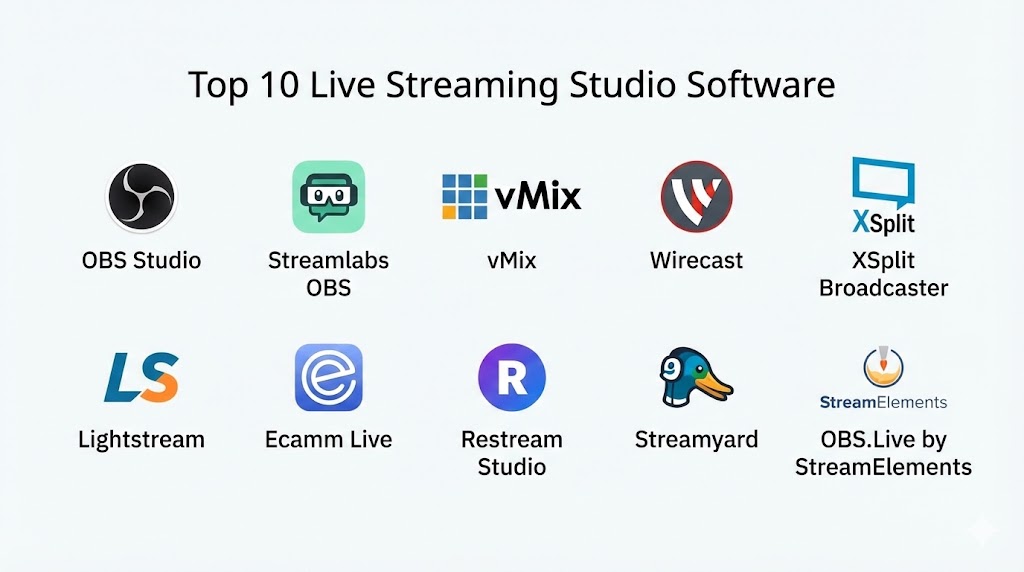
Top 10 Live Streaming Studio Software Tools
1 — OBS Studio
Short description:
Open Broadcaster Software (OBS Studio) is a free, open-source streaming tool ideal for gamers, educators, and content creators.
Key features:
- High-performance real-time video/audio capturing
- Scene composition and transitions
- Multi-platform streaming (Windows, Mac, Linux)
- Customizable overlays and widgets
- Audio mixer with filters
- Plugin support for additional functionality
- Recording and streaming simultaneously
Pros:
- Free and open-source
- Highly customizable
- Active community and plugin ecosystem
Cons:
- Steeper learning curve for beginners
- Lacks built-in professional templates
Security & compliance:
Varies / N/A
Support & community:
Documentation, community forums, tutorials
2 — Streamlabs OBS
Short description:
Streamlabs OBS is a user-friendly live streaming platform built on OBS with enhanced features for streamers.
Key features:
- Integrated chat and donation alerts
- Cloud backup for settings
- Pre-made templates and themes
- Multi-platform streaming
- Mobile app for remote control
- Integrated widgets and alerts
- Automated stream overlays
Pros:
- Beginner-friendly interface
- Easy setup for social streaming
- Many built-in themes and widgets
Cons:
- Some features require a premium subscription
- Uses more system resources than OBS
Security & compliance:
Varies / N/A
Support & community:
Documentation, tutorials, email support, forums
3 — vMix
Short description:
vMix is a professional live production software for broadcasting, webinars, and multi-camera productions.
Key features:
- Supports 4K, HD, and SD video
- Multi-camera switching and mixing
- Real-time graphics and titling
- Instant replay and slow-motion
- Audio mixer with effects
- Live social media integration
- Virtual sets and overlays
Pros:
- Feature-rich for professional broadcasting
- Excellent multi-camera support
- Real-time graphics and overlays
Cons:
- Expensive for casual users
- High system requirements
Security & compliance:
Varies / N/A
Support & community:
Tutorials, documentation, support forums, direct support
4 — Wirecast
Short description:
Wirecast is a professional streaming software for live events, webinars, and remote production.
Key features:
- Multi-camera input and switching
- Live encoding and streaming
- Integrated titling and graphics
- ISO recording for post-production
- Replay and scoreboards for sports
- Built-in social media streaming
- Virtual sets and chroma key
Pros:
- Professional-grade features
- Supports remote guests
- Reliable streaming quality
Cons:
- Pricey for small creators
- May require training to use advanced features
Security & compliance:
Varies / N/A
Support & community:
Documentation, email support, training resources
5 — XSplit Broadcaster
Short description:
XSplit is a versatile live streaming and recording software for gamers, businesses, and creatives.
Key features:
- Multi-source video mixing
- Integrated scene transitions and effects
- Live streaming to multiple platforms
- Plugin marketplace for added functionality
- Audio mixer and filters
- Built-in recording
- Customizable overlays and alerts
Pros:
- User-friendly interface
- Easy integration with streaming platforms
- Frequent updates and plugin support
Cons:
- Free version has watermarks
- Some advanced features require a paid license
Security & compliance:
Varies / N/A
Support & community:
Documentation, tutorials, forums, customer support
6 — Lightstream
Short description:
Lightstream is a cloud-based live streaming studio designed for simplicity and real-time collaboration.
Key features:
- Browser-based streaming, no downloads
- Integrated graphics and overlays
- Multi-platform broadcasting
- Cloud scene management
- Remote guest support
- Automated scenes and transitions
- Donation and alert integration
Pros:
- No software installation needed
- Easy collaboration for remote teams
- Simple for beginners
Cons:
- Limited advanced features
- Dependent on stable internet
Security & compliance:
Varies / N/A
Support & community:
Documentation, email support, live chat
7 — Ecamm Live
Short description:
Ecamm Live is a Mac-focused live streaming software popular for webinars, interviews, and Facebook/YouTube streaming.
Key features:
- Multi-camera support
- Screen sharing and overlays
- Interview and guest support
- Streaming to multiple platforms
- Recording and editing
- Green screen and effects
- Integrated chat and viewer engagement tools
Pros:
- Optimized for Mac users
- Easy to use for beginners
- Good for professional webinars
Cons:
- Mac-only software
- Premium features require subscription
Security & compliance:
Varies / N/A
Support & community:
Documentation, tutorials, support chat
8 — Restream Studio
Short description:
Restream Studio is a browser-based platform for multi-destination live streaming and remote collaboration.
Key features:
- Stream to 30+ platforms simultaneously
- Remote guest interviews
- Overlays, graphics, and screen sharing
- Chat integration from all platforms
- Recording and replay
- Custom branding and layouts
- Analytics for audience tracking
Pros:
- Cloud-based and beginner-friendly
- Multi-platform streaming
- Collaborative for teams
Cons:
- Internet-dependent
- Advanced features require premium plans
Security & compliance:
Varies / N/A
Support & community:
Knowledge base, tutorials, email support
9 — Streamyard
Short description:
Streamyard is a browser-based live streaming studio focused on simplicity and professional broadcasts.
Key features:
- Multi-platform streaming
- Guest interviews and screen sharing
- Branding and overlays
- Recording and clips
- Integrated chat display
- Stream templates and layouts
- Audience engagement tools
Pros:
- Easy for beginners
- Browser-based, no download needed
- Good for remote interviews
Cons:
- Limited advanced production features
- Free plan includes watermark
Security & compliance:
Varies / N/A
Support & community:
Documentation, live chat support
10 — OBS.Live by StreamElements
Short description:
OBS.Live is an enhanced OBS Studio version with integrated tools for stream management and audience engagement.
Key features:
- Integrated chat and activity feed
- Stream overlay templates
- Multi-platform streaming
- Donation and subscriber alerts
- Customizable scenes and sources
- Performance monitoring
- Plugin support for added features
Pros:
- Free and powerful
- Combines OBS functionality with management tools
- Good for gamers and professional streamers
Cons:
- Can be overwhelming for beginners
- Requires setup for advanced features
Security & compliance:
Varies / N/A
Support & community:
Community forums, tutorials, StreamElements documentation
Comparison Table
| Tool Name | Best For | Platform(s) Supported | Standout Feature | Rating |
|---|---|---|---|---|
| OBS Studio | Gamers & content creators | Windows, Mac, Linux | Free, open-source | N/A |
| Streamlabs OBS | Beginner & social streaming | Windows, Mac | Widgets & templates | N/A |
| vMix | Professional broadcasters | Windows | Multi-camera & graphics | N/A |
| Wirecast | Webinars & live events | Windows, Mac | Remote guest support | N/A |
| XSplit Broadcaster | Gaming & creatives | Windows | Plugin marketplace | N/A |
| Lightstream | Cloud-based streaming | Web | Remote collaboration | N/A |
| Ecamm Live | Mac users & webinars | Mac | Multi-camera & green screen | N/A |
| Restream Studio | Multi-platform streaming | Web | Stream to 30+ platforms | N/A |
| Streamyard | Browser-based simplicity | Web | Remote interviews | N/A |
| OBS.Live | Stream management | Windows, Mac | Integrated alerts & chat | N/A |
Evaluation & Scoring of Live Streaming Studio Software
| Criteria | Weight | Description |
|---|---|---|
| Core features | 25% | Video/audio capture, overlays, multi-source support, recording |
| Ease of use | 15% | Interface simplicity, workflow, beginner-friendliness |
| Integrations & ecosystem | 15% | Social media, plugins, third-party tools |
| Security & compliance | 10% | SSL, platform security, data protection |
| Performance & reliability | 10% | Streaming stability, encoding quality |
| Support & community | 10% | Tutorials, forums, customer support |
| Price / value | 15% | Free vs premium features and scalability |
Which Live Streaming Studio Software Tool Is Right for You?
- Solo creators / beginners: Streamlabs OBS, Streamyard, OBS Studio
- Professional broadcasts: vMix, Wirecast, XSplit
- Remote collaboration: Lightstream, Restream Studio
- Mac users: Ecamm Live
- Advanced stream management & alerts: OBS.Live by StreamElements
Frequently Asked Questions (FAQs)
- What is live streaming studio software?
Software that allows users to broadcast video and audio live with overlays, multi-camera support, and recording. - Can beginners use professional software?
Yes, Streamlabs OBS, Streamyard, and Lightstream are beginner-friendly. - Which software is best for multi-platform streaming?
Restream Studio and Streamyard allow streaming to multiple platforms simultaneously. - Can I include guests remotely?
Yes, Wirecast, Streamyard, and Ecamm Live support remote guests. - Are free options available?
OBS Studio, Streamlabs OBS, Streamyard free plan, and Lightstream provide free tiers. - Do these tools offer recording capabilities?
Yes, all top platforms allow recording while streaming. - Can I add custom overlays and graphics?
Most tools, including vMix and OBS.Live, support overlays, widgets, and graphics. - Which software is best for gaming streams?
OBS Studio, Streamlabs OBS, and XSplit Broadcaster are optimized for gamers. - Is internet speed critical for cloud-based platforms?
Yes, Lightstream and Restream Studio rely on stable, high-speed connections. - Can businesses use these platforms for webinars?
Yes, Wirecast, Ecamm Live, and vMix are ideal for corporate events and webinars.
Conclusion
Choosing the right live streaming studio software depends on your audience, goals, and technical requirements. Beginner-friendly platforms like Streamlabs OBS and Streamyard make it easy to start streaming, while professional tools such as vMix and Wirecast provide advanced production capabilities. For cloud-based collaboration, Lightstream and Restream Studio are excellent choices. Ultimately, your selection should balance features, usability, and cost to deliver high-quality live content.
Live streaming studio software has fundamentally changed how we share real-time content, transforming simple broadcasts into professional, multi-camera productions. This guide contrasts powerful, free options like OBS Studio with high-end, feature-rich solutions like vMix and Wirecast. It is an excellent resource for anyone looking to navigate the diverse landscape of streaming tools to find the perfect fit for their production needs.