Introduction
At its core, karaoke software is a digital application designed to play instrumental audio files while displaying synchronized lyrics on a secondary screen. Its importance lies in the democratization of music performance—it allows anyone with a laptop, tablet, or smartphone to host a professional-grade singing event without the need for expensive CD+G players or physical discs. Modern solutions have evolved to include advanced features such as pitch and tempo adjustment, singer rotation management, and even cloud-based libraries containing millions of licensed tracks.
Key real-world use cases for these tools range from hospitality venues (bars and clubs) looking to boost mid-week revenue to vocal coaches using AI feedback for student training. They are also widely used in corporate team-building and private events where reliability and user engagement are paramount. When choosing the right tool, users should evaluate options based on library depth, platform compatibility, ease of playlist management, and the quality of built-in vocal effects.
Best for: Professional Karaoke Jockeys (KJs), bar and lounge owners, vocal students, event planners, and enthusiastic home users who want a polished, library-rich singing experience.
Not ideal for: High-end recording studios requiring multi-track DAW capabilities or casual listeners who only want background music without the interactive lyric-sync features.
Top 10 Karaoke Software Tools
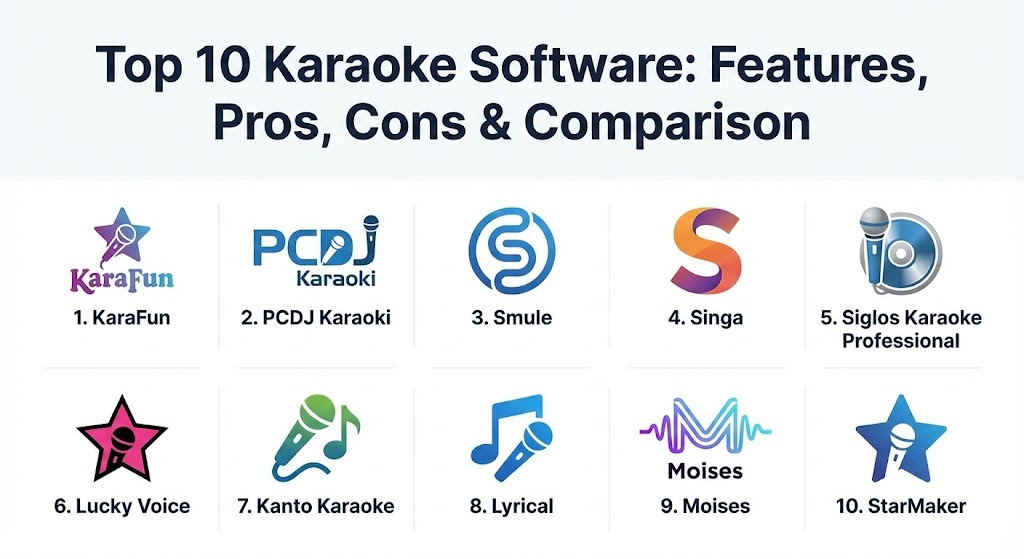
1 — KaraFun
KaraFun is widely recognized as the industry leader for both home and professional use. It provides a comprehensive, cloud-based solution that works across almost every device, from Windows PCs to smart TVs and mobile phones.
- Key features:
- Access to a licensed library of over 60,000 high-quality tracks.
- Offline mode for hosting parties without an internet connection.
- Dual-screen display for lyrics and singer management.
- Real-time key and tempo customization.
- Remote control feature allowing guests to browse songs via their phones.
- Support for multiple formats including MP3+G, KFN, and MIDI.
- Pros:
- Unbeatable user interface that is both modern and intuitive.
- The most reliable cross-platform synchronization in the industry.
- Cons:
- Requires a subscription to access the full song catalog.
- Advanced professional features are locked behind higher-tier plans.
- Security & compliance: GDPR compliant; uses industry-standard encryption for payment processing and user accounts.
- Support & community: Extensive online help center, video tutorials, and active user forums; email support available for professional subscribers.
2 — PCDJ Karaoki
Designed specifically for professional KJs and venue hosts, PCDJ Karaoki focuses on high-performance singer rotation and robust database management. It is a “workhorse” application built for reliability in high-pressure environments.
- Key features:
- Automated singer rotation and “Next Up” ticker display.
- Advanced song search and database filtering.
- “Solo Artist Mode” for performers who don’t need queue management.
- Integration with Karaoke Cloud Pro for legal commercial streaming.
- Support for secondary monitors and projection systems.
- Key-control and pitch-shifting without audio distortion.
- Pros:
- The most stable rotation management system for high-volume bars.
- High degree of customization for skins and display layouts.
- Cons:
- Steeper learning curve compared to consumer-focused apps.
- Primarily optimized for Windows, with limited support for other OS.
- Security & compliance: Varies; primarily local-data focused with standard Windows security protocols.
- Support & community: Professional-grade technical support, detailed PDF manuals, and a dedicated professional KJ community.
3 — Smule
Smule is a social-first karaoke platform that focuses on community, collaboration, and mobile-centric singing. It is the world’s largest singing app, allowing users to duet with strangers and celebrities alike.
- Key features:
- Social networking features for sharing recordings and gaining followers.
- “Duet with Artists” mode featuring pre-recorded celebrity videos.
- AI-based vocal enhancement and studio-quality filters.
- Video recording with professional-grade visual effects.
- Pitch-tracking visuals to help singers stay in key.
- Pros:
- The best tool for building a personal singing brand or finding community.
- Gamified experience makes practicing vocals highly addictive and fun.
- Cons:
- Not suitable for hosting a traditional “live” bar karaoke night.
- The free version is heavily restricted with frequent advertisements.
- Security & compliance: GDPR and CCPA compliant; offers robust privacy settings for social profiles.
- Support & community: massive global community; in-app support and extensive FAQ databases.
4 — Singa
Singa is a modern, streaming-based solution that caters to the “prosumer” market. It is often described as the “Spotify of Karaoke,” offering high-definition content and a sleek, user-friendly interface.
- Key features:
- Large, high-definition (HD) song catalog updated daily.
- Discovery engine that suggests songs based on vocal range.
- “Singa Business” mode for commercial venues with digital signage.
- Mobile app integration for touchless song requests.
- Multi-device support including web, iOS, Android, and Apple TV.
- Pros:
- Extremely high visual and audio quality compared to older software.
- Excellent for modern bars that want a “clean” look without paper books.
- Cons:
- Heavy reliance on a high-speed internet connection for streaming.
- Monthly subscription costs can add up for casual users.
- Security & compliance: ISO 27001 standards; SOC 2 Type II compliant for its business platform.
- Support & community: 24/7 technical support for business clients; modern documentation and web-based help.
5 — Siglos Karaoke Professional
Siglos is a heavy-duty Windows application designed to automate every technical aspect of a karaoke show. It is built for hosts who want a “set it and forget it” experience while maintaining total control.
- Key features:
- Automated silence removal at the start and end of tracks.
- Remote singer request system via a web-based interface.
- Built-in vocal remover to strip lead vocals from standard MP3s.
- History tracking to remember a regular singer’s preferred key.
- Video file support for AVI, WMV, and MP4 music videos.
- Pros:
- Powerful automation features reduce the workload for the KJ.
- One-time purchase options are available for those who hate subscriptions.
- Cons:
- The user interface feels dated and less modern than competitors like Singa.
- Windows-only, limiting its use for Mac or Tablet-based hosts.
- Security & compliance: Standard local software security; no specific cloud-compliance certifications.
- Support & community: Reliable email support and a loyal user base of professional KJs.
6 — Lucky Voice
Lucky Voice is a UK-based favorite that emphasizes the social and fun aspects of karaoke. It is designed to be the ultimate party starter, focusing on a curated, high-energy experience.
- Key features:
- Over 10,000 curated tracks focused on party anthems and hits.
- “Lucky Voice for Business” solution for dedicated karaoke pods.
- Browser-based singing—no complex software installation required.
- Ability to create and share custom party playlists.
- Integration with dedicated Lucky Voice hardware (microphones/mixers).
- Pros:
- Incredibly easy to set up for home parties or private room venues.
- “Family-friendly” vibe with excellent content moderation.
- Cons:
- Library is significantly smaller than KaraFun or Singa.
- Business model is heavily focused on the UK and European markets.
- Security & compliance: GDPR compliant; secure payment gateways for all subscriptions.
- Support & community: Strong UK-based support team; helpful “how-to” guides for setting up home systems.
7 — Kanto Karaoke
Kanto Karaoke is a versatile player that excels in handling a wide variety of file formats. It is an excellent choice for users who have their own massive library of files and need a player that “just works.”
- Key features:
- Supports MIDI, KAR, MP3+G, KFN, and MP4.
- Real-time crossfade between tracks for a seamless experience.
- Dual-monitor support with a dedicated lyric window.
- Performance recording in MP3 format.
- Management of singer playlists and background music.
- Pros:
- Lightweight software that runs smoothly on older hardware.
- Great for singers who prefer using MIDI files for total key/tempo control.
- Cons:
- No built-in streaming library; users must provide their own files.
- Interface is functional but lacks professional “polish.”
- Security & compliance: N/A (Local software).
- Support & community: Standard online documentation and email-based support tickets.
8 — Lyrical
Lyrical is a cloud-native, professional karaoke management system. It is designed for high-end lounges and modern clubs that want to eliminate physical songbooks and outdated paper request slips.
- Key features:
- Fully web-based queue system (guests scan a QR code to join).
- Smart rotation logic to prevent stage hogging.
- Venue branding options for custom logos and promotional ads.
- Integration with Point-of-Sale (POS) systems for specialized events.
- Staff dashboard for real-time queue adjustment.
- Pros:
- Completely eliminates the “huddle” around the KJ booth.
- Very modern aesthetic that appeals to younger, tech-savvy demographics.
- Cons:
- Higher entry price point targeted toward commercial venues.
- Requires reliable, high-speed venue Wi-Fi to function correctly.
- Security & compliance: SOC 2 Type II; GDPR and HIPAA (if used in medical therapy) compliant.
- Support & community: Dedicated account managers for enterprise clients; 24/7 premium support.
9 — Moises (AI for Singers)
While not a traditional “karaoke player,” Moises is a revolutionary tool for singers. It uses AI to separate any song into its constituent parts, allowing users to create their own karaoke tracks from any audio file.
- Key features:
- AI-powered separation of vocals, drums, bass, and instruments.
- Smart metronome and chord detection for practice.
- High-quality pitch shifting and tempo adjustment.
- Exportable backing tracks for use in other karaoke software.
- Mobile and web app for on-the-go practice.
- Pros:
- The best tool for singers who want to perform songs not in standard libraries.
- Incredible educational value for learning harmonies or specific instrument parts.
- Cons:
- Not designed for live “party” hosting or singer rotations.
- AI processing of tracks requires a premium subscription for high quality.
- Security & compliance: GDPR and CCPA compliant; uses encrypted cloud storage for uploaded files.
- Support & community: Rapidly growing community of musicians; modern help center and social media support.
10 — StarMaker
StarMaker is a mobile-first, social singing application popular in the Asian and North American markets. It focuses on short-form content and social interaction, similar to a “TikTok for Karaoke.”
- Key features:
- Massive library of over 2 million songs with a focus on global hits.
- Advanced vocal effects (reverb, echo, autotune).
- Live streaming “rooms” where users sing for a virtual audience.
- Virtual gifting system for popular performers.
- Daily tasks and contests to earn rewards and status.
- Pros:
- Excellent for individuals looking for “social fame” or a hobbyist community.
- Very low barrier to entry; works perfectly on mid-range smartphones.
- Cons:
- Interface is very “busy” with many icons and notifications.
- Not suitable for professional KJs or traditional venue hosting.
- Security & compliance: Standard mobile app privacy protocols; GDPR compliant for European users.
- Support & community: Large, active user base; in-app feedback and troubleshooting tools.
Comparison Table
| Tool Name | Best For | Platform(s) Supported | Standout Feature | Rating (Gartner / TrueReview) |
| KaraFun | Professional/Home Hybrid | Win, Mac, iOS, Android | 60k+ Licensed Tracks | 4.8 / 5 |
| PCDJ Karaoki | Professional KJs | Windows | Solo Artist/Rotation Modes | 4.6 / 5 |
| Smule | Social/Collaboration | iOS, Android | Celebrity Duet Mode | 4.7 / 5 |
| Singa | Modern Venues/Bars | Web, Apple TV, iOS | HD Video & Audio | 4.5 / 5 |
| Siglos Pro | Automated Hosting | Windows | Auto-Silence Removal | 4.3 / 5 |
| Lucky Voice | Private Parties | Web, iOS | Family-Friendly Interface | 4.4 / 5 |
| Kanto Karaoke | Own File Libraries | Win, Mac | Multi-Format MIDI Player | 4.2 / 5 |
| Lyrical | Digital Lounges | Web-Based (Any) | QR-Code Queue Management | 4.7 / 5 |
| Moises | Vocal Practice/Prep | Web, iOS, Android | AI Vocal Separation | 4.9 / 5 |
| StarMaker | Social Hobbyists | iOS, Android | Live Singing Rooms | 4.4 / 5 |
Evaluation & Scoring of Karaoke Software
To help you decide, we have evaluated these tools against seven key performance indicators. The following scores reflect a weighted average based on typical user needs in 2026.
| Category | Weight | Evaluation Criteria |
| Core Features | 25% | Rotation management, library depth, key/tempo control, and format support. |
| Ease of Use | 15% | UI/UX design, onboarding time, and simplicity for guests/users. |
| Integrations | 15% | Compatibility with external screens, mobile remotes, and audio hardware. |
| Security | 10% | Data privacy, GDPR compliance, and payment security. |
| Performance | 10% | Stability under load, low latency, and offline reliability. |
| Support | 10% | Documentation quality and responsiveness of technical teams. |
| Price / Value | 15% | Fairness of subscription models vs. one-time purchase value. |
Which Karaoke Software Tool Is Right for You?
Solo Users vs. SMB vs. Enterprise
- Solo Users: If you are practicing at home, Moises is the best for prep, while Smule is the best for finding an audience.
- Small Businesses (Bars/Cafes): If you host a weekly karaoke night, KaraFun or Singa provide the easiest setup with the best legal library coverage.
- Enterprise (Large Venues/Clubs): For dedicated karaoke bars with multiple rooms, Lyrical offers the advanced digital management needed for a premium guest experience.
Budget-Conscious vs. Premium
- Budget: Kanto Karaoke or the free versions of StarMaker offer the most fun for the least investment.
- Premium: Singa Pro or PCDJ Karaoki represent a significant investment but offer the reliability and features professional venues demand.
Feature Depth vs. Ease of Use
- If you want total control over every audio parameter, Siglos Professional is your tool.
- If you want a system that anyone can use in five minutes, Lucky Voice is the clear winner.
Frequently Asked Questions (FAQs)
1. Is it legal to use these tools in a commercial bar?
Most software for home use is not licensed for commercial venues. You must choose a “Business” or “Pro” subscription (like Singa Pro or KaraFun Business) that includes public performance rights or partner with bodies like PRS/BMI.
2. Can I use YouTube for karaoke in my business?
Technically, using standard YouTube for commercial performances violates YouTube’s Terms of Service and copyright laws. Specialized software provides the legal protection and high-quality tracks needed for professional events.
3. Do I need a specialized microphone for this software?
No, most software works with standard USB or XLR microphones. However, for professional setups, a dedicated audio interface and a dynamic microphone (like the Shure SM58) are recommended to reduce feedback.
4. Can I use these apps offline?
Yes, several tools like KaraFun and PCDJ Karaoki allow you to download tracks or entire libraries for use in locations with no internet access.
5. What is MP3+G?
MP3+G is the industry-standard file format for karaoke. It consists of an MP3 audio file and a separate graphic file (.cdg) that contains the synchronized lyrics.
6. Does the software include pitch correction?
Modern apps like Smule and StarMaker include real-time pitch correction (autotune), while professional tools usually focus on pitch-shifting the backing track to match the singer’s range.
7. Can I remove vocals from any song I already own?
Tools like Moises use AI to effectively separate vocals from almost any audio file, though the quality depends on the complexity of the original recording.
8. How do I let guests request songs without paper slips?
Many modern systems (Lyrical, Singa, KaraFun) provide a QR code that guests scan to browse the library and add themselves to the queue directly from their smartphones.
9. Is there a free karaoke software for PC?
Yes, Kanto Karaoke has a free version with basic features, and OpenKJ is a popular open-source option for those who have their own file libraries.
10. What is the most important feature for a Karaoke Jockey?
Stability and “Rotation Management” are key. A KJ needs software that can handle a crowded queue, move singers around, and play background music automatically between sets.
Conclusion
Choosing the right karaoke software in 2026 is about finding the balance between content, control, and community. The industry has moved away from physical media toward dynamic, cloud-connected platforms that can transform any device into a stage. For the professional host, stability and queue management are the ultimate priorities; for the casual singer, it is all about library variety and social fun.
Ultimately, there is no single “best” tool for everyone. KaraFun stands out as the most versatile all-rounder, PCDJ remains the professional’s choice for Windows, and Moises is redefining how we interact with music files. By identifying your specific use case—whether it’s a packed bar or a solo living room—you can select a tool that makes every performance a hit.