Introduction
Creative project management tools are specialized software platforms designed to streamline the lifecycle of a creative project, from the initial brief and ideation to production, proofing, and final delivery. While standard project management software focuses on tasks and timelines, creative-focused tools go a step further by integrating features like visual proofing, asset management, and client approval workflows directly into the interface. These tools ensure that designers, writers, and art directors spend less time on administrative overhead and more time on the work that actually matters.
In 2026, the importance of these tools has only intensified as teams become more distributed and the volume of content required by brands grows exponentially. Key real-world use cases include managing a global marketing campaign launch, tracking revisions on video assets, and centralizing creative briefs to ensure brand consistency across all channels. When evaluating these tools, users should look for visual project views (like Gantt and Kanban), proofing and annotation capabilities, seamless integration with creative suites (like Adobe Creative Cloud or Figma), and robust resource management to prevent team burnout.
Best for: In-house creative departments, advertising and marketing agencies, design studios, and cross-functional teams (like UX/UI and Product) that require a blend of structure and flexibility. They are essential for any organization where high-volume asset production meets complex stakeholder approval loops.
Not ideal for: Solitary freelancers with very low project volume, or strictly technical engineering teams where Jira or GitHub issues already suffice. They may also be overkill for small businesses that only handle basic social media posting without a multi-stage creative process.
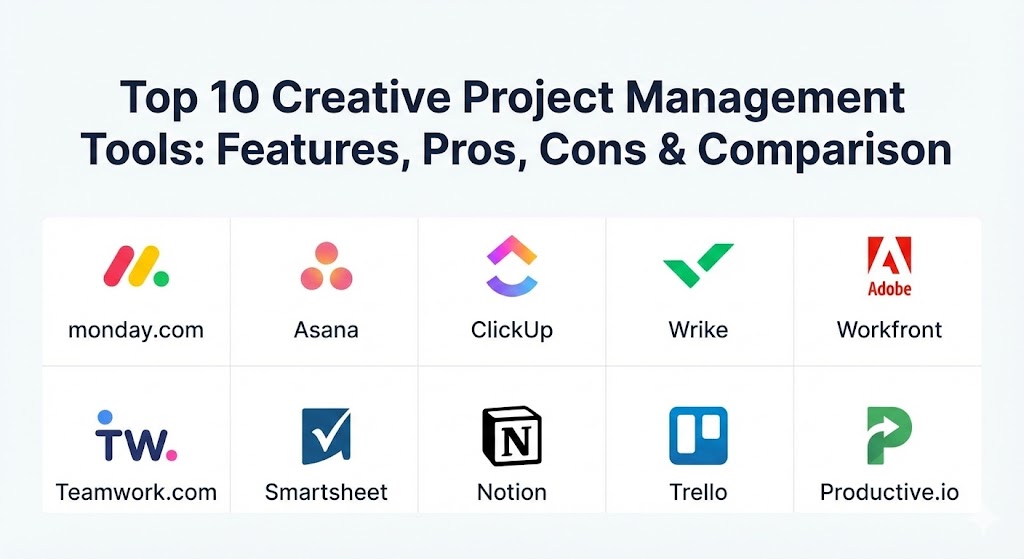
Top 10 Creative Project Management Tools
1 — Monday.com
Monday.com is a highly visual “Work OS” that allows creative teams to build custom workflows from the ground up. It is widely praised for its colorful, intuitive interface and the ease with which it can be adapted to any creative niche.
- Key features:
- Visual Board System: Uses “pulses” and “columns” to track everything from task status to file uploads.
- Built-in Proofing: Allows users to add comments directly onto images and PDFs.
- Workflow Automation: “If this, then that” recipes to automate status changes and notifications.
- Workload View: Provides a real-time snapshot of who is over-allocated and who has capacity.
- Guest Access: Simple ways to invite clients into specific boards for feedback.
- Content Calendar: Specialized views for tracking social media and editorial deadlines.
- Pros:
- Exceptionally high adoption rates among creative teams due to its “fun” UI.
- Unmatched flexibility; you aren’t forced into a specific project management methodology.
- Cons:
- The pricing structure can be confusing, as it requires purchasing “seats” in specific blocks.
- Advanced features like time tracking and dependencies are locked behind higher-tier plans.
- Security & compliance: SOC 1/2/3, ISO 27001, GDPR, HIPAA, and SSO integration.
- Support & community: 24/7 customer support, a massive marketplace of community-built templates, and a highly active user forum.
2 — Asana
Asana is a leader in the productivity space, focusing on clarity and accountability. For creative teams, it offers a “Rules” engine that takes the manual labor out of moving a project from the “Design” phase to “Legal Review.”
- Key features:
- Project Timelines: A visual Gantt-style view that handles dependencies with ease.
- Creative Request Forms: Standardizes how work enters the creative queue to prevent “brief sprawl.”
- Approval Workflows: Dedicated task statuses for “Pending,” “Changes Requested,” and “Approved.”
- Adobe Creative Cloud Integration: Allows designers to see their tasks without leaving Photoshop or InDesign.
- Portfolios: Provides a high-level view of multiple creative campaigns for leadership.
- Goals (OKRs): Directly links creative tasks to the company’s broader strategic objectives.
- Pros:
- Excellent for managing complex projects with hundreds of moving parts.
- Very clean, “distraction-free” interface that keeps creatives focused on their to-do list.
- Cons:
- The learning curve can be steep for users who have never used a professional PM tool.
- Reporting features can feel a bit rigid compared to more database-driven competitors.
- Security & compliance: SOC 2 Type II, ISO 27001, GDPR, HIPAA, and Enterprise Key Management (EKM).
- Support & community: Extensive knowledge base (Asana Academy), premium enterprise support, and a global network of “Asana Ambassadors.”
3 — ClickUp
ClickUp positions itself as “the one app to replace them all.” For creative teams on a budget, it offers an incredible amount of functionality in its free and lower-tier versions.
- Key features:
- Mind Maps: Visual brainstorming tools that can be converted directly into tasks.
- Whiteboards: A native space for creative ideation and mood boarding.
- Proofing & Annotations: Support for commenting on images, videos, and PDFs.
- Custom Task Statuses: Tailor the workflow to match “Ideation,” “Drafting,” “Internal Review,” and “Client Final.”
- Everything View: A unique way to see every single task across the entire agency in one list.
- Slash Commands: Powerful keyboard shortcuts for lightning-fast task creation.
- Pros:
- Incredible feature-to-price ratio; almost every feature is available in the base paid plan.
- Highly customizable—every user can view the same project in the way they prefer (List, Board, or Gantt).
- Cons:
- Occasional performance lag reported due to the massive number of features packed into the web app.
- Can be overwhelming for new users due to “feature overload.”
- Security & compliance: SOC 2 Type II, GDPR, HIPAA, and ISO 27017/27018.
- Support & community: 24/7 chat support, weekly webinars, and a very active Facebook community.
4 — Wrike
Wrike is an enterprise-grade solution that excels at high-volume creative operations. It is particularly strong in “resource management,” helping agency owners understand exactly how much their creative time is costing.
- Key features:
- Dynamic Request Forms: Conditional logic that ensures every project request is complete before it starts.
- Wrike Proof: A professional-level proofing tool with version comparison.
- Three-Pane View: Gives you a global view, project view, and task view all on one screen.
- Time Tracking: Integrated timers to track billable hours for creative clients.
- Custom Item Types: Allows you to define what a “Creative Asset” or “Marketing Campaign” looks like.
- Cross-Tagging: Allows the same task to exist in multiple folders/projects without duplication.
- Pros:
- One of the best tools for “Proofing and Approvals” on the market.
- Extremely scalable; it can handle thousands of users across global regions.
- Cons:
- The interface can feel more “corporate” and less “creative” than Monday.com or Notion.
- Higher pricing tiers are required to unlock the best creative-focused features.
- Security & compliance: SOC 2, ISO 27001, HIPAA, GDPR, and unique “Wrike Lock” for customer-managed encryption keys.
- Support & community: Dedicated account managers for enterprise clients and a professional services team for onboarding.
5 — Adobe Workfront
Workfront is the gold standard for massive, enterprise-level creative teams, specifically because it is owned by Adobe and integrates natively with the tools designers use every day.
- Key features:
- Deep Adobe Ecosystem: Unrivaled integration with Photoshop, Premiere Pro, and Experience Manager.
- Scenario Planner: High-level strategic planning to model “what-if” situations for project staffing.
- Resource Leveling: Automatically balances workloads across a massive pool of creative talent.
- Advanced Proofing: Frame-accurate video proofing and multi-page document review.
- Agile for Creative: Built-in support for Scrum or Kanban methodologies within a creative context.
- Pros:
- The absolute best choice for teams that live in the Adobe Creative Cloud.
- Provides deep financial and capacity insights that help run a creative department like a business.
- Cons:
- Very expensive; usually only viable for large corporations or major agencies.
- Requires a significant investment in time and training to implement correctly.
- Security & compliance: FedRAMP authorized, SOC 2, HIPAA, GDPR, and ISO 27001.
- Support & community: Enterprise-tier support only; includes dedicated implementation consultants.
6 — Teamwork.com
Teamwork is designed specifically for client-facing work. If you run a creative agency and need to manage both your internal team and your clients’ expectations, this is a top-tier choice.
- Key features:
- Client Users: Allows you to bring clients into the project for free with limited permissions.
- Billing and Invoicing: Directly converts tracked time into professional invoices.
- Project Templates: Create “playbooks” for recurring creative projects (e.g., “Logo Design Package”).
- Notebooks: Collaborative document space for meeting notes and creative briefs.
- Resource Scheduling: A visual “drag-and-drop” wall to assign tasks to team members.
- Pros:
- Exceptional focus on agency profitability and client satisfaction.
- Very reliable; known for having one of the most stable platforms in the industry.
- Cons:
- Its proofing capabilities are not as advanced as Wrike or Adobe Workfront.
- The mobile app is good for tracking but limited for complex project setup.
- Security & compliance: SOC 2, GDPR, HIPAA, and data hosting options in the EU, US, and Australia.
- Support & community: Fast email/chat support and a “Help Center” that is frequently updated with video tutorials.
7 — Smartsheet
Smartsheet is a spreadsheet-on-steroids that has evolved into a powerful creative operations platform. It is perfect for teams that love the logic of Excel but need the visual power of a PM tool.
- Key features:
- Grid, Gantt, and Card Views: Seamlessly switch between data-heavy and visual layouts.
- Brandfolder Integration: Smartsheet’s own Digital Asset Management (DAM) system.
- Automated Update Requests: Automatically pings stakeholders for approvals based on a date or status.
- Resource Management by Smartsheet: Deep insights into team capacity and hiring needs.
- Dashboards: Real-time visual reporting for project status and budget tracking.
- Pros:
- Incredibly powerful for managing creative portfolios with thousands of lines of data.
- Offers a “familiar” interface for those transitioning from Excel or Google Sheets.
- Cons:
- Not as “creative-friendly” in its aesthetic as competitors like Monday.com.
- Can require some “fiddling” with formulas to get the automation working exactly right.
- Security & compliance: FedRAMP, SOC 2, ISO 27001, HIPAA, and GDPR.
- Support & community: Smartsheet University for training and a very large ecosystem of third-party consultants.
8 — Notion
Notion is a “connected workspace” that has taken the creative world by storm. It’s less of a rigid PM tool and more of a blank canvas that you can turn into a project manager, a wiki, and a brief-builder.
- Key features:
- Linked Databases: Create a task in one place and have it show up automatically in a calendar or board elsewhere.
- Template Gallery: Thousands of free creative-focused templates for everything from brand kits to content calendars.
- Collaborative Docs: Write creative briefs and scripts directly alongside your tasks.
- Synced Blocks: Update information in one place and have it update across every page in your workspace.
- Notion AI: Summarize meeting notes, brainstorm ideas, or rewrite briefs for different tones.
- Pros:
- The best tool for documentation and knowledge management.
- Extremely affordable for small teams and solo users.
- Cons:
- Lacks native “Proofing” tools (you can’t draw on an image to leave a comment).
- No native time tracking or advanced resource management features.
- Security & compliance: SOC 2 Type II, GDPR, and SAML SSO for Enterprise plans.
- Support & community: A cult-like following with endless YouTube tutorials and community-made templates.
9 — Trello
Trello is the original Kanban board and remains a favorite for creative teams that want to keep things as simple as possible. It is visual, fast, and remarkably easy to learn.
- Key features:
- Kanban Cards: Drag-and-drop cards through a visual pipeline.
- Power-Ups: Add-ons for things like time tracking, calendar views, and Slack integrations.
- Butler Automation: Built-in “robot” that handles repetitive clicks and task movements.
- Checklists with Members: Assign specific items within a card to different designers.
- Card Covers: Use project artwork as the visual “face” of the card for easy identification.
- Pros:
- Zero learning curve; if you can move a sticky note, you can use Trello.
- The free version is extremely generous and sufficient for many small creative teams.
- Cons:
- Not suitable for large, complex projects with many layers of sub-tasks.
- Reporting and high-level dashboarding are quite basic compared to Monday or Wrike.
- Security & compliance: SOC 2, ISO 27001, GDPR, and HIPAA (via Atlassian’s enterprise features).
- Support & community: Backed by the Atlassian ecosystem with vast documentation and community support.
10 — Productive.io
Productive is an end-to-end tool built specifically for agencies. It focuses on the “creative business” aspect, linking your projects directly to your sales pipeline and your bank account.
- Key features:
- Profitability Insights: Shows you exactly how much money you are making (or losing) on a creative project in real-time.
- Resource Planning: A visual timeline for scheduling your designers and copywriters.
- Sales Pipeline: Manage the creative pitch process before it even becomes a project.
- Time Tracking & Billing: Native time tracking that feeds directly into automated invoices.
- Docs: Integrated space for creative briefs and internal documentation.
- Pros:
- The only tool on this list that focuses heavily on agency “profitability.”
- Replaces 3-4 other tools (PM, Time Tracking, Invoicing, and CRM).
- Cons:
- Might be too “business-heavy” for in-house teams that don’t need to worry about billable hours.
- The UI is clean but lacks some of the visual “flair” found in Notion or Monday.
- Security & compliance: GDPR, ISO 27001, and SOC 2 Type II compliant.
- Support & community: Very personalized customer support and a dedicated onboarding experience.
Comparison Table
| Tool Name | Best For | Platform(s) Supported | Standout Feature | Rating (Gartner Peer Insights) |
| Monday.com | Customization | Web, iOS, Android, Mac, Win | Visual Workflow Builder | 4.6 / 5 |
| Asana | Strategic Planning | Web, iOS, Android, Mac, Win | Project Timelines & OKRs | 4.6 / 5 |
| ClickUp | Consolidation | Web, iOS, Android, Mac, Win | Everything View & Whiteboards | 4.3 / 5 |
| Wrike | Enterprise Creative Ops | Web, iOS, Android, Mac, Win | Professional Proofing | 4.4 / 5 |
| Adobe Workfront | Adobe Cloud Users | Web, iOS, Android, Mac, Win | Native Adobe CC Integration | 4.2 / 5 |
| Teamwork.com | Client-Facing Work | Web, iOS, Android, Mac, Win | Client Portals & Billing | 4.5 / 5 |
| Smartsheet | Portfolio Reporting | Web, iOS, Android | Spreadsheet-PM Hybrid | 4.4 / 5 |
| Notion | Creative Briefs | Web, iOS, Android, Mac, Win | Linked Wikis & Databases | 4.7 / 5 |
| Trello | Visual Simplicity | Web, iOS, Android, Mac, Win | Original Kanban UI | 4.5 / 5 |
| Productive.io | Agency Profitability | Web, iOS, Android, Mac | Real-Time Profit Tracking | 4.6 / 5 |
Evaluation & Scoring of Creative Project Management Tools
To provide a fair comparison, we evaluated these tools against a weighted rubric designed for the unique needs of creative professionals.
| Category | Weight | Key Considerations |
| Core Features | 25% | Proofing tools, visual views, and creative-focused automation. |
| Ease of Use | 15% | Adoption potential for designers who hate “admin” work. |
| Integrations | 15% | Connection to Adobe CC, Figma, Slack, and cloud storage. |
| Security & Compliance | 10% | Data privacy, SSO, and enterprise-grade security certifications. |
| Performance & Reliability | 10% | Load times for large assets and platform uptime. |
| Support & Community | 10% | Documentation, onboarding quality, and community templates. |
| Price / Value | 15% | Features vs. cost, especially for growing agencies. |
Which Creative Project Management Tool Is Right for You?
The “right” choice is less about the feature list and more about your team’s size and daily pain points.
- Solo Users vs. Small Teams: If you are a freelancer or a team of three, Notion or Trello are your best bets. They are cheap (or free) and won’t require a full-time administrator to manage.
- Mid-Market Agencies: If your team is growing and you’re starting to lose track of client billing, Productive.io or Teamwork.com will provide the structure you need to stay profitable while keeping clients happy.
- Large In-House Creative Departments: For teams with 50+ designers, Monday.com or Asana offer the best balance of adoption and scale. They allow you to maintain “creative freedom” while giving management the visibility they need.
- Global Enterprises: If you have strict security requirements and your entire team uses the Adobe suite, Adobe Workfront is the logical (though expensive) choice.
- Budget-Conscious vs. Premium: If you want every feature imaginable for the lowest possible price, ClickUp is the winner. If you are willing to pay for a “hardened,” polished experience, Wrike is the way to go.
Frequently Asked Questions (FAQs)
1. What makes a tool “creative-focused” versus general project management?
General tools track tasks (text). Creative tools track assets (visuals). Creative tools include proofing, annotations, and integrations with software like Photoshop to bridge the gap between “task” and “output.”
2. Can I use these tools for video proofing?
Yes, but check the tool’s specific tier. Wrike, Adobe Workfront, and ClickUp offer frame-accurate video proofing, while others like Trello may require a third-party integration like Frame.io.
3. How do integrations with Adobe Creative Cloud work?
Usually, these tools provide a “panel” inside Photoshop or Illustrator. This allows a designer to see their tasks, read comments, and upload their work to the PM tool without ever closing their design app.
4. Is it possible to invite clients to my project board?
Most modern tools like Monday.com and Teamwork allow for “Guest Users.” This lets clients see progress, leave feedback, and approve designs without being able to see your internal team conversations or billing.
5. Which tool is easiest for a team to adopt?
Trello and Monday.com consistently rank highest for “user adoption.” Their visual nature makes them feel less like a chore and more like a collaboration space.
6. Do these tools help with “Creative Burnout”?
Yes, via Resource Management. Tools like Asana and Monday show you if one designer has 40 hours of work while another has 10, allowing you to rebalance the load before someone burns out.
7. Can I track my creative budget inside these tools?
Yes. Productive.io is the strongest for this, but Smartsheet and Wrike also offer robust financial tracking to ensure your creative projects don’t go over budget.
8. What is a “Creative Brief” template?
It is a standardized form inside the tool that forces stakeholders to provide all necessary details (goals, audience, specs) before a project is assigned. Most tools on this list offer these.
9. Are these tools secure enough for sensitive brand work?
Enterprise plans for tools like Asana and Wrike include military-grade encryption and SSO. Always check for SOC 2 compliance if you handle sensitive intellectual property.
10. Why should I move away from email and spreadsheets?
Email hides information in private inboxes, and spreadsheets are “static”—they don’t ping you when a deadline is missed. A PM tool provides a “single source of truth” that updates in real-time.
Conclusion
The best creative project management tool is ultimately the one your team will actually use. While Adobe Workfront is technically powerful, it is useless if your designers find it too cumbersome. Conversely, Trello is beautifully simple but may fail you once your agency scales to 200 projects. Focus on your biggest bottleneck: Is it approvals? Is it capacity planning? Or is it simply knowing what is due tomorrow? Choose the tool that solves that specific problem first.