Introduction
3D Animation Software refers to digital tools used to create three-dimensional moving visuals, characters, environments, and simulations. These tools allow artists, designers, and studios to model objects in 3D space, apply textures and lighting, rig characters, and animate them for films, games, advertisements, simulations, architecture, education, and product design.
In today’s digital-first world, 3D animation has become essential across many industries. Entertainment studios rely on it for movies, OTT content, and games. Architects and engineers use it for realistic visualizations. Marketing teams leverage 3D animation for product demos and brand storytelling. Even healthcare, manufacturing, and education sectors use 3D animation for training and simulation.
When choosing a 3D animation tool, users should evaluate factors such as modeling and animation depth, rendering quality, performance, ease of use, learning curve, plugin ecosystem, collaboration support, platform compatibility, and pricing. Long-term scalability and community support are equally important, especially for professionals and studios.
Best for:
3D animation software is ideal for animators, game developers, VFX artists, architects, product designers, educators, marketing teams, and studios of all sizes—from freelancers to large enterprises.
Not ideal for:
These tools may not be suitable for users who only need simple 2D animations, static graphics, or basic video editing. In such cases, lightweight design or motion graphics tools may be more practical and cost-effective.
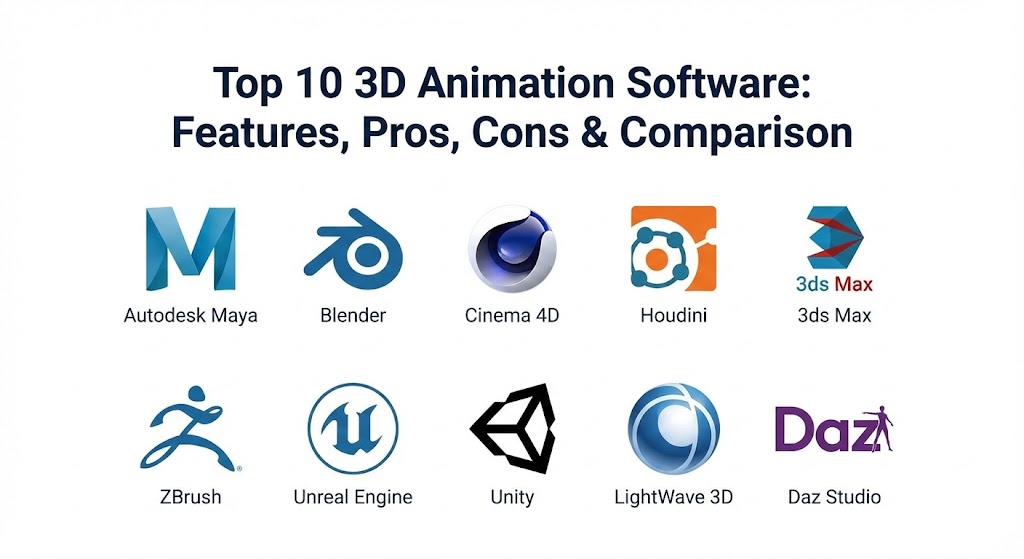
Top 10 3D Animation Software Tools
1 — Autodesk Maya
Short description:
Autodesk Maya is a professional-grade 3D animation and modeling tool widely used in film, TV, and game studios. It is known for advanced animation, rigging, and simulation capabilities.
Key features:
- Advanced character rigging and animation tools
- High-end modeling and sculpting
- Realistic physics and simulation effects
- Node-based material and shader system
- Powerful scripting with Python and MEL
- Industry-standard rendering workflows
Pros:
- Trusted industry standard for large studios
- Extremely powerful animation and rigging tools
- Strong pipeline and production integration
Cons:
- Steep learning curve for beginners
- High subscription cost
- Requires powerful hardware
Security & compliance:
Enterprise-grade security, SSO support, encryption, GDPR compliance.
Support & community:
Extensive documentation, large professional community, enterprise support available.
2 — Blender
Short description:
Blender is a free and open-source 3D animation suite suitable for beginners, professionals, and indie studios. It covers the full 3D pipeline.
Key features:
- Modeling, sculpting, rigging, and animation
- Built-in real-time and path-tracing render engines
- Video editing and compositing tools
- Physics simulations (fluid, smoke, cloth)
- Python scripting and add-ons
- Active open-source development
Pros:
- Completely free with no licensing cost
- Large global community and plugins
- Rapid innovation and updates
Cons:
- UI may feel complex for new users
- Limited official enterprise support
- Some advanced studio pipelines need customization
Security & compliance:
Varies / N/A (local installation, open-source).
Support & community:
Very strong community, tutorials, forums, and documentation.
3 — Cinema 4D
Short description:
Cinema 4D is a user-friendly 3D animation tool popular among motion designers and visual artists, especially in advertising and broadcast design.
Key features:
- Intuitive interface and workflow
- Powerful MoGraph tools
- High-quality rendering and lighting
- Seamless motion graphics integration
- Procedural modeling capabilities
- Stable performance
Pros:
- Easy to learn compared to competitors
- Excellent for motion graphics
- Smooth integration with creative workflows
Cons:
- Limited advanced character animation
- Subscription pricing can be high
- Smaller plugin ecosystem than Maya
Security & compliance:
Standard software security practices, GDPR-ready.
Support & community:
Good documentation, training resources, and commercial support.
4 — Houdini
Short description:
Houdini is a procedural 3D animation and VFX tool designed for complex simulations and visual effects in film and games.
Key features:
- Node-based procedural workflow
- Advanced VFX and simulation tools
- Scalable for large productions
- Powerful particle and fluid simulations
- Deep technical control
- Customizable pipelines
Pros:
- Unmatched simulation capabilities
- Highly scalable and flexible
- Used in high-end VFX studios
Cons:
- Very steep learning curve
- Overkill for simple projects
- Requires technical expertise
Security & compliance:
Enterprise-grade security options available.
Support & community:
Strong documentation, active professional community, studio-level support.
5 — 3ds Max
Short description:
3ds Max is a popular 3D modeling and animation tool, widely used in architecture, engineering, and game development.
Key features:
- Robust polygon modeling tools
- Architectural visualization support
- Built-in rendering engines
- Scripting with MAXScript
- Plugin-rich ecosystem
- Asset libraries
Pros:
- Excellent for architectural visualization
- Strong modeling tools
- Reliable performance
Cons:
- Windows-only platform
- Less suitable for advanced character animation
- Subscription-based pricing
Security & compliance:
Enterprise-ready security and compliance features.
Support & community:
Large user base, extensive tutorials, professional support.
6 — ZBrush
Short description:
ZBrush specializes in digital sculpting and is widely used for creating highly detailed characters and assets.
Key features:
- High-resolution sculpting
- Dynamic tessellation
- Advanced brush system
- Texture painting tools
- Industry-standard character detailing
- Integration with other 3D tools
Pros:
- Unmatched sculpting quality
- Ideal for character artists
- Fast workflow for detailing
Cons:
- Not a full animation solution
- Unique UI takes time to learn
- Limited rendering and animation features
Security & compliance:
Varies / N/A.
Support & community:
Strong artist community, learning resources, and support forums.
7 — Unreal Engine
Short description:
Unreal Engine is a real-time 3D creation platform widely used for games, animation, and virtual production.
Key features:
- Real-time rendering
- Photorealistic visuals
- Virtual production tools
- Animation and physics systems
- Scalable for large projects
- Cross-platform deployment
Pros:
- Real-time performance
- Excellent visual quality
- Growing adoption in film and TV
Cons:
- Complex for beginners
- Requires strong hardware
- Not focused solely on animation
Security & compliance:
Enterprise security options, GDPR-compliant.
Support & community:
Large developer community, documentation, and enterprise support.
8 — Unity
Short description:
Unity is a real-time 3D platform used for animation, games, simulations, and interactive content.
Key features:
- Real-time 3D animation
- Cross-platform deployment
- Asset store ecosystem
- Physics and animation tools
- Scripting support
- AR/VR capabilities
Pros:
- Versatile and scalable
- Large asset marketplace
- Strong community support
Cons:
- Rendering less cinematic than competitors
- Licensing changes can affect users
- Requires coding knowledge
Security & compliance:
Enterprise-grade security and compliance options.
Support & community:
Extensive community, documentation, and paid support plans.
9 — LightWave 3D
Short description:
LightWave 3D is a long-standing 3D animation tool used for modeling, rendering, and animation.
Key features:
- Fast rendering engine
- Integrated modeling and animation
- Good lighting tools
- Cost-effective licensing
- Cross-platform support
Pros:
- Affordable compared to competitors
- Efficient rendering
- Solid animation tools
Cons:
- Smaller user base
- Slower feature updates
- Limited modern workflows
Security & compliance:
Varies / N/A.
Support & community:
Decent documentation, smaller but dedicated community.
10 — Daz Studio
Short description:
Daz Studio is a beginner-friendly 3D animation and character creation tool focused on ready-made assets.
Key features:
- Pre-built characters and assets
- Easy posing and animation
- Basic rendering tools
- Asset marketplace
- Beginner-friendly UI
Pros:
- Easy to start with
- Large asset library
- Free base version
Cons:
- Limited advanced animation
- Not suitable for studios
- Performance depends on assets
Security & compliance:
Varies / N/A.
Support & community:
Good tutorials, community forums, and marketplace support.
Comparison Table
| Tool Name | Best For | Platform(s) Supported | Standout Feature | Rating |
|---|---|---|---|---|
| Autodesk Maya | Film & game studios | Windows, macOS, Linux | Advanced animation | N/A |
| Blender | Freelancers & studios | Windows, macOS, Linux | Free full pipeline | N/A |
| Cinema 4D | Motion designers | Windows, macOS | MoGraph tools | N/A |
| Houdini | VFX & simulations | Windows, macOS, Linux | Procedural workflow | N/A |
| 3ds Max | Architecture & games | Windows | Modeling strength | N/A |
| ZBrush | Character artists | Windows, macOS | Digital sculpting | N/A |
| Unreal Engine | Real-time animation | Windows, macOS | Real-time rendering | N/A |
| Unity | Interactive content | Windows, macOS | Cross-platform | N/A |
| LightWave 3D | Budget studios | Windows, macOS | Fast rendering | N/A |
| Daz Studio | Beginners | Windows, macOS | Asset-based workflow | N/A |
Evaluation & Scoring of 3D Animation Software
| Criteria | Weight | Description |
|---|---|---|
| Core features | 25% | Modeling, animation, rendering depth |
| Ease of use | 15% | Learning curve and usability |
| Integrations & ecosystem | 15% | Plugins, assets, pipeline support |
| Security & compliance | 10% | Enterprise readiness |
| Performance & reliability | 10% | Stability and speed |
| Support & community | 10% | Documentation and user base |
| Price / value | 15% | Cost vs features |
Which 3D Animation Software Tool Is Right for You?
- Solo users: Blender or Daz Studio offer affordability and flexibility.
- SMBs: Cinema 4D or LightWave provide balance between power and ease of use.
- Mid-market teams: 3ds Max, Unity, or Unreal Engine support scalable workflows.
- Enterprise studios: Maya and Houdini are best for complex pipelines.
Budget-conscious users should prioritize free or lower-cost tools, while premium users benefit from industry-standard solutions. Choose deeper features if realism matters, or ease of use if speed and learning are priorities. Security and scalability become crucial for enterprise deployments.
Frequently Asked Questions (FAQs)
1. What is 3D animation software used for?
It is used to create animated 3D models for films, games, simulations, design, and education.
2. Is Blender suitable for professionals?
Yes, many professionals and studios use Blender for full-scale projects.
3. Which tool is best for beginners?
Blender and Daz Studio are commonly recommended for beginners.
4. Are these tools expensive?
Costs vary from free to high-end subscriptions depending on the software.
5. Can 3D animation software run on standard PCs?
Basic tasks can, but complex projects need powerful hardware.
6. Is coding required for 3D animation?
Not always, but scripting helps in advanced workflows.
7. Which tool is best for films?
Maya and Houdini dominate film and VFX industries.
8. Are these tools used in gaming?
Yes, especially Maya, Blender, Unreal Engine, and Unity.
9. How long does it take to learn 3D animation?
Basic skills may take months; mastery takes years of practice.
10. Can I switch tools later?
Yes, but learning a new workflow requires time and adjustment.
Conclusion
3D animation software plays a critical role in modern digital creation, from entertainment to engineering and education. Each tool in this list excels in different areas—some prioritize realism and simulation, others focus on speed, usability, or affordability. There is no single “best” tool for everyone. The right choice depends on your goals, budget, skill level, and industry requirements. By carefully evaluating features, usability, scalability, and long-term value, users can select a 3D animation solution that truly supports their creative and business needs.
This blog post is a fantastic overview for anyone looking to break into 3D animation or upgrade their current toolkit. It does a great job of breaking down the heavy hitters like Autodesk Maya and Houdini while also highlighting accessible gems like Blender and Daz Studio. I really like how it identifies exactly who each tool is for, which saves a lot of time for freelancers versus big studio teams. It’s a solid, straightforward resource for navigating such a complex field.