Introduction
Browser Management (Enterprise) refers to a category of software solutions that allow IT and security teams to control, secure, and monitor the web browsing environment across an entire organization. These tools move security from the network edge directly into the browser itself. Instead of relying solely on heavy VPNs or restrictive firewalls, enterprise browser management provides a “last mile” of security that governs how data is handled once it reaches the user’s screen.
The importance of these tools has skyrocketed as traditional perimeters have vanished. They allow companies to enforce policies such as “no copy-pasting sensitive data from Salesforce to ChatGPT,” block malicious extensions, and ensure that only managed, healthy devices can access internal web apps. Key real-world use cases include securing third-party contractor access on unmanaged laptops, preventing data exfiltration in customer support centers, and providing a seamless “Zero Trust” access path to internal legacy websites. When choosing a tool, users should evaluate the balance between security depth (like browser isolation) and the user experience (latency and familiarity).
Best for: IT administrators and CISO offices in mid-to-large enterprises, especially those in highly regulated sectors like finance, healthcare, and government. It is essential for companies with a large remote workforce or those that rely heavily on third-party contractors using BYOD (Bring Your Own Device) equipment.
Not ideal for: Small businesses with fewer than 10 employees where basic browser sync and standard antivirus are sufficient. It may also be overkill for organizations that do not handle sensitive PII (Personally Identifiable Information) or have very limited SaaS usage.
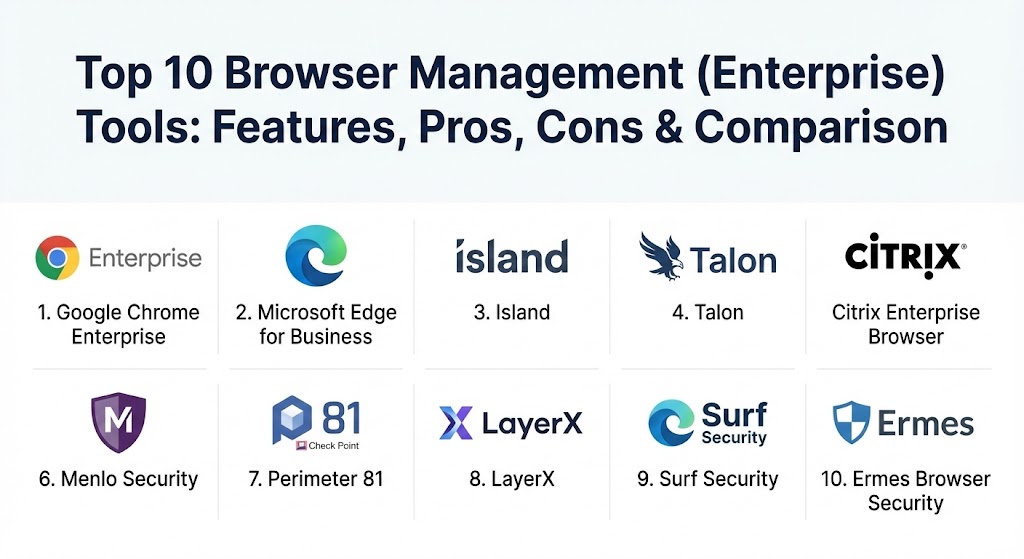
Top 10 Browser Management (Enterprise) Tools
1 — Google Chrome Enterprise
Chrome Enterprise is the professional version of the world’s most popular browser. It offers a powerful cloud-based management console that allows admins to enforce hundreds of policies across Windows, Mac, and Linux without needing to touch each machine.
- Key features:
- Chrome Enterprise Core: A free cloud-based management dashboard.
- Policy Management: Over 100+ granular policies for extensions, updates, and settings.
- Chrome Enterprise Premium: Advanced security for threat and data protection.
- Managed Extension Web Store: Curate a list of approved extensions for your team.
- Context-Aware Access: Integration with Google Cloud to ensure only safe devices connect.
- Legacy Browser Support: Automatically opens old sites in IE/Edge if required.
- Pros:
- Unmatched familiarity; most employees already use and love the Chrome interface.
- Excellent scalability, managing tens of thousands of users from a single web console.
- Cons:
- Advanced security features (DLP, malware scanning) require the paid “Premium” tier.
- Privacy-conscious organizations may have concerns about Google’s data collection ecosystem.
- Security & compliance: SOC 2, ISO 27001, GDPR compliant. Features include phishing protection, password alerts, and audit logging.
- Support & community: Extensive documentation, a global support network, and a massive community of IT admins sharing policy templates.
2 — Microsoft Edge for Business
Edge for Business is Microsoft’s answer to enterprise browsing, built on the same Chromium engine as Chrome but deeply integrated into the Microsoft 365 and Entra ID (Azure AD) ecosystem.
- Key features:
- Microsoft Entra Integration: Seamless SSO and conditional access policies.
- IE Mode: Native support for legacy websites that still require Internet Explorer.
- Enterprise Sync: Securely syncs passwords and bookmarks using corporate accounts.
- Microsoft Defender Integration: Built-in protection against phishing and malware.
- Automatic Profile Switching: Keeps personal and work browsing strictly separated.
- Microsoft Intune Support: Advanced management through the standard Windows MDM.
- Pros:
- Best-in-class integration for companies already using Microsoft 365 and Intune.
- Exceptional legacy compatibility, saving companies from needing multiple browsers.
- Cons:
- Can feel cluttered with consumer-focused features (news feeds, shopping) that need to be disabled.
- Primarily optimized for Windows, though Mac and Linux support is improving.
- Security & compliance: FIPS 140-2, HIPAA, GDPR, and ISO 27001. Deep integration with Microsoft Purview for data loss prevention.
- Support & community: Backed by Microsoft’s global enterprise support; massive community through the Microsoft Tech Community.
3 — Island (The Enterprise Browser)
Island is a pioneer in the “Secure Enterprise Browser” category. Unlike Chrome or Edge which are consumer browsers with management added on, Island is a custom-built Chromium browser designed from the ground up for business security.
- Key features:
- Granular DLP: Control exactly who can copy, paste, print, or take screenshots.
- Built-in ZTNA: Direct access to internal apps without a traditional VPN.
- Smart Watermarking: Adds user-specific watermarks to screens to prevent data theft via photos.
- Forensic Auditing: High-resolution logs of every click and action within the browser.
- Application Masking: Hides specific fields (like credit card numbers) from unauthorized users.
- Robotic Process Automation (RPA): Built-in tools to automate common browsing workflows.
- Pros:
- Provides a level of security control that is impossible to achieve with a “standard” browser.
- Significantly reduces the need for expensive and slow VDI (Virtual Desktop Infrastructure).
- Cons:
- It is a completely new browser that users must adopt, which can cause minor friction.
- Requires a license fee, whereas basic enterprise management in Edge/Chrome is free.
- Security & compliance: SOC 2 Type II, HIPAA, GDPR, and FedRAMP ready.
- Support & community: High-touch enterprise support with dedicated customer success managers.
4 — Talon (by Palo Alto Networks)
Talon, recently acquired by Palo Alto Networks, provides a secure enterprise browser that creates a workspace for users on any device, ensuring corporate data stays within the secure container.
- Key features:
- Browser Isolation: Runs web code in a secure container to protect the local device.
- Identity-First Security: Native integration with major IdPs like Okta and Ping.
- SaaS Security: Deep visibility into how employees are using cloud apps like Slack or Jira.
- Third-Party Access: Allows contractors to work securely without installing an agent on their PC.
- DLP Policies: Prevents sensitive data uploads to unauthorized personal cloud storage.
- Prisma SASE Integration: Works as part of the broader Palo Alto security cloud.
- Pros:
- Exceptionally fast deployment; users just sign in and the security is active.
- The integration with Palo Alto’s threat intelligence gives it a massive edge in stopping new malware.
- Cons:
- Best suited for existing Palo Alto customers; standalone value is slightly lower.
- As a newer entrant, it may lack some of the “quality of life” features found in Chrome.
- Security & compliance: SOC 2, GDPR, and alignment with the Zero Trust Architecture (ZTA) framework.
- Support & community: Now supported by Palo Alto’s extensive global technical assistance center.
5 — Citrix Enterprise Browser
Part of the Citrix Workspace platform, this browser is designed to give users a high-performance, secure way to access web and SaaS apps while keeping IT in total control.
- Key features:
- App Protection: Blocks keyloggers and screen-capture tools at the browser level.
- Unified Access: One dashboard for all web, SaaS, and virtualized apps.
- Contextual Policies: Change security settings based on the user’s location or device health.
- Secure Private Access: Replaces VPNs for reaching internal company websites.
- Browser Content Redirection: Optimizes video and audio performance for remote users.
- Pros:
- A natural fit for companies already using Citrix for virtualization.
- Excellent at providing a consistent experience across Windows, Mac, and mobile.
- Cons:
- The management console can be complex and intimidating for non-Citrix admins.
- Reliance on the Citrix gateway can sometimes introduce latency if not configured correctly.
- Security & compliance: ISO 27001, HIPAA, and PCI DSS compliance.
- Support & community: Mature support ecosystem with decades of experience in remote work security.
6 — Menlo Security
Menlo Security focuses on “Remote Browser Isolation” (RBI). Instead of trying to secure a local browser, Menlo executes all web code in a secure cloud container and sends only safe visual information to the user’s device.
- Key features:
- 100% Isolation: No active web code (Javascript) ever reaches the user’s computer.
- Read-Only Mode: Automatically opens suspicious links in a safe, non-interactive mode.
- DLP and File Inspection: Scans all downloads and uploads for malware and sensitive data.
- Elastic Cloud Scaling: No performance hit even with thousands of concurrent isolated sessions.
- SaaS Visibility: Monitors all interactions with cloud-based business tools.
- Pros:
- Virtually eliminates the risk of browser-based malware and zero-day exploits.
- Works with existing browsers (Chrome/Edge/Safari), so no new browser is needed.
- Cons:
- Can occasionally break complex web applications that rely on specific local scripts.
- Introduces a small amount of latency due to the cloud-rerouting of traffic.
- Security & compliance: SOC 2, HIPAA, GDPR, and FedRAMP authorized.
- Support & community: Solid enterprise support with 24/7 availability for critical issues.
7 — Perimeter 81 (A Check Point Company)
Perimeter 81 provides a secure web gateway and browser management features as part of its SASE (Secure Access Service Edge) platform, focusing on ease of use for small-to-mid-market enterprises.
- Key features:
- Cloud Management: Entirely managed through a modern, easy-to-use web portal.
- Secure Web Gateway: Filters URLs and blocks malicious sites at the network level.
- Zero Trust Access: Securely connects users to internal web apps without a client VPN.
- DNS Filtering: Prevents users from reaching known command-and-control servers.
- Activity Monitoring: Simple, clear logs of web traffic across the organization.
- Pros:
- One of the most user-friendly management interfaces in the networking space.
- Very fast to set up, making it ideal for fast-growing mid-sized companies.
- Cons:
- Lacks the deep, in-browser DLP features (like screenshot blocking) of Island or Talon.
- Primarily focused on the network layer rather than the browser’s internal mechanics.
- Security & compliance: SOC 2 Type II, ISO 27001, and GDPR.
- Support & community: Known for responsive customer support and a helpful self-service knowledge base.
8 — LayerX
LayerX is an enterprise browser security platform that operates as a high-performance extension, turning any standard browser into a managed enterprise workspace.
- Key features:
- Extension-Based: Works with Chrome, Edge, and Firefox without changing the browser.
- High-Resolution Visibility: Sees every user action within the browser in real-time.
- SaaS Governance: Automatically maps and secures all SaaS apps used by employees.
- AI-Powered Analysis: Identifies risky extensions and malicious web behavior.
- Zero Trust Policy Enforcement: Enforces least-privilege access at the browser level.
- Pros:
- Zero friction for users; they keep using the browser they already have.
- Provides much deeper insights into “Shadow IT” (apps the company didn’t approve) than network tools.
- Cons:
- As an extension, it can be bypassed if the user is an admin on their own device.
- Not quite as “bulletproof” as total cloud isolation or a dedicated secure browser.
- Security & compliance: SOC 2 alignment, GDPR ready, and supports major identity frameworks.
- Support & community: Focused on customer success with a growing technical library.
9 — Surf Security
Surf Security provides a comprehensive enterprise browser that focuses on combining security with a high-quality user experience, aiming to replace VDI for many use cases.
- Key features:
- Zero Trust Browser: Built-in identity verification for every session.
- Deep DLP: Prevents data from leaving the browser via copy-paste or downloads.
- Virtual Private App Access: Securely tunnels to internal web resources.
- Extension Management: Centralized control over what plugins can be installed.
- Performance Monitoring: Tracks browser health and speed for the end user.
- Pros:
- A very “clean” user interface that feels modern and fast.
- Strong emphasis on both security and end-user productivity.
- Cons:
- Smaller market presence compared to giants like Google or Microsoft.
- Integration ecosystem is still maturing.
- Security & compliance: Varies / Standard Enterprise controls (SSO, Audit logs).
- Support & community: Personalized support for enterprise accounts.
10 — Ermes Browser Security
Ermes uses a unique AI-driven approach to protect the browser by focusing on behavioral analysis of web pages in real-time, preventing phishing before it can even be identified by blacklists.
- Key features:
- AI Behavioral Analysis: Detects malicious intent on a webpage as it loads.
- Real-Time Phishing Protection: Stops credential theft on day-zero sites.
- Anti-Tracking and Privacy: Blocks trackers to improve privacy and performance.
- Centralized Dashboard: Monitor the security posture of all enterprise browsers.
- Lightweight Agent: Minimal impact on CPU and memory usage.
- Pros:
- Exceptionally effective against sophisticated, short-lived phishing attacks.
- Does not require re-routing traffic to the cloud, maintaining local speed.
- Cons:
- Focuses more on external threats than internal management/DLP.
- Admin console is more focused on security events than browser configuration.
- Security & compliance: GDPR compliant and aligns with modern cybersecurity frameworks.
- Support & community: Responsive technical support team with a focus on Europe and North America.
Comparison Table
| Tool Name | Best For | Platform(s) Supported | Standout Feature | Rating (Gartner) |
| Google Chrome Ent. | Large Google-centric teams | Win, Mac, Linux, iOS | Global Cloud Management | 4.6 / 5 |
| Microsoft Edge Ent. | Microsoft 365 Users | Windows, Mac, iOS | Native IE Mode | 4.6 / 5 |
| Island | High-Security Enterprises | Windows, Mac, Mobile | Total DLP (Screenshot block) | 4.9 / 5 |
| Talon (Palo Alto) | BYOD & Remote Workers | Windows, Mac, iOS | Zero-Trust Isolation | 4.8 / 5 |
| Citrix Browser | Existing Citrix Users | Multi-Platform | App Protection Policies | 4.4 / 5 |
| Menlo Security | Zero-Day Protection | Works with any browser | 100% Cloud Isolation | 4.7 / 5 |
| Perimeter 81 | Mid-Market SASE | Cloud-Based | Simple Zero Trust Access | 4.5 / 5 |
| LayerX | Low-Friction Security | Chrome, Edge, Firefox | High-Res Session Visibility | 4.8 / 5 |
| Surf Security | Modern Workspace | Windows, Mac, Linux | Performance + Security | 4.6 / 5 |
| Ermes Security | Phishing Prevention | Multi-Browser | AI Behavioral Detection | 4.8 / 5 |
Evaluation & Scoring of Browser Management (Enterprise)
When selecting a tool, we recommend using this weighted rubric to score each candidate based on your specific organizational needs.
| Category | Weight | Key Evaluation Criteria |
| Core Features | 25% | Policy granularity, extension management, and DLP depth. |
| Ease of Use | 15% | Admin dashboard intuitiveness and end-user “learning curve.” |
| Integrations | 15% | Compatibility with IdPs (Okta), SASE, and Endpoint tools (Intune). |
| Security & Compliance | 10% | Encryption, audit logging, and certifications (SOC 2/HIPAA). |
| Performance | 10% | Impact on page load times and system memory usage. |
| Support & Community | 10% | Quality of documentation and speed of technical support. |
| Price / Value | 15% | Licensing cost vs. potential savings (e.g., replacing VDI/VPN). |
Which Browser Management Tool Is Right for You?
The right choice depends heavily on your existing technical ecosystem and your primary security “pain point.”
- The Microsoft/Google Giants: If you are a standard enterprise looking for basic policy control (e.g., forcing updates and blocking bad extensions) and you already use M365 or Google Workspace, Edge for Business or Chrome Enterprise are the clear winners. They are virtually free for basic management and require the least amount of user training.
- The Security Hardliners: If you are in finance or defense and your biggest fear is data leakage via contractors or BYOD devices, Island or Talon are the best options. They give you “Iron Curtain” control over the browser that traditional software simply cannot match.
- The “Don’t Change My Browser” Crowd: If you have a very picky user base that refuses to switch to a new browser, look at LayerX or Menlo Security. These allow users to keep their favorite browser while adding a transparent layer of security over the top.
- Budget-Conscious Mid-Market: Perimeter 81 offers a fantastic balance of network security and basic browser management that is very easy for a small IT team to manage without needing a dedicated browser specialist.
Frequently Asked Questions (FAQs)
1. Is an enterprise browser just a regular browser with a different skin? No. While many (like Island) are based on the Chromium engine for compatibility, they include deep, hard-coded security features like data masking, built-in VPN-less access, and advanced forensics that consumer browsers lack.
2. Can I manage browsers on home computers (BYOD)? Yes. Modern tools like Talon and Island are designed specifically for this. Users can log in to a secure browser session on their personal PC, and the company only has control over what happens inside that work window.
3. Does managing the browser slow down my employees’ internet? It depends. Standard management (Chrome/Edge) has zero impact. “Isolation” tools like Menlo may introduce a slight latency (measured in milliseconds), but for most SaaS apps, users won’t notice a difference.
4. Why should I use this instead of a VPN? VPNs are often slow, difficult to manage, and give users access to the entire network. Browser management provides “Zero Trust” access, meaning users only get access to the specific web apps they need, which is far more secure.
5. How much does enterprise browser management cost? Basic cloud management for Chrome and Edge is free. Premium secure browsers or isolation platforms typically range from $5 to $15 per user, per month, often with discounts for large volumes.
6. Can these tools block specific browser extensions? Yes. You can create “allowlists” (only these 10 are allowed) or “blocklists” (all except these 5 are allowed), and even prevent extensions from reading sensitive data on specific websites.
7. Does browser management help with HIPAA or GDPR compliance? Significantly. By preventing unencrypted data from being downloaded to personal devices and providing a full audit log of sensitive data access, these tools help meet the “Technical Safeguards” required by most regulations.
8. Will my existing internal websites work in an enterprise browser? Yes. Because most are based on Chromium, they are compatible with 99% of modern websites. For very old sites, Microsoft Edge offers a specific “IE Mode.”
9. What is “Browser Isolation”? It is a technology that runs the actual website in a safe, disposable container in the cloud. Even if the website is infected with a virus, it only hits the cloud container, leaving the user’s computer completely untouched.
10. How long does it take to set up? Cloud-managed Chrome or Edge can be set up in under an hour. Custom enterprise browsers like Island or Talon typically involve a pilot phase of 1-2 weeks to fine-tune security policies.
Conclusion
The web browser is the new “front line” of corporate security. As we move further away from traditional offices, the ability to manage the browser is no longer a luxury—it is a foundational requirement. Whether you choose the built-in power of Chrome and Edge or the advanced protection of a dedicated secure browser like Island, the key is to start managing your browser environment before a data leak forces your hand. The best tool is the one that protects your data without getting in the way of your employees’ work.