Introduction
A Translation Management System (TMS) is a specialized software platform designed to automate, manage, and optimize the end-to-end localization process. Unlike simple translation apps, a TMS provides a centralized environment where project managers, developers, and linguists collaborate. It leverages core technologies like Translation Memory (TM), which stores previously translated segments to reduce costs, and Computer-Assisted Translation (CAT) tools, which assist linguists in maintaining consistency and speed.
The importance of a TMS lies in its ability to eliminate “translation debt.” Without these tools, companies often struggle with inconsistent terminology, slow release cycles, and high costs. Real-world use cases include localized software interfaces (UI), multilingual marketing campaigns, technical documentation, and real-time e-commerce product descriptions. When evaluating these tools, users should prioritize integration capabilities (API/GitHub), the quality of the built-in CAT tool, automation features, and robust reporting on translation ROI.
Best for: Product managers, localization leads, and marketing directors at mid-market to enterprise-level organizations. It is essential for companies dealing with frequent content updates, complex software products, or a high volume of target languages.
Not ideal for: Individual users looking to translate a single document once, or very small businesses with a static website that rarely changes. In these cases, a one-off translation agency or basic machine translation tools may be more cost-effective.
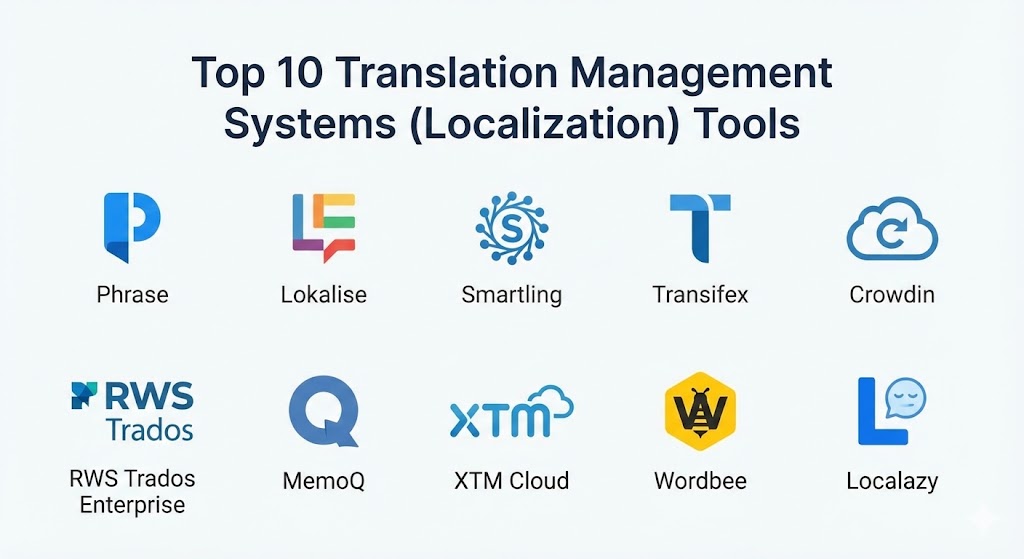
Top 10 Translation Management Systems (Localization) Tools
1 — Phrase (formerly Phrase & Memsource)
Phrase offers a comprehensive localization suite that combined Memsource’s enterprise-grade CAT tool with Phrase’s developer-focused software localization platform. It is designed to handle everything from complex document translation to continuous software deployment.
- Key features:
- Phrase Strings: Dedicated environment for software localization and developer workflows.
- Phrase TMS: A heavy-duty CAT tool with advanced translation memory management.
- AI-Powered Machine Translation: Integrated Phrase NextMT for high-quality automated drafts.
- Over 50+ integrations: Native connections with GitHub, GitLab, Bitbucket, and Jira.
- In-Context Editor: Allows translators to see exactly where text appears in the UI.
- Advanced Automation: Trigger-based workflows to reduce manual project management.
- Pros:
- Excellent balance between developer needs and professional linguist requirements.
- Highly scalable; handles millions of words and hundreds of languages with ease.
- Cons:
- The combined interface can feel a bit fragmented during the transition phase.
- Advanced AI features often require higher-tier, more expensive plans.
- Security & compliance: ISO 27001, SOC 2 Type II, GDPR compliant, SSO, and multi-factor authentication.
- Support & community: Extensive documentation, a dedicated Phrase Academy for training, 24/7 enterprise support, and a robust user community.
2 — Lokalise
Lokalise is built with a “developer-first” mentality. It is known for its modern, sleek UI and its ability to integrate seamlessly into agile development cycles, making it a favorite for SaaS companies and mobile app developers.
- Key features:
- Design-to-Code: Direct integrations with Figma, Adobe XD, and Sketch.
- Over-the-Air (OTA) Updates: Update translations in mobile apps without a new store release.
- Screenshot Management: Automatically match screenshots to text strings for context.
- Task Automation: Automated workflow rules for status changes and assignments.
- API-First Design: Fully documented API for custom build pipelines.
- Vendor Integration: Order professional translations directly from within the platform.
- Pros:
- The most intuitive and user-friendly interface in the TMS category.
- Exceptional for collaborative teams where designers and developers work closely.
- Cons:
- Can be more expensive than competitors for high-volume marketing content.
- Lacks some of the “deep” document management features found in older TMS tools.
- Security & compliance: SOC 2 Type II, GDPR, HIPAA, and ISO 27001. Features audit logs and SSO.
- Support & community: High-quality live chat support, comprehensive “Lokalise University,” and active community forums.
3 — Smartling
Smartling is an enterprise-grade platform that positions itself as a “Translation Cloud.” It focuses heavily on automation and provides a managed services option for companies that want to outsource the entire localization operation.
- Key features:
- Global Delivery Network (GDN): A proxy-based solution for localizing websites without backend code changes.
- Visual Context: High-fidelity previews for web, mobile, and document formats.
- Translation Proxy: Simplifies the localization of complex, dynamic websites.
- Quality Assurance (QA) Tools: Automated checks for placeholders, tags, and terminology.
- Dynamic Workflows: AI-driven routing of content based on priority and subject matter.
- Custom Reporting: Deep insights into cost savings and linguist performance.
- Pros:
- Strongest choice for companies needing a “hands-off” or managed approach.
- The proxy technology is a game-changer for fast website localization.
- Cons:
- Enterprise-level pricing puts it out of reach for many SMBs.
- Steeper learning curve for administrative users due to high feature density.
- Security & compliance: PCI DSS, SOC 2, HIPAA, GDPR, and ISO 27001. Includes granular permission sets.
- Support & community: Dedicated account managers, 24/7 technical support, and extensive webinar series.
4 — Transifex
Transifex is a pioneer in continuous localization, specifically designed to keep up with the rapid pace of software development. It focuses on centralizing content and making it accessible via a “Hub” model.
- Key features:
- Transifex Native: A cloud-based localization syntax that allows for real-time updates.
- Live Preview: Real-time editing for websites without needing a staging environment.
- Crowdsourcing Tools: Built-in features to manage community-driven translations.
- Customizable Workflows: Flexible staging for translation, review, and proofreading.
- Integration Suite: Strong support for Zendesk, WordPress, and Salesforce.
- Team Management: Granular controls for internal teams and external agencies.
- Pros:
- Exceptional for open-source projects and community-heavy products.
- The “Native” SDKs significantly reduce developer workload over time.
- Cons:
- CAT tool interface is not as advanced as those dedicated to professional linguists.
- Reporting features are somewhat basic compared to Smartling or Phrase.
- Security & compliance: SOC 2 Type II, GDPR, and SSO integration.
- Support & community: Very active community, extensive video tutorials, and dedicated enterprise onboarding.
5 — Crowdin
Crowdin is a versatile platform that caters to both small teams and large enterprises. It is highly praised for its flexibility and the ability to customize the workspace through its own “App Marketplace.”
- Key features:
- Marketplace: Hundreds of apps to connect with external tools and add functionality.
- Online Editor: A collaborative CAT tool with real-time comments and suggestions.
- Screenshots & Context: Allows translators to see exactly where strings are located.
- Machine Translation Aggregator: Use multiple MT engines simultaneously for comparison.
- Version Control Integration: Robust syncing with GitHub, GitLab, and Bitbucket.
- Over-the-Air (OTA) Content: Mobile SDKs for updating apps without re-submission.
- Pros:
- Highly customizable through its marketplace; if you need a feature, there’s likely an app for it.
- Excellent value-for-money, especially for small to mid-sized dev teams.
- Cons:
- The interface can feel overwhelming due to the sheer number of options and settings.
- Managing a high number of apps can lead to a fragmented workflow.
- Security & compliance: SOC 2 Type II, ISO 27001, GDPR, and HIPAA.
- Support & community: Responsive 24/7 chat support and a very large, helpful user community.
6 — RWS Trados Enterprise
Trados is the industry standard for professional translators. The Enterprise version takes that legacy power and moves it to the cloud, providing a massive, robust platform for global brands with high-security needs.
- Key features:
- MultiTerm: The world’s most advanced terminology management system.
- Large-scale Translation Memory: Industry-leading TM engine for massive cost savings.
- Cloud-First Collaboration: Real-time editing in a web browser with desktop-level power.
- Vendor Management: Comprehensive tools for managing hundreds of translation agencies.
- Customizable Project Templates: Standardize workflows across thousands of projects.
- Advanced Reporting: BI-level analytics for localization costs and efficiency.
- Pros:
- If you work with professional linguists, they are almost certainly trained in Trados.
- Unmatched depth in terminology and TM management.
- Cons:
- Can feel overly corporate and complex for agile software teams.
- High cost and complex setup process.
- Security & compliance: ISO 27001, SOC 2, GDPR, HIPAA, and military-grade encryption.
- Support & community: The largest community of professional translators globally; extensive certification programs.
7 — MemoQ
MemoQ is often cited as the primary rival to Trados, loved by linguists for its performance and logical workflow. It is particularly strong in handling complex document formats and high-volume translation projects.
- Key features:
- LiveDocs: A unique feature that allows for alignment of existing documents into TM.
- Predictive Typing: Muse technology that suggests words based on your TM.
- Automation Core: Highly configurable project automation templates.
- Quality Assurance (QA) Plus: In-depth checks for consistency across multiple files.
- Project Tracking: Real-time overview of the status of every translator in the chain.
- Interoperability: High compatibility with other CAT tool formats (XLIFF, SDLXLIFF).
- Pros:
- Generally considered more stable and faster than Trados by many power users.
- Excellent for managing complex file types (e.g., InDesign, FrameMaker).
- Cons:
- The web interface is less modern than SaaS competitors like Lokalise.
- Not as strong in continuous software localization (API/SDK focus).
- Security & compliance: GDPR compliant, SSO support, and robust data encryption.
- Support & community: Very helpful technical support and a dedicated user base of professional linguists.
8 — XTM Cloud
XTM Cloud is a cloud-native TMS designed for high scalability. It is often used by large global enterprises that need to centralize localization across multiple departments and external vendors.
- Key features:
- XTM Workbench: A sleek, browser-based CAT tool that requires no local installation.
- Inter-Project TM Sharing: Share translation memories across different projects in real-time.
- Weighted Word Counts: Accurate cost estimation based on TM matches.
- AI-Driven Alignment: Automatically create TMs from previously translated content.
- REST API: Extensive API for building custom localization pipelines.
- NLP Insights: Uses Natural Language Processing to improve translation quality.
- Pros:
- Completely browser-based, making it easy to onboard external vendors globally.
- Very strong at managing massive, multi-departmental translation memories.
- Cons:
- The UI can feel a bit clinical and “enterprise-heavy.”
- Not as developer-centric as tools like Lokalise or Phrase.
- Security & compliance: ISO 27001, SOC 2 Type II, and GDPR.
- Support & community: Global 24/7 support; well-regarded training and onboarding programs.
9 — Wordbee
Wordbee is a comprehensive, web-based TMS that excels in project management and business intelligence. It is a popular choice for translation agencies and corporate localization departments alike.
- Key features:
- Integrated Invoicing: Manage quotes, invoices, and payments directly in the TMS.
- Beebox: A connector technology that links CMS platforms to the Wordbee portal.
- Global Workflow Engine: Highly customizable steps for different types of content.
- Resource Management: Database for managing linguist rates and availability.
- Client Portals: Allow internal departments to submit translation requests easily.
- Business Analytics: Real-time reporting on margins, costs, and deadlines.
- Pros:
- Combines project management (ERP) features with translation features in one tool.
- Excellent for companies that manage a large number of external vendors and invoices.
- Cons:
- The CAT tool interface is not as feature-rich as Trados or MemoQ.
- Can be overly complex for teams that only need simple software translation.
- Security & compliance: ISO 27001, GDPR, and secure data hosting.
- Support & community: Strong documentation and personalized onboarding support.
10 — Localazy
Localazy is a newer entrant that focuses on “localization for everyone.” It is specifically designed to be the easiest tool for small developers and startups to get started with multilingual support.
- Key features:
- Localazy ShareTM: A shared translation memory that helps you translate common strings for free.
- Intercom Integration: Directly translate customer support tickets.
- Simple CLI: A developer-friendly command-line interface for easy syncing.
- Format Conversions: Automatically convert between different file formats (JSON, XML, etc.).
- Machine Translation Suite: Integrated DeepL, Google, and Amazon translation.
- Review System: Simple approval workflows for small teams.
- Pros:
- The most affordable and accessible entry point for startups.
- The ShareTM feature is a massive time-saver for common UI elements.
- Cons:
- Lacks the enterprise features (managed services, advanced ERP) of larger tools.
- Not suitable for high-volume document or legal translation.
- Security & compliance: GDPR compliant and standard encryption.
- Support & community: Great documentation and a growing, helpful community for indie devs.
Comparison Table
| Tool Name | Best For | Platform(s) Supported | Standout Feature | Rating (Gartner/TrueReview) |
| Phrase | Software + Enterprise | Web, Desktop, API | Phrase NextMT (AI) | 4.6 / 5 |
| Lokalise | Developers & Design | Web, Mobile SDK, API | Figma/Design Sync | 4.8 / 5 |
| Smartling | Managed Services | Web, Proxy, API | Translation Proxy | 4.5 / 5 |
| Transifex | Continuous Loc | Web, Native SDK | Transifex Native | 4.4 / 5 |
| Crowdin | Collaborative Teams | Web, Desktop, API | App Marketplace | 4.7 / 5 |
| Trados Ent. | Pro Linguists | Web, Desktop | MultiTerm Management | 4.3 / 5 |
| MemoQ | High Volume Docs | Desktop, Web | LiveDocs Alignment | 4.6 / 5 |
| XTM Cloud | Enterprise Scale | Web, API | Inter-Project TM | 4.4 / 5 |
| Wordbee | Project Management | Web, API | Integrated Invoicing | 4.2 / 5 |
| Localazy | Startups & Small Apps | Web, CLI | ShareTM Shared Memory | 4.7 / 5 |
Evaluation & Scoring of Translation Management Systems
Selecting the right TMS is a weighted decision based on your technical stack and your team’s specific needs.
| Category | Weight | Evaluation Criteria |
| Core Features | 25% | Translation Memory (TM) quality, CAT tool features, and terminology management. |
| Ease of Use | 15% | Intuitiveness for project managers and onboarding speed for new translators. |
| Integrations | 15% | Native support for GitHub, Figma, Zendesk, and major CMS platforms. |
| Security | 10% | SOC 2/ISO certifications, SSO, and data residency options. |
| Performance | 10% | System uptime, API speed, and the ability to handle massive files. |
| Support | 10% | Documentation quality, 24/7 technical support, and user community. |
| Price / Value | 15% | Transparency of pricing and the potential for long-term ROI via TM savings. |
Which Translation Management System Tool Is Right for You?
The “best” tool depends entirely on your organizational structure and what you are localizing.
Solo Users vs SMB vs Mid-Market vs Enterprise
- Solo Users/Indie Devs: Localazy is your best bet for simplicity and cost.
- SMBs: Lokalise or Crowdin offer the best balance of modern features and affordable entry points.
- Mid-Market: Phrase provides the scalability you need as your product lines expand.
- Enterprise: Smartling or Trados Enterprise are designed for the complexities of global brands with massive legal and marketing needs.
Budget-Conscious vs Premium Solutions
If budget is the primary constraint, look for tools with robust “Shared TM” or strong free tiers like Localazy. If your goal is to reduce long-term costs through extreme efficiency and you have the upfront capital, Smartling’s managed services or Trados’s massive TM capabilities will pay for themselves in the long run.
Feature Depth vs Ease of Use
Professional linguists often prefer MemoQ or Trados for their depth. However, if your team consists of developers who don’t want to spend all day in a translation tool, Lokalise or Transifex will be far more successful because they fit into existing workflows.
Integration and Scalability Needs
If your product is design-heavy, Lokalise’s Figma sync is non-negotiable. If you have a massive legacy website you don’t want to rebuild, Smartling’s proxy is the fastest way to market.
Frequently Asked Questions (FAQs)
1. What is the difference between Machine Translation and a TMS?
Machine Translation (like Google Translate) provides the translation itself. A TMS is the infrastructure that manages the people, the files, and the memories involved in the translation process.
2. Does a TMS include human translators?
Most TMS platforms are “bring your own translator,” but many (like Lokalise and Smartling) allow you to order professional human translation directly through their marketplaces.
3. What is Translation Memory (TM)?
TM is a database that stores every sentence you have ever translated. If you translate “Click here to buy” once, the TM will suggest it every time that phrase appears again, often allowing you to reuse it for free.
4. Can a TMS translate my software code?
Yes. Modern TMS tools are designed to handle various code formats (JSON, XML, strings, etc.) and ensure that only the text is translated while the code remains intact.
5. How much does a TMS typically cost?
Pricing is usually based on either the number of words managed or the number of user seats. SMB plans start around $100–$500/month, while enterprise plans can reach thousands of dollars per month.
6. Do I need a TMS if I only have one language?
If you only have one target language and very little content, you probably don’t need a TMS. Once you reach 2+ languages or frequent content updates, a TMS becomes essential.
7. Is my data secure in a cloud-based TMS?
Yes, most enterprise-grade TMS tools (like Phrase and XTM) offer high-level security certifications such as ISO 27001 and SOC 2 to protect sensitive corporate data.
8. What is a “Translation Proxy”?
A proxy (like Smartling’s GDN) is a layer that sits on top of your website. It detects the visitor’s language and swaps out the text in real-time without you having to create a separate multilingual site.
9. Can a TMS handle mobile apps?
Yes. Tools like Crowdin and Lokalise offer mobile SDKs that allow you to push translation updates to your users “over-the-air” without them needing to update the app.
10. What is an XLIFF file?
XLIFF is the industry-standard file format for translation. Most TMS tools export content into XLIFF so it can be easily read and edited by professional translation software.
Conclusion
Choosing a Translation Management System is a decision that will define your company’s global trajectory for years to come. In 2026, the key is no longer just “getting the words right”—it’s about how fast you can get those words into the hands of your customers without breaking your development pipeline.
If you are a developer-led organization, tools like Lokalise and Phrase are the clear front-runners. If you are an established global enterprise with millions of words of legacy content, the depth of Trados or Smartling is likely worth the investment. Ultimately, the best tool is the one that your team actually enjoys using, as user adoption is the only way to truly eliminate translation debt and go global successfully.