Introduction
VFX compositing software is a specialized suite of tools used to combine visual elements from different sources into a cohesive and seamless final image or video. These tools are fundamental in film, television, video games, and virtual production for integrating CGI, live-action footage, matte paintings, particle effects, and green screen content. By manipulating layers, applying color correction, and adding visual effects, compositing software enables the creation of immersive and realistic scenes.
The importance of VFX compositing software lies in its ability to merge multiple visual components while maintaining visual fidelity and realism. Key use cases include cinematic visual effects, TV commercials, motion graphics, VR/AR content, and interactive media. Users should evaluate these tools based on compositing capabilities, support for multi-layer workflows, 3D integration, rendering performance, plugin ecosystem, and compatibility with other production software.
Best for:
Film studios, VFX houses, motion graphics designers, game developers, and VR/AR content creators benefit most from VFX compositing software due to its capacity to produce high-end, realistic visuals and complex scene integration.
Not ideal for:
Small-scale 2D video editors, hobbyists, or projects with minimal visual effects requirements may not need professional compositing tools.
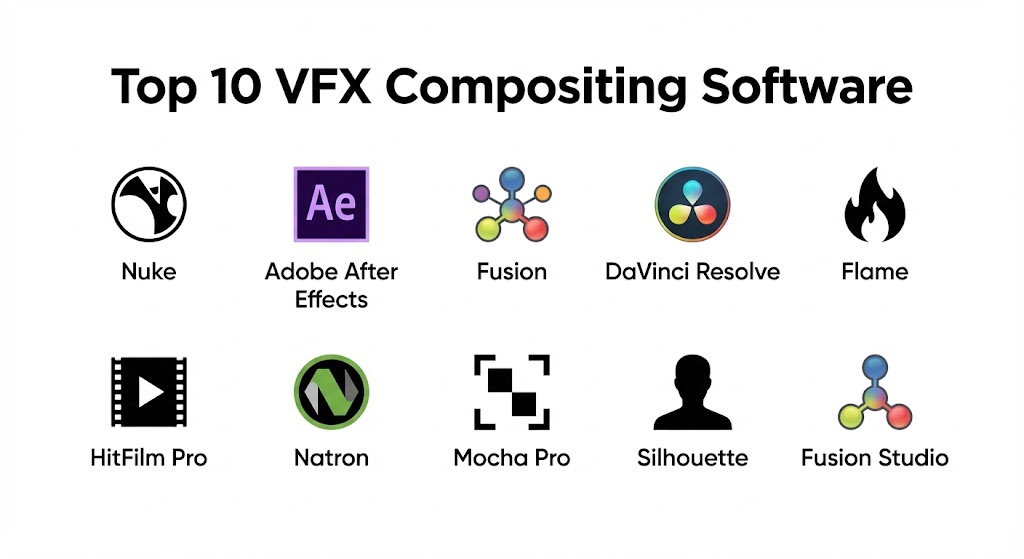
Top 10 VFX Compositing Software Tools
1 — Nuke (Foundry)
Short description:
Nuke is a node-based compositing software widely used in the film and TV industry for high-end visual effects.
Key features:
- Node-based compositing workflow
- 3D camera tracking and 3D compositing
- Rotoscoping and paint tools
- Color correction and grading
- Stereoscopic 3D support
- Python scripting and automation
- Integration with renderers like Arnold and Renderman
Pros:
- Industry standard for professional VFX
- Highly flexible node-based workflow
- Excellent 3D compositing capabilities
Cons:
- Expensive licensing
- Steep learning curve for beginners
Security & compliance:
Varies / N/A
Support & community:
Official documentation, Foundry forums, training courses.
2 — Adobe After Effects
Short description:
After Effects is a layer-based compositing and motion graphics software widely used in post-production.
Key features:
- Layer-based compositing
- Motion graphics and visual effects
- Advanced masking and rotoscoping
- Color grading and correction
- Plugin ecosystem (Trapcode, Video Copilot)
- Integration with Adobe Creative Cloud
- 2D and limited 3D compositing
Pros:
- User-friendly for motion graphics
- Extensive plugin support
- Strong integration with Adobe suite
Cons:
- Less suitable for complex 3D compositing
- Performance can lag with large projects
Security & compliance:
Varies / N/A
Support & community:
Adobe documentation, tutorials, forums.
3 — Fusion (Blackmagic Design)
Short description:
Fusion is a node-based compositing software for professional VFX, integrated with DaVinci Resolve for post-production.
Key features:
- Node-based compositing workflow
- 2D and 3D compositing
- Keying, rotoscoping, and paint tools
- Motion graphics and particle effects
- GPU-accelerated rendering
- Integration with DaVinci Resolve
- Scripting with Python
Pros:
- Professional-grade node workflow
- Seamless integration with Resolve
- GPU acceleration enhances performance
Cons:
- Interface may be complex for beginners
- Standalone version is less popular than Resolve-integrated
Security & compliance:
Varies / N/A
Support & community:
Blackmagic Design documentation, forums, tutorials.
4 — Blackmagic DaVinci Resolve
Short description:
DaVinci Resolve includes a Fusion module for compositing alongside color grading and editing tools.
Key features:
- Integrated editing, color, and VFX workflow
- Node-based compositing via Fusion
- Keying, tracking, and rotoscoping
- 2D/3D particle effects
- Real-time collaboration tools
- GPU-accelerated rendering
- Scripting for automation
Pros:
- All-in-one post-production solution
- Free version available
- High-quality color grading and compositing
Cons:
- Fusion module may be complex for small projects
- Hardware-intensive for real-time previews
Security & compliance:
Varies / N/A
Support & community:
Blackmagic forums, tutorials, official documentation.
5 — Flame (Autodesk)
Short description:
Flame is a high-end compositing and finishing software used in VFX and broadcast post-production.
Key features:
- Node-based compositing
- 3D visual effects integration
- Keying, rotoscoping, and paint tools
- Advanced color grading
- Motion graphics and titling
- Python scripting for automation
- Real-time GPU-accelerated playback
Pros:
- Industry-standard for high-end VFX
- Powerful finishing tools
- Integrated workflow for broadcast and film
Cons:
- Very expensive
- Requires high-end hardware
Security & compliance:
Varies / N/A
Support & community:
Autodesk documentation, forums, certified training programs.
6 — HitFilm Pro
Short description:
HitFilm Pro is a VFX and compositing software designed for indie filmmakers and content creators.
Key features:
- Layer-based compositing
- Advanced particle effects
- Keying and masking tools
- 2D and limited 3D compositing
- Visual effects presets library
- Integrated editing suite
- GPU acceleration
Pros:
- Affordable for indie creators
- Intuitive interface
- Built-in video editor
Cons:
- Node-based workflow not available
- Limited high-end 3D compositing features
Security & compliance:
Varies / N/A
Support & community:
Documentation, community forums, tutorials.
7 — Natron
Short description:
Natron is an open-source node-based compositing software for 2D/2.5D VFX.
Key features:
- Node-based workflow
- Keying, roto, and paint tools
- OpenFX plugin support
- Multi-platform (Windows, Mac, Linux)
- Python scripting
- Color grading tools
- Cross-platform compatibility
Pros:
- Free and open-source
- Node-based workflow
- Extensible via plugins
Cons:
- Less polished than commercial software
- Limited 3D compositing features
Security & compliance:
Varies / N/A
Support & community:
Documentation, GitHub, forums.
8 — Mocha Pro
Short description:
Mocha Pro is specialized software for planar tracking, rotoscoping, and VFX integration.
Key features:
- Planar tracking for shots
- Advanced rotoscoping
- Lens correction and stabilization
- Integration with Nuke, After Effects, and other compositors
- Stereoscopic support
- GPU acceleration
- Python scripting
Pros:
- Industry-standard planar tracking
- Works with multiple compositing platforms
- Saves time on complex shots
Cons:
- Focused on tracking, not full compositing
- Expensive
Security & compliance:
Varies / N/A
Support & community:
Documentation, tutorials, forums.
9 — SilhouetteFX
Short description:
SilhouetteFX is a dedicated rotoscoping and paint software for VFX workflows.
Key features:
- Advanced rotoscoping tools
- Paint and cleanup capabilities
- Tracking and stabilization
- Node-based workflow
- Integration with Nuke and other compositors
- Scripting for automation
- Stereo and high-resolution support
Pros:
- Industry-standard for rotoscoping
- Powerful cleanup tools
- Precise and efficient workflow
Cons:
- Expensive
- Limited to specialized tasks
Security & compliance:
Varies / N/A
Support & community:
Documentation, tutorials, forums.
10 — Fusion Studio (Blackmagic)
Short description:
Fusion Studio is the standalone VFX compositing software for professional visual effects production.
Key features:
- Node-based compositing
- 3D compositing and particle effects
- Keying, rotoscoping, and paint tools
- GPU-accelerated rendering
- VR/AR support
- Scripting and automation
- Integration with other production pipelines
Pros:
- Professional-grade compositing
- Flexible node-based workflow
- Advanced 3D compositing
Cons:
- Complex for beginners
- Expensive license
Security & compliance:
Varies / N/A
Support & community:
Documentation, tutorials, forums.
Comparison Table
| Tool Name | Best For | Platform(s) Supported | Standout Feature | Rating |
|---|---|---|---|---|
| Nuke | High-end film VFX | Windows, Mac, Linux | Node-based professional workflow | N/A |
| After Effects | Motion graphics & 2D VFX | Windows, Mac | Layer-based compositing | N/A |
| Fusion | Film & TV | Windows, Mac | Node-based 3D compositing | N/A |
| DaVinci Resolve | Post-production suite | Windows, Mac | Integrated editing & Fusion VFX | N/A |
| Flame | Broadcast & film finishing | Windows | Industry-standard finishing | N/A |
| HitFilm Pro | Indie film & video | Windows, Mac | Layer-based VFX + editor | N/A |
| Natron | Open-source compositing | Windows, Mac, Linux | Node-based open-source | N/A |
| Mocha Pro | Planar tracking & rotoscoping | Windows, Mac | Advanced tracking | N/A |
| SilhouetteFX | Rotoscoping & paint | Windows, Mac | Precision roto/paint | N/A |
| Fusion Studio | Standalone VFX | Windows, Mac | Node-based 3D compositing | N/A |
Evaluation & Scoring of VFX Compositing Software
| Criteria | Weight | Description |
|---|---|---|
| Core features | 25% | Compositing tools, 3D/2D effects, tracking, keying |
| Ease of use | 15% | Workflow, interface, learning curve |
| Integrations & ecosystem | 15% | Engine compatibility, plugin support |
| Security & compliance | 10% | Licensing and enterprise usage |
| Performance & reliability | 10% | GPU acceleration, real-time rendering |
| Support & community | 10% | Documentation, forums, tutorials |
| Price / value | 15% | Licensing and features vs cost |
Which VFX Compositing Software Tool Is Right for You?
- Solo users: HitFilm Pro, Natron for accessible and affordable VFX
- SMBs: Fusion Studio, After Effects for small to mid-sized projects
- Mid-market teams: Fusion, DaVinci Resolve, Mocha Pro for professional effects
- Enterprises: Nuke, Flame, SilhouetteFX for AAA film, broadcast, and VFX studios
Budget-conscious creators can choose Natron or HitFilm Pro, while high-end studios benefit from Nuke, Flame, and Fusion Studio.
Frequently Asked Questions (FAQs)
- What is VFX compositing software?
Software used to merge multiple visual elements into cohesive, realistic scenes for film, games, or VR. - Do I need prior experience?
Basic knowledge of compositing and video editing helps, but node-based interfaces simplify workflow. - Can these tools handle 3D effects?
Yes, most high-end tools support 3D compositing and particle effects. - Are these tools compatible with game engines?
Many support export pipelines for Unity, Unreal, and other engines. - Can I perform color grading within compositing software?
Yes, tools like DaVinci Resolve integrate grading alongside compositing. - Are there free options?
Natron is an open-source alternative; others are paid. - Which tool is best for rotoscoping?
SilhouetteFX and Mocha Pro specialize in rotoscoping and tracking. - Can these tools handle VR/AR content?
Fusion Studio, Nuke, and others offer VR/AR support. - Do these software options support scripting?
Yes, Python and other scripting interfaces are available for automation. - Which is suitable for indie creators?
HitFilm Pro and Natron offer accessible and cost-effective solutions.
Conclusion
VFX compositing software is crucial for delivering realistic, polished visual effects in film, television, video games, and interactive media. From beginner-friendly options like HitFilm Pro and Natron to industry-standard solutions like Nuke and Flame, the choice depends on project scale, budget, and production requirements. Selecting the right compositing tool ensures efficiency, high-quality visuals, and seamless integration into the production pipeline.
VFX compositing software is the final stage where movie magic truly happens, blending live-action and digital assets into a single seamless image. This guide highlights the essential difference between the industry-standard node-based power of Nuke and the versatile layer-based motion graphics of After Effects. It is an excellent resource for anyone looking to understand which tool fits their specific production pipeline and creative goals.