Introduction
Motion capture (MoCap) software is specialized technology used to record, analyze, and digitally recreate human or object movement. By capturing movement through sensors, cameras, or wearable devices, MoCap software allows developers, animators, and researchers to bring realistic motion into games, films, virtual reality, robotics, and biomechanical studies. The software processes data into animation rigs, skeletal structures, or character movements that can be imported into 3D engines and animation pipelines.
The importance of motion capture software lies in its ability to reduce manual animation time, increase realism, and ensure consistent and accurate motion for characters or simulations. Key use cases include creating realistic animations for video games, VR/AR applications, film visual effects, sports analytics, medical rehabilitation, and robotics research. When choosing a MoCap tool, users should evaluate accuracy, sensor and camera support, ease of integration, export options, real-time playback, scalability, and compatibility with animation or game engines.
Best for:
Game studios, film and VFX production companies, VR/AR developers, biomechanics researchers, and educational institutions benefit most from motion capture software.
Not ideal for:
Individuals or small teams creating simple 2D animations or applications with standard movements may not require full-fledged MoCap solutions.
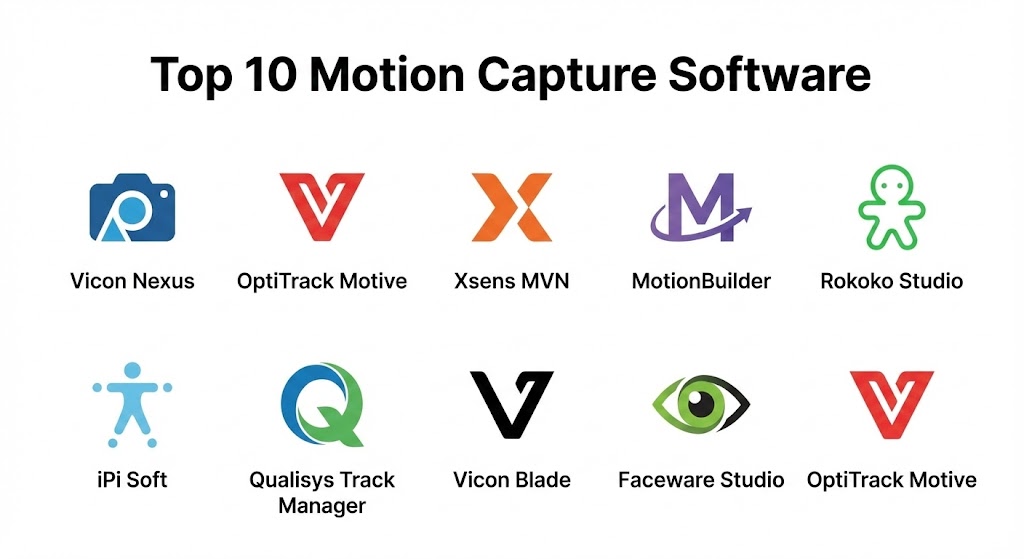
Top 10 Motion Capture Software Tools
1 — Vicon Nexus
Short description:
Vicon Nexus is a high-end motion capture software designed for biomechanics research and clinical applications.
Key features:
- Real-time motion tracking
- Full-body skeletal reconstruction
- Marker-based tracking
- Integration with force plates and EMG devices
- Multi-camera support
- Data export to popular animation engines
- Advanced analytics for gait and sports performance
Pros:
- Highly accurate motion capture
- Suitable for research and clinical studies
- Extensive sensor integration
Cons:
- Expensive licensing
- Requires specialized hardware
Security & compliance:
Varies / N/A
Support & community:
Documentation, Vicon Academy tutorials, technical support.
2 — OptiTrack Motive
Short description:
OptiTrack Motive offers motion capture for animation, robotics, and VR applications with high-speed tracking.
Key features:
- Marker-based optical tracking
- Real-time skeletal animation
- VR/AR integration
- Camera calibration and multi-camera support
- Data export to Unity and Unreal
- Performance capture for actors
- Customizable rigs
Pros:
- Real-time workflow
- High accuracy and speed
- Flexible export options
Cons:
- Requires OptiTrack cameras
- Moderate learning curve
Security & compliance:
Varies / N/A
Support & community:
Online documentation, forums, customer support.
3 — Xsens MVN
Short description:
Xsens MVN is a portable inertial motion capture solution for film, game, and animation production.
Key features:
- Inertial sensor-based motion capture
- Full-body kinematics
- Real-time animation streaming
- Wireless setup
- Integration with Unreal and Unity
- No need for optical cameras
- Exportable FBX and BVH formats
Pros:
- Easy setup and portability
- Works without external cameras
- Real-time feedback
Cons:
- Expensive hardware and subscription
- Limited outdoor accuracy compared to optical systems
Security & compliance:
Varies / N/A
Support & community:
Documentation, online support, tutorials.
4 — MotionBuilder (Autodesk)
Short description:
Autodesk MotionBuilder is a professional 3D character animation software with MoCap integration for film and games.
Key features:
- Real-time motion capture editing
- Character rigging and retargeting
- Advanced constraints and controllers
- FBX pipeline compatibility
- Facial and hand tracking integration
- Keyframe animation blending
- Compatible with Unity and Unreal
Pros:
- Strong pipeline integration
- Industry-standard for games and VFX
- Powerful retargeting and editing tools
Cons:
- High system requirements
- Expensive license
Security & compliance:
Varies / N/A
Support & community:
Autodesk documentation, forums, training courses.
5 — Rokoko Studio
Short description:
Rokoko Studio is a user-friendly motion capture software for indie developers, VR creators, and animators.
Key features:
- Markerless and inertial tracking
- Full-body motion capture
- Real-time streaming to Unity/Unreal
- Motion library and asset integration
- Facial and hand tracking
- Motion editing tools
- Exportable BVH/FBX formats
Pros:
- Affordable for small teams
- Portable and wireless
- Intuitive interface
Cons:
- Less precise than high-end optical systems
- Limited to small-scale productions
Security & compliance:
Varies / N/A
Support & community:
Online tutorials, forums, customer support.
6 — iPi Soft
Short description:
iPi Soft provides markerless motion capture for small studios and indie game developers.
Key features:
- Multi-camera video-based capture
- Markerless body tracking
- Supports standard webcams and depth sensors
- Real-time preview and playback
- Skeleton retargeting
- Export to popular engines
- Motion editing and cleanup
Pros:
- Affordable and flexible
- Markerless system
- Works with consumer cameras
Cons:
- Less accurate than professional optical systems
- Complex setups may require multiple cameras
Security & compliance:
Varies / N/A
Support & community:
Documentation, tutorials, forums.
7 — Qualisys Track Manager
Short description:
Qualisys Track Manager is a professional MoCap solution for biomechanics, VR, and animation.
Key features:
- Optical tracking with multiple cameras
- Real-time skeletal animation
- Integration with force plates and EMG
- Data export to animation engines
- Motion analysis and reporting
- Multi-user collaboration
- VR/AR integration
Pros:
- Highly accurate
- Supports scientific and entertainment use
- Multi-camera flexibility
Cons:
- High cost
- Requires specialized hardware
Security & compliance:
Varies / N/A
Support & community:
Documentation, training courses, customer support.
8 — Vicon Blade
Short description:
Vicon Blade is a motion capture software tailored for real-time animation and performance capture in film and games.
Key features:
- Real-time MoCap streaming
- Full-body and facial tracking
- Advanced retargeting
- Integration with Unity, Unreal, and MotionBuilder
- Multi-camera calibration
- Marker-based tracking
- Performance analysis tools
Pros:
- Industry standard in film and game studios
- Highly accurate
- Extensive integration
Cons:
- Expensive
- Requires Vicon hardware
Security & compliance:
Varies / N/A
Support & community:
Vicon documentation, forums, academy training.
9 — Faceware Studio
Short description:
Faceware Studio focuses on facial motion capture and animation for films, games, and VR.
Key features:
- Facial motion capture from video
- Real-time streaming to engines
- Auto-rigging and retargeting
- Blendshape animation support
- Integration with Unreal, Unity, Maya
- Expression library
- Live performance capture
Pros:
- High-quality facial animation
- Real-time workflow
- Widely used in film production
Cons:
- Specialized for facial capture
- Requires separate body MoCap for full animation
Security & compliance:
Varies / N/A
Support & community:
Documentation, tutorials, support forums.
10 — OptiTrack Motive
Short description:
OptiTrack Motive provides marker-based motion capture for interactive applications, VR, and games.
Key features:
- Multi-camera optical tracking
- Real-time skeleton reconstruction
- Integration with Unity/Unreal
- Data export in BVH/FBX formats
- Calibration and motion cleanup tools
- Marker tracking and labeling
- VR/AR motion streaming
Pros:
- High-speed capture
- Accurate skeletal tracking
- Flexible export options
Cons:
- Requires OptiTrack hardware
- Moderate learning curve
Security & compliance:
Varies / N/A
Support & community:
Documentation, forums, tutorials.
Comparison Table
| Tool Name | Best For | Platform(s) Supported | Standout Feature | Rating |
|---|---|---|---|---|
| Vicon Nexus | Biomechanics & film | Windows | Accurate skeletal reconstruction | N/A |
| OptiTrack Motive | Games & VR | Windows | Real-time optical capture | N/A |
| Xsens MVN | VR & animation | Windows, Mac | Inertial full-body capture | N/A |
| MotionBuilder | Film & games | Windows, Mac | Retargeting and editing | N/A |
| Rokoko Studio | Indie & VR | Windows, Mac | Wireless motion capture | N/A |
| iPi Soft | Small studios | Windows | Markerless video capture | N/A |
| Qualisys Track Manager | Research & VR | Windows | Multi-camera tracking | N/A |
| Vicon Blade | Film & games | Windows | Real-time animation streaming | N/A |
| Faceware Studio | Facial animation | Windows | Facial motion capture | N/A |
| OptiTrack Motive | Interactive apps | Windows | Multi-camera skeletal capture | N/A |
Evaluation & Scoring of Motion Capture Software
| Criteria | Weight | Description |
|---|---|---|
| Core features | 25% | Skeletal tracking, facial capture, retargeting |
| Ease of use | 15% | Setup, interface, learning curve |
| Integrations & ecosystem | 15% | Engine compatibility, export formats |
| Security & compliance | 10% | Data privacy, licensing |
| Performance & reliability | 10% | Real-time capture, tracking accuracy |
| Support & community | 10% | Tutorials, forums, technical support |
| Price / value | 15% | Licensing and hardware cost |
Which Motion Capture Tool Is Right for You?
- Solo developers: Rokoko Studio, iPi Soft for accessible and affordable MoCap
- SMBs: Xsens MVN, Faceware Studio for small to mid-sized projects
- Mid-market teams: OptiTrack Motive, Vicon Blade for professional animation
- Enterprises: Vicon Nexus, MotionBuilder, Qualisys for high-end film, VR, and research
Budget-conscious developers can start with iPi Soft or Rokoko Studio, while AAA studios and research labs benefit from Vicon, MotionBuilder, and Xsens solutions.
Frequently Asked Questions (FAQs)
- What is motion capture software?
Software that records and translates real-world movement into digital animations. - Can I use MoCap for games and films?
Yes, MoCap is widely used for realistic animations in both media. - Do I need special hardware?
Some tools require optical cameras or sensors; inertial solutions may need wearable suits. - Can MoCap work in real-time?
Yes, many solutions offer real-time streaming to engines like Unity and Unreal. - Are there free options?
Most professional solutions are paid; some limited versions or indie tools like iPi Soft exist. - Can facial expressions be captured?
Yes, tools like Faceware Studio specialize in facial motion capture. - Is MoCap compatible with VR/AR?
Yes, most modern MoCap tools integrate with VR/AR pipelines. - Can I retarget motion to different characters?
Yes, professional tools support retargeting skeletal data to multiple rigs. - How accurate is motion capture?
Accuracy depends on the system type: optical > inertial > markerless solutions. - Which tool is best for small studios?
Rokoko Studio and iPi Soft offer affordable, accessible motion capture solutions.
Conclusion
Motion capture software is essential for bringing realistic movement into games, films, VR/AR, and research applications. From marker-based optical systems to portable inertial setups, the choice depends on project scale, hardware availability, and budget. Solo developers and indie studios may use Rokoko Studio or iPi Soft, while enterprises and AAA studios benefit from Vicon, MotionBuilder, or Xsens solutions. Selecting the right MoCap software ensures efficient, accurate, and immersive motion for interactive and cinematic experiences.
MoCap software has truly bridge the gap between human performance and digital realism. This guide contrasts industry powerhouses like Vicon and OptiTrack with accessible, portable options like Rokoko, offering a helpful roadmap for matching your production needs with the right technology.