Introduction
Level design tools are specialized software platforms that enable game designers to create engaging, immersive, and interactive game levels. These tools provide developers with intuitive editors, visual scripting capabilities, asset integration, and testing environments to efficiently design and iterate on game environments. Level design tools streamline workflow by offering visual layout tools, terrain editors, AI pathfinding support, and interactive object placement.
The importance of level design tools lies in their ability to help developers craft player experiences that are both challenging and enjoyable. High-quality levels enhance game engagement, retention, and narrative immersion. Common use cases include creating 2D and 3D game worlds, VR/AR environments, puzzle stages, obstacle courses, and multiplayer arenas. When selecting a level design tool, developers should evaluate its compatibility with game engines, ease of use, scripting support, asset management, physics integration, testing and simulation features, and scalability.
Best for:
Game designers, indie developers, educational institutions, VR/AR developers, and professional studios benefit from level design tools for creating rich and interactive environments.
Not ideal for:
Individuals developing simple text-based or non-interactive applications may not require a full-featured level design tool. Lightweight editors or simple map creation software may suffice.
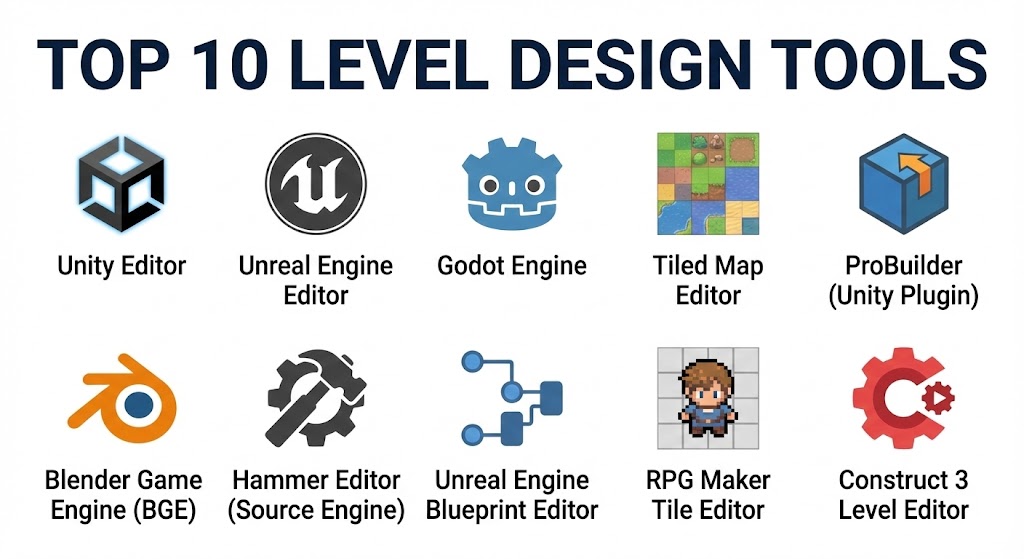
Top 10 Level Design Tools
1 — Unity Editor
Short description:
Unity Editor is a versatile platform for designing and prototyping 2D, 3D, and AR/VR game levels.
Key features:
- Visual scene editor for level creation
- Terrain and environment tools
- Physics simulation and lighting
- Prefab and asset management
- Real-time 3D rendering
- C# scripting for interactivity
- AR/VR integration
Pros:
- Extensive asset library
- Cross-platform deployment
- Strong community support
Cons:
- Resource-intensive for complex levels
- Learning curve for beginners
Security & compliance:
Varies / N/A
Support & community:
Documentation, forums, tutorials, enterprise support.
2 — Unreal Engine Editor
Short description:
Unreal Engine Editor offers high-fidelity tools for designing photorealistic 3D levels and immersive environments.
Key features:
- Blueprint visual scripting
- Advanced lighting and material editor
- Landscape and terrain tools
- Physics and AI pathfinding
- VR/AR support
- Asset marketplace and plugin support
- Multi-platform deployment
Pros:
- Stunning visual fidelity
- Flexible for large-scale projects
- Robust VR/AR tools
Cons:
- Steep learning curve
- High system requirements
Security & compliance:
Varies / N/A
Support & community:
Official tutorials, forums, documentation.
3 — Godot Engine
Short description:
Godot Engine provides open-source level design tools for both 2D and 3D games.
Key features:
- Node-based scene management
- Visual scripting and GDScript
- Terrain and tilemap editors
- Physics and animation systems
- Multi-platform export
- Asset library support
- Open-source extensibility
Pros:
- Free and open-source
- Lightweight and flexible
- Supports 2D and 3D games
Cons:
- Limited AAA graphics support
- Smaller asset ecosystem
Security & compliance:
Varies / N/A
Support & community:
Community forums, tutorials, documentation.
4 — Tiled Map Editor
Short description:
Tiled Map Editor is a 2D map editor ideal for creating tile-based game levels.
Key features:
- Tilemap creation and editing
- Layer management
- Object placement
- Support for multiple tile formats
- Export to popular engines
- Custom property assignment
- Open-source and extendable
Pros:
- Lightweight and efficient
- Excellent for 2D games
- Open-source
Cons:
- Limited 3D capabilities
- No integrated physics or AI
Security & compliance:
Varies / N/A
Support & community:
Documentation, forums, GitHub.
5 — ProBuilder (Unity Plugin)
Short description:
ProBuilder is a Unity plugin for rapid prototyping and level construction in 3D games.
Key features:
- Mesh building and editing
- UV mapping and texture application
- Vertex and polygon manipulation
- Real-time testing within Unity
- Prefab integration
- Snapping and grid alignment
- Collaborative development support
Pros:
- Quick 3D prototyping
- Seamless Unity integration
- Ideal for iterative design
Cons:
- Limited outside Unity
- Requires Unity familiarity
Security & compliance:
Varies / N/A
Support & community:
Unity documentation, forums, tutorials.
6 — Blender Game Engine (BGE)
Short description:
Blender Game Engine allows level designers to build 3D interactive environments with integrated modeling and physics tools.
Key features:
- Real-time 3D rendering
- Physics engine and collision detection
- Scripting with Python
- Terrain and mesh editing
- Animation system
- Material and lighting editor
- Open-source
Pros:
- Free and open-source
- Integrated modeling and level design
- Powerful for 3D prototyping
Cons:
- Discontinued in Blender 2.8+, requires workarounds
- Smaller community than Unity
Security & compliance:
Varies / N/A
Support & community:
Documentation, forums, tutorials.
7 — Hammer Editor (Source Engine)
Short description:
Hammer Editor is Valve’s level design tool for creating maps in Source Engine games.
Key features:
- 3D environment creation
- Texture and material assignment
- Entity and object placement
- Lighting and optimization tools
- BSP-based level compilation
- Multiplayer map support
- Integration with Source Engine
Pros:
- Ideal for Source Engine games
- Supports multiplayer level design
- Free for Source SDK users
Cons:
- Limited to Source Engine
- Older interface, less intuitive
Security & compliance:
Varies / N/A
Support & community:
Valve documentation, modding forums.
8 — Unreal Engine Blueprint Editor
Short description:
Blueprint Editor is Unreal Engine’s visual scripting tool, enhancing level design by connecting gameplay logic without coding.
Key features:
- Node-based visual scripting
- Event-driven interactions
- Physics and AI integration
- 3D environment testing
- Prefab and asset use
- VR/AR integration
- Real-time debugging
Pros:
- No coding required for prototypes
- Rapid iteration for level design
- Integrated into Unreal Engine
Cons:
- Limited outside Unreal Engine
- Complex for very large projects
Security & compliance:
Varies / N/A
Support & community:
Unreal documentation, forums, tutorials.
9 — RPG Maker Tile Editor
Short description:
Tile Editor in RPG Maker allows designers to create grid-based levels for 2D role-playing games.
Key features:
- Tile-based level layout
- Object placement and events
- Prebuilt sprite integration
- Layer and collision management
- Cross-platform export
- RPG-focused tools
- Plugin support
Pros:
- Beginner-friendly
- Fast level prototyping
- No coding required
Cons:
- Limited 3D or advanced features
- RPG-specific focus
Security & compliance:
Varies / N/A
Support & community:
Documentation, forums, tutorials.
10 — Construct 3 Level Editor
Short description:
Construct 3 provides a browser-based editor for 2D level design with visual scripting capabilities.
Key features:
- Drag-and-drop object placement
- Event sheet visual scripting
- Physics engine integration
- Multi-platform export
- Tilemap and terrain editor
- Real-time preview
- Asset library and plugins
Pros:
- Beginner-friendly and fast
- Browser-based, no installation
- Supports cross-platform 2D games
Cons:
- Limited 3D capabilities
- Performance depends on browser
Security & compliance:
Varies / N/A
Support & community:
Documentation, tutorials, forums.
Comparison Table
| Tool Name | Best For | Platform(s) Supported | Standout Feature | Rating |
|---|---|---|---|---|
| Unity Editor | Cross-platform 2D/3D | Windows, Mac | Full-featured level editor | N/A |
| Unreal Engine Editor | AAA-quality 3D | Windows, Mac | Photorealistic environments | N/A |
| Godot Engine | Indie 2D/3D | Windows, Mac, Linux | Node-based architecture | N/A |
| Tiled Map Editor | 2D tile-based games | Windows, Mac, Linux | Tilemap editing | N/A |
| ProBuilder | Unity 3D prototyping | Windows, Mac | Rapid 3D prototyping | N/A |
| Blender Game Engine | 3D interactive | Windows, Mac, Linux | Integrated modeling | N/A |
| Hammer Editor | Source Engine maps | Windows | Source engine integration | N/A |
| Unreal Blueprint | Visual scripting | Windows, Mac | Node-based logic | N/A |
| RPG Maker Tile Editor | 2D RPG | Windows, Mac | Tile-based maps | N/A |
| Construct 3 | 2D browser games | Browser | Drag-and-drop level design | N/A |
Evaluation & Scoring of Level Design Tools
| Criteria | Weight | Description |
|---|---|---|
| Core features | 25% | Level editing, terrain, physics, scripting |
| Ease of use | 15% | Visual editor, workflow, learning curve |
| Integrations & ecosystem | 15% | Asset management, plugins, engine support |
| Security & compliance | 10% | Platform and enterprise compliance |
| Performance & reliability | 10% | Real-time rendering, stability |
| Support & community | 10% | Tutorials, forums, documentation |
| Price / value | 15% | Licensing and functionality |
Which Level Design Tool Is Right for You?
- Solo developers: Construct 3, Tiled Map Editor, RPG Maker for accessible and lightweight design
- SMBs: Unity, Godot, ProBuilder for efficient 2D/3D level creation
- Mid-market teams: Unreal Engine, Unity, Blender for high-fidelity levels
- Enterprises: Unreal Engine, Unity, Hammer Editor, Blender Game Engine for AAA-quality environments
Budget-conscious developers can use Godot, Construct 3, or Tiled Map Editor, while premium teams benefit from Unity and Unreal Engine.
Frequently Asked Questions (FAQs)
- What is a level design tool?
A platform for creating, arranging, and testing interactive game environments. - Can beginners use these tools?
Yes, tools like RPG Maker, Construct 3, and Tiled Map Editor are beginner-friendly. - Do these tools support 3D games?
Many support both 2D and 3D; some are specialized for 2D or tile-based games. - Is coding required?
Visual scripting exists for many IDEs; advanced levels may require programming. - Can I test levels in real-time?
Yes, most tools offer real-time preview and simulation. - Are these tools cross-platform?
Yes, engines like Unity, Unreal, and Godot support multiple platforms. - Can I collaborate on level design?
Some tools integrate with version control and cloud collaboration. - Are there free options?
Godot, Tiled Map Editor, Construct 3 (with free tier) are available for free. - Which tool is best for 2D games?
Tiled Map Editor, RPG Maker, Construct 3 are optimized for 2D development. - Which tool is best for AAA 3D games?
Unreal Engine and Unity provide high-end 3D capabilities.
Conclusion
Level design tools are essential for creating engaging, interactive game environments. From beginner-friendly 2D editors like Tiled Map Editor and RPG Maker to high-end 3D platforms like Unreal Engine and Unity, designers can choose tools based on project complexity, platform requirements, and team expertise. The best tool aligns with your development goals, budget, and workflow, enabling efficient creation of immersive gaming experiences.
Level design tools are essential for crafting the player experiences that define a game. This guide provides a balanced look at everything from the high-end Unreal Engine to beginner-friendly tools like RPG Maker, helping designers find the perfect workflow.