Introduction
Zero Trust Network Access (ZTNA) is a security category that provides secure remote access to internal applications based on a simple but powerful principle: never trust, always verify. Unlike a traditional VPN, which grants a user broad access to an entire network segment once they “clear the gate,” ZTNA creates a microscopic “segment of one.” It treats every access request as potentially malicious, requiring continuous verification of identity, device health, and context before granting access to a specific application—and nothing else.
The importance of ZTNA in 2026 cannot be overstated. As businesses move away from clunky, vulnerable legacy VPNs, ZTNA provides the precision needed to stop lateral movement—the technique hackers use to hop from a low-value target to your most sensitive data. Key real-world use cases include securing third-party contractor access without exposing the whole network, protecting private applications in multi-cloud environments, and providing a seamless “connect-from-anywhere” experience for remote employees.
When choosing a ZTNA tool, users should evaluate solutions based on their identity integration (SSO/MFA), the strength of their device posture checks, global latency (speed of the “edge” network), and whether they support both agent-based and agentless access for unmanaged devices.
Best for: Large-scale enterprises with distributed workforces, organizations migrating from legacy VPNs to SASE architectures, and companies in highly regulated sectors (finance, healthcare, government) that need to enforce the principle of least privilege.
Not ideal for: Small businesses with extremely simple, non-sensitive data needs or those that operate entirely within a single SaaS ecosystem where native app-level permissions are already sufficient.
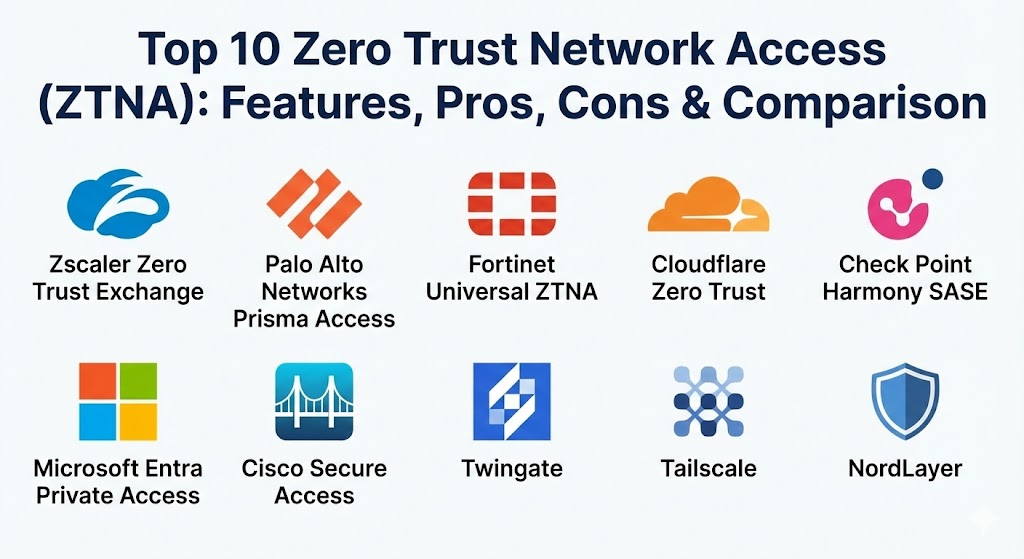
Top 10 Zero Trust Network Access (ZTNA) Tools
1 — Zscaler Zero Trust Exchange (Private Access)
Zscaler Private Access (ZPA) is a cloud-native service that provides seamless, zero-trust access to private applications running on-premises or in the public cloud. It is a cornerstone of the Zscaler Zero Trust Exchange, the world’s largest inline security cloud.
- Key features:
- Full Application Masking: Applications are never exposed to the internet, making them invisible to unauthorized users.
- Identity-Centric Access: Integration with major IdPs like Okta and Azure AD for granular policy enforcement.
- Global Anycast Network: Over 150 data centers globally to ensure low-latency connections for users.
- User-to-App Segmentation: Users connect directly to a specific app, never the network, preventing lateral movement.
- Device Posture Verification: Continuous checks for antivirus, disk encryption, and OS versions before granting access.
- Advanced Analytics: Real-time visibility into user activity and application health.
- Pros:
- Incredible scalability for the world’s largest global enterprises.
- Eliminates the need for complex firewall rules and inbound listeners.
- Cons:
- The initial setup and policy architecture can be complex for smaller IT teams.
- High premium pricing compared to mid-market VPN-alternative tools.
- Security & compliance: SOC 2 Type II, ISO 27001, FedRAMP High, HIPAA, and GDPR.
- Support & community: High-quality enterprise support with 24/7 availability; extensive technical documentation via Zscaler Academy.
2 — Palo Alto Networks Prisma Access
Prisma Access delivers the power of Palo Alto Networks’ industry-leading security through a globally distributed cloud service. It is designed to protect all app traffic, not just web-based apps, using a single unified platform.
- Key features:
- Single-Pass Parallel Processing: Inspects traffic for threats once, minimizing latency impact.
- ZTNA 2.0 Engine: Provides “continuous trust verification” even after a session has started.
- Advanced Threat Prevention: Integrated sandboxing and AI-driven malware detection.
- Autonomous DEM: Built-in digital experience monitoring to troubleshoot user performance.
- Global Scalability: Powered by Google Cloud and AWS backbones for massive global reach.
- Unified Management: Managed via Panorama for a consistent experience across cloud and on-prem.
- Pros:
- Exceptional security for non-web protocols (like SSH or proprietary databases).
- Best-in-class threat intelligence shared across the entire Palo Alto ecosystem.
- Cons:
- Complex configuration that often requires specialized Palo Alto training.
- Costly licensing that can be prohibitive for budget-conscious organizations.
- Security & compliance: FIPS 140-2, SOC 2, HIPAA, GDPR, and PCI DSS.
- Support & community: Extensive enterprise support and a huge community of certified engineers in the “Live Community.”
3 — Fortinet Universal ZTNA
Fortinet takes a unique approach by building ZTNA directly into their FortiGate firewalls and FortiClient software. This “Universal ZTNA” allows for consistent policies whether the user is in the office or remote.
- Key features:
- Unified Agent: The same FortiClient agent handles ZTNA, VPN, and endpoint protection.
- Automatic Encrypted Tunnels: TLS-encrypted tunnels are created automatically to the access proxy.
- On-Prem & Cloud Support: Works seamlessly across hybrid environments with the same policy set.
- Integrated FortiGuard: Real-time threat intelligence updates for automated blocking.
- Granular Policy Control: Context-aware access based on user, device, and location.
- Clientless Support: Secure web portal access for unmanaged or third-party devices.
- Pros:
- Highly cost-effective for organizations already using FortiGate hardware.
- One of the most straightforward deployments for hybrid-working environments.
- Cons:
- Most effective only within the Fortinet ecosystem; third-party hardware integration is limited.
- The client-side interface can feel a bit dated compared to modern SaaS-native rivals.
- Security & compliance: Common Criteria, FIPS 140-2, SOC 2, and GDPR.
- Support & community: Strong global partner network and very high ratings for service and support on Gartner Peer Insights.
4 — Cloudflare Zero Trust
Cloudflare leverages its massive global network—the same one that powers a huge chunk of the internet—to provide an incredibly fast and accessible ZTNA solution.
- Key features:
- Global Anycast Network: Every Cloudflare data center handles ZTNA, ensuring the closest possible connection.
- Clientless (Browser-based) Access: Secure access to web apps without installing software on the device.
- Identity Integration: Supports nearly every IdP, including Google, Microsoft, and Okta.
- Remote Browser Isolation: Executes risky web code in the cloud to protect the local device.
- Integrated DNS Filtering: Blocks malicious domains at the DNS layer for all users.
- Fast Onboarding: Can be set up in minutes for small teams or developers.
- Pros:
- Industry-leading speed and performance due to the sheer size of their network.
- Very generous free tier and transparent pricing for growing businesses.
- Cons:
- Deep enterprise forensics and reporting are still catching up to Zscaler.
- Advanced security features (like RBI) require more expensive enterprise tiers.
- Security & compliance: SOC 2 Type II, ISO 27001, HIPAA, GDPR, and PCI DSS.
- Support & community: Excellent modern documentation and a very active Discord/Community forum.
5 — Check Point Harmony SASE
Check Point Harmony SASE (which incorporated the highly-regarded Perimeter 81) offers a unified, cloud-native platform that simplifies ZTNA for mid-market and enterprise users alike.
- Key features:
- Unified Client: One agent for ZTNA, SWG, and CASB, reducing “agent fatigue.”
- Software-Defined Perimeter (SDP): Creates a “dark” network that is invisible to scanners and hackers.
- Fast Global Backbone: Low-latency connections through a private global network.
- One-Click Deployment: Simplifies the creation of secure tunnels to AWS, Azure, and GCP.
- Automatic Device Posture: Real-time checks for security compliance before access.
- Secure DNS: Integrated protection against phishing and botnet C2 traffic.
- Pros:
- One of the most user-friendly and intuitive administrative consoles in the market.
- Rapid deployment; teams can be fully secured in a matter of days.
- Cons:
- Advanced networking features (like BGP) can be less robust than legacy hardware giants.
- High-tier pricing can escalate quickly for large-scale deployments.
- Security & compliance: SOC 2 Type II, ISO 27001, GDPR, and HIPAA.
- Support & community: Strong customer success orientation with dedicated account managers for enterprise customers.
6 — Microsoft Entra Private Access
Part of the Microsoft Entra suite (formerly Azure AD), this solution is the natural choice for organizations deeply invested in the Microsoft 365 and Azure ecosystem.
- Key features:
- Identity-First Security: Native integration with Microsoft Entra ID (Azure AD) Conditional Access.
- M365 Optimization: The fastest path to Teams, Outlook, and SharePoint.
- Cross-Cloud Support: Secures access to apps in AWS, GCP, and local data centers.
- Global Secure Access Agent: Transparently routes traffic through Microsoft’s global network.
- QUIC Protocol Support: Optimized performance for modern web applications.
- Simplified VPN Replacement: Uses the same identity framework for all app access.
- Pros:
- Unbeatable integration for Windows-centric environments.
- Often provides the best value if you already have Microsoft E5 licenses.
- Cons:
- Feature parity for Linux and macOS endpoints is currently trailing behind Windows.
- Not as “vendor-neutral” as Zscaler or Cloudflare.
- Security & compliance: FedRAMP High, HIPAA, GDPR, ISO 27001, and SOC 1/2/3.
- Support & community: Massive global support infrastructure and deep documentation.
7 — Cisco Secure Access
Cisco Secure Access is a converged SASE platform that brings together ZTNA, VPN, and web security under a single umbrella. It is designed for large organizations with complex, multi-generational IT stacks.
- Key features:
- Context-Aware Access: Sophisticated policies based on user identity, device, and application risk.
- Dual-Access Logic: Automatically decides whether to use ZTNA or a secure tunnel based on the app.
- Talos Threat Intelligence: Powered by one of the largest private threat research teams.
- Unified Dashboard: Centralized management for networking and security teams.
- Flexible Deployment: Supports cloud-only, on-prem, or hybrid configurations.
- Pros:
- Excellent for large enterprises that need to transition gradually from VPN to ZTNA.
- Strong integration with Cisco’s networking hardware (Meraki, Catalyst).
- Cons:
- The licensing and product portfolio can be confusing for new buyers.
- Can feel “heavy” compared to the lightweight, cloud-native startups.
- Security & compliance: FIPS 140-2, FedRAMP, HIPAA, and GDPR.
- Support & community: Industry-leading enterprise support and a vast global partner ecosystem.
8 — Twingate
Twingate is a modern, developer-friendly ZTNA solution that focuses on speed and ease of use. It is widely praised for its ability to secure resources without requiring any changes to existing infrastructure.
- Key features:
- Split-Tunneling by Default: Only routes app traffic through the secure tunnel, not the whole device.
- Infrastructure-Agnostic: Works with any IdP, any cloud, and any on-prem server.
- API-First Design: Fully automatable via Terraform and Pulumi for DevOps teams.
- Peer-to-Peer Architecture: Minimizes latency by creating direct tunnels between users and apps.
- No-Code Connectors: Simple “one-line” install to secure a new resource.
- Pros:
- The fastest deployment time for small-to-medium IT and DevOps teams.
- Superior user experience with a “silent” agent that doesn’t disrupt internet speeds.
- Cons:
- Lacks some of the “all-in-one” SASE features (like SWG) found in Zscaler.
- Not designed for massive, traditional hardware-centric networking.
- Security & compliance: SOC 2 Type II, GDPR, and HIPAA compliant features.
- Support & community: Excellent documentation and very responsive technical support.
9 — Tailscale
Tailscale is built on the WireGuard® protocol and uses a “mesh” approach to ZTNA. It is a favorite among engineering-heavy organizations and smaller teams that need high-performance secure access.
- Key features:
- Mesh VPN Architecture: Devices connect directly to each other without a centralized hub.
- MagicDNS: Provides internal hostnames for all devices, making resources easy to find.
- ACL Policy Language: Simple, code-based way to define who can access what.
- Tailscale Funnel: Securely exposes internal servers to the public internet when needed.
- SSO Login: Uses your existing identity provider (Google, GitHub, Microsoft).
- Pros:
- Incredibly high performance with nearly zero configuration.
- Perfect for “Zero Trust for developers” and cross-cloud server communication.
- Cons:
- Managing thousands of ACL lines can become difficult for non-technical admins.
- Lacks the deep “compliance dashboard” features of enterprise SASE tools.
- Security & compliance: SOC 2 Type II and HIPAA compliant.
- Support & community: Exceptional community support and a growing enterprise support tier.
10 — NordLayer
NordLayer is a business-centric ZTNA and SASE solution developed by the team behind NordVPN. It is designed specifically for SMBs that want enterprise-grade security without the enterprise-grade complexity.
- Key features:
- Virtual Private Gateways: Dedicated IP addresses for whitelisting access to cloud resources.
- Device Posture Checks: Monitors for jailbroken devices and ensures encryption is active.
- Cloud-First Architecture: No hardware required; set up in minutes via a web portal.
- Auto-Connect: Ensures users are always protected without needing to remember to “turn it on.”
- Secure DNS: Protects against malicious websites and trackers.
- Pros:
- The most accessible and affordable ZTNA for smaller businesses.
- Simple, familiar interface that requires zero user training.
- Cons:
- Lacks the deep micro-segmentation capabilities needed by high-security banks.
- Native integration with on-prem legacy hardware is not its primary focus.
- Security & compliance: ISO 27001, GDPR, and HIPAA readiness.
- Support & community: 24/7 live chat and email support; straightforward online guides.
Comparison Table
| Tool Name | Best For | Platform(s) Supported | Standout Feature | Rating (Gartner) |
| Zscaler ZPA | Global Enterprises | Win, Mac, Linux, Mobile | Full App Masking | 4.4 / 5 |
| Palo Alto Prisma | Security Maturity | Win, Mac, Linux, Mobile | ZTNA 2.0 Continuous Check | 4.3 / 5 |
| Fortinet ZTNA | Hybrid Fortinet Users | Win, Mac, iOS, Android | Unified Agent (ZTNA+VPN) | 4.9 / 5 |
| Cloudflare Zero Trust | Performance & Speed | Win, Mac, Linux, Mobile | Global Anycast Network | 4.6 / 5 |
| Check Point Harmony | Mid-Market Ease | Win, Mac, Linux, Mobile | One-Click Cloud Tunnels | 4.7 / 5 |
| Microsoft Entra | M365 Ecosystem | Win, Mac, Android, iOS | Conditional Access Sync | 4.3 / 5 |
| Cisco Secure Access | Legacy Transitions | Win, Mac, Linux, Mobile | Talos Intelligence | 4.2 / 5 |
| Twingate | DevOps & Speed | Win, Mac, Linux, Mobile | Peer-to-Peer Tunnels | 4.4 / 5 |
| Tailscale | Dev Teams & Mesh | Win, Mac, Linux, Mobile | WireGuard Performance | 4.8 / 5 |
| NordLayer | SMBs / Startups | Win, Mac, iOS, Android | Virtual Private Gateways | 4.7 / 5 |
Evaluation & Scoring of Zero Trust Network Access (ZTNA)
The following table breaks down the category-wide evaluation using our weighted rubric.
| Category | Weight | Score (Avg) | Evaluation Rationale |
| Core Features | 25% | 9.0 / 10 | Identity enforcement and app-level access are now standard and robust. |
| Ease of Use | 15% | 8.2 / 10 | Cloud-native tools are very easy; hardware hybrids still lag in simplicity. |
| Integrations | 15% | 8.5 / 10 | Most tools integrate beautifully with major IdPs like Okta and Microsoft. |
| Security & Compliance | 10% | 9.5 / 10 | The primary driver for this market; almost all meet top-tier standards. |
| Performance | 10% | 8.8 / 10 | Edge computing has largely solved the “latency problem” of older VPNs. |
| Support & Community | 10% | 8.0 / 10 | Enterprise vendors excel in support; smaller players excel in community. |
| Price / Value | 15% | 7.5 / 10 | Total cost remains high for large enterprises, but SMB value is rising. |
Which Zero Trust Network Access (ZTNA) Tool Is Right for You?
Solo Users vs SMB vs Mid-Market vs Enterprise
- Solo Users/Freelancers: You likely don’t need a formal ZTNA platform. Use Tailscale for its generous free tier to securely access your home office from abroad.
- SMBs: Prioritize simplicity and cost. NordLayer and Twingate are designed to be set up by a generalist IT person in hours, not weeks.
- Mid-Market: Check Point Harmony SASE and Cloudflare Zero Trust offer the best balance of features and ease of use for teams with 200–2,000 employees.
- Enterprise: If you have 10,000+ users and a global footprint, Zscaler and Palo Alto Networks are the only tools with the proven scale and forensic depth you require.
Budget-Conscious vs Premium Solutions
If you are already paying for Microsoft E5 licenses, Microsoft Entra Private Access is essentially “free” to start using. If performance is your absolute priority, Cloudflare‘s premium enterprise tier is worth the investment.
Feature Depth vs Ease of Use
- For Feature Depth: Palo Alto Prisma Access offers the most granular control, but it requires a dedicated admin to manage.
- For Ease of Use: Twingate is the industry leader for “install it and forget it” secure access.
Frequently Asked Questions (FAQs)
1. Is ZTNA the same as a VPN?
No. A VPN grants access to a network, while ZTNA grants access to specific applications. Think of a VPN as a key to a building, and ZTNA as a key to a single cabinet inside that building.
2. Can ZTNA completely replace my VPN?
Yes, in most cases. However, some legacy applications that require broadcast/multicast or complex non-web protocols may still need a VPN. Modern ZTNA (ZTNA 2.0) is narrowing this gap.
3. Does ZTNA improve internet speed?
Often, yes. By using “split tunneling,” ZTNA only sends application traffic through the secure tunnel. Everything else (like YouTube or Google) goes directly to the internet, reducing lag.
4. Is ZTNA better for remote work?
Absolutely. It provides a more seamless experience (no “logging in” to a VPN client) and protects the organization if an employee’s home device is compromised.
5. How does ZTNA help with ransomware?
Ransomware relies on “lateral movement” to spread. Because ZTNA isolates every application, a compromised device can’t “see” or infect other servers on the network.
6. Do I need an agent on every device?
Not necessarily. Most top-tier tools offer “agentless” ZTNA for web-based applications, though an agent is usually required for deep device health checks.
7. Is ZTNA hard to implement?
It depends on the tool. Cloud-native tools like Cloudflare or Twingate can be set up in a day. Transforming a legacy 50,000-user network to Zero Trust can take months of planning.
8. Can third-party contractors use ZTNA?
Yes. ZTNA is the perfect solution for contractors because you can grant them access to only the specific apps they need without giving them a corporate VPN account.
9. What is “continuous verification”?
Unlike a VPN that checks you once when you log in, ZTNA continuously monitors your identity and device health throughout the entire session. If your antivirus is turned off, access is revoked instantly.
10. What is the most common mistake in ZTNA deployment?
Trying to do everything at once. The best practice is to start with your most critical or “at-risk” applications and migrate users in phases.
Conclusion
The transition from “implied trust” to “Zero Trust” is the single most important shift in networking this decade. While Zscaler and Palo Alto remain the champions for massive enterprises, the rise of specialized tools like Twingate and Tailscale has made Zero Trust accessible to teams of every size.
The “best” tool for you depends on where your applications live and who is accessing them. If you are all-in on Microsoft, Entra is the winner. If you are a fast-moving DevOps shop, Twingate is your best friend. Regardless of your choice, the goal is simple: ensure that the only thing hackers see when they scan your network is a brick wall.