Introduction
Workflow orchestration is the automated coordination and management of complex, multi-step tasks and data flows across various systems and departments. While “automation” focuses on making a single task run without human intervention, “orchestration” focuses on the entire lifecycle of a business process—managing dependencies, handling errors, and ensuring that step B only begins once step A has successfully verified its output.
The importance of these tools lies in their ability to eliminate “automation silos.” In a typical enterprise, different teams might use different scripts, cron jobs, or basic automation recipes that don’t talk to each other. Orchestration brings these under a single pane of glass, providing real-time visibility and centralized governance.
Key real-world use cases include:
- Data Engineering: Orchestrating ETL (Extract, Transform, Load) pipelines where data moves from a CRM to a data warehouse, followed by an AI model analysis.
- Incident Response: Automatically triggering a sequence of security checks, ticket creations in ServiceNow, and stakeholder notifications when a breach is detected.
- Customer Onboarding: Coordinating steps between Sales (HubSpot), Legal (DocuSign), and Finance (NetSuite) to ensure a seamless client kickoff.
When evaluating tools, users should look for scalability, observability (detailed logs and monitoring), error handling (auto-retries), and multi-vendor integration support.
Best for: IT Operations teams, data engineers, and enterprise architects in mid-to-large organizations managing hybrid cloud environments. It is also essential for companies in regulated sectors like finance and healthcare that require strict audit trails.
Not ideal for: Small teams with very simple, linear needs (e.g., just sending a Slack message when a form is filled), where a lightweight tool like a basic task scheduler or a simple “if-this-then-that” app would be less overhead.
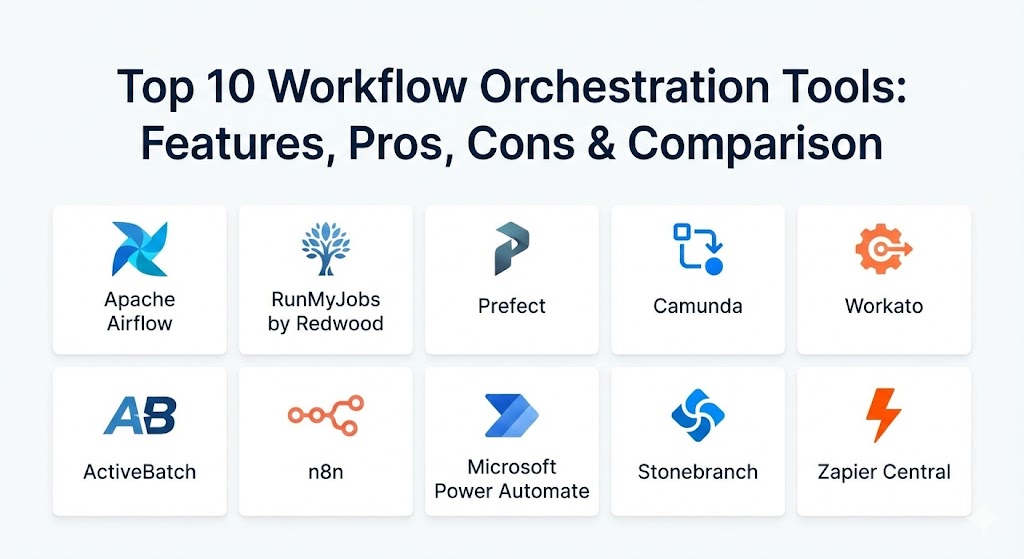
Top 10 Workflow Orchestration Tools
1 — Apache Airflow
Apache Airflow remains the industry standard for data-centric orchestration. As an open-source platform, it allows developers to define workflows as Directed Acyclic Graphs (DAGs) using pure Python code, offering unmatched flexibility for complex data pipelines.
- Key features:
- “Workflows as Code” allows for version control and testing via Git.
- Highly extensible with a vast library of “Operators” for cloud providers (AWS, GCP, Azure).
- Scalable architecture using Celery, Kubernetes, or Dask executors.
- Rich user interface for visualizing DAGs and monitoring task status.
- Powerful retry logic and error-handling mechanisms.
- Dynamic pipeline generation based on external metadata.
- Pros:
- Absolute flexibility—if you can write it in Python, Airflow can orchestrate it.
- Massive community support means endless plugins and troubleshooting resources.
- Cons:
- Steep learning curve for non-developers who aren’t comfortable with Python.
- Management overhead can be high if self-hosting on-premises.
- Security & compliance: Supports Kerberos, OAuth, and RBAC. Compliance varies by deployment (Managed versions like Amazon MWAA offer SOC 2/HIPAA).
- Support & community: One of the largest open-source communities in the world; enterprise support is available through vendors like Astronomer.
2 — RunMyJobs by Redwood
RunMyJobs is a leading SaaS-based orchestration platform that specializes in enterprise-wide process automation. It is particularly renowned for its deep, native integration with SAP and other legacy ERP systems, making it a favorite for global corporations.
- Key features:
- Cloud-native SaaS architecture eliminates the need for manual server maintenance.
- Direct, certified integration for SAP (including S/4HANA and BTP).
- AI-assisted incident handling to proactively manage workflow failures.
- Low-code/No-code visual designer for building complex business logic.
- Centralized monitoring for on-prem, cloud, and hybrid environments.
- Real-time SLAs and predictive analytics for process completion.
- Pros:
- Zero-effort updates and maintenance due to its pure SaaS model.
- Deeply understands enterprise ERP ecosystems better than “code-first” tools.
- Cons:
- Premium pricing reflects its enterprise-grade focus.
- May feel “too large” for startups or pure-play data engineering teams.
- Security & compliance: SOC 2 Type II, ISO 27001, GDPR, and HIPAA compliant. High-level encryption for data at rest and in transit.
- Support & community: Comprehensive 24/7 enterprise support; dedicated customer success managers and formal training paths.
3 — Prefect
Prefect is a modern, Python-native orchestrator that positions itself as the more intuitive successor to Airflow. It focuses on “negative engineering”—handling all the things that can go wrong—so developers can focus on their actual code.
- Key features:
- “Flows” are defined with simple Python decorators, making migration from scripts easy.
- Hybrid execution model: The control plane is in the cloud, but the data stays in your infrastructure.
- Robust event-driven triggers via webhooks and native cloud events.
- Exceptional observability with “states” (Scheduled, Running, Retrying, etc.).
- Built-in caching to avoid redundant task executions.
- Native support for Dask and Ray for distributed computing.
- Pros:
- Significantly easier to set up and learn compared to Apache Airflow.
- The “Hybrid Cloud” model provides great security since the orchestrator never sees your data.
- Cons:
- While growing fast, the ecosystem of pre-built operators is smaller than Airflow’s.
- Advanced features require a paid subscription to Prefect Cloud.
- Security & compliance: SOC 2 Type II, SSO (SAML/OIDC), and granular API key management.
- Support & community: Very active Slack community and high-quality modern documentation.
4 — Camunda
Camunda is the go-to tool for organizations that prioritize Business Process Model and Notation (BPMN) standards. It bridges the gap between business analysts (who design processes) and developers (who implement the code).
- Key features:
- BPMN 2.0 visual modeler for designing human and automated workflows.
- DMN (Decision Model and Notation) for managing complex business rules.
- Developer-friendly “Headless” mode with robust REST APIs.
- High-performance workflow engine capable of millions of instances.
- Detailed analytics (“Optimize”) to find bottlenecks in business processes.
- Support for multi-language workers (Java, Python, C#, etc.).
- Pros:
- Excellent for “Human-in-the-Loop” tasks like manual approvals.
- Shared language (BPMN) between business leaders and technical staff.
- Cons:
- Can be overly complex if you only need technical task scheduling.
- High-end features like the “Optimize” analytics suite are locked behind enterprise tiers.
- Security & compliance: ISO 27001, GDPR, and support for SAML/LDAP integrations.
- Support & community: Strong open-source presence with professional enterprise support and a global partner network.
5 — Workato
Workato is an enterprise-grade Integration Platform as a Service (iPaaS) that has evolved into a powerful workflow orchestrator. It is designed to be used by “Business Systems” teams to automate cross-departmental operations.
- Key features:
- “Recipes” act as visual, easy-to-read workflow descriptions.
- Over 1,000+ pre-built connectors for popular SaaS apps (Salesforce, Slack, Workday).
- Workbot for Slack/Teams allows users to trigger workflows via chat.
- Smart error-handling with “Auto-retry” and “Long-running” process support.
- Built-in Governance and Security cockpit for IT oversight.
- Low-code transformation tools for data mapping between apps.
- Pros:
- Exceptionally fast to deploy—business users can build integrations in days.
- The best “Community Library” with thousands of shared, reusable recipes.
- Cons:
- Can become very expensive as the number of “tasks” or “recipes” scales.
- Less granular control for developers compared to code-based orchestrators.
- Security & compliance: SOC 2 Type II, HIPAA, PCI-DSS, and GDPR compliant.
- Support & community: Top-tier support with a focus on business value; extensive “Workato Kitchen” community.
6 — ActiveBatch
ActiveBatch, by Redwood Software, is a centralized IT automation and workload specialized tool. It focuses on unifying different automation silos across the entire enterprise, from data center operations to business processes.
- Key features:
- Drag-and-drop workflow designer with a massive library of pre-built job steps.
- Event-driven triggers based on file arrivals, email, or database changes.
- Smart Queue Management for optimizing server resources.
- Robust auditing and revision history for every change made.
- Integrated monitoring with proactive alerting and self-healing scripts.
- Multi-platform support (Windows, Linux, Unix, z/OS).
- Pros:
- Excellent for consolidating legacy scripts into a single, managed platform.
- High availability and failover are very mature and reliable.
- Cons:
- The UI can feel more traditional/industrial compared to modern SaaS tools.
- Licensing is often based on server counts, which can be tricky in dynamic cloud environments.
- Security & compliance: FIPS 140-2, AES encryption, and deep RBAC support.
- Support & community: Established enterprise support with a strong focus on long-term stability.
7 — n8n
n8n is a “fair-code” workflow automation tool that has gained a cult following for its flexibility and self-hosting options. It is a visual tool that allows users to create complex workflows that connect various apps and custom scripts.
- Key features:
- Visual, node-based editor that is highly intuitive.
- Self-hostable for 100% data privacy and security.
- Ability to write custom JavaScript or Python directly within nodes.
- Support for “Binary Data” (handling images, PDFs, etc.) is superior to many rivals.
- Integrated “AI Nodes” for connecting to OpenAI or LangChain.
- Over 400+ native integrations and a generic HTTP node for everything else.
- Pros:
- Extremely cost-effective; the self-hosted version is essentially free for many.
- The node-based interface is perhaps the most flexible visual builder on the market.
- Cons:
- Management of the self-hosted instance (scaling, updates) falls on you.
- Enterprise support is newer compared to legacy players.
- Security & compliance: Varies (depends on your hosting); n8n Cloud is SOC 2 compliant.
- Support & community: Very helpful and technical community forum; growing documentation.
8 — Microsoft Power Automate
For organizations living within the Microsoft 365 and Azure ecosystem, Power Automate is the default orchestration choice. It offers deep integration with Windows desktop apps via RPA (Robotic Process Automation).
- Key features:
- Seamless integration with Teams, SharePoint, and Dynamics 365.
- AI Builder for adding document processing and sentiment analysis to flows.
- Desktop Flow (RPA) allows for the automation of legacy software without APIs.
- Process Mining tools to identify where bottlenecks exist in your company.
- Managed governance via the Power Platform Admin Center.
- Mobile app for approving workflows and monitoring status on the go.
- Pros:
- Included in many Microsoft 365 enterprise licenses, making it “free” to start.
- Best-in-class for automating Windows-specific desktop tasks.
- Cons:
- Premium connectors (like SQL Server or Salesforce) require additional per-user licensing.
- Can be difficult to manage for high-volume, technical data engineering tasks.
- Security & compliance: FedRAMP, HIPAA, GDPR, and ISO 27001 (standard for Microsoft Cloud).
- Support & community: Massive global community; support is integrated into the standard Microsoft enterprise agreements.
9 — Stonebranch
Stonebranch is a “Real-Time Hybrid IT Automation” platform. It is designed to bridge the gap between legacy mainframes and modern cloud-native microservices, providing a single control plane for everything.
- Key features:
- Universal Automation Center (UAC) provides a web-based, unified UI.
- Real-time file transfer and data movement orchestration.
- Infrastructure-as-Code (IaC) support for versioning workflows.
- Native support for container orchestration (Kubernetes/Docker).
- Dynamic resource allocation for cloud bursting.
- Exceptional mainframe integration (IBM z/OS).
- Pros:
- The only choice for companies that must bridge the gap between 1980s mainframes and 2026 clouds.
- Very high reliability; built for “Tier 1” mission-critical operations.
- Cons:
- High barrier to entry in terms of both cost and setup complexity.
- Not intended for simple SaaS-to-SaaS app integrations.
- Security & compliance: SOC 2, ISO 27001, and extensive audit logging.
- Support & community: High-touch enterprise support and professional services.
10 — Zapier Central
While Zapier started as a simple task-connector, “Zapier Central” has evolved into an AI-first orchestration layer. It allows users to build “AI Agents” that can think and act across 6,000+ different software applications.
- Key features:
- Natural language workflow creation—describe the process, and it builds it.
- Access to the world’s largest library of app integrations (6,000+).
- AI Agents that can summarize data, make decisions, and trigger actions.
- Multi-step “Zaps” with conditional paths and formatting logic.
- Table-based data storage integrated directly into the workflow.
- “Canvas” for visualizing complex, multi-team automation maps.
- Pros:
- The most accessible tool for non-technical employees and small business owners.
- Rapid prototyping—you can build an AI-powered workflow in minutes.
- Cons:
- Lacks the deep “DevOps” features (DAGs, Python testing) needed by engineers.
- Costs can escalate rapidly with high-volume usage.
- Security & compliance: SOC 2 Type II, GDPR, and AES-256 encryption.
- Support & community: Extensive self-service help center and a massive blog/community.
Comparison Table
| Tool Name | Best For | Platform(s) Supported | Standout Feature | Rating (Gartner) |
| Apache Airflow | Data Engineers | Open Source (Cloud/On-prem) | DAGs-as-Code (Python) | 4.4 / 5 |
| RunMyJobs | SAP & ERP | Pure SaaS (Cloud) | Native SAP Certification | 4.8 / 5 |
| Prefect | Python Developers | Hybrid Cloud / SaaS | Dynamic States & Caching | 4.6 / 5 |
| Camunda | Business/IT Alignment | Java-based (Cloud/On-prem) | BPMN 2.0 Visuals | 4.5 / 5 |
| Workato | RevOps / HR / FinOps | Pure SaaS (Cloud) | 1,000+ SaaS Connectors | 4.9 / 5 |
| ActiveBatch | IT Infrastructure | Windows, Linux, Unix | Centralized Job Library | 4.4 / 5 |
| n8n | Privacy & Devs | Self-hosted / Cloud | “Fair-code” Visual Builder | 4.5 / 5 |
| Power Automate | Microsoft Ecosystem | Microsoft Cloud / Windows | Desktop RPA Integration | 4.3 / 5 |
| Stonebranch | Hybrid / Mainframe | Multi-Cloud, Mainframe | Universal Control Plane | 4.8 / 5 |
| Zapier Central | AI-First SMBs | Pure SaaS (Cloud) | 6,000+ Integrations | 4.5 / 5 |
Evaluation & Scoring of Workflow Orchestration Tools
When selecting a tool, we use a weighted rubric to determine which platform offers the best balance for your specific needs.
| Category | Weight | Evaluation Criteria |
| Core Features | 25% | DAG support, conditional logic, error handling, and high availability. |
| Ease of Use | 15% | Visual vs. code-based designers, setup time, and documentation quality. |
| Integrations | 15% | Depth and breadth of native connectors for cloud and SaaS. |
| Security | 10% | SSO, encryption, audit logs, and compliance certifications. |
| Reliability | 10% | Performance under high concurrency and failover capabilities. |
| Support | 10% | Enterprise SLAs, community forums, and training availability. |
| Price / Value | 15% | Total cost of ownership (TCO) vs. productivity gains. |
Which Workflow Orchestration Tool Is Right for You?
The “best” tool is the one that aligns with your team’s existing skills and your company’s infrastructure architecture.
- Solo Users & Early Startups: If you need to move data between SaaS apps (like Gmail to Airtable) with zero coding, Zapier is the winner. If you want more power for a lower price, look at n8n.
- Data Engineering Teams: If your team lives in Python and handles complex data science pipelines, Apache Airflow or Prefect are the primary contenders. Airflow offers more maturity; Prefect offers better developer experience.
- Enterprise IT Operations: If you are managing a massive data center and need to consolidate scripts across Windows, Linux, and Cloud, ActiveBatch or Stonebranch are the industrial-strength choices.
- Business Operations (HR/Sales/Marketing): If you need to connect your enterprise SaaS stack (Workday, Salesforce, NetSuite) quickly, Workato is the premium choice for speed and reliability.
- Microsoft-Centric Shops: If you already pay for M365 and need to automate SharePoint or Outlook workflows, start with Power Automate before looking at external tools.
Frequently Asked Questions (FAQs)
1. What is the difference between an ETL tool and a Workflow Orchestrator? ETL tools focus specifically on moving and transforming data from A to B. Orchestrators oversee the entire process, which might include triggering the ETL tool, checking for success, and then notifying a team or firing an API call.
2. Can I run these tools on-premises? Yes. Tools like Apache Airflow, n8n, Stonebranch, and ActiveBatch offer robust on-premises or self-hosted deployment options for maximum data control.
3. Are these tools “Low-Code”? It depends on the tool. Workato and Zapier are strictly low-code. Airflow and Prefect are code-first. Camunda and ActiveBatch offer a middle ground with visual designers that allow for custom coding.
4. How do these tools handle failures? Most use a combination of automated retries, “exponential backoff” (waiting longer between each retry), and alerting systems that notify admins via Slack, Email, or PagerDuty.
5. Why not just use Cron jobs? Cron jobs lack observability, error handling, and dependency management. If a cron job fails, you often don’t know until data is missing. An orchestrator will alert you and pause dependent tasks automatically.
6. Do these tools support AI integration? Yes. Many modern orchestrators like n8n and Zapier Central now have native nodes for OpenAI, Claude, and vector databases, allowing you to orchestrate “AI Agents.”
7. Is Apache Airflow still relevant in 2026? Absolutely. While newer tools have emerged, the “As Code” paradigm and the sheer volume of its operator library keep it at the top of the data engineering stack.
8. What is a DAG? A Directed Acyclic Graph (DAG) is a collection of all the tasks you want to run, organized in a way that reflects their relationships and dependencies. It ensures tasks run in the correct order without infinite loops.
9. How do I choose between Prefect and Airflow? Choose Airflow if you need a huge, battle-tested ecosystem. Choose Prefect if you want a faster setup, better UI, and a more modern Pythonic feel.
10. What is “Managed File Transfer” in orchestration? Some enterprise tools like Stonebranch include native MFT, which ensures that large files are not only moved but verified for integrity and encrypted during the orchestration process.
Conclusion
Workflow orchestration is no longer a luxury—it is the foundational layer of a modern digital business. In 2026, the gap between a company that manually manages tasks and one that orchestrates them is the gap between a business that stays stagnant and one that scales exponentially. As you choose your tool, remember that the most expensive tool is the one that your team finds too difficult to use. Prioritize a tool that matches your current technical skills while providing a clear path for future growth.