Introduction
A Workflow Automation Platform is a software solution that allows users to design, execute, and manage automated sequences of tasks across multiple applications. In the past, this required custom code and deep technical expertise. Today, modern platforms use low-code or no-code interfaces, often powered by generative AI, to let anyone from marketing managers to IT professionals build “agents” that handle repetitive work.
The importance of these tools lies in their ability to reclaim time. By automating data entry, lead routing, and report generation, businesses reduce human error and free their teams to focus on high-value strategic initiatives. Key real-world use cases include automated employee onboarding (triggering account creation in 10 different systems at once), lead-to-cash cycles (syncing sales wins to finance and fulfillment), and AI-powered document processing (extracting data from invoices and updating the ERP).
When evaluating tools in this category, users should prioritize integration depth (how many apps can it actually talk to?), logical flexibility (can it handle complex branching?), security/governance (who can see the data?), and AI readiness (can it use Large Language Models to make decisions?).
Best for: Operations teams, IT departments, and project managers in organizations of all sizes—from 5-person startups to Global 2000 enterprises. Industries like FinTech, E-commerce, and Healthcare, where data accuracy and speed are paramount, benefit most.
Not ideal for: Organizations with a very narrow, single-app focus (e.g., a firm that only uses one proprietary software and nothing else) or individuals looking for simple personal task reminders, where a built-in calendar or basic to-do app would suffice.
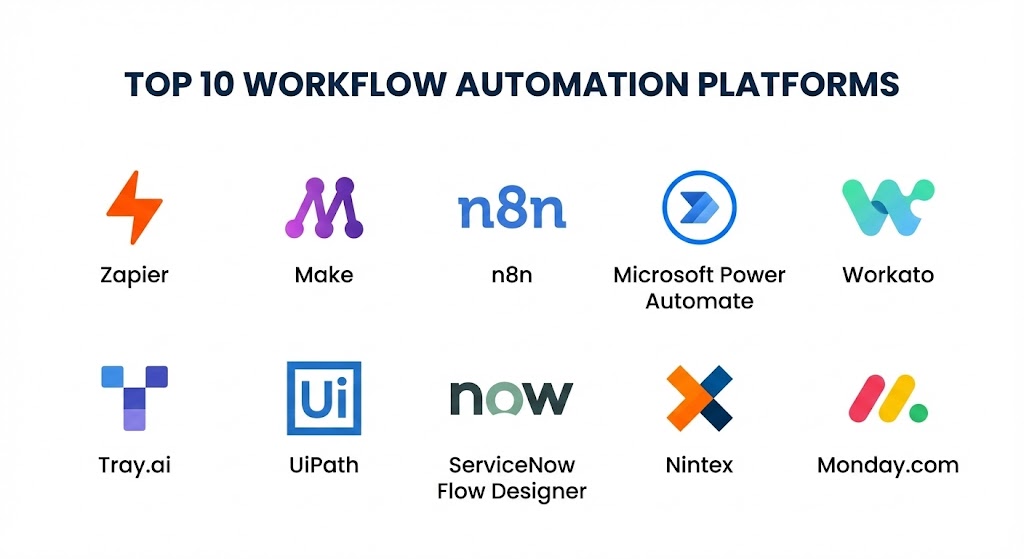
Top 10 Workflow Automation Platforms Tools
#1 — Zapier
Zapier remains the most recognizable name in the industry for 2026, maintaining its lead through an unparalleled library of over 8,000 app integrations. It has recently transitioned into an “AI Orchestration” platform, allowing users to build autonomous agents that do work on their behalf.
- Key features:
- Zapier Central: A workspace to teach AI agents how to use your 8,000+ apps.
- Natural Language Building: Describe a workflow in plain English, and “Copilot” builds it.
- Multi-Step Zaps: Create complex workflows with unlimited branching and filtering.
- Zapier Tables & Interfaces: Built-in databases and UI builders to house automated data.
- Transfer: Move bulk data between apps on a schedule or on-demand.
- Premium App Access: Native connections to high-end enterprise software like Salesforce and Netsuite.
- Pros:
- The lowest barrier to entry of any tool on this list.
- Massive community of “Zaperati” who share thousands of pre-made templates.
- Cons:
- Costs can escalate rapidly as task volume increases.
- Debugging complex logic can be difficult compared to visual canvas builders.
- Security & compliance: SOC 2 Type II, SOC 3, GDPR, CCPA, and advanced admin permissions for Enterprise plans.
- Support & community: Extensive documentation, live chat for Pro users, and a thriving user forum with millions of active discussions.
#2 — Make (formerly Integromat)
Make is the visual architect’s favorite. It offers a “bubbles and lines” canvas that allows users to see exactly how data moves through a scenario. It is often preferred by technical operations teams who need more control than Zapier offers at a more competitive price point.
- Key features:
- Visual Scenario Builder: A drag-and-drop canvas for mapping out multi-branch logic.
- Advanced Iterators & Aggregators: Specialized tools for handling arrays and complex data sets.
- Real-time Execution Tracking: Watch the data move through the “bubbles” in real-time for debugging.
- Webhooks & API Support: Deep customizability for connecting to non-standard APIs.
- HTTP/JSON Modules: Native tools for parsing and creating complex payloads without code.
- Data Store: Built-in temporary storage for maintaining state between workflow runs.
- Pros:
- Offers much more granular control over data transformation than most competitors.
- Generally more cost-effective for high-volume execution scenarios.
- Cons:
- A steeper learning curve; you need to understand data structures (JSON, Arrays).
- The interface can feel “heavy” and overwhelming for simple one-to-one automations.
- Security & compliance: ISO 27001, GDPR, and SOC 2 Type II compliant. Data can be hosted in specific regions (EU/US).
- Support & community: High-quality documentation, a very active Facebook community, and a partner network of certified “Makers.”
#3 — n8n
n8n is the “fair-code” leader, popular among developers and privacy-sensitive organizations. It allows you to self-host the platform, ensuring your sensitive data and API credentials never leave your own servers.
- Key features:
- Self-Hosting Option: Run it on your own infrastructure or in a private cloud.
- JavaScript/Python Nodes: Write custom code directly in the workflow when a pre-built node isn’t enough.
- Source-Available Code: Full transparency into how the platform handles your data.
- AI Nodes: Specialized blocks for connecting to OpenAI, Anthropic, and local LLMs.
- Binary Data Handling: Excellent for automating file-heavy workflows like video or image processing.
- Execution-Based Pricing: You aren’t charged per “step,” but per successful execution of a workflow.
- Pros:
- Ultimate data privacy and sovereignty for regulated industries.
- Extremely powerful for technical teams who want to mix no-code with custom code.
- Cons:
- Managing your own server (self-hosting) requires ongoing IT maintenance and DevOps skills.
- Fewer “out-of-the-box” SaaS connectors compared to Zapier.
- Security & compliance: SOC 2 Type II, GDPR, and supports integration with secrets managers like AWS Vault or HashiCorp.
- Support & community: Robust GitHub presence, very active technical forum, and direct support for “Business” tier customers.
#4 — Microsoft Power Automate
For organizations living in the Microsoft 365 ecosystem, Power Automate is the default choice. It combines cloud-to-cloud workflows with Robotic Process Automation (RPA) to automate legacy desktop software that doesn’t have an API.
- Key features:
- Deep Microsoft 365 Integration: Seamlessly triggers from Teams, SharePoint, and Outlook.
- Desktop Flows (RPA): Record actions on your PC to automate old legacy accounting or HR software.
- Process Mining: Uses AI to analyze your work habits and suggest what to automate first.
- Copilot for Power Automate: Use generative AI to describe a workflow and have it generated automatically.
- AI Builder: Native OCR and document processing tools built directly into the workflow.
- Enterprise Governance: Centralized “Admin Center” for managing DLP (Data Loss Prevention) policies.
- Pros:
- Unmatched integration with Azure, Dynamics 365, and the entire Power Platform.
- Often “free” or low-cost if you are already paying for high-tier Microsoft 365 licenses.
- Cons:
- The user interface can be clunky and inconsistent across desktop and cloud versions.
- Connecting to non-Microsoft apps (like Google Workspace or Slack) is often more difficult.
- Security & compliance: HIPAA, ISO 27001, GDPR, SOC 2, and FedRAMP compliant. Native integration with Azure AD (Entra ID).
- Support & community: Massive corporate support structure, Microsoft Learn documentation, and global community groups.
#5 — Workato
Workato is a premium, enterprise-grade iPaaS (Integration Platform as a Service). It is designed for large-scale automation where reliability, governance, and volume are the primary concerns.
- Key features:
- Recipe Builder: A “natural language” logic builder designed for professional business analysts.
- Workbot: Build custom bots for Slack and Teams to trigger complex enterprise workflows.
- Enterprise Key Management: Full control over encryption keys for data in transit and at rest.
- Automation Genies: Specialized AI agents that help manage specific domains like HR or Finance.
- Low-Code SDK: Allows developers to build custom connectors for internal proprietary tools.
- Scalable Infrastructure: Guaranteed SLAs and high-availability architecture for mission-critical tasks.
- Pros:
- Probably the most robust and “stable” platform on this list for high-volume enterprise traffic.
- Excellent focus on “Business Technology” roles rather than just IT.
- Cons:
- High cost of entry, often starting in the tens of thousands of dollars annually.
- Overkill for simple, small-team automations.
- Security & compliance: SOC 2 Type II, HIPAA, ISO 27001, GDPR, and CCPA. Supports advanced RBAC and audit logging.
- Support & community: Dedicated Customer Success Managers, “Workato Academy,” and a professional partner network.
#6 — Tray.ai
Tray.ai (formerly Tray.io) has rebranded around its “AI-first” mission. It is a low-code platform that combines powerful technical depth with a generative AI interface that allows users to chat with their data and build workflows.
- Key features:
- Merlin AI Agent: A generative assistant that builds, optimizes, and troubleshoots workflows for you.
- Universal Connector: An extensible tool to connect to any REST or SOAP API without a pre-built node.
- Embedded Bundle: SaaS companies can use Tray to offer native integrations to their own customers.
- Log Streaming: Stream workflow data to external observability tools like Datadog or Splunk.
- Granular Error Handling: Sophisticated tools for “failing gracefully” when an API goes down.
- Pros:
- Extremely flexible and extensible; it rarely feels like you hit a “wall” with what’s possible.
- One of the best at handling Large Language Model (LLM) orchestration in production.
- Cons:
- The learning curve is steep for non-technical users despite the AI assistant.
- Pricing transparency is lower compared to Zapier or Make.
- Security & compliance: SOC 2 Type II, GDPR, HIPAA, and CCPA compliant. Supports VPC (Virtual Private Cloud) deployment.
- Support & community: High-quality technical support, professional services, and a focused developer community.
#7 — UiPath
UiPath is the undisputed leader in Robotic Process Automation (RPA), though it has expanded into a full “Automation Platform” that includes cloud-to-cloud workflows, document AI, and task discovery.
- Key features:
- Automation Cloud: A unified hub for managing attended and unattended software bots.
- UiPath Autopilot: AI that creates automations from screen recordings or descriptions.
- Document Understanding: AI-powered extraction of data from PDFs, images, and emails.
- Apps: A low-code tool to build user-facing apps that act as a front-end for your bots.
- Automation Hub: A centralized portal to crowdsource and manage automation ideas across the company.
- Pros:
- The best tool on the market for automating old, legacy software that lacks APIs.
- Extremely powerful document processing and AI extraction capabilities.
- Cons:
- Licensing can be incredibly complex and expensive.
- Requires a significant infrastructure and training investment to see a return.
- Security & compliance: FedRAMP, HIPAA, SOC 2 Type II, and ISO 27001. Deep integration with enterprise identity providers.
- Support & community: Global enterprise support, “UiPath Academy” certifications, and a massive ecosystem of consultants.
#8 — ServiceNow Flow Designer
ServiceNow is the backbone of many enterprise IT organizations. Flow Designer is its native automation tool, designed to automate workflows within and around the ServiceNow ecosystem.
- Key features:
- Spokes: Pre-built connectors for third-party systems like Jira, Slack, and Salesforce.
- Natural Language Processing: Build “Service Catalog” items that automatically trigger workflows.
- AI Search & Triage: Automatically routes tickets and requests based on AI intent analysis.
- Integration Hub: A centralized place to manage all external API connections.
- Process Automation Designer: A high-level view for orchestrating multiple flows across departments.
- Pros:
- Unrivaled for ITSM (IT Service Management) and HR service delivery.
- Everything is already integrated into your existing ServiceNow data and permissions.
- Cons:
- Only makes sense if you are already a ServiceNow customer.
- Very expensive and requires specialized “ServiceNow Developers” to maintain.
- Security & compliance: Highly regulated industry support (FIPS, HIPAA, GDPR, FedRAMP).
- Support & community: Premier enterprise support and a massive, professional knowledge base.
#9 — Nintex
Nintex is a powerhouse in the “Process Management” space, particularly for industries with high compliance and document requirements, such as legal, government, and finance.
- Key features:
- Nintex Promapp: Map out visual process diagrams before you automate them.
- Nintex Drawloop: Automated generation of complex documents (contracts, NDAs) from Salesforce data.
- Nintex K2 Five: A low-code platform for building sophisticated, form-driven applications.
- Nintex Gateway: Securely connect cloud workflows to on-premises databases and systems.
- Electronic Signatures: Native integration with Nintex Sign (powered by Adobe).
- Pros:
- The best choice for “Document Automation” and signature-heavy workflows.
- Very strong focus on governance and process visualization.
- Cons:
- The platform can feel “siloed” into several different products (Promapp, K2, etc.).
- Pricing is generally geared toward mid-to-large enterprises.
- Security & compliance: ISO 27001, SOC 2, HIPAA, and GDPR compliant.
- Support & community: Strong professional support and a dedicated “Nintex University” for training.
#10 — Monday.com
While primarily known as a project management tool, Monday.com has evolved into a formidable “Work OS” with native automation and integration features that are surprisingly capable.
- Key features:
- No-Code Rule Builder: Create rules like “When status changes, send an email” in seconds.
- Automations & Integrations Hub: Centralized place to connect Monday to Slack, Gmail, and Jira.
- Workforms: Native form builder that automatically populates boards and triggers workflows.
- Apps Framework: A marketplace of third-party add-ons to extend automation capabilities.
- Dynamic Board Views: Visualize your automated data as Gantt charts, Kanbans, or tables.
- Pros:
- The most user-friendly and “visually pleasing” tool on this list.
- Great for “Human-in-the-loop” workflows where people need to approve or review tasks.
- Cons:
- Automation logic is far simpler than tools like Make or Workato.
- Not suitable for backend data synchronization or complex API transformations.
- Security & compliance: HIPAA (on Enterprise plans), SOC 2 Type II, ISO 27001, and GDPR compliant.
- Support & community: 24/7 support, extensive self-serve knowledge base, and a huge community of “Monday Experts.”
Comparison Table
| Tool Name | Best For | Platform(s) Supported | Standout Feature | Rating (Gartner / TrueReview) |
| Zapier | SMBs / AI Orchestration | Cloud (SaaS) | 8,000+ Integrations | 4.6 / 5 |
| Make | Visual Operations Ops | Cloud / On-prem | Advanced Logic Canvas | 4.7 / 5 |
| n8n | Developers / Privacy | Cloud / Self-host | Open-source/Self-host | 4.8 / 5 |
| Power Automate | Microsoft Ecosystem | Cloud / Desktop | RPA + M365 Sync | 4.5 / 5 |
| Workato | Enterprise at Scale | Cloud / Hybrid | Enterprise Security | 4.9 / 5 |
| Tray.ai | AI-First Teams | Cloud / VPC | Merlin AI Assistant | 4.5 / 5 |
| UiPath | Legacy Software RPA | Cloud / Desktop | Best-in-class RPA | 4.6 / 5 |
| ServiceNow | Enterprise IT / ITSM | Cloud | Native ITSM Flows | 4.4 / 5 |
| Nintex | Compliance/Docs | Cloud / On-prem | Document Automation | 3.8 / 5 |
| Monday.com | Team Projects | Cloud | Ease of Use | 4.5 / 5 |
Evaluation & Scoring of Workflow Automation Platforms
To help you decide, we have evaluated these platforms across several critical dimensions using a weighted scoring model.
| Criteria | Weight | Scoring Rationale |
| Core Features | 25% | Triggers, actions, logic branching, and error handling depth. |
| Ease of Use | 15% | Intuitiveness of the UI and “time to first win” for new users. |
| Integrations & Ecosystem | 15% | Number of pre-built connectors and availability of third-party templates. |
| Security & Compliance | 10% | Regulatory certifications (SOC 2, HIPAA) and data governance tools. |
| Performance & Reliability | 10% | Uptime, execution speed, and stability under high volume. |
| Support & Community | 10% | Quality of documentation, forums, and customer support responsiveness. |
| Price / Value | 15% | ROI relative to cost, specifically how pricing scales with usage. |
Which Workflow Automation Platform Tool Is Right for You?
Solo Users vs SMB vs Mid-market vs Enterprise
If you are a solo user or a small freelancer, Zapier or Monday.com are the winners. They are easy to set up and get running in minutes. SMBs should look at Make or n8n to get more power for their dollar as they scale. Mid-market firms are the “sweet spot” for Power Automate or Nintex, while Global Enterprises should focus on the high-end governance of Workato, UiPath, or ServiceNow.
Budget-conscious vs Premium Solutions
If you are budget-conscious, n8n (self-hosted) is essentially free for the software itself, and Make has the most generous “tasks-per-dollar” ratio. If you need a Premium solution where security and support are the only priorities, the high cost of Workato or Tray.ai is an investment in stability.
Feature Depth vs Ease of Use
If you prioritize Ease of Use, stick with Zapier or Monday.com. You will sacrifice some logical complexity for a beautiful, simple interface. If you need Feature Depth (e.g., you need to parse a complex JSON response, loop through an array, and perform a math calculation), Make or n8n are non-negotiable.
Integration and Scalability Needs
If you need to connect to legacy software without an API, you must choose UiPath or Power Automate Desktop. If you are building a global data pipeline, Workato‘s infrastructure is built for that level of scale.
Security and Compliance Requirements
For Healthcare (HIPAA) or Government (FedRAMP), you should look at the enterprise versions of Power Automate, Workato, or ServiceNow. For ultimate privacy, n8n‘s self-hosting capability keeps data behind your own firewall.
Frequently Asked Questions (FAQs)
1. What is the difference between “Workflow Automation” and “iPaaS”?
“Workflow Automation” is the outcome (the automated process), while “iPaaS” (Integration Platform as a Service) is the technical infrastructure used to achieve it. In 2026, the lines have blurred, and most tools on this list are considered both.
2. Can I automate apps that don’t have an API?
Yes, but you need an RPA (Robotic Process Automation) tool. UiPath and Power Automate are the leaders here, as they can “watch” a human screen and click buttons just like a person would.
3. Is “No-Code” really “No-Code”?
For 80% of tasks, yes. However, for complex data transformations (e.g., changing a date format from US to EU), you will eventually need to use a little bit of code or specialized “formula” functions.
4. Will AI replace these tools?
No, AI is enhancing them. In 2026, AI is the “brain” that makes decisions inside the workflow, while these platforms are the “hands” that actually talk to the different apps.
5. How much do these tools cost on average?
SMB tools like Zapier or Make usually cost $15–$50 per month. Enterprise platforms like Workato or ServiceNow can cost $2,000–$10,000+ per month depending on volume.
6. Can I move my automations from one tool to another?
Unfortunately, no. There is no “universal format” for workflows. Moving from Zapier to Make requires rebuilding the logic from scratch, though many consultants specialize in these migrations.
7. Are these tools secure?
Top-tier tools are very secure, but the “weakest link” is often the human user. You must ensure you are using proper API key management and not sharing sensitive credentials in plain text.
8. Do these platforms work with local files?
Most are cloud-based, so they work best with cloud storage (Google Drive, Dropbox). To work with local files on your C: drive, you typically need an “agent” or “gateway” installed on your PC, which Power Automate and n8n handle well.
9. What is an “AI Agent” in workflow automation?
An AI Agent is a workflow that can think for itself. Instead of following a rigid “If A then B” path, an agent can look at a request, decide which tools to use, and complete the task on its own.
10. How long does it take to implement?
Simple “Zaps” take 5 minutes. Complex enterprise workflows involving dozens of systems and custom logic can take weeks or months to fully test and deploy.
Conclusion
Selecting the “best” workflow automation platform in 2026 isn’t about finding the tool with the most features—it’s about finding the one that matches your team’s technical skills and your organization’s specific needs.
If you are just starting out, Zapier is your best bet for quick wins. If you are a developer looking for power and privacy, n8n is a fantastic choice. And if you are a CTO at a massive corporation, Workato or UiPath will provide the stability and governance you require. Ultimately, the best tool is the one that gets out of your way and lets your data move as fast as your business does.