Introduction
Windows Management Tools are specialized software suites designed to automate the deployment, configuration, monitoring, and security of Windows-based devices. These tools serve as the “central nervous system” for IT operations, providing a unified interface to handle everything from OS patching and software distribution to remote troubleshooting and hardware inventory. In an era of heightened cybersecurity threats, these platforms are no longer just about convenience; they are the primary line of defense against vulnerabilities that target unpatched systems.
Real-world use cases for these tools are vast. They enable “Zero-Touch Provisioning,” where a new laptop can be shipped directly to an employee’s house and automatically configured over the internet. They allow for mass vulnerability remediation—such as patching a critical zero-day exploit across 5,000 machines in minutes. They also provide the granular data needed for compliance audits, ensuring that every device in the fleet meets corporate security standards. When choosing a tool in 2026, IT leaders must look beyond basic features and prioritize AI-driven predictive analytics, “agentless” vs “agent-based” flexibility, cloud-native architecture, and deep integration with identity providers like Microsoft Entra ID.
Best for: IT managers, System Administrators, and Managed Service Providers (MSPs) who need to maintain control over diverse hardware fleets, automate repetitive tasks, and ensure 99.9% uptime for their Windows-based workstations and servers.
Not ideal for: Solo hobbyists or micro-businesses with fewer than five devices, where the native Windows Settings and basic manual updates are sufficient and the cost of an enterprise management suite cannot be justified.
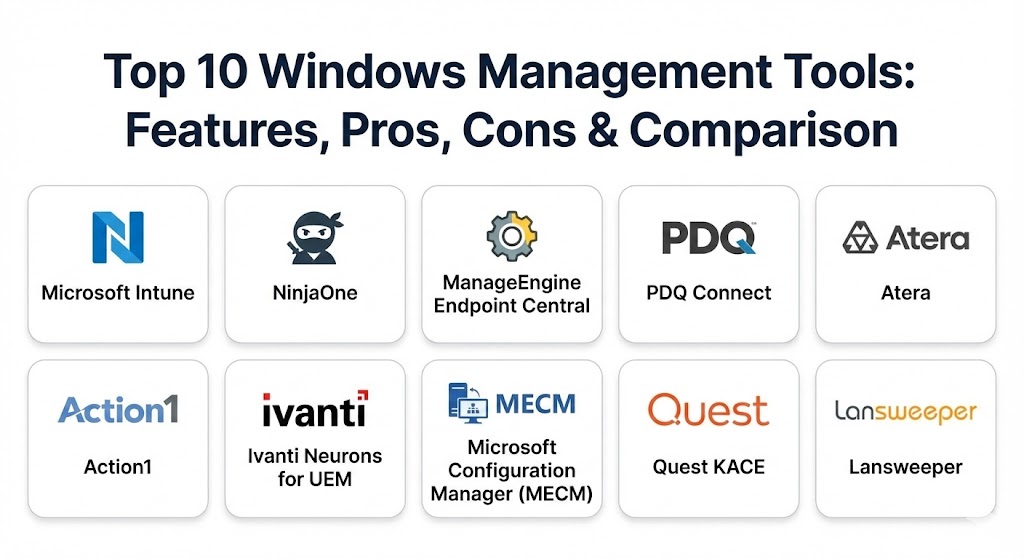
Top 10 Windows Management Tools
1 — Microsoft Intune
Microsoft Intune is the market leader for cloud-based Unified Endpoint Management (UEM). As a core part of the Microsoft 365 ecosystem, it is designed for modern, remote-first organizations that want to move away from traditional on-premises infrastructure.
- Key features:
- Windows Autopilot: Enables zero-touch provisioning of new devices.
- Configuration Profiles: Enforces security settings and policies via the cloud.
- App Protection Policies: Secures corporate data within apps without requiring full device enrollment.
- Endpoint Analytics: Provides AI-driven insights into device performance and startup times.
- Co-management: Allows simultaneous management with legacy on-prem MECM.
- Seamless Integration: Deep ties with Microsoft Defender for Endpoint and Entra ID.
- Pros:
- Native integration with Windows makes it the most “future-proof” choice for Microsoft-centric shops.
- Eliminates the need for on-premises servers or VPNs for device management.
- Cons:
- The interface can be complex and sometimes suffers from “menu bloat.”
- Policy changes can take several minutes or even hours to sync to the end device.
- Security & compliance: FIPS 140-2, SOC 2, HIPAA, GDPR, ISO 27001. Features conditional access and BitLocker management.
- Support & community: Extensive official documentation, Microsoft Learn paths, and a massive global community of MVPs and user groups.
2 — NinjaOne
NinjaOne is a modern, high-speed Remote Monitoring and Management (RMM) platform. It has gained a massive following among MSPs and internal IT teams for its “single pane of glass” approach and exceptionally clean user interface.
- Key features:
- Automated Patch Management: Handles Windows, macOS, Linux, and 100+ third-party apps.
- Integrated Backup: Native cloud-to-cloud and endpoint-to-cloud backup solutions.
- One-Click Remote Access: Built-in integrations with Splashtop, TeamViewer, and RDP.
- Scripting Engine: Supports PowerShell, VBScript, and Batch with a library of pre-built scripts.
- Real-time Monitoring: Instant alerts for CPU spikes, disk failures, or service outages.
- Pros:
- Frequently rated #1 for ease of use and “lightweight” performance.
- Customer support is widely considered the best in the industry with record-fast response times.
- Cons:
- Pricing is “per-device,” which can become costly for massive enterprise deployments.
- Lacks some of the ultra-deep “OS Imaging” features found in legacy on-prem tools.
- Security & compliance: SOC 2 Type II, GDPR, HIPAA, and MFA/SSO support.
- Support & community: Unlimited free onboarding and training; highly active “Ninja Community” and Reddit presence.
3 — ManageEngine Endpoint Central
Endpoint Central (formerly Desktop Central) is the “Swiss Army Knife” of Windows management. It is a comprehensive UEM solution that covers everything from security to asset management for mid-market and large enterprises.
- Key features:
- Unified Console: Manages laptops, desktops, servers, smartphones, and tablets.
- Automated OS Imaging: Simplifies mass deployments through PXE boot and image capturing.
- Vulnerability Management: Built-in scanning for misconfigurations and high-risk software.
- USB and Peripheral Control: Restricts unauthorized hardware to prevent data theft.
- Software Metering: Tracks application usage to optimize license spending.
- Pros:
- Offers an incredible depth of features for the price point.
- Available in both on-premises and cloud versions to suit different regulatory needs.
- Cons:
- The sheer number of modules can make the learning curve steep for beginners.
- Some users report that the UI feels “dense” and traditional compared to cloud-native rivals.
- Security & compliance: ISO 27001, SOC 2, HIPAA, and GDPR. Includes robust audit logs and role-based access.
- Support & community: 24/5 technical support with a vast library of “how-to” videos and a dedicated user forum (PitStop).
4 — PDQ Connect
PDQ Connect is a cloud-based evolution of the legendary PDQ Deploy and Inventory tools. It is designed for IT teams that want fast, simple, and reliable Windows management without the overhead of a full RMM.
- Key features:
- Agent-Based Cloud Management: Manages devices anywhere without needing a VPN.
- Massive Package Library: Access to hundreds of ready-to-deploy, pre-tested software packages.
- Vulnerability Scanning: Identifies missing patches and outdated software in real-time.
- Dynamic Groups: Automatically organizes machines based on custom criteria (e.g., “All laptops with <10GB free space”).
- Lightning-Fast UI: Known for a “no-nonsense” interface that focuses on speed.
- Pros:
- The “gold standard” for software deployment speed and reliability.
- Transparent, flat-rate pricing models that are easy for SMBs to budget for.
- Cons:
- Historically Windows-only (though macOS support is currently rolling out).
- Lacks the ticketing and PSA (Professional Services Automation) features found in full RMMs.
- Security & compliance: SOC 2 Type 2 compliance, encryption at rest and in transit, and SSO.
- Support & community: Famous for its YouTube channel and “PDQ Live” shows that provide high-level sysadmin education.
5 — Atera
Atera is a pioneer in “Agentic AI” for IT management. It combines RMM, PSA, and Helpdesk into a single platform, using AI to automate the most repetitive parts of a technician’s day.
- Key features:
- AI Autopilot: An end-user-facing AI that fixes common IT issues (like password resets) automatically.
- AI Copilot: Assists technicians by generating scripts and summarizing ticket histories.
- Network Discovery: Automatically maps every device, port, and IP address on a managed network.
- Predictive Maintenance: Alerts admins to hardware failure before it happens using AI patterns.
- Fixed Pricing: Charges per technician rather than per device—unlimited endpoints.
- Pros:
- The most innovative use of AI in the 2026 management market.
- The “per-technician” pricing makes it the most scalable choice for growing businesses.
- Cons:
- The “all-in-one” nature means it may not be as deep in some areas as specialized tools.
- Users must be comfortable with an “AI-first” workflow to get the full value.
- Security & compliance: SOC 2 Type II, GDPR, HIPAA, and ISO 27001.
- Support & community: High-quality webinars, “Atera Academy” for certification, and a strong community presence.
6 — Action1
Action1 is a cloud-native platform specifically optimized for automated patch management and vulnerability remediation. It is a favorite for organizations that need to strictly adhere to “Patch Tuesday” cycles.
- Key features:
- Real-time Vulnerability Assessment: Continuously scans for CVEs (Common Vulnerabilities and Exposures).
- Policy-Based Patching: Automates the testing and rollout of patches based on machine groups.
- Remote Desktop: Integrated high-performance remote access for troubleshooting.
- P2P Patch Distribution: Minimizes bandwidth usage by sharing patch files locally between PCs.
- Software Inventory: Provides a searchable, real-time list of every app installed across the fleet.
- Pros:
- Free for the first 100 endpoints—one of the best deals for small businesses.
- The interface is remarkably fast and easy to navigate.
- Cons:
- Focused primarily on “Patching and Inventory”; not a full-service ITSM suite.
- Reporting is strong but less customizable than specialized BI tools.
- Security & compliance: SOC 2 Type 2, GDPR, HIPAA, and ISO 27001.
- Support & community: Rapid online support and a very high customer satisfaction (CSAT) rating on review sites.
7 — Ivanti Neurons for UEM
Ivanti Neurons is designed for the “Everywhere Work” environment. It uses hyper-automation and AI to provide a “self-healing” endpoint experience for large global enterprises.
- Key features:
- Hyper-Automation: Self-healing bots that resolve issues without human intervention.
- Digital Employee Experience (DEX): Measures and improves user satisfaction with their tech.
- Real-time Asset Intelligence: Aggregates data from multiple sources for a true “Asset Truth.”
- Risk-Based Patching: Prioritizes patches based on the actual likelihood of exploit.
- Zero Trust Security: Integrated access controls that verify every user and device.
- Pros:
- Exceptional for massive, multi-national organizations with complex security needs.
- The “self-healing” capabilities significantly reduce the number of helpdesk tickets.
- Cons:
- One of the most expensive options on this list.
- Can be overly complex for smaller teams with straightforward requirements.
- Security & compliance: FIPS 140-2, FedRAMP, SOC 2, and HIPAA.
- Support & community: Enterprise-grade support with dedicated account managers for large clients.
8 — Microsoft Configuration Manager (MECM / SCCM)
Formerly known as SCCM, MECM is the veteran of the industry. While the world is moving to the cloud (Intune), MECM remains the king of granular, on-premises control for the largest organizations.
- Key features:
- High-Granularity OS Deployment: Full control over every bit and byte of a Windows “Wipe and Load.”
- Asset Intelligence: Provides highly detailed hardware specifications across thousands of nodes.
- Third-Party Patching: Robust support for non-Microsoft updates via the catalog.
- Co-management with Intune: Bridges the gap between on-prem and cloud management.
- Endpoint Protection: Direct management of Windows Defender at an enterprise level.
- Pros:
- Unrivaled for organizations that must keep data strictly on-premises (e.g., defense, banking).
- Powerful enough to manage hundreds of thousands of devices in a single hierarchy.
- Cons:
- Requires significant on-premises infrastructure (SQL Servers, Distribution Points).
- Extremely steep learning curve—often requires a dedicated “SCCM Admin” role.
- Security & compliance: FIPS 140-2, Common Criteria, and industry-standard enterprise certifications.
- Support & community: Nearly 30 years of community knowledge; endless books, forums, and training courses.
9 — Quest KACE Systems Management Appliance
Quest KACE is an “all-in-one” appliance-based solution (virtual or physical) that focuses on the full lifecycle of a Windows device, from procurement to retirement.
- Key features:
- Service Desk Integration: Native ticketing system tied directly to your inventory.
- Software License Management: Ensures compliance and alerts you to over-spending.
- Patch Management: Integrated scheduling for OS and third-party updates.
- Scripting and Automation: Simplifies the execution of complex multi-step IT tasks.
- Comprehensive Discovery: Finds everything on the network, managed or unmanaged.
- Pros:
- Great “one-stop shop” for organizations that don’t want to juggle multiple vendors.
- The appliance-based model makes initial setup relatively straightforward.
- Cons:
- The user interface can feel a bit dated compared to modern “SaaS-first” tools.
- Some advanced automation features require more manual effort than AI-driven rivals.
- Security & compliance: SOC 2, HIPAA, and GDPR compliant.
- Support & community: Strong professional services and a dedicated technical support team.
10 — Lansweeper
While often categorized as an asset management tool, Lansweeper has evolved into a powerful management platform through its unrivaled discovery and risk assessment capabilities.
- Key features:
- Agentless Discovery: Finds every device on the network without installing software.
- OT and IoT Management: Also manages printers, switches, and industrial hardware.
- Vulnerability Monitoring: Maps discovered software against known CVE databases.
- SQL-Based Reporting: Allows for almost infinite customization of data exports.
- Cloud-Native and On-Prem: Offers a flexible hybrid architecture.
- Pros:
- The absolute best tool for finding “Shadow IT” or forgotten devices.
- Integrates with almost every other management tool on this list.
- Cons:
- Historically less focused on deploying changes (like patches) than the other platforms.
- Requires a good understanding of SQL to get the most out of the reporting.
- Security & compliance: SOC 2, GDPR, and ISO 27001.
- Support & community: One of the largest libraries of pre-built SQL reports in the world.
Comparison Table
| Tool Name | Best For | Platform(s) Supported | Standout Feature | Rating (Gartner/TrueReview) |
| Microsoft Intune | Cloud-First Teams | Windows, Mac, iOS, Android | Zero-Touch Autopilot | 4.6 / 5 |
| NinjaOne | Ease of Use / MSPs | Windows, Mac, Linux | Best-in-Class UI | 4.8 / 5 |
| ManageEngine | All-in-One Value | Windows, Mac, Linux, Mobile | USB / Peripheral Control | 4.5 / 5 |
| PDQ Connect | Rapid Deployment | Windows (Mac coming soon) | Massive Package Library | 4.7 / 5 |
| Atera | Scale / AI-Driven | Windows, Mac, Linux | Per-Technician Pricing | 4.6 / 5 |
| Action1 | Patch Automation | Windows | Free for First 100 Nodes | 4.8 / 5 |
| Ivanti Neurons | Hyper-Automation | Windows, Mac, Linux, IoT | AI Self-Healing Bots | 4.4 / 5 |
| MECM (SCCM) | Massive On-Prem | Windows | Granular On-Prem Control | 4.3 / 5 |
| Quest KACE | Lifecycle Mgmt | Windows, Mac, Linux | Integrated Service Desk | 4.2 / 5 |
| Lansweeper | Asset Discovery | Network-Wide (Agentless) | Shadow IT Discovery | 4.7 / 5 |
Evaluation & Scoring of Windows Management Tools
We evaluated these tools based on seven critical dimensions relevant to the modern 2026 IT landscape.
| Category | Weight | Evaluation Notes |
| Core Features | 25% | Patching, software deployment, inventory, and remote control capabilities. |
| Ease of Use | 15% | Intuitiveness of the UI, quality of the onboarding, and day-to-day workflow. |
| Integrations | 15% | Depth of connection with Azure, ticketing systems, and identity providers. |
| Security & Compliance | 10% | Depth of auditing, encryption, and specific compliance certificates (HIPAA/SOC). |
| Performance | 10% | System resource usage of the management agent and speed of policy syncing. |
| Support & Community | 10% | Availability of help, quality of documentation, and size of the user base. |
| Price / Value | 15% | Transparency and flexibility of pricing models relative to the feature set. |
Which Windows Management Tool Is Right for You?
Selecting a tool requires a deep look at your current “Technical Debt” and your “Future Vision.”
- Solo Users & Freelancers: You do not need an enterprise management suite. Use Microsoft Intune (Individual) or simply rely on standard Windows Pro features.
- Small Businesses (SMBs) with <50 Users: Action1 is the clear winner here since it is free for your first 100 devices. If you need full RMM features, Atera or NinjaOne are the best choices.
- Mid-Market Companies (50-500 Users): PDQ Connect is perfect if you want to deploy software fast without a massive learning curve. If you want an “everything” tool that also manages phones, ManageEngine Endpoint Central is the best value.
- Large Enterprises & Regulated Industries: If you have strict “No-Cloud” data requirements, MECM is your only choice. If you are cloud-forward but need massive scale and self-healing, Ivanti Neurons or Microsoft Intune (included in M365 E3/E5) are the leaders.
- Managed Service Providers (MSPs): Atera is the best for profitability due to its per-technician pricing. NinjaOne is the best for technician efficiency due to its superior user interface.
Frequently Asked Questions (FAQs)
1. What is the difference between RMM and UEM? Remote Monitoring and Management (RMM) focuses on monitoring health and providing remote support. Unified Endpoint Management (UEM) focuses on managing the configuration and security of every device (PC, phone, tablet) from one place.
2. Can these tools manage Macs as well? Most of them can (Intune, NinjaOne, Ivanti, etc.). However, Windows remains the “first-class citizen” for these specific tools. For Mac-only shops, tools like Jamf are often better.
3. Do these tools slow down the computer? Modern management “agents” are very lightweight, typically using less than 1% of CPU. However, “legacy” tools or poorly configured polices can sometimes cause slow boot times.
4. Is it better to have an agent or be agentless? Agents provide more “real-time” data and work better for remote users over the internet. Agentless (like Lansweeper) is better for finding everything on a local network without needing to install software on every device.
5. How much do these tools cost on average? Pricing usually ranges from $1 to $7 per device per month. Some, like Atera, charge $150-$300 per technician per month for unlimited devices.
6. Can I manage Windows Servers with these tools? Yes. Almost all of these platforms treat Windows Server as a high-priority endpoint, providing specific monitors for services like SQL, Exchange, and IIS.
7. What is “Zero-Touch Provisioning”? It is a process where an admin configures a profile in the cloud (using Intune or Autopilot). When the user opens a brand-new laptop and connects to Wi-Fi, the computer automatically downloads all its apps and settings.
8. Do I still need a VPN if I use these tools? Cloud-native tools (Intune, PDQ Connect, NinjaOne) do not require a VPN to manage devices. The management traffic is sent securely over standard internet connections.
9. Can these tools prevent ransomware? They can significantly reduce the risk by ensuring your OS and apps are 100% patched and by enforcing security policies like disabling USB ports or blocking macro-enabled files.
10. What is the biggest challenge when switching tools? “Agent fatigue” and data migration. You must uninstall the old management software and install the new one across the entire fleet, which requires careful planning to avoid losing control of devices.
Conclusion
In 2026, the “best” Windows management tool is no longer defined by how many buttons it has, but by how much work it can do for you. As AI agents become standard in tools like Atera and Ivanti, the role of the sysadmin is shifting from manual updater to high-level orchestrator. Whether you choose the cloud-native power of Intune or the reliable speed of PDQ, the goal remains the same: ensuring that the technology stays out of the way of the humans using it.