Introduction
Wi-Fi Planning Tools (often called RF site survey or wireless design tools) are platforms used to create “heatmaps” and predictive models of radio frequency (RF) signals. These tools allow you to import a floor plan, define wall materials (like drywall, brick, or glass), and place virtual Access Points to see how the signal will propagate through the building. They account for interference, channel overlapping, and capacity requirements—ensuring that the network can handle hundreds of concurrent devices in a high-density environment.
The importance of these tools lies in cost and performance optimization. In real-world use cases, a warehouse manager uses them to ensure robots never lose connectivity between aisles, while a stadium coordinator uses them to provide high-speed internet to 50,000 fans simultaneously. When choosing a tool, evaluation criteria should include accuracy of the RF engine, 3D modeling capabilities, support for the latest standards (Wi-Fi 6E/7), and the ability to perform live site surveys with external hardware.
Best for: Network architects, IT consultants, and system integrators working in medium-to-large enterprises, healthcare, education, and industrial sectors. It is essential for anyone responsible for deploying wireless infrastructure where reliability is non-negotiable.
Not ideal for: Casual home users or very small businesses with a single-room office. If your space is under 1,000 square feet and has few obstructions, the cost and learning curve of professional planning tools are unnecessary; simple “best-guess” placement usually suffices in these low-stakes environments.
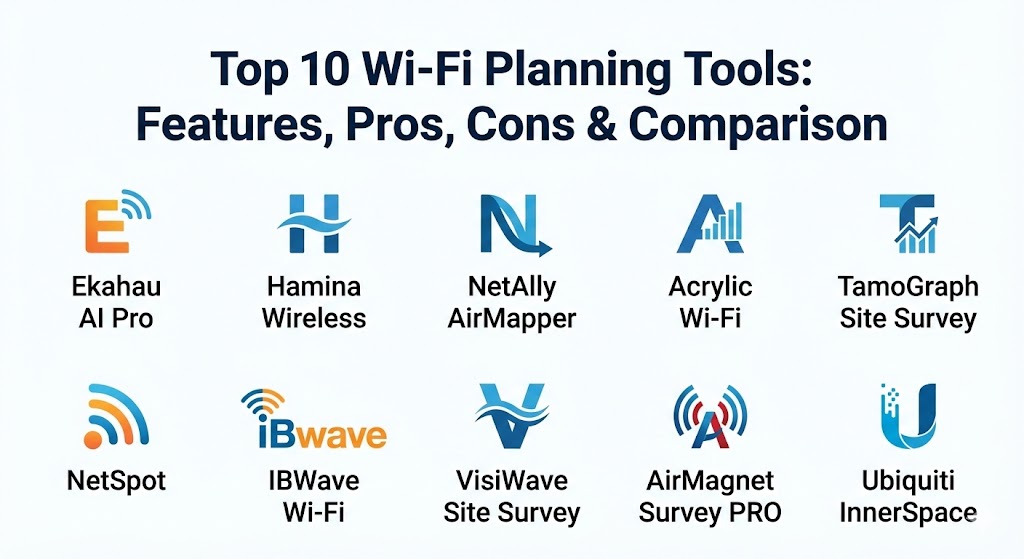
Top 10 Wi-Fi Planning Tools
1 — Ekahau AI Pro
Ekahau is widely considered the industry standard for professional Wi-Fi design. It is built for experts who require extreme precision and high-fidelity reporting for complex, high-density networks.
- Key features:
- AI Auto-Planner: Automatically places APs based on your specific requirements for coverage and capacity.
- 3D Modeling: Predicts signal propagation across multiple floors, including stairs and elevator shafts.
- Wall Material Library: Pre-defined attenuation values for hundreds of different construction materials.
- Interference Detection: Identifies non-Wi-Fi interference sources like microwaves or cordless phones.
- Wi-Fi 6E & 7 Support: Full simulation capabilities for the 6 GHz band.
- Sidekick 2 Integration: Pairs with professional hardware for ultra-fast, high-accuracy live site surveys.
- Pros:
- The most accurate and trusted RF engine in the wireless industry.
- Exceptional automated reporting that saves hours of manual documentation.
- Cons:
- The most expensive option on the market, often requiring a significant annual subscription.
- Requires high-performance hardware (powerful GPU/RAM) for smooth 3D modeling.
- Security & compliance: SOC 2 compliant, features secure SSO, and provides full audit logs for project changes.
- Support & community: World-class technical support; a massive community of “Ekahau Masters” and extensive certification courses.
2 — Hamina Wireless
Hamina is the modern, cloud-native challenger that has taken the market by storm. It focuses on a browser-based experience that is incredibly fast and collaborative.
- Key features:
- Browser-Based Design: No heavy software to install; everything runs in a high-performance web interface.
- Real-Time Collaboration: Multiple engineers can work on the same floor plan simultaneously.
- Integrated Switching & Cabling: Models the entire network path, not just the wireless signal.
- Instant 3D Views: Toggle between 2D heatmaps and 3D signal visualizations instantly.
- Cabling Bill of Materials: Automatically calculates the length of Ethernet cables needed for the design.
- Pros:
- The fastest and most intuitive user interface in the industry.
- Very competitive pricing for a tool that handles both Wi-Fi and core infrastructure.
- Cons:
- Relatively new compared to Ekahau, so it lacks some of the legacy hardware support.
- Requires a stable internet connection for the best performance.
- Security & compliance: GDPR and SOC 2 compliant. Data is encrypted in transit and at rest.
- Support & community: Excellent documentation and a very responsive team; highly active on social media and Slack.
3 — NetAlly AirMapper
AirMapper is unique because it is built directly into NetAlly’s handheld network testing hardware (like the AirCheck G3). It bridges the gap between handheld testing and professional mapping.
- Key features:
- Hardware-Integrated Survey: Perform site surveys without carrying a laptop; use a ruggedized handheld device.
- Link-Live Cloud Service: Automatically uploads survey data to a central portal for analysis.
- Active & Passive Surveys: Measures both signal strength and actual connection throughput.
- Wi-Fi 6/6E Analysis: Full visibility into the latest spectrum bands.
- Heatmap Generation: Creates professional-grade maps directly from handheld data.
- Pros:
- The most portable solution; perfect for engineers walking through warehouses or construction sites.
- The hardware can be used for general troubleshooting, not just Wi-Fi planning.
- Cons:
- Predictive modeling (planning before APs are there) is not as deep as Ekahau or Hamina.
- Requires the purchase of expensive NetAlly hardware to function.
- Security & compliance: FIPS 140-2 compliant hardware; secure cloud storage with SSO.
- Support & community: Professional enterprise support; well-regarded in the “field tech” community.
4 — Acrylic Wi-Fi Heatmaps
Acrylic is a powerful Windows-based tool that offers a great balance of professional features and affordability. It is a favorite for independent contractors and smaller IT firms.
- Key features:
- BIM and CAD Support: Import complex architectural files directly for high-precision modeling.
- GPS Support: Perform outdoor site surveys using GPS coordinates for large campus environments.
- Report Designer: Highly customizable reports that can be tailored to the client’s branding.
- Hardware Compatibility: Works with standard Wi-Fi cards as well as specialized survey adapters.
- Inventory Management: Tracks AP serial numbers and locations on the map.
- Pros:
- One of the few professional tools that offers a “lifetime license” option (non-subscription).
- Excellent support for large-scale outdoor mapping.
- Cons:
- The UI feels a bit dated and less “fluid” than modern cloud platforms.
- Limited macOS support (requires virtualization).
- Security & compliance: GDPR compliant. Supports basic SSO and standard encryption.
- Support & community: Strong knowledge base and email-based support; popular among European wireless engineers.
5 — TamoGraph Site Survey
TamoGraph is a robust, cross-platform (Windows/macOS) tool known for its reliability and its ability to handle very large-scale, multi-story projects.
- Key features:
- Smart Algorithm: Automatically identifies AP locations if they aren’t pre-marked on the map.
- High-Resolution Heatmaps: Provides granular data on signal-to-noise ratio (SNR) and interference.
- Virtual AP Support: Create predictive designs by placing virtual APs and adjusting their settings.
- Throughput Testing: Conducts active surveys to measure actual data upload/download speeds.
- Spectrum Analysis Integration: Works with TamoSoft’s spectrum analyzer to find non-Wi-Fi interference.
- Pros:
- Very stable performance on both Windows and Mac platforms.
- Strong documentation that covers complex RF theory in detail.
- Cons:
- The learning curve can be steep for those new to wireless engineering.
- The reporting engine is powerful but takes time to master.
- Security & compliance: SOC 2 compliant. Encrypted project files and secure database backups.
- Support & community: Long-standing reputation; excellent technical support team and detailed manuals.
6 — NetSpot (Pro & Enterprise)
NetSpot is the most accessible tool on this list. It is designed for IT generalists who need to perform quick, accurate Wi-Fi surveys without needing a degree in RF engineering.
- Key features:
- Survey Mode: A simple “point-and-click” survey process for mapping coverage.
- Discover Mode: Real-time data on all surrounding Wi-Fi networks and their channels.
- Visualizations: Includes heatmaps for Signal Level, Noise, and Interference.
- Predictive Planning: (In Enterprise version) Allows for simple virtual AP placement.
- Cross-Platform: Works seamlessly on both macOS and Windows.
- Pros:
- The easiest tool to learn; you can be productive within 20 minutes.
- Very affordable pricing, including a “prosumer” tier for small offices.
- Cons:
- Lacks the advanced 3D modeling and complex wall-attenuation features of Ekahau.
- Not suitable for massive, high-density environments like stadiums.
- Security & compliance: GDPR compliant. Standard AES encryption for project storage.
- Support & community: Extensive library of blog tutorials and helpful email support.
7 — IBWave Wi-Fi
IBWave is the “industrial-strength” choice. While others focus on Wi-Fi, IBWave is designed for converged networks where Wi-Fi, 5G, and public safety radio must all work together.
- Key features:
- Multi-Technology Modeling: Models Wi-Fi, Small Cells, and DAS (Distributed Antenna Systems) in one view.
- Cloud Collaboration: Project files can be shared between the field (mobile) and the office (desktop).
- Complex 3D Environments: Designed for high-rises and massive industrial plants with complex metal structures.
- Propagation Ray Tracing: Extremely high-accuracy signal modeling for tricky environments.
- Component Library: Massive database of specific antennas and APs from every major vendor.
- Pros:
- The absolute best tool for “converged” network environments (Wi-Fi + Cellular).
- Professional certification from IBWave is highly valued in the telecom industry.
- Cons:
- Very high cost and complex licensing structure.
- Overkill for a company that only needs simple Wi-Fi management.
- Security & compliance: ISO 27001, SOC 2, and GDPR compliant. Used by government and military contractors.
- Support & community: Premier enterprise support; a very specialized and professional user community.
8 — VisiWave Site Survey
VisiWave is a specialized Windows tool that focuses on the visualization of data. It is known for its “Google Earth” integration for outdoor and campus-wide surveys.
- Key features:
- 3D Wireframe Views: Visualizes the signal as a 3D cloud around the floor plan.
- GPS Integration: Seamlessly maps outdoor signal strength over satellite imagery.
- Predictive Modeling: Standard “Virtual AP” placement and wall material definitions.
- Report Customization: Clean, data-heavy reports that focus on technical metrics.
- Spectrum Analysis: Supports Wi-Spy adapters for identifying interference.
- Pros:
- Exceptional for outdoor and campus environments.
- One of the best tools for visualizing signal propagation through floors.
- Cons:
- The UI feels very “Windows 7 era” and lacks modern SaaS features.
- Not as many automated “optimization” features as Hamina or Ekahau.
- Security & compliance: Varies / N/A. Operates as a local standalone application.
- Support & community: Reliable email support and long-term stability in the market.
9 — AirMagnet Survey PRO (by NetAlly)
AirMagnet is one of the oldest and most trusted names in the business. It is a “power-user” tool with an immense amount of technical depth.
- Key features:
- Multi-Adapter Survey: Perform multiple types of surveys simultaneously using multiple Wi-Fi cards.
- Advanced Simulation: Predicts the impact of adding more users or changing AP types.
- Diff Analysis: Compare two different surveys to see how the environment has changed over time.
- 802.11be Support: Early adoption of Wi-Fi 7 analysis features.
- Detailed Interference Analysis: Deep integration with spectrum analysis hardware.
- Pros:
- Extremely granular data; it appeals to the engineer who wants to see every possible metric.
- Very reliable for large-scale enterprise deployments.
- Cons:
- The interface is quite complex and can be intimidating for new users.
- High cost of entry and ongoing maintenance.
- Security & compliance: SOC 2 compliant. Features secure project encryption.
- Support & community: Backed by NetAlly’s professional support infrastructure.
10 — Ubiquiti InnerSpace
InnerSpace is a unique, free tool provided by Ubiquiti. It is designed specifically for users of the UniFi ecosystem who want a visual way to manage their floor plans.
- Key features:
- Native UniFi Integration: Pulls your live AP data directly from your UniFi controller.
- Visual Floor Plans: Easy drag-and-drop floor plan management.
- Real-time Heatmaps: Shows coverage based on your actual live AP status.
- Mobile App: Access your floor plans and coverage maps on the go.
- Zero Cost: Free to use for anyone within the UniFi ecosystem.
- Pros:
- If you already use UniFi, this is the easiest way to see your coverage without paying for extra software.
- Very modern and beautiful user interface.
- Cons:
- Vendor lock-in; it only works with Ubiquiti hardware.
- Lacks the professional RF modeling precision of Ekahau or Hamina.
- Security & compliance: Managed through the UniFi OS (SOC 2, ISO 27001).
- Support & community: Massive community forums and YouTube tutorials.
Comparison Table
| Tool Name | Best For | Platform(s) Supported | Standout Feature | Rating (Gartner) |
| Ekahau AI Pro | Enterprise Experts | Win, macOS, iOS | Sidekick 2 & AI Planner | 4.8 / 5 |
| Hamina Wireless | Cloud Collaboration | Web-based (Any) | Browser-based Speed | 4.7 / 5 |
| NetAlly AirMapper | Field Technicians | Handheld Hardware | Survey without a Laptop | 4.5 / 5 |
| Acrylic Wi-Fi | Contractors / SMB | Windows | Lifetime License Option | 4.4 / 5 |
| TamoGraph | Cross-platform Pros | Win, macOS | High-Res Spectrum Views | 4.5 / 5 |
| NetSpot | IT Generalists | Win, macOS | Extreme Ease of Use | 4.3 / 5 |
| IBWave Wi-Fi | Telecom / Converged | Win, Mobile | Wi-Fi + 5G Modeling | 4.6 / 5 |
| VisiWave | Outdoor / Campus | Windows | Google Earth Integration | 4.2 / 5 |
| AirMagnet PRO | Advanced Analysts | Windows | Multi-Adapter Surveying | 4.4 / 5 |
| Ubiquiti InnerSpace | UniFi Users | UniFi OS / Web | Native UniFi Sync (Free) | N/A |
Evaluation & Scoring of Wi-Fi Planning Tools
To help you decide, we have evaluated the tools based on a weighted rubric that reflects the priorities of a modern IT department in 2026.
| Category | Weight | Evaluation Criteria |
| Core Features | 25% | RF accuracy, 3D modeling, Wi-Fi 7 support, and heatmap variety. |
| Ease of Use | 15% | UI/UX quality, learning curve, and speed of predictive modeling. |
| Integrations | 15% | Support for external hardware (Sidekick), CAD/BIM import, and APIs. |
| Security & Compliance | 10% | SSO support, GDPR/SOC 2 compliance, and audit logs. |
| Reliability | 10% | Software stability, performance with large projects, and offline mode. |
| Support & Community | 10% | Quality of documentation, forums, and technical support response. |
| Price / Value | 15% | ROI based on time saved and licensing flexibility. |
Which Wi-Fi Planning Tool Is Right for You?
Choosing a tool is a decision between simplicity and technical depth.
- Solo Users & SMBs: If you are managing one or two offices, NetSpot is the clear winner. It’s affordable, runs on a standard laptop, and provides exactly enough data to ensure your employees aren’t complaining about the Wi-Fi.
- Mid-Market & Rapid Growth: Hamina Wireless is the perfect choice for companies that need a professional tool but want to avoid the high cost and “legacy” feel of older platforms. Its collaborative nature makes it ideal for distributed IT teams.
- The Global Enterprise: Ekahau AI Pro remains the gold standard. If your company’s revenue depends on the wireless network (e.g., a smart warehouse or a tech campus), the investment in Ekahau and a Sidekick 2 pays for itself in avoided outages and optimized AP counts.
- Budget-Conscious vs. Premium: If you have zero budget and use Ubiquiti, InnerSpace is your first stop. If you have a moderate budget and want to own your software forever, Acrylic Wi-Fi is the best value.
- Specialized Industries: For healthcare or high-rise construction where 5G and Wi-Fi must coexist, IBWave is the only tool that can handle the complexity. For field technicians who are constantly on the move, NetAlly AirMapper is the ruggedized choice.
Frequently Asked Questions (FAQs)
1. What is a “Predictive” survey vs. a “Passive” survey?
A predictive survey is done before you have hardware; it uses software algorithms to simulate signal strength. A passive survey is done after the APs are installed by walking through the building with a device to measure real signals.
2. Do I need special hardware to use these tools?
For predictive planning, no—a standard laptop is enough. For live site surveys, most professional tools (like Ekahau) require or highly recommend a specialized adapter like the Sidekick 2 to ensure accurate measurement.
3. Is Wi-Fi 7 support important in 2026?
Yes. Wi-Fi 7 introduces the 6 GHz band and Multi-Link Operation (MLO). If your tool cannot model 6 GHz, it cannot accurately plan for modern devices, leading to massive performance gaps.
4. Can these tools help with interference from microwaves or Bluetooth?
Yes, but only if they support “Spectrum Analysis.” Tools like Ekahau, TamoGraph, and AirMagnet can identify non-Wi-Fi interference that standard Wi-Fi cards cannot see.
5. How much do these tools typically cost?
Pricing ranges from free (Ubiquiti) and $100 (NetSpot) to $5,000+ per year (Ekahau/IBWave). Most professional tools use a subscription model.
6. Can I use these tools on a tablet or phone?
Some tools like Ekahau and Hamina have mobile apps that allow you to perform surveys on an iPad. However, the heavy “planning” and 3D modeling are usually done on a desktop or in a web browser.
7. How long does it take to plan a typical office floor?
For a standard 10,000 sq. ft. office, a predictive design usually takes 1–2 hours. A physical walk-through survey could take another 2–3 hours.
8. Can I import my own floor plans?
Yes. All tools on this list allow you to import PNG, JPG, or PDF floor plans. Professional tools also support CAD (DWG/DXF) and BIM (Revit) files.
9. What is “Wall Attenuation”?
It is the amount of signal lost when it passes through a wall. For example, a concrete wall has high attenuation, while a drywall office partition has low attenuation. Professional tools let you define these values for accurate heatmaps.
10. Do I need to be a certified engineer to use these?
For tools like NetSpot, no. For Ekahau or IBWave, while not legally required, professional certification is highly recommended to understand the RF theory behind the maps.
Conclusion
The “best” Wi-Fi planning tool is ultimately the one that aligns with the complexity of your environment. If you are building the wireless backbone for a global headquarters, Ekahau is the only choice that provides the necessary precision. If you are a modern team looking for speed and collaboration, Hamina is the future of the industry.
Wireless networking is invisible, but with the right planning tool, you can see exactly how it’s performing long before your users do. Stop guessing where the signal goes and start designing with data. A well-planned network is a silent hero, and these tools are the secret to its success.