Introduction
A Webhook Management Tool is a specialized infrastructure layer designed to handle the lifecycle of webhook events. Unlike a simple API endpoint that waits for a request, these tools act as a sophisticated intermediary that manages the ingestion, verification, queuing, and delivery of asynchronous messages. In a typical microservices architecture, a single failure in a receiving server can result in lost data; webhook management tools mitigate this by implementing robust retry logic, rate limiting, and comprehensive logging.
The importance of these tools lies in reliability and observability. Without them, developers are often “flying blind,” unable to tell if a failed event was due to a network glitch, a timeout, or a payload error. Key real-world use cases include e-commerce order processing, real-time data synchronization, and automated devops workflows. When evaluating tools, users should prioritize latency overhead, payload inspection capabilities, security features (like HMAC signature verification), and the scalability of the queuing engine.
Best for: Backend engineers, DevOps professionals, and SaaS companies that rely on third-party integrations or offer their own webhook APIs. It is essential for teams managing high-volume, mission-critical data where event loss is not an option.
Not ideal for: Simple, low-traffic personal projects or applications where events are non-critical and a lost notification carries zero business impact. In those cases, a direct, unmanaged endpoint is usually sufficient and more cost-effective.
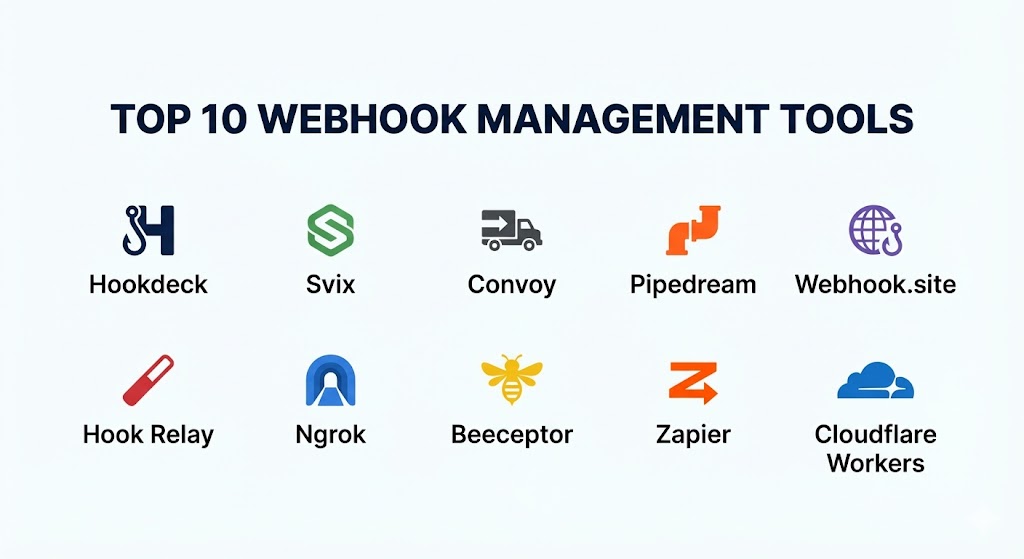
Top 10 Webhook Management Tools
1 — Hookdeck
Hookdeck is a dedicated webhook infrastructure platform designed to give developers full visibility and control over their incoming webhooks. It functions as a reliable proxy that handles ingestion and provides a powerful dashboard for troubleshooting.
- Key features:
- Automatic Retries: Configurable retry logic that ensures delivery even during target server downtime.
- Event Replay: The ability to manually or automatically re-send specific events after fixing a bug.
- Fan-out: Route a single incoming webhook to multiple internal or external destinations.
- Transformation: Modify the webhook payload or headers on the fly before they reach your server.
- Alerting: Real-time notifications via Slack or Email when delivery failure thresholds are met.
- Rate Limiting: Protect your internal infrastructure by throttling the speed of incoming events.
- Pros:
- Exceptional developer experience with an intuitive UI for inspecting payloads.
- Effectively “decouples” your server availability from the third-party provider’s delivery schedule.
- Cons:
- Can add a few milliseconds of latency to the delivery pipeline.
- The pricing can scale quickly for extremely high-volume enterprise traffic.
- Security & compliance: SOC 2 Type II, GDPR compliant, HMAC signature verification, and support for IP whitelisting.
- Support & community: High-quality technical documentation, a responsive Slack community, and dedicated enterprise support plans.
2 — Svix
Svix is widely recognized as the “Webhook-as-a-Service” leader. While some tools focus on receiving webhooks, Svix is primarily built for companies that want to send webhooks to their own customers with a professional-grade experience.
- Key features:
- Customer Dashboard: Provides your end-users with a UI to view their own webhook history and logs.
- Automatic Retries: Industry-standard exponential backoff retry schedules.
- Signature Verification: Simplifies security by handling the generation and verification of webhook signatures.
- Payload Transformations: Allows for versioning and changing formats without breaking client integrations.
- Monitoring: Real-time health checks for all your customer-facing endpoints.
- Pros:
- Saves months of engineering time by providing a “plug-and-play” webhook sending infrastructure.
- The white-label portal increases trust with your B2B customers.
- Cons:
- Focused on the provider side; less ideal for users who just need to manage incoming webhooks.
- Requires integration via SDK, which adds a dependency to your codebase.
- Security & compliance: SOC 2 Type II, GDPR, HIPAA compliant, and ISO 27001 certified.
- Support & community: Extensive API documentation, highly active GitHub presence, and 24/7 priority support for enterprise.
3 — Convoy
Convoy is a high-performance, open-source webhook gateway. It is unique in that it offers both a cloud-hosted version and the ability to self-host, making it a favorite for security-conscious engineering teams.
- Key features:
- Inbound and Outbound Support: Manages both the webhooks you send and the ones you receive.
- High Throughput: Built in Go to handle millions of events per second with minimal resource consumption.
- Circuit Breaking: Automatically pauses delivery to failing endpoints to prevent resource exhaustion.
- Searchable Logs: Advanced indexing that allows you to find specific events in milliseconds.
- Multi-tenant Architecture: Design isolate webhook traffic for different clients or environments.
- Pros:
- Open-source core provides transparency and avoids vendor lock-in.
- One of the few tools that handles both “ingress” and “egress” webhook traffic equally well.
- Cons:
- Self-hosting requires significant DevOps knowledge to manage the underlying database and queue.
- The cloud version’s UI is functional but lacks some of the “polish” of Hookdeck.
- Security & compliance: GDPR compliant; self-hosted version allows for full control over SOC 2/HIPAA environments.
- Support & community: Growing open-source community, Discord support channel, and commercial support for enterprise.
4 — Pipedream (RequestBin)
Pipedream is a low-code integration platform that swallowed the famous “RequestBin” tool. It is designed for developers who want to not only receive webhooks but also act on them immediately with custom logic.
- Key features:
- Managed RequestBin: Instantly generate a public URL to inspect and debug webhook payloads.
- Serverless Workflows: Execute Node.js, Python, or Go code directly in response to a webhook.
- Pre-built Actions: Connect webhooks to over 1,000 apps (Discord, Slack, Airtable) without writing code.
- State Management: Store data between webhook executions for complex workflows.
- Event Sourcing: Buffers events so you can process them at your own pace.
- Pros:
- Incredibly versatile; it is a “Swiss Army Knife” for webhook-driven automation.
- Great for prototyping and building internal tools quickly.
- Cons:
- Not strictly a “management” tool; it is a full automation platform, which might be overkill.
- Debugging complex code-based workflows can be more difficult than simple proxy tools.
- Security & compliance: SOC 2 Type II, GDPR compliant, and secure environment variable storage.
- Support & community: Large user community, extensive “Pipedream University” tutorials, and active forum support.
5 — Webhook.site
Webhook.site is the industry standard for immediate, zero-setup webhook debugging. It is designed for developers who need to see a payload “right now” without configuring a full infrastructure.
- Key features:
- Instant URLs: Generate a unique URL in one click to receive any HTTP request.
- Real-time Inspection: Watch headers, query strings, and payloads appear in your browser instantly.
- Custom Actions: Define simple rules to forward requests to another URL or email.
- Webhook Scripting: Use a simple scripting language to modify or respond to incoming requests.
- Desktop App: Local version for testing webhooks behind a firewall or on a local network.
- Pros:
- No registration required for basic testing; it is the fastest way to debug a single webhook.
- Extremely lightweight and easy to use.
- Cons:
- Not suitable for high-volume production traffic or long-term reliability.
- Basic version does not offer robust retry logic or persistent storage.
- Security & compliance: Standard SSL/TLS; Pro version offers GDPR-compliant data handling.
- Support & community: Basic email support for Pro users; largely self-service documentation.
6 — Hook Relay
Hook Relay acts as a “buffer” for your webhooks. It is designed for developers who want to add reliability to their existing endpoints without changing their application code significantly.
- Key features:
- Payload Delivery Guarantee: Retries failed deliveries for up to 14 days.
- Inbound Proxy: Receive webhooks from services like Stripe and let Hook Relay handle the retries.
- Outbound Proxy: Send webhooks to your customers via Hook Relay to ensure they get delivered.
- Signature Management: Automatically adds signatures to outgoing requests.
- Concurrency Control: Limits how many webhooks hit your server at once.
- Pros:
- Very simple “set it and forget it” setup.
- Excellent pricing for mid-market companies that need reliability without enterprise features.
- Cons:
- Dashboard is relatively basic compared to Hookdeck.
- Lacks advanced transformation and fan-out features.
- Security & compliance: GDPR compliant; uses standard encryption for data at rest.
- Support & community: Responsive email support and a straightforward knowledge base.
7 — Ngrok (Webhook Verification)
While primarily a tunneling service, Ngrok has recently added specialized “Webhook Verification” and management features. It is the tool of choice for local development of webhook-driven apps.
- Key features:
- Webhook Verification: Automatically verify signatures from providers like GitHub, Slack, and Stripe at the edge.
- Traffic Inspection: Replay and inspect local requests via a local web UI.
- Cloud Edge: Manage public-facing endpoints that tunnel directly to your local machine.
- IP Restrictions: Limit who can send webhooks to your tunnel.
- OAuth/OIDC: Add authentication to your webhook endpoints instantly.
- Pros:
- Essential for developing webhooks locally without deploying to a server.
- The edge verification features save you from writing boilerplate security code.
- Cons:
- Not a production-scale “management” tool in the traditional sense.
- Tunnels can be unstable if the local connection drops.
- Security & compliance: SOC 2 Type II, GDPR, and HIPAA compliance options for enterprise.
- Support & community: Massive developer community, extensive blog tutorials, and professional technical support.
8 — Beeceptor
Beeceptor is a “Mocking and Intercepting” tool that allows developers to create fake webhook endpoints and simulate various response scenarios.
- Key features:
- Mocking: Define rules to return specific status codes (e.g., 500 or 404) to test your provider’s retry logic.
- Payload Interception: View and modify payloads in real-time.
- No-Code Rules: Create logic to respond to webhooks without a backend.
- Latency Simulation: Test how your provider handles slow-responding endpoints.
- Pros:
- The best tool for “Chaos Engineering” your webhook integrations.
- Very fast to set up for mocking external services.
- Cons:
- Focused on testing and mocking rather than long-term production management.
- Dashboard can feel a bit cluttered for simple inspection tasks.
- Security & compliance: GDPR compliant; provides SSL for all mock endpoints.
- Support & community: Community-driven documentation and basic email support.
9 — Zapier (Webhooks by Zapier)
Zapier is the world’s leading automation platform. Its “Webhooks” module allows non-technical users to capture webhook data and funnel it into thousands of other business applications.
- Key features:
- Catch Hook: A simple trigger that receives data and starts a “Zap.”
- Retrieve Poll: Periodically checks an API if webhooks are not available.
- No-Code Mapping: Use a visual editor to map webhook fields to other apps.
- Advanced Logic: Add filters, delays, and conditional paths to your webhook data.
- Partner Integrations: Connects webhooks to 6,000+ apps.
- Pros:
- Unrivaled for business users who need to automate workflows without an engineer.
- Very high reliability and uptime.
- Cons:
- Not built for high-throughput technical management; can become very expensive per-task.
- Lacks deep developer tools like raw payload inspection or custom header manipulation.
- Security & compliance: SOC 2 Type II, SOC 3, GDPR, and CCPA compliant.
- Support & community: Massive help center, global user community, and premium support for enterprise.
10 — Cloudflare Workers (Webhook Handler)
For advanced engineering teams, Cloudflare Workers provides an “Edge” solution for managing webhooks at massive scale with near-zero latency.
- Key features:
- Edge Execution: Process and verify webhooks at the nearest data center to the sender.
- KV Storage: Store webhook state or deduplication IDs at the edge.
- Signature Verification: Use high-performance libraries to verify HMAC signatures before they reach your origin.
- Logpush: Stream webhook logs to your own analytics platform (Datadog, Splunk).
- WAF Integration: Block malicious webhook providers or bot traffic before they hit your worker.
- Pros:
- Theoretically infinite scalability and the lowest possible latency.
- Extremely cost-effective for high-volume traffic.
- Cons:
- Requires custom coding for every feature (retries, logging UI, etc.).
- Not a “turnkey” management tool; it is a platform for building one.
- Security & compliance: PCI DSS, SOC 2, ISO 27001, GDPR, and HIPAA compliant.
- Support & community: Extensive developer docs, a thriving Discord, and world-class enterprise support.
Comparison Table
| Tool Name | Best For | Platform(s) Supported | Standout Feature | Rating (G2/TrueReview) |
| Hookdeck | Reliability & Inbound | Cloud / SaaS | Visual Replay & Retries | 4.8 / 5 |
| Svix | SaaS Providers (Outbound) | Cloud / SDK | Customer Webhook Portal | 4.9 / 5 |
| Convoy | High-perf / Self-hosting | Cloud / Self-host | Inbound & Outbound Sync | 4.7 / 5 |
| Pipedream | Automation & Workflows | Cloud / SaaS | Serverless Code Execution | 4.6 / 5 |
| Webhook.site | Immediate Debugging | Cloud / Desktop | Zero-config Inspection | 4.5 / 5 |
| Hook Relay | Simple Reliability | Cloud / SaaS | 14-day Data Retention | 4.4 / 5 |
| Ngrok | Local Development | Desktop / Cloud | Edge Signature Verify | 4.8 / 5 |
| Beeceptor | Mocking & Testing | Cloud / SaaS | Chaos Latency Simulation | 4.5 / 5 |
| Zapier | Non-technical Automation | Cloud / SaaS | 6,000+ App Connections | 4.7 / 5 |
| Cloudflare | Enterprise Edge Scale | Serverless / Edge | 0ms Routing & Verify | 4.9 / 5 |
Evaluation & Scoring of Webhook Management Tools
To choose the right tool, we evaluate based on a weighted rubric that prioritizes the needs of a modern development team.
| Criteria | Weight | Evaluation Rationale |
| Core Features | 25% | Presence of retries, replay, monitoring, and payload inspection. |
| Ease of Use | 15% | Time to setup and the quality of the management dashboard. |
| Integrations | 15% | SDK availability and ability to connect with third-party observability tools. |
| Security & Compliance | 10% | Verification of signatures, encryption, and regulatory certifications. |
| Performance | 10% | Impact on latency and ability to handle high event throughput. |
| Support & Community | 10% | Documentation quality and accessibility of technical help. |
| Price / Value | 15% | ROI for the engineering team vs. the cost of the subscription. |
Which Webhook Management Tool Is Right for You?
Solo Users vs SMB vs Mid-market vs Enterprise
If you are a solo user debugging a single script, Webhook.site or the free tier of Ngrok is all you need. SMBs looking for reliability without a heavy infrastructure burden will benefit most from Hookdeck or Hook Relay. Mid-market SaaS companies that need to send webhooks to their own customers should look at Svix. Enterprises with millions of events and strict security requirements should choose between Convoy (for self-hosting) or Cloudflare Workers (for edge processing).
Budget-conscious vs Premium Solutions
For those on a tight budget, Convoy offers a generous open-source version that costs only what you spend on hosting. For Premium solutions where you want “white-glove” reliability and advanced observability features, Hookdeck and Svix are the clear leaders that justify their cost by saving countless engineering hours.
Feature Depth vs Ease of Use
If you need Feature Depth (e.g., you want to transform payloads and run complex conditional logic), Pipedream or Cloudflare Workers are the best choices. If you prioritize Ease of Use and just want to make sure your webhooks don’t fail, Hookdeck provides the most intuitive user experience.
Integration and Scalability Needs
If your primary concern is Scalability, particularly for global traffic, Cloudflare Workers and Convoy are architected to handle the highest possible volumes. If you need Integration with existing business tools like Salesforce or Slack without writing code, Zapier is the undisputed champion.
Frequently Asked Questions (FAQs)
1. What happens if my server is down when a webhook arrives?
Without a management tool, the event is usually lost forever. With a tool like Hookdeck or Hook Relay, the event is stored and retried based on a schedule (e.g., exponential backoff) until your server is back online.
2. How do I secure a webhook endpoint?
The industry standard is using HMAC signatures. The provider sends a signature in the header, and your server (or management tool) validates it using a secret key. Tools like Svix and Ngrok automate this verification for you.
3. Can I test webhooks on my local computer?
Yes, but you need a tunnel. Ngrok is the most popular tool for this; it provides a public URL that tunnels the webhook traffic directly to your localhost.
4. What is a “Webhook Fan-out”?
Fan-out is when you receive a single webhook (e.g., an order created) and you need it to be sent to multiple different systems (e.g., your database, your email service, and your fulfillment center). Hookdeck handles this natively.
5. How much latency do these tools add?
Most managed proxies add between 10ms and 50ms. In an asynchronous event-driven world, this latency is usually negligible compared to the benefit of reliability.
6. Do I need a management tool if I use Stripe?
Stripe has built-in retries, which is great. However, they don’t provide a visual way to “replay” an event after you have fixed a bug, nor do they give you a unified view of webhooks from other providers.
7. What is “Exponential Backoff”?
It is a retry strategy where the tool waits longer and longer between each attempt (e.g., 1 min, 5 mins, 30 mins, 2 hours). This prevents “slamming” your server when it is already struggling to recover.
8. Is it better to self-host or use a cloud service?
Self-hosting (Convoy) is better for data privacy and control. Cloud services (Hookdeck, Svix) are better for speed of implementation and reducing the “maintenance burden” on your DevOps team.
9. Can webhooks be used for large file transfers?
Generally, no. Webhooks should contain small JSON payloads. If you need to transfer large data, the webhook should contain a link to the data, which your server then downloads.
10. What is a “Webhook Replay”?
Replay is the ability to pick a specific historical event from a log and “fire” it again. This is essential for debugging when your code failed to process an event correctly the first time.
Conclusion
In the event-driven architecture of 2026, webhooks are too critical to be left unmanaged. Choosing the right Webhook Management Tool is a balance between your specific needs for reliability, developer visibility, and scale.
If you are receiving webhooks and need transparency, Hookdeck is the gold standard. If you are building a SaaS and need to send webhooks, Svix will save you months of work. For the tinkerers and automators, Pipedream and Zapier offer a world of possibilities. Ultimately, the “best” tool is the one that allows your team to sleep better at night, knowing that no event will ever be lost in the digital void.