Introduction
Web analytics tools are software applications designed to measure, collect, analyze, and report on internet data for the purposes of understanding and optimizing web usage. These tools provide deep visibility into visitor behavior—tracking where they come from, which pages they view, where they drop off, and what actions lead to a purchase or sign-up.
The importance of these tools lies in their ability to eliminate guesswork. By leveraging real-time data, businesses can identify friction points in their user experience, measure the ROI of marketing campaigns, and predict future trends. Key real-world use cases include conversion rate optimization (CRO), personalized marketing automation, product feature validation, and customer journey mapping. When evaluating a tool in this category, users should prioritize data privacy compliance (GDPR/CCPA), ease of implementation, real-time reporting speed, and integration depth with other marketing technology stacks.
Best for: E-commerce owners, SaaS product managers, digital marketers, and enterprise data analysts. These tools are indispensable for any growth-oriented company ranging from small startups to multi-national corporations that rely on digital touchpoints to drive revenue.
Not ideal for: Personal hobbyist blogs with minimal traffic where basic metrics are sufficient, or local service providers whose primary customer interactions happen exclusively offline and cannot be effectively tracked via digital signals.
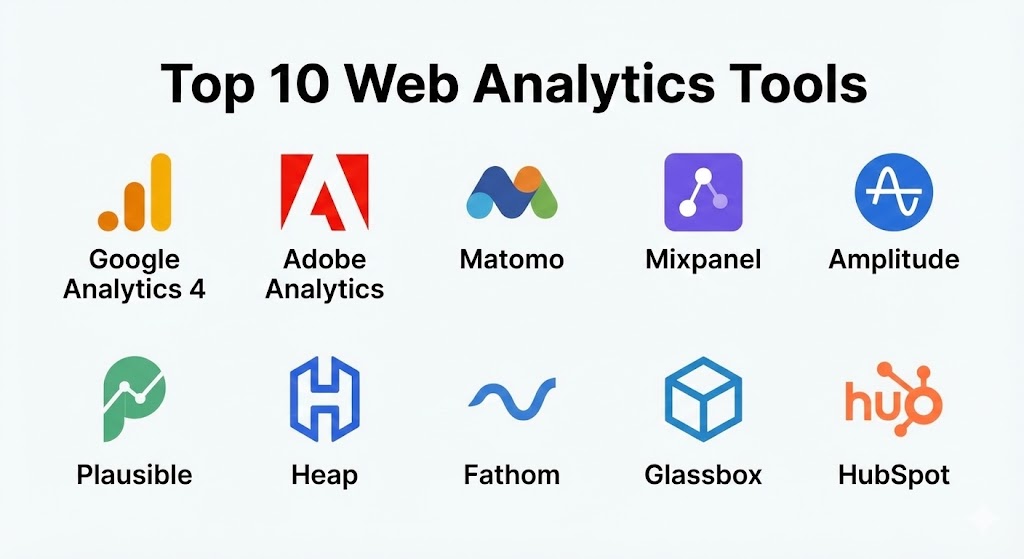
Top 10 Web Analytics Tools
1 — Google Analytics 4 (GA4)
Google Analytics 4 is the current industry standard, having replaced Universal Analytics. It utilizes an event-based data model designed to track users across both websites and mobile apps, offering a unified view of the customer journey.
- Key features:
- Event-based Tracking: Records every user interaction (clicks, scrolls, file downloads) as a customizable event.
- Cross-platform Integration: Seamlessly combines data from web and mobile apps into one property.
- Predictive Insights: Uses machine learning to predict churn probability and potential revenue from specific user segments.
- BigQuery Export: Provides a free integration to export raw data into Google’s data warehouse for advanced analysis.
- Google Ads Integration: native, deep-level synchronization for tracking ad performance and audience building.
- Cookieless Measurement: Employs behavioral modeling to fill in data gaps when users opt out of cookies.
- Pros:
- Completely free version is incredibly powerful and sufficient for most small-to-mid-sized businesses.
- Extensive global community support and thousands of free tutorials for troubleshooting.
- Cons:
- Steeper learning curve compared to its predecessor; the UI can feel unintuitive for beginners.
- Privacy concerns in the EU have led to regulatory scrutiny in specific jurisdictions.
- Security & compliance: SSO, data encryption at rest, and highly granular privacy controls including IP anonymization (default) and data deletion requests. GDPR and CCPA compliant.
- Support & community: Massive online community, official Google Analytics Academy, and premium 24/7 support available only for “360” (Enterprise) subscribers.
2 — Adobe Analytics
Adobe Analytics is the premium choice for large enterprises requiring deep customization and high-volume data processing. It is part of the Adobe Experience Cloud and is known for its “Analysis Workspace” and robust attribution modeling.
- Key features:
- Analysis Workspace: A flexible, drag-and-drop canvas for building custom reports and data visualizations.
- Cross-channel Attribution: Sophisticated models to attribute conversions across email, social, search, and offline touchpoints.
- Predictive Modeling: AI-powered anomaly detection and “Contribution Analysis” to explain why metrics changed.
- Data Workbench: Advanced tool for processing unstructured data and multi-dimensional analysis.
- Real-time Segmentation: Create complex user segments that update instantly as behavior changes.
- Mobile App SDKs: High-end tracking for native mobile applications.
- Pros:
- No data sampling; provides 100% accurate reporting even at massive traffic scales.
- Deepest integration with other enterprise tools like Adobe Target and Adobe Experience Manager.
- Cons:
- Prohibitively expensive for SMBs; pricing is opaque and customized for large contracts.
- Requires a dedicated “Adobe Analyst” or certified partner to implement and maintain.
- Security & compliance: ISO 27001, SOC 2, HIPAA, and GDPR compliant. Includes enterprise-grade SSO and audit logs.
- Support & community: High-touch enterprise support with dedicated account managers and a professional certification ecosystem.
3 — Matomo (formerly Piwik)
Matomo is the leading privacy-focused alternative to Google Analytics. It prides itself on “data ownership,” allowing users to host the software on their own servers so that no third party ever sees their data.
- Key features:
- Self-hosting Option: Total control over data storage and privacy compliance.
- Heatmaps & Session Recordings: Built-in UX tools that usually require a separate subscription (like Hotjar).
- Cookieless Tracking: Built-in options to track users without requiring consent banners.
- White Labeling: Customize the dashboard with your own brand for client reporting.
- Form Analytics: Identifies which fields in your web forms cause users to abandon.
- SEO Integration: Pulls data from Google Search Console and Bing Webmaster Tools.
- Pros:
- 100% data ownership ensures compliance with even the strictest privacy laws.
- No data sampling, providing raw accuracy for every visit.
- Cons:
- Self-hosting requires technical expertise and server maintenance costs.
- The user interface feels slightly dated compared to modern SaaS-first tools.
- Security & compliance: GDPR, HIPAA, and CCPA compliant by design. Supports SSO and two-factor authentication.
- Support & community: Strong open-source community, professional cloud-hosting support, and extensive user documentation.
4 — Mixpanel
Mixpanel is a product analytics tool that focuses on “what users do” inside an app or website rather than just “how they got there.” It is the preferred choice for SaaS and product-led growth teams.
- Key features:
- Powerful Funnel Analysis: Visualize exactly where users drop off in a multi-step journey.
- Cohort Analysis: Track the long-term retention of specific groups of users over time.
- Impact Reports: Measure how the launch of a new feature affects key business metrics.
- Signal Analysis: Automatically identifies user behaviors that correlate with long-term retention.
- Native Mobile Tracking: Excellent support for iOS and Android event tracking.
- Pros:
- Exceptional UX for non-technical product managers to explore data.
- Real-time insights allow for rapid experimentation and product iteration.
- Cons:
- Can become very expensive at scale as pricing is based on “Monthly Tracked Users” or events.
- Not ideal for traditional marketing-focused analytics (e.g., SEO tracking).
- Security & compliance: SOC 2 Type II, GDPR, and HIPAA compliant. Offers SSO and data residency in the EU.
- Support & community: Responsive email support, community Slack channel, and a robust “Mixpanel University.”
5 — Amplitude
Amplitude is another heavyweight in behavioral analytics, often competing directly with Mixpanel. It excels in digital product optimization and personalized customer experiences through its “Digital Analytics Platform.”
- Key features:
- Amplitude Audiences: Sync user segments directly to ad platforms for personalized targeting.
- Compass Tool: Identifies the “Aha! moment” for your users by finding behaviors that lead to conversion.
- Experiment Integration: Native A/B testing tool built into the analytics dashboard.
- Pathfinder: Shows all the different paths users take between two specific events.
- Data Governance: Built-in tools to keep your event taxonomy clean and organized.
- Pros:
- The most advanced behavioral charting capabilities in the industry.
- Very generous free tier (up to 50,000 monthly tracked users).
- Cons:
- The platform is extremely complex and can be overwhelming for simple websites.
- Advanced AI features are locked behind high-tier “Growth” or “Enterprise” plans.
- Security & compliance: SOC 2, HIPAA, GDPR, and ISO 27001 compliant. Strong administrative controls for data privacy.
- Support & community: High-quality webinars, “Amplitude Academy,” and dedicated success managers for larger accounts.
6 — Plausible Analytics
Plausible is a lightweight, open-source web analytics tool that focuses on simplicity and speed. It is a “privacy-first” tool that doesn’t use cookies and doesn’t collect personal data.
- Key features:
- Ultra-lightweight Script: The tracking script is 45x smaller than Google Analytics, improving page speed.
- No Cookies Required: Compliant with privacy laws out of the box without needing a consent banner.
- Simple Dashboard: All key metrics are shown on a single, easy-to-read page.
- Public Dashboards: Option to share your site’s stats publicly via a secure link.
- UTM Parameter Tracking: Measure marketing campaign performance without the complexity.
- Pros:
- Zero learning curve; you can understand your traffic in 30 seconds.
- Ethical and transparent; no cross-site tracking or data selling.
- Cons:
- Lacks advanced features like funnels, heatmaps, or behavioral cohorts.
- No free tier (subscription starts after a 30-day trial).
- Security & compliance: GDPR, CCPA, and PECR compliant. No personal data is ever collected or stored.
- Support & community: Direct support from the founding team and an active GitHub community.
7 — Heap
Heap is famous for its “Autocapture” feature, which automatically tracks every click, swipe, and form submission without requiring manual tagging or code changes.
- Key features:
- Autocapture: Captures 100% of user data from the moment of installation.
- Retroactive Analysis: Define an event today and see data for it going back to your install date.
- Visual Labeling: Non-technical users can define events by clicking on elements in their live site.
- Session Replay: Watch recordings of user sessions to understand friction points visually.
- Journey Maps: Automatically identifies the most common paths users take to convert.
- Pros:
- Eliminates the “forgot to track that” problem by capturing everything by default.
- Best-in-class for teams that want to move fast without waiting for developer resources.
- Cons:
- Data volume can be massive, making it difficult to keep the dashboard organized.
- High cost for enterprise-level event volumes.
- Security & compliance: SOC 2 Type II, GDPR, and HIPAA compliant. Supports SSO and data encryption.
- Support & community: Helpful blog, user guides, and dedicated support for higher-tier customers.
8 — Fathom Analytics
Fathom is a pioneer in the “Simple & Private” analytics space. It is designed for businesses that want a balance between professional insights and absolute respect for user privacy.
- Key features:
- Privacy-first Engine: Invented the modern cookieless tracking standard for web analytics.
- Bypass Ad Blockers: Uses a custom domain feature to ensure accurate data even when users use ad blockers.
- Infinite Data Retention: Your data is stored forever and never deleted.
- Fast Loading: Minimal impact on website performance.
- Simple Goal Tracking: Easy setup for tracking clicks on buttons or form completions.
- Pros:
- Extremely reliable and robust; the founders are highly transparent about their technology.
- One of the cleanest UIs in the market.
- Cons:
- Lacks multi-channel attribution and product-level behavioral reports.
- No free version; pricing is based on monthly pageviews.
- Security & compliance: Fully GDPR, CCPA, and ePrivacy compliant. EU data isolation for European customers.
- Support & community: High-quality email support directly from the engineers.
9 — Glassbox
Glassbox is an enterprise Digital Experience Intelligence (DXI) platform that goes beyond numbers to provide “visual evidence” of why users behave the way they do.
- Key features:
- Session Replay: High-fidelity playback of user sessions across web and mobile.
- Customer Struggle Score: AI that automatically flags sessions where users are frustrated (e.g., rage clicks).
- Cash Value Attribution: Links technical errors or UX issues directly to lost revenue.
- Automated Insights: Uses machine learning to find patterns in user behavior without manual searching.
- Funnel Visualization: Deep integration between quantitative numbers and qualitative replays.
- Pros:
- Perfect for “Customer Success” and “IT” teams to troubleshoot bugs and improve UX.
- High enterprise reliability with massive scalability.
- Cons:
- Very high cost of entry; strictly an enterprise-level tool.
- Significant implementation effort for complex architectures.
- Security & compliance: ISO 27001, SOC 2, HIPAA, and GDPR compliant. Advanced PII masking for replays.
- Support & community: Professional onboarding and 24/7 global support availability.
10 — HubSpot (Marketing Hub Analytics)
While primarily a CRM and marketing automation platform, HubSpot includes a built-in analytics engine that is powerful because it ties website behavior directly to individual customer records.
- Key features:
- Closed-loop Reporting: Track a user from their first anonymous visit to their final sale in the CRM.
- Contact Level Insights: See exactly which pages a specific lead viewed before they contacted sales.
- Campaign Reporting: Group data by specific marketing initiatives (e.g., “Spring 2025 Sale”).
- Multi-touch Attribution: See which channels are contributing to lead generation.
- Built-in SEO Tools: Integrated recommendations to improve search visibility alongside traffic data.
- Pros:
- The absolute best tool for “Sales & Marketing alignment.”
- All-in-one ecosystem reduces the need for multiple tracking scripts.
- Cons:
- Analytics capabilities are less deep than specialized tools like GA4 or Mixpanel.
- Best features are locked behind the expensive “Professional” or “Enterprise” tiers.
- Security & compliance: SOC 2 Type II, GDPR, and HIPAA compliant. Advanced security settings for data privacy.
- Support & community: 24/7 phone support, HubSpot Academy, and a massive global user group network.
Comparison Table
| Tool Name | Best For | Platform(s) Supported | Standout Feature | Rating (Gartner) |
| Google Analytics 4 | Universal Use | Web, iOS, Android | Predictive Insights | 4.4 / 5 |
| Adobe Analytics | Global Enterprise | Web, App, IoT | Analysis Workspace | 4.3 / 5 |
| Matomo | Privacy / Ownership | Web, Mobile | Self-Hosting | 4.4 / 5 |
| Mixpanel | Product / SaaS | Web, Mobile | Retention Analytics | 4.5 / 5 |
| Amplitude | Product Teams | Web, Mobile | Behavior Compass | 4.4 / 5 |
| Plausible | Simplicity | Web | Cookieless / Fast | N/A |
| Heap | Fast Implementation | Web, Mobile | Autocapture | 4.5 / 5 |
| Fathom | Privacy-first SMB | Web | Ad-block Bypass | N/A |
| Glassbox | Experience Intelligence | Web, Mobile | Struggle Score | 4.8 / 5 |
| HubSpot | Sales & Marketing | Web | CRM Data Sync | 4.4 / 5 |
Evaluation & Scoring of Web Analytics Tools
To help you make an objective decision, we have evaluated these tools across seven critical dimensions using a weighted scoring rubric.
| Criteria | Weight | Evaluation Rationale |
| Core Features | 25% | Variety of reports, event tracking, and data accuracy. |
| Ease of Use | 15% | Intuitiveness of the interface and time to insight. |
| Integrations | 15% | Compatibility with CRMs, ad platforms, and data warehouses. |
| Security & Compliance | 10% | GDPR/CCPA readiness and data privacy controls. |
| Performance | 10% | Impact on site speed and data processing latency. |
| Support & Community | 10% | Quality of documentation and availability of expert help. |
| Price / Value | 15% | ROI relative to the subscription or implementation cost. |
Which Web Analytics Tool Is Right for You?
Solo Users vs SMB vs Mid-Market vs Enterprise
If you are a solo user (blogger or small freelancer), Plausible or Fathom are the clear winners. They provide all the essential data without the overwhelming complexity of GA4. SMBs find the best balance in Google Analytics 4 or HubSpot. Mid-Market SaaS companies should gravitate toward Mixpanel or Amplitude. Enterprises with complex data needs and massive budgets will find the most value in Adobe Analytics or Glassbox.
Budget-Conscious vs Premium Solutions
If budget is your primary constraint, GA4 is unbeatable as it is free. For those who want more “Premium” insights and are willing to pay for them, Heap and Amplitude provide significant ROI through automated insights that can save hours of manual analysis.
Feature Depth vs Ease of Use
If you need absolute feature depth (e.g., custom attribution modeling for a $10M marketing spend), Adobe Analytics is the leader. If you want ease of use so your whole team can actually use the data today, Plausible or Fathom are much more approachable.
Integration and Scalability Needs
For those heavily invested in the Google ecosystem (Ads, Cloud, Looker), GA4 is the logical choice. If you require high-volume scalability without data sampling, Adobe and Matomo (Self-hosted) are the most reliable options.
Frequently Asked Questions (FAQs)
1. Is Google Analytics 4 (GA4) really better than the old version?
Yes, in terms of capabilities. GA4’s event-based model is far more flexible and accurately reflects how modern users interact with sites. However, it requires more setup and training to get the same level of comfort as the old version.
2. Can web analytics tools actually track users without cookies?
Yes. Tools like Matomo, Plausible, and Fathom use advanced IP hashing or behavioral modeling to identify returning visitors without needing to place a tracking cookie on their device.
3. Do I need a developer to install these tools?
For simple websites (WordPress/Shopify), most of these can be installed with a simple plugin or copy-pasting a script. For complex web apps (React/Vue), a developer will be needed to set up specific “event tracking.”
4. How much do web analytics tools cost in 2025?
GA4 is free. Privacy tools like Plausible start at ~$9/month. Product tools like Mixpanel start free but can cost $1,000+/month. Enterprise tools like Adobe often start at $30,000+/year.
5. What is “data sampling” and why should I care?
Data sampling is when a tool only looks at a portion of your traffic to estimate the total results. This can lead to inaccuracies. Premium tools like Adobe and Matomo offer “unsampled” data for 100% accuracy.
6. Which tool is best for GDPR compliance?
Matomo (Self-hosted) is the gold standard for compliance because the data never leaves your infrastructure. Plausible and Fathom are also excellent cloud-based compliant choices.
7. Can I use two analytics tools at once?
Yes, but it may slow down your website slightly. Many teams use a “quantitative” tool (like GA4) alongside a “behavioral” tool (like Hotjar or Mixpanel) to get the full picture.
8. Is there an analytics tool that includes heatmaps?
Yes, Matomo, Hotjar, and Glassbox all include visual heatmaps as part of their core platform or as a simple add-on.
9. What is “Real-time” reporting?
Real-time reporting shows you exactly who is on your site right now. This is crucial for monitoring the impact of a social media post, an email blast, or a live event.
10. What is the most common mistake in web analytics?
“Analysis Paralysis”—collecting too much data and never acting on it. Start with 3–5 Key Performance Indicators (KPIs) that actually drive your business and focus on those.
Conclusion
The web analytics market in 2025 offers a specialized solution for every possible business need. Whether you prioritize privacy (Plausible/Matomo), product growth (Amplitude/Mixpanel), or universal compatibility (GA4), the goal remains the same: transforming raw data into actionable business intelligence.
When choosing your tool, don’t just look at the feature list—look at your team’s capability. The “best” tool is the one that your team will actually log into every day to make better decisions. Start with a trial, identify your key conversion events, and let the data lead the way.