Introduction
The Waterfall methodology is a sequential project management process where work flows downwards through various phases, much like a physical waterfall. A project moves from Requirements to Design, Implementation, Verification, and finally Maintenance. Unlike iterative models, Waterfall assumes that project requirements are clear and unchanging from the start. Consequently, the tools built for this category emphasize high-fidelity Gantt charts, Critical Path Method (CPM) analysis, and Resource Leveling.
Why is this important? In industries like civil engineering, aerospace, or large-scale hardware manufacturing, you cannot “iterate” on a foundation once the building is halfway up. Precise planning is mandatory. Real-world use cases include building a bridge, launching a satellite, or implementing a massive ERP system across a global enterprise. When choosing a tool in this category, users must evaluate criteria such as dependency management (how one task’s delay affects the whole timeline), baseline tracking (comparing current progress against the original plan), and financial forecasting.
Best for: Project managers and stakeholders in construction, government, defense, and manufacturing. It is ideal for large organizations with fixed budgets, rigid timelines, and clearly defined deliverables where compliance and documentation are paramount.
Not ideal for: Software startups, creative agencies, or R&D departments where requirements are expected to change frequently. For these, Agile or hybrid tools would provide the necessary flexibility that a rigid Waterfall tool might restrict.
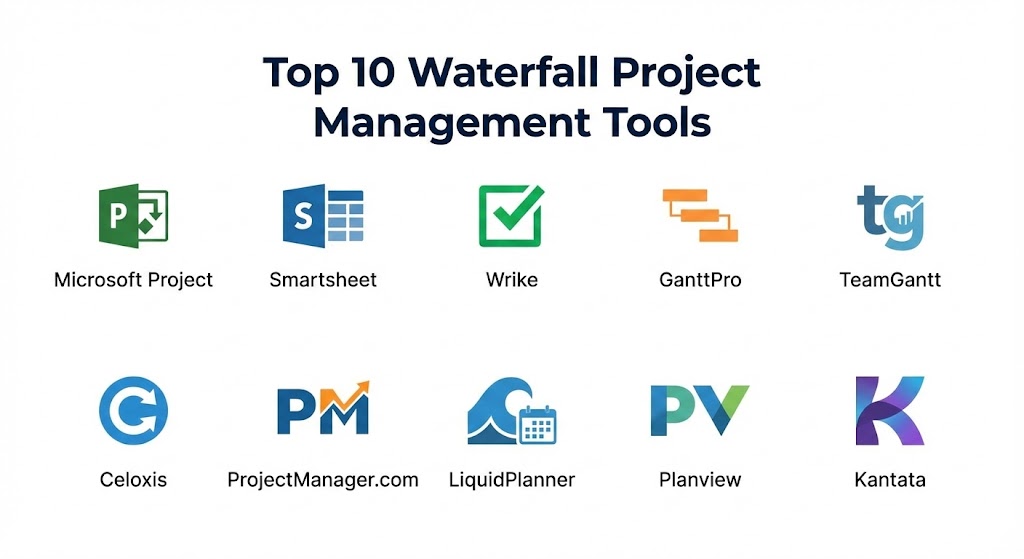
Top 10 Waterfall Project Management Tools
1 — Microsoft Project
Microsoft Project is the quintessential Waterfall tool. For decades, it has set the industry standard for professional-grade scheduling and complex project architecture. In 2026, it remains a powerhouse for those who need deep analytical control over every minute detail of a multi-year project.
- Key features:
- Advanced Gantt Charts: Unmatched control over task relationships and visual representation.
- Resource Leveling: Automatically identifies over-allocated resources and suggests schedule changes.
- Critical Path Analysis: Highlights the sequence of tasks that determines the project duration.
- Native Integration: Seamless data flow with Microsoft 365, Teams, and Power BI.
- Master Project Views: Combine multiple sub-projects into a single overarching view for portfolio management.
- Baseline Tracking: Save snapshots of your plan at different stages to analyze variances.
- Pros:
- The most powerful engine for calculating complex schedules and dependencies.
- Industry-standard reporting that is recognized by government and defense contractors worldwide.
- Cons:
- A very steep learning curve that often requires professional training or certification.
- Can be overly complex for simple projects, leading to “over-management.”
- Security & compliance: SOC 2 Type II, ISO 27001, HIPAA, and GDPR compliant through the Microsoft Azure cloud ecosystem.
- Support & community: Extensive official documentation, Microsoft Learn paths, a massive global user group, and premium enterprise support.
2 — Smartsheet
Smartsheet offers a modern, spreadsheet-like interface that belies its sophisticated Waterfall capabilities. It is the go-to choice for teams that want the power of a project engine but the familiarity of a grid.
- Key features:
- Dynamic Gantt View: Easily toggle between grid, card, and Gantt views while maintaining dependencies.
- Critical Path Highlighting: One-click visualization of the tasks that must stay on track.
- Automated Workflows: Set up rules to alert stakeholders when a milestone is reached or a task is delayed.
- Resource Management (formerly 10,000ft): Deep dive into team capacity and project forecasting.
- Cell-level Linking: Pull data from various sheets into a master “Waterfall” schedule.
- Formula Support: Use Excel-like formulas to calculate project health and budget variances.
- Pros:
- Highly flexible and easier to adopt for teams transitioning from Excel.
- Excellent collaborative features that allow external vendors to update their specific tasks.
- Cons:
- Lacks some of the automatic “resource leveling” logic found in Microsoft Project.
- Complex sheet architectures can become slow if not managed properly.
- Security & compliance: SOC 2 Type II, ISO 27001, HIPAA, and GDPR compliant. Features advanced encryption and SSO.
- Support & community: Smartsheet University for training, a robust user community, and 24/7 technical support for Enterprise plans.
3 — Wrike
Wrike is a versatile platform that excels in complex project structures. Its Waterfall features are robust, particularly for teams that need to bridge the gap between planning and execution with a strong focus on visibility.
- Key features:
- Interactive Gantt Charts: Drag-and-drop task adjustments that automatically shift dependent dates.
- Work Intelligence (AI): Predictive analytics that warn if a project is trending toward a delay.
- Dynamic Request Forms: Standardize how project requirements are captured before the Waterfall begins.
- Custom Workflows: Define specific stages for the verification and maintenance phases.
- Time Tracking: Integrated timers to ensure accurate labor cost tracking against the project plan.
- Blueprint Templates: Save successful project structures to use as foundations for future work.
- Pros:
- Great balance between high-end planning features and modern collaborative tools.
- Powerful reporting dashboards that can be customized for executive stakeholders.
- Cons:
- The interface can feel “busy” due to the high density of features.
- Many of the best Waterfall features are locked behind the higher-tier pricing plans.
- Security & compliance: SOC 2 Type II, ISO 27001, HIPAA, and GDPR compliant. Features user-managed encryption keys (Wrike Lock).
- Support & community: Active community forum, Wrike Academy, and tiered support packages ranging from standard to dedicated CSMs.
4 — GanttPro
As the name suggests, GanttPro is a specialized tool built entirely around the Gantt chart experience. It is designed for managers who want a pure Waterfall experience without the clutter of “all-in-one” apps.
- Key features:
- Auto-Scheduling: Automatically recalculates the timeline when changes are made to dependencies.
- Critical Path Method: Built-in logic to show the shortest possible project completion time.
- Resource Workload: Visual representation of team members’ assignments to prevent burnout.
- Export to PDF/Excel: High-quality exports designed for physical presentation in boardrooms.
- History of Changes: Audit every move made to the schedule to maintain project integrity.
- Baseline Comparison: Clearly see the deviation between planned and actual dates.
- Pros:
- Incredibly intuitive; if you understand a Gantt chart, you can use this tool immediately.
- One of the cleanest and most focused user interfaces in the project management space.
- Cons:
- Limited features for projects that need to transition into Agile or Hybrid models.
- Smaller ecosystem of third-party integrations compared to giants like Microsoft or Smartsheet.
- Security & compliance: GDPR compliant, SSO support, and data encryption. SOC 2 varies by tier.
- Support & community: Detailed help center, email support, and a collection of video tutorials for onboarding.
5 — TeamGantt
TeamGantt focuses on the visual aspect of Waterfall planning. It is designed for teams that find traditional project software too intimidating but still need professional-grade dependency management.
- Key features:
- Visual Drag-and-Drop: Intuitive scheduling that makes building a Waterfall plan feel like a design task.
- Resource View: See availability across multiple projects to ensure no one is double-booked.
- Portfolio View: High-level timeline of every project currently in the Waterfall pipeline.
- Baselines: Mark points in time to compare how the project has shifted over months.
- Checklists within Tasks: Break down Waterfall phases into smaller, manageable sub-steps.
- Mobile Access: Native apps to view the project timeline on site or in the field.
- Pros:
- Perhaps the most “beautiful” and user-friendly Gantt chart tool on the market.
- Low barrier to entry for team members who only need to mark tasks as complete.
- Cons:
- Lacks advanced financial and budget forecasting found in enterprise tools.
- Not suitable for massive projects with tens of thousands of tasks.
- Security & compliance: GDPR compliant, SSO available for Enterprise, and 256-bit SSL encryption.
- Support & community: High-quality documentation, “Project Management” blog, and direct email support.
6 — Celoxis
Celoxis is an enterprise-grade solution that prides itself on being a “comprehensive” project management engine. It is highly favored by professional services and engineering firms that need strict Waterfall control.
- Key features:
- Automatic Scheduling: Sophisticated engine that handles multiple time zones and resource calendars.
- Profitability Tracking: Real-time visibility into project costs versus planned budgets.
- Custom Fields: Capture specific data points relevant to unique industrial requirements.
- Workflow Apps: Build custom apps within the platform to handle change requests or risk logs.
- Client Portals: Allow clients to log in and see the project’s progress without seeing internal data.
- Advanced Resource Management: Leveling and capacity planning for global teams.
- Pros:
- One of the few tools that handles both complex scheduling and deep financial reporting equally well.
- Highly customizable to fit a company’s specific “Waterfall” stages.
- Cons:
- The user interface is functional but can feel a bit dated compared to modern SaaS apps.
- Configuration can be complex and usually requires a dedicated administrator.
- Security & compliance: SOC 2, GDPR, and ISO 27001 compliant. Offers on-premise hosting for maximum security.
- Support & community: Detailed documentation, training videos, and responsive technical support.
7 — ProjectManager.com
This tool offers a robust online suite that balances the rigid planning of Waterfall with real-time dashboarding. It is built for managers who need to see the “health” of their sequential project at a glance.
- Key features:
- Online Gantt Charts: Cloud-based scheduling that allows for instant updates across the team.
- Real-time Dashboards: Automatic visualization of project status, workload, and budget.
- Resource Leveling: Adjust schedules to match the actual availability of the team.
- Timesheets: Sync labor hours directly to tasks in the Gantt chart for accurate billing.
- Risk Management: Track and mitigate potential issues that could disrupt the Waterfall sequence.
- Milestone Tracking: Clearly define the transition points between project phases.
- Pros:
- Excellent real-time visibility; dashboards update instantly as tasks are completed.
- Great hybrid capabilities for organizations that are partially Waterfall and partially Agile.
- Cons:
- Reporting can be less flexible than Microsoft Project for highly specific niche requirements.
- Some users find the task management side less intuitive than the Gantt side.
- Security & compliance: SOC 2 Type II, GDPR, and ISO 27001 compliant. Features SSO and two-factor authentication.
- Support & community: Extensive knowledge base, training webinars, and professional onboarding.
8 — LiquidPlanner
LiquidPlanner takes a unique approach to Waterfall by acknowledging that the world is unpredictable. It uses “Predictive Scheduling” to give managers a range of dates for project completion.
- Key features:
- Predictive Gantt: Shows “Best Case” and “Worst Case” dates based on resource availability.
- Priority-Based Scheduling: Tasks are automatically scheduled based on their priority level in the Waterfall.
- Workload Balancing: Visualizes when a team member is at risk of missing a deadline.
- Change Impact Analysis: See exactly how adding a new requirement shifts the final delivery date.
- Time Tracking: Integrated labor tracking that updates the remaining work estimates.
- Pros:
- The only tool that effectively manages “uncertainty” in a structured Waterfall environment.
- Automates the “re-scheduling” process, which is often a manual nightmare in other tools.
- Cons:
- Requires a significant mindset shift; users must provide “range” estimates (e.g., 2–4 days).
- Can be expensive for smaller teams.
- Security & compliance: SOC 2 Type II, GDPR, and ISO 27001 compliant. High-level data encryption.
- Support & community: Dedicated customer success team, “LiquidPlanner University,” and professional consulting.
9 — Planview (formerly Clarizen)
Planview is a high-level enterprise platform designed for Strategic Portfolio Management. It is ideal for large corporations that need to manage a massive Waterfall pipeline across multiple global departments.
- Key features:
- Strategic Alignment: Connect daily Waterfall tasks to high-level corporate goals.
- Capacity Planning: Advanced modeling of resource needs across the entire portfolio.
- Scenario Planning: “What-if” analysis to see how different decisions affect the Waterfall timeline.
- Financial Management: Deep tracking of CapEx and OpEx across projects.
- Enterprise Reporting: High-fidelity data visualization for C-suite executives.
- Hybrid Support: Manage Waterfall and Agile projects side-by-side in one portfolio.
- Pros:
- The most robust tool for true enterprise “Portfolio” management.
- Unmatched visibility into the financial health of multi-million dollar projects.
- Cons:
- Overkill for a single project; designed for companies managing 50+ projects at once.
- Implementation is a significant corporate undertaking that can take months.
- Security & compliance: FedRAMP, SOC 2, ISO 27001, HIPAA, and GDPR compliant.
- Support & community: Premier global support, dedicated account teams, and extensive enterprise training.
10 — Kantata (formerly Mavenlink)
Kantata is specifically designed for professional services organizations. It combines Waterfall project scheduling with the resource and financial management needed to run a profitable service business.
- Key features:
- Resource Forecasting: Predict staffing needs months in advance based on the Waterfall plan.
- Project Accounting: Track margins, burn rates, and profitability in real-time.
- Gantt Chart with Dependencies: Standard Waterfall scheduling with a focus on billable work.
- Business Intelligence: Deep insights into team utilization and project delivery success.
- External Collaboration: Secure spaces to work with clients on project milestones.
- Pros:
- The best tool for firms that bill clients based on Waterfall project milestones.
- Powerful business intelligence that helps improve long-term project profitability.
- Cons:
- Can feel overly “financial” for internal-only projects.
- Learning curve is moderate, requiring some time to master the reporting engine.
- Security & compliance: SOC 2 Type II, ISO 27001, and GDPR compliant.
- Support & community: 24/7 global support, professional services for implementation, and a robust user library.
Comparison Table
| Tool Name | Best For | Platform(s) Supported | Standout Feature | Rating (Gartner / TrueReview) |
| Microsoft Project | Heavy Industrial/Defense | Windows, Cloud | Advanced Scheduling Engine | 4.6 / 5 |
| Smartsheet | Grid-based Enterprise | Web, iOS, Android | Spreadsheet-Project Hybrid | 4.5 / 5 |
| Wrike | High-visibility Hybrid | Web, Mac, Win, Mobile | AI-driven Delay Warnings | 4.4 / 5 |
| GanttPro | Pure Gantt Focus | Web | Intuitive Auto-scheduling | 4.8 / 5 |
| TeamGantt | Small/Visual Teams | Web, iOS, Android | Design-forward Interface | 4.7 / 5 |
| Celoxis | Engineering/Services | Web, On-premise | All-in-one Financials | 4.3 / 5 |
| ProjectManager | Real-time Dashboards | Web | Instant Health Metrics | 4.4 / 5 |
| LiquidPlanner | Uncertain Timelines | Web | Predictive Scheduling | 4.5 / 5 |
| Planview | Global Portfolios | Web, Mobile | Strategic Alignment | 4.2 / 5 |
| Kantata | Billable Prof. Services | Web | Margin & Profit Tracking | 4.4 / 5 |
Evaluation & Scoring of Waterfall Project Management Tools
To provide an objective assessment, we have scored these tools based on a weighted rubric that reflects the core requirements of a Waterfall environment in 2026.
| Criteria | Weight | Evaluation Rationale |
| Core Features | 25% | Gantt depth, dependencies, CPM, and baseline support. |
| Ease of Use | 15% | Intuitiveness of the UI and the time required for new users to be productive. |
| Integrations | 15% | Ability to connect with ERPs, communication tools (Slack/Teams), and BI apps. |
| Security & Compliance | 10% | Enterprise certifications (ISO, SOC 2) and data residency options. |
| Performance | 10% | Speed of the scheduling engine and stability with large task lists. |
| Support & Community | 10% | Documentation quality and availability of professional services. |
| Price / Value | 15% | ROI for the organization relative to the license cost. |
Which Waterfall Project Management Tool Is Right for You?
Solo Users vs SMB vs Mid-market vs Enterprise
- Solo Users: If you are an independent consultant or architect, GanttPro or TeamGantt are the best choices. They provide professional-grade charts without the massive overhead of an enterprise suite.
- SMBs: For small-to-medium businesses that need collaboration and structure, Smartsheet or ProjectManager.com offer the best balance of power and price.
- Mid-market: Firms with 100+ employees often benefit from Wrike or Celoxis, which provide the advanced resource tracking and security needed for multiple departments.
- Enterprise: For global corporations, Planview and Microsoft Project (Enterprise edition) are the only tools capable of handling the sheer scale of data and complex governance required.
Budget-conscious vs Premium Solutions
If budget is a primary concern, starting with the basic tier of TeamGantt or GanttPro is cost-effective. However, for projects with multi-million dollar budgets, the Premium cost of LiquidPlanner (to handle uncertainty) or Microsoft Project (for precision) is a small investment compared to the cost of a project failure.
Feature Depth vs Ease of Use
If you prioritize Ease of Use, TeamGantt is the winner. If you need Feature Depth and are willing to invest the time to learn the system, Microsoft Project and Planview are unrivaled in their analytical capabilities.
Integration and Scalability Needs
If your organization lives in the Microsoft ecosystem, MS Project is a no-brainer. If you are a service-based firm that needs to integrate with finance and accounting, Kantata is the logical choice.
Frequently Asked Questions (FAQs)
1. Is Waterfall project management still relevant in 2026?
Absolutely. While Agile is popular for software, industries like construction, hardware engineering, and pharmaceutical research require the structured, sequential phases that only Waterfall provides to ensure safety and compliance.
2. What is the “Critical Path” and why does my tool need it?
The Critical Path is the sequence of tasks that represents the longest duration of the project. If any task on this path is delayed, the entire project is delayed. Any professional Waterfall tool must highlight this path automatically.
3. Can I use these tools for Agile projects too?
Many modern Waterfall tools like Wrike, Smartsheet, and ProjectManager.com are “Hybrid,” meaning they offer Kanban boards alongside their Gantt charts, allowing for a mix of methodologies.
4. How long does it take to set up Microsoft Project?
For basic use, you can start in an hour. However, setting up a full enterprise configuration with resource pools and custom reporting usually takes 2 to 4 weeks with a dedicated consultant.
5. Are these tools secure for government projects?
Yes, but you must look for specific certifications. Planview and Microsoft Project often offer FedRAMP-certified environments specifically for government and defense use.
6. Do these tools handle budget tracking?
Most of the “Enterprise” and “Mid-market” tools on this list (like Celoxis and Kantata) have deep financial tracking. Simpler tools like TeamGantt focus more on the schedule than the budget.
7. Can I export my project plan to share with clients?
Yes, high-quality exporting is a staple feature. GanttPro is particularly well-regarded for its beautiful PDF exports that are ready for boardroom presentations.
8. What is “Resource Leveling”?
Resource Leveling is the process of adjusting a project schedule to ensure that no individual team member is assigned more work than they can handle during a given period.
9. Why should I use Smartsheet instead of Excel?
While Excel is great for data, it doesn’t handle “dependencies” well. In Smartsheet, if you move a task back by two days, every dependent task moves with it automatically. Excel cannot do this without complex, fragile macros.
10. What is a “Baseline” in project management?
A Baseline is a saved snapshot of your project plan. It allows you to compare where you should have been on a certain date versus where you actually are, helping you measure project performance.
Conclusion
The best Waterfall project management tool is not necessarily the one with the most features; it is the one that best matches the complexity of your project and the technical maturity of your team.
In 2026, the market has matured significantly. If you need raw analytical power and industry compliance, Microsoft Project is still king. If you want visual elegance and team adoption, TeamGantt or GanttPro will serve you better. For organizations where every minute must be billable and profitable, Kantata is the clear winner. Waterfall is about structure—choose the tool that provides the foundation upon which your project can successfully flow to completion.