Introduction
Warehouse labor management tools are specialized software platforms designed to track, measure, and optimize the productivity of a warehouse workforce. Unlike a standard time-and-attendance system that merely records when someone punches in, an LMS provides deep visibility into what they are doing and how well they are doing it. By comparing actual employee performance against Engineered Labor Standards (ELS)—a scientific calculation of how long a task should take—these tools identify bottlenecks, reward high performers, and highlight coaching opportunities.
The importance of these tools lies in their capacity to drive continuous improvement without increasing headcount. Key real-world use cases include automated incentive pay calculations, real-time workload balancing across shifts, and predictive labor forecasting to prepare for seasonal spikes like Black Friday. When choosing an LMS, evaluation criteria should include the flexibility of labor standards, the quality of real-time dashboards, integration depth with Warehouse Management Systems (WMS), and the presence of gamification features to boost employee morale.
Best for: Medium to large-scale distribution centers, 3PL providers, and e-commerce giants with high-volume picking operations. It is essential for operations managers and industrial engineers who need to justify labor spend and optimize throughput.
Not ideal for: Small warehouses with fewer than 15-20 employees where manual oversight is still effective, or highly automated “dark warehouses” where robotic labor significantly outweighs human staff.
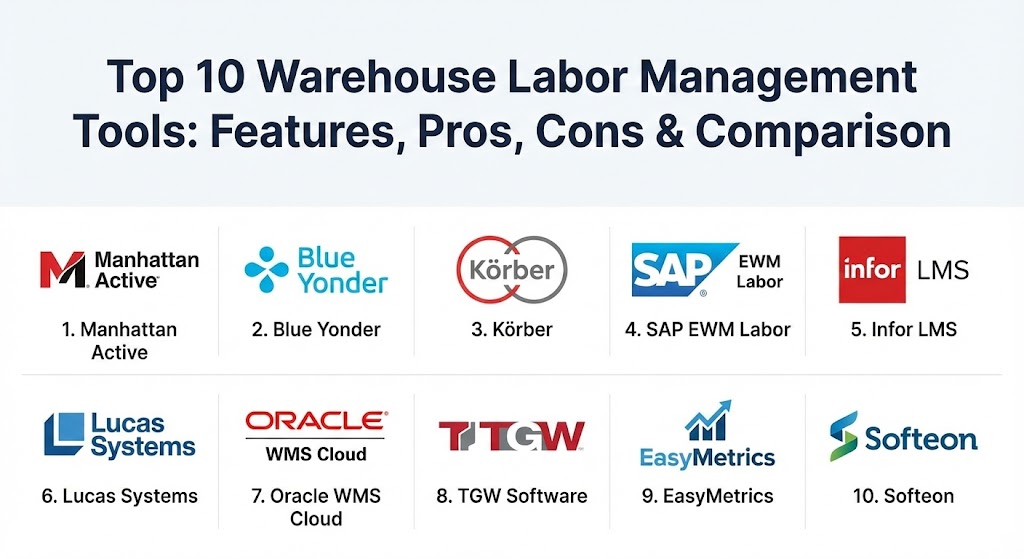
Top 10 Warehouse Labor Management Tools
1 — Manhattan Active Labor Management
Manhattan Associates is widely considered the industry leader in the warehouse space. Their Manhattan Active Labor Management is a “versionless” cloud-native solution that provides a unified view of labor across the entire enterprise.
- Key features:
- Unified control plane for managing labor across multiple global sites.
- Mobile-first application for floor supervisors to coach in real-time.
- Advanced gamification modules to engage and reward employees.
- Deep integration with Manhattan Active WMS for seamless data flow.
- Scientific Engineered Labor Standards (ELS) generation.
- Comprehensive “what-if” scenario planning for labor forecasting.
- Pros:
- Unmatched scalability for global enterprises with complex requirements.
- Eliminates the need for traditional software upgrades via its cloud-native architecture.
- Cons:
- Significant initial investment and longer implementation timelines.
- May be over-engineered for smaller, simpler warehouse operations.
- Security & compliance: SOC 2 Type II, ISO 27001, GDPR, and HIPAA compliant.
- Support & community: Premier global support with dedicated training centers and a massive user community.
2 — Blue Yonder Warehouse Labor Management
Blue Yonder (formerly JDA) leverages advanced AI and machine learning to provide some of the most sophisticated labor forecasting and scheduling tools on the market.
- Key features:
- AI-powered labor demand forecasting based on historical and incoming order data.
- Task-level productivity tracking and variance analysis.
- Automated shift scheduling and workforce optimization.
- Real-time performance dashboards for both managers and workers.
- Multi-site performance benchmarking.
- Seamless integration with the Blue Yonder Luminate platform.
- Pros:
- Excellent predictive capabilities that help reduce unnecessary overtime.
- Highly effective at managing complex, multi-shift workforce requirements.
- Cons:
- High technical barrier for entry; requires skilled admins to maintain AI models.
- Licensing costs are tailored for large-scale enterprise budgets.
- Security & compliance: SOC 1/2, HIPAA, and robust encryption for employee data.
- Support & community: Extensive documentation and a global network of implementation partners.
3 — Körber Warehouse Labor Management
Körber (which includes the legacy HighJump brand) is famous for its extreme flexibility, making it the go-to choice for warehouses with unique or non-standard workflows.
- Key features:
- Highly configurable labor standards that adapt to unique warehouse layouts.
- Real-time visibility into “indirect” labor (cleaning, maintenance, etc.).
- Incentive pay calculation engine for performance-based rewards.
- Integrated worker coaching and feedback loops.
- Robust reporting suite with customizable KPIs.
- Mobile functionality for on-the-floor management.
- Pros:
- One of the most adaptable systems for businesses that don’t follow “standard” processes.
- Strong balance between enterprise features and mid-market usability.
- Cons:
- Flexibility can lead to “configuration sprawl” if not managed strictly.
- Implementation requires a solid understanding of industrial engineering principles.
- Security & compliance: SOC 2 compliant, GDPR ready, and SSO integration.
- Support & community: High-touch support model with a strong focus on collaborative implementation.
4 — SAP Extended Warehouse Management (Labor Management)
For organizations already running on the SAP ecosystem, the Labor Management module within SAP EWM offers the tightest possible integration with finance, HR, and ERP data.
- Key features:
- Native integration with SAP S/4HANA and SAP SuccessFactors (HR).
- Travel distance calculation for optimized task interleaving.
- Performance measurement against predefined labor standards.
- Integrated workload planning and shift balancing.
- Global compliance support for varying labor laws across countries.
- Real-time monitoring of warehouse resource utilization.
- Pros:
- No complex “third-party” integration required for SAP-centric businesses.
- Provides a single source of truth for both operational and financial labor data.
- Cons:
- Can be difficult to deploy as a standalone solution without the full SAP stack.
- The user interface is powerful but famously complex to navigate.
- Security & compliance: FIPS 140-2, ISO 27001, and world-class regulatory compliance.
- Support & community: Access to the vast SAP Support Portal and a global network of certified consultants.
5 — Infor Labor Management
Infor focus on creating “beautiful” business software. Their LMS is known for having one of the most modern and intuitive user interfaces in the logistics industry.
- Key features:
- Modern, clean dashboards that highlight productivity gaps at a glance.
- 3D warehouse visualization to see labor density in real-time.
- Integrated coaching alerts that trigger when performance dips below standard.
- Built-in tools for creating and maintaining engineered standards.
- Mobile-responsive design for use on tablets and handhelds.
- Multi-tenant cloud architecture for rapid updates.
- Pros:
- High user adoption rates due to the intuitive, consumer-grade UI.
- Faster implementation times compared to legacy Tier-1 competitors.
- Cons:
- Fewer “niche” configuration options than Körber or Manhattan.
- Reporting, while visual, can lack the depth required by pure industrial engineers.
- Security & compliance: SOC 2 Type II, HIPAA, and ISO 27001.
- Support & community: “Infor Concierge” provides a streamlined, personalized support experience.
6 — Lucas Systems (Labor Management & Optimization)
Lucas Systems takes an execution-focused approach, often using voice-directed technology to manage labor and tasks in real-time.
- Key features:
- Voice-enabled workflows (Jennifer) that direct workers efficiently.
- Real-time task prioritization based on carrier cut-off times.
- Dynamic travel optimization to reduce “deadheading” (wasted walking).
- Predictive analytics to identify potential bottlenecks before they occur.
- Worker-level performance tracking and coaching insights.
- Hardware-agnostic (runs on most Android/iOS devices).
- Pros:
- Specifically designed to improve “on-the-floor” efficiency immediately.
- Voice technology significantly boosts picking accuracy and speed.
- Cons:
- More focused on execution than long-term “forecasting” and planning.
- Requires specific hardware (headsets/mobile devices) to get full value.
- Security & compliance: SOC 2 compliant and secure voice-data encryption.
- Support & community: Highly rated for customer service and “partnership” during rollout.
7 — Oracle Warehouse Management Cloud (Labor Management)
Oracle’s LMS is built for the global enterprise that needs to compare and manage labor across dozens of countries from a single cloud instance.
- Key features:
- Global visibility to compare labor costs and efficiency across sites.
- Native integration with Oracle Fusion Cloud HCM for payroll.
- Simplified time-tracking for basic warehouse activities.
- Mobile-friendly interfaces for warehouse floor interactions.
- Automated alerts for supervisor intervention.
- Cloud-native scalability that grows with the business.
- Pros:
- Exceptional for global organizations needing standardized metrics.
- Very strong security and disaster recovery capabilities.
- Cons:
- Can feel a bit “rigid” compared to the highly configurable Körber.
- Best results are seen when used within the broader Oracle Cloud ecosystem.
- Security & compliance: FedRAMP, SOC 1/2, HIPAA, and GDPR compliant.
- Support & community: Extensive global support and a massive partner ecosystem (OCI).
8 — TGW Software (LMS)
TGW specializes in highly automated environments, providing an LMS that bridges the gap between human labor and material handling equipment (MHE).
- Key features:
- Specialized for hybrid warehouses (human + automation).
- Integrated performance monitoring for both staff and machinery.
- Detailed visualization of material flows and labor bottlenecks.
- Advanced forecasting for automated replenishment needs.
- Simplified task assignment for manual zones.
- Resource-efficient cloud or on-premise deployment.
- Pros:
- The best choice for warehouses with significant conveyor or shuttle systems.
- Helps harmonize human work schedules with machine maintenance windows.
- Cons:
- Smaller user community compared to Manhattan or SAP.
- Primary focus is on the TGW hardware/software ecosystem.
- Security & compliance: ISO 27001 and GDPR compliant.
- Support & community: Specialized technical support for both software and physical hardware.
9 — EasyMetrics Labor Management
EasyMetrics is a cloud-based analytics platform that focuses heavily on cost-to-serve and performance-based incentive programs for the mid-market.
- Key features:
- Cost-to-serve analytics at the customer and item level.
- Rapid creation of labor standards without needing onsite engineers.
- Integrated incentive pay and bonus calculation engine.
- Employee-facing “scorecard” kiosks to boost motivation.
- API-first design for easy integration with multiple WMS platforms.
- High-level executive reporting for financial visibility.
- Pros:
- Much faster to deploy (weeks instead of months) than Tier-1 LMS.
- Excellent ROI for mid-sized warehouses focusing on incentive pay.
- Cons:
- Lacks the deep “task-interleaving” logic of a Manhattan or Blue Yonder.
- Primarily an analytics/reporting tool, not a real-time task director.
- Security & compliance: SOC 2 Type II and secure API protocols.
- Support & community: Responsive, North American-based support with proactive onboarding.
10 — Softeon Labor Management
Softeon provides a highly configurable LMS that is particularly strong in the 3PL (Third-Party Logistics) sector where multi-client labor tracking is essential.
- Key features:
- Multi-client labor tracking for accurate billing in 3PL environments.
- Wave-less fulfillment support for high-velocity operations.
- Integrated slotting and labor optimization.
- Mobile performance dashboards for floor supervisors.
- Simulation tools to test the impact of new labor standards.
- Highly flexible rule-based automation.
- Pros:
- Great for 3PLs that need to prove labor efficiency to their own clients.
- The company is known for its collaborative, client-focused development style.
- Cons:
- Smaller global footprint than the “Big Three” (Manhattan, SAP, Oracle).
- User interface is functional but not as modern as Infor or EasyMetrics.
- Security & compliance: SOC 2 and HIPAA compliant.
- Support & community: Excellent high-touch support and personalized training modules.
Comparison Table
| Tool Name | Best For | Platform(s) Supported | Standout Feature | Rating (Gartner Peer Insights) |
| Manhattan Active | Global Enterprise | Cloud-Native | Versionless Architecture | 4.6 / 5 |
| Blue Yonder | AI-Driven Forecasting | Cloud / On-Prem | Predictive AI Modeling | 4.5 / 5 |
| Körber (HighJump) | High Configuration | Cloud / On-Prem | Flexible Rule Engine | 4.4 / 5 |
| SAP EWM Labor | SAP Ecosystem | SAP S/4HANA | ERP-Native Integration | 4.4 / 5 |
| Infor LMS | User Experience | Cloud-Native | 3D Visual Warehouse | 4.7 / 5 |
| Lucas Systems | Floor Productivity | Android / iOS | Jennifer Voice Logic | 4.5 / 5 |
| Oracle WMS Cloud | Multi-Site Growth | Cloud-Native | Global Site Benchmarking | 4.5 / 5 |
| TGW Software | Automated Warehouses | Cloud / On-Prem | MHE-Labor Synergy | N/A |
| EasyMetrics | Mid-Market Analytics | SaaS | Cost-to-Serve Data | 4.6 / 5 |
| Softeon | 3PL Operations | Cloud / On-Prem | Multi-Client Tracking | 4.3 / 5 |
Evaluation & Scoring of Warehouse Labor Management Tools
To determine the true value of a Labor Management System, use the following weighted scoring rubric. A high score in “Core Features” is non-negotiable for enterprise stability, while “Ease of Use” determines whether your floor supervisors will actually use the tool.
| Category | Weight | Key Evaluation Points |
| Core Features | 25% | Ability to set ELS, track indirect labor, and generate incentive pay. |
| Ease of Use | 15% | Mobile accessibility for supervisors and intuitive dashboards for workers. |
| Integrations | 15% | Native or API-based connections to WMS, ERP, and HR systems. |
| Security & Compliance | 10% | PII protection for employee data, SOC 2 compliance, and audit logs. |
| Performance | 10% | Real-time data processing speed and system uptime. |
| Support & Community | 10% | Quality of documentation and availability of certified implementation partners. |
| Price / Value | 15% | Total Cost of Ownership (TCO) vs. expected labor savings (ROI). |
Which Warehouse Labor Management Tool Is Right for You?
Selecting the right tool depends heavily on your existing technical stack and the complexity of your human operations.
- Solo Users vs. SMBs: If you have a small team, a dedicated LMS is likely overkill. Focus on the labor tracking modules already built into your WMS or even a simple time-and-attendance app.
- Mid-Market Warehouses: EasyMetrics and Infor offer the best balance of fast implementation and visual reporting. They provide the “wow” factor of a modern UI without the million-dollar price tag.
- Large Enterprises: If you need to manage thousands of workers across different continents, Manhattan Active or Oracle WMS Cloud provide the necessary global infrastructure and versionless stability.
- Budget-Conscious but Growing: Körber offers a great path forward; you can start with a simpler setup and add more advanced modules as your warehouse becomes more complex.
- Integration Needs: If your entire company runs on SAP or Oracle, the decision is almost made for you. Using the native labor module will save you months of integration headaches and ensure your payroll data is always accurate.
Frequently Asked Questions (FAQs)
1. What is an “Engineered Labor Standard” (ELS)? An ELS is a scientifically determined amount of time it should take a qualified worker to perform a specific task (e.g., picking 10 items from a specific aisle) under normal conditions.
2. Can these tools help with worker retention? Yes. By using gamification and incentive pay modules (like those in Manhattan or EasyMetrics), you can create a more engaging work environment and reward your best employees, reducing turnover.
3. Does an LMS replace a WMS? No. A WMS manages where the inventory is and what needs to be moved. An LMS manages who is moving it and how efficiently they are doing it. They are complementary systems.
4. How long does it take to see an ROI? Most enterprises see a return on investment within 9 to 18 months, primarily through a 10% to 20% increase in productivity and a significant reduction in overtime pay.
5. Are these tools difficult for workers to use? Most modern systems provide simple scorecards or mobile apps. The goal is to make their performance visible and fair, which often improves morale rather than causing stress.
6. Can I use an LMS for “Indirect Labor”? Yes. High-quality systems track non-picking tasks like sweeping, meetings, and equipment maintenance to provide a 100% view of the workday.
7. Do I need an industrial engineer to set up an LMS? For “Tier-1” systems like Manhattan or Blue Yonder, yes. For “mid-market” tools like EasyMetrics, the software often uses statistical modeling to help you set standards without a full engineering study.
8. Is data privacy a concern with LMS? Yes, since these tools track individual performance. Look for tools that are GDPR and SOC 2 compliant to ensure employee PII (Personally Identifiable Information) is encrypted and protected.
9. Can an LMS manage robotic labor? Yes, advanced tools like TGW and Manhattan are increasingly designed to manage “hybrid” workforces, balancing tasks between human pickers and autonomous mobile robots (AMRs).
10. What is “Task Interleaving”? This is the process of assigning a worker a new task (like a put-away) that is located near where they just finished a previous task (like a pick), minimizing empty travel time.
Conclusion
In 2026, managing a warehouse without a labor management tool is like flying a plane without a dashboard—you might stay in the air, but you have no idea how much fuel you’re wasting. The “best” tool isn’t necessarily the one with the most features; it’s the one your team will actually use to coach, reward, and improve daily operations. Whether you prioritize AI forecasting or a simple visual interface, investing in labor visibility is the single most effective way to turn your warehouse from a cost center into a competitive advantage.