Introduction
Voiceover tools are software applications designed to generate high-quality audio narration from text input (Text-to-Speech) or to facilitate the recording and editing of human voices. In 2026, these tools have moved beyond the “robotic” sounds of the past, leveraging Generative AI and Neural TTS (Text-to-Speech) to replicate human nuances like breathing, emotional inflection, and regional accents. These tools are critical because they democratize professional audio production, allowing creators to bypass expensive studio rentals and lengthy talent casting processes.
Key real-world use cases include the rapid production of e-learning modules, automated news narration for publishers, localized marketing for global brands, and accessibility features for the visually impaired. When evaluating these tools, users should focus on vocal realism, emotional control, language support, and the legal clarity of commercial usage rights. As the industry matures, the ability to integrate these voices into existing workflows (like video editors or CMS platforms) has become a top priority for professional teams.
Best for: Content creators, marketing agencies, e-learning developers, and mid-to-large enterprises looking to scale their audio production without the overhead of traditional recording studios.
Not ideal for: High-end cinematic productions requiring intense, highly specific character acting that only a professional human voice actor can provide, or very small-scale hobbyists who may find the subscription costs of premium AI tools prohibitive.
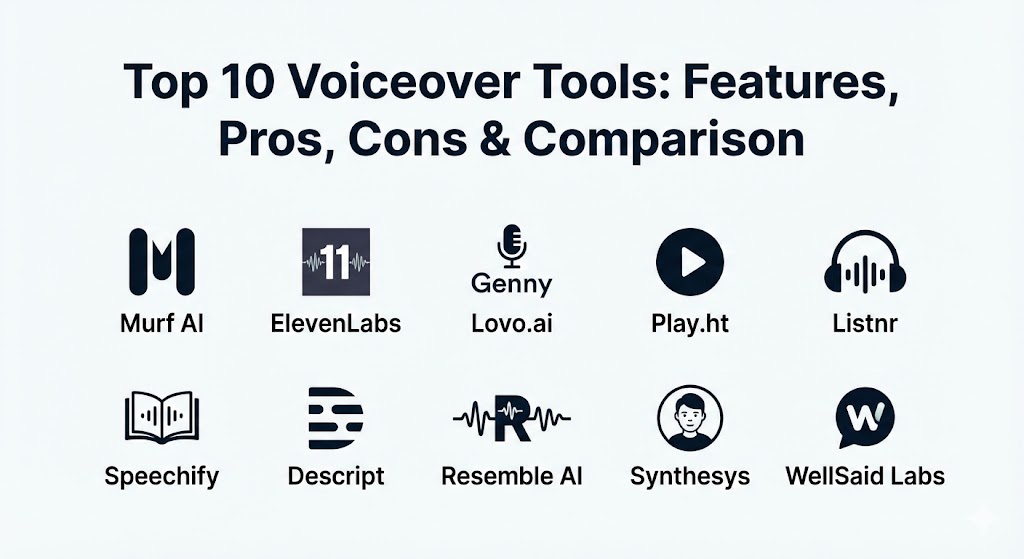
Top 10 Voiceover Tools
1 — Murf AI
Murf AI is a comprehensive “AI Voice Studio” that has become a staple for corporate trainers and YouTube creators. It offers a streamlined environment where users can time their voiceovers to match video visuals perfectly without switching between multiple software packages.
- Key features:
- Over 120+ lifelike AI voices across 20+ languages.
- Integrated video and image editor to sync audio precisely.
- Pitch, speed, and emphasis control for granular vocal tuning.
- Voice Changer feature that allows you to upload a home recording and transform it into a professional AI voice.
- Collaborative workspace for teams to share projects and assets.
- Built-in royalty-free background music library.
- Pros:
- The all-in-one studio interface is exceptionally efficient for video creators.
- High-quality “Pro” voices sound indistinguishable from human recordings in most contexts.
- Cons:
- The free version is quite restrictive, offering no downloads.
- Some high-tier voices require significant manual tuning to sound natural.
- Security & compliance: SOC 2 Type II compliant, GDPR ready, and offers SSO for enterprise accounts. Data is encrypted at rest and in transit.
- Support & community: Extensive documentation, video tutorials, and responsive email support. They maintain a strong community presence on Discord and LinkedIn.
2 — ElevenLabs
ElevenLabs is widely regarded as the gold standard for emotional depth and vocal realism in 2026. Their proprietary Speech Synthesis technology captures the “soul” of speech, making it the preferred choice for audiobook narrators and narrative-driven content.
- Key features:
- Breakthrough long-form speech synthesis for high-fidelity audio.
- Instant Voice Cloning (requires only a minute of audio data).
- Professional Voice Cloning for legally protected, high-res vocal replicas.
- Automatic Dubbing tool that translates content while keeping the original speaker’s voice.
- Generative SFX and Foley tool to add sound effects via text prompts.
- Speech-to-Speech technology for keeping the original emotion but changing the voice.
- Pros:
- Unrivaled realism; it captures subtle whispers, laughs, and gasps.
- The “Voice Lab” allows for the creation of completely unique, non-existent voices.
- Cons:
- The high level of realism has led to strict verification processes for cloning.
- Can be more expensive for high-volume users compared to flat-rate competitors.
- Security & compliance: GDPR and SOC 2 compliant. They utilize advanced watermarking to prevent deepfake misuse.
- Support & community: Very active developer community with a robust API; support is primarily ticket-based with fast response times for paid tiers.
3 — Lovo.ai (Genny)
Lovo.ai, through its platform Genny, positions itself as a creative’s Swiss Army knife. It combines voiceover with an AI art generator and a scriptwriter, creating a holistic production environment.
- Key features:
- 500+ voices with diverse “emotional states” (happy, sad, angry, etc.).
- Integrated AI Writer powered by LLMs for script generation.
- AI Image Generator to create visuals for the audio content.
- Multi-track editor for layering music, voices, and sound effects.
- Producer mode for controlling specific phonemes and pronunciation.
- API support for developers looking to integrate voices into apps.
- Pros:
- The vast library of voices makes it easy to find a “character” for almost any niche.
- The emotional toggles significantly reduce the need for manual pitch editing.
- Cons:
- The interface can feel overwhelming due to the sheer number of features.
- Some of the non-English voices are less polished than the English selection.
- Security & compliance: ISO 27001, GDPR, and HIPAA compliant. Offers SSO and enterprise-grade encryption.
- Support & community: Strong onboarding for enterprise users; active YouTube channel with regular “how-to” sessions.
4 — Play.ht
Play.ht focuses on high-speed synthesis and massive scale. It is particularly popular for “audiofying” blogs and providing real-time voice responses for AI agents.
- Key features:
- Ultra-realistic “PlayHT 2.0” model with human-like latency.
- Massive library of over 900+ voices in 142 languages.
- SEO-friendly audio widgets for websites and blogs.
- High-fidelity voice cloning for brand consistency.
- Multi-voice feature allowing for “conversational” audio projects.
- Automated distribution to podcast platforms like Spotify and iTunes.
- Pros:
- The best tool for web publishers looking to convert text articles into podcasts.
- Supports an incredible range of global accents and dialects.
- Cons:
- The editor is less robust for video syncing compared to Murf.
- Credit-based systems can be confusing for new users.
- Security & compliance: SOC 2, GDPR, and AES-256 encryption.
- Support & community: Comprehensive API documentation; reliable live chat support for premium members.
5 — Listnr
Listnr is designed for the modern “audio first” creator. It excels at turning scripts into polished podcasts and distributing them across major platforms with minimal friction.
- Key features:
- Podcast hosting and distribution integrated with the voice generator.
- Customizable audio player for website embeds.
- “Voice-activated” calls to action within the audio players.
- Text-to-Podcast automation.
- High-quality commercial voices focused on the “influencer” tone.
- Analytics dashboard to track audio engagement and listens.
- Pros:
- Simplifies the workflow from script to published podcast episode.
- One of the few tools that combines generation with hosting.
- Cons:
- Limited emotional range compared to ElevenLabs.
- The focus on podcasting means it lacks deep video-sync features.
- Security & compliance: GDPR compliant; standard encryption for user data.
- Support & community: Growing user community; responsive email support and a helpful FAQ database.
6 — Speechify
Originally an accessibility tool for those with dyslexia, Speechify has evolved into a powerhouse for professional voiceovers, leveraging high-profile celebrity voices for mass appeal.
- Key features:
- High-profile licensed voices (including Snoop Dogg and Gwyneth Paltrow).
- Chrome extension to read any web content in high-quality AI voice.
- Mobile app for on-the-go listening and voiceover creation.
- PDF and image-to-speech (OCR) capabilities.
- Simple voiceover studio for YouTube and social media.
- Integration with Canvas and other educational platforms.
- Pros:
- The accessibility features make it dual-purpose for productivity and creation.
- The mobile experience is significantly better than most competitors.
- Cons:
- The celebrity voices are more of a novelty than a professional utility for most brands.
- Limited “tuning” controls for professional audio engineers.
- Security & compliance: SOC 2 Type II, GDPR, and HIPAA compliance for educational and corporate use.
- Support & community: Large user base; 24/7 customer support for premium subscribers.
7 — Descript
Descript changed the industry with its “Edit by Text” philosophy. For voiceovers, its “Overdub” feature allows you to type in words to correct recordings or generate entire scripts using your own voice.
- Key features:
- Overdub: AI voice cloning for fixing audio mistakes without re-recording.
- Multi-track script-based editing (edit audio like a Word document).
- Studio Sound: AI-powered background noise removal.
- Automatic transcription with high accuracy.
- Stock AI voices for those who don’t want to use their own.
- Collaboration features for remote podcast and video teams.
- Pros:
- Essential for podcasters who need to “fix” a guest’s audio or their own script errors.
- The most powerful integration of voice synthesis and traditional audio editing.
- Cons:
- Steeper learning curve for those used to traditional waveforms.
- High-quality Overdub requires a lengthy setup and consent recording.
- Security & compliance: SOC 2, GDPR, and CCPA compliant. Strict “Voice Identity” protection for Overdub users.
- Support & community: Extensive video tutorials; active “Descript Creators” community on social media.
8 — Resemble AI
Resemble AI is the “Enterprise Choice” for custom vocal branding. They specialize in creating proprietary voices for video games, customer service bots, and large-scale marketing campaigns.
- Key features:
- Resemble Fill: Edit existing audio by typing text.
- Real-time “Latent” synthesis for low-latency AI interactions.
- Neural Voice Cloning with emotion and prosody control.
- Localized translation while maintaining the speaker’s vocal characteristics.
- Mobile SDK for embedding AI voices directly into apps.
- Watermarking technology to ensure data security.
- Pros:
- Ideal for building a unique “Brand Voice” that no one else can use.
- Excellent developer tools and API documentation.
- Cons:
- Not very beginner-friendly; designed for developers and audio pros.
- Pricing is enterprise-focused and can be high for solo creators.
- Security & compliance: SOC 2, GDPR, HIPAA, and ISO 27001. Comprehensive audit logs.
- Support & community: High-tier support with dedicated technical account managers for enterprise clients.
9 — Synthesys
Synthesys bridges the gap between AI voice and AI video. It allows users to create “talking head” videos where the voice and the digital avatar are perfectly synced from a single script.
- Key features:
- AI Video Hub for creating avatars with voiceovers.
- 300+ ultra-high-quality AI voices.
- “FaceSwap” technology for visual brand consistency.
- Multi-language support for international marketing.
- Browser-based studio with no high-end hardware requirements.
- Regular updates to vocal emotional ranges.
- Pros:
- Great for “explainer” videos where you need a human face along with the voice.
- Very low barrier to entry for creating professional-looking marketing clips.
- Cons:
- The voice-only editor is less flexible than Murf or Play.ht.
- Video rendering times can be slow during peak hours.
- Security & compliance: GDPR compliant; standard cloud security protocols.
- Support & community: Responsive customer service; a private Facebook group for users to share tips.
10 — WellSaid Labs
WellSaid Labs focuses exclusively on the “Human Parity” of its voices. They prioritize a small, elite library of voices that are vetted for high-end corporate and commercial standards.
- Key features:
- Hand-curated library of “Avatar” voices for professional consistency.
- WellSaid Studio for simple, high-speed audio generation.
- API for automated content workflows.
- Pronunciation library to ensure technical terms are said correctly.
- Team accounts with shared creative assets.
- High-fidelity 44.1kHz audio exports.
- Pros:
- Highest consistency; you won’t find “filler” or low-quality voices here.
- The most professional-sounding voices for internal corporate training.
- Cons:
- Fewer language options than platforms like Lovo or Play.ht.
- No integrated video editor; strictly an audio-first platform.
- Security & compliance: SOC 2, GDPR, and enterprise-grade data privacy.
- Support & community: High-quality white-glove onboarding for enterprise teams.
Comparison Table
| Tool Name | Best For | Platform(s) Supported | Standout Feature | Rating (TrueReviewnow) |
| Murf AI | Video Creators | Web, Desktop | All-in-One Video Studio | 4.8 / 5 |
| ElevenLabs | Narrative Realism | Web, API | Best Emotional Inflection | 4.9 / 5 |
| Lovo.ai (Genny) | Marketing Content | Web | Emotional Toggles | 4.7 / 5 |
| Play.ht | Web Publishing | Web, API | 142 Language Support | 4.6 / 5 |
| Listnr | Podcasters | Web, Mobile | Built-in Hosting | 4.5 / 5 |
| Speechify | Accessibility | Web, iOS, Android | Celebrity Voice Library | 4.7 / 5 |
| Descript | Audio Editing | Desktop, Web | Edit Audio via Text | 4.8 / 5 |
| Resemble AI | Custom Branding | Web, SDK | Real-time Low Latency | 4.6 / 5 |
| Synthesys | Avatar Videos | Web | Talking Head Sync | 4.4 / 5 |
| WellSaid Labs | Corporate Training | Web, API | Human Parity Consistency | 4.8 / 5 |
Evaluation & Scoring of Voiceover Tools
To help you decide, we have evaluated these tools across seven critical dimensions. This scoring rubric is weighted based on what matters most to professional users in 2026.
| Category | Weight | Evaluation Criteria |
| Core Features | 25% | Voice realism, emotional range, and language diversity. |
| Ease of Use | 15% | UI/UX, onboarding speed, and workflow efficiency. |
| Integrations | 15% | API quality, plugin availability, and ecosystem compatibility. |
| Security & Compliance | 10% | Data privacy, SSO, and ethical AI usage (watermarking). |
| Performance | 10% | Rendering speed, uptime, and audio export quality (kHz). |
| Support & Community | 10% | Documentation, response times, and active user forums. |
| Price / Value | 15% | Affordability relative to features and commercial rights. |
Which Voiceover Tool Is Right for You?
Choosing a tool depends heavily on your specific role and the scale of your projects.
- Solo Users & Freelancers: If you are a YouTuber or hobbyist, Murf AI or Lovo.ai offer the best balance of features and creative freedom. They allow you to handle the voice, background music, and video timing in one place, saving you from purchasing a separate DAW (Digital Audio Workstation).
- SMBs & Marketing Agencies: For agencies producing a high volume of ads, ElevenLabs is the clear winner. The emotional depth ensures your ads don’t sound like “AI ads,” and the automatic dubbing is essential for localized global campaigns.
- Mid-Market & Enterprise: Large organizations should look at WellSaid Labs for internal training (where consistency is key) or Resemble AI for building a proprietary “Brand Voice” that becomes a unique digital asset for the company.
- Budget-Conscious Users: Speechify and Play.ht offer some of the most generous free tiers or lower-cost entry points, especially if your primary need is listening or simple web narration rather than high-end production.
- Integration Needs: If you are a software developer building a real-time AI assistant, the low-latency APIs of ElevenLabs and Resemble AI are the industry leaders.
Frequently Asked Questions (FAQs)
1. Is it legal to use AI voiceovers for commercial purposes?
In 2026, most premium tools (Murf, ElevenLabs, Lovo) grant full commercial rights with their paid subscriptions. However, always check the specific tier, as some “Personal” plans may prohibit using the audio for paid advertisements or resale.
2. Will AI voices ever sound exactly like humans?
We have largely reached “Human Parity” in 2026. Tools like ElevenLabs and WellSaid Labs are now indistinguishable from human speakers in 95% of standard narrations, though complex character acting still requires a human touch.
3. Can I clone my own voice?
Yes. Most tools on this list offer voice cloning. You simply record a “consent script” and provide a few minutes of audio. Professional versions, like those from Descript or Resemble, offer much higher fidelity for long-term use.
4. How do these tools handle difficult technical terms?
Many tools (like WellSaid Labs and Lovo) include a “Pronunciation Library.” You can specify exactly how a word should be said using IPA (International Phonetic Alphabet) or phonetic spelling to ensure accuracy.
5. What is the average cost of these tools?
Basic plans typically start around $15–$30 per month. Enterprise plans with API access and unlimited rendering can range from $500 to several thousand dollars per year depending on usage volume.
6. Do these tools work offline?
Most are cloud-based and require an internet connection to process the complex neural models. However, Descript offers some offline functionality once your project assets are downloaded.
7. Can AI voices translate my content into other languages?
Yes. Platforms like ElevenLabs and Play.ht have “Dubbing” features that translate your text or audio into over 100 languages while maintaining the tone and pacing of the original.
8. What is “Neural TTS”?
Neural Text-to-Speech uses deep learning to produce speech that sounds natural. Unlike older “concatenative” TTS that stitched together recorded syllables, Neural TTS generates the sound waves from scratch based on learned patterns.
9. Is my data safe with these AI companies?
Leading providers now offer SOC 2 and GDPR compliance. For highly sensitive data, enterprise users should look for providers that offer “No-Train” clauses, ensuring your audio data is not used to train their global models.
10. What is a “Custom Brand Voice”?
This is a proprietary AI voice created specifically for one company. Unlike standard stock voices, a custom voice is an exclusive asset that ensures your brand sounds the same across your phone system, ads, and apps.
Conclusion
The “best” voiceover tool in 2026 is no longer about which one sounds the most human—nearly all of them do. Instead, the choice comes down to workflow and intent. If you need emotional storytelling, go with ElevenLabs. If you need an all-in-one video creation suite, Murf AI is your best bet. If you are an enterprise looking for a proprietary brand identity, Resemble AI is the industry standard.
Ultimately, these tools are not just about saving money; they are about creative speed. They allow you to iterate on a script and have a finished professional audio file in minutes rather than days. As you choose your tool, consider where you want to be in a year—choose a platform that offers the scalability and integration you will need as your audio content library grows.