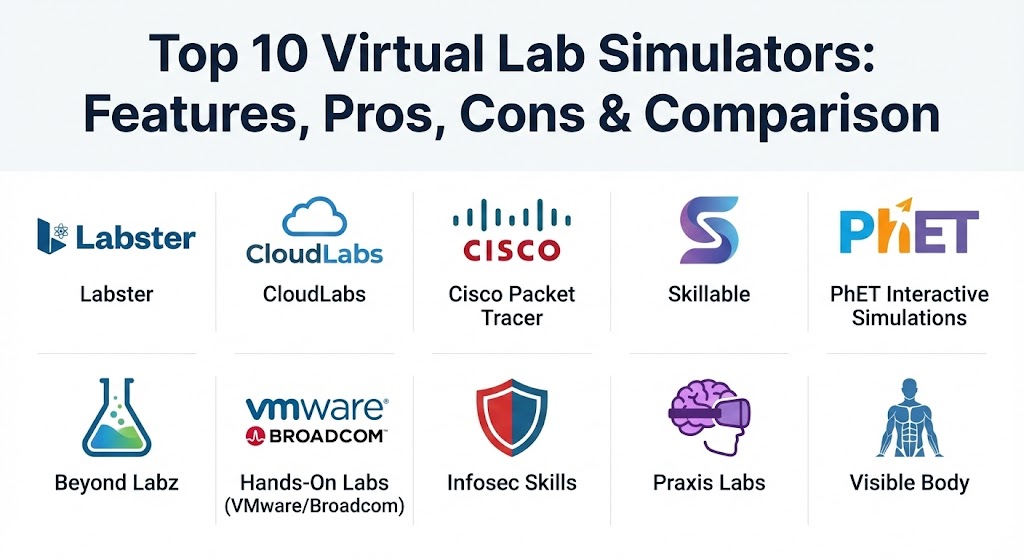
Introduction
Virtual Lab Simulators are digital platforms that replicate real-world laboratory environments, ranging from STEM (Science, Technology, Engineering, and Mathematics) disciplines to complex IT and software development infrastructures. These tools use a combination of mathematical modeling, 3D visualization, and real software instances to provide hands-on experience via a web browser or VR headset. Their primary importance lies in democratizing high-quality education and technical training, allowing institutions to scale their programs globally without building multi-million dollar physical facilities.
Key real-world use cases include university-level science education, corporate software training, medical surgery rehearsals, and “Cyber Ranges” for defensive security training. When evaluating these tools, users should prioritize realism (fidelity), curriculum alignment, ease of integration with Learning Management Systems (LMS), and accessibility for users with disabilities. In a world where remote and hybrid work is the norm, these simulators are no longer “optional extras”—they are essential infrastructure for knowledge transfer.
Best for: Educational institutions (K-12 and Higher Ed), corporate R&D departments, IT training providers, and self-paced learners who require hands-on experience but lack access to physical labs or expensive specialized hardware.
Not ideal for: Fields that require tactile, physical muscle memory (such as fine-art restoration or high-precision manual crafts) where the weight, texture, and physical feedback of tools cannot yet be perfectly replicated by digital haptics.
Top 10 Virtual Lab Simulators Tools
1 — Labster
Labster is the world leader in immersive science simulations, primarily serving high schools and universities. It uses gamified 3D environments to lead students through complex narratives involving biology, chemistry, and physics experiments.
- Key features:
- Over 100+ virtual lab simulations covering diverse STEM topics.
- Narrative-driven gameplay that connects science to real-world problems.
- Integrated “Theory Pages” that provide academic context during experiments.
- Dashboard for instructors to track student progress and performance.
- High-quality 3D animations and virtual equipment interactions.
- LMS integration (Canvas, Blackboard, Moodle).
- Multi-language support for global accessibility.
- Pros:
- Exceptional student engagement due to the gamified, story-driven approach.
- Highly scalable for universities with thousands of students.
- Cons:
- Fixed storylines mean students cannot “explore” outside the set experiment path.
- High system requirements for the 3D graphics on older computers.
- Security & compliance: GDPR and FERPA compliant; supports SSO (Single Sign-On) and SOC 2 Type II data security standards.
- Support & community: Comprehensive teacher resources, 24/7 technical support for institutions, and an active “Labster Faculty” community for sharing best practices.
2 — CloudLabs
CloudLabs specializes in providing hands-on lab environments for IT, cloud computing, and data science. It is designed for enterprises and training providers who need to deploy real software environments (AWS, Azure, GCP) on demand.
- Key features:
- One-click provisioning of complex multi-cloud environments.
- Integrated “Instructor Console” for real-time shadow monitoring of students.
- Automated grading and performance-based testing.
- Support for specialized software stacks (AI/ML, DevOps, Cybersecurity).
- Cost-control features to prevent “cloud bill shock” during training.
- Integration with major enterprise platforms and LXP/LMS.
- Pros:
- Uses real cloud instances rather than simulated UIs, providing authentic experience.
- Highly flexible for custom enterprise software demonstrations.
- Cons:
- Complexity can be high for non-IT educators.
- Pricing is often consumption-based, which requires careful budget management.
- Security & compliance: ISO 27001, SOC 2, HIPAA compliant. Includes robust audit logs and encrypted data transit.
- Support & community: Enterprise-grade support with dedicated account managers; extensive documentation for lab authors.
3 — Cisco Packet Tracer
Cisco Packet Tracer is a cross-platform network simulation tool that allows students to create networks with an almost unlimited number of devices and experience troubleshooting without physical routers or switches.
- Key features:
- Simulation of Cisco IOS, routers, switches, and IoT devices.
- Logical and physical workspace views.
- Real-time mode and simulation mode for packet-level analysis.
- Multi-user mode for collaborative network building.
- Support for IoT (Internet of Things) and cybersecurity exercises.
- Drag-and-drop interface for complex topology design.
- Pros:
- Completely free for anyone registered with the Cisco Networking Academy.
- Extremely lightweight and runs on most standard laptops and desktops.
- Cons:
- Restricted to Cisco-proprietary hardware simulations; not a general networking tool.
- Some advanced commands in real IOS are not supported in the simulation.
- Security & compliance: Varies by installation; generally safe for educational use with localized data storage.
- Support & community: Massive global community; extensive library of free labs provided by Cisco Academy and third-party instructors.
4 — Skillable
Skillable is an enterprise-scale platform that focuses on “full-stack” hands-on learning. It is used by major tech giants to provide certification labs and performance-based testing for their software ecosystems.
- Key features:
- Massive scalability, capable of launching thousands of labs simultaneously.
- Performance-based testing that validates what a user can do, not just what they know.
- Challenge-centric labs that require problem-solving without step-by-step guides.
- Integration with cloud providers and virtualization hosts.
- API-first architecture for deep integration into corporate ecosystems.
- Customizable user interfaces for branded training experiences.
- Pros:
- The most robust platform for high-stakes certification and skill validation.
- Ability to simulate very “messy” real-world software scenarios.
- Cons:
- Steeper learning curve for lab developers/authors.
- Primarily focused on B2B/Enterprise; less accessible for individual solo teachers.
- Security & compliance: SOC 2 Type II, GDPR, Privacy Shield, and FedRAMP readiness.
- Support & community: Premium enterprise support; extensive training for “Lab Developers” via the Skillable Academy.
5 — PhET Interactive Simulations
Developed by the University of Colorado Boulder, PhET provides free, open-source simulations for science and math. It is the gold standard for K-12 and introductory college science.
- Key features:
- Over 160+ simulations in physics, chemistry, biology, and earth science.
- Highly interactive, “play-based” learning models.
- HTML5-based, meaning they run on any browser (Chromebooks, iPads).
- Extensive teacher-contributed lesson plans and activities.
- Offline versions available for regions with limited internet.
- Translations into over 90 languages.
- Pros:
- Completely free and highly accessible for underfunded schools.
- Research-backed design that focuses on conceptual understanding rather than rote memorization.
- Cons:
- Lacks the “high-fidelity” 3D graphics found in tools like Labster.
- No built-in assessment or progress tracking for individual students.
- Security & compliance: High privacy standards; does not collect student data (GDPR/COPPA friendly).
- Support & community: Massive global educator community; open-source development via GitHub.
6 — Beyond Labz
Beyond Labz provides open-ended virtual lab experiences that mimic the “freedom to fail” of a real lab. It focuses heavily on higher education chemistry, physics, and biology.
- Key features:
- Realistic virtual equipment that behaves according to physical laws.
- Non-linear experimentation; students can mix any chemicals or adjust any variables.
- Bench-top, organic, and inorganic chemistry modules.
- Physics simulations covering mechanics, optics, and circuits.
- Integration with worksheets and lab manuals.
- High-fidelity 2D and 3D representations.
- Pros:
- The most “open” simulation; doesn’t force students down a specific “correct” path.
- Excellent for teaching the scientific method and experimental design.
- Cons:
- Can be overwhelming for students who need more structured guidance.
- The UI can feel slightly technical for introductory-level students.
- Security & compliance: FERPA and GDPR compliant; data is typically stored within the institution’s LMS.
- Support & community: Strong academic support; detailed technical guides and a library of pre-set experiments.
7 — Hands-On Labs (VMware / Broadcom)
Specifically focused on virtualization and infrastructure, VMware’s Hands-On Labs (HOL) allow users to test-drive VMware products in a real, sandbox environment without local installation.
- Key features:
- Access to the latest versions of vSphere, NSX, vSAN, and Horizon.
- Guided pathways for specific technical roles (Admin, Architect).
- Lightning-fast deployment of “nested” virtualization environments.
- Real-world troubleshooting scenarios.
- Available globally via any modern web browser.
- “Lightning Labs” for quick, 30-minute deep dives.
- Pros:
- Free access to enterprise-grade software that would otherwise cost thousands to license.
- Zero setup time; the environment is ready in seconds.
- Cons:
- Restricted entirely to the VMware/Broadcom product ecosystem.
- Performance can vary based on the user’s internet latency.
- Security & compliance: Enterprise-grade security protocols; ISO/SOC compliance via VMware’s data centers.
- Support & community: Massive community via the Broadcom/VMware forums; dedicated HOL events at global conferences.
8 — Infosec Skills (Cyber Ranges)
Infosec Skills provides specialized virtual labs focused on cybersecurity. Their “Cyber Ranges” allow students to practice ethical hacking, digital forensics, and incident response.
- Key features:
- Hundreds of browser-based labs for penetration testing and defense.
- Red Team vs. Blue Team scenarios.
- Hands-on practice with tools like Metasploit, Wireshark, and Nmap.
- Career-path-aligned lab series (e.g., “SOC Analyst” or “Pentester”).
- Cloud-hosted, requiring no local virtual machines.
- Integrated assessment and skill-gap analysis.
- Pros:
- Provides a safe, legal environment to practice potentially “dangerous” hacking skills.
- Very high relevance to the current job market and certifications (CEH, PenTest+).
- Cons:
- High subscription cost for individual users.
- Some labs can be technically daunting for absolute beginners.
- Security & compliance: SOC 2 compliant; robust audit logging for enterprise training.
- Support & community: Dedicated student success team; high-quality video content to accompany labs.
9 — Praxis Labs
Praxis Labs takes a different approach to “virtual labs,” focusing on soft skills and social science using VR and immersive 3D. It allows employees to “experience” workplace scenarios involving bias, inclusion, and leadership.
- Key features:
- Immersive 360-degree VR scenarios.
- “Perspective-taking” exercises where users inhabit different roles.
- Data-driven insights on behavioral change and empathy.
- Scalable for thousands of employees across global regions.
- Research-backed curriculum on diversity, equity, and inclusion.
- Dashboard for HR/DEI leaders to measure impact.
- Pros:
- The most effective tool for “soft skill” training that sticks.
- High psychological safety; allows users to make mistakes in sensitive social situations.
- Cons:
- Requires VR headsets for the full immersive experience (though browser mode exists).
- Difficult to quantify “success” compared to a technical science experiment.
- Security & compliance: GDPR, SOC 2, and high-level data anonymization to protect employee privacy.
- Support & community: Professional services for implementation; specialized DEI consulting support.
10 — Visible Body (Courseware)
Visible Body is the premier virtual lab for anatomy and physiology. It provides a detailed, interactive 3D human body that students can “dissect” virtually.
- Key features:
- Over 6,000 anatomical structures in high-definition 3D.
- Interactive “dissection” tools for layering and removing tissue.
- Physiological animations (e.g., how the heart beats or muscles contract).
- AR (Augmented Reality) mode for “placing” a body on a physical desk.
- Integrated quizzing and lab activities.
- Mobile and desktop cross-compatibility.
- Pros:
- Eliminates the need for expensive and ethically complex cadaver labs for many students.
- Visual fidelity is world-class; often used by actual medical professionals.
- Cons:
- Primarily focused on anatomy; lacks broader “biology” or “chemistry” scope.
- Can be storage-intensive for mobile devices.
- Security & compliance: GDPR and COPPA/FERPA compliant.
- Support & community: Robust academic support team; pre-built correlations to major textbooks.
Comparison Table
| Tool Name | Best For | Platform(s) Supported | Standout Feature | Rating (Gartner/TrueReview) |
| Labster | STEM Education | Web, VR | Story-driven 3D Labs | 4.7 / 5 |
| CloudLabs | IT & Multi-Cloud | Web / Cloud | Real Cloud Instances | 4.8 / 5 |
| Cisco Packet Tracer | Networking | Win, Mac, Linux | Free Networking Sandbox | 4.5 / 5 |
| Skillable | IT Certification | Web / Cloud | Performance-Based Testing | 4.6 / 5 |
| PhET | K-12 Science | Web, iOS, Android | Free & Open Source | 4.9 / 5 |
| Beyond Labz | Advanced Chemistry | Win, Mac | Open-ended Experiments | 4.4 / 5 |
| Hands-On Labs | Virtualization | Web | Free VMware Sandbox | 4.7 / 5 |
| Infosec Skills | Cybersecurity | Web | Real-world Cyber Range | 4.5 / 5 |
| Praxis Labs | Soft Skills / DEI | VR, Web | Immersive Perspective Taking | 4.6 / 5 |
| Visible Body | Anatomy | Web, iOS, Android | 3D Human Dissection | 4.8 / 5 |
Evaluation & Scoring of Virtual Lab Simulators
The following table evaluates the Virtual Lab Simulator category based on standard industry requirements for 2026.
| Category | Weight | Evaluation Criteria |
| Core Features | 25% | Realism of the simulation, variety of experiments, and degree of interactivity. |
| Ease of Use | 15% | Student onboarding time, UI clarity, and system requirements. |
| Integrations | 15% | LMS compatibility (LTI), SSO support, and API availability. |
| Security & Compliance | 10% | Data privacy (GDPR/FERPA), encryption, and SOC 2 status. |
| Reliability | 10% | Platform uptime, simulation stability, and low latency. |
| Support & Community | 10% | Instructor resources, student forums, and tech support speed. |
| Price / Value | 15% | Licensing flexibility and ROI compared to physical lab costs. |
Which Virtual Lab Simulator Tool Is Right for You?
Solo Users vs SMB vs Mid-Market vs Enterprise
- Solo Learners: If you are studying for a Cisco exam, Packet Tracer is your mandatory starting point. For science enthusiasts, PhET and Visible Body (individual app) offer the most accessible entry points.
- SMBs & Training Boutiques: Infosec Skills or CloudLabs allow you to scale technical training without managing your own server farm.
- Enterprise: Skillable and Praxis Labs are designed for the massive scale and security requirements of Fortune 500 companies.
Budget-Conscious vs Premium Solutions
- Free/Low Cost: PhET is free. Cisco Packet Tracer is free. Hands-on Labs (VMware) is free. These are unbeatable for budget-constrained environments.
- Premium: Labster and Skillable represent high-end investments that provide massive value through integrated curricula and automated grading.
Feature Depth vs Ease of Use
- High Depth (Complex): Beyond Labz and Skillable offer the most depth but require more time from both the teacher and student to master.
- High Ease (Simple): Labster and PhET are designed so that a student can start learning within 60 seconds of opening the browser.
Security and Compliance Requirements
For government or medical institutions, Skillable and CloudLabs offer the necessary SOC 2 and HIPAA compliance that open-source or consumer-facing tools may lack.
Frequently Asked Questions (FAQs)
1. Can virtual labs completely replace physical labs?
Not entirely. While they are perfect for theory and conceptual practice, physical labs are still necessary for developing manual dexterity and handling real-world materials that have unpredictable physical properties.
2. Do I need a VR headset to use these simulators?
Most modern simulators (like Labster and Praxis Labs) are “Web-first,” meaning they run on a standard browser. While VR enhances immersion, it is rarely a strict requirement in 2026.
3. Are virtual labs accessible for students with disabilities?
Many (like PhET) are highly focused on accessibility, including screen reader support and keyboard navigation. However, highly visual 3D labs like Labster can still present challenges for the visually impaired.
4. How do virtual labs save money?
They eliminate the cost of chemical reagents, glassware breakage, hardware maintenance, electricity, and the need for specialized lab assistants and physical square footage.
5. Can I create my own labs on these platforms?
Platforms like Skillable, CloudLabs, and Beyond Labz provide “authoring” tools that allow educators to build custom scenarios tailored to their specific curriculum.
6. Do these tools work on Chromebooks?
Yes, most simulators have moved to HTML5/WebAssembly, making them fully functional on low-power Chromebooks commonly used in K-12 education.
7. How is student performance tracked?
Most enterprise and educational VLS tools integrate with an LMS via LTI (Learning Tools Interoperability), sending grades, time-on-task, and completion data directly to the teacher’s gradebook.
8. Are virtual labs scientifically accurate?
High-end tools like Beyond Labz use mathematical engines based on the laws of physics and chemistry, ensuring that results are consistent with what would happen in a real-world setting.
9. Can virtual labs be used for “Soft Skills”?
Yes. As seen with Praxis Labs, immersive environments are increasingly used to simulate social interactions, helping with leadership, bias, and communication training.
10. What is the biggest mistake when implementing virtual labs?
The biggest mistake is treating the simulator as a “video game” rather than an integrated part of the curriculum. It should be accompanied by pre-lab briefings and post-lab discussions to ensure knowledge retention.
Conclusion
The selection of a Virtual Lab Simulator is no longer a simple “buy vs. don’t buy” decision—it is a strategic choice about how an organization wants to deliver knowledge in the digital age. For STEM education, Labster and PhET remain the primary leaders. For IT and technical validation, CloudLabs and Skillable provide the realism required for professional certification. Ultimately, the “best” tool is the one that removes the barriers between your students and the “Aha!” moment of discovery.