Introduction
Video editing software is a critical tool for filmmakers, content creators, marketers, and video enthusiasts. It allows users to organize, manipulate, and enhance raw footage into polished, professional-looking videos. From trimming clips, adding transitions, and adjusting color, to integrating visual effects, audio editing, and motion graphics, video editing software provides comprehensive control over the final output.
The importance of video editing software lies in its ability to transform raw content into compelling storytelling mediums. Video is now a dominant form of content across social media, marketing campaigns, education, and entertainment. A well-chosen software can increase productivity, improve creative possibilities, and ensure high-quality output. When selecting video editing tools, users should consider the range of features, ease of use, performance, platform compatibility, third-party integration, and support resources.
Best for:
Professional video editors, content creators, YouTubers, marketing teams, and educational content developers benefit most from video editing software due to its ability to streamline workflow and elevate production quality.
Not ideal for:
Individuals who only require basic video trimming or occasional social media clips may not need professional-grade software.
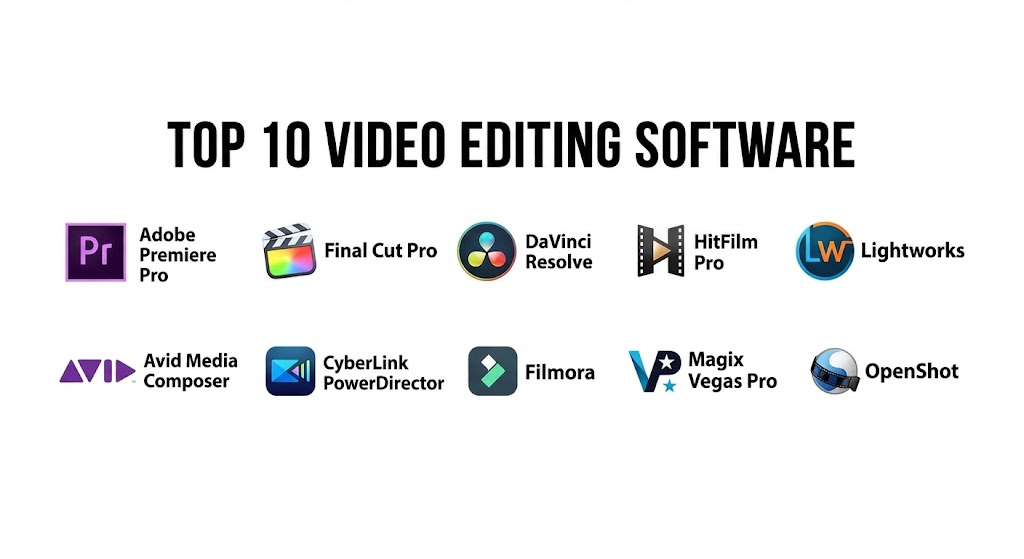
Top 10 Video Editing Software Tools
1 — Adobe Premiere Pro
Short description:
Adobe Premiere Pro is a leading professional video editing software used in film, TV, and online content creation.
Key features:
- Timeline-based editing with multi-track support
- Advanced color grading and Lumetri color panel
- Motion graphics integration with After Effects
- VR/360 video editing
- Wide format support
- GPU acceleration for real-time editing
- Extensive plugin ecosystem
Pros:
- Industry standard for professional editors
- Excellent integration with Adobe Creative Cloud
- Versatile for multiple video formats
Cons:
- Subscription-based licensing
- High learning curve for beginners
Security & compliance:
Varies / N/A
Support & community:
Adobe documentation, tutorials, forums, training courses.
2 — Final Cut Pro
Short description:
Final Cut Pro is Apple’s professional video editing software, optimized for macOS with intuitive tools and fast performance.
Key features:
- Magnetic timeline and multi-cam editing
- Advanced color grading and HDR support
- 360-degree video editing
- Optimized for Apple M1/M2 chips
- Motion graphics via Motion integration
- Real-time rendering and playback
- Extensive format support
Pros:
- Smooth performance on macOS
- User-friendly for Apple users
- High-quality real-time preview
Cons:
- Mac-only software
- Expensive one-time license
Security & compliance:
Varies / N/A
Support & community:
Apple documentation, forums, online tutorials.
3 — DaVinci Resolve
Short description:
DaVinci Resolve by Blackmagic Design combines video editing, color grading, and VFX in one software solution.
Key features:
- Node-based color grading
- Professional editing timeline
- Fusion visual effects integration
- Fairlight audio post-production
- Multi-user collaboration
- HDR and 4K/8K support
- Free version with extensive features
Pros:
- All-in-one post-production suite
- Industry-grade color grading
- Free version provides robust functionality
Cons:
- High system requirements
- Learning curve for complex features
Security & compliance:
Varies / N/A
Support & community:
Blackmagic Design forums, documentation, training courses.
4 — HitFilm Pro
Short description:
HitFilm Pro is a hybrid video editor and VFX software, ideal for indie filmmakers and content creators.
Key features:
- Multi-track timeline editing
- Advanced VFX and compositing tools
- Color grading and LUT support
- Motion graphics presets
- Real-time preview
- GPU acceleration
- Plugin support
Pros:
- Affordable for independent creators
- Combines editing and visual effects
- Easy to learn for beginners
Cons:
- Less advanced than Premiere or Final Cut for complex projects
- Standalone VFX workflow may be limited
Security & compliance:
Varies / N/A
Support & community:
Documentation, tutorials, active user community.
5 — Lightworks
Short description:
Lightworks is a professional video editor with a long history in film production, offering a free and pro version.
Key features:
- Multi-track editing and trimming
- Real-time effects and transitions
- Broad format support
- Color correction and grading tools
- Collaborative workflow
- Timeline-based editing
- Export to various resolutions including 4K
Pros:
- Free version available
- Professional-grade editing features
- Fast and responsive interface
Cons:
- Some advanced features limited to pro version
- Learning curve for beginners
Security & compliance:
Varies / N/A
Support & community:
Documentation, forums, training tutorials.
6 — Avid Media Composer
Short description:
Avid Media Composer is a professional video editing software used extensively in television and film.
Key features:
- Multi-cam editing
- Advanced trimming and timeline tools
- Color grading and audio integration
- Media management and proxy workflows
- High-end format support
- Real-time collaboration tools
- Customizable interface
Pros:
- Industry standard for broadcast and film
- Powerful media management
- Stable for large projects
Cons:
- Expensive
- Steep learning curve
Security & compliance:
Varies / N/A
Support & community:
Avid documentation, forums, certified training programs.
7 — CyberLink PowerDirector
Short description:
PowerDirector is a versatile video editor aimed at enthusiasts and semi-professionals.
Key features:
- Multi-track timeline editing
- AI-powered video enhancement
- 360-degree and 4K video editing
- Motion graphics and effects
- Color grading and LUT support
- Fast rendering with GPU acceleration
- Template-based editing
Pros:
- User-friendly interface
- Affordable subscription options
- AI tools simplify editing
Cons:
- Lacks advanced professional features
- Windows-only for full functionality
Security & compliance:
Varies / N/A
Support & community:
Documentation, online tutorials, community forums.
8 — Filmora
Short description:
Filmora is a beginner-friendly video editor designed for social media creators and hobbyists.
Key features:
- Drag-and-drop interface
- Pre-built templates and effects
- Audio and music editing
- Color grading and LUTs
- Transitions and text animations
- Export for social media platforms
- Basic 4K support
Pros:
- Very easy to use
- Affordable
- Quick export for social media
Cons:
- Limited advanced editing features
- Not ideal for professional film production
Security & compliance:
Varies / N/A
Support & community:
Documentation, tutorials, forums.
9 — Magix Vegas Pro
Short description:
Vegas Pro is a professional video editing software with strong audio editing capabilities.
Key features:
- Multi-track editing
- Advanced color grading
- Audio mixing and mastering
- VFX and motion graphics integration
- 4K and HDR support
- GPU acceleration
- Template and plugin support
Pros:
- Comprehensive audio and video editing
- Fast workflow for post-production
- Supports professional formats
Cons:
- Interface may feel complex for beginners
- Windows-only
Security & compliance:
Varies / N/A
Support & community:
Documentation, forums, tutorials.
10 — OpenShot
Short description:
OpenShot is a free and open-source video editor suitable for beginners and educational use.
Key features:
- Drag-and-drop editing
- Multi-track timeline
- Transitions and effects
- Title and animation tools
- 4K video support
- Cross-platform support
- Basic color correction
Pros:
- Free and open-source
- Beginner-friendly
- Cross-platform compatibility
Cons:
- Limited professional features
- Performance may lag with large projects
Security & compliance:
Varies / N/A
Support & community:
Documentation, tutorials, community forums.
Comparison Table
| Tool Name | Best For | Platform(s) Supported | Standout Feature | Rating |
|---|---|---|---|---|
| Adobe Premiere Pro | Professional editors | Windows, Mac | Lumetri color, plugin integration | N/A |
| Final Cut Pro | Mac editors | Mac | Optimized macOS performance | N/A |
| DaVinci Resolve | Film & TV | Windows, Mac, Linux | All-in-one editing & grading | N/A |
| HitFilm Pro | Indie creators | Windows, Mac | Editing + VFX | N/A |
| Lightworks | Film professionals | Windows, Mac, Linux | Multi-track real-time editing | N/A |
| Avid Media Composer | TV & film | Windows, Mac | Media management, stability | N/A |
| PowerDirector | Enthusiasts | Windows | AI-assisted editing | N/A |
| Filmora | Beginners | Windows, Mac | Drag-and-drop templates | N/A |
| Vegas Pro | Professionals | Windows | Audio + video editing | N/A |
| OpenShot | Beginners & educators | Windows, Mac, Linux | Free & open-source | N/A |
Evaluation & Scoring of Video Editing Software
| Criteria | Weight | Description |
|---|---|---|
| Core features | 25% | Editing tools, VFX, transitions, audio, color |
| Ease of use | 15% | Interface, learning curve, templates |
| Integrations & ecosystem | 15% | Plugins, NLE integration, format support |
| Security & compliance | 10% | Licensing, enterprise usage |
| Performance & reliability | 10% | Rendering speed, stability |
| Support & community | 10% | Documentation, tutorials, forums |
| Price / value | 15% | Licensing cost vs features |
Which Video Editing Software Tool Is Right for You?
- Solo users / beginners: Filmora, OpenShot for accessible and easy-to-learn workflows
- SMBs / YouTube creators: PowerDirector, HitFilm Pro for professional results at moderate cost
- Mid-market / professional teams: Premiere Pro, Final Cut Pro, Vegas Pro for advanced editing and color grading
- Enterprises / film studios: DaVinci Resolve, Avid Media Composer for high-end post-production and collaborative workflows
Frequently Asked Questions (FAQs)
- What is video editing software?
Tools used to organize, cut, and enhance video footage into polished final content. - Can beginners use professional tools?
Some software is beginner-friendly, while others like Premiere Pro or Avid require experience. - Which software supports 4K or HDR editing?
DaVinci Resolve, Final Cut Pro, Vegas Pro, and PowerDirector support 4K/HDR workflows. - Are free tools sufficient for content creators?
Filmora and OpenShot are suitable for beginners or low-budget projects. - Can I integrate VFX?
HitFilm Pro and Premiere Pro integrate VFX and motion graphics efficiently. - Are Mac and Windows supported?
Most tools are cross-platform, but Final Cut Pro is Mac-only. - Which software is best for YouTube?
Filmora, PowerDirector, and HitFilm Pro offer quick workflows and export presets. - Can I collaborate with teams?
DaVinci Resolve, Avid Media Composer, and Premiere Pro support collaborative workflows. - Do these software support plugins?
Yes, most professional editors allow plugin integration for enhanced effects. - Which software is best for professional film production?
DaVinci Resolve, Avid Media Composer, and Final Cut Pro are widely used in film and TV.
Conclusion
Video editing software is essential for creating professional, polished, and visually compelling content. From beginner-friendly options like Filmora and OpenShot to industry-standard solutions like Premiere Pro, Final Cut Pro, and DaVinci Resolve, selecting the right tool depends on user expertise, project requirements, budget, and desired output quality. Proper software choice ensures efficient editing workflows, high-quality visuals, and effective storytelling.
Video editing software has truly changed how we share stories, turning raw clips into professional content for everything from YouTube to major films. This guide is a solid resource, contrasting industry giants like Premiere Pro with beginner-friendly tools like Filmora.