Introduction
A Threat Intelligence Platform (TIP) is a specialized security solution that helps organizations manage the entire lifecycle of threat intelligence. It gathers raw information about emerging threats from hundreds of sources—including open-source feeds, commercial providers, and the dark web—and normalizes that data into a consistent format. By correlating this external data with internal network logs, a TIP helps security teams identify Indicators of Compromise (IoCs) and understand the specific “Tactics, Techniques, and Procedures” (TTPs) being used by threat actors today.
Why It Is Important
The volume of threat data generated every day is overwhelming. Without a TIP, security teams often suffer from “alert fatigue,” struggling to distinguish between a harmless background ping and a targeted nation-state attack. A TIP provides the context necessary to prioritize threats. It tells you not just that an IP address is “bad,” but why it is bad, who is likely behind it, and what their ultimate goal might be.
Key Real-World Use Cases
- Incident Response Acceleration: Automatically enriching alerts with context so responders don’t have to manually search databases.
- Proactive Threat Hunting: Identifying subtle patterns of malicious activity before they trigger a traditional firewall alarm.
- Risk Management: Providing executives with high-level intelligence on industry-specific threats to guide budget and strategy.
- Security Stack Orchestration: Pushing updated blocklists to firewalls, EDRs, and gateways in real-time.
Evaluation Criteria
When choosing a TIP, look for integration breadth (how many feeds can it handle?), data normalization capabilities (can it handle STIX/TAXII?), automation depth, and the quality of the human-led research that backs the platform.
Best for: Large enterprise SOCs, financial institutions, government agencies, and Managed Security Service Providers (MSSPs). It is essential for CTI (Cyber Threat Intelligence) analysts and senior security architects.
Not ideal for: Small businesses with no dedicated security staff. Without a team to interpret and act on the intelligence, a TIP can become a high-cost source of “noise” rather than a helpful tool. Alternatives like managed EDR/XDR are better for smaller teams.
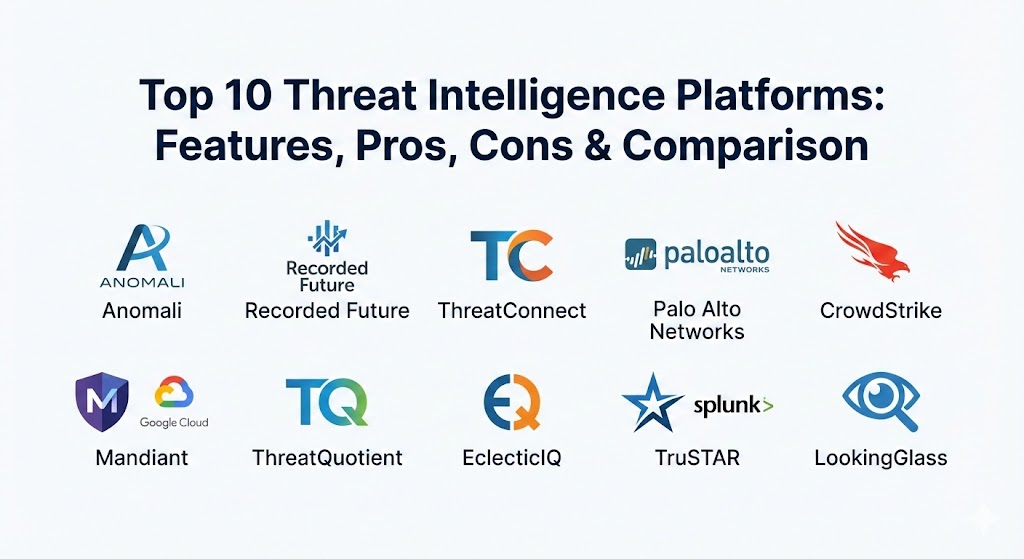
Top 10 Threat Intelligence Platforms Tools
1 — Anomali ThreatStream
Anomali ThreatStream is a heavyweight in the market, known for its massive library of pre-integrated feeds and its ability to manage intelligence at an extreme scale. It focuses on taking the “big data” problem of threat intel and making it manageable for the enterprise.
- Key Features:
- Anomali Lens: A browser extension that identifies threat actors and IoCs on any webpage or news article in real-time.
- Automated Normalization: Converts disparate data formats into a unified, searchable structure.
- Integrations: Over 100+ native integrations with SIEMs, Firewalls, and EDR platforms.
- Historical Analysis: Stores and correlates years of threat data to find long-term patterns.
- Investigation Workbenches: Specialized tools for analysts to perform deep-dive forensic research.
- Community Sharing: Securely share intelligence with trusted industry peers through ISACs.
- Pros:
- The “Lens” feature is a massive time-saver for analysts reading security blogs or reports.
- Exceptional at handling “high-volume” environments without performance degradation.
- Cons:
- The user interface can be dense and requires a significant learning curve.
- Pricing is strictly at the enterprise level and can be complex.
- Security & Compliance: SOC 2 Type II, GDPR, and HIPAA compliant. Supports SSO (SAML) and data encryption at rest/transit.
- Support & Community: Comprehensive “Anomali University,” high-touch enterprise support, and a very active global user community.
2 — Recorded Future
Recorded Future is famous for its “Intelligence Graph,” which uses advanced machine learning to scrape the entire web—including social media and the dark web—to provide real-time updates on emerging threats.
- Key Features:
- Real-Time Visualization: Visual maps showing the relationships between threat actors, infrastructure, and targets.
- Dark Web Monitoring: Direct visibility into criminal forums and marketplaces for leaked credentials.
- Brand Intelligence: Alerts you if your company name or executives are mentioned in malicious contexts.
- Vulnerability Intelligence: Prioritizes patches based on which CVEs are actually being exploited in the wild.
- API-First Architecture: Built to feed intelligence directly into other automated security tools.
- SecOps Intelligence: Summarizes complex threats into “Risk Scores” for fast decision-making.
- Pros:
- The most proactive tool on the list for spotting threats before they hit your network.
- The “Risk Score” system is highly accurate and reduces alert noise significantly.
- Cons:
- One of the most expensive platforms in the industry.
- Some users find the sheer amount of data “overwhelming” if they don’t have clear intelligence goals.
- Security & Compliance: ISO 27001, SOC 2, and GDPR compliant. Features robust audit logs and SSO.
- Support & Community: Premium 24/7 support, dedicated intelligence consultants, and a very active “Insikt Group” research team.
3 — ThreatConnect
ThreatConnect is unique because it blends Threat Intelligence with SOAR (Security Orchestration, Automation, and Response) capabilities. It is designed for teams that want to turn intelligence into action immediately.
- Key Features:
- Intelligence-Driven Orchestration: Use threat data to trigger automated response playbooks.
- CAL (Collective Analytics Layer): Anonymous data sharing that gives you insights into what your peers are seeing.
- Risk Quantifier: Helps translate technical threats into financial risk for business stakeholders.
- Workflow Management: Built-in case management for tracking investigations from start to finish.
- Standardized Scoring: Automatically scores indicators based on reliability and severity.
- Low-Code Automation: Drag-and-drop builder for creating complex security workflows.
- Pros:
- Excellent for “closing the loop”—it doesn’t just tell you about a threat; it helps you block it.
- Strongest platform for reporting the business value of security to the board.
- Cons:
- The dual nature (TIP + SOAR) can lead to feature overlap with other tools you might already have.
- Initial setup and playbook creation require a dedicated engineering effort.
- Security & Compliance: SOC 2 Type II, HIPAA, and GDPR compliant.
- Support & Community: High-quality documentation and a professional services team that assists with custom playbooks.
4 — Palo Alto Networks (Cortex XSOAR TIM)
Following the acquisition of various intel assets, Palo Alto integrated their Threat Intelligence Management (TIM) directly into Cortex XSOAR. It is the best choice for organizations already standardized on the Palo Alto security stack.
- Key Features:
- Unified Management: Manage IoCs and automation playbooks in the exact same interface.
- Unit 42 Intel: Native access to the world-class research produced by Palo Alto’s Unit 42.
- Marketplace Integrations: Access to hundreds of community-built “packs” for different feeds.
- Auto-Enrichment: Every incident in XSOAR is automatically enriched with TIM data.
- Indicator Lifecycle Management: Automatically “expires” old indicators to prevent firewall bloat.
- Collaborative War Rooms: Real-time chat and collaboration for analysts during a crisis.
- Pros:
- The deepest possible integration with the network and endpoint (Cortex XDR/Firewalls).
- Access to Unit 42 intelligence is a significant competitive advantage.
- Cons:
- Not as “vendor-neutral” as some rivals; works best if you are in the Palo Alto ecosystem.
- The learning curve for the XSOAR platform as a whole is quite steep.
- Security & Compliance: FedRAMP authorized, SOC 2, ISO 27001, and HIPAA compliant.
- Support & Community: Massive global support network and a very large community of “automation engineers.”
5 — CrowdStrike Falcon Intelligence
CrowdStrike focuses on the “Human” behind the attack. Their intelligence is built on the foundation of their elite threat-hunting team, providing deep context on the adversary rather than just the file.
- Key Features:
- Adversary Profiles: Detailed “dossiers” on hundreds of state-sponsored and criminal groups.
- Automated Malware Analysis: Upload a file and get a full intelligence report in seconds.
- Integrated EDR Intel: Real-time correlation between global threats and your specific endpoints.
- Tailored Alerts: Alerts specifically filtered based on your industry and geography.
- Threat Graph: Visualizes how an attack spread across the globe before hitting your environment.
- Dark Web Digital Shadows: Visibility into external digital risks and brand mentions.
- Pros:
- The focus on “Adversary Identities” helps teams understand the intent of an attack.
- The integration with the Falcon sensor makes deployment nearly instantaneous.
- Cons:
- Intelligence is most powerful when used alongside the Falcon EDR; standalone value is slightly lower.
- The “Premium” intel tiers can be very costly.
- Security & Compliance: SOC 2 Type II, ISO 27001, FedRAMP, HIPAA, and GDPR.
- Support & Community: World-class support and access to the “CrowdStrike University” certification paths.
6 — Mandiant Threat Intelligence (Google Cloud)
Now part of Google Cloud, Mandiant remains the “Special Forces” of the threat intel world. They are the team called in for the world’s biggest breaches, and their platform reflects that front-line experience.
- Key Features:
- Nation-State Focus: Unrivaled intelligence on Chinese, Russian, Iranian, and North Korean actors.
- Flash Reports: Immediate updates on active, high-severity breaches happening globally.
- Vulnerability Prioritization: Tells you which bugs are actually being used by APT groups.
- Digital Threat Monitoring: Scans for leaked data, credentials, and fraudulent domains.
- Graph-Based Investigation: Pivot between domains, IPs, and actors in a visual workspace.
- Managed Defense Integration: Seamless links between intel and Mandiant’s managed hunting services.
- Pros:
- The highest “Fidelity” of intelligence available; when Mandiant says it’s a threat, it’s a threat.
- Now integrates with Google’s massive data processing and search capabilities.
- Cons:
- Can be very expensive for smaller organizations.
- The transition to Google Cloud has led to some changes in interface and licensing.
- Security & Compliance: FedRAMP, SOC 2, HIPAA, and ISO 27001 compliant.
- Support & Community: Elite-level support with access to actual incident responders and researchers.
7 — ThreatQuotient (ThreatQ)
ThreatQuotient is designed for the “Analyst’s Workflow.” It focuses on data prioritization and helping teams build a customized “Threat Library” that fits their specific environment.
- Key Features:
- Threat Library: A centralized repository that stores, correlates, and prioritizes data.
- Customizable Scoring: Change how threats are ranked based on your own internal security priorities.
- ThreatQ Investigations: A visual workspace for collaborative threat hunting.
- Open Architecture: Highly flexible API that allows for custom feed development.
- Self-Service Portal: Allows different departments to request specific intelligence reports.
- Infrastructure-as-Code Support: Integrate threat data into DevOps and CI/CD pipelines.
- Pros:
- Highly flexible; it doesn’t force a specific workflow on your team.
- Excellent for deduplicating data from multiple expensive commercial feeds.
- Cons:
- Requires a more “hands-on” approach than “set-and-forget” tools like Recorded Future.
- The UI is functional but lacks some of the modern “slickness” of competitors.
- Security & Compliance: SOC 2 and GDPR compliant. Supports encrypted storage and SSO.
- Support & Community: Known for a very collaborative customer success model and strong technical documentation.
8 — EclecticIQ
EclecticIQ is a European-based platform that is deeply committed to open standards like STIX and TAXII. It is the preferred choice for many government and defense organizations in the EU.
- Key Features:
- STIX/TAXII Native: Built from the ground up to support the industry’s most common exchange protocols.
- Analyst-Centric UI: Designed to mimic how a human analyst thinks and researches.
- Data Normalization: Heavy focus on removing duplicates and cleaning up messy data feeds.
- Inbound/Outbound Connectors: Easily ingest from one feed and push to multiple security tools.
- Collaborative Workspaces: Shared folders and notes for team-based research.
- Pros:
- The best tool for organizations that prioritize open-source standards and vendor-neutrality.
- Very strong presence and compliance in the European market.
- Cons:
- Smaller market share in North America compared to the “Big Three” (Anomali, Recorded Future, ThreatConnect).
- Automation features are not as deep as those found in XSOAR or ThreatConnect.
- Security & Compliance: ISO 27001 and GDPR compliant.
- Support & Community: Reliable technical support and a strong commitment to the open-source security community.
9 — TruSTAR (Splunk Intelligence Management)
Now part of Splunk, TruSTAR specializes in “Data Normalization.” It is designed to take the chaos of internal and external logs and turn them into a clean, actionable stream for a SIEM.
- Key Features:
- Enclave Technology: Create private partitions for sharing data between different departments or companies.
- Automatic Deduplication: Merges multiple reports on the same threat into a single record.
- Native Splunk Integration: Feed clean intelligence directly into Splunk Enterprise Security.
- Normalized Score: A unified score that averages out different opinions from different feeds.
- API Automation: Push clean intel into orchestration tools automatically.
- Pros:
- If you use Splunk as your SIEM, this is the most seamless way to manage your intelligence.
- Excellent at “Sanitizing” data before it enters your high-cost SIEM storage.
- Cons:
- Limited standalone features compared to a “Full Lifecycle” TIP like Anomali.
- Primarily focused on the “Ingestion” side of the house.
- Security & Compliance: SOC 2 Type II and GDPR compliant.
- Support & Community: Backed by Splunk’s massive support ecosystem and “Splunkbase” community.
10 — LookingGlass Cyber Solutions
LookingGlass is unique because it combines Threat Intelligence with External Attack Surface Management (EASM). It looks at your company from the “Outside-In” to see what an attacker sees.
- Key Features:
- Attack Surface Mapping: Identifies rogue assets, shadow IT, and misconfigured servers.
- ScoutPrime: A global map of the internet that shows threat activity in real-time.
- Digital Risk Protection: Monitors for brand abuse and social media impersonation.
- Third-Party Risk: Provides intelligence on the security posture of your vendors and partners.
- Geo-Spatial Intel: Links cyber threats to physical locations and geopolitical events.
- Pros:
- The only tool that perfectly bridges the gap between “What is out there” and “How could it hit us.”
- Exceptional for managing “Supply Chain” risk.
- Cons:
- Can be less focused on “Malware/IoC” management than a pure-play TIP.
- The interface is specialized for external risk and may require time to learn.
- Security & Compliance: SOC 2 and GDPR compliant.
- Support & Community: Strong technical support and specialized expertise in government/defense sectors.
Comparison Table
| Tool Name | Best For | Platform(s) Supported | Standout Feature | Rating (Gartner / TrueReview) |
| Anomali ThreatStream | Large Enterprises | SaaS / Cloud / On-Prem | Anomali Lens Browser Plugin | 4.7 / 5 |
| Recorded Future | Proactive / Real-time | SaaS | Real-time Web Scraping Graph | 4.8 / 5 |
| ThreatConnect | Orchestration / ROI | SaaS / On-Prem | Integrated TIP + SOAR | 4.6 / 5 |
| Cortex XSOAR TIM | Palo Alto Customers | SaaS / Cloud | Native Unit 42 Intel Sync | 4.5 / 5 |
| CrowdStrike Falcon | Adversary Identity | SaaS | Adversary Dossiers / Profiles | 4.7 / 5 |
| Mandiant (Google) | Nation-State Defense | SaaS | “Special Forces” Research | 4.6 / 5 |
| ThreatQuotient | Customized Workflows | SaaS / On-Prem | Custom Prioritization Engine | 4.4 / 5 |
| EclecticIQ | STIX/TAXII Standards | SaaS / Virtual | STIX-Native Data Model | 4.3 / 5 |
| TruSTAR (Splunk) | Splunk Users | SaaS / Cloud | Data Normalization Enclaves | 4.4 / 5 |
| LookingGlass | Attack Surface / Supply | SaaS | External Asset Visibility | 4.2 / 5 |
Evaluation & Scoring of Threat Intelligence Platforms
We have evaluated these platforms based on a weighted rubric reflecting the priorities of 2026 security professionals who must manage diverse data sets at high speed.
| Criteria | Weight | Evaluation Logic |
| Core Features | 25% | Normalization, correlation, deduplication, and search speed. |
| Ease of Use | 15% | Time to setup, UI intuitiveness, and dashboard clarity. |
| Integrations | 15% | API quality, marketplace depth, and SIEM/EDR connectors. |
| Security & Compliance | 10% | Encryption standards, audit logs, and global certifications. |
| Performance | 10% | Real-time processing speed and system uptime. |
| Support & Community | 10% | Quality of documentation, forums, and tech support response. |
| Price / Value | 15% | Transparency and ROI relative to the feature set. |
Which Threat Intelligence Platforms Tool Is Right for You?
Choosing a TIP is a long-term investment that should align with your team’s technical maturity.
Solo Users vs SMB vs Mid-Market vs Enterprise
- Solo Users/Consultants: You likely don’t need a TIP. Use open-source tools like MISP or free versions of Recorded Future / AlienVault OTX.
- SMBs: Look for “Intel-as-a-Service” features within your existing EDR (like CrowdStrike) rather than buying a separate platform.
- Mid-Market: Recorded Future or ThreatConnect provide the best “out-of-the-box” value without needing a 10-person research team.
- Enterprise: Anomali or Mandiant are the industry standards for managing global scale and sophisticated nation-state adversaries.
Budget-Conscious vs Premium Solutions
If you have a limited budget, ThreatQuotient is excellent because it helps you maximize the value of free/open-source feeds. If budget is secondary to speed, Recorded Future provides the most “instant” visibility into the global threat landscape.
Feature Depth vs Ease of Use
- Depth: ThreatConnect and Palo Alto XSOAR. These are massive platforms that can automate your entire security department.
- Ease of Use: Recorded Future and Anomali Lens. They focus on putting the right data in front of the analyst exactly when they need it.
Integration and Scalability Needs
If your stack is 100% Palo Alto or 100% Splunk, the choice is easy: use their native TIM tools. If you have a “Best-of-Breed” stack with different vendors, a neutral platform like Anomali or EclecticIQ will provide much better long-term flexibility.
Frequently Asked Questions (FAQs)
1. What is the difference between a Threat Feed and a TIP?
A Threat Feed is just the “list” of bad IPs or files. A TIP is the “software” that collects hundreds of these feeds, removes duplicates, and tells you which ones actually matter to your business.
2. Can a TIP replace my SIEM?
No. A SIEM looks at your internal logs (who logged in, what happened on the server). A TIP looks at the external world (who is attacking, what new malware is being built). They work together to find threats.
3. What are STIX and TAXII?
These are the industry-standard languages for sharing threat data. STIX is the “language” (how the threat is described), and TAXII is the “transport” (how the data is sent between computers).
4. How much does a Threat Intelligence Platform cost?
For a mid-sized enterprise, a TIP can cost anywhere from $30,000 to over $150,000 per year, depending on the number of users and the quantity of commercial feeds included.
5. Do I need a team of researchers to use a TIP?
Ideally, yes. While some tools like Recorded Future are very easy to use, a TIP is most effective when managed by a dedicated CTI (Cyber Threat Intelligence) analyst who understands the company’s specific risk profile.
6. Does a TIP help with ransomware?
Yes. A TIP can identify the specific “Initial Access Brokers” and “Ransomware-as-a-Service” (RaaS) groups that target your industry, allowing you to harden your defenses against their specific techniques.
7. Can a TIP monitor the Dark Web?
Yes. Professional TIPs like Mandiant and Recorded Future have specialized crawlers and human operatives that monitor criminal forums for leaked company data or passwords.
8. Is “Open Source” intel enough?
For a small company, maybe. But for an enterprise, open-source feeds are often “noisy” and late. Commercial feeds (like those in Anomali or CrowdStrike) provide much higher accuracy and earlier warning.
9. What is “Indicator Aging”?
Threat data changes fast. An IP address that was “bad” yesterday might be “clean” today. A good TIP will automatically “age out” or delete old data to prevent your firewalls from becoming slow and cluttered.
10. How long does it take to set up a TIP?
Connecting basic feeds can happen in a few hours. However, fully integrating the TIP into your SIEM and automation playbooks usually takes 3 to 6 months.
Conclusion
The selection of a Threat Intelligence Platform (TIP) is a move from reactive “firefighting” to strategic defense. In 2026, the goal is not just to see the attack, but to understand the attacker.
For the majority of organizations, Recorded Future provides the most impressive real-time visibility. For those looking to automate their entire security flow, ThreatConnect and Palo Alto are the winners. And for the high-security enterprise facing nation-state threats, the elite research of Mandiant and Anomali remains the gold standard. Ultimately, the “best” tool is the one that gives your analysts the confidence to act, turning raw data into a shield for your organization.