Introduction
A Threat Hunting Platform (THP) is a sophisticated security solution that enables analysts to proactively search through networks, endpoints, and cloud environments to identify malicious activity that has bypassed automated security controls. Unlike standard detection tools that are “alert-driven,” threat hunting is “hypothesis-driven.” An analyst assumes a breach has already occurred and uses the platform to test theories, pivot through telemetry, and uncover anomalies.
The importance of these platforms in 2026 cannot be overstated. As AI-driven attacks become more common, the ability to correlate massive datasets—process execution logs, network flows, and authentication records—in real-time is the only way to maintain a resilient posture. Key real-world use cases include identifying lateral movement within a corporate network, detecting data exfiltration to unusual cloud buckets, and uncovering insider threats using behavioral analytics.
When evaluating a threat hunting platform, users should prioritize telemetry depth (the quality of raw data collected), search speed (how fast you can query petabytes of data), AI/ML integration (to filter the “noise”), and MITRE ATT&CK mapping (to align findings with known adversary tactics).
Best for: Security Operations Centers (SOCs), dedicated threat hunting teams, and large-scale enterprises with complex, hybrid-cloud infrastructures. It is essential for industries handling sensitive PII or critical infrastructure, such as finance, healthcare, and government.
Not ideal for: Small businesses with limited or no dedicated security staff. For these organizations, a Managed Detection and Response (MDR) service or a basic automated EDR solution is often more effective than a platform that requires manual expert-level interrogation.
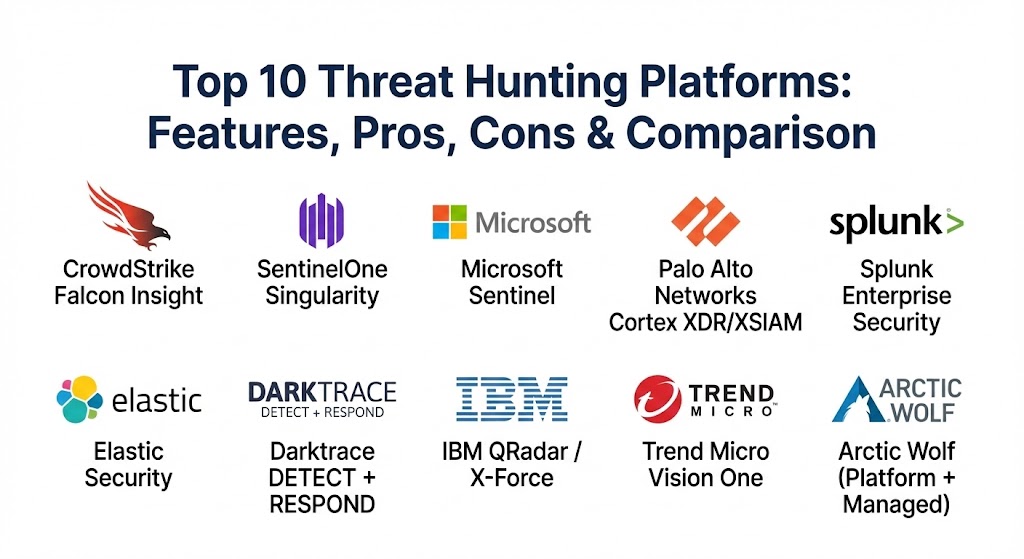
Top 10 Threat Hunting Platforms
1 — CrowdStrike Falcon Insight
CrowdStrike remains a dominant force in 2026, offering a cloud-native platform that pioneered the “lightweight agent” approach. Its Falcon Insight module provides the deep EDR/XDR telemetry necessary for advanced hunting.
- Key features:
- Falcon Fusion: Integrated SOAR for automated response following a hunt.
- Threat Graph: AI-powered correlation of trillions of weekly events.
- Real-time Indicators of Attack (IOAs): Detects behavioral patterns rather than just file signatures.
- Managed Hunting: Option to leverage the “OverWatch” team for expert-led hunts.
- Zero Trust Assessment: Continuous scoring of endpoint health during investigations.
- Pros:
- Unrivaled speed when querying historical endpoint data.
- Extremely lightweight agent with negligible impact on system performance.
- Cons:
- The cost can be prohibitive for mid-market companies as they scale.
- Primarily endpoint-focused; requires additional modules for deep network visibility.
- Security & compliance: SOC 2 Type II, ISO 27001, FedRAMP High, HIPAA, and GDPR.
- Support & community: World-class documentation, active “CrowdStrike University,” and a massive global user community.
2 — SentinelOne Singularity
SentinelOne is known for its “autonomous” security. Its Singularity platform uses high-performance AI to automate the triage of threats, allowing hunters to focus on the most complex “low and slow” attacks.
- Key features:
- Storyline Technology: Automatically groups related events into a single, visual narrative.
- Singularity Data Lake: Ingests and normalizes data from third-party security tools.
- Ransomware Rollback: One-click restoration of encrypted files after a breach.
- Purple AI: A generative AI analyst that helps hunters write complex queries in plain English.
- Binary Vault: Centralized repository for malware analysis.
- Pros:
- Excellent at reducing “alert fatigue” through automated correlation.
- Powerful offline detection capabilities compared to cloud-only rivals.
- Cons:
- The management console can have a steeper learning curve for junior analysts.
- Advanced AI features often require the highest-tier licensing.
- Security & compliance: SOC 2, HIPAA, PCI-DSS, and FIPS 140-2.
- Support & community: Strong partner-led support network and comprehensive online knowledge base.
3 — Microsoft Sentinel
Microsoft Sentinel is a cloud-native SIEM + SOAR platform that has become the go-to for organizations heavily invested in the Azure and Microsoft 365 ecosystems.
- Key features:
- Native Integration: One-click data ingestion from all Microsoft security products.
- ASIM (Advanced Security Information Model): Standardizes data for easier hunting across vendors.
- Jupyter Notebooks: Built-in support for Python-based advanced hunting.
- Watchlists: Allows hunters to track high-value targets or risky users.
- Cybersecurity Copilot: AI integration for rapid query generation and incident summarization.
- Pros:
- Highly cost-effective for Azure users due to “data ingestion credits.”
- Scales infinitely without the need for on-premises hardware.
- Cons:
- Can become very expensive if ingesting large volumes of third-party (non-Microsoft) logs.
- Query language (KQL) requires specific training for security teams.
- Security & compliance: FedRAMP, HIPAA, GDPR, ISO 27001, and SOC 2.
- Support & community: Massive global community and extensive free training via Microsoft Learn.
4 — Palo Alto Networks Cortex XDR/XSIAM
Cortex XDR was one of the first platforms to successfully integrate network, endpoint, and cloud data into a single investigation stream. The newer XSIAM platform pushes this further with an “AI-first” SOC approach.
- Key features:
- Cross-Data Correlation: Automatically links network anomalies with endpoint process trees.
- Managed Threat Hunting: 24/7 monitoring by Palo Alto’s elite unit.
- WildFire Sandbox: Advanced analysis of suspicious files found during a hunt.
- Identity Analytics: Detects credential theft and account takeover attempts.
- Network Detection and Response (NDR): Deep packet inspection capabilities integrated.
- Pros:
- The best integration of network and endpoint data in the industry.
- Exceptional at detecting lateral movement and C2 (Command & Control) traffic.
- Cons:
- The platform is highly complex and usually requires a dedicated administrator.
- Highly proprietary ecosystem; works best when using Palo Alto firewalls.
- Security & compliance: SOC 2, ISO 27001, HIPAA, and GDPR.
- Support & community: High-tier enterprise support and a robust technical documentation portal.
5 — Splunk Enterprise Security
Splunk is often called the “Google for Log Data.” Its Enterprise Security (ES) platform is the gold standard for organizations that need to hunt through massive, diverse datasets that go beyond just security.
- Key features:
- Search Processing Language (SPL): The most powerful (if complex) query language in the market.
- Splunk Mission Control: Unified interface for SIEM, SOAR, and UBA.
- Risk-Based Alerting (RBA): Prioritizes hunts based on the aggregate risk of an entity.
- Extensive App Ecosystem: Thousands of pre-built integrations via Splunkbase.
- Threat Topology Maps: Visualizes the relationship between assets and threats.
- Pros:
- Most flexible platform for custom hunting; if it has a log, Splunk can hunt it.
- Massive community support with pre-written hunting queries for almost every threat.
- Cons:
- “Splunk Tax”: Licensing based on data volume can be prohibitively expensive.
- Requires significant hardware resources or expensive cloud credits.
- Security & compliance: FedRAMP, ISO 27001, SOC 2, and HIPAA.
- Support & community: Largest community in the space; regular user conferences and “Splunk Answers” forum.
6 — Elastic Security
Elastic Security leverages the ELK stack (Elasticsearch, Logstash, Kibana) to provide a high-speed, open-source-friendly hunting environment. It is the platform of choice for teams that value data sovereignty.
- Key features:
- Event Query Language (EQL): Specifically designed for behavioral threat hunting.
- Pre-built Detection Rules: Thousands of rules mapped to the MITRE ATT&CK framework.
- High-Speed Indexing: Queries return results in seconds, even across petabytes.
- Elastic Agent: A single agent for logging, metrics, and security.
- Unified Data Model (ECS): Normalizes all data types for consistent hunting.
- Pros:
- Highly cost-effective; the “free” tier is powerful enough for many hunting tasks.
- Complete control over where your data is stored (on-prem, cloud, or edge).
- Cons:
- Requires a high level of technical expertise to manage the cluster.
- Advanced security features (like certain ML modules) require a paid subscription.
- Security & compliance: SOC 2, HIPAA, GDPR, and ISO 27001 (Cloud version).
- Support & community: Strong open-source community and excellent “Elastic Training” modules.
7 — Darktrace DETECT + RESPOND
Darktrace uses “Self-Learning AI” to build a model of what is “normal” for every user and device. It is unique because it doesn’t rely on rules or signatures, making it perfect for finding unknown threats.
- Key features:
- Enterprise Immune System: Proactively identifies subtle shifts in behavior.
- Cyber AI Analyst: Automatically investigates threats and summarizes findings for humans.
- Autonomous Response (Antigena): Can surgicaly stop a threat while it’s in progress.
- Darktrace HEAL: Helps systems recover and strengthens defenses after a hunt.
- Cloud and SaaS Coverage: Hunts through Microsoft 365, AWS, and Salesforce.
- Pros:
- Excellent for finding “Insider Threats” that follow legitimate protocols.
- Low-touch deployment; the AI starts learning the environment immediately.
- Cons:
- Can be a “black box”; it’s sometimes hard to see exactly why the AI flagged something.
- Less emphasis on manual query-based hunting compared to Splunk or Elastic.
- Security & compliance: ISO 27001, SOC 2, HIPAA, and GDPR.
- Support & community: High-touch customer success model; regular analyst briefings.
8 — IBM QRadar / X-Force
IBM’s QRadar suite, combined with X-Force threat intelligence, offers an enterprise-scale solution that excels at log correlation and automated investigation.
- Key features:
- QRadar Advisor with Watson: AI-driven root cause analysis of security incidents.
- X-Force Threat Intel: Integrated real-time feeds on global adversary infrastructure.
- User Behavior Analytics (UBA): Native module for tracking risky user patterns.
- Unified Analyst Experience: A modern, streamlined UI for hunting across silos.
- Data Federation: Hunt across data where it resides without moving it (via QRadar Log Insights).
- Pros:
- Superior at correlating massive volumes of heterogeneous logs.
- Backed by one of the world’s premier threat intelligence organizations.
- Cons:
- The legacy interface can still feel clunky compared to newer cloud-native tools.
- Significant overhead in terms of configuration and tuning.
- Security & compliance: FIPS 140-2, SOC 2, HIPAA, and GDPR.
- Support & community: Reliable global enterprise support and an active “IBM Security” community.
9 — Trend Micro Vision One
Vision One is an XDR platform that provides a “single pane of glass” for hunting across email, endpoints, servers, cloud workloads, and networks.
- Key features:
- Risk Insights: A global risk score for the organization and individual assets.
- Managed XDR: Expert-led hunting for organizations without a full SOC.
- Workbench: A specialized investigation area for linking disparate events.
- Sandboxing as a Service: Integrated malware analysis for hunted artifacts.
- Mobile Security Integration: Hunts through mobile device telemetry.
- Pros:
- Best-in-class email security integration for hunting phishing-origin threats.
- Very strong cloud-workload and container security hunting capabilities.
- Cons:
- The user interface is dense and can be overwhelming for new users.
- Primarily a “SaaS-first” tool; limited options for air-gapped environments.
- Security & compliance: SOC 2 Type II, ISO 27001, HIPAA, and GDPR.
- Support & community: Extensive global support and a well-regarded research team.
10 — Arctic Wolf (Platform + Managed)
Arctic Wolf is unique on this list because it is a “concierge” platform. They provide the software and the experts as a single package, making it the top choice for mid-sized firms that want enterprise-grade hunting.
- Key features:
- Concierge Security Team: Dedicated experts who hunt on your behalf.
- Triage and Response: Immediate action taken when a threat is discovered.
- Log Aggregation: Collects and retains logs for compliance and hunting.
- Vulnerability Management: Proactive scanning to close gaps found during hunts.
- Cloud Detection: Monitors AWS, Azure, and SaaS applications.
- Pros:
- Provides the best ROI for companies that cannot afford to hire 24/7 internal hunters.
- No software to manage; the Arctic Wolf team handles the “heavy lifting.”
- Cons:
- Less control for internal teams who want to do their own deep-dive hunting.
- Pricing is a flat fee, which can be high for very small organizations.
- Security & compliance: SOC 2 Type II, HIPAA, PCI-DSS, and GDPR.
- Support & community: High-touch, personalized support is the core of their business model.
Comparison Table
| Tool Name | Best For | Platform(s) Supported | Standout Feature | Rating (Gartner) |
| CrowdStrike Falcon | Large Enterprise EDR | Cloud, Win, Linux, Mac | Speed & Threat Graph | 4.7 / 5 |
| SentinelOne | Autonomous AI Defense | Cloud, Win, Linux, Mac | Storyline Narrative | 4.7 / 5 |
| Microsoft Sentinel | Microsoft Ecosystem | Azure (SaaS) | Native Azure/M365 Integration | 4.4 / 5 |
| Palo Alto Cortex | Hybrid Network/EDR | Cloud, On-Prem, Multi-OS | Network + Endpoint Fusion | 4.4 / 5 |
| Splunk ES | Complex Big Data | Cloud, On-Prem | Powerful SPL Query Language | 4.4 / 5 |
| Elastic Security | Speed & Data Control | Cloud, On-Prem | High-Performance Indexing | 4.5 / 5 |
| Darktrace | Unknown/Insider Threats | Cloud, Network, Email | Self-Learning AI | 4.8 / 5 |
| IBM QRadar | Multi-Vendor SIEM | Cloud, On-Prem | Watson AI Analytics | 4.4 / 5 |
| Trend Micro | Email & Cloud XDR | SaaS | Email Origin Hunting | 4.8 / 5 |
| Arctic Wolf | Managed Security | Managed Service | Concierge Security Experts | 4.7 / 5 |
Evaluation & Scoring of Threat Hunting Platforms
To objectively evaluate a threat hunting platform, we use a weighted scoring rubric that prioritizes the actual needs of a security analyst.
| Criteria | Weight | Evaluation Focus |
| Core Features | 25% | Telemetry depth, MITRE mapping, hypothesis support, and raw data access. |
| Ease of Use | 15% | UI design, query language simplicity, and visual investigation tools. |
| Integrations | 15% | Connectivity with third-party EDR, Firewall, Identity, and Cloud logs. |
| Security & Compliance | 10% | Encryption, SSO, RBAC, and relevant certifications (SOC 2, HIPAA). |
| Performance | 10% | Query return speed across large datasets and system impact of agents. |
| Support & Community | 10% | Documentation quality, speed of support, and user forum activity. |
| Price / Value | 15% | TCO vs. reduction in dwell time and breach risk. |
Which Threat Hunting Platform Is Right for You?
Choosing a platform is not a one-size-fits-all decision; it depends on your team’s skill level and your existing infrastructure.
- Solo Users vs. SMBs: Small teams should look at Arctic Wolf or Elastic Security. Arctic Wolf gives you the staff you don’t have, while Elastic allows you to start for free and scale as your skills grow.
- Microsoft-Centric Shops: If your environment is 90% Azure and M365, Microsoft Sentinel is the logical choice due to its seamless integration and potential cost savings.
- High-Security Enterprises: For organizations with 24/7 SOCs and high-tier analysts, Splunk ES or CrowdStrike are the top picks. These platforms offer the “raw power” that elite hunters need to uncover the most stealthy adversaries.
- Network-Heavy Environments: If your primary worry is data exfiltration or lateral movement across legacy hardware, Palo Alto Cortex or Darktrace offer the best network-level behavioral hunting.
- Budget-Conscious Teams: Elastic Security and Microsoft Sentinel (for existing Azure users) offer the best entry points for teams with tight capital but strong technical talent.
Frequently Asked Questions (FAQs)
1. What is the difference between an EDR and a Threat Hunting Platform? EDR (Endpoint Detection and Response) is a component. A Threat Hunting Platform often integrates EDR with network (NDR), cloud, and identity data (XDR) to provide a broader investigation area beyond just endpoints.
2. Is threat hunting automated? No. While these platforms use AI to assist the process, threat hunting is fundamentally human-led. The analyst creates the hypothesis; the platform provides the data and tools to prove or disprove it.
3. Do I need to know a query language like SQL or KQL? For the most powerful platforms (Splunk, Sentinel, Elastic), yes. However, newer platforms are integrating Generative AI (like SentinelOne’s Purple AI) to allow hunters to query using natural language.
4. How does threat hunting reduce “Dwell Time”? By proactively searching for subtle signs of an intruder (like unusual admin commands) instead of waiting for a ransomware alert, hunters find attackers much earlier in the “Cyber Kill Chain.”
5. Can threat hunting platforms detect insider threats? Yes. By focusing on behavior rather than malware, tools like Darktrace and Exabeam can detect when a legitimate employee begins acting out of character, such as accessing sensitive files they don’t normally touch.
6. Do these platforms work in the cloud? Most modern platforms are “cloud-native” or “hybrid,” meaning they can hunt through AWS/Azure logs and container environments (Kubernetes) just as easily as traditional servers.
7. How much do these platforms cost? Pricing is complex. It usually involves a combination of “per agent” fees, “data volume” (ingestion) fees, and “storage duration” (retention) fees. Expect enterprise solutions to start at five figures annually.
8. Is threat hunting the same as incident response? No. Threat hunting is proactive (searching for a threat). Incident response is reactive (handling a threat that has already been confirmed). Hunting often leads to incident response.
9. What is the MITRE ATT&CK framework? It is a globally recognized knowledge base of adversary tactics and techniques. High-quality platforms map their logs and alerts to this framework so hunters know exactly what an attacker is trying to achieve.
10. Can I do threat hunting with open-source tools? Yes. You can build a powerful hunting environment using the ELK stack (Elastic) or tools like Velociraptor and Zeek, but they require significant manual setup and maintenance.
Conclusion
In the current threat landscape, waiting for an alert is a high-risk strategy. The transition to proactive threat hunting is a sign of a maturing security organization. While CrowdStrike and SentinelOne lead the market in endpoint-driven hunting, platforms like Microsoft Sentinel and Splunk offer the massive data correlation needed for a modern, hybrid enterprise.
Ultimately, the “best” tool is the one that empowers your analysts to think like the adversary. Whether you choose a managed concierge service like Arctic Wolf or a high-powered data engine like Elastic, the goal remains the same: find the threat, close the gap, and eliminate the attacker’s advantage of time.