Introduction
Thin Client Management Tools are centralized software platforms designed to configure, monitor, update, and secure thin client endpoints. Unlike traditional PC lifecycle management tools (like SCCM or Intune) designed for complex operating systems like full Windows 10/11, thin client tools are optimized for lightweight, often read-only operating systems based on Linux or Windows IoT Enterprise.
The importance of these tools lies in operational efficiency and security. A robust management console allows an IT administrator to push a firmware update to 5,000 devices in dozens of locations with a few clicks, ensure uniform security policies are enforced (such as disabling USB ports), and remotely “shadow” a user’s screen to troubleshoot issues instantly. Key real-world use cases include rapidly deploying standardized desktops in call centers, ensuring HIPAA compliance on roaming nurse workstations in hospitals, and repurposing aging PCs into managed thin clients for schools. When evaluating these tools, users must look for scalability, support for their specific endpoint operating system (Linux vs. Windows), ease of profile creation, and the robustness of their remote support features.
Best for: Organizations with mature VDI or DaaS deployments (Citrix, VMware Horizon, Azure Virtual Desktop), specifically in industries requiring highly standardized, secure, and low-maintenance endpoints like healthcare, finance, retail, and high-volume call centers.
Not ideal for: Small businesses with a handful of standard desktops, organizations that rely entirely on heavy local processing power (CAD designers, video editors), or environments where every user requires full local administrator rights on their machine.
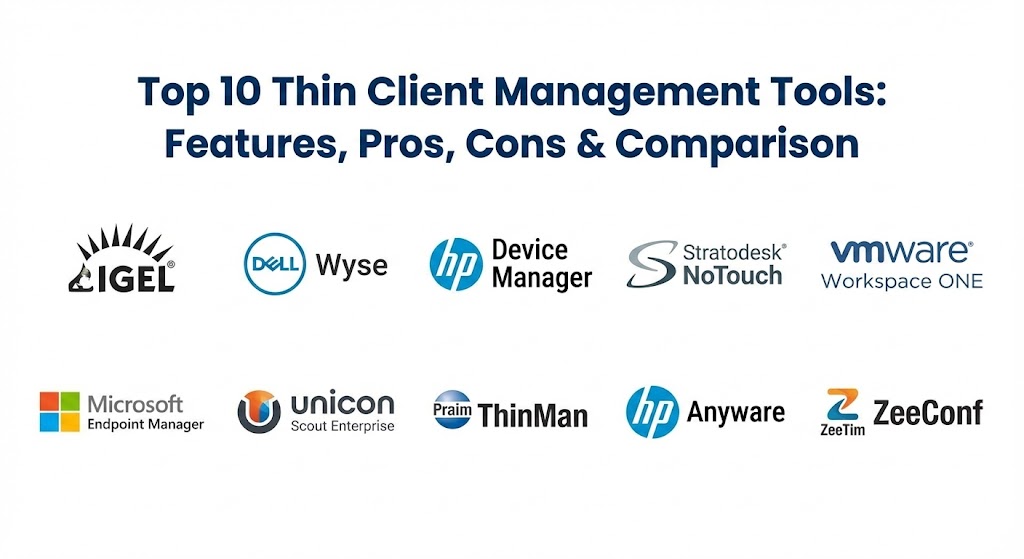
Top 10 Thin Client Management Tools
1 — IGEL Universal Management Suite (UMS)
IGEL has established itself as the de facto standard for enterprise-grade management of Linux-based thin clients. The Universal Management Suite (UMS) is the heart of their ecosystem, designed to manage endpoints running IGEL OS, whether they are native IGEL hardware or repurposed third-party hardware.
- Key features:
- Highly scalable architecture capable of managing tens of thousands of endpoints.
- “Profile” based configuration allowing granular inheritance of settings based on device location or department.
- IGEL Cloud Gateway (ICG) for managing remote, off-network devices securely without a VPN.
- Automated firmware update scheduling with bandwidth throttling.
- Secure VNC shadowing for remote user support.
- UD Pocket support to temporarily turn any x86 PC into a managed thin client.
- Extensive reporting and asset management capabilities.
- Pros:
- Widely considered the most mature and feature-rich management console for Linux endpoints.
- Hardware agnostic; IGEL OS runs on almost any x86 device, unifying management across mixed fleets.
- Cons:
- The interface is incredibly powerful but has a steep learning curve for new administrators.
- Licensing has shifted significantly in recent years and can be expensive for smaller deployments.
- Security & compliance: Supports two-factor authentication for administrators, role-based access control (RBAC), secure boot integration, and full audit logs.
- Support & community: Excellent enterprise-grade support; possesses the largest and most active user community in the thin client space, known as the “IGEL Community.”
2 — Dell Wyse Management Suite (WMS)
For organizations invested in Dell’s extensive hardware ecosystem, Wyse Management Suite is the essential tool. It is designed to manage Dell’s broad portfolio, including Wyse ThinOS (a proprietary, ultra-secure OS), Windows IoT, and Dell’s Linux-based thin clients.
- Key features:
- Hybrid cloud and on-premise deployment options for the management server.
- Zero-touch deployment; devices automatically configure themselves upon unboxing and connecting to the network.
- Management of diverse Dell endpoint OS types (ThinOS, Windows 10 IoT Enterprise, Ubuntu) from one console.
- Mobile application for IT admins to monitor and manage critical alerts on the go.
- Advanced BIOS configuration management for Dell hardware.
- Remote shadowing and real-time command execution.
- Pros:
- Unmatched integration and control over Dell Wyse hardware, particularly BIOS settings.
- The “Pro” version offers excellent cloud-based management capabilities that are easy to set up.
- Cons:
- Primarily locked into the Dell hardware ecosystem; less effective if you have a mixed vendor fleet.
- The free “Standard” version is very limited, mostly suitable only for small SMBs.
- Security & compliance: Supports AD integration foradmin access, multi-tenant architecture in the cloud version, HTTPS secure communication, and detailed audit trails.
- Support & community: Backed by Dell’s massive global support infrastructure, though specific thin client expertise can sometimes require escalation.
3 — HP Device Manager (HPDM)
Similar to Dell’s offering, HP Device Manager is the centralized console for managing HP’s vast array of thin client hardware. It is a robust, on-premise solution designed to handle the lifecycle of HP ThinPro (Linux) and Windows IoT devices.
- Key features:
- Mass deployment of images, add-ons, and service packs via FTP or shared folders.
- Highly customizable “task” based architecture for sequencing updates and configuration changes.
- Detailed hardware asset management and reporting.
- VNC-based remote shadowing for user assistance.
- Support for HP’s “write filter” management on Windows IoT devices.
- Integration with HP’s BIOS configuration tools.
- Pros:
- Included at no extra cost with the purchase of compatible HP thin client hardware.
- Very powerful for scripting and automating complex deployment sequences on HP devices.
- Cons:
- The user interface is dated and feels traditional compared to modern cloud-based tools.
- Setup and infrastructure requirements (database, repositories) can be complex for smaller shops.
- Security & compliance: Supports role-based administration, encrypted communications between agent and server, and standard logging protocols.
- Support & community: Supported through standard HP enterprise channels; extensive documentation exists but the community is smaller than IGEL’s.
4 — Stratodesk NoTouch Center
Stratodesk is arguably the strongest direct competitor to IGEL in the hardware-agnostic Linux space. NoTouch Center is their management console, used to control endpoints running Stratodesk NoTouch OS, which can be deployed on PCs, Laptops, and Raspberry Pis.
- Key features:
- Browser-based management console deployable on-prem or in the cloud.
- Hardware Agnostic; repurposes PCs from Dell, HP, Lenovo, and supports Raspberry Pi (ARM).
- “Cloud Xtension” for managing remote workers without VPNs.
- Real-time tactical overview dashboard of endpoint health.
- Drag-and-drop configuration profiles and group settings.
- Instant Secure Erase feature for decommissioning hardware.
- Pros:
- Excellent flexibility; one of the best solutions for mixed hardware environments and repurposing old PCs.
- The management interface is modern, clean, and generally easier to learn than IGEL UMS.
- Cons:
- While growing rapidly, their market share and community size are smaller than IGEL or the big hardware vendors.
- Some advanced enterprise reporting features may require third-party integration.
- Security & compliance: Built on a hardened Linux foundation, supports MFA for admins, encrypted management traffic, and full compliance reporting capabilities.
- Support & community: Highly responsive, personalized support praised by customers; growing knowledge base and partner network.
5 — VMware Workspace ONE (formerly AirWatch)
Workspace ONE is a Unified Endpoint Management (UEM) giant. While known for mobile devices and laptops, it has grown to support the management of Windows 10 IoT Enterprise thin clients and certain Linux-based endpoints, offering a single pane of glass for all devices.
- Key features:
- True single-pane-of-glass management across mobile, desktop, and thin clients.
- Over-the-air (OTA) configuration and updates for Windows IoT devices.
- Advanced conditional access policies based on device compliance status.
- Integration with VMware Horizon for streamlined VDI access.
- Remote assist capabilities for troubleshooting.
- Powerful automation engine for compliance workflows.
- Pros:
- Ideal for organizations already heavily invested in the VMware ecosystem wanting to converge toolsets.
- Stronger security policy engines than many dedicated thin client tools due to its UEM heritage.
- Cons:
- It can be “overkill” if you only need to manage thin clients; the platform is massive and complex.
- Support for non-Windows based thin clients (proprietary Linux builds) can be limited compared to dedicated tools.
- Security & compliance: Industry-leading security certifications, zero-trust architecture support, FedRAMP compliance, and deep SOC integration.
- Support & community: Massive global enterprise support structure and extensive VMware user groups (VMUG).
6 — Microsoft Endpoint Manager (Intune / SCCM)
As thin clients increasingly move toward Windows 10/11 IoT Enterprise, Microsoft’s native management tools become viable contenders. Microsoft Endpoint Configuration Manager (MECM/SCCM) handles on-premise heavy lifting, while Intune handles cloud-based modern management.
- Key features:
- Full lifecycle management of Windows IoT Enterprise devices just like standard PCs.
- Windows Autopilot support for zero-touch provisioning of new thin clients.
- Application deployment via Company Portal.
- Windows Update for Business integration for managing OS patching.
- Advanced endpoint security management via Microsoft Defender integration.
- Compliance policies to ensure devices meet security standards before connecting.
- Pros:
- Many enterprises already own the licensing via Microsoft 365 E3/E5 subscriptions.
- Unifies thin client management with the rest of the Windows desktop estate.
- Cons:
- Poor or nonexistent support for Linux-based thin clients (which make up a huge portion of the market).
- Managing Windows IoT can still feel “heavier” than managing purpose-built thin client OSs.
- Security & compliance: Built on Microsoft’s enterprise-grade security framework, including Azure AD integration, conditional access, and comprehensive compliance reporting.
- Support & community: The largest IT support ecosystem in the world, though specific expertise in tuning Windows IoT for VDI is a niche skill.
7 — Unicon Scout Enterprise (eLux)
Unicon is a major player in the European market, providing eLux (a hardened Linux OS) and Scout Enterprise, the management platform. It is known for its stability, security focus, and strong partnerships with hardware vendors like Fujitsu.
- Key features:
- Highly scalable, multi-tenant capable management console.
- “Modular” OS updates; update only specific clients (like the Citrix Workspace App) rather than the whole firmware.
- High availability support for the management server infrastructure.
- Detailed hardware inventory and license management.
- Integrated remote mirroring (shadowing) for support.
- Strong focus on customizing the user interface of the endpoint.
- Pros:
- The modular update capability is a significant bandwidth saver and reduces update risk.
- Extremely stable and secure platform used in highly regulated European sectors.
- Cons:
- Brand recognition and presence outside of EMEA are lower than IGEL or Stratodesk.
- The management console interface is functional but less modern than some competitors.
- Security & compliance: GDPR focused by design, supports encrypted communications, hardened OS, and detailed admin logging.
- Support & community: Strong regional support in Europe with dedicated engineering teams; smaller global community footprint.
8 — Praim ThinMan Server
Praim is another strong European contender offering both hardware and software. ThinMan Server is their management console designed to manage Praim’s own ThinOX (Linux) and Windows IoT devices, as well as repurposed PCs.
- Key features:
- Automated device discovery and configuration based on network location.
- Wake-on-LAN integration for scheduled overnight updates.
- “ThinMan Gateway” for managing remote devices over the internet.
- Visual console showing device status (on/off/updating) in real-time.
- Integration with Praim’s “Agile” software to repurpose standard PCs.
- Profile-based management for users and devices.
- Pros:
- Very intuitive visual interface that makes monitoring large fleets easy at a glance.
- Strong set of tools for power management and scheduling to reduce energy costs.
- Cons:
- Like Unicon, their market presence is strongest in Europe, with less visibility in North America.
- Advanced features require higher licensing tiers.
- Security & compliance: Supports HTTPS management, role-based access, and secure VNC shadowing protocols.
- Support & community: Responsive direct support from the vendor; partner-led community support in key regions.
9 — HP Anyware (formerly Teradici PCoIP Management Console)
This is a niche but vital tool. If your environment relies on “Zero Clients” that use the Teradici PCoIP protocol (hardware-based decoding for high-end graphics), this is the tool you use to manage them. HP acquired Teradici, bringing this under their umbrella.
- Key features:
- Specific management for PCoIP Zero Clients (which have no local OS).
- Firmware flashing for Tera2 processors.
- Configuration of PCoIP session connection settings (broker addresses, security certificates).
- Device discovery based on DNS-SRV records.
- Profile application based on device grouping.
- Certificate management for 802.1x network authentication.
- Pros:
- The only tool capable of deep management of true PCoIP Zero Client hardware.
- Very simple and purpose-built because zero clients have few configurable parameters.
- Cons:
- Only manages PCoIP zero clients; useless for standard Linux or Windows thin clients.
- The “Enterprise” features required for large deployments are licensed.
- Security & compliance: Focuses on securing the PCoIP connection parameters and device certificates; simple audit logging.
- Support & community: Supported now through HP’s enterprise channels; niche community of high-performance computing users.
10 — ZeeTim ZeeConf
ZeeTim is a vendor focusing heavily on simplicity and security. Their ZeeTerm endpoints run a highly locked-down OS called ZeeOS, managed by the ZeeConf management console.
- Key features:
- Extremely simplified management interface designed for zero-touch deployment.
- Cloud-based or on-premise management server options.
- Configuration via simple templates rather than complex scripting.
- Real-time remote control (shadowing).
- “ZeeTransformer” software to repurpose existing PCs into ZeeOS thin clients.
- Focus on fast boot times and minimal configuration steps.
- Pros:
- Incredibly easy to set up and use; ideal for IT teams with limited resources.
- The OS is very hardened and read-only, minimizing the attack surface.
- Cons:
- Less granular control and fewer advanced features than heavyweights like IGEL or Wyse.
- A smaller player in the market with a more limited partner ecosystem.
- Security & compliance: Read-only file system on endpoints, encrypted management traffic, and simplified admin access controls.
- Support & community: Personalized support from the vendor; smaller, focused customer base.
Comparison Table
| Tool Name | Best For | Endpoint OS Supported | Standout Feature | Rating (Gartner/TechRadar) |
| IGEL UMS | Large, Mixed VDI Estates | Linux (IGEL OS) | Mature, scalable profile management | 4.5 / 5 |
| Dell Wyse Mgmt Suite | Dell Hardware Shops | ThinOS, Win IoT, Linux | BIOS-level management of Dell hardware | 4.3 / 5 |
| HP Device Manager | HP Hardware Shops | ThinPro, Win IoT | Included free with HP hardware | 4.2 / 5 |
| Stratodesk NoTouch | PC Repurposing / Agnostic | Linux (NoTouch OS) | Modern UI and PC repurposing flexibility | 4.4 / 5 |
| VMware Workspace ONE | Unified Endpoint Strategy | Win IoT, some Linux | Single pane of glass with mobile/PC | 4.5 / 5 |
| Microsoft Intune | Windows-centric IT | Windows IoT Enterprise | Integration with Microsoft 365 stack | 4.4 / 5 |
| Unicon Scout | European Enterprises | Linux (eLux), Win IoT | Modular software updates (saves bandwidth) | 4.1 / 5 |
| Praim ThinMan | Visual Monitoring | ThinOX, Win IoT | Visual real-time dashboard | 4.0 / 5 |
| HP Anyware (Teradici) | High-End Graphics VDI | PCoIP Zero Clients | The only tool for true PCoIP Zero Clients | 4.3 / 5 |
| ZeeTim ZeeConf | Simplicity & Security | Linux (ZeeOS) | Extremely simple, zero-touch setup | 4.0 / 5 |
Evaluation & Scoring of Thin Client Management Tools
When selecting a tool, it is vital to weigh the criteria based on your specific environment. A hospital needing rapid tap-and-go access has different needs than a graphic design firm using high-performance zero clients.
| Category | Weight | Evaluation Criteria |
| Endpoint OS Compatibility | 25% | Does it manage Linux, Windows IoT, or proprietary OSs? Is it hardware agnostic? |
| Scalability & Performance | 20% | Can it handle 10,000 devices? How efficiently does it handle mass firmware updates over slow links? |
| Ease of Use & Config | 15% | Is the UI intuitive? How complex is creating and inheriting configuration profiles? |
| Remote Support Features | 15% | Quality of shadowing (VNC/RDP), speed of connection, and remote command capabilities. |
| Security & Compliance | 10% | Admin MFA, role-based access, audit logs, and secure gateway features for remote workers. |
| Integrations | 5% | Does it tie into active directory, external reporting tools, or ITSM platforms? |
| Price / Value | 10% | Licensing cost (per device/per user) vs. included features vs. free hardware-bundled options. |
Which Thin Client Management Tool Is Right for You?
The decision rarely comes down to a single “best” tool, but rather the tool that fits your existing infrastructure and VDI strategy.
- The Hardware Loyalists: If you buy exclusively Dell or HP thin clients, start with their bundled tools (Dell WMS or HP Device Manager). They are often included in the hardware cost and offer the deepest integration with the physical device (like BIOS settings).
- The Hardware Agnostics & Repurposers: If you have a mixed fleet of old hardware from different vendors and want to standardize them on a single manageable OS, IGEL UMS is the market leader for a reason. Stratodesk NoTouch Center is an excellent, modern alternative if you find IGEL too complex or expensive.
- The Unified Management Strategic View: If your CIO wants a “single pane of glass” for every device—mobile, laptop, and thin client—you should look at consolidating onto a UEM like VMware Workspace ONE or Microsoft Intune. This is often a longer journey but simplifies governance.
- The Windows IoT Shop: If your thin clients must run Windows IoT (perhaps for local peripheral compatibility), Microsoft Intune/SCCM is the most logical path forward, leveraging your existing Microsoft investment.
- The High-Security/Niche Use Case: For ultra-high security environments using PCoIP Zero Clients, you need HP Anyware (Teradici). For organizations prioritizing extreme simplicity and locked-down environments, look at ZeeTim.
Frequently Asked Questions (FAQs)
1. What is the difference between a Thin Client and a Zero Client? A thin client has a lightweight operating system (Linux or Windows IoT) that needs patching and configuration. A zero client has almost no local OS; the connection logic is often embedded in hardware chips, making them faster to boot and utterly incapable of getting viruses, but harder to configure for complex peripherals.
2. Can these tools manage old PCs that I want to reuse? Yes. Tools like IGEL (UD Pocket), Stratodesk, and Praim offer software that can be installed on aging laptops or desktops, wiping out Windows and turning them into secure, managed Linux thin clients.
3. Do I need an on-premise server, or can I use the cloud? Most modern tools offer both. Dell WMS, Stratodesk, and ZeeTim have mature cloud SaaS offerings. IGEL and HP handle cloud management through gateway appliances that connect back to an on-prem or private cloud server.
4. Why shouldn’t I just use standard PC management tools like SCCM for everything? You can if your thin clients run Windows, but it’s heavy. Standard PC tools assume a large local hard drive and powerful CPU. Thin client tools are optimized for devices with tiny flash drives, ensuring updates don’t brick the device by filling the storage.
5. How do these tools handle remote workers outside the corporate firewall? Leading tools offer a “Cloud Gateway” or “Secure Edge” component. The thin client at the user’s home connects securely over HTTPS to this gateway, allowing the management server to manage it without requiring a VPN connection.
6. Are firmware updates bandwidth-intensive? They can be. However, enterprise-grade tools (IGEL, HP, Dell) offer features like bandwidth throttling, scheduled overnight updates, or localized caching repositories at branch offices to prevent overwhelming network links.
7. What is VNC “Shadowing”? This is the ability for an IT administrator to remotely view and interact with the user’s thin client screen in real-time to assist with problems. It is a standard feature in almost all thin client management tools.
8. Do these tools cost extra, or come with the hardware? It varies. HP HPDM is usually free with HP hardware. Dell WMS has a free “Standard” tier and a paid “Pro” tier. IGEL and Stratodesk are software companies, so their licensing is a separate cost from whatever hardware you use.
9. How do these tools improve security? They ensure endpoints are uniformly configured with locked-down policies (e.g., disabling USB mass storage, blocking local configuration changes). They also ensure the underlying OS is promptly patched against vulnerabilities.
10. Why is Linux dominant in the thin client space over Windows IoT? Linux is generally leaner, requires less hardware horsepower, has a smaller attack surface for malware, and doesn’t require expensive Microsoft OS licensing for every endpoint device.
Conclusion
Thin client management is the unsung hero of successful VDI deployments. While the glamour lies in the data center servers delivering the virtual desktops, the user experience lives and dies at the endpoint. Without a robust management tool, a fleet of thin clients quickly becomes an unmanageable security liability and an operational drain. By choosing the right tool—whether it’s a hardware-specific console like Dell WMS, an agnostic powerhouse like IGEL, or a unified approach like Workspace ONE—you ensure your endpoints are secure, up-to-date, and invisible to the user, which is exactly what they should be.