Introduction
Text-to-Speech (TTS) is a type of assistive technology that converts written text into spoken words using synthetic, computer-generated voices. Unlike the robotic, “uncanny valley” voices of the past, modern 2026 TTS platforms utilize sophisticated deep learning and neural networks to produce audio that is nearly indistinguishable from human speech. These platforms capture the subtle nuances of prosody, rhythm, and emotional inflection, allowing for a seamless auditory experience across languages and dialects.
The importance of TTS today cannot be overstated. It is a cornerstone of digital accessibility, a cost-saving miracle for content creators, and a vital tool for global scale. Key real-world use cases include automating the production of audiobooks, creating lifelike voiceovers for corporate training (L&D), and powering real-time conversational AI for customer service bots. When choosing a platform, users should evaluate it based on voice naturalness, language support, API latency, customization options (like emotion and pitch control), and ethical voice sourcing.
Best for: Content creators, EdTech developers, e-learning professionals, global marketing agencies, and enterprise IT departments looking to automate audio production or accessibility features.
Not ideal for: High-end creative projects requiring specific physical voice acting performances (like major motion picture lead roles) or very small, one-off tasks where a simple browser-based screen reader would suffice without a professional subscription.
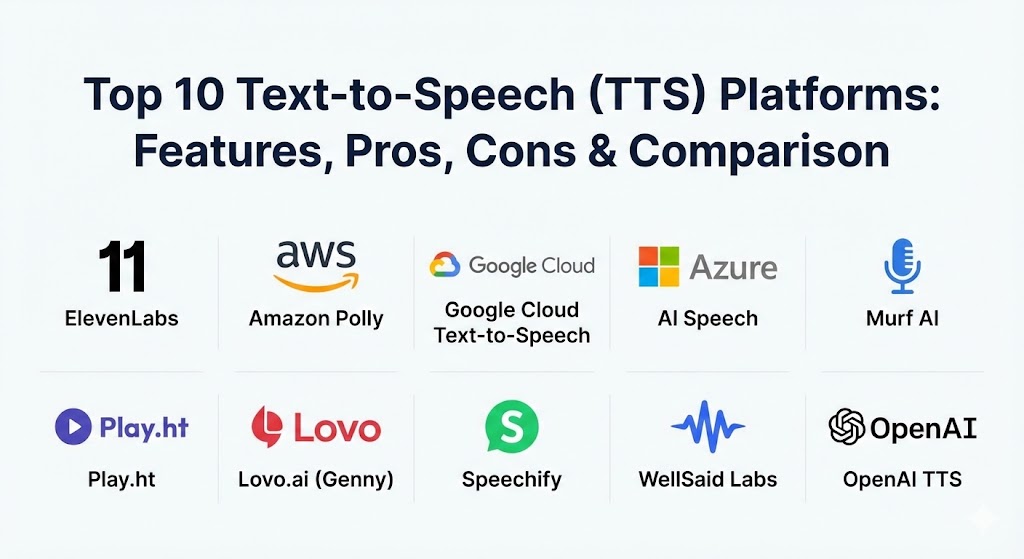
Top 10 Text-to-Speech (TTS) Platforms
1 — ElevenLabs
ElevenLabs has solidified its position in 2026 as the gold standard for high-fidelity, emotionally expressive AI voices. It is widely considered the pioneer of the “Human-Parity” movement in synthetic speech.
- Key features:
- Instant and Professional Voice Cloning: High-accuracy replicas from as little as 30 seconds of audio.
- AI Dubbing & Translation: Automatically localizes video content in 29+ languages while preserving the original speaker’s voice.
- Voice Design Tool: Allows users to generate entirely new voices by selecting age, gender, and accent.
- Speech-to-Speech: Transform one voice into another while maintaining the original delivery and emotion.
- Actor Mode: Advanced studio controls for fine-tuning performance, pauses, and intensity.
- Voice Marketplace: A platform where users can share their voice models and earn revenue ethically.
- Pros:
- Unmatched emotional depth; the voices can whisper, laugh, or sound genuinely angry.
- Extremely fast generation times, ideal for real-time creative workflows.
- Cons:
- Credit-based pricing can become expensive for high-volume content creators.
- Lower-tier plans have more limited customization and lack commercial licenses.
- Security & compliance: SOC 2 Type II, GDPR compliant, and features mandatory identity verification for voice cloning to prevent misuse.
- Support & community: Extensive API documentation, a vibrant Discord community, and priority support for “Creator” and “Enterprise” tiers.
2 — Amazon Polly
As a core component of the AWS ecosystem, Amazon Polly is the industry workhorse for developers who need scalable, reliable, and cost-effective voice synthesis for applications and devices.
- Key features:
- Generative & Long-Form Voices: New 2026 models designed for high-end narration and lengthy content.
- Brand Voice Service: Exclusive custom-built voices for high-level enterprise partners.
- SSML Support: Use tags to add pauses, emphasize words, and control pronunciation.
- Speech Marks: Sync speech with visual animations (perfect for lipsyncing in gaming).
- Edge Deployment: Capability to run Polly on-premises or on IoT devices via AWS Greengrass.
- Pros:
- Unbeatable reliability and “five-nines” uptime for global production workloads.
- Deep integration with the AWS stack makes it the easiest choice for existing cloud customers.
- Cons:
- The voices are professional and clear but often lack the “cinematic” emotional range of creator-focused rivals.
- Managing Polly requires a basic understanding of the AWS Console, which can be daunting for non-developers.
- Security & compliance: HIPAA, PCI DSS, SOC 1/2/3, ISO, and FedRAMP authorized.
- Support & community: Standard AWS support plans apply; massive library of whitepapers and tutorials available.
3 — Google Cloud Text-to-Speech
Google’s platform leverages DeepMind’s research to offer a massive library of voices with global reach. In 2026, the integration of Gemini-TTS has made it a leader in context-aware narration.
- Key features:
- Gemini-TTS Engine: Uses Large Language Model (LLM) context to determine the best emotional delivery for a sentence.
- HD Neural Voices: 380+ voices across 75+ languages with near-human intonation.
- Custom Voice (Brand Voices): Train a unique model to represent a company’s specific brand identity.
- Streaming Audio: Real-time synthesis for ultra-low latency conversational AI.
- Audio Profiles: Optimize audio specifically for phone lines, headphones, or high-end speakers.
- Pros:
- Excellent non-English voice quality, particularly for Asian and Middle Eastern languages.
- Very competitive pricing for developers building high-traffic applications.
- Cons:
- There is no native “Studio” interface for non-technical users to edit and export files without using the API.
- Custom Voice setup is a lengthy process involving manual review and high data requirements.
- Security & compliance: SOC 2, ISO 27001, GDPR, and HIPAA compliant.
- Support & community: Google Cloud Support, Microsoft Learn-style documentation, and an active developer ecosystem.
4 — Azure AI Speech (Microsoft)
Azure AI Speech is often the preferred choice for government and highly regulated enterprise sectors due to its superior compliance framework and sophisticated “Speaking Styles” features.
- Key features:
- Speaking Styles (Styles): One-click adjustments for “cheerful,” “empathetic,” “newscast,” or “whispering” tones.
- Visio-Phoneme Mapping: Enables realistic facial animation for avatars and gaming characters.
- Batch Synthesis: Process millions of characters asynchronously for large-scale document narration.
- Personal Voice: Create a high-quality clone with just a few minutes of training data.
- Azure Open AI Integration: Seamlessly pairs with GPT-4 and GPT-5 for intelligent voice assistants.
- Pros:
- The most granular control over “Style” and “Emotion” for professional narration.
- Best-in-class security features, including local container deployment for air-gapped data.
- Cons:
- The Azure Portal is notoriously complex and has a high learning curve for new administrators.
- Setup for “Custom Neural Voice” is restricted and requires a rigorous ethics application.
- Security & compliance: ISO, SOC, HIPAA, GDPR, FedRAMP High, and IRAP (Australia) compliant.
- Support & community: 24/7 enterprise support, Microsoft Learn documentation, and a global network of MSP partners.
5 — Murf AI
Murf AI is the leading “Voiceover Studio” for those who want professional results without touching a single line of code. It focuses on e-learning and corporate presentations.
- Key features:
- Studio Editor: A timeline-based editor where you can sync voiceovers with images, video, and music.
- Voice Changer: Record your own voice and swap it for a professional AI voice while keeping the timing.
- Pitch & Speed Control: Precise sliders to adjust the delivery to fit a specific video scene.
- Pronunciation Library: Create custom rules for acronyms or industry jargon.
- Team Collaboration: Shared workspaces for marketing teams to review and edit voice projects.
- Pros:
- Exceptionally easy to use; if you can use Canva or PowerPoint, you can use Murf.
- High-quality voices that sound authoritative and professional, perfect for “Explainer” videos.
- Cons:
- Limited emotional range compared to ElevenLabs (no “whispering” or “shouting”).
- Free version is very restrictive and does not allow for file downloads.
- Security & compliance: SOC 2, GDPR, and SSO for Enterprise plans.
- Support & community: Excellent onboarding videos, live chat support, and a helpful knowledge base.
6 — Play.ht
Play.ht has transitioned from a simple plugin to a powerhouse AI voice platform, known for its “Ultra-Realistic” voice set and massive language library.
- Key features:
- PlayDialog: A multi-speaker system designed specifically for creating podcasts and dramatic dialogue.
- Ultra-Realistic Voices: A curated set of voices with 2026-era breathy qualities and human imperfections.
- Global Coverage: 800+ voices in 142 languages and accents.
- WordPress Plugin: Automatically turn blog posts into audio for accessibility.
- Real-time API: Low-latency streaming (sub-300ms) for real-time applications.
- Pros:
- Some of the most “human-like” regional accents (like Irish, Scottish, or Indian English) in the market.
- Excellent for long-form content like audiobooks and podcasts.
- Cons:
- The interface can feel cluttered due to the sheer volume of voices available.
- Quality varies significantly between their “Standard” and “Ultra-Realistic” voices.
- Security & compliance: SOC 2 Type II, GDPR, and data encryption at rest and in transit.
- Support & community: Active Slack community, responsive email support, and a comprehensive blog.
7 — Lovo.ai (Genny)
Lovo.ai, via its flagship product Genny, is a “one-stop-shop” for video creators, combining TTS with image generation and video editing tools.
- Key features:
- 25+ Emotional Inflections: Select specific moods for your voices, from “surprised” to “hesitant.”
- Built-in Video Editor: Sync your AI voiceovers directly with stock footage and music inside Genny.
- AI Writer: An integrated LLM to help draft scripts before generating the audio.
- Sound Effects Generator: Use text prompts to create background foley and soundscapes.
- Instant Voice Cloning: Rapid cloning for quick social media content.
- Pros:
- Great for solo content creators who want to handle everything in one tab.
- The variety of character voices (monsters, heroes, narrators) is top-tier for gaming and animation.
- Cons:
- Some of the “Standard” voices can still sound robotic if not meticulously tweaked.
- Occasional reliability issues with the cloud-based video editor during high traffic.
- Security & compliance: SOC 2, GDPR, and standard SSL protection.
- Support & community: Active Facebook group, helpful video tutorials, and a dedicated blog.
8 — Speechify
Speechify is the world’s most popular “reading assistant,” designed for individual productivity, students with dyslexia, and busy professionals who want to “listen to their world.”
- Key features:
- Celebrity Voices: Licensed voices of Snoop Dogg, Gwyneth Paltrow, and others for a fun listening experience.
- OCR (Optical Character Recognition): Take a photo of a physical book or document and listen to it immediately.
- Cross-Platform Sync: Start listening on your phone and finish on your laptop with synced progress.
- Web Reader Extension: Audiolize any webpage or email with a single click.
- Speed Control: Listen at up to 5x speed (900 words per minute) while maintaining clarity.
- Pros:
- The best user experience for individual consumption and accessibility.
- High-quality “natural” voices that are designed specifically to reduce listening fatigue over hours.
- Cons:
- Not designed for “Studio” use; you cannot easily export and edit files for commercial production.
- The premium subscription is quite high compared to other consumer apps.
- Security & compliance: Standard SSL, GDPR compliant, and secure account data encryption.
- Support & community: In-app chat support and a massive community of students and productivity enthusiasts.
9 — WellSaid Labs
WellSaid Labs is a “boutique” enterprise platform that focuses on a small library of perfect voices rather than thousands of mediocre ones. It is designed for high-end corporate L&D.
- Key features:
- High-Fidelity “Avatars”: A small, curated set of voices that are arguably the most consistent in quality.
- SSML & Cue Control: Advanced tags for directing the pace and pronunciation of the AI.
- Studio Workflow: A clean, distraction-free environment for building professional audio assets.
- Ethical Voice Sourcing: Every voice in their library belongs to a real actor who is compensated for its use.
- API Access: Automate generation for large-scale e-learning platforms.
- Pros:
- Production-ready quality that requires almost no post-processing or regeneration.
- Strongest ethical stance in the industry, making it a safe choice for corporate ESG goals.
- Cons:
- Very small selection of languages compared to Google or Microsoft.
- One of the more expensive options on a “per-word” basis.
- Security & compliance: SOC 2 Type II, GDPR, and secure enterprise data hosting.
- Support & community: High-touch support with dedicated customer success managers for enterprise clients.
10 — OpenAI TTS (API)
The OpenAI TTS API is the most significant “disruptor” of the last two years, offering incredibly natural voices for a fraction of the cost of legacy competitors.
- Key features:
- Six Built-in Voices: Alloy, Echo, Fable, Onyx, Nova, and Shimmer—each with a distinct personality.
- Realtime API: Ultra-low latency designed specifically for the next generation of voice assistants.
- Multi-lingual Support: Automatically handles 50+ languages with high accuracy.
- Token-based Pricing: Pay only for what you use, with significant savings for high-volume developers.
- Whisper Integration: Easily pairs with OpenAI’s speech-to-text model for full “voice-to-voice” loops.
- Pros:
- Exceptional naturalness and “human” imperfections like breath and subtle pauses.
- The most cost-effective solution for developers building high-scale conversational apps.
- Cons:
- Only six voices available; no option for custom voice cloning yet.
- No graphical user interface (GUI); it is strictly for developers who can work with APIs.
- Security & compliance: SOC 2, GDPR, and optional data exclusion from model training for enterprise customers.
- Support & community: Massive developer forum, comprehensive documentation, and rapid iteration cycles.
Comparison Table
| Tool Name | Best For | Platform(s) Supported | Standout Feature | Rating (Gartner/TrueReview) |
| ElevenLabs | Creative Narratives | Web, API, iOS | Emotional Expressiveness | 4.8 / 5 |
| Amazon Polly | Scalable Devs | AWS, Cloud, Edge | AWS Ecosystem Integration | 4.8 / 5 |
| Google Cloud TTS | Global Reach | Cloud, API | Gemini-TTS Context | 4.7 / 5 |
| Azure AI Speech | Enterprise/Gov | Azure, Cloud, Edge | Professional “Styles” | 4.6 / 5 |
| Murf AI | Corporate Training | Web | Studio Timeline Editor | 4.7 / 5 |
| Play.ht | Podcasts/Books | Web, API, WP | Multi-Speaker Dialogue | 4.5 / 5 |
| Lovo.ai (Genny) | Social Video | Web | Integrated Video Editor | 4.5 / 5 |
| Speechify | Productivity | iOS, Android, Web | Celebrity Voices & OCR | 4.7 / 5 |
| WellSaid Labs | Ethical L&D | Web, API | High-Fidelity Avatars | 4.8 / 5 |
| OpenAI TTS | Conversational AI | API | Low-Latency / Naturalness | 4.9 / 5 |
Evaluation & Scoring of Text-to-Speech (TTS) Platforms
To ensure a rigorous comparison, we have evaluated the top 10 tools using a weighted scoring rubric that reflects the priorities of 2026 buyers.
| Category | Weight | Evaluation Criteria |
| Core Features | 25% | Voice naturalness, language variety, and emotion/style controls. |
| Ease of Use | 15% | Quality of the UI (for creators) or ease of documentation (for devs). |
| Integrations | 15% | API availability, cloud ecosystem, and third-party plugin support. |
| Security & Compliance | 10% | GDPR, HIPAA, and ethical voice sourcing/anti-deepfake measures. |
| Performance | 10% | Latency, generation speed, and global uptime. |
| Support & Community | 10% | Availability of help, tutorial quality, and community templates. |
| Price / Value | 15% | Monthly cost vs. features, character limits, and commercial rights. |
Which Text-to-Speech (TTS) Tool Is Right for You?
Choosing the “right” platform is a matter of matching your specific production workflow with the platform’s core strength.
- Solo Users & Students: If your goal is to consume content faster or overcome learning challenges, Speechify is the undisputed winner. It is built for the “listener,” not the “creator.”
- Independent Creators (YouTube/Podcasts): ElevenLabs is your best bet for high-stakes storytelling. If you need a full video suite, Lovo.ai or Murf AI will save you from having to subscribe to multiple tools.
- Small to Medium Businesses (SMBs): Murf AI and Play.ht offer the best balance of professional “studio” results and predictable monthly costs for marketing and training teams.
- Enterprise & Developers: If security and scale are your north stars, stick with the “Big Three” (Amazon Polly, Google Cloud, or Azure AI). For those building the next generation of voice-activated apps, the OpenAI TTS API offers the most futuristic sound for the best price.
- Highly Regulated Industries: Organizations in healthcare, finance, or government should look toward Azure AI Speech or WellSaid Labs for their superior compliance certifications and ethical data practices.
Frequently Asked Questions (FAQs)
1. What is “Human-Parity” in Text-to-Speech?
This is a benchmark in 2026 where a synthetic voice’s Mean Opinion Score (MOS) is equal to or higher than a real human recording, meaning listeners can no longer distinguish between the two.
2. Is voice cloning legal?
Yes, but most platforms (like ElevenLabs) require “Proof of Consent” or identity verification. Cloning someone’s voice without their permission is a violation of Terms of Service and, in many regions, illegal.
3. Do I own the commercial rights to the audio I generate?
Usually, yes, but only on paid plans. Free versions of these tools almost always restrict usage to personal or educational purposes and may require attribution.
4. How does TTS help with SEO?
By “audiolizing” your written content, you increase the “time-on-page” and cater to users who prefer listening, which signals high engagement to search engines like Google.
5. Can I use these voices for real-time phone calls?
Platforms with low-latency APIs, such as OpenAI TTS or Azure AI, are designed specifically for this, allowing for sub-second responses in a natural conversational flow.
6. What is SSML and do I need to learn it?
Speech Synthesis Markup Language (SSML) is a way to “code” a voice with tags like <break time=”2s”/>. While powerful, modern 2026 tools like ElevenLabs often use AI to handle this automatically through simple punctuation.
7. Why do some voices still sound robotic?
This usually happens with “Standard” or older-generation models. Always look for “Neural” or “Generative” voices, as these use the latest AI models for natural flow and intonation.
8. Can I change the accent of a voice?
Many platforms allow you to apply accents (e.g., a British accent to a US voice) or offer localized versions of the same voice personality for a consistent global brand.
9. How much does professional-grade TTS cost?
Expect to pay between $15 and $50 per month for a “Creator” plan. Enterprise pricing is usage-based and can scale from a few hundred to thousands of dollars for millions of characters.
10. What are “Ethical Voice” practices?
This refers to platforms (like WellSaid Labs) that only use voice actors who have been fairly compensated and have given explicit, ongoing consent for their voice to be used as an AI model.
Conclusion
The Text-to-Speech market of 2026 has moved beyond simple utility and into the realm of true creative expression. Whether it’s the emotional brilliance of ElevenLabs, the enterprise-grade stability of Azure, or the consumer-friendly magic of Speechify, the power to turn text into a human voice is now accessible to everyone. The “best” tool isn’t the one with the most voices—it’s the one that gives your content a voice that resonates with your audience, respects the ethics of the industry, and scales with your vision.