Introduction
Team messaging apps are centralized communication platforms that facilitate real-time text, voice, and video interaction within an organization. Unlike traditional instant messengers, these tools are built for the enterprise, offering “channel-based” organization that keeps conversations grouped by project, department, or interest. This structure ensures that critical information isn’t buried in a cluttered inbox but is instead searchable and accessible to the right people at the right time.
The importance of these tools lies in their ability to reduce “communication friction.” By integrating with other business software—such as CRMs, project management suites, and file storage—they act as an operational hub. Key real-world use cases include rapid incident response for IT teams, creative brainstorming for marketing agencies, and shift coordination for frontline workers. When evaluating these tools, users should look for robust search capabilities, granular notification controls, high-quality audio/video escalation, and strong security frameworks to protect proprietary data.
Best for: Knowledge-based teams requiring high-velocity collaboration, large enterprises needing to bridge departmental silos, and distributed startups that rely on asynchronous communication to stay aligned across time zones.
Not ideal for: Very small companies that find a simple shared WhatsApp group sufficient, or organizations with extremely low-tech requirements where the complexity of an enterprise messaging platform might lead to “notification fatigue” rather than productivity.
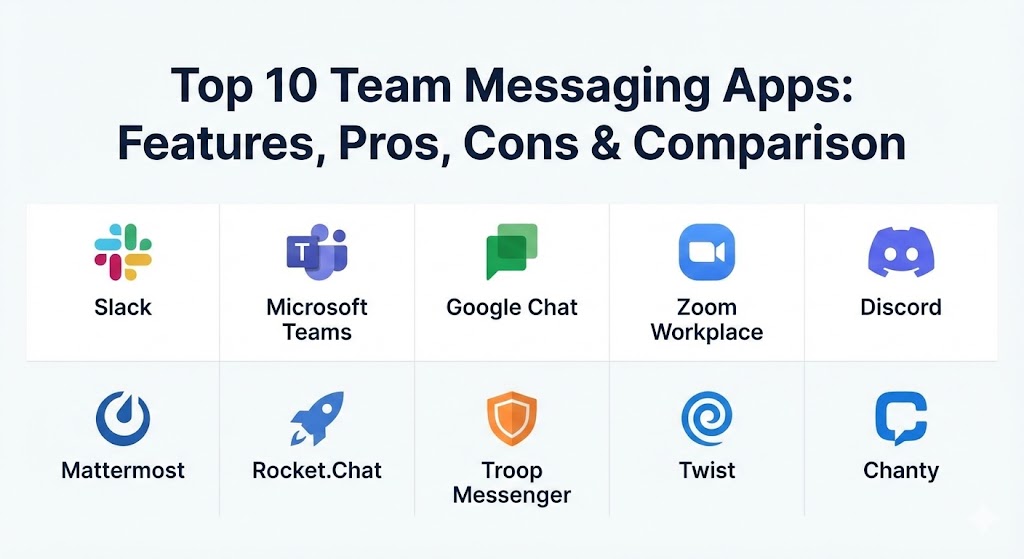
Top 10 Team Messaging Apps
1 — Slack
Slack remains the gold standard for “channel-first” communication. In 2026, it has solidified its position as an “AI-powered productivity platform,” where AI agents don’t just summarize threads but proactively manage project workflows.
- Key features:
- Channels for structured project-based communication.
- Slack AI: Automated thread summaries, daily recaps, and advanced natural language search.
- Huddles: Lightweight, “always-available” audio and video sessions.
- Canvas: A collaborative surface for notes, files, and tasks within any channel.
- Workflow Builder: No-code automation to connect Slack with over 2,600 apps.
- Enterprise Grid for managing thousands of users across multiple workspaces.
- Pros:
- The most mature integration ecosystem in the market.
- Highly intuitive UX that encourages organic team engagement and culture building.
- Cons:
- Can become significantly expensive as teams scale.
- Search results can become overwhelming if channel naming conventions aren’t strictly followed.
- Security & compliance: SOC 2, SOC 3, ISO 27001, HIPAA, GDPR, and Enterprise Key Management (EKM).
- Support & community: Extensive documentation, a global “Slack Community,” and dedicated 24/7 technical support for Enterprise plans.
2 — Microsoft Teams
Microsoft Teams is the “hub for teamwork” in the Microsoft 365 ecosystem. It is deeply integrated with Word, Excel, and SharePoint, making it the default choice for enterprises already invested in the Microsoft stack.
- Key features:
- Seamless integration with all Microsoft 365 apps.
- Microsoft Copilot: AI assistant for drafting messages and summarizing meetings.
- Advanced video conferencing with live captions and translation.
- Shifts and Walkie Talkie modes for frontline workers.
- Native file storage powered by SharePoint/OneDrive.
- Full cloud-based PBX system for external phone calls.
- Pros:
- Included in most M365 subscriptions, making it “free” for many enterprises.
- Unrivaled meeting and document collaboration features within a single app.
- Cons:
- The interface can feel “heavy” or cluttered compared to chat-first apps like Slack.
- Navigating between different “Teams” and “Channels” can be confusing for new users.
- Security & compliance: Tier C compliance (ISO 27001, ISO 27018, SSAE16 SOC 1 and SOC 2, HIPAA, and EU Model Clauses).
- Support & community: Backed by Microsoft’s massive global support infrastructure and the “Microsoft Tech Community.”
3 — Google Chat
Google Chat is the successor to Hangouts, designed specifically for teams using Google Workspace. It focuses on simplicity and deep integration with Docs, Drive, and Meet.
- Key features:
- “Spaces” for group collaboration and task tracking.
- Direct integration with Google Drive (automatic permissioning for shared files).
- Powerful Google-powered search across all conversations and files.
- Smart Reply and Smart Compose for faster messaging.
- Integration with Google Meet for one-click video escalation.
- Pros:
- Clean, minimalistic UI that requires zero learning curve for Gmail users.
- Very affordable as part of the Google Workspace bundle.
- Cons:
- Lacks some of the advanced workflow automation found in Slack.
- Third-party app integration ecosystem is smaller than its main competitors.
- Security & compliance: HIPAA, GDPR, ISO 27001, and SOC 2/3. Data is encrypted at rest and in transit.
- Support & community: Support provided through the Google Workspace admin portal; extensive online help centers.
4 — Zoom Workplace (Team Chat)
Zoom has expanded from a video-only tool into a comprehensive “Workplace” platform. Its Team Chat feature serves as the persistent glue between its famous video meetings and phone services.
- Key features:
- Video-to-Chat persistence (meeting chats stay available after the call ends).
- AI Companion: Summarizes missed chats and drafts responses.
- Integrated Whiteboard for visual brainstorming.
- Continuous collaboration across phone, video, and chat.
- File sharing and search within specific channels.
- Pros:
- Best-in-class audio and video quality integrated directly into the chat.
- Ideal for teams that spend most of their day in meetings.
- Cons:
- Messaging features are still catching up to the depth of Slack or Teams.
- Some users still perceive it as “just a video tool” rather than a full chat hub.
- Security & compliance: AES-256 bit encryption, SOC 2, HIPAA, and GDPR.
- Support & community: Robust online support portal, live chat support, and the “Zoom Community” forum.
5 — Discord (for Business)
While born in gaming, Discord has become a popular choice for startups and creative agencies that prefer a “community-style” environment over a rigid corporate structure.
- Key features:
- Always-on “Voice Channels” for drop-in, drop-out audio collaboration.
- High-quality screen sharing and “Go Live” streaming.
- Highly customizable roles and permissions.
- Threaded conversations to keep channels organized.
- Powerful bot API for custom integrations.
- Pros:
- The best tool for low-latency, “always-on” voice communication.
- Completely free basic version that is more than enough for many small teams.
- Cons:
- Lacks native integrations with major enterprise tools (CRM, ERP).
- Security features are less “corporate-grade” (e.g., limited administrative audit logs in basic tiers).
- Security & compliance: Standard encryption; SSO available via Discord Nitro (Enterprise); GDPR compliant.
- Support & community: Community-driven support forums; basic ticketing system for paid tiers.
6 — Mattermost
Mattermost is the “security-first” alternative to Slack. It is an open-source platform designed for technical teams in highly regulated industries that need total control over their data.
- Key features:
- Self-hosted or private cloud deployment options for 100% data sovereignty.
- “Playbooks”: Structured workflows for incident response and project checklists.
- Developer-focused features including native integrations with GitHub and GitLab.
- Multi-node scaling for hundreds of thousands of users.
- Fully white-labelable interface.
- Pros:
- Unmatched privacy; data never has to leave your firewall.
- Open-source nature allows for endless customization of features.
- Cons:
- Requires internal IT resources to manage the self-hosted infrastructure.
- The user interface is functional but lacks the “polish” of SaaS competitors.
- Security & compliance: SOC 2, GDPR, HIPAA-ready; compliant with most government and military security standards.
- Support & community: Enterprise support plans available; very active open-source developer community.
7 — Rocket.Chat
Rocket.Chat is another open-source powerhouse that focuses on “omnichannel” communication. It allows teams to communicate internally while also managing customer chats from WhatsApp, Telegram, and LiveChat.
- Key features:
- Omnichannel dashboard for internal and external communication.
- Matrix Federation: Securely message users on other Matrix-based platforms.
- Real-time translation into over 50 languages.
- Open-source and highly extensible.
- End-to-end encryption for all conversations.
- Pros:
- Centralizes all communication (internal and customer-facing) in one app.
- Highly cost-effective for organizations needing a self-hosted solution.
- Cons:
- Initial setup and configuration can be complex for non-technical users.
- Mobile app performance can occasionally lag behind Slack or Teams.
- Security & compliance: ISO 27001, HIPAA, GDPR, and SOC 2.
- Support & community: 24/7 enterprise support; vast community documentation and marketplace.
8 — Troop Messenger
Troop Messenger is a specialized business messaging tool that prioritizes security and administrative control without the “bloat” of larger platforms.
- Key features:
- “Burnout”: Self-destructing messages for high-confidentiality chats.
- “Fork Out”: Send a single message to multiple users/groups simultaneously.
- Integrated task management and file sharing.
- Remote screen control for technical troubleshooting.
- Fingerprint and PIN security for mobile app access.
- Pros:
- Extremely lightweight and fast compared to feature-heavy enterprise suites.
- Offers on-premise, cloud, and “air-gapped” deployment options.
- Cons:
- The ecosystem of third-party integrations is smaller than Slack’s.
- Lacks advanced AI-driven features like meeting summaries.
- Security & compliance: End-to-end encryption, GDPR, and HIPAA compliant.
- Support & community: Responsive direct support; detailed help articles and onboarding assistance.
9 — Twist
Twist is designed for teams that hate the “always-on” anxiety of real-time chat. It is a “thread-first” platform that encourages deep work and asynchronous communication.
- Key features:
- Threaded conversations replace traditional “chat rooms.”
- No “online/offline” status indicators to reduce pressure to respond instantly.
- Inbox-style view for catching up on discussions when you’re ready.
- Deep integration with the Todoist task management system.
- Powerful search that prioritizes context over individual messages.
- Pros:
- The best tool for preventing burnout and promoting “deep work” culture.
- Extremely clean, distraction-free interface.
- Cons:
- Not suitable for teams that require “urgent” real-time coordination (e.g., support or DevOps).
- Lacks built-in video or audio calling (requires integrations).
- Security & compliance: GDPR, SOC 2 Type II, and secure cloud hosting.
- Support & community: High-quality email support and a world-renowned blog on workplace productivity.
10 — Chanty
Chanty is a simple, affordable team chat tool aimed at SMBs that want the core features of Slack without the high price tag or complexity.
- Key features:
- “Teambook”: A single hub for all tasks, files, and links.
- Built-in Kanban-style task management.
- Unlimited message history (even in the free version).
- Voice and video calls with screen sharing.
- Simple “one-click” app integrations.
- Pros:
- One of the most affordable options on the market.
- Very easy to set up and requires virtually zero user training.
- Cons:
- Lacks advanced enterprise features like eDiscovery or data loss prevention.
- Not built for massive, multi-thousand-user organizations.
- Security & compliance: Standard SSL/TLS encryption and GDPR compliance.
- Support & community: 24/7 chat support and a straightforward knowledge base.
Comparison Table
| Tool Name | Best For | Platform(s) Supported | Standout Feature | Rating (Gartner) |
| Slack | Advanced Automations | Windows, Mac, iOS, Android | Slack AI & Workflows | 4.6 / 5 |
| Microsoft Teams | M365 Enterprises | Windows, Mac, iOS, Android | M365 Ecosystem Integration | 4.5 / 5 |
| Google Chat | Workspace Users | Web, iOS, Android | Google-native Search | 4.5 / 5 |
| Zoom Workplace | Video-centric Teams | Windows, Mac, iOS, Android | Video-to-Chat Persistence | 4.5 / 5 |
| Discord | Startups / Voice-first | Windows, Mac, iOS, Android | Always-on Voice Channels | N/A |
| Mattermost | High Security / Tech | Linux, Windows, Self-host | Open-source Self-hosting | 4.4 / 5 |
| Rocket.Chat | Omnichannel Comms | Windows, Linux, Self-host | Omnichannel Integration | 4.3 / 5 |
| Troop Messenger | Privacy / Ad-hoc | Windows, Mac, iOS, Android | “Burnout” (Self-destruct) | 4.6 / 5 |
| Twist | Async / Deep Work | Windows, Mac, iOS, Android | Thread-only Design | N/A |
| Chanty | SMBs / Budget | Windows, Mac, iOS, Android | Built-in Kanban Tasks | 4.5 / 5 |
Evaluation & Scoring of Team Messaging Apps
The following rubric shows how we weighted the critical elements of a team communication platform to determine our rankings.
| Category | Weight | Evaluation Criteria |
| Core Features | 25% | Channels, threads, file sharing, and robust search functionality. |
| Ease of Use | 15% | Onboarding speed, mobile app quality, and UX intuitiveness. |
| Integrations | 15% | Ability to connect with CRM, Project Management, and ERP tools. |
| Security | 10% | Encryption standards, compliance certifications (HIPAA/GDPR), and SSO. |
| Performance | 10% | App stability, load times, and audio/video call quality. |
| Support | 10% | Quality of documentation and availability of enterprise-level support. |
| Price / Value | 15% | ROI based on the feature-to-cost ratio for different team sizes. |
Which Team Messaging Apps Tool Is Right for You?
Choosing a messaging tool is a major cultural decision for any business. Here is how to navigate the choice:
- Solo Users vs SMB vs Enterprise: Solo users rarely need a team chat app; standard email or free WhatsApp is usually enough. SMBs should prioritize Chanty or Slack (Pro tier). Large Enterprises should stick to Microsoft Teams or Slack (Enterprise Grid) to ensure compliance and security at scale.
- Budget-Conscious vs Premium: If budget is your #1 concern, Google Chat (if you have Workspace) or Rocket.Chat (self-hosted) offer the most features for the lowest cost. Slack is the premium choice for those who value time-saving through automation.
- Feature Depth vs Ease of Use: Microsoft Teams has the most features but the steepest learning curve. Chanty and Slack offer the most “frictionless” experience for non-technical users.
- Integration and Scalability: If your company is built on a specific ecosystem (Microsoft or Google), stay within that ecosystem. If you use a diverse “Best of Breed” stack (Salesforce, Jira, AWS), Slack is the clear winner for integrations.
- Security and Compliance: If you are in defense, government, or high-finance, Mattermost or Troop Messenger (on-premise) provide the “air-gapped” security that public cloud tools cannot offer.
Frequently Asked Questions (FAQs)
1. Is Slack better than Microsoft Teams?
Slack is generally considered superior for user experience and third-party integrations. Microsoft Teams is better for organizations that need deep document collaboration and integrated telephony within the M365 ecosystem.
2. Are team messaging apps more secure than email?
Yes. These apps offer end-to-end encryption, centralized administrative control, and detailed audit logs that email lacks. They also reduce the risk of phishing by restricting communication to verified internal users.
3. Can I message people outside my organization?
Most modern tools (Slack, Teams, Discord) offer “Guest Access” or “Shared Channels” that allow you to collaborate with vendors or clients while keeping your internal channels private.
4. What is “Asynchronous Communication”?
It is a communication style where you don’t expect an immediate response (like Twist). This allows team members to work on their own schedules and focus on “deep work” without constant interruptions.
5. How do I stop notification overload?
The best way is to use “granular notifications.” Set alerts only for direct @mentions or specific high-priority channels, and use “Do Not Disturb” modes during deep focus hours.
6. Is there a completely free team messaging app?
Yes, Pumble, Chanty, and Discord offer robust free versions. Slack and Teams also have free tiers, though they come with limitations on message history and file storage.
7. Do I still need email if I have a team messaging app?
Email remains the standard for formal external communication, legal contracts, and long-form newsletters. Team messaging is for the “work of the moment” and internal collaboration.
8. Can I host a messaging app on my own server?
Yes, tools like Mattermost and Rocket.Chat are open-source and designed to be self-hosted, giving you total control over your data.
9. What are “Huddles” in Slack?
Huddles are lightweight audio-first sessions. They mimic “stopping by someone’s desk” for a quick chat without the formality of a scheduled video call.
10. Do these apps work without an internet connection?
Most apps allow you to view cached messages and draft replies while offline, but you will need an active connection to sync data and receive new notifications.
Conclusion
The “best” team messaging app is the one your team will actually use. While Slack leads in automation and Microsoft Teams dominates the enterprise ecosystem, the rise of niche tools like Twist (for deep work) and Mattermost (for security) shows that there is no “one-size-fits-all” answer. When choosing, prioritize your team’s culture: do you value real-time speed, asynchronous calm, or maximum security? Align your tool with your culture, and the productivity will follow.