Introduction
Subcontractor management tools are specialized software platforms designed to streamline the lifecycle of working with third-party trades and vendors. These tools move beyond simple spreadsheets, providing a centralized “hub” for pre-qualification, contract management, on-site task tracking, and financial reconciliation. By automating the flow of information between the main office and the field, these solutions ensure that everyone is working from the same set of blueprints and timelines.
The importance of these tools lies in risk mitigation and operational efficiency. In many jurisdictions, a general contractor can be held liable for the safety or compliance failures of their subcontractors. Key real-world use cases include tracking Certificates of Insurance (COI), managing “punch lists” during the final phase of a build, and automating progress-based billing to ensure subcontractors are paid accurately and on time. When evaluating tools, users should look for robust mobile apps for field use, seamless integration with accounting software, and dedicated subcontractor portals that reduce manual data entry for the administrative team.
Best for: General contractors, project owners, and large trade enterprises in industries like construction, engineering, and field services. It is essential for firms managing high-risk projects where compliance tracking and real-time field communication are non-negotiable.
Not ideal for: Small service businesses that only occasionally hire one or two freelancers for simple tasks. For very basic needs, a standard project management app like Trello or a simple shared folder might suffice without the overhead of an enterprise MFT or ERP system.
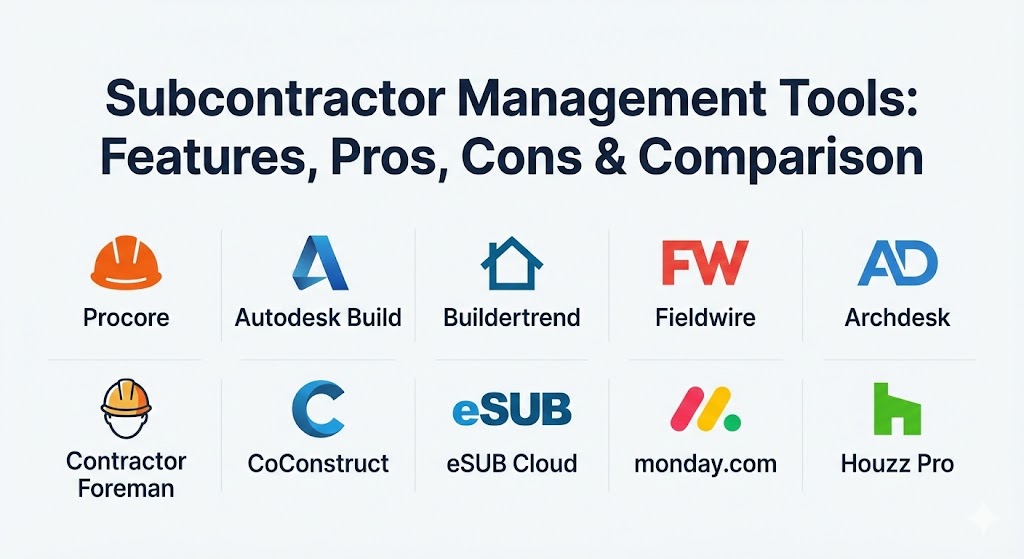
Top 10 Subcontractor Management Tools
1 — Procore
Procore is a dominant force in the construction management industry, offering an “all-in-one” platform that connects owners, general contractors, and subcontractors. It is renowned for its massive ecosystem and ability to handle the most complex commercial projects.
- Key features:
- Centralized document and drawing management with real-time markups.
- Robust RFI (Request for Information) and submittal workflows.
- Integrated “Subcontractor Portal” for easy communication and document uploads.
- Financial management tools for tracking budgets and change orders.
- Best-in-class BIM and 3D model coordination.
- Field productivity tools for tracking daily logs and man-hours.
- Pros:
- Unmatched integration options with hundreds of third-party apps.
- Highly scalable; can manage anything from a single home to a multi-billion dollar stadium.
- Cons:
- One of the most expensive options on the market.
- Can be overly complex for small contractors who only need basic task tracking.
- Security & compliance: SOC 2 Type II, ISO 27001, HIPAA, and GDPR compliant. Includes robust audit logs and SSO integration.
- Support & community: Exceptional support with “Procore Certification” programs and a vast global user community.
3 — Autodesk Build
Born from the merger of PlanGrid and BIM 360, Autodesk Build is a technical powerhouse focused on bridging the gap between design and construction. It is a favorite for projects that rely heavily on engineering data and detailed blueprints.
- Key features:
- Sheet management that organizes thousands of drawings instantly.
- Progress tracking that allows subs to mark off work as “finished” on-site.
- Integrated meeting minutes and safety checklists.
- Direct connection to Revit and other design software.
- Standardized data collection for more accurate reporting.
- Pros:
- Seamless design-to-build workflow for teams already using Autodesk software.
- Excellent mobile app performance even with massive, data-heavy files.
- Cons:
- The pricing structure can be confusing with “per user” and “per project” options.
- Primarily focused on the technical/field side; less focus on back-office HR.
- Security & compliance: ISO 27001, 27017, 27018, and SOC 2 Type II compliant.
- Support & community: Comprehensive technical documentation and global enterprise-level support.
4 — Buildertrend
Buildertrend is the go-to solution for residential builders and remodelers. It focuses heavily on the relationship between the contractor, the subcontractor, and the homeowner, offering a more “social” approach to management.
- Key features:
- Client portal for sharing photos and updates with homeowners.
- Simple bidding system that allows subs to respond to quotes via email.
- Integrated scheduling with automated reminders for subs.
- Daily logs with voice-to-text and photo upload capabilities.
- Online payment processing for paying subcontractors.
- Pros:
- Very high user adoption rates due to its intuitive, friendly interface.
- Excellent for improving the “customer experience” in residential builds.
- Cons:
- Not designed for heavy industrial or commercial projects.
- Customization options are more limited than enterprise ERPs.
- Security & compliance: Encrypted data storage, SSO support for enterprise tiers, and GDPR compliance.
- Support & community: Every new account gets a dedicated “coach” to assist with onboarding.
5 — Fieldwire (by Hilti)
Fieldwire is a “task-first” platform designed specifically for the field. It is incredibly popular among subcontractors themselves because it makes managing their own crews on a job site remarkably simple.
- Key features:
- Plan-based task management (drop a “pin” on a drawing to assign work).
- Instant messaging within the app to reduce phone tag.
- High-speed plan viewing with automatic versioning.
- Customized forms for safety inspections and daily reports.
- Punch list management with photo verification.
- Pros:
- Perhaps the easiest tool for field workers to learn and use immediately.
- Free version available for small teams or initial trials.
- Cons:
- Lacks deep financial or accounting features found in larger suites.
- Reporting is focused on tasks rather than enterprise-wide analytics.
- Security & compliance: AES-256 encryption and SOC 2 compliance.
- Support & community: Rapid response times and a helpful “Fieldwire University” learning portal.
6 — Archdesk
Archdesk is a cloud-based ERP system that provides a unified platform for the entire project lifecycle. It is particularly strong for specialist contractors who need to manage production and financials alongside field work.
- Key features:
- Highly customizable workflows that can match any business process.
- Real-time financial control and valuation reports.
- Integrated resource and equipment management.
- Detailed project dashboards with live data.
- Tools for internal and external stakeholder communication.
- Pros:
- Offers a “single source of truth” across the entire company.
- Extremely flexible; the system grows and adapts with your firm.
- Cons:
- The setup phase requires more time due to the high level of customization.
- Smaller firms might find the ERP-level features more than they need.
- Security & compliance: ISO 27001 and GDPR compliant with data hosted on secure servers.
- Support & community: Known for high satisfaction rates and consultative customer support.
7 — Contractor Foreman
Contractor Foreman markets itself as the most affordable all-in-one construction management system. It provides a broad range of features that cater to small and mid-sized contractors who need professional tools without the enterprise price tag.
- Key features:
- QuickBooks integration to eliminate double data entry.
- Simple daily logs, time cards, and expense tracking.
- Bid management and lead tracking for winning new work.
- Safety meeting modules and document storage.
- Project scheduling with Gantt chart views.
- Pros:
- Unbeatable price-to-feature ratio for smaller companies.
- Offers a “100-day guarantee” which is rare in the software industry.
- Cons:
- The UI feels a bit more “utilitarian” and less modern than Procore or Buildertrend.
- Fewer advanced features for 3D modeling or BIM.
- Security & compliance: SSO, data encryption, and standard audit trails.
- Support & community: Provides extensive training videos and weekly live webinars.
8 — CoConstruct
A direct competitor to Buildertrend, CoConstruct is specifically tailored for custom home builders and remodelers. It focuses on reducing the chaos of selections, change orders, and subcontractor scheduling.
- Key features:
- Advanced selection management for managing client choices.
- Change order tracking that updates the budget automatically.
- Integrated messaging that keeps all communication in one place.
- Mobile app for subs to view their schedules and upload photos.
- “Ramp” pricing plan designed for growing businesses.
- Pros:
- Superior selection and change order management for custom builds.
- Strong emphasis on professional client communication.
- Cons:
- Pricing starts at a higher point than some entry-level competitors.
- Only available in the residential market space.
- Security & compliance: Encrypted databases and secure cloud hosting.
- Support & community: High-quality support and a dedicated “CoConstruct University” training site.
9 — eSUB Cloud
eSUB is unique because it is designed specifically for the subcontractor rather than the general contractor. It helps trade contractors protect their profits by meticulously tracking labor and communication.
- Key features:
- Labor productivity tracking to see if crews are hitting their targets.
- Standardized daily reports and project documentation.
- Change order management designed to ensure subs get paid for extra work.
- Integration with major accounting platforms like Sage and Viewpoint.
- Document version control for blueprints and specs.
- Pros:
- The only major tool built from the subcontractor’s perspective.
- Excellent for protecting trade firms against legal or financial disputes.
- Cons:
- Limited usefulness for general contractors who need a “top-down” view.
- UI can feel a bit data-heavy and takes time to master.
- Security & compliance: Secure SOC 2 data centers and encrypted transmissions.
- Support & community: Specialized support team that understands the challenges of trade contractors.
10 — Monday.com (Construction Vertical)
While Monday.com is a general work management platform, its “Construction” vertical has become a favorite for firms wanting a highly visual and flexible way to track their subcontractors.
- Key features:
- Customizable “Workload Overview” to see which subs are overbooked.
- Automated notifications (e.g., alert a sub when a preceding task is done).
- Integration with Slack, Google Drive, and thousands of other web apps.
- Mobile app with offline access for site updates.
- Easy-to-build “Subcontractor Portals” using low-code tools.
- Pros:
- The most visually appealing and flexible interface in the category.
- Great for firms that want to manage more than just construction (e.g., HR, Sales).
- Cons:
- Lacks built-in construction-specific features like BIM or RFI logs out of the box.
- Requires significant setup/templating to function as a full construction suite.
- Security & compliance: ISO 27001, 27017, 27018, SOC 1/2/3, GDPR, and HIPAA.
- Support & community: Massive global community and a comprehensive marketplace for third-party templates.
Comparison Table
| Tool Name | Best For | Platform(s) Supported | Standout Feature | Rating (Gartner/TrueReview) |
| Procore | Large Commercial | Web, iOS, Android | Massive App Marketplace | 4.6 / 5 |
| Autodesk Build | Technical / Design | Web, iOS, Android | Native Revit Integration | 4.5 / 5 |
| Buildertrend | Home Remodeling | Web, iOS, Android | Dedicated Account Coach | 4.1 / 5 |
| Fieldwire | Field Tasks | Web, iOS, Android | Plan-Pinned Tasks | 4.5 / 5 |
| Archdesk | Specialist Trades | Cloud-Native | Fully Customizable ERP | 4.7 / 5 |
| Contractor Foreman | Affordable All-in-One | Web, iOS, Android | Whole-Company Pricing | 4.6 / 5 |
| CoConstruct | Custom Home Builds | Web, iOS, Android | Selection Management | 4.6 / 5 |
| eSUB Cloud | Subcontractors | Web, iOS, Android | Labor Productivity Tracking | 4.4 / 5 |
| Monday.com | Visual Flexibility | Web, iOS, Android | Visual Workload Management | 4.7 / 5 |
| Houzz Pro | Small Design Firms | Web, iOS, Android | Visual 3D Floor Plans | 4.3 / 5 |
Evaluation & Scoring of Subcontractor Management Tools
| Category | Weight | Evaluation Criteria |
| Core Features | 25% | Scheduling, RFI/Submittals, document control, and field logs. |
| Ease of Use | 15% | Intuitiveness for field crews and administrative staff. |
| Integrations | 15% | Connectivity with accounting (Sage, QB) and design (BIM) tools. |
| Security | 10% | Data encryption, SSO, and industry-specific compliance. |
| Reliability | 10% | Mobile app offline performance and system uptime. |
| Support | 10% | Availability of onboarding, training, and 24/7 technical help. |
| Price / Value | 15% | ROI for the company size and project complexity. |
Which Subcontractor Management Tool Is Right for You?
Selecting the right platform depends on your seat at the table—whether you are the person hiring or the person being hired.
- Solo Users vs SMBs: If you are a small remodeler, Houzz Pro or Contractor Foreman provide the essentials without the “enterprise bloat.” They are priced for small teams and focus on winning work as much as managing it.
- Mid-Market vs Enterprise: For commercial general contractors, the choice usually comes down to Procore (for the best ecosystem) or Autodesk Build (for the best technical drawings).
- The “Sub’s” Perspective: If you are a trade contractor (Electrical, HVAC, Plumbing), eSUB is specifically designed to help you track your labor and ensure the general contractor doesn’t short-change you.
- Budget-Conscious: Contractor Foreman stands out by offering a “flat fee” for the entire company, whereas most other tools charge per user, which can get expensive as you add more field workers.
- Security and Compliance: Large infrastructure firms should look at Archdesk or Procore, which offer the robust audit trails required for government and high-compliance contracts.
Frequently Asked Questions (FAQs)
1. What is a Subcontractor Portal?
It is a dedicated login area where your subcontractors can view their specific schedules, upload required safety documents, and submit their invoices directly without needing full access to your internal system.
2. Can these tools work offline?
Most top-tier field apps (like Fieldwire and Procore) allow workers to view drawings and enter data offline. The app then syncs with the cloud once the worker returns to an area with Wi-Fi or cellular service.
3. Do these tools replace my accounting software?
Generally, no. They are “operational” tools that sync with accounting software (like QuickBooks, Sage, or Xero). They handle the day-to-day data entry, which then flows into your accounting system for final bookkeeping.
4. How do these tools help with insurance compliance?
Many platforms allow you to set “compliance gates.” If a subcontractor’s insurance certificate has expired, the system can automatically flag them or even block their payment until a new certificate is uploaded.
5. Are there free versions of these tools?
Fieldwire offers a limited free version for small teams. Most other enterprise tools like Procore or Buildertrend offer demos or short free trials but require a paid subscription for active projects.
6. What is the difference between CPM and Gantt scheduling?
CPM (Critical Path Method) is a more advanced scheduling technique that identifies the sequence of crucial tasks that determine the project duration. Tools like Autodesk Build support these complex dependencies.
7. Can I manage more than just construction with these tools?
While most are construction-focused, tools like Monday.com are “Work OS” platforms that can be customized to manage marketing, sales, and internal HR alongside your subcontractor workflows.
8. How do I get my subcontractors to actually use the app?
Choose a tool with a high “Ease of Use” rating. If the mobile app is simple and helps the sub get their work done faster (e.g., instant access to drawings), they are much more likely to adopt it.
9. What is RFI and why does it matter for subcontractors?
RFI stands for “Request for Information.” It is the formal process a sub uses to ask the GC or Architect a question about the plans. Tracking these digitally prevents delays and provides a legal record of communication.
10. Do these tools support international projects?
Yes, most enterprise tools like Procore and Archdesk support multiple languages and currencies, making them suitable for global firms and cross-border construction projects.
Conclusion
The evolution of subcontractor management from paper blueprints to AI-powered dashboards has significantly reduced the friction of modern construction. While Procore remains the “industry giant” for massive projects, the market has matured to offer specialized solutions for every niche—from the homeowner-focused features of Buildertrend to the trade-first mentality of eSUB. When choosing your tool, remember that the most powerful feature isn’t the code—it’s the adoption rate of the people in the field who have to use it every day.