Introduction
STEM Coding Education Platforms are specialized digital environments designed to teach computer science and programming within the broader context of Science, Technology, Engineering, and Mathematics. Unlike traditional development environments (IDEs) used by professional software engineers, these educational platforms focus on scaffolded learning—starting with visual, block-based logic and gradually transitioning to text-based syntax like Python, JavaScript, and C++.
The importance of these platforms lies in their ability to foster critical thinking, computational logic, and creative problem-solving. Real-world use cases span from primary schools using “Hour of Code” events to spark early interest, to high school career-technical programs preparing students for industry certifications. When choosing a platform, users should evaluate it based on age-appropriateness, curriculum alignment (such as CSTA standards), administrative features for progress tracking, and the quality of “block-to-text” transition pathways.
Best for: K-12 educators, school district administrators, homeschooling parents, and individual learners seeking a structured, gamified path toward digital fluency. Large-scale educational institutions benefit most from platforms offering centralized dashboarding and standards-aligned lesson plans.
Not ideal for: Professional developers seeking advanced production tools or organizations looking for narrow, project-specific corporate training that doesn’t involve pedagogical elements. For those cases, a standard cloud IDE or specialized technical documentation might be more effective.
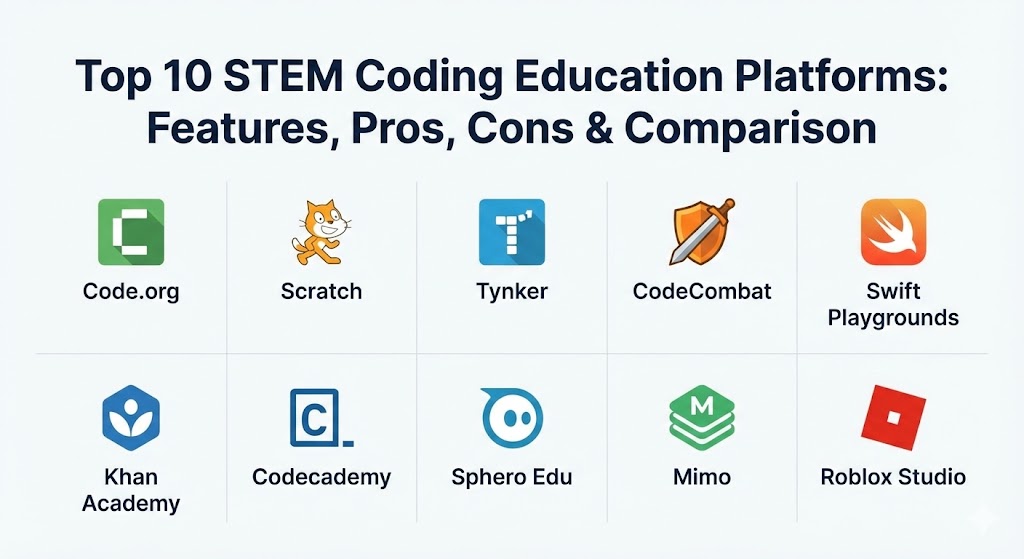
Top 10 STEM Coding Education Platforms
1 — Code.org
Code.org is the most recognized non-profit in the computer science education space. It is famous for its “Hour of Code” initiative and provides a comprehensive, K-12 curriculum used by millions of teachers worldwide.
- Key features:
- App Lab, Game Lab, and Web Lab for project-based learning.
- Integrated “CS Discoveries” and “CS Principles” curricula for middle and high schools.
- Licensed themes featuring popular IP like Minecraft, Star Wars, and Frozen.
- Comprehensive teacher dashboard for tracking student progress and grading.
- Video-based instruction featuring industry leaders and celebrities.
- AI-integrated tutorials that introduce machine learning concepts early.
- Pros:
- Completely free for all users, including schools and individuals.
- Excellent pedagogical scaffolding that builds confidence in younger learners.
- Cons:
- Some content can feel overly “academic” or school-like for solo learners.
- Transition to professional text-based coding can sometimes feel abrupt.
- Security & compliance: COPPA, FERPA, and GDPR compliant; uses SSO (Google, Microsoft, Clever).
- Support & community: Robust professional development for teachers; massive global community of educators and high-quality documentation.
2 — Scratch (MIT Media Lab)
Scratch is the world’s largest coding community for children. Developed by the MIT Media Lab, it pioneered the visual, block-based coding language that has become the global standard for introductory programming.
- Key features:
- Visual block-based interface designed specifically for ages 8–16.
- Global community for sharing, “remixing,” and collaborating on projects.
- Support for multi-media creation, including sound, art, and animation.
- Extensions for physical hardware like Micro:bit, LEGO Boost, and Go Direct sensors.
- ScratchJr (mobile app) specifically designed for pre-readers (ages 5–7).
- Offline editor for use without an internet connection.
- Pros:
- The most intuitive environment for teaching pure logic without syntax errors.
- Encourages “remixing,” which teaches students how to read and adapt others’ code.
- Cons:
- Limited capability for professional text-based coding (no Python/JS).
- The open community requires active moderation by parents/teachers to ensure safety.
- Security & compliance: GDPR and COPPA compliant; focus on student privacy with moderated forums.
- Support & community: Massive peer-to-peer community; extensive tutorials and teacher guides available in multiple languages.
3 — Tynker
Tynker provides a highly structured, self-paced learning path that takes students from simple logic puzzles to advanced professional programming. It is widely used for both home-based learning and formal school environments.
- Key features:
- Path-based learning for K-12, covering block coding, Python, and JavaScript.
- Specialized tracks for Minecraft Modding, Game Design, and Robotics.
- Integrated hardware control for drones (Parrot) and LEGO.
- Mobile app availability for learning on tablets.
- Automated assessment and certificate generation.
- Career-readiness courses including web development and data science basics.
- Pros:
- Excellent “block-to-text” transition, allowing students to view code side-by-side.
- Gamified elements like badges and currency keep students highly motivated.
- Cons:
- The premium version is significantly more expensive than free alternatives.
- Some of the older lessons can feel dated compared to the newer 2026 content.
- Security & compliance: COPPA and FERPA compliant; supports SSO for schools.
- Support & community: Professional customer support; extensive curriculum guides for educators.
4 — CodeCombat
CodeCombat uses an immersive RPG (Role-Playing Game) format to teach students real-world text-based coding languages like Python and JavaScript from their very first level.
- Key features:
- Game-based learning where students type code to move their heroes and cast spells.
- Ozaria expansion: A narrative-driven prologue focused on creative problem-solving.
- Competitive Arena: Students write scripts to battle each other in AI competitions.
- Web-based code editor with real-time feedback and error checking.
- Curriculum tracks designed specifically for middle and high school students.
- Teacher dashboard with progress tracking and lesson plans.
- Pros:
- The most engaging platform for students who enjoy gaming.
- Forces students into text-based syntax early, reducing the “block-coding crutch.”
- Cons:
- Can be distracting for some students who focus more on the game than the code.
- Requires a consistent internet connection for the high-quality graphics.
- Security & compliance: SOC 2, GDPR, and COPPA compliant.
- Support & community: Strong community of gaming-focused educators; active Discord and forums.
5 — Swift Playgrounds (Apple)
Created by Apple, Swift Playgrounds is a revolutionary app for iPad and Mac that makes learning Swift—the language used to build professional iOS apps—interactive and fun.
- Key features:
- Visual puzzles that teach the core concepts of Swift.
- Real-world app development tools using SwiftUI.
- Ability to build and submit real apps to the App Store directly from the app.
- Content “Books” ranging from basic logic to advanced app architecture.
- Augmented Reality (AR) challenges using ARKit.
- Direct connection to physical devices like Sphero and LEGO Mindstorms.
- Pros:
- The best path for anyone specifically wanting to enter the Apple ecosystem.
- Uses professional-grade code that is directly applicable to career goals.
- Cons:
- Locked strictly to Apple hardware (iPad and Mac).
- Swift is a powerful but specific language; not as “general purpose” for data science as Python.
- Security & compliance: High privacy standards; native Apple ecosystem security.
- Support & community: Part of Apple’s “Everyone Can Code” program; vast resources for educators.
6 — Khan Academy (Computer Programming)
Khan Academy offers a high-quality, free platform focusing on creative coding through JavaScript, HTML/CSS, and SQL. It is best known for its “Talk-throughs,” where an instructor codes in real-time.
- Key features:
- Interactive video lessons (“Talk-throughs”) where students can pause and edit the code.
- Project-based focus on animations, games, and web pages.
- ProcessingJS library integration for visual arts and creative coding.
- SQL and database courses for older or more advanced students.
- Peer-review system for project feedback.
- Completely free with no subscription tiers.
- Pros:
- High-quality instructional pedagogy that focuses on “the why” behind the code.
- Exceptional for students who prefer a structured, academic approach.
- Cons:
- The interface and content library haven’t evolved as quickly as gamified rivals.
- Lacks the robust school district management tools of Code.org or Tynker.
- Security & compliance: FERPA, COPPA, and GDPR compliant.
- Support & community: Massive user base; help centers and community forums.
7 — Codecademy (for Teams & Education)
Codecademy focuses on text-based coding in a distraction-free, browser-based environment. While it caters to adults, its student and high school tracks are top-tier for learners ready to move beyond “kid” platforms.
- Key features:
- Interactive sandbox with an IDE on one side and instructions on the other.
- AI Learning Assistant for instant error explanation and debugging help.
- Professional career paths: Web Dev, Data Science, Cybersecurity, AI.
- Admin dashboard for teachers to assign specific “Skill Paths.”
- Real-world projects that students can add to a professional portfolio.
- Integrated terminal for learning command-line basics.
- Pros:
- The best “serious” environment for students who want to code like professionals.
- Instant feedback ensures students don’t get stuck on minor syntax errors.
- Cons:
- The interface can feel dry and intimidating for younger children (under 12).
- High price point for the “Pro” and “Teams” tiers.
- Security & compliance: SOC 2 Type II, GDPR, and HIPAA compliant.
- Support & community: Robust community of learners; active events and clubs.
8 — Sphero Edu
Sphero Edu bridges the gap between digital code and physical robotics. It allows students to program Sphero robots using draw-based coding, blocks, or text (JavaScript).
- Key features:
- Multi-modal coding: Draw, Blocks, and JavaScript.
- Cross-platform app (Windows, Mac, iOS, Android, Chrome).
- Massive library of teacher-created STEAM activities and challenges.
- Integrated sensor data monitoring (accelerometer, gyroscope).
- “Boltie” and “RVR” hardware support for advanced engineering.
- Assignment and progress tracking for classrooms.
- Pros:
- Tangible, physical feedback makes coding “real” for students who struggle with abstraction.
- Excellent for collaborative, team-based classroom challenges.
- Cons:
- Requires significant investment in physical hardware (the robots).
- Physical hardware requires charging and maintenance, which can be an operational hurdle.
- Security & compliance: COPPA and GDPR compliant.
- Support & community: High-quality teacher training; active educational community and hardware support.
9 — Mimo
Often described as the “Duolingo for Coding,” Mimo uses micro-learning to make coding a daily habit. It is primarily mobile-first, making it ideal for students on the go.
- Key features:
- Bite-sized lessons (2–5 minutes) designed for consistency.
- Gamified “Streaks,” “Leaderboards,” and “Leagues” to encourage daily use.
- Tracks for Python, JavaScript, HTML/CSS, and SQL.
- Mobile IDE that allows students to write and run code on their phones.
- Integrated projects that build toward a certificate.
- Personalized learning paths that adapt based on student speed.
- Pros:
- The best-in-class platform for maintaining consistency and motivation.
- Low barrier to entry; perfect for busy students or “informal” learning.
- Cons:
- Lacks the depth of theory found in platforms like Khan Academy or Codecademy.
- Limited school-specific management features compared to district-wide tools.
- Security & compliance: GDPR compliant; standard mobile app security.
- Support & community: Active mobile community; solid documentation and FAQ support.
10 — Roblox Studio (Education)
Roblox is a gaming phenomenon, but its “Roblox Studio” is a powerful 3D development tool that teaches Lua programming, 3D modeling, and game design to millions of teens.
- Key features:
- Professional-grade 3D engine used to create games for the Roblox platform.
- Programming in Lua (a common scripting language in the gaming industry).
- Collaborative building in shared virtual spaces.
- Integration with math and physics (vectors, gravity, velocity).
- Entrepreneurial track: Students can monetize their games within the ecosystem.
- Extensive library of educational templates (e.g., “Galactic Speedway”).
- Pros:
- Unmatched engagement; students are building for an audience of millions.
- Teaches complex spatial reasoning and multi-variable physics.
- Cons:
- The ecosystem can be a “walled garden” focused mostly on gaming.
- Requires a high-spec computer to run the 3D studio smoothly.
- Security & compliance: Heavy investment in safety; COPPA and GDPR compliant.
- Support & community: Massive developer community; dedicated “Roblox Education” hub for teachers.
Comparison Table
| Tool Name | Best For | Platform(s) Supported | Standout Feature | Rating (Expert Review) |
| Code.org | Classroom Standard | Web-based | “Hour of Code” Initiative | 4.9 / 5 |
| Scratch | Creative Beginners | Web, Android, iOS | “Remixing” Shared Projects | 4.8 / 5 |
| Tynker | All-in-One K-12 | Web, iOS, Android | Best Block-to-Text Path | 4.7 / 5 |
| CodeCombat | Gamers (Text-based) | Web-based | RPG-Style Coding Levels | 4.6 / 5 |
| Swift Playgrounds | Apple Ecosystem | iPad, macOS | Build Real App Store Apps | 4.7 / 5 |
| Khan Academy | Conceptual Depth | Web, iOS, Android | Instructor “Talk-throughs” | 4.5 / 5 |
| Codecademy | Teens / Career-Ready | Web-based | Professional Browser IDE | 4.6 / 5 |
| Sphero Edu | Physical Robotics | Win, Mac, iOS, Android | Hardware-Software Bridge | 4.7 / 5 |
| Mimo | Micro-learning | iOS, Android | Gamified Daily Habit Loop | 4.5 / 5 |
| Roblox Studio | Game Design (Lua) | Win, macOS | 3D World Building (Lua) | 4.6 / 5 |
Evaluation & Scoring of STEM Coding Education Platforms
To determine the effectiveness of these platforms for 2026, we utilize a weighted scoring rubric that reflects the priorities of modern educational institutions.
| Category | Weight | Evaluation Criteria |
| Core Features | 25% | Variety of languages, curriculum depth, and block-to-text transitions. |
| Ease of Use | 15% | Intuitiveness of the UI and student onboarding experience. |
| Integrations | 15% | Support for hardware (Robots), SSO, and LMS (Canvas/Google Classroom). |
| Security & Compliance | 10% | COPPA/FERPA compliance, data privacy, and moderation. |
| Performance | 10% | Load speeds, reliability of the web IDE, and mobile responsiveness. |
| Support & Community | 10% | Teacher training resources, documentation, and user forums. |
| Price / Value | 15% | Affordability for families and cost-per-seat for school districts. |
Which STEM Coding Education Tool Is Right for You?
Selecting the right platform depends on the learner’s age, goals, and the environment (home vs. school).
- Solo Learners vs. Schools: If you are a student learning at home, Mimo or CodeCombat are excellent because they are self-guiding and highly engaging. If you are a school district, Code.org is the gold standard for its centralized dashboarding and district-level reporting.
- Budget-conscious vs. Premium: Scratch, Code.org, and Khan Academy are 100% free and offer quality that rivals any paid software. If you have the budget, Tynker or Codecademy provide more specialized “career tracks” and higher-end automation.
- Feature Depth vs. Ease of Use: For absolute beginners (ages 5–10), Scratch is the winner due to its visual-only interface. For older teens focused on getting a job or building a startup, Codecademy and Swift Playgrounds provide the text-based depth they need.
- Integration Needs: If you want to integrate coding with a physical science lab, Sphero Edu is the most robust choice. If you need to integrate with existing school systems like Clever or Google Classroom, Code.org and Tynker lead the pack.
- Security Requirements: All platforms listed here meet basic student data privacy standards, but Code.org and Khan Academy are particularly well-regarded for their non-profit transparency and commitment to safety.
Frequently Asked Questions (FAQs)
1. At what age should a child start using these platforms?
Most platforms start as early as age 5 (ScratchJr, Tynker Junior). These early tools use symbols instead of words, allowing children to learn logic before they can even read.
2. Is “Block-Based Coding” real coding?
Yes. Block coding uses the same logic, loops, and variables as “real” coding. It simply removes the syntax errors (like forgetting a semicolon) that often discourage beginners.
3. Do I need a powerful computer to run these?
Most platforms (Code.org, Khan Academy) are web-based and run on basic Chromebooks. Only 3D engines like Roblox Studio or local IDEs like Swift Playgrounds require more powerful hardware.
4. Can these platforms help with high school credit?
Yes. Many high schools use the “AP Computer Science Principles” track on Code.org or Codecademy to prepare students for the official College Board exams.
5. Which language should a student learn first?
Python is widely considered the best first “text” language due to its readable syntax. JavaScript is best for those interested in building websites and apps.
6. Are these tools suitable for adults?
Absolutely. Platforms like Codecademy and Khan Academy are used by thousands of adults looking to switch careers or pick up a new skill in 2026.
7. How do I track my child’s or student’s progress?
Platforms like Tynker and Code.org offer parent/teacher dashboards that show exactly which levels have been completed and where a student might be struggling.
8. Do these platforms teach AI and Machine Learning?
Yes, most top platforms have added AI modules in 2025-2026. Code.org and Codecademy have some of the most comprehensive introductory AI tracks.
9. What is the “Hour of Code”?
It is a global movement reaching tens of millions of students. It’s a one-hour introductory activity on Code.org designed to demystify “code” and show that anyone can learn the basics.
10. Can coding be learned on a tablet or phone?
Yes. Mimo and Swift Playgrounds are designed specifically for mobile devices, while most others have a mobile-responsive web version.
Conclusion
The “best” STEM coding education platform is not a universal winner; it is a match for the learner’s specific stage of development. For the kindergartner, it is the playful blocks of Scratch. For the gamer, it is the RPG worlds of CodeCombat. For the career-bound teen, it is the professional IDE of Codecademy. As we look toward the future, the ability to “speak” the language of machines will be the single most empowering skill a student can acquire. By choosing a platform that balances engagement with pedagogical depth, you are giving them the keys to the 21st-century economy.