Introduction
Speech-to-text platforms are specialized software solutions that leverage Automated Speech Recognition (ASR) and Natural Language Processing (NLP) to convert audio or video recordings into written transcripts. These platforms serve as the bridge between the fluid nature of human conversation and the structured world of digital documentation. By automating the transcription process, organizations can unlock “dark data” buried in meetings, interviews, and lectures, turning it into actionable intelligence.
The importance of these tools is multifaceted. They drive accessibility for the hearing-impaired, ensure regulatory compliance in legal and medical fields, and dramatically reduce the time-to-market for content creators. Real-world use cases span from journalists transcribing breaking news interviews in minutes to law firms creating verbatim records of depositions. When evaluating a transcription platform, users must consider the “Word Error Rate” (WER), multi-speaker identification (diarization), language support, and integration capabilities with existing tech stacks like Zoom or Salesforce.
Best for: Journalists, podcasters, legal and medical professionals, corporate researchers, and accessibility teams in large organizations or academic institutions. It is also ideal for remote teams looking to document internal knowledge without manual note-taking.
Not ideal for: Casual users who only need to transcribe a few minutes of audio once a year (where free, built-in mobile tools suffice) or individuals working in extreme-noise environments without high-quality recording equipment, as AI accuracy drops significantly without a clean signal.
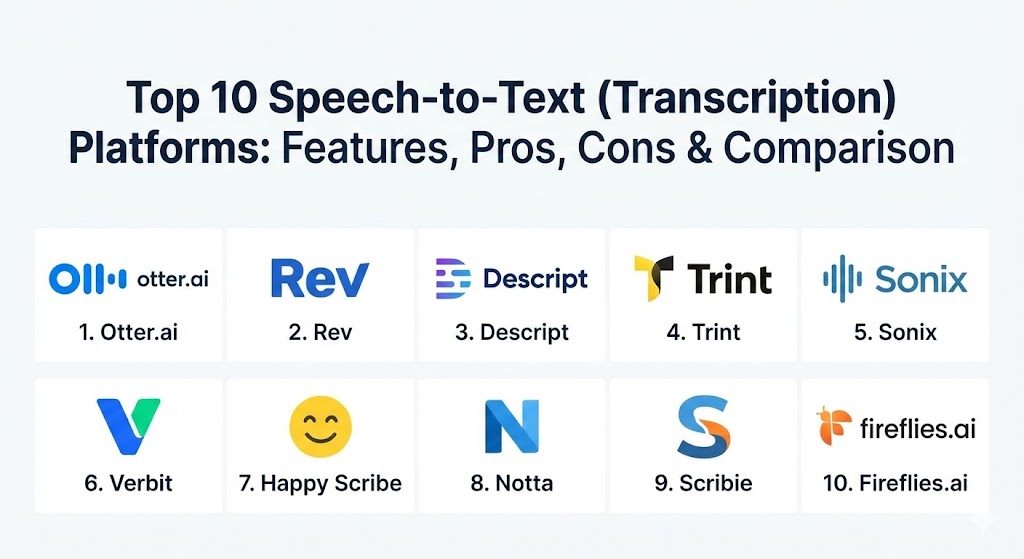
Top 10 Speech-to-Text (Transcription) Platforms
1 — Otter.ai
Otter.ai is a leading AI-powered meeting assistant designed to capture and share conversations in real-time. It is specifically built for collaborative environments, offering a seamless way to record, transcribe, and summarize meetings across various web conferencing platforms.
- Key features:
- OtterPilot: Automatically joins Zoom, Google Meet, and Microsoft Teams to record and transcribe calls.
- Real-time collaborative notes where participants can highlight and add comments.
- Automated meeting summaries with actionable items and key takeaways.
- Speaker identification (diarization) that learns individual voice prints over time.
- Multi-device synchronization across web, iOS, and Android platforms.
- Advanced search functionality for keywords across all recorded conversations.
- Pros:
- Best-in-class integration for live meetings; it essentially acts as an extra participant.
- Highly cost-effective for small teams and individual professionals.
- Cons:
- Accuracy can struggle significantly with heavy non-native accents or technical jargon.
- Limited advanced editing features for video-first content creators compared to rivals.
- Security & compliance: SOC 2 Type II, GDPR compliant, and uses 256-bit AES encryption for data at rest.
- Support & community: Extensive online documentation, a responsive help center, and a large community of business users sharing workflow templates.
2 — Rev
Rev is widely considered the gold standard in the transcription industry, offering a unique hybrid model that combines industry-leading AI with a network of over 70,000 professional human transcribers.
- Key features:
- Hybrid transcription model: Choose between 99% accurate human transcription or fast AI-driven results.
- Rev AI API: Allows developers to integrate Rev’s high-accuracy speech engine into custom applications.
- Foreign language subtitles and captions in over 15 global languages.
- Mobile app that allows for instant recording and direct ordering of transcripts.
- Interactive transcript editor that syncs text with the audio/video timeline.
- Robust security features including non-disclosure agreements for all human transcribers.
- Pros:
- Unmatched 99% accuracy guarantee for human transcription services.
- Extremely fast turnaround times, often delivering human transcripts in under 12 hours.
- Cons:
- Human transcription is significantly more expensive than automated AI options.
- Pricing is “per-minute,” which can become prohibitive for high-volume users on a tight budget.
- Security & compliance: HIPAA compliant (with BAA), SOC 2, and PCI-DSS compliant.
- Support & community: 24/7 customer support via email and chat, plus a dedicated account management team for enterprise clients.
3 — Descript
Descript has revolutionized the transcription market by introducing a “text-based editing” workflow. It is designed for creators who want to edit audio and video as easily as they would a Word document.
- Key features:
- Edit-by-text: Deleting a word in the transcript automatically cuts the corresponding audio/video.
- Overdub: AI voice cloning that allows users to type new words to “record” them in their own voice.
- Filler word removal: One-click deletion of “ums,” “uhs,” and repetitive stutters.
- Studio Sound: AI-driven audio enhancement that makes home recordings sound professional.
- Multitrack transcription for podcasts with multiple microphones.
- Integrated screen recording and social media clip generation.
- Pros:
- Transformative workflow for podcasters and video editors; saves dozens of hours in post-production.
- All-in-one suite that replaces the need for separate recording and editing software.
- Cons:
- Steeper learning curve than traditional “upload and receive” transcription tools.
- The software can be resource-heavy, requiring a modern computer for smooth performance.
- Security & compliance: SOC 2 Type II, GDPR, and data encryption in transit and at rest.
- Support & community: High-quality video tutorials, active Discord community, and standard email support.
4 — Trint
Trint is an enterprise-grade transcription platform built specifically for journalists, storytellers, and newsrooms. It focuses on the “storytelling” aspect of transcription, allowing users to find the best quotes and share them quickly.
- Key features:
- Real-time “Live Transcription” for breaking news and live events.
- Storyboarding: Drag and drop transcript highlights into a narrative structure.
- Multi-language translation in over 50 languages with a focus on editorial accuracy.
- Integration with Adobe Premiere Pro and various newsroom systems.
- Collaborative workspace for global teams to work on the same transcript simultaneously.
- High-security “private cloud” options for sensitive government or legal work.
- Pros:
- Designed for the high-pressure environment of journalism and media production.
- Strong emphasis on data sovereignty and privacy, particularly for European users.
- Cons:
- One of the more expensive subscription models in the market.
- Mobile app features are somewhat limited compared to the desktop experience.
- Security & compliance: ISO 27001 certified, GDPR compliant, and SSO (Single Sign-On) support.
- Support & community: Dedicated enterprise support, comprehensive onboarding, and professional services for large deployments.
5 — Sonix
Sonix is an automated transcription platform known for its speed, simplicity, and highly accurate AI engine. It is a favorite among researchers and businesses that need quick turnarounds without the cost of human transcription.
- Key features:
- Automated translation in 40+ languages with word-by-word timestamping.
- Custom dictionary: Teach the AI specific industry terms, brand names, or acronyms.
- In-browser editor that allows for ultra-fast correction of AI errors.
- Permission-based sharing for large research teams and academic projects.
- Direct export to popular formats like VTT, SRT, and PDF.
- Automated subtitle generation with precise timing controls.
- Pros:
- Incredibly fast processing times; a one-hour file is typically ready in less than 5 minutes.
- Very clean and intuitive interface that requires zero training for new users.
- Cons:
- Purely automated; lacks a human-in-the-loop option for mission-critical accuracy.
- Advanced collaboration features are locked behind the higher-tier Enterprise plan.
- Security & compliance: SOC 2 Type II, HIPAA (Business Associate Agreement available), and GDPR.
- Support & community: Prompt email support, extensive knowledge base, and helpful “how-to” guides for researchers.
6 — Verbit
Verbit is a specialized transcription and captioning platform tailored for the higher education, legal, and government sectors. It uses specialized AI models trained on domain-specific terminology.
- Key features:
- Specialized AI engines for legal (court reporting) and academic (lecture) terminology.
- 99%+ accuracy achieved through a proprietary hybrid AI and human-review process.
- Native integrations with Learning Management Systems (LMS) like Canvas and Blackboard.
- Real-time captioning for live webinars and virtual classrooms.
- Built-in tools for ADA and Section 508 compliance management.
- Adaptive learning: The system learns from every correction made by its human reviewers.
- Pros:
- The best choice for regulated industries that require strictly compliant transcriptions.
- Highly scalable for large universities or massive legal firms.
- Cons:
- Not suitable for individuals or small startups due to its enterprise-focused pricing.
- Turnaround times can be longer for highly technical or specialized human-reviewed files.
- Security & compliance: HIPAA, GDPR, SOC 2, and HECVAT (for higher education) compliant.
- Support & community: White-glove service with dedicated account managers and 24/7 technical assistance.
7 — Happy Scribe
Happy Scribe is a European-based transcription and subtitling service that excels in its multi-lingual capabilities and simple, pay-as-you-go pricing model.
- Key features:
- Supports over 120 languages and dialects with high automated accuracy.
- Hybrid model: Users can choose between AI-generated or human-verified transcripts.
- Advanced subtitle editor with visual waveform and real-time preview.
- “No file size limit”: Ideal for long-form video projects and cinematic raw footage.
- Integration with Zapier, allowing for automation across 5,000+ apps.
- Interactive “Scribe Editor” designed for collaborative review.
- Pros:
- Exceptional language coverage, making it ideal for international organizations.
- Flexible pricing that doesn’t force users into a long-term subscription.
- Cons:
- Automated accuracy in some less common languages can be inconsistent.
- Customer support response times can be slower during US-based business hours.
- Security & compliance: GDPR compliant, data encryption, and regular security audits.
- Support & community: Multilingual support team, detailed documentation, and a growing community of video creators.
8 — Notta
Notta is a modern, fast-growing AI transcription tool that positions itself as a powerhouse for international meetings and bilingual professionals.
- Key features:
- Real-time transcription for 50+ languages with high speed.
- AI-powered meeting summaries that generate “mind maps” of conversation topics.
- Notta Bot: Automatically attends meetings to record even when you can’t.
- Built-in translation feature to convert transcripts instantly into other languages.
- Screen recording with integrated transcription for tutorials.
- Robust mobile app with a high-quality voice recorder.
- Pros:
- Very affordable pricing relative to the advanced AI features provided.
- Excellent for international teams that frequently switch between multiple languages.
- Cons:
- The UI can occasionally feel cluttered with features.
- Speaker diarization is good but not quite as precise as Otter or Rev.
- Security & compliance: SOC 2, SSL encryption, and GDPR compliant.
- Support & community: Responsive live chat support and a helpful library of productivity blogs.
9 — Scribie
Scribie is a veteran in the transcription world, focused on providing high-quality human transcription with a unique four-step verification process to ensure accuracy.
- Key features:
- Four-step human transcription process: Dictation, Review, Proofreading, and Quality Check.
- Free automated transcription included with every paid human order.
- Clean, no-frills online editor for manual adjustments.
- Flexible turnaround options ranging from 12 hours to 5 days.
- Confidentiality guarantee with background-checked transcribers.
- Simple API for bulk ordering and automated file delivery.
- Pros:
- One of the most reliable options for high-stakes human transcription.
- Simple, transparent pricing with no hidden fees or complex tiers.
- Cons:
- The web interface feels slightly dated compared to modern AI platforms.
- Lacks the advanced meeting-assistant features found in Otter or Notta.
- Security & compliance: NDA-backed transcribers, data encryption, and GDPR compliance.
- Support & community: Direct access to a support team with deep expertise in transcription workflows.
10 — Fireflies.ai
Fireflies.ai is a specialized “Conversation Intelligence” platform that turns your voice conversations into a searchable database of tribal knowledge.
- Key features:
- “Fred” Bot: An AI assistant that joins meetings to record and transcribe.
- Sentiment analysis: Tracks the “mood” of a meeting or sales call.
- Topic tracking: Automatically flags mentions of specific keywords or pricing.
- Soundbites: Create and share short audio clips of key meeting moments.
- Deep CRM integrations: Automatically pushes meeting notes to Salesforce, HubSpot, or Slack.
- Collaboration features: Add comments and reactions to specific parts of a transcript.
- Pros:
- The best tool for sales and customer success teams to track deal progress.
- Extremely powerful analytics that go beyond simple text transcription.
- Cons:
- Can be overly complex for users who just want a basic text file.
- Privacy-conscious participants may feel uncomfortable with a “bot” recording every call.
- Security & compliance: SOC 2 Type II, HIPAA (on Enterprise), and GDPR compliant.
- Support & community: Strong developer documentation, active user community, and dedicated customer success managers.
Comparison Table
| Tool Name | Best For | Platform(s) Supported | Standout Feature | Rating (Gartner / TrueReview) |
| Otter.ai | Meetings & Remote Teams | Web, iOS, Android | OtterPilot Assistant | 4.5 / 5.0 |
| Rev | Maximum Accuracy | Web, Mobile, API | Human + AI Hybrid | 4.7 / 5.0 |
| Descript | Podcasters & Editors | Windows, macOS | Edit-by-Text Workflow | 4.8 / 5.0 |
| Trint | Journalism & Media | Web, iOS | Storyboarding Tools | 4.4 / 5.0 |
| Sonix | Speed & Research | Web | High-Speed AI Engine | 4.6 / 5.0 |
| Verbit | Legal & Academic | Web, Enterprise | Compliance-Driven AI | 4.4 / 5.0 |
| Happy Scribe | International Video | Web | 120+ Language Support | 4.5 / 5.0 |
| Notta | Bilingual Meetings | Web, Mobile | AI Visual Mind Maps | 4.4 / 5.0 |
| Scribie | Reliable Human Work | Web | 4-Step Human Check | 4.6 / 5.0 |
| Fireflies.ai | Sales & CRM Intelligence | Web, Integrations | Sentiment Analysis | 4.8 / 5.0 |
Evaluation & Scoring of Speech-to-Text Platforms
To help you decide, we have evaluated these platforms across several key categories using a weighted scoring system.
| Category | Weight | Description |
| Core Features | 25% | Accuracy (WER), speaker identification, and language support. |
| Ease of Use | 15% | User interface design, mobile accessibility, and onboarding. |
| Integrations | 15% | Compatibility with Zoom, Teams, CRMs, and video editors. |
| Security & Compliance | 10% | Encryption standards, SOC 2, GDPR, and industry certifications. |
| Performance | 10% | Processing speed and real-time transcription latency. |
| Support | 10% | Documentation quality and technical support responsiveness. |
| Price / Value | 15% | Affordability relative to features and subscription flexibility. |
Which Speech-to-Text Platform Is Right for You?
Choosing the right platform is a strategic decision that should align with your specific workflow requirements rather than just “the highest accuracy.”
Solo Users vs SMB vs Enterprise
- Solo Users: If you are a student or freelancer, Otter.ai or Sonix are likely your best bets for their low entry costs and high utility.
- SMBs: Growing teams that produce content should look at Descript (for video) or Notta (for meetings).
- Enterprise: Large-scale organizations with strict legal and accessibility requirements should prioritize Verbit or Rev for their robust compliance frameworks.
Budget-Conscious vs Premium
If budget is the primary driver, Sonix or Happy Scribe offer excellent “pay-as-you-go” models. However, if you cannot afford a 1% error rate (e.g., in a legal trial), paying the premium for Rev’s human services or Scribie’s multi-step verification is a necessary investment.
Feature Depth vs Ease of Use
For those who need a “set it and forget it” tool for meetings, Fireflies.ai or Otter.ai lead the market. If you need a creative suite to actually build something with the text, Descript is the clear winner despite its higher complexity.
Frequently Asked Questions (FAQs)
1. How accurate are AI transcription platforms in 2026?
Leading platforms achieve between 90% and 95% accuracy for clear audio with single speakers. For multi-speaker environments or noisy settings, accuracy typically drops to 80-85% without human intervention.
2. Can these tools transcribe multiple languages in the same file?
Yes, platforms like Notta and Happy Scribe have specialized models that can detect language switches in real-time, making them ideal for bilingual interviews or global conferences.
3. Is my data secure and private on these platforms?
Most enterprise-grade tools (like Trint and Verbit) offer SOC 2 Type II compliance and do not use your data to train their public AI models unless you explicitly opt-in.
4. What is the difference between ASR and human transcription?
ASR (Automated Speech Recognition) is near-instant and cheap but prone to errors. Human transcription is slower and more expensive but captures nuances, slang, and technical context with near-perfect accuracy.
5. Can I use these tools for live events?
Platforms like Otter.ai, Trint, and Verbit offer live captioning or real-time transcription that displays text within seconds of the words being spoken.
6. Do I need professional microphones for good results?
While not mandatory, “garbage in, garbage out” applies. High-quality audio (USB or XLR microphones) significantly reduces the Word Error Rate (WER) and saves hours of manual editing.
7. How do transcription tools handle technical jargon?
Tools like Sonix and Rev allow you to upload a “Custom Dictionary” of specific terms, which the AI then prioritizes, significantly improving accuracy for niche industries.
8. Are there free versions of these tools?
Most platforms offer a limited free tier (e.g., 30-60 minutes per month). However, advanced features like API access and collaborative workspaces usually require a paid subscription.
9. Can I export transcripts directly to my video editor?
Yes, Descript and Trint offer direct plugins for Adobe Premiere Pro, Final Cut Pro, and DaVinci Resolve, allowing you to sync transcripts with your timeline instantly.
10. What is “Speaker Diarization”?
Diarization is the AI’s ability to recognize that “Speaker A” is different from “Speaker B” and label the transcript accordingly, even if the speakers have similar vocal profiles.
Conclusion
The landscape of Speech-to-Text platforms in 2026 is no longer about simple conversion; it is about context, collaboration, and compliance. Whether you are a podcaster using Descript to edit audio like text, or a legal professional relying on Verbit for ADA-compliant court records, the “best” tool is the one that removes the friction from your specific daily routine. As AI models move closer to 99% accuracy, the real differentiators will be the integrations and specialized workflows that turn words into wealth.