Introduction
Social Services Case Management software is a specialized category of platform designed to manage the end-to-end lifecycle of client care. At its core, it is a centralized digital repository that tracks intake, assessments, service plans, referrals, and outcomes. Unlike general CRM (Customer Relationship Management) software, these tools are built with a “person-centered” architecture, prioritizing confidentiality and the longitudinal tracking of social determinants of health.
The importance of these tools lies in their ability to provide a “single source of truth.” In real-world use cases, such as homelessness outreach or child welfare, a client may interact with multiple staff members across several departments. Without a unified system, information becomes siloed, leading to redundant assessments and fragmented care. Modern platforms allow for proactive intervention by using AI-driven analytics to identify clients at high risk of relapse or recidivism. When evaluating tools in this category, users should look for HIPAA and GDPR compliance, mobile accessibility for field workers, robust reporting for grant funders, and an intuitive interface that reduces the administrative burden on already overextended case managers.
Best for: Medium to large non-profit organizations, government human service departments, community health centers, and multi-program social agencies that must report complex outcomes to various private and public funders.
Not ideal for: Independent consultants or very small volunteer groups with low client volume and simple documentation needs, where a basic secure document storage solution or a standard spreadsheet might suffice without the high cost of enterprise-level software.
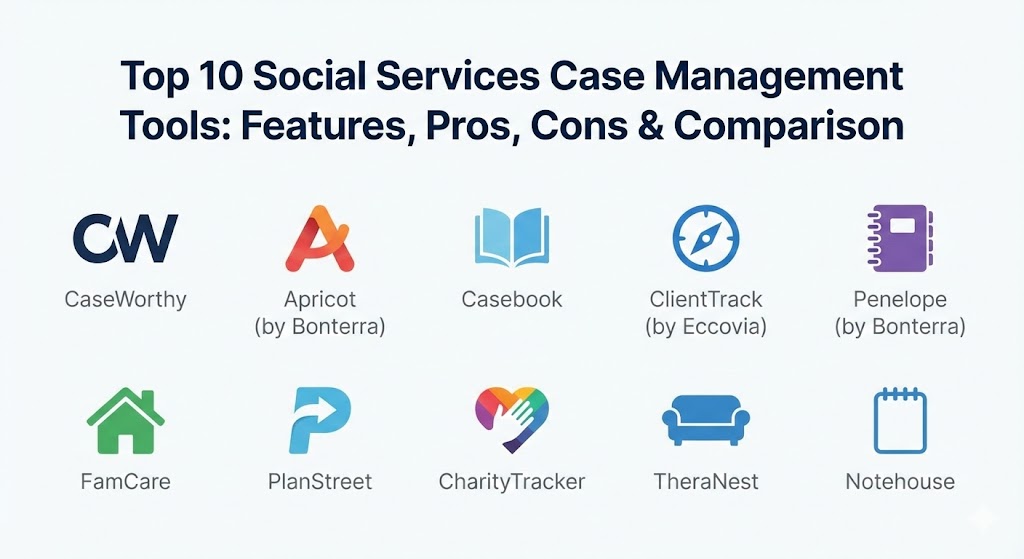
Top 10 Social Services Case Management Tools
1 — CaseWorthy
CaseWorthy is a high-performance, enterprise-level platform known for its extreme configurability. It is designed for large agencies that manage multiple, disparate programs under one roof and need a unified data environment.
- Key features:
- Highly customizable “Portal” architecture for different user roles.
- Advanced “aprevo” engine for automated data processing and integration.
- Comprehensive outcome tracking and impact measurement.
- Integrated referral management with external partner tracking.
- Robust document management with secure e-signatures.
- Built-in tools for managing homelessness (HMIS) and veteran services.
- Pros:
- Unrivaled flexibility; almost any field or workflow can be tailored without custom code.
- Excellent for cross-departmental collaboration in massive organizations.
- Cons:
- The high level of customization can lead to a long and complex implementation phase.
- The interface can feel overwhelming for users who only need basic features.
- Security & compliance: HIPAA, SOC 2 Type II, FERPA, and 21 CFR Part 11 compliant. Features granular role-based access control.
- Support & community: Offers a dedicated implementation manager, a comprehensive customer success portal, and an annual user conference for knowledge sharing.
2 — Apricot (by Bonterra)
Apricot is a cloud-based solution that emphasizes “outcomes-based” case management. It is a favorite among non-profits that need to prove their effectiveness to secure and maintain grant funding.
- Key features:
- Outcome dashboards that visualize progress against specific goals.
- “Best-practice” templates for common social service programs.
- Automated reporting for major funders (HUD, HHS, etc.).
- Smart forms with conditional logic to streamline data entry.
- Mobile-responsive design for field-based assessments.
- Integrated inventory and assistance tracking for direct aid.
- Pros:
- Strong focus on data visualization, making it easy to present impact to stakeholders.
- User-friendly “drag-and-drop” form builder that empowers non-technical staff.
- Cons:
- Some users find the reporting engine has a steep learning curve for advanced queries.
- Subscription costs can rise significantly as more advanced features are unlocked.
- Security & compliance: HIPAA and GDPR compliant. Uses bank-level encryption and secure AWS hosting.
- Support & community: Extensive online “Apricot Academy,” active community forums, and tier-based support options.
3 — Casebook
Casebook is a modern, cloud-native platform that prioritizes user experience (UX). Developed by social workers for social workers, it aims to reduce “screen time” and increase “face time” with clients.
- Key features:
- Clean, minimalist interface that reduces cognitive load.
- “Timeline” view of client history for quick context.
- In-app task management and team collaboration tools.
- Rapid intake modules for quick client onboarding.
- Automated document generation for legal and court reports.
- Integrated scheduling and calendar syncing.
- Pros:
- Arguably the most intuitive UI in the market, leading to high staff adoption rates.
- Faster deployment times compared to legacy enterprise systems.
- Cons:
- While growing, it may lack some of the deeply niche modules found in older legacy systems.
- Integrations with older, on-premise government systems can be challenging.
- Security & compliance: HIPAA, SOC 2, and 256-bit AES encryption.
- Support & community: Responsive live chat support, a rich knowledge base, and a focus on “customer-led” product development.
4 — ClientTrack (by Eccovia)
ClientTrack is a robust platform widely recognized for its community care coordination capabilities. It is particularly strong in managing Homeless Management Information Systems (HMIS).
- Key features:
- Advanced data-sharing capabilities for community-wide coordination.
- Integrated eligibility engine to match clients with available services.
- Longitudinal tracking of social determinants of health (SDoH).
- Comprehensive case notes with narrative and structured data options.
- Pre-configured templates for HMIS, Aging, and Veteran services.
- Powerful ad-hoc reporting and analytics engine.
- Pros:
- Industry-leading HMIS compliance and reporting functionality.
- Strong at breaking down silos between different community agencies.
- Cons:
- The interface can feel “traditional” and data-heavy compared to modern SaaS tools.
- Significant training is required to master the advanced reporting features.
- Security & compliance: HIPAA, HITRUST CSF Certified, and SOC 2 compliant.
- Support & community: Offers enterprise-level support plans, specialized training for HMIS leads, and a dedicated account management team.
5 — Penelope (by Bonterra)
Penelope is an all-in-one management system that excels in clinical and counseling environments. It provides a unique blend of case management and practice management features.
- Key features:
- Integrated clinical notes and treatment planning tools.
- Advanced scheduling with support for group sessions and classes.
- Automated reminders (SMS/Email) to reduce client no-show rates.
- Built-in billing and accounts receivable for fee-for-service models.
- Secure client portal for two-way communication and document sharing.
- Standardized assessment tools (e.g., PHQ-9, GAD-7) integration.
- Pros:
- Excellent for agencies providing both social services and professional counseling.
- Strong at managing complex scheduling across multiple locations.
- Cons:
- The software can be complex to configure initially due to the sheer volume of settings.
- Pricing is more geared toward mid-to-large organizations.
- Security & compliance: HIPAA, PIPEDA (Canada), and GDPR compliant.
- Support & community: Comprehensive onboarding services, a detailed online help center, and regular webinars.
6 — FamCare
FamCare specializes in child and family services, offering tools specifically designed for foster care, adoption, and juvenile justice.
- Key features:
- Foster home management and placement tracking modules.
- Automated court reporting and legal documentation tools.
- Vulnerability and risk assessment scoring.
- Incident and critical event tracking with automated alerts.
- Parental visit scheduling and monitoring logs.
- Education and health record tracking for children in care.
- Pros:
- Deeply specialized for the unique workflows of child welfare agencies.
- Reduces the risk of compliance errors in high-stakes legal environments.
- Cons:
- The specialized focus means it may be less flexible for general community programs.
- The UI has a slightly older aesthetic compared to 2026’s cloud-native competitors.
- Security & compliance: HIPAA compliant, with advanced audit logs for every user action.
- Support & community: High-touch support with consultants who have backgrounds in social work and child welfare.
7 — PlanStreet
PlanStreet is a cloud-based platform that prides itself on simplicity and rapid implementation, making it an excellent choice for growing non-profits.
- Key features:
- Visual “drag-and-drop” workflow designer.
- Mobile app for case managers to access data on the move.
- Client portal for self-service intake and document uploads.
- Integrated time tracking and mileage logging for staff.
- Goal management system with progress visualization.
- Customizable alerts and notifications.
- Pros:
- Very low barrier to entry for staff who are not tech-savvy.
- Competitive, transparent pricing that scales with the organization.
- Cons:
- May lack the heavy-duty data crunching capabilities required by massive government agencies.
- Integration library is smaller than some of the larger enterprise platforms.
- Security & compliance: HIPAA, GDPR, and SOC 2 Type II compliant.
- Support & community: 24/5 customer support, live demos, and a comprehensive video training library.
8 — CharityTracker
CharityTracker is unique for its focus on shared community networks. It is designed to help local agencies coordinate efforts to prevent “service jumping” and maximize community resources.
- Key features:
- Shared community database for real-time collaboration between agencies.
- Bulletins and alerts for local emergencies or client needs.
- Simple tracking of financial assistance and vouchers.
- “Vulnerability Index” to prioritize services for those in greatest need.
- Report builder for collective community impact.
- Basic volunteer and donor tracking.
- Pros:
- Extremely affordable, making it accessible for very small community groups.
- The network model is exceptionally effective for local disaster response or community aid.
- Cons:
- Lacks the clinical and specialized deep-dive features of tools like Penelope or FamCare.
- User interface is functional but very basic.
- Security & compliance: HIPAA compliant with secure data encryption.
- Support & community: Friendly, personalized support and a strong network of “CharityTracker Communities.”
9 — TheraNest
While often classified as practice management, TheraNest is a powerhouse for behavioral health-focused social services.
- Key features:
- Therapy-specific documentation (DAP, SOAP notes).
- Integrated telehealth platform for remote counseling.
- Credit card processing and electronic insurance billing.
- Wiley Treatment Planners integration.
- Secure client messaging and file sharing.
- Self-service client scheduling portal.
- Pros:
- Superior for social service agencies that rely heavily on mental health interventions.
- Streamlines the billing process, which is often a major pain point for counseling centers.
- Cons:
- Not built for “traditional” social services like housing, employment, or food pantry management.
- Reporting is focused on clinical productivity rather than social impact.
- Security & compliance: HIPAA and HITRUST compliant.
- Support & community: 24/7 email support and a large community of mental health practitioners.
10 — Notehouse
Notehouse is the “anti-database” tool. It is designed for small teams that want a simple, secure place to keep case notes without the complexity of a full MFT system.
- Key features:
- Simple “Searchable” case note system.
- Color-coded “Flags” for urgent issues or client statuses.
- Quick intake forms for basic client demographics.
- Secure document storage for client files.
- Export tools for basic reporting.
- User-defined categories for organizing notes.
- Pros:
- The simplest tool on this list; requires zero training.
- Very low cost, ideal for tiny budgets or new pilot programs.
- Cons:
- Lacks automation, billing, and complex reporting.
- Not suitable for organizations that need to track high-level outcomes or manage multiple programs.
- Security & compliance: HIPAA compliant and uses 256-bit encryption.
- Support & community: Small, responsive team and straightforward documentation.
Comparison Table
| Tool Name | Best For | Platform(s) Supported | Standout Feature | Rating (Gartner/TrueReviewnow) |
| CaseWorthy | Large, multi-program agencies | Cloud (Web) | Extreme Configurability | 4.6 / 5 |
| Apricot | Outcome-driven non-profits | Cloud (Web/Mobile) | Outcome Dashboards | 4.4 / 5 |
| Casebook | Staff adoption and modern UI | Cloud (Web/Mobile) | Intuitive UX / Timeline View | 4.7 / 5 |
| ClientTrack | Community coordination / HMIS | Cloud (Web) | Multi-Agency Data Sharing | 4.5 / 5 |
| Penelope | Counseling and clinical care | Cloud (Web) | Practice Management Blend | 4.3 / 5 |
| FamCare | Child welfare and foster care | Cloud (Web) | Specialized Legal Modules | 4.2 / 5 |
| PlanStreet | Growing non-profits | Cloud / Native Mobile | Visual Workflow Designer | 4.5 / 5 |
| CharityTracker | Local community networks | Cloud (Web) | Shared Community Database | 4.8 / 5 |
| TheraNest | Behavioral health focus | Cloud / Native Mobile | Integrated Telehealth/Billing | 4.6 / 5 |
| Notehouse | Small teams / simple notes | Cloud (Web) | Radical Simplicity | 4.9 / 5 |
Evaluation & Scoring of Social Services Case Management
To select these top 10, we used a weighted rubric to ensure the tools meet the high standards required for human service delivery in 2026.
| Category | Weight | Key Considerations |
| Core Case Features | 25% | Intake, assessments, goal tracking, and referrals. |
| Ease of Use | 15% | UI/UX design, mobile accessibility, and learning curve. |
| Integrations | 15% | APIs, EHR compatibility, and export capabilities. |
| Security & Compliance | 10% | HIPAA, GDPR, audit logs, and data encryption. |
| Performance & Reliability | 10% | Uptime, speed, and handling of large data sets. |
| Support & Community | 10% | Training, responsive support, and user forums. |
| Price / Value | 15% | Affordability for the non-profit sector and ROI. |
Which Social Services Case Management Tool Is Right for You?
The “right” tool depends more on your specific service area and organizational maturity than on total feature count.
- Solo Users vs. Tiny Teams: If you are a solo practitioner or a tiny volunteer group, Notehouse provides the basic security you need without the price tag of an enterprise system.
- Small to Mid-Sized Non-profits: If you are growing and need to prove impact to funders, PlanStreet or Apricot offer the best balance of sophisticated reporting and user-friendliness.
- Large Agencies & Government Departments: For massive operations with hundreds of users, CaseWorthy or ClientTrack are the industry standards for their ability to handle huge, complex data architectures.
- Clinical vs. Social Service Focus: If your work is primarily therapy or counseling, Penelope or TheraNest will serve you better than a general social work tool. If you manage foster care, FamCare is almost essential.
- Budget-Conscious vs. Premium: If budget is the primary driver, CharityTracker provides exceptional community-level value for a low cost, whereas CaseWorthy is a premium solution for those with the budget to invest in heavy customization.
Frequently Asked Questions (FAQs)
1. Is “Case Management” the same as “Project Management”? No. Project management focuses on tasks and deadlines for a specific goal. Case management focuses on a person, tracking their journey across multiple services, life events, and longitudinal outcomes.
2. Why is HIPAA compliance mandatory for social services software? Because social workers frequently handle Protected Health Information (PHI). Using non-compliant tools (like standard email or basic spreadsheets) can result in massive legal fines and ethical breaches.
3. Can these tools work offline? Some tools like Casebook and PlanStreet offer mobile apps or offline caching, which are crucial for field workers operating in areas with poor internet connectivity.
4. How do I migrate my data from paper or spreadsheets? Most vendors offer data migration services. You will typically export your spreadsheets to CSV files, and the vendor will map those fields into the new system’s database structure.
5. What is “Outcome-Based” reporting? It goes beyond tracking outputs (e.g., “We gave 50 bags of food”) to tracking outcomes (e.g., “Food insecurity for these 10 families decreased by 40% over six months”).
6. Can these tools help with grant applications? Yes. By providing clear, visualized data on your agency’s impact, these tools allow you to provide the “proof” that grant makers require to fund your programs.
7. Is training included in the cost? This varies. Lower-cost tools often provide self-service video libraries, while enterprise tools (CaseWorthy, ClientTrack) usually include a set number of live training hours in the implementation fee.
8. Can I manage volunteers and donors in these systems? Some tools, like Apricot and CharityTracker, have light CRM features for volunteers and donors, but they are not a replacement for dedicated donor management software like Raiser’s Edge.
9. What are “Social Determinants of Health” (SDoH)? These are non-medical factors like housing, education, and employment that affect a person’s health. Modern case management tools are specifically designed to track these factors.
10. How secure is the data in the cloud? Professional case management vendors use enterprise-grade cloud providers (like AWS or Azure) that offer physical security, multi-layered encryption, and regular third-party audits.
Conclusion
In 2026, social services are no longer just about heart; they are about data-driven empathy. Choosing the right case management tool is a strategic decision that affects the efficiency of your staff, the sustainability of your funding, and ultimately, the success of your clients. There is no “one-size-fits-all” winner; instead, there is a “best fit” for your agency’s unique mission. Focus on a tool that your staff will actually use, as a database is only as valuable as the quality of the data entered into it.