Introduction
A smart home platform is a software ecosystem—often paired with hardware hubs—that centralizes the control of various internet-of-things (IoT) devices. These platforms allow users to create “scenes” and “automations,” where a single trigger (like a motion sensor or a time of day) can initiate a chain reaction across different brands of lights, thermostats, locks, and appliances. By 2026, these platforms have integrated sophisticated AI to transition from reactive systems (doing what they are told) to proactive systems (predicting what the user needs).
In a real-world scenario, a well-configured platform handles the “Morning Routine”: it slowly raises the bedroom blinds, adjusts the thermostat, starts the coffee maker, and provides a verbal briefing on the day’s weather and traffic—all without a single manual command. When choosing a platform, users must evaluate compatibility (especially with the Matter and Thread standards), ease of use, the depth of automation logic, and whether the system relies on the cloud or local processing.
Best for: Homeowners looking to centralize control of diverse IoT brands, renters seeking simple “plug-and-play” security, and tech enthusiasts building complex, local-first automation scripts. It is also increasingly valuable for property managers and hotel operators seeking energy efficiency.
Not ideal for: Individuals who prefer manual control and have privacy concerns regarding always-listening microphones, or those with very few smart devices who find a centralized hub adds unnecessary complexity to their lives.
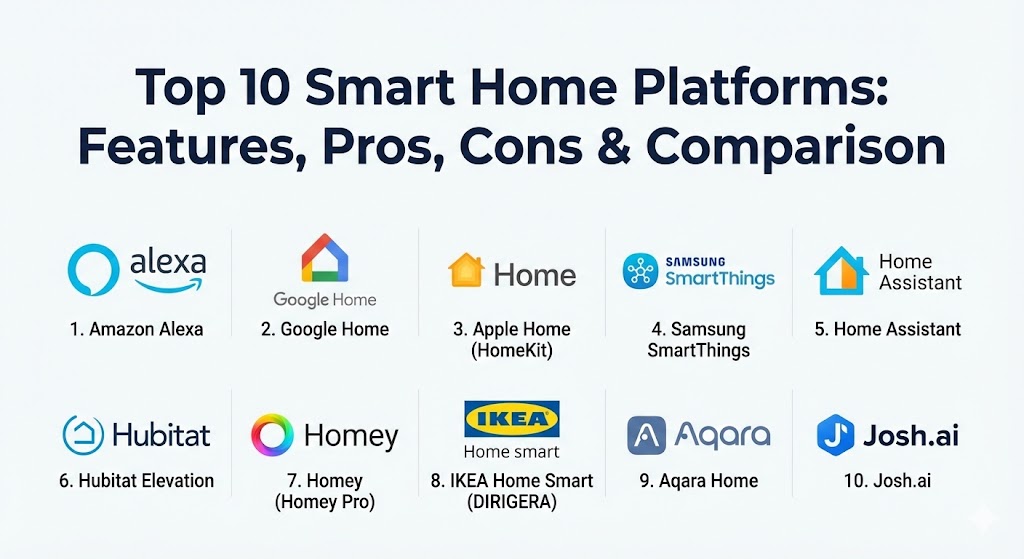
Top 10 Smart Home Platforms
1 — Amazon Alexa
Amazon Alexa remains the most recognized name in the smart home space. In 2026, it has evolved from a simple voice assistant into a highly proactive AI agent that leverages “Astro” intelligence to manage households through ubiquity and ease of use.
- Key features:
- Hunches: AI-driven proactive suggestions that can turn off lights or lock doors if it thinks you forgot.
- Alexa Together: Features designed for remote caregiving and elderly assistance.
- Map View: A digital twin of your home layout for visual device management.
- Frustration-Free Setup: Automated device discovery and connection via Matter.
- Guard Plus: Security features that listen for glass breaking or smoke alarms.
- Energy Dashboard: Real-time tracking of compatible appliance power consumption.
- Pros:
- Unrivaled compatibility with third-party hardware (millions of devices).
- Extremely easy for non-technical users to set up via the mobile app.
- Cons:
- Heavily reliant on the cloud; performance degrades significantly without internet.
- Privacy concerns remain a primary talking point for skeptics.
- Security & compliance: SSO via Amazon account, end-to-end encryption for voice recordings, and optional multi-factor authentication (MFA). GDPR and CCPA compliant data handling.
- Support & community: Massive online documentation, 24/7 phone/chat support, and the largest third-party developer community in the world.
2 — Google Home (powered by Gemini)
Google Home has undergone a massive transformation by integrating the Gemini AI engine. This allows for natural language “Script Editor” capabilities, where users can describe complex automations in plain English rather than coding them.
- Key features:
- Gemini Intelligence: Advanced natural language processing for complex queries.
- Home APIs: Allows developers to build Google Home features directly into other apps.
- Proactive Notifications: Alerts you if the garage was left open or if an unusual person is at the door.
- Script Editor: A powerful tool for advanced users to write complex automation logic.
- Presence Sensing: Uses Nest devices and phone location to adjust the home based on who is in the room.
- Fast Pair: Seamlessly connects Matter-enabled devices in seconds.
- Pros:
- The best “knowledge base” for voice queries thanks to Google Search integration.
- Excellent visual interface on Nest Hub displays.
- Cons:
- Frequent rebranding and deprecating of older features can be confusing.
- Data privacy is a significant concern given Google’s advertising-based business model.
- Security & compliance: SOC 2 (Google Cloud foundation), GDPR, HIPAA (for specific health integrations), and robust SSO.
- Support & community: Extensive help centers, video tutorials, and a very active “Nest” and “Google Home” Reddit and forum presence.
3 — Apple Home (HomeKit)
Apple Home is the go-to choice for users within the iOS ecosystem. It prioritizes privacy and local control, ensuring that most commands are processed within the home rather than being sent to a remote server.
- Key features:
- Apple Intelligence Integration: Local AI that understands context and user habits securely.
- Home Keys: Store digital house keys in the Apple Wallet for NFC-based entry.
- Secure Video: End-to-end encrypted video storage in iCloud for security cameras.
- Adaptive Lighting: Automatically adjusts color temperature throughout the day.
- Intercom: Send voice messages to specific rooms or all HomePods.
- Control Center Integration: Quick access to devices from any Apple device’s lock screen.
- Pros:
- Gold standard for privacy; Apple cannot see what you are doing in your home.
- Near-instant response times due to local processing on a HomePod or Apple TV.
- Cons:
- Strictly limited to the Apple ecosystem (no Android support).
- Requires an “Apple Hub” (Apple TV or HomePod) to function at scale.
- Security & compliance: End-to-end encryption (E2EE) for all communication, local processing, and strict hardware certification requirements. GDPR compliant.
- Support & community: High-quality official documentation and “Genius Bar” support, though the third-party community is smaller than Alexa’s.
4 — Samsung SmartThings
Samsung SmartThings is a versatile platform that bridges the gap between simple app-based control and powerful hub-based automation. It is one of the few platforms that natively supports Zigbee, Z-Wave, and Matter.
- Key features:
- SmartThings Find: Helps locate lost Galaxy devices and “Tags” throughout the house.
- Map View: A sophisticated 3D layout of the home for intuitive control.
- Galaxy Watch Integration: Control the entire home from your wrist.
- Advanced Rule API: Detailed automation logic that supports varied conditions.
- Energy Savings Mode: Automatically puts Samsung appliances in low-power mode during peak hours.
- Multi-Hub Support: Allows multiple hubs to work together for expanded range in large homes.
- Pros:
- Incredible hardware flexibility (supports Zigbee and Z-Wave alongside Matter).
- Native integration with a wide range of major household appliances (washers, fridges).
- Cons:
- The interface can feel cluttered due to the sheer number of options.
- Occasional latency when managing a very high number of cloud-to-cloud devices.
- Security & compliance: Samsung Knox security platform, SSO, and AES-256 encryption. ISO 27001 certified.
- Support & community: Excellent partner-led support and a very dedicated “SmartThings Community” forum with custom “Edge” drivers.
5 — Home Assistant
Home Assistant is the ultimate platform for the privacy-conscious tech enthusiast. It is an open-source system that runs locally on your own hardware (like a Raspberry Pi or dedicated Green/Yellow hubs).
- Key features:
- Local-First Control: Works without an internet connection, ensuring total privacy.
- 2,500+ Integrations: Support for almost every IoT device ever made.
- Lovelace UI: Fully customizable dashboards that can be tailored to any screen.
- Nabu Casa: An optional cloud service for secure remote access and voice assistant sync.
- Blueprints: Pre-made automation templates shared by the community.
- Energy Tracking: The most comprehensive residential energy monitoring suite available.
- Pros:
- Complete ownership of your data with zero “cloud” dependency.
- Infinite customization; if you can dream it, you can build it.
- Cons:
- High learning curve; can be intimidating for non-technical users.
- Requires dedicated hardware and periodic manual maintenance/updates.
- Security & compliance: User-managed security, local-only by default, supports SSO and MFA. Community-vetted open-source code.
- Support & community: The most passionate and helpful community in the smart home world; massive forum and Discord.
6 — Hubitat Elevation
Hubitat Elevation is designed for those who want the power of Home Assistant but with a slightly more “plug-and-play” hardware experience. It is a local-only hub that focuses on speed and reliability.
- Key features:
- C-8 Pro Hub: High-performance hardware with external antennas for Zigbee and Z-Wave.
- Rule Machine: An incredibly deep automation engine for complex logical flows.
- Local Dashboards: Web-based dashboards that load instantly.
- Built-in Migration: Easy tools to move from older hubs to the newest hardware.
- Matter Controller: Native support for the new industry standard.
- Z-Wave Long Range: Support for devices hundreds of feet away.
- Pros:
- Extremely fast execution of automations (no cloud lag).
- Very reliable; your house won’t “break” if the internet goes out.
- Cons:
- The user interface is functional but looks dated compared to Google or Apple.
- The initial setup of the “Rule Machine” can be complex for beginners.
- Security & compliance: Local-only processing means data never leaves the house. Supports local password protection.
- Support & community: Very responsive official forums where the engineers frequently interact with users.
7 — Homey (Homey Pro)
Based in the Netherlands, Homey offers a premium, “all-in-one” hub (Homey Pro) that supports eight different wireless technologies, including Infrared, 433MHz, and the usual Zigbee/Z-Wave/Matter.
- Key features:
- Flow Creator: A “card-based” visual automation builder that is both powerful and beautiful.
- Homey Insights: Detailed graphs and data logs for every sensor in the house.
- Infrared Control: Can control “dumb” devices like old TVs and air conditioners natively.
- Advanced Flow: A desktop-based canvas for professional-grade automation logic.
- Energy Management: Real-time monitoring and smart scheduling for EV chargers.
- Homey App Store: Community and manufacturer-developed apps for specific device support.
- Pros:
- The most elegant user interface in the smart home market.
- Supports an incredibly wide range of frequencies, replacing almost all other bridges.
- Cons:
- The hardware (Homey Pro) is one of the most expensive hubs on the market.
- Some specific US-based Z-Wave devices may have compatibility delays.
- Security & compliance: GDPR compliant (European based), local processing, and secure sandboxed apps.
- Support & community: High-quality documentation and a very active European user base.
8 — IKEA Home Smart (DIRIGERA)
IKEA has democratized the smart home with its DIRIGERA hub. It is a budget-friendly, Matter-ready platform designed for users who want a simple, reliable system without the high price tag.
- Key features:
- Matter Support: Acts as a bridge to pull IKEA devices into Alexa, Google, or Apple.
- Simplified Scenes: Easy “All Off” or “Mood Lighting” buttons.
- IKEA Home Smart App: A clean, no-nonsense interface for daily control.
- TRÅDFRI Integration: Legacy support for older IKEA smart bulbs and blinds.
- Physical Shortcuts: Low-cost physical buttons to trigger automations.
- Remote Access: Control your home while away via the cloud.
- Pros:
- Extremely affordable entry point into the smart home.
- Physical hardware (bulbs, blinds, sensors) is widely available at IKEA stores.
- Cons:
- Automation logic is very basic; no complex “if-this-then-that” scripting.
- Limited third-party device support; works best with IKEA’s own ecosystem.
- Security & compliance: AES-128 encryption for local traffic, GDPR compliant.
- Support & community: Standard IKEA customer service and a growing online following of “IKEA hackers.”
9 — Aqara Home
Aqara has grown from a sensor manufacturer into a full platform provider. Known for their sleek, high-quality hardware, the Aqara Home platform is excellent for those who prioritize sensor-driven automation.
- Key features:
- MagicPair: Effortless pairing of Aqara devices.
- Local Automation: Hub-based logic that works without internet.
- FP2 Presence Sensor: Revolutionary millimeter-wave technology for detecting falls or occupancy.
- Multi-Platform Bridge: Hubs act as Matter bridges for Apple, Google, and Amazon.
- Advanced Alert System: Built-in siren and security modes.
- Custom Dashboard: Clean, widget-based mobile interface.
- Pros:
- Some of the most innovative and affordable sensors on the market.
- Excellent reliability and battery life for Zigbee devices.
- Cons:
- The platform is still very “Aqara-centric”; third-party support is improving but limited.
- Multiple regional servers can make setting up international devices tricky.
- Security & compliance: ISO 27001, GDPR compliant, and end-to-end encryption for security video.
- Support & community: Growing YouTube tutorial ecosystem and active Reddit presence.
10 — Josh.ai
Josh.ai is the luxury choice, specifically designed for high-end professional installations. It focuses on privacy-first voice control and elegant integration with high-end systems like Lutron and Control4.
- Key features:
- Privacy-First Voice: Does not sell user data or use it for advertising.
- Natural Language Processing: Understands complex, multi-step commands (e.g., “Dim the lights, close the shades, and play some jazz”).
- Josh Micro/Nano: Beautifully designed hardware microphones that disappear into the room.
- Professional Grade: Built to work with high-end wired home automation systems.
- Contextual Awareness: Knows which room you are in so you can just say “Turn on the lights.”
- Custom Scenes: Deeply integrated scenes that control audio, video, and climate.
- Pros:
- The most sophisticated voice control on the market.
- Unrivaled privacy for high-profile or luxury clients.
- Cons:
- Extremely expensive; requires professional installation.
- Not a “DIY” system; hardware must be purchased through authorized dealers.
- Security & compliance: Local processing, no data selling, SOC 2 compliant infrastructure.
- Support & community: High-touch white-glove support through authorized dealers and integrators.
Comparison Table
| Tool Name | Best For | Platform(s) Supported | Standout Feature | Rating (Gartner / TrueReview) |
| Amazon Alexa | Ubiquity & Ease | iOS, Android, Web | Proactive “Hunches” | 4.6 / 5 |
| Google Home | AI Knowledge | iOS, Android, Web | Gemini Script Editor | 4.5 / 5 |
| Apple Home | Privacy (Apple Users) | iOS, macOS, watchOS | Secure Local Processing | 4.7 / 5 |
| SmartThings | Appliance Integration | iOS, Android, Windows | Map View 3D | 4.4 / 5 |
| Home Assistant | Enthusiasts/Privacy | Web, iOS, Android | Infinite Customization | 4.9 / 5 |
| Hubitat | Reliability/Speed | Web, iOS, Android | Rule Machine Logic | 4.5 / 5 |
| Homey Pro | Elegant All-in-One | Web, iOS, Android | Visual Flow Creator | 4.8 / 5 |
| IKEA Home Smart | Budget Beginners | iOS, Android | Cost-Effective Simplicity | 4.2 / 5 |
| Aqara Home | Sensor-Rich Homes | iOS, Android | Innovative mmWave Sensors | 4.3 / 5 |
| Josh.ai | Luxury/Professional | iOS, Android, Pro-Install | Privacy-First Voice | N/A (Pro Only) |
Evaluation & Scoring of Smart Home Platforms
Choosing a platform requires balancing conflicting priorities—usually between ease of use and the depth of control. We have scored these platforms based on a weighted rubric to help clarify their value.
| Category | Weight | Evaluation Criteria |
| Core Features | 25% | Automation depth, scene creation, and device management. |
| Ease of Use | 15% | UI design, setup process, and voice assistant intuitiveness. |
| Integrations | 15% | Compatibility with Matter, Thread, and third-party brands. |
| Security & Compliance | 10% | Local vs Cloud, data encryption, and privacy policies. |
| Performance | 10% | Speed of execution (latency) and offline reliability. |
| Support & Community | 10% | Documentation, forums, and customer support availability. |
| Price / Value | 15% | Initial cost vs. long-term utility and subscription fees. |
Which Smart Home Platform Tool Is Right for You?
The “right” platform is the one that meets your technical comfort level while supporting the devices you want to own.
- Solo Users vs SMB vs Mid-Market vs Enterprise:
- Solo/Home: Most users will thrive with Alexa or Google Home for their sheer simplicity.
- SMB/Apartment Blocks: IKEA Home Smart or SmartThings are excellent for managing multiple units at scale without high costs.
- Enterprise/Luxury: Josh.ai or Homey Pro provide the reliability and polish needed for high-end hospitality or luxury estates.
- Budget-Conscious vs Premium Solutions:
- If you are on a budget, IKEA and Aqara offer the best hardware-to-platform value.
- If you want a premium, “buy-once-cry-once” hub, Homey Pro or a Hubitat C-8 Pro are the top choices.
- Feature Depth vs Ease of Use:
- For “set it and forget it,” Apple Home or Alexa are king.
- For “I want my house to do anything,” Home Assistant is the only real choice.
- Integration and Scalability Needs:
- Ensure your chosen platform is Matter-certified. This ensures that even if you switch platforms in three years, your light bulbs and plugs will still work.
- Security and Compliance Requirements:
- If you are a privacy advocate, avoid the cloud. Choose Apple Home, Home Assistant, or Hubitat.
Frequently Asked Questions (FAQs)
1. What is Matter, and why does it matter in 2026?
Matter is a universal connection standard that allows devices from different brands to work together seamlessly. It ensures that an Apple device can talk to a Google Home hub, breaking down the “walled gardens” of the past.
2. Do I really need a physical hub?
While many platforms are app-based, a physical hub (like a HomePod, SmartThings Hub, or Homey) is necessary for local processing, Zigbee/Z-Wave support, and ensuring automations run even when your phone is off.
3. Can I use multiple platforms at the same time?
Yes. Thanks to Matter, you can control the same light bulb from both an Amazon Echo and an Apple HomePod. This is called “Multi-Admin” and is a core feature of modern smart homes.
4. What happens to my smart home if the internet goes out?
If you use a cloud-based platform (Alexa/Google), your automations will likely stop working. If you use a local-based platform (Home Assistant/Hubitat/Apple), your home will continue to function normally.
5. Are smart homes easy to hack?
Like any internet-connected device, there are risks. However, using platforms that prioritize local control and multi-factor authentication (MFA) significantly reduces your vulnerability compared to cheap, generic cloud devices.
6. Which platform has the best voice control?
As of 2026, Google Home (via Gemini) and Josh.ai lead the market in understanding natural, conversational language and context.
7. Can I take my smart home with me when I move?
Yes, but it’s easier with some. Wireless systems like Aqara or IKEA are simple to pack up. Wired, professional systems like Josh.ai are usually sold as part of the home’s permanent infrastructure.
8. Do these platforms require a monthly subscription?
Basic control is usually free. However, some (like Alexa Guard, Nest Aware, or Nabu Casa for Home Assistant) charge monthly fees for advanced security features, cloud storage for cameras, or remote access.
9. Is Thread better than Zigbee?
Thread is considered the successor to Zigbee. It is a “mesh” network designed for Matter that is faster, more reliable, and allows devices to talk directly to the internet without a specialized bridge.
10. How do I start if I’m a total beginner?
Start with a single ecosystem. If you have an iPhone, start with Apple Home. If you have an Android, start with Google Home. Buy a few Matter-certified bulbs and a smart plug, and build from there.
Conclusion
The smart home platform market in 2026 is no longer about which brand has the most “cool” features; it is about which ecosystem respects your privacy and offers the best interoperability. Whether you choose the massive ecosystem of Amazon Alexa, the privacy-first approach of Apple Home, or the infinite customization of Home Assistant, the goal is the same: to make your home work for you, rather than the other way around. As the industry settles on the Matter standard, the “best” tool is increasingly the one that integrates most naturally into your existing digital life.