Introduction
SLA Management Tools are specialized software platforms—often integrated within IT Service Management (ITSM) or Customer Service suites—designed to define, track, and report on the performance of service commitments. These tools monitor specific metrics such as “Mean Time to Respond” (MTTR) and “Resolution Time,” providing real-time countdowns and automated escalations to ensure deadlines are never missed. By centralizing these rules, organizations can transition from a reactive “firefighting” mode to a proactive, data-driven service culture.
The importance of these tools lies in their ability to provide objective accountability. In a complex supply chain, for instance, an SLA tool can pinpoint exactly where a delay occurred, preventing “blame-shifting” between departments. Key real-world use cases include Managed Service Providers (MSPs) managing hundreds of client contracts, internal IT desks supporting remote employees, and SaaS companies guaranteeing 99.9% uptime to their enterprise subscribers. When evaluating tools, users should look for flexible rule engines (handling holidays and time zones), automated escalation paths, and deep reporting capabilities that highlight historical trends and breach risks.
Best for: Large enterprises with complex multi-departmental workflows, Managed Service Providers (MSPs) handling contractual obligations, and fast-growing mid-market companies that need to professionalize their internal IT or customer support operations.
Not ideal for: Solopreneurs or very small teams with low ticket volumes where a simple shared inbox or a basic “to-do” list provides sufficient visibility. It is also overkill for businesses where “best-effort” support is acceptable and no formal uptime or response guarantees exist.
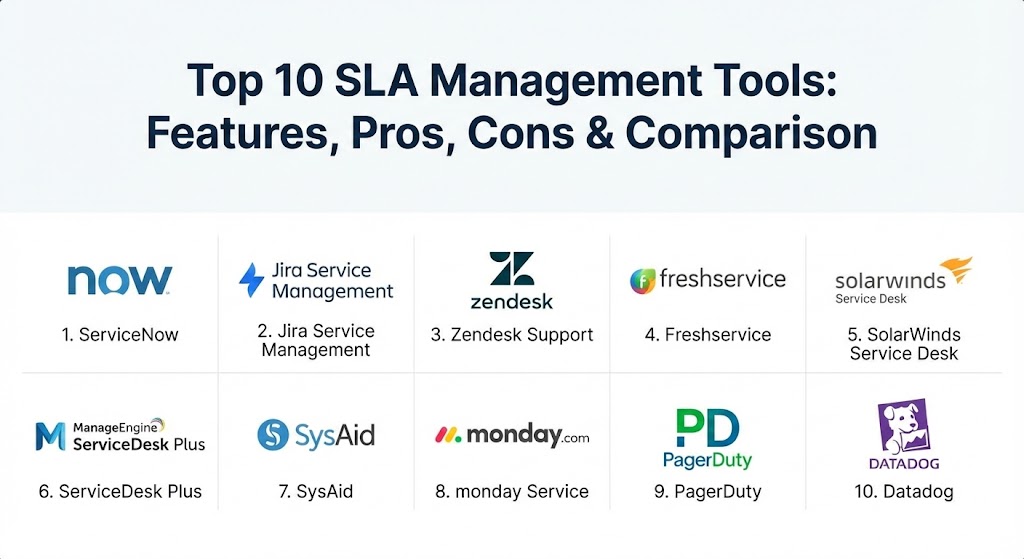
Top 10 SLA Management Tools
1 — ServiceNow (ITSM)
ServiceNow is the industry titan of enterprise service management. Its SLA engine is designed for high-complexity environments where different departments, vendors, and customers each require unique, multi-layered service commitments.
- Key features:
- Multi-level SLA structures (Corporate, Customer, and Service levels).
- Predictive AI alerts that warn agents before a breach occurs.
- Advanced “retroactive start” capabilities for reassigned tickets.
- Comprehensive pause/resume logic based on custom “waiting for” statuses.
- Integration with the broader ServiceNow CMDB and Change Management.
- Highly customizable dashboards for real-time compliance monitoring.
- Pros:
- Unmatched scalability; it can handle the most complex global business rules.
- Powerful automation that routes tickets based on the specific SLA at risk.
- Cons:
- Implementation is notoriously long and often requires expensive certified consultants.
- The licensing cost is among the highest in the market.
- Security & compliance: HIPAA, FedRAMP, SOC 1 & 2, ISO 27001, and GDPR compliant. Includes advanced SSO and detailed audit trails.
- Support & community: Exceptional enterprise support, a massive global “ServiceNow Community” forum, and extensive professional training via Now Learning.
2 — Jira Service Management (Atlassian)
Part of the Atlassian ecosystem, Jira Service Management (JSM) is the go-to tool for DevOps-centric organizations. It bridges the gap between customer support and software development, allowing for seamless SLA tracking across the entire lifecycle.
- Key features:
- “JQL” (Jira Query Language) for creating highly specific SLA goals.
- Calendar-based tracking that accounts for regional holidays and work hours.
- Automated “breach notifications” sent via Slack, Teams, or Email.
- Native integration with Jira Software for dev-team visibility.
- Visual countdown timers displayed directly on the agent’s ticket view.
- Queue prioritization based on “Time to Breach.”
- Pros:
- Extremely flexible; if you can write a query, you can track an SLA.
- Much more affordable and faster to set up than traditional enterprise legacy tools.
- Cons:
- The UI can become cluttered and “tech-heavy” for non-technical users.
- Performance can lag if a massive number of complex JQL rules are running simultaneously.
- Security & compliance: SOC 2, ISO 27001, GDPR, and HIPAA compliance options. Supports SSO and SAML.
- Support & community: Robust documentation and a huge global community (Atlassian Community) for sharing best practices.
3 — Zendesk Support
Zendesk is a customer experience (CX) leader that treats SLAs as a core part of the relationship. Its interface is built for speed and simplicity, making it a favorite for consumer-facing support teams.
- Key features:
- Omnichannel SLA tracking (Email, Chat, Phone, Social).
- Simple “target” settings for First Reply Time and Resolution Time.
- Automated ticket “shuffling” to keep the most urgent SLAs at the top.
- Integration with “Explore” for deep historical compliance reporting.
- Group-specific SLAs that allow different rules for Tier 1 vs. Tier 2 teams.
- Next-reply SLA targets to track ongoing conversation speed.
- Pros:
- The most intuitive user interface for support agents, leading to high adoption.
- Very fast deployment—basic SLA rules can be live in under an hour.
- Cons:
- Lacks the deep ITSM/Hardware asset management found in competitors.
- Advanced reporting and specific SLA types are often locked behind higher-priced tiers.
- Security & compliance: SOC 2, HIPAA, GDPR, ISO 27001, and PCI DSS.
- Support & community: Excellent online Help Center, active community forums, and 24/7 global support.
4 — Freshservice (by Freshworks)
Freshservice is a modern, AI-powered ITSM tool that focuses on “delighting” employees. It is known for its clean design and gamification features that keep IT teams engaged with their SLA targets.
- Key features:
- AI-driven “Freddy” assistant to suggest ticket prioritizations.
- Multiple SLA policies based on “Product,” “Department,” or “Source.”
- Gamified “Arcade” mode where agents earn points for meeting SLAs.
- Automated escalations to managers or “swarming” groups.
- Built-in asset management to see which devices are causing breaches.
- No-code workflow automator for building complex SLA logic.
- Pros:
- Superior user experience that feels like using a modern consumer app.
- Highly competitive “per-agent” pricing that is transparent and scalable.
- Cons:
- Some advanced customizations require a higher technical effort than expected.
- The mobile app, while functional, lacks the depth of the desktop portal.
- Security & compliance: ISO 27001, SOC 2, GDPR, and HIPAA. Data encryption at rest and in transit.
- Support & community: High-quality documentation, “Freshworks Academy,” and a very responsive support team.
5 — SolarWinds Service Desk
SolarWinds focuses on internal IT departments. Its SLA management is deeply connected to hardware and software performance, making it ideal for teams that manage physical infrastructure.
- Key features:
- Integrated “Service Level Management” dashboard.
- Color-coded breach timers that provide instant visual cues to agents.
- Automatic linking of SLAs to Change Requests and Problem records.
- Detailed breach analysis reports to identify recurring “trouble” assets.
- Escalation rules that can trigger external scripts or notifications.
- CSAT (Customer Satisfaction) correlation with SLA performance.
- Pros:
- Excellent for identifying how hardware failures (like a bad server) impact SLAs.
- Strong “out-of-the-box” reporting that satisfies most IT audit requirements.
- Cons:
- The interface feels more “industrial” and less sleek than Zendesk or Freshservice.
- Can feel overly complex for teams that only handle software-based requests.
- Security & compliance: FIPS 140-2 compatible, SOC 2, and HIPAA.
- Support & community: Backed by the famous “THWACK” community—one of the largest IT forums in the world.
6 — ManageEngine ServiceDesk Plus
As part of the Zoho ecosystem, ManageEngine is a powerhouse for mid-market businesses. It provides a comprehensive ITSM suite with high-end SLA features at a fraction of the enterprise price.
- Key features:
- Multi-stage escalations (e.g., alert at 50%, 75%, and 100% of time).
- “Operational Level Agreements” (OLAs) to track internal handoffs.
- Automated “Work-log” tracking to measure true time-on-task.
- Custom “business hours” for global teams in different time zones.
- Integration with Zoho Analytics for advanced data visualization.
- On-premise and cloud deployment options.
- Pros:
- Incredible value for money; it offers features usually reserved for “Tier 1” tools.
- The ability to manage internal “OLAs” alongside external “SLAs” is a game-changer.
- Cons:
- The sheer number of settings can be overwhelming for new administrators.
- The UI, while improved, still feels a bit dated in certain modules.
- Security & compliance: SOC 2, GDPR, HIPAA, and ISO 27001.
- Support & community: Extensive knowledge base, global phone support, and regular regional user groups.
7 — SysAid
SysAid is an ITIL-aligned service desk that places a heavy emphasis on automation and AI. It is designed to help small to mid-sized teams act like much larger organizations.
- Key features:
- “Service Orchestrator” for automated SLA-based routing.
- AI-powered ticket categorization to ensure correct SLA assignment.
- Dynamic timers that adjust based on ticket priority changes.
- Comprehensive dashboard for “At Risk” vs. “Breached” tickets.
- Integrated asset management to link hardware to service levels.
- Automatic follow-up emails for tickets nearing breach.
- Pros:
- Very strong focus on helping IT teams automate themselves out of manual work.
- Highly personalized customer success and onboarding experience.
- Cons:
- Advanced AI features are often locked in the premium “Enterprise” tier.
- Customization can sometimes require more scripting than competitors.
- Security & compliance: SOC 2, GDPR, HIPAA, and ISO 27001.
- Support & community: Strong “SysAid Academy” for training and active online user forums.
8 — Monday Service
Expanding from the popular work management platform, Monday Service offers a highly visual and flexible approach to SLAs. It is ideal for teams that find traditional ITSM tools too rigid.
- Key features:
- No-code automation builder for setting SLA triggers.
- Visual “Status” boards that use color-coding to show time-to-breach.
- Cross-departmental workflows (IT, HR, and Operations in one tool).
- Integrated AI for sentiment analysis and ticket sorting.
- Mobile-first design for managing SLAs on the go.
- Drag-and-drop dashboard creation for executive reporting.
- Pros:
- The most flexible tool; you can build almost any workflow without code.
- Excellent for “Business SLAs” outside of the IT department (like HR or Legal).
- Cons:
- Lacks some of the “deep” ITIL features found in ServiceNow or Jira.
- Can become messy if not managed with a strict organizational structure.
- Security & compliance: SOC 2, GDPR, HIPAA, and ISO 27001.
- Support & community: Extensive tutorial library, 24/7 support, and a very active user community.
9 — PagerDuty
While primarily an “Incident Response” tool, PagerDuty is essential for managing the most critical SLAs: uptime and high-priority incident resolution.
- Key features:
- On-call scheduling with automated escalation “trees.”
- Real-time “Operations Health” dashboard.
- Intelligent alert suppression to prevent “alert fatigue.”
- Automated post-mortem reports to analyze SLA breaches.
- Integration with over 700 monitoring tools (Datadog, AWS, etc.).
- “Event Intelligence” to group similar issues under one SLA.
- Pros:
- Unrivaled for managing “Severity 1” incidents where minutes matter.
- The mobile notification system is the most reliable in the industry.
- Cons:
- Not a full helpdesk; it is a specialized layer for high-urgency management.
- Can become very expensive for large teams with frequent alerts.
- Security & compliance: HIPAA, SOC 2, ISO 27001, and FedRAMP.
- Support & community: Expert-led training and a very strong technical developer community.
10 — Datadog (Service Level Objectives)
Datadog is an observability platform that focuses on “SLOs” (Service Level Objectives). It is designed for engineers who need to monitor the health of the software itself rather than human tickets.
- Key features:
- Real-time monitoring of uptime, latency, and error rates.
- “Error Budget” tracking (seeing how much “unavailability” is left).
- Automated alerts when an SLO is trending toward a breach.
- Visual correlation between system performance and business metrics.
- Multi-cloud monitoring across AWS, Azure, and GCP.
- Comprehensive API for programmatic SLA management.
- Pros:
- The gold standard for modern “Cloud-Native” companies.
- Moves SLA management from “human-speed” to “machine-speed.”
- Cons:
- Requires a high degree of technical skill to set up and maintain.
- Pricing is complex and based on various data “consumption” metrics.
- Security & compliance: SOC 2, HIPAA, GDPR, and ISO 27001.
- Support & community: World-class technical documentation and a massive developer following.
Comparison Table
| Tool Name | Best For | Platform(s) Supported | Standout Feature | Rating (Gartner/TrueReview) |
| ServiceNow | Global Enterprise | Cloud, SaaS | Predictive AI & CMDB | 4.3 / 5 |
| Jira Service Mgmt | DevOps Teams | Cloud, Data Center | JQL-Powered Customization | 4.4 / 5 |
| Zendesk | Customer CX | Cloud, Mobile | Omnichannel Simplicity | 4.4 / 5 |
| Freshservice | Modern IT / SMB | Cloud, SaaS | Gamified Service Desk | 4.5 / 5 |
| SolarWinds | Internal Infrastructure | Cloud, On-Prem | Asset-Linked SLAs | 4.4 / 5 |
| ManageEngine | Mid-Market Value | Cloud, On-Prem | Native OLA Support | 4.4 / 5 |
| SysAid | Automation-First IT | Cloud, On-Prem | AI Service Orchestrator | 4.5 / 5 |
| Monday Service | Multi-Department | Cloud, SaaS | Visual No-Code Workflows | 4.6 / 5 |
| PagerDuty | Incident Response | Cloud, Mobile | Escalation “Trees” | 4.6 / 5 |
| Datadog | SRE / DevOps | Cloud-Native | Error Budget Tracking | 4.5 / 5 |
Evaluation & Scoring of SLA Management Tools
To determine which tool offers the best long-term value, we use a weighted rubric that balances raw power with the “human cost” of maintaining the system.
| Category | Weight | Evaluation Criteria |
| Core Features | 25% | Multi-level SLAs, OLA support, automated escalations, and flexible timers. |
| Ease of Use | 15% | Agent interface intuitiveness, setup speed, and mobile accessibility. |
| Integrations | 15% | Connectivity with Slack/Teams, Cloud providers, and existing CRM/Dev tools. |
| Security & Compliance | 10% | Encryption standards, HIPAA/GDPR readiness, and SSO/SAML support. |
| Performance | 10% | Real-time update speed, dashboard reliability, and global availability. |
| Support & Community | 10% | Quality of documentation, speed of support response, and user forums. |
| Price / Value | 15% | Transparency of pricing vs. the complexity of features offered. |
Which SLA Management Tool Is Right for You?
Selecting an SLA tool is about matching the “rigidity” of the tool to the “maturity” of your organization.
- Solo Users vs SMBs: If you are a small team, avoid the “ServiceNow Trap.” You do not need a tool that takes six months to set up. Zendesk or Freshservice are ideal because they provide “SLA guardrails” that help you grow without becoming a burden.
- Mid-Market Companies: This is the sweet spot for ManageEngine or Jira Service Management. These tools offer enterprise-level power but allow your internal IT team to maintain them without needing a dedicated consultant on payroll.
- Large Enterprises: If you have thousands of employees and strict regulatory audits, ServiceNow is the standard. Its ability to link an SLA to a specific hardware asset in a physical data center and then to a financial contract is unmatched.
- Engineering & SRE Teams: If your primary concern is “Is the website up?” rather than “Did someone reply to the email?”, then Datadog or PagerDuty are your primary tools. You may still use Jira for the “human” tickets, but your real-time SLAs should live in these observability platforms.
- Beyond IT: If you want to use SLAs for HR, Legal, or Marketing requests, Monday Service is the winner. Its flexible board structure makes “Service Levels” understandable for non-technical employees.
Frequently Asked Questions (FAQs)
1. What is the difference between an SLA and an OLA? An SLA (Service Level Agreement) is the promise made to the customer. An OLA (Operational Level Agreement) is the promise made between internal teams (e.g., the Dev team promising the Support team they will fix bugs in 24 hours) to help meet the overall SLA.
2. Can these tools handle multiple time zones? Yes. Modern tools like Jira and ServiceNow allow you to set “Business Hours” for each SLA policy, ensuring that a timer doesn’t run at 2 AM in London if your support team is only active during New York business hours.
3. Do SLA tools automatically calculate penalties? Some enterprise tools (like ManageEngine or ServiceNow) can be configured to track financial “credits” or penalties, but most focus on performance tracking. You usually need to export reports to your billing system for financial processing.
4. What happens when an SLA is breached? Typically, the tool triggers an “Escalation.” This could be a color change on the dashboard, an automated email to a manager, a Slack notification, or even reassigning the ticket to a “priority” queue.
5. How many SLAs should a company have? Best practice suggests keeping it simple. Most companies start with three levels: Urgent (4 hours), High (24 hours), and Normal (3 days). Having too many unique SLAs creates “alert fatigue” and confusion.
6. Is “Response Time” or “Resolution Time” more important? Both are critical. Response time manages the customer’s anxiety (knowing someone is working on it), while Resolution time manages the customer’s outcome (getting the problem fixed).
7. Can I pause an SLA timer? Yes. Most tools allow you to “Pause” the timer when the status is set to “Pending Customer Info.” This ensures your team isn’t penalized for a delay caused by the user.
8. Do these tools support “Retroactive SLAs”? Some do. If a ticket is upgraded from “Normal” to “Urgent” halfway through its life, tools like ServiceNow can “re-calculate” the deadline from the moment the ticket was originally created.
9. Are there free SLA management tools? Many platforms (like Freshdesk or Zoho Desk) offer free tiers for very small teams, but advanced SLA rules and automated escalations are almost always restricted to paid versions.
10. What is an “Error Budget”? Common in tools like Datadog, an error budget is the amount of downtime you can “afford” in a month (e.g., 0.1% for a 99.9% SLA). Once the budget is spent, the team must focus entirely on reliability.
Conclusion
Managing service levels is the difference between a professional operation and an amateur one. The “best” tool isn’t necessarily the one with the most features; it’s the one that your team will actually use every day. Whether you prioritize the deep automation of ServiceNow, the visual simplicity of Monday Service, or the high-speed incident response of PagerDuty, the goal remains the same: turning promises into measurable, repeatable success. Choose a tool that scales with your ambition, but start with the one that solves your most frequent “missed deadline” today.