Introduction
Site search tools are third-party software platforms that index a website’s content and provide a searchable interface for its visitors. While most Content Management Systems (CMS) like WordPress or Shopify come with a built-in search feature, these are typically limited to simple keyword matching. In contrast, dedicated site search tools utilize advanced technologies like Natural Language Processing (NLP), vector search, and machine learning to handle typos, understand synonyms, and personalize results based on user behavior.
The importance of these tools cannot be overstated. A poor search experience is one of the leading causes of high bounce rates and “search abandonment.” Conversely, a high-performing search engine can significantly boost conversion rates, especially in e-commerce, and reduce the burden on customer support by enabling self-service. Key real-world use cases include e-commerce product discovery, knowledge base navigation, content-heavy media sites, and enterprise-level internal data retrieval. When evaluating tools, users should look for search latency, mobile responsiveness, AI-driven personalization, and analytics insights.
Best for: E-commerce retailers, SaaS companies, media publishers, and large enterprises that manage extensive content libraries. Roles such as Product Managers, E-commerce Directors, and Marketing Leads benefit most from the data-driven insights these tools provide.
Not ideal for: Simple, single-page websites or micro-businesses with very few pages where a standard navigation menu is sufficient. In these cases, the cost and implementation time of a premium search tool may not yield a positive return on investment.
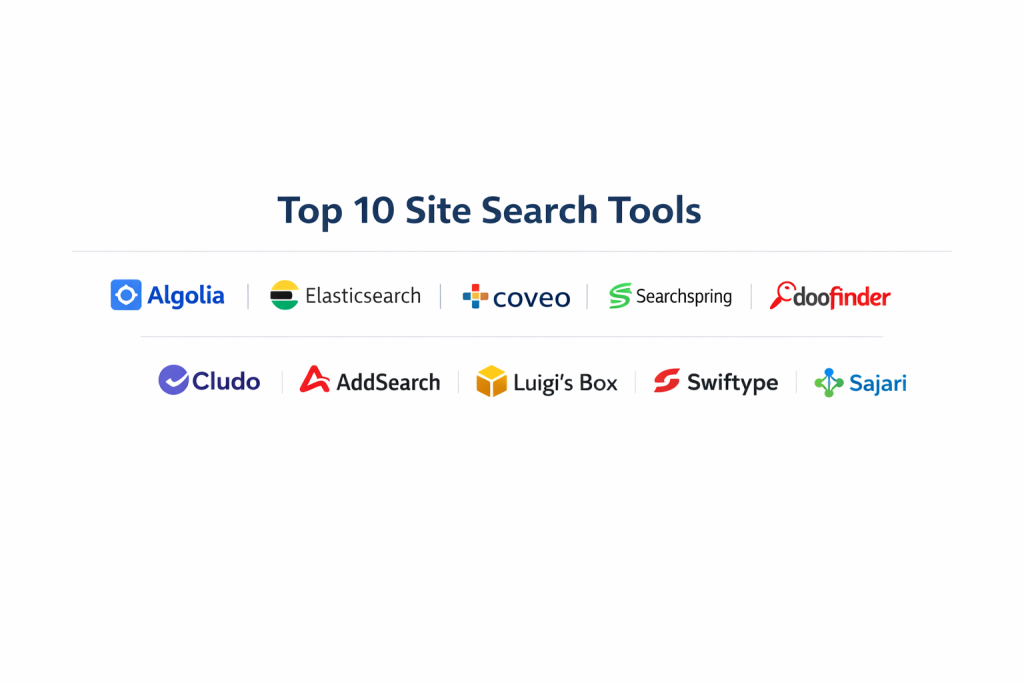
Top 10 Site Search Tools
1 — Algolia
Algolia is widely considered the industry leader in search-as-a-service. It is a cloud-based platform built for speed and developer-friendly integration, focusing on delivering a “search-as-you-type” experience that feels near-instant.
- Key features:
- NeuralSearch: Combines keyword and vector search for extreme semantic accuracy.
- Sub-100ms Latency: Globally distributed infrastructure ensures lightning-fast results.
- Dynamic Re-Ranking: AI-powered tool that adjusts results based on user click and conversion data.
- Advanced Merchandising: Manual controls to boost or pin specific products for promotional purposes.
- Voice & Geo-Search: native support for searching via voice and location-based filtering.
- Comprehensive Analytics: Insights into “searches with no results” to identify content gaps.
- Pros:
- The fastest search performance currently available on the market.
- Highly flexible with extensive API documentation for custom implementations.
- Cons:
- Premium pricing can escalate quickly as record counts and search volumes grow.
- Requires developer expertise; not a “plug-and-play” solution for non-technical users.
- Security & compliance: SOC 2 Type II, HIPAA, ISO 27001, and GDPR compliant. Supports SSO and advanced encryption.
- Support & community: Extensive documentation, active developer forums, and 24/7 priority support for enterprise tiers.
2 — Elasticsearch (by Elastic)
Elasticsearch is a distributed, open-source search and analytics engine that serves as the foundation for thousands of search implementations. It is designed for those who need total control over their search architecture.
- Key features:
- Scalable Architecture: Capable of handling petabytes of data across distributed clusters.
- Vector Search & AI: Built-in support for Large Language Model (LLM) integrations and machine learning.
- Custom Tuning: Granular control over scoring, boosting, and relevancy algorithms.
- Log management: Doubles as an observability tool for monitoring site health.
- Full-Text Search: Exceptional handling of unstructured data and complex queries.
- Pros:
- Completely customizable; you can build virtually any search experience imaginable.
- High cost-efficiency for developers who prefer self-hosting.
- Cons:
- Extremely high learning curve; requires dedicated DevOps resources to manage.
- Security is not enabled by default on self-hosted versions, posing a risk if not configured.
- Security & compliance: Supports SSO, RBAC, and encryption. SOC 2, HIPAA, and GDPR compliant via Elastic Cloud.
- Support & community: Massive global open-source community and professional support via the Elastic Cloud subscription.
3 — Coveo
Coveo is an AI-driven platform that positions itself as the “Relevance Platform.” It is designed for large enterprises that want to unify content from disparate sources into a single, personalized search experience.
- Key features:
- Agentic AI: Uses generative AI to provide direct answers instead of just a list of links.
- Content Federation: Indexes data from dozens of sources including Salesforce, ServiceNow, and SharePoint.
- 1:1 Personalization: Tailors results to individual users based on their role and history.
- Merchandising & Merchandising Rules: Powerful tools for e-commerce retailers to drive revenue.
- Unified Search: Search across help centers, docs, and the main site simultaneously.
- Pros:
- Unrivaled for enterprise ROI, particularly in reducing support tickets.
- Strongest “out-of-the-box” connectors for major corporate software ecosystems.
- Cons:
- High implementation cost and complexity.
- Can feel like “overkill” for organizations with simple content needs.
- Security & compliance: ISO 27001, SOC 2 Type II, GDPR, and HIPAA compliant. Enterprise-grade SSO.
- Support & community: High-touch enterprise onboarding and dedicated customer success managers.
4 — Searchspring
Searchspring is a specialized search, merchandising, and personalization platform built exclusively for e-commerce. It is designed to help retailers get the right product in front of the right person at the right time.
- Key features:
- Intelligent Autocomplete: Guides shoppers with visual product suggestions as they type.
- Visual Merchandising: Drag-and-drop interface to arrange products on search and category pages.
- Synonym & Typo Management: Handles “did you mean” logic specifically for product names.
- Personalized Product Recommendations: Powered by the 4-Tell acquisition to drive cross-sells.
- Inline Banners: Allows marketing teams to insert ads directly into search results.
- Pros:
- Very easy for e-commerce managers (non-devs) to use and manage.
- Exceptional customer support that feels like an extension of your own team.
- Cons:
- Limited versatility; not suitable for non-retail websites (like blogs or help centers).
- Reporting can be somewhat basic compared to Coveo or Algolia.
- Security & compliance: GDPR compliant and uses standard cloud encryption. PCI DSS compliance via hosting.
- Support & community: Known for highly responsive customer support and active webinars for retailers.
5 — Doofinder
Doofinder is a popular e-commerce search tool known for its fast installation and mobile-first approach. It is an excellent middle-ground tool for small to mid-sized retailers.
- Key features:
- Visual Search: Allows users to upload an image to find similar products.
- Voice Search: Integrated capability for mobile users to search by speaking.
- Real-time Statistics: Instant insights into conversion rates and popular terms.
- 30-Second Installation: Plug-and-play extensions for Shopify, Magento, and WooCommerce.
- Custom Ranking: Boost products based on margin or stock levels.
- Pros:
- One of the easiest tools to implement, often requiring zero coding.
- High performance on mobile devices.
- Cons:
- Analytics reporting is not as deep as enterprise-level competitors.
- Integration flexibility is limited compared to API-first tools like Algolia.
- Security & compliance: GDPR compliant and standard SSL encryption.
- Support & community: Multi-language support and a robust library of video tutorials.
6 — Cludo
Cludo is an intelligent search solution designed for marketing and content teams in the education, finance, and public sectors. It focuses on the “Visitor Experience” rather than just product sales.
- Key features:
- Intelligent AI Summary: Generates concise answers from your content to save users time.
- Experience Builder: Drag-and-drop tool to build custom search result layouts.
- Content Crawling: Automated engine that keeps search results fresh without manual syncing.
- Chatbot Integration: Built-in AI chatbots to guide users through the site.
- CMS Agnostic: Works seamlessly with any platform from Drupal to Sitecore.
- Pros:
- Excellent for content-heavy sites (Education/Gov) where finding information is priority #1.
- Intuitive dashboard that makes it easy for marketers to tweak search rules.
- Cons:
- Does not have the depth of merchandising tools found in Searchspring.
- Pricing is on the higher side for small content-only blogs.
- Security & compliance: SOC 2 Type II, GDPR, and ISO 27001 compliant.
- Support & community: Dedicated account managers and high-quality onboarding support.
7 — AddSearch
AddSearch is a versatile and affordable site search platform known for its fast time-to-value. It is designed to be up and running in days rather than weeks.
- Key features:
- AI Answers: Generative AI tool that synthesizes info from your site into instant answers.
- Instant Indexing: New content is indexed as soon as it is published.
- Visual Search Designer: Customizable templates for result pages and autocomplete.
- Indexing API: Flexibility for developers to handle custom data structures.
- Behavioral Targeting: Adjusts results based on the visitor’s previous browsing history.
- Pros:
- Very straightforward setup; the automated crawler works exceptionally well.
- Fast performance with results appearing almost immediately.
- Cons:
- Advanced personalization features are locked behind high-tier plans.
- Less granular control over result priority than Elasticsearch.
- Security & compliance: GDPR compliant; SOC 2 is available on higher tiers.
- Support & community: Responsive email support and a detailed technical help center.
8 — Luigi’s Box
Luigi’s Box focuses on “self-learning” algorithms and advanced analytics to help online stores optimize their search performance without manual intervention.
- Key features:
- Search Analytics: Detailed reports on phrases without clicks and high exit rates.
- Self-learning Algorithms: Continuously improves relevancy based on machine learning.
- Contextual Search: Understands synonyms and word stems to provide better results.
- Product Recommendations: Personalized suggestions throughout the buyer journey.
- Boost Function: Prioritizes products based on trending reports or sales goals.
- Pros:
- Exceptional analytics panel that provides actionable sales data.
- Smooth implementation process with helpful technical support.
- Cons:
- Lack of versatility; strictly built for retail/e-commerce.
- Higher pricing can be out of reach for small startups.
- Security & compliance: GDPR compliant and secure data processing standards.
- Support & community: Knowledgeable support team and regular product updates based on feedback.
9 — Swiftype (by Elastic)
Swiftype is a user-friendly version of the Elastic search engine, designed for companies that want the power of Elasticsearch without the technical overhead.
- Key features:
- Intuitive Dashboard: Easy-to-use interface for managing search results and boosting content.
- Real-time Indexing: Automatically picks up content changes as they happen.
- Mobile Search UI: High-quality pre-built components for mobile search interfaces.
- Multilingual Support: Handles over 30 languages with ease.
- Autocomplete & Facets: Standard professional search features are included out-of-the-box.
- Pros:
- The easiest way to deploy the power of the Elastic engine.
- Reliability is top-tier as it sits on Elastic’s global infrastructure.
- Cons:
- Less flexible for high-end developer customizations than raw Elasticsearch.
- Can become expensive compared to newer, cloud-native startups.
- Security & compliance: SOC 2 and GDPR compliant through the Elastic ecosystem.
- Support & community: Strong help center and email support from the Elastic team.
10 — Sajari (Search.io)
Sajari uses a unique “search-as-you-type” engine that is built on a neural-like processing model, making it highly responsive and relevant.
- Key features:
- Reinforcement Learning: Automatically learns from user interaction to improve results.
- Visual Rules Editor: Simple interface to create “if/then” search logic.
- Customizable Result Components: React-based UI components for developers.
- Hybrid Search: Mixes keyword matching with semantic AI for accuracy.
- A/B Testing: Built-in tools to test different search configurations against live traffic.
- Pros:
- Beautifully designed user interface and developer components.
- Modern architecture that feels very fast to both admins and end-users.
- Cons:
- Smaller community compared to Algolia or Elasticsearch.
- Documentation, while good, is not as extensive as the industry leaders.
- Security & compliance: SOC 2 Type II and GDPR compliant.
- Support & community: Dedicated technical support and a growing user base in the SaaS sector.
Comparison Table
| Tool Name | Best For | Platform(s) Supported | Standout Feature | Rating (Gartner) |
| Algolia | High-performance | Web, iOS, Android | NeuralSearch / Speed | 4.5 / 5 |
| Elasticsearch | Developers | Self-host, Cloud | Scalability & Control | 4.4 / 5 |
| Coveo | Enterprise Teams | Web, Salesforce | Agentic GenAI | 4.6 / 5 |
| Searchspring | Retailers | Web, Shopify, Mag | Visual Merchandising | 4.7 / 5 |
| Doofinder | Mobile E-com | Web, Shopify, Woo | 30-Sec Install | 4.5 / 5 |
| Cludo | Content/Educ. | Web, CMS agnostic | AI Summary Answers | 4.0 / 5 |
| AddSearch | Rapid Value | Web, Any CMS | Instant Web Crawler | 4.4 / 5 |
| Luigi’s Box | Analytics-driven | Web, E-commerce | Self-learning AI | 4.8 / 5 |
| Swiftype | SMB Managed | Web, Win, Mac | User-friendly Elastic | 4.3 / 5 |
| Sajari | SaaS / Modern UI | Web, React | Reinforcement Learning | 4.5 / 5 |
Evaluation & Scoring of Site Search Tools
When selecting a site search tool, it is important to weigh various factors based on your specific business goals. A bank might prioritize security and compliance, while a startup might prioritize ease of use and price. We have evaluated the top 10 tools using the following weighted scoring rubric.
| Criteria | Weight | Evaluation Rationale |
| Core Features | 25% | Presence of NLP, vector search, autocomplete, and personalization. |
| Ease of Use | 15% | Onboarding time and complexity of the administrative dashboard. |
| Integrations | 15% | Availability of native connectors for popular CMS and e-com platforms. |
| Security & Compliance | 10% | Encryption standards, SSO support, and SOC/GDPR certifications. |
| Performance | 10% | Search latency (speed) and system uptime reliability. |
| Support & Community | 10% | Quality of documentation and accessibility of technical help. |
| Price / Value | 15% | ROI based on conversion uplift vs. monthly subscription cost. |
Which Site Search Tools Tool Is Right for You?
The “best” tool is relative to your organizational maturity and budget. Use the following guide to help steer your decision.
Solo Users vs SMB vs Mid-market vs Enterprise
- Solo Users: Avoid high-end tools. Stick to the built-in search of your CMS (like Shopify’s basic search) until your traffic justifies a $50+/month investment.
- SMB (Small to Mid-sized Business): Doofinder or AddSearch are ideal. They offer professional features without requiring a full-time developer to maintain.
- Mid-Market: Searchspring (for retail) or Sajari (for content/SaaS) provide the perfect balance of advanced AI and easy-to-use dashboards.
- Enterprise: Coveo, Algolia, or Elasticsearch are the only viable options. These tools provide the multi-region support and data federation required by global firms.
Budget-conscious vs Premium Solutions
If budget is the primary driver, AddSearch offers excellent value. If you have the budget for a Premium solution, Algolia and Coveo are the leaders. They act like a “hidden revenue engine” that often pays for itself through increased average order value (AOV).
Feature Depth vs Ease of Use
If you want deep control over every line of code, Elasticsearch is your winner. If you want a tool that your marketing manager can set up and run independently, Searchspring or Doofinder are much more appropriate.
Frequently Asked Questions (FAQs)
1. Is third-party site search better than my CMS’s built-in search?
Yes, in almost all cases. Built-in search is usually “dumb”—it looks for exact word matches. Third-party tools use “semantic search” to understand what a user actually means, which dramatically reduces the “zero results” page rate.
2. Does installing a site search tool slow down my website?
No. Professional tools like Algolia or AddSearch host the index on their own high-speed servers. The search request happens via an API call, which is often faster than your own server’s database query.
3. How long does it take to implement?
For plug-and-play tools like Doofinder, it can take 15 minutes. For API-first tools like Algolia, a developer may need 2 to 4 weeks to build the custom frontend components.
4. What is “Vector Search”?
Vector search is a technique where words are turned into numbers (vectors) based on their meaning. This allows the search tool to find “sneakers” even if the user typed “running shoes.”
5. Are site search tools compliant with GDPR?
Yes, all the major tools on this list are GDPR compliant. They allow you to anonymize user data and ensure data is stored in specific regions if required.
6. Can site search help with SEO?
Indirectly, yes. By improving user engagement metrics (dwell time, pages per session) and reducing bounce rates, search tools signal to Google that your site is high-quality and relevant.
7. Can I search content inside PDFs or images?
High-end tools like Coveo and Cludo have built-in OCR (Optical Character Recognition) to index text found inside document attachments or images.
8. What happens if someone searches for something I don’t have?
Better tools will show “People also liked” recommendations or use AI to suggest the closest possible alternative, rather than just showing a blank page.
9. Do these tools work on mobile apps?
Most site search providers offer mobile SDKs (Software Development Kits) so you can use the same search engine for your website and your iOS/Android apps.
10. How much does site search software cost?
Pricing ranges from $20/month for basic crawlers to $2,000+/month for enterprise-grade AI platforms. Most use a “per search” or “per record” pricing model.
Conclusion
A high-performing site search is no longer a luxury—it is an expected standard for any professional digital presence. Choosing the right tool comes down to balancing your technical resources with your business goals. For the speed-obsessed developer, Algolia remains the gold standard. For the e-commerce retailer looking for a sales boost, Searchspring and Luigi’s Box offer incredible ROI. And for the enterprise looking to unify global knowledge, Coveo is unrivaled.
The “best” tool is the one that removes the most friction between your user and the answer they are seeking. Before committing to a yearly plan, use the free trials offered by these vendors to run a search audit on your existing site. You will likely be surprised at how much revenue is currently being left on the table.