Introduction
Single Sign-On (SSO) is an authentication method that allows a user to log in with a single set of credentials (username and password) to any of several related, yet independent, software systems. By using standard protocols like SAML (Security Assertion Markup Label), OIDC (OpenID Connect), and OAuth, SSO tools verify a user’s identity once and then pass that “authenticated” status to all other applications.
Why It Is Important
The primary value of SSO is the reduction of the attack surface. By centralizing authentication, IT teams can enforce a single, rigorous security policy—such as Mandatory Multi-Factor Authentication (MFA) or Adaptive Biometrics—across every app the company uses. Furthermore, it dramatically boosts productivity. Employees no longer waste hours per year resetting forgotten passwords, and IT help desks see a massive reduction in “password reset” tickets, which typically account for 30% to 50% of their volume.
Key Real-World Use Cases
- Onboarding and Offboarding: Instantly granting or revoking access to 50+ applications with a single click in the central directory.
- Compliance Auditing: Providing a single, unified log of every login attempt across the organization for SOC 2 or HIPAA audits.
- Remote Work Security: Ensuring that users logging in from coffee shops or home networks are verified through strict device-trust policies.
Evaluation Criteria
When choosing an SSO provider, prioritize the Integration Network (how many pre-built app connectors do they have?), Reliability (uptime is critical because if SSO goes down, the whole company is locked out), and User Experience (is the login flow seamless on mobile and desktop?).
Best for: Growing startups, mid-market companies, and large enterprises that utilize a wide variety of SaaS applications. It is essential for IT Managers, Security Engineers, and HR professionals who handle employee lifecycles.
Not ideal for: Micro-businesses or solopreneurs who only use one or two applications (like just Gmail and Slack), as the setup overhead and cost may not justify the marginal gain in convenience.
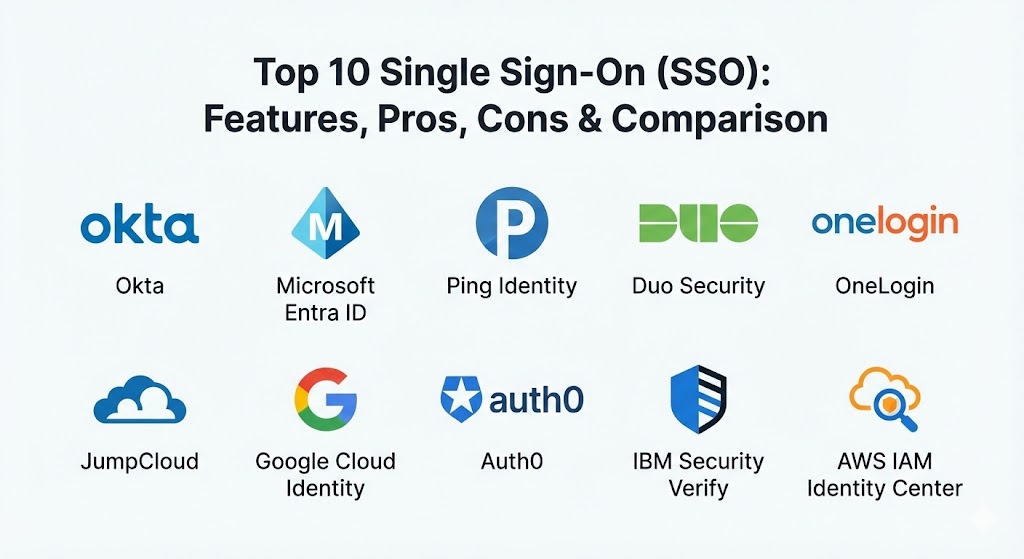
Top 10 Single Sign-On (SSO) Tools
1 — Okta Workforce Identity Cloud
Okta is widely regarded as the market leader in independent identity management. It is a cloud-native platform designed to be the “neutral” hub that connects any user to any technology, regardless of the underlying operating system or cloud provider.
- Key Features:
- Okta Integration Network (OIN): Over 7,000 pre-built integrations for seamless app deployment.
- Adaptive MFA: Uses machine learning to challenge users based on location, device, and network changes.
- FastPass: A passwordless login experience using biometrics on mobile and desktop.
- ThreatInsight: Automatically blocks IP addresses known for credential stuffing attacks.
- Self-Service Password Reset: Allows users to regain access without contacting IT.
- Lifecycle Management: Automates the creation of user accounts in downstream apps (e.g., automatically creating a Zoom account when a user is added to Okta).
- Pros:
- The most intuitive and user-friendly admin interface in the industry.
- Extreme reliability with a long-standing record of 99.99% uptime.
- Cons:
- Pricing can be high for smaller teams as advanced features are billed as separate modules.
- As a high-profile target, users must stay vigilant regarding phishing attempts specifically targeting Okta credentials.
- Security & Compliance: SOC 2 Type II, HIPAA, GDPR, ISO 27001, 27017, 27018, and FedRAMP compliant.
- Support & Community: Comprehensive “Okta Help Center,” 24/7 premium support, and a massive global community of identity experts.
2 — Microsoft Entra ID (formerly Azure AD)
Microsoft Entra ID is the cornerstone of the Microsoft 365 ecosystem. It is the natural choice for organizations that are already “all-in” on Windows, Office 365, and Azure, offering unparalleled integration with the Microsoft stack.
- Key Features:
- Conditional Access Policies: Granular rules that allow or block access based on specific user attributes.
- Seamless SSO: Automatic sign-in for users on corporate-joined devices.
- Passwordless Authentication: Support for Windows Hello, Microsoft Authenticator, and FIDO2 security keys.
- Privileged Identity Management (PIM): Time-bound access for administrative roles.
- Identity Protection: Automated detection of compromised credentials via Microsoft’s global threat intelligence.
- B2B Collaboration: Allows guest users from other organizations to sign in with their own credentials.
- Pros:
- Often “effectively free” or low-cost for companies already paying for Microsoft 365 E3/E5 licenses.
- Best-in-class integration for managing Windows 10/11 devices alongside applications.
- Cons:
- The administration console is notoriously complex and can be overwhelming for beginners.
- Integration with non-Microsoft cloud environments (like Google Cloud) is possible but less native than Okta.
- Security & Compliance: FedRAMP, SOC 2, HIPAA, GDPR, PCI DSS, and ISO 27001 compliant.
- Support & Community: Backed by Microsoft’s massive global support infrastructure and a lifetime’s worth of documentation.
3 — Ping Identity
Ping Identity focuses on the “Complex Enterprise.” They are the preferred choice for legacy organizations that need to bridge the gap between ancient on-premise applications and modern cloud SaaS.
- Key Features:
- PingFederate: A highly powerful federation server for handling complex identity mapping.
- Hybrid Deployment: Can be run in the cloud, on-premise, or as a managed service.
- PingID: A versatile MFA solution that supports everything from SMS to hardware keys.
- Identity Orchestration: A visual “drag-and-drop” builder for creating custom login journeys.
- API Security: Specific tools to protect the identity layer of your web and mobile APIs.
- Davinci: An integration-platform-as-a-service to connect various identity tools.
- Pros:
- Unrivaled flexibility; if a legacy app can support SSO, Ping can usually make it happen.
- Excellent for highly regulated industries like banking and government that require data residency.
- Cons:
- Higher barrier to entry; it requires a higher level of technical expertise to configure than Okta.
- The user interface is functional but not as “modern” or “slick” as newer SaaS entrants.
- Security & Compliance: SOC 2, HIPAA, GDPR, ISO 27001, and FIPS 140-2 compliant.
- Support & Community: High-tier enterprise support with dedicated account managers and technical engineers.
4 — Duo Security (Cisco)
Duo (owned by Cisco) became famous for its world-class MFA, but it has evolved into a formidable “User-Centric” SSO provider. It is designed for teams that prioritize simplicity and “Zero Trust” security.
- Key Features:
- Duo Central: A clean, unified dashboard for users to access all their assigned applications.
- Device Health: Checks if a user’s laptop or phone is up-to-date and encrypted before allowing a login.
- Verified Push: Protects against “MFA Fatigue” by requiring a code to be entered rather than just a button press.
- Passwordless with Biometrics: Seamless integration with TouchID and FaceID.
- Trusted Endpoints: Allows only company-managed devices to access high-security applications.
- Duo Network Gateway: Provides SSO-like access to internal web apps and SSH servers without a VPN.
- Pros:
- The fastest “time-to-value”; you can have a basic SSO environment running in an afternoon.
- Users genuinely love the simplicity of the Duo Mobile app.
- Cons:
- The SSO application library is smaller than Okta or Microsoft.
- Lacks the deep directory management and HR-provisioning features found in full “Identity Suites.”
- Security & Compliance: SOC 2, ISO 27001, GDPR, and FedRAMP authorized.
- Support & Community: Very strong documentation, video tutorials, and highly responsive technical support.
5 — OneLogin
OneLogin is a robust cloud identity provider that balances feature depth with an emphasis on speed and ease of management. They are particularly strong in the mid-market and for companies needing high-speed directory synchronization.
- Key Features:
- OneLogin Desktop: Extends SSO to the laptop login screen (Windows and Mac).
- SmartFactor Authentication: Uses AI to determine the risk level of each login attempt.
- Active Directory Connector: Real-time synchronization that updates user status in seconds.
- Vigilance AI: Identifies anomalous behavior across the entire user base.
- Sandbox Environments: Allows IT to test SSO changes before pushing them to the whole company.
- Mobile App Portal: A mobile-native way for employees to launch apps from their phones.
- Pros:
- One of the best values in the market; often offers more features at a lower price point than Okta.
- The “OneLogin Desktop” feature is a major win for providing a consistent login experience.
- Cons:
- The administration UI can occasionally feel a bit “laggy” compared to modern web apps.
- The integration ecosystem is large but not quite as vast as Okta’s.
- Security & Compliance: SOC 2 Type II, ISO 27001, HIPAA, and GDPR compliant.
- Support & Community: Reliable technical support and a solid knowledge base with “Getting Started” guides.
6 — JumpCloud
JumpCloud is a “Directory-as-a-Service” platform. While other tools focus on connecting to a directory (like Active Directory), JumpCloud is the directory. It is the modern, cloud-based replacement for legacy Microsoft AD.
- Key Features:
- Cloud Directory: A central source of truth for users, devices, and networks.
- Device Management (MDM): Manage Mac, Windows, and Linux laptops alongside user identities.
- RADIUS & LDAP: Provides SSO for “non-web” things like WiFi routers and old servers.
- PowerShell/API Access: Allows for total automation of the identity environment.
- Policy Management: Enforce OS-level settings (like disk encryption) across the fleet.
- Multi-Tenant Portal: Specifically designed for MSPs managing multiple clients.
- Pros:
- The only tool that provides a truly “serverless” IT environment for startups.
- Incredible value for companies that don’t want to pay for both an SSO tool and an MDM tool.
- Cons:
- Not suitable for companies that are forced to stay on-premise with legacy Microsoft AD.
- The SSO app library is functional but lacks the high-end automation of Okta.
- Security & Compliance: SOC 2 Type II, GDPR, HIPAA, and PCI DSS compliant.
- Support & Community: Active Slack community, extensive “JumpCloud University” training, and 24/7 support.
7 — Google Cloud Identity
Cloud Identity is the identity layer for Google Workspace (formerly G Suite). It is the ideal solution for “Google-first” organizations that want to leverage their existing Gmail credentials for everything else.
- Key Features:
- Context-Aware Access: Google’s version of “Zero Trust” policies based on user and device state.
- Endpoint Management: Basic MDM for mobile devices and laptops included.
- Safety Signals: Alerts for compromised accounts or suspicious login activity.
- Google Authenticator Integration: Native support for Google’s widely used MFA app.
- Security Center: A high-level dashboard showing the security health of the whole organization.
- Pros:
- Zero friction for employees who are already logged into Chrome or Gmail.
- Very cost-effective if you are already paying for Google Workspace Enterprise.
- Cons:
- The SSO portal is utilitarian and lacks the customization of Okta or OneLogin.
- Advanced management of non-Google applications can feel like a “bolt-on” experience.
- Security & Compliance: FedRAMP, SOC 2, ISO 27001, HIPAA, and GDPR compliant.
- Support & Community: Integrated with Google Workspace support and backed by a massive library of help articles.
8 — Auth0 (Okta Customer Identity)
While Okta (Tool #1) focuses on employees, Auth0 (now part of Okta) focuses on developers. It is a “Single Sign-On as a Service” platform for companies building their own web and mobile apps for customers.
- Key Features:
- Extensible Actions: Allows developers to write custom Node.js code that runs during the login process.
- Universal Login: A ready-to-use, highly secure login page that can be customized to your brand.
- Social Login: One-click “Sign in with Google/Apple/GitHub” for your app.
- Attack Protection: Built-in defenses against brute-force and credential stuffing.
- Machine-to-Machine (M2M) Auth: Secures communication between your backend services.
- User Management Dashboard: A simple way for support teams to manage customer accounts.
- Pros:
- The “best-in-class” developer experience; APIs and SDKs for every programming language.
- Allows you to outsource the “Security” of your app so your devs can focus on building features.
- Cons:
- Pricing can scale rapidly as your monthly active users (MAU) grow.
- Requires a developer to implement; it is not a “no-code” IT tool like Duo.
- Security & Compliance: SOC 2 Type II, ISO 27001, HIPAA, and GDPR compliant.
- Support & Community: Massive community of developers, high-quality technical blog, and premium enterprise support.
9 — IBM Security Verify
IBM Security Verify is a modern, AI-powered identity platform built for the most complex regulatory and security requirements in the world. It is a “heavyweight” tool for heavyweight industries.
- Key Features:
- Adaptive Access: Uses AI to calculate a “Risk Score” for every login attempt in milliseconds.
- Consent Management: Specific tools to handle GDPR/CCPA data privacy requirements for users.
- Identity Analytics: Provides long-term insights into user behavior and access trends.
- Decentralized Identity: Support for verifiable credentials and digital wallets.
- Legacy Gateway: Securely connects modern SSO to ancient mainframe and COBOL applications.
- Pros:
- Arguably the best tool for high-compliance sectors like healthcare and finance.
- Strong focus on “Identity Governance”—ensuring people only have the access they truly need.
- Cons:
- The user interface is functional but can feel corporate and “dry.”
- Implementation usually requires a dedicated project team or external consultants.
- Security & Compliance: FIPS 140-2, FedRAMP, SOC 2, HIPAA, GDPR, and ISO 27001.
- Support & Community: Enterprise-grade global support and a large partner network for implementation.
10 — AWS IAM Identity Center
AWS IAM Identity Center (formerly AWS SSO) is the definitive identity solution for companies running their infrastructure on Amazon Web Services. It simplifies access across hundreds of AWS accounts and external SaaS apps.
- Key Features:
- Multi-Account Management: Manage permissions across your entire AWS Organization from one place.
- Permission Sets: Define common roles (e.g., “Developer” or “Auditor”) and assign them globally.
- SaaS Application Portal: A simple SSO portal for common apps like Slack, Jira, and Salesforce.
- Attribute-Based Access Control (ABAC): Use user tags to automatically grant permissions to cloud resources.
- AWS CLI Integration: Simplifies the process of developers getting temporary credentials for the command line.
- Pros:
- Cost: There is no additional cost for the service itself (you only pay for what your users consume).
- Eliminates the need for “Long-lived” IAM keys, which are a major security risk.
- Cons:
- The SaaS SSO portal is very basic and lacks the branding of a dedicated tool like OneLogin.
- Only makes sense for organizations that have a significant AWS footprint.
- Security & Compliance: FedRAMP, SOC, HIPAA, PCI DSS, and ISO compliant.
- Support & Community: Integrated with AWS Support; huge ecosystem of AWS Certified engineers.
Comparison Table
| Tool Name | Best For | Platform(s) Supported | Standout Feature | Rating (Gartner / TrueReview) |
| Okta | General Purpose / Best UX | SaaS / Hybrid | 7,000+ App Integrations | 4.8 / 5 |
| Microsoft Entra | Microsoft-First Shops | SaaS / Hybrid | Conditional Access Policies | 4.7 / 5 |
| Ping Identity | Complex / Legacy Enterprise | SaaS / On-Prem | Identity Orchestration | 4.6 / 5 |
| Duo Security | Simplicity / Zero Trust | SaaS | Device Health & Trust Checks | 4.7 / 5 |
| OneLogin | Mid-Market Value | SaaS | Real-time AD Sync & Desktop SSO | 4.4 / 5 |
| JumpCloud | Startups / SME Directory | SaaS / Serverless | Combined SSO + MDM | 4.6 / 5 |
| Google Identity | Google Workspace Users | SaaS | Context-Aware Access | 4.2 / 5 |
| Auth0 | Developer / Customer Identity | SaaS / API | Custom Logic via Auth0 Actions | 4.8 / 5 |
| IBM Verify | High-Compliance / Finance | SaaS / Hybrid | AI-Driven Risk Scoring | 4.3 / 5 |
| AWS Identity | AWS Cloud Power Users | SaaS / AWS | AWS CLI Credential Management | 4.5 / 5 |
Evaluation & Scoring of Single Sign-On (SSO)
To provide an objective ranking, we have scored this category based on a weighted rubric of the most critical factors for modern business operations.
| Criteria | Weight | Evaluation Logic |
| Core Features | 25% | SAML/OIDC support, MFA options, and user portal quality. |
| Ease of Use | 15% | Time to setup, admin UI intuitiveness, and end-user friction. |
| Integrations | 15% | Breadth of pre-built app connectors and directory sync capabilities. |
| Security & Compliance | 10% | Certifications (SOC 2, HIPAA) and advanced threat detection. |
| Performance | 10% | Global latency, uptime record, and mobile app speed. |
| Support & Community | 10% | Quality of documentation, forums, and tech support response. |
| Price / Value | 15% | Transparency and ROI relative to the feature set. |
Which Single Sign-On (SSO) Tool Is Right for You?
Solo Users vs SMB vs Mid-Market vs Enterprise
- Solo Users: Honestly, a high-quality password manager (like 1Password or Bitwarden) is usually a better fit than a full SSO platform.
- SMBs & Startups: JumpCloud or Duo Security are the winners. They provide the most “security per dollar” and can be managed by a generalist IT person.
- Mid-Market: OneLogin or Okta (Starter tiers) provide the scalability you need as your team grows without the extreme complexity of enterprise tools.
- Enterprise: Okta, Microsoft Entra ID, or Ping Identity are the only choices that can handle the sheer scale and audit requirements of a 1,000+ person organization.
Budget-Conscious vs Premium Solutions
If budget is the primary driver, AWS IAM Identity Center (if you use AWS) or Microsoft Entra ID (if you use M365) are technically “free” additions to what you are already paying for. Okta and Ping are the premium choices for those who want an independent, “best-of-breed” solution.
Feature Depth vs Ease of Use
- Maximum Feature Depth: Ping Identity and Microsoft Entra ID. You can configure almost any scenario imaginable, but you’ll need a pro to do it.
- Maximum Ease of Use: Duo Security and Okta. They are designed to be “invisible” to the end user.
Integration and Scalability Needs
If you are moving away from on-premise servers entirely, JumpCloud is the best bridge to a “cloud-only” future. If you are building your own product and need to add login to it, Auth0 is the gold standard for developer-first identity.
Frequently Asked Questions (FAQs)
1. What is the difference between SSO and MFA?
SSO is about where you log in (one place for all apps). MFA is about how you log in (proving your identity with a second factor like a phone code). Most SSO tools include MFA as a built-in feature.
2. Does SSO make my company less secure by having a “single point of failure”?
It’s a common concern, but in reality, SSO makes you more secure. It is much easier to secure and monitor one “front door” than 50 different “back doors.” If a user’s SSO is compromised, you can lock their entire digital life in one click.
3. What happens if the SSO provider goes down?
This is a critical risk. High-end providers like Okta and Microsoft have massive redundancy. Most also offer “break-glass” accounts or backup authentication methods so admins can still get in to disable SSO and return to local passwords in an emergency.
4. Can I use SSO for my legacy on-premise software?
Yes. Tools like Ping Identity and IBM Security Verify specialized in “Identity Gateways” that wrap modern SSO around old software that doesn’t natively support it.
5. How long does it take to set up an SSO tool?
For a small team with 10 apps, you can be up and running in a few hours. For an enterprise with 500 apps and complex Active Directory rules, it can be a 6-to-12-month project.
6. Do these tools store my passwords?
Most modern SSO tools do not store your passwords in “plain text.” They store “hashes” or, even better, use protocols like SAML where the password never even leaves the SSO tool—only a “secure token” is sent to the other apps.
7. Can I use SSO for external contractors?
Yes. Most tools allow you to create “Guest” accounts with limited permissions, ensuring contractors can only see the specific tools they need for their project.
8. What is “Adaptive Authentication”?
It is a feature where the tool only asks for a second factor (MFA) if something seems wrong—like a user logging in from a new country for the first time. If they are in the office on their usual laptop, it lets them through without a prompt.
9. Will SSO work on mobile devices?
Yes. All the top 10 tools have native mobile apps or work through mobile browsers, and most integrate with phone biometrics (FaceID/Fingerprint).
10. What is a SAML “Integration”?
SAML is the language that SSO tools and apps use to talk to each other. When an app is “SAML-compliant,” it means it is ready to connect to an SSO tool with just a few clicks.
Conclusion
The selection of a Single Sign-On (SSO) platform is a foundational decision for your organization’s security posture. In 2026, the question is no longer if you should use SSO, but which platform aligns best with your existing infrastructure.
For the majority of modern companies, Okta remains the standard for its incredible user experience and massive integration library. If you are a Microsoft-heavy organization, Entra ID is the most logical path. For the small startup looking for a fresh start, JumpCloud offers a unique “all-in-one” directory and SSO experience. Ultimately, the “best” tool is the one that your employees actually find easy to use—because the more seamless the login process, the more likely they are to follow your security policies.