Introduction
Shopping cart software is the technology that powers an online store’s checkout process, allowing customers to accumulate items, calculate taxes and shipping, and securely transmit payment information. While often used interchangeably with “ecommerce platforms,” the shopping cart specifically refers to the functional layer that handles the transaction. It acts as a bridge between your product catalog and your payment gateway, ensuring that the transition from selection to purchase is frictionless and secure.
The importance of this software cannot be overstated. In an era where 1-second delays in page load can lead to a 7% drop in conversions, a slow or clunky cart is a direct threat to revenue. Key real-world use cases range from traditional physical product shipping to the sophisticated delivery of digital assets, subscription billing for SaaS products, and hybrid “buy online, pick up in-store” (BOPIS) models.
When evaluating these tools, users should look for conversion optimization (one-click checkouts), scalability (handling traffic spikes during Black Friday), security compliance (PCI DSS), and integration depth with existing CRM or ERP systems.
Best for: * Small to Mid-Market Retailers: Businesses looking to scale rapidly without heavy technical overhead.
- Direct-to-Consumer (D2C) Brands: Companies that need total control over their brand experience and customer data.
- B2B Wholesalers: Organizations requiring complex pricing tiers, bulk order capabilities, and quote-to-cash workflows.
- Digital Creators: Individual entrepreneurs selling “info-products,” memberships, or specialized services.
Not ideal for:
- Static Portfolio Sites: If you are purely showcasing a service without transactional needs, a simple contact form is better.
- Extreme Budget Constraints: While free options exist, the “hidden costs” of hosting and security for open-source carts can exceed the cost of a managed SaaS solution for very small players.
- Hyper-Specialized Logic: Businesses with highly proprietary logistics or unique regulatory needs might require a custom-built solution rather than an off-the-shelf platform.
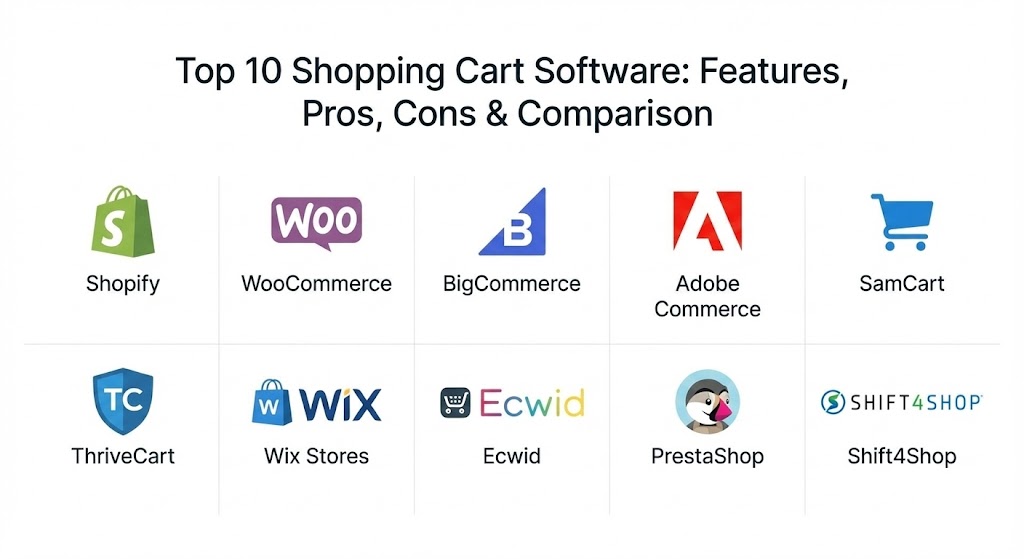
Top 10 Shopping Cart Software Tools
1 — Shopify
Shopify remains the industry benchmark for hosted ecommerce in 2026. It is designed for businesses that want a powerful, “all-in-one” ecosystem that handles everything from the storefront builder to the payment processing without requiring technical expertise.
- Key features:
- Shop Pay: The highest-converting one-click checkout system on the internet.
- Shopify Magic: AI-driven tools for generating product descriptions and marketing copy.
- Omnichannel Integration: Syncs inventory across TikTok, Instagram, Amazon, and physical POS.
- App Store: Access to over 8,000 third-party extensions for every imaginable need.
- Global Expansion: Built-in tools for multi-currency, multi-language, and localized tax calculation.
- Advanced Analytics: Real-time dashboards for tracking customer lifetime value and acquisition costs.
- Pros:
- Incredible ease of use with a reliable, 99.99% uptime infrastructure.
- Scales effortlessly from a “Starter” plan to “Shopify Plus” for enterprises.
- Cons:
- Transaction fees apply if you don’t use the native Shopify Payments.
- The app-based ecosystem means monthly costs can balloon with too many add-ons.
- Security & compliance: Level 1 PCI DSS compliant, SOC 2, and GDPR-ready out of the box. Includes free SSL.
- Support & community: 24/7 live chat, phone, and email support. Massive global community of “Shopify Experts” and agencies.
2 — WooCommerce
As a WordPress plugin, WooCommerce powers over a quarter of the world’s online stores. It is the go-to for users who want total ownership of their data and the flexibility of an open-source environment.
- Key features:
- WordPress Native: Runs directly within the WordPress dashboard for a familiar blogging-to-selling experience.
- Infinite Customization: Access to the underlying code allows for any possible checkout modification.
- Vast Theme Library: Thousands of free and premium themes specifically for commerce.
- Product Flexibility: Supports physical, digital, and variable products (sizes, colors) natively.
- No License Fees: The core software is free to download and use on your own hosting.
- Pros:
- Maximum flexibility; you own your site and can move hosting at any time.
- Extremely cost-effective for small stores with basic needs.
- Cons:
- Requires manual management of security patches, updates, and hosting performance.
- The “plugin-bloat” can lead to slow site speeds if not optimized correctly.
- Security & compliance: Varies by hosting; users are responsible for PCI compliance and SSL certificates.
- Support & community: Extensive documentation and forums. No “dedicated” 1-on-1 support for the free version; users rely on community or agencies.
3 — BigCommerce
BigCommerce is a “headless-ready” SaaS platform known for having the most native (built-in) features of any platform, reducing the need for expensive third-party apps.
- Key features:
- Open SaaS Architecture: Combines the ease of a hosted platform with the API flexibility of open-source.
- Built-in SEO: Advanced URL structures and rich snippets included as standard.
- Multi-Storefront (MSF): Manage multiple brands or international versions from a single login.
- B2B Edition: Specialized tools for bulk pricing, purchase orders, and customer groups.
- Zero Transaction Fees: No extra charges regardless of which payment processor you use.
- Pros:
- Superior scalability for mid-market and enterprise businesses.
- Fewer “app-based” costs because most features are included in the base price.
- Cons:
- The platform has a steeper learning curve compared to Wix or Shopify.
- Automatic plan upgrades are triggered once you reach specific annual sales thresholds.
- Security & compliance: ISO 27001 certified, Level 1 PCI compliant, and supports GDPR/CCPA.
- Support & community: 24/7 technical support via phone, chat, and ticket. Dedicated Account Managers for Enterprise plans.
4 — Adobe Commerce (Magento)
The heavyweight champion for enterprises, Adobe Commerce offers unparalleled power for brands with complex, high-volume requirements that need a bespoke shopping experience.
- Key features:
- Adobe Sensei: AI-powered personalization and product recommendations.
- Page Builder: Drag-and-drop content management for high-fidelity storefronts.
- Global Multi-Site: Manage hundreds of localized stores across different regions.
- Advanced Inventory: Integrated multi-warehouse and complex supply chain logic.
- PWA Studio: Tools for building high-performance Progressive Web Apps.
- Pros:
- Unlimited customization for unique business models (marketplaces, B2B portals).
- Powerful enough to handle millions of products and thousands of orders per hour.
- Cons:
- Extremely high total cost of ownership (hosting, development, and license fees).
- Requires a dedicated developer or agency to maintain and secure.
- Security & compliance: SOC 2 Type 2, GDPR, and PCI compliance (through Adobe’s hosted version).
- Support & community: Enterprise-grade support for licensed users. Large developer community for self-hosted versions.
5 — SamCart
SamCart is a “checkout-first” platform. Unlike full store builders, it focuses exclusively on high-converting product pages and cart flows, making it a favorite for creators and one-product brands.
- Key features:
- One-Page Checkout: Streamlined pages that minimize distraction to maximize sales.
- Order Bumps: Allows customers to add complementary products at the exact moment of purchase.
- Dunning Management: Automatically retries failed credit card payments for subscriptions.
- A/B Testing: Built-in tools to test different headlines, buttons, or prices.
- Creator Apps: Integrated tools for selling courses, ebooks, and coaching.
- Pros:
- Best-in-class conversion rates for simple, direct sales funnels.
- Requires zero design or technical skill to launch a professional checkout.
- Cons:
- Not suitable for traditional “add to cart” stores with large catalogs of disparate items.
- The entry-level pricing is relatively high compared to basic shop builders.
- Security & compliance: PCI compliant, SSL encrypted, and supports GDPR-compliant data handling.
- Support & community: Live chat and email support. Active “SamCart University” for training.
6 — ThriveCart
ThriveCart is SamCart’s primary competitor, famously known for its “Lifetime Deal” and aggressive focus on return on investment (ROI) through sophisticated funnel logic.
- Key features:
- Intelligent Funnels: Create complex upsell and downsell sequences based on user behavior.
- Affiliate Center: Built-in system to manage and pay partners who promote your products.
- Flexible Pricing: Supports trials, subscriptions, pay-what-you-want, and split payments.
- ThriveCart Learn: A native course-hosting platform included with the Pro plan.
- Automatic Sales Tax: Integrated calculations based on the customer’s location.
- Pros:
- Exceptional long-term value (no monthly fees with the lifetime license).
- Extremely fast checkout loading times across global regions.
- Cons:
- The user interface (UI) feels somewhat dated compared to modern SaaS tools.
- Limited visual customization for pages without using external landing page builders.
- Security & compliance: Level 1 PCI DSS, GDPR tools, and integrated fraud detection.
- Support & community: Helpful help desk and a dedicated Facebook community of “ThriveCarters.”
7 — Wix Stores
Wix is the leader in the “drag-and-drop” category, providing a visually intuitive experience for beginners and small businesses that want a beautiful site with ecommerce functionality.
- Key features:
- Wix ADI: Artificial Design Intelligence that can build your store based on a few questions.
- Visual Editor: Total freedom to move elements anywhere on the page without code.
- Wix Payments: Native gateway for accepting credit cards, Apple Pay, and Klarna.
- App Market: Hundreds of integrations for shipping, tax, and social media.
- Abandoned Cart Recovery: Standard on business plans to win back lost sales.
- Pros:
- The easiest platform for beginners to create a high-end, professional look.
- Affordable all-in-one pricing that includes hosting and domain.
- Cons:
- Once you choose a template, you cannot switch it without rebuilding the site.
- Lacks the deep inventory and SEO control required for very large catalogs.
- Security & compliance: ISO 27001, 27018 certified, and PCI DSS Level 1 compliant.
- Support & community: 24/7 customer care in multiple languages. Large library of video tutorials.
8 — Ecwid
Ecwid (by Lightspeed) is unique because it is designed to “plug in” to any existing website. It is a “widget” that adds a powerful shopping cart to a site built on Squarespace, Wix, or even a custom HTML page.
- Key features:
- Instant Site: A simple, free one-page store for those who don’t have a website yet.
- Multi-Platform Sync: Sell on WordPress, Wix, Weebly, and Joomla simultaneously.
- Social Commerce: Native syncing with Facebook Shop and Instagram Checkout.
- Mobile App Control: Full ability to manage the store and scan products from a smartphone.
- Multilingual Checkout: Automatically detects and displays the shopper’s native language.
- Pros:
- Fastest way to add “buy buttons” to an existing non-ecommerce site.
- Very generous free tier for stores with 5 or fewer items.
- Cons:
- Limited SEO control compared to standalone platforms.
- Design customization is restricted within the widget’s constraints.
- Security & compliance: Level 1 PCI DSS compliant. Managed security and updates.
- Support & community: Chat support for paid plans. Extensive knowledge base for self-service.
9 — PrestaShop
PrestaShop is a popular open-source alternative to WooCommerce, favored by developers who find it more structured for handling large, international catalogs.
- Key features:
- Modular Architecture: Over 3,000 modules available to customize the cart.
- Multi-Currency/Language: Built specifically with the European market in mind.
- Inventory Tracking: Advanced features for managing warehouse locations and stock movements.
- SEO Excellence: Granular control over URLs, metadata, and site architecture.
- Loyalty Programs: Native tools for vouchers, coupons, and reward points.
- Pros:
- The “Golden Middle” between the simplicity of Shopify and the complexity of Adobe Commerce.
- Strong international support for global cross-border trade.
- Cons:
- Many “essential” modules (like advanced SEO or shipping) are paid and can be expensive.
- Requires some technical skill to configure and secure properly.
- Security & compliance: Varies by host; includes security features like SSL support and GDPR modules.
- Support & community: Large user base; “PrestaShop Academy” for training; paid support plans available.
10 — Shift4Shop
Shift4Shop (formerly 3dcart) is a robust SaaS platform that offers an “End-to-End” plan that is completely free if you use their integrated payment processor, Shift4.
- Key features:
- Feature-Packed Base: Includes abandoned cart, dropshipping, and B2B tools for free.
- Core Vitals Optimized: Fast themes designed specifically to meet Google’s speed standards.
- Integrated CRM: Basic tools for managing customer interactions and history.
- Wholesale Pricing: Native customer grouping and bulk discount logic.
- Unlimited Everything: No limits on products, bandwidth, or staff accounts.
- Pros:
- Unbeatable value (zero monthly cost for high-volume users on the Shift4 plan).
- Solid SEO features that rival much more expensive platforms.
- Cons:
- The backend admin dashboard feels utilitarian and less intuitive than Shopify.
- Customer support can be hit-or-miss for users on the lower-tier plans.
- Security & compliance: PCI DSS Level 1 certified; includes 2-factor authentication for admins.
- Support & community: 24/7/365 US-based technical support. Documentation and forums.
Comparison Table
| Tool Name | Best For | Platform(s) Supported | Standout Feature | Rating (Gartner/TrueReview) |
| Shopify | Fast-growing D2C Brands | SaaS (Hosted) | Shop Pay (Conversion) | 4.6 / 5.0 |
| WooCommerce | WordPress Loyalists | Self-Hosted | Open-source Flexibility | 4.4 / 5.0 |
| BigCommerce | Multi-channel Scalability | SaaS (Hosted) | Native B2B Features | 4.4 / 5.0 |
| Adobe Commerce | Large Enterprises | SaaS / On-Prem | Adobe Sensei AI | 4.3 / 5.0 |
| SamCart | Funnels & Creators | SaaS (Hosted) | One-Page Checkouts | 4.5 / 5.0 |
| ThriveCart | One-time ROI | SaaS (Hosted) | Lifetime Pricing Deal | 4.7 / 5.0 |
| Wix Stores | Creative Small Biz | SaaS (Hosted) | Visual Drag-and-Drop | 4.3 / 5.0 |
| Ecwid | Existing Websites | Widget / SaaS | “Plug-and-Play” Widget | 4.5 / 5.0 |
| PrestaShop | Global Open-source | Self-Hosted | International Scaling | 4.4 / 5.0 |
| Shift4Shop | Budget-Conscious | SaaS (Hosted) | Free “End-to-End” Plan | 4.1 / 5.0 |
Evaluation & Scoring of Shopping Cart Software
Selecting the right software requires a balanced view. In the following table, we have scored the general market performance of these tools using our weighted rubric.
| Criteria | Weight | Shopify | WooCommerce | BigCommerce | SamCart |
| Core Features | 25% | 9/10 | 8/10 | 10/10 | 7/10 |
| Ease of Use | 15% | 10/10 | 7/10 | 8/10 | 10/10 |
| Integrations | 15% | 10/10 | 10/10 | 8/10 | 7/10 |
| Security/Compliance | 10% | 10/10 | 6/10 | 10/10 | 9/10 |
| Perf & Reliability | 10% | 10/10 | 7/10 | 10/10 | 9/10 |
| Support/Community | 10% | 10/10 | 8/10 | 9/10 | 8/10 |
| Price / Value | 15% | 8/10 | 9/10 | 8/10 | 7/10 |
| TOTAL SCORE | 100% | 9.40 | 8.15 | 9.05 | 8.05 |
Which Shopping Cart Software Tool Is Right for You?
Solo Users vs. SMB vs. Mid-Market vs. Enterprise
- Solo Users: If you are a single creator, SamCart or ThriveCart will save you months of headaches. If you have a physical hobby store, Wix or Shopify Basic are your best friends.
- Small Businesses (SMB): Shopify is the “goldilocks” solution—not too complex, not too simple. WooCommerce is better if you already live in WordPress.
- Mid-Market: BigCommerce shines here because its native features handle multi-storefront and wholesale logic without crashing your site.
- Enterprise: Adobe Commerce or Shopify Plus are the only serious contenders for global operations requiring 24/7 uptime and custom API architectures.
Budget-Conscious vs. Premium Solutions
If every dollar counts, Shift4Shop is essentially “free” if you process payments through them. WooCommerce is also “free” but remember to budget for hosting and security. SamCart and Shopify are premium solutions where you pay for the convenience of not having to think about the technology.
Feature Depth vs. Ease of Use
If you want to click three buttons and start selling, go with Wix or Ecwid. If you need to map complex customer journeys, set up tiered B2B pricing, and manage a warehouse, you must sacrifice simplicity for the depth of BigCommerce or PrestaShop.
Integration and Scalability Needs
Assess your stack. Do you use Salesforce CRM? Netsuite ERP? Quickbooks? Shopify and BigCommerce have the deepest pre-built integrations. If you are building something completely unique, Adobe Commerce’s open API will be necessary.
Security and Compliance Requirements
If you are selling globally, GDPR and PCI are non-negotiable. SaaS solutions (Shopify, BigCommerce) handle this for you. With open-source (WooCommerce, PrestaShop), you are the captain of the ship—if your site gets hacked, the responsibility lies with you.
Frequently Asked Questions (FAQs)
1. What is the difference between hosted and self-hosted software?
Hosted (SaaS) means the provider handles the servers, security, and updates (e.g., Shopify). Self-hosted means you download the code and put it on your own server (e.g., WooCommerce).
2. Can I change my shopping cart software later?
Yes, but “migrating” a store is a major project. You will need to export product, customer, and order data. Most experts recommend picking a platform you can grow into for at least 3 years.
3. Do all shopping carts charge transaction fees?
No. BigCommerce and Shift4Shop do not charge transaction fees. Shopify only charges them if you use a third-party payment gateway instead of Shopify Payments.
4. Is a shopping cart different from a payment gateway?
Yes. The shopping cart is the “box” that holds the items and calculates the total. The payment gateway (like Stripe or PayPal) is the “machine” that actually moves the money from the bank.
5. How important is mobile optimization for my cart?
In 2026, mobile commerce accounts for over 70% of transactions. If your checkout page isn’t “thumb-friendly” and fast on a 5G connection, you are losing more than half of your potential sales.
6. Do I need to be a developer to use these tools?
For Shopify, Wix, or SamCart, no. For WooCommerce or PrestaShop, a basic understanding of web technology helps. For Adobe Commerce, you definitely need a developer.
7. Can I sell digital products with these tools?
Absolutely. All 10 tools on this list support digital downloads, though SamCart and ThriveCart are specifically optimized for “info-products” and courses.
8. What is “abandoned cart recovery”?
It is an automated email sent to customers who added items to their cart but left before paying. Most modern software includes this to help recover 10-20% of lost revenue.
9. Is SEO built into all shopping cart software?
Most have basic SEO, but BigCommerce and Shift4Shop are widely considered to have the best “out-of-the-box” SEO features for ranking on Google.
10. What are the “hidden costs” of ecommerce?
Beyond the monthly fee, you must account for payment processing fees (usually 2.9% + 30 cents), premium themes, app subscriptions, and potentially developer hours.
Conclusion
The “perfect” shopping cart software doesn’t exist; there is only the perfect one for your specific business phase. If you are starting today with a single product and no tech skills, SamCart will get you to your first $1,000 the fastest. If you are a growing retailer with 500 products and a dream of going global, Shopify or BigCommerce provide the safest and most reliable foundation.
The key is to focus on conversion and scalability. In 2026, your customers expect a checkout that is invisible—a process so fast and secure that they don’t even have to think about it. Choose the tool that removes the most friction from their journey, and your revenue will follow.