Introduction
Shader authoring tools are specialized software platforms that enable artists and developers to create custom visual effects, materials, and rendering techniques for real-time graphics, games, VR/AR applications, and cinematic content. Shaders control how surfaces interact with light, allowing for realistic or stylized effects such as reflections, refractions, ambient occlusion, procedural textures, and particle effects. These tools streamline the creation of complex visual effects by providing node-based interfaces, real-time previews, and integration with rendering engines.
The importance of shader authoring tools lies in their ability to elevate visual fidelity, optimize rendering performance, and support creative experimentation. Key use cases include creating materials for game engines, visual effects for animations, VR/AR interactions, and cinematic post-processing. Developers and artists evaluating shader tools should consider usability, rendering engine compatibility, node-based editing, real-time preview, cross-platform support, performance optimization features, and community resources.
Best for:
Game developers, VFX artists, technical artists, VR/AR designers, and animation studios benefit most from shader authoring tools due to their ability to enhance realism and creativity in interactive and cinematic experiences.
Not ideal for:
Those working on purely 2D applications, non-visual projects, or simple games with standard material libraries may not need dedicated shader authoring tools.
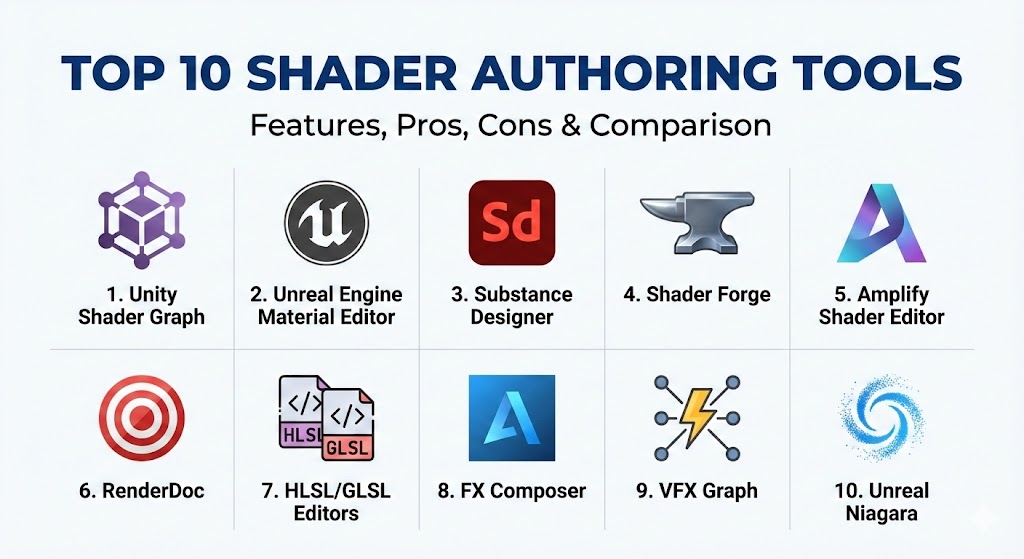
Top 10 Shader Authoring Tools
1 — Unity Shader Graph
Short description:
Unity Shader Graph allows developers to visually create shaders for Unity projects using a node-based interface.
Key features:
- Node-based shader creation
- Real-time preview in editor
- Supports PBR and custom materials
- Compatible with HDRP and URP
- Integration with particle systems
- Cross-platform support
- Custom function nodes
Pros:
- Beginner-friendly visual interface
- Rapid prototyping of materials
- Seamless Unity integration
Cons:
- Limited to Unity engine
- Complex shaders may require HLSL coding
Security & compliance:
Varies / N/A
Support & community:
Unity documentation, forums, tutorials.
2 — Unreal Engine Material Editor
Short description:
Unreal Material Editor is a node-based shader editor integrated into Unreal Engine for creating complex materials.
Key features:
- Node-based workflow
- PBR and post-processing support
- Real-time preview
- VR/AR compatible
- Texture and material layering
- Dynamic material expressions
- Integration with Niagara particle system
Pros:
- High-fidelity rendering
- Powerful visual scripting
- Supports complex shaders
Cons:
- Steep learning curve
- High resource requirements
Security & compliance:
Varies / N/A
Support & community:
Unreal documentation, forums, tutorials.
3 — Substance Designer
Short description:
Substance Designer is a procedural material authoring tool for creating textures and shaders.
Key features:
- Node-based material creation
- PBR workflow
- Procedural texture generation
- Integration with game engines
- Real-time viewport preview
- Substance Player for rendering
- Extensive material library
Pros:
- Highly customizable materials
- Industry standard for PBR workflows
- Supports both games and film
Cons:
- Learning curve for complex materials
- Requires integration for engine use
Security & compliance:
Varies / N/A
Support & community:
Documentation, tutorials, forums.
4 — Shader Forge (Unity)
Short description:
Shader Forge is a visual shader editor plugin for Unity focusing on rapid material creation.
Key features:
- Node-based interface
- Real-time shader preview
- PBR and legacy rendering support
- Particle system integration
- Custom lighting models
- Multiple platform export
- Interactive feedback
Pros:
- Easy to create custom shaders
- Fast iteration
- Intuitive interface
Cons:
- Limited to Unity
- Not actively maintained
Security & compliance:
Varies / N/A
Support & community:
Unity forums, Shader Forge documentation.
5 — Amplify Shader Editor
Short description:
Amplify Shader Editor is a robust node-based shader editor for Unity that supports high-end graphics.
Key features:
- Real-time shader graph
- PBR and HDRP support
- Material optimization tools
- Custom function nodes
- Node templates
- Multi-pass shader creation
- Cross-platform deployment
Pros:
- Professional-grade shader creation
- Frequent updates and support
- High performance
Cons:
- Unity-specific
- May require coding for advanced features
Security & compliance:
Varies / N/A
Support & community:
Documentation, forums, tutorials.
6 — RenderDoc Shader Debugging Tools
Short description:
RenderDoc offers shader debugging and GPU profiling for developers.
Key features:
- Frame capture and analysis
- Shader debugging
- GPU pipeline inspection
- Cross-platform support
- Open-source tool
- Integration with multiple engines
- Real-time performance profiling
Pros:
- Free and open-source
- Deep GPU debugging
- Supports multiple APIs
Cons:
- Not a shader creation tool
- Technical expertise required
Security & compliance:
Varies / N/A
Support & community:
Documentation, GitHub, forums.
7 — HLSL/GLSL Code Editors
Short description:
Code editors specialized for writing HLSL/GLSL shaders for real-time graphics.
Key features:
- Syntax highlighting and auto-completion
- Real-time compilation
- Integration with engines
- Shader debugging
- GPU profiling
- Supports PBR and custom shaders
- Cross-platform
Pros:
- Full control over shader behavior
- High performance
- Supports advanced techniques
Cons:
- Steep learning curve
- No visual interface
Security & compliance:
Varies / N/A
Support & community:
Documentation, online forums, tutorials.
8 — FX Composer (Autodesk)
Short description:
FX Composer is a shader and effects authoring tool designed for DirectX and game development.
Key features:
- Node-based shader editor
- Real-time preview
- Particle system integration
- HLSL support
- Material layering
- Cross-platform DirectX deployment
- Visual scripting
Pros:
- Professional shader development
- Visual and code integration
- Supports complex effects
Cons:
- Limited to DirectX
- Outdated compared to modern tools
Security & compliance:
Varies / N/A
Support & community:
Documentation, forums.
9 — VFX Graph (Unity)
Short description:
VFX Graph is Unity’s tool for creating GPU-accelerated particle systems and visual effects.
Key features:
- Node-based visual effects
- GPU particle simulation
- Real-time feedback
- Integration with Shader Graph
- HDRP support
- Customizable particle behaviors
- Cross-platform export
Pros:
- High-performance GPU effects
- Visual workflow
- Unity integration
Cons:
- Unity-specific
- Complex systems may require scripting
Security & compliance:
Varies / N/A
Support & community:
Unity documentation, tutorials, forums.
10 — Unreal Niagara
Short description:
Niagara is Unreal Engine’s advanced visual effects system for particle-based simulations.
Key features:
- Node-based VFX authoring
- GPU acceleration
- Real-time feedback
- Integration with Material Editor
- Particle behaviors and modules
- VR/AR support
- Multi-platform deployment
Pros:
- Advanced particle and shader effects
- Real-time simulation
- Full engine integration
Cons:
- Unreal-specific
- High system requirements
Security & compliance:
Varies / N/A
Support & community:
Unreal documentation, forums, tutorials.
Comparison Table
| Tool Name | Best For | Platform(s) Supported | Standout Feature | Rating |
|---|---|---|---|---|
| Unity Shader Graph | Unity materials | Windows, Mac | Node-based shader creation | N/A |
| Unreal Material Editor | AAA games | Windows, Mac | High-fidelity materials | N/A |
| Substance Designer | Procedural materials | Windows, Mac | Procedural texture generation | N/A |
| Shader Forge | Unity prototyping | Windows, Mac | Rapid shader prototyping | N/A |
| Amplify Shader Editor | Unity high-end | Windows, Mac | Professional-grade shaders | N/A |
| RenderDoc | Shader debugging | Windows, Linux | GPU frame capture | N/A |
| HLSL/GLSL Editors | Custom coding | Windows, Mac | Full control of shaders | N/A |
| FX Composer | DirectX shaders | Windows | Particle and shader authoring | N/A |
| VFX Graph | GPU effects | Windows, Mac | Node-based particle system | N/A |
| Unreal Niagara | Advanced VFX | Windows, Mac | GPU particle simulation | N/A |
Evaluation & Scoring of Shader Authoring Tools
| Criteria | Weight | Description |
|---|---|---|
| Core features | 25% | Node-based authoring, particle effects, material creation |
| Ease of use | 15% | Visual interface, workflow, learning curve |
| Integrations & ecosystem | 15% | Engine compatibility, plugin support |
| Security & compliance | 10% | Licensing and enterprise use |
| Performance & reliability | 10% | GPU acceleration, rendering stability |
| Support & community | 10% | Tutorials, forums, documentation |
| Price / value | 15% | Licensing and functionality |
Which Shader Authoring Tool Is Right for You?
- Solo developers: Unity Shader Graph, VFX Graph, HLSL/GLSL editors for learning and prototyping
- SMBs: Amplify Shader Editor, Shader Forge, Substance Designer for professional development
- Mid-market teams: Unreal Material Editor, Niagara, Substance Designer for AAA-quality effects
- Enterprises: Unreal Niagara, Substance Designer, FX Composer for large-scale production and cinematic workflows
Open-source and lightweight tools are suitable for beginners or budget-conscious projects, while high-end proprietary solutions are ideal for AAA or cinematic-level production.
Frequently Asked Questions (FAQs)
- What is a shader authoring tool?
A tool used to create custom materials, effects, and visual behaviors in real-time graphics. - Do I need programming skills?
Visual node-based editors reduce coding requirements, but advanced shaders may require HLSL/GLSL. - Can shaders work in VR/AR?
Yes, modern tools support AR/VR integrations for immersive environments. - Are these tools cross-platform?
Many support Windows, Mac, and integration with engines for mobile and consoles. - Do shader tools support real-time preview?
Yes, real-time previews allow iterative development and optimization. - Are there free options?
Unity Shader Graph, VFX Graph, and HLSL/GLSL editors are available at no cost. - Which tool is best for procedural materials?
Substance Designer excels at procedural texture and material creation. - Can these tools create particle effects?
Yes, Niagara, VFX Graph, and FX Composer support particle-based effects. - Is GPU acceleration important?
GPU acceleration improves performance for real-time simulations and rendering. - Which tool is best for beginners?
Unity Shader Graph and VFX Graph are user-friendly for entry-level developers.
Conclusion
Shader authoring tools are essential for creating realistic and stylized visual effects in games, VR/AR, and cinematic content. From open-source editors to high-end proprietary solutions, developers can choose tools that fit their project scope, engine compatibility, and budget. Selecting the right shader authoring tool enhances visual fidelity, performance, and creative freedom, enabling the creation of immersive interactive experiences.
Shader authoring tools are essential for creating stunning visual effects and materials. This guide contrasts top node-based editors like Unity Shader Graph and Unreal Material Editor with procedural powerhouses like Substance Designer.