Introduction
Semantic search platforms represent a leap forward from traditional lexical search. Instead of simply matching words like “bank” to every document containing that term, a semantic engine understands context—distinguishing between a “river bank” and a “financial bank” based on the surrounding text. These platforms use vector embeddings to map words and concepts into a mathematical space, allowing them to find results that are conceptually related even if the exact keywords are missing.
The importance of these tools is multifaceted. They drastically reduce “search friction,” improve the accuracy of Retrieval-Augmented Generation (RAG) in AI applications, and enhance user engagement by providing hyper-relevant results. Real-world use cases include enterprise knowledge discovery (finding an HR policy across Slack, Jira, and Drive), e-commerce product discovery (understanding that “winter footwear” includes boots and thermal socks), and intelligent customer support bots. When evaluating these platforms, users should focus on “Hybrid Search” capabilities (combining keywords and vectors), the quality of pre-trained embedding models, ease of integration via APIs, and the ability to scale to millions of queries per second.
Best for: Large enterprises with fragmented data silos, high-volume e-commerce retailers, and software development teams building AI-powered applications or LLM-based assistants. It is essential for organizations where the cost of “not finding” information is high, such as in legal, medical, or technical research.
Not ideal for: Small personal websites with minimal content or basic blogs where a simple built-in keyword search (like standard WordPress search) is sufficient. Organizations with very tight budgets may also find the computational overhead and licensing of premium semantic tools unnecessary for simple use cases.
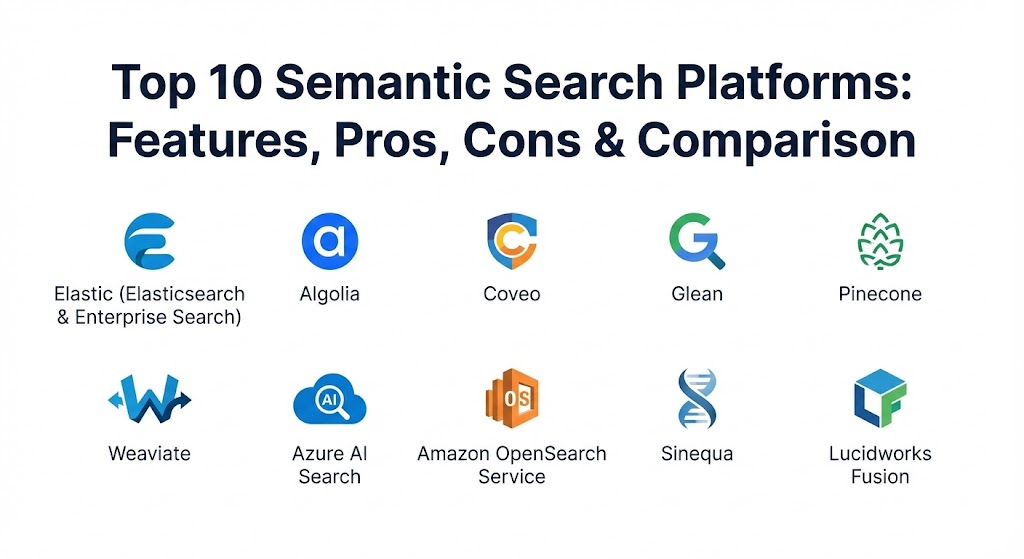
Top 10 Semantic Search Platforms
1 — Elastic (Elasticsearch & Elastic Enterprise Search)
Elastic is the industry heavyweight, providing a highly flexible platform that allows developers to build both traditional keyword search and modern AI-powered semantic search in one place. With the introduction of the Elastic Learned Sparse EncodeR (ELSER), it has become a leader in “out-of-the-box” semantic relevance.
- Key features:
- Native support for “dense vector” and “sparse vector” fields.
- ELSER model for semantic search without requiring custom model training.
- Hybrid search capabilities that combine BM25 (keyword) and vector scores.
- Extensive library of data connectors for SaaS and database sources.
- Powerful “Kibana” dashboard for visualizing search trends and performance.
- Scalable distributed architecture capable of handling petabytes of data.
- Pros:
- Unrivaled flexibility; you can tune almost every aspect of the search algorithm.
- A massive ecosystem of tools and integrations makes it a “safe bet” for long-term projects.
- Cons:
- High “complexity tax”—requires a skilled engineer to configure and optimize correctly.
- Managing the infrastructure (on-premise) can be a significant operational burden.
- Security & compliance: SOC 2 Type II, HIPAA, GDPR, and FedRAMP authorized. Includes granular Role-Based Access Control (RBAC).
- Support & community: Exceptional; features a global community of millions, exhaustive documentation, and tiered enterprise support plans.
2 — Algolia
Algolia is a cloud-native search-as-a-service platform optimized for speed and developer experience. Traditionally a keyword powerhouse, Algolia’s “NeuralSearch” brings semantic understanding to the masses with almost zero configuration.
- Key features:
- NeuralSearch engine that combines keyword and vector processing in a single API call.
- Ultra-low latency retrieval, often under 50ms for global queries.
- AI-powered dynamic re-ranking based on user behavior and conversions.
- Robust A/B testing framework to compare different search strategies.
- Easy-to-use “InstantSearch” UI components for web and mobile.
- Visual dashboard for non-technical users to manage “merchandising” and rules.
- Pros:
- Fastest time-to-market; you can have a world-class search experience running in hours.
- Superior developer experience with well-maintained SDKs for every major language.
- Cons:
- The pricing model is based on records and requests, which can get very expensive at high volumes.
- Less “tweakable” than Elastic for highly specialized research use cases.
- Security & compliance: ISO 27001, SOC 2 Type II, HIPAA, and GDPR compliant. Multi-region data residency options.
- Support & community: High-quality documentation and a responsive support team; popular among the SaaS and E-commerce developer communities.
3 — Coveo
Coveo is a high-end enterprise search platform that uses AI to unify content from dozens of different sources into a single, personalized search experience. It is particularly strong in customer service and digital workplace environments.
- Key features:
- Unified Indexing that connects to 50+ sources (Salesforce, ServiceNow, SharePoint).
- Automatic personalizer that tailors results based on the individual user’s profile.
- AI-powered recommendations that suggest content before the user even types.
- Smart snippets that highlight the exact answer within a long document.
- Detailed search analytics to identify “content gaps” where users aren’t finding answers.
- Integrated generative AI (Coveo Relevance Generative Answering).
- Pros:
- The most “complete” platform for enterprise-wide knowledge management.
- Strong focus on business outcomes, such as “case deflection” in support centers.
- Cons:
- Significant initial investment; it is a premium enterprise-level solution.
- Implementation often requires a professional services engagement for best results.
- Security & compliance: SOC 2, HIPAA, GDPR, and ISO 27001. Features robust permission-aware indexing.
- Support & community: Excellent enterprise support with dedicated account managers and a formal training academy.
4 — Glean
Glean is the rising star of “Workplace Search.” It is designed to act as an intuitive, semantic search bar for a company’s internal knowledge, mapping relationships between people, projects, and documents.
- Key features:
- “Search across everything” with 100+ native connectors for internal tools.
- Deep understanding of company-specific acronyms and jargon.
- Permission-aware search that respects the security settings of source systems.
- Personal knowledge graph that identifies subject matter experts in the company.
- Generative AI assistant that summarizes information from multiple internal sources.
- Proactive “New Hire” dashboards to help with onboarding.
- Pros:
- The most user-friendly “Google-like” experience for internal company data.
- Extremely fast deployment compared to traditional enterprise search projects.
- Cons:
- Focused strictly on internal employee search; not for external website or product search.
- Requires a high degree of integration with sensitive company data.
- Security & compliance: SOC 2 Type II, HIPAA compliant, and data remains within the customer’s cloud environment.
- Support & community: Known for high-touch customer success and proactive feature development.
5 — Pinecone
Pinecone is a managed vector database built specifically for developers who want to build their own semantic search applications using Large Language Models (LLMs). It handles the complex math of vector similarity at massive scale.
- Key features:
- Fully managed, serverless vector database architecture.
- Real-time index updates—new data is searchable in seconds.
- Metadata filtering to combine vector search with structured data queries.
- High scalability—can handle billions of vectors with sub-second latency.
- Native integration with AI orchestration frameworks like LangChain and LlamaIndex.
- “Pod” vs “Serverless” options to balance cost and performance.
- Pros:
- Zero operational overhead for managing complex vector infrastructure.
- Specifically designed for the “RAG” stack, making it the favorite for AI startups.
- Cons:
- Not a “turnkey” search solution; you have to build the UI and indexing pipeline yourself.
- Does not handle traditional text search (BM25) as well as hybrid engines.
- Security & compliance: SOC 2 Type II, HIPAA, and GDPR compliant. Encryption at rest and in transit.
- Support & community: Very active community of AI researchers and developers; high-quality technical blog and tutorials.
6 — Weaviate
Weaviate is an open-source semantic search engine that allows you to store both data and its vector embeddings. It is unique because it allows you to bring your own models or use its built-in modules for NLP.
- Key features:
- Hybrid search (vector + keyword) available out of the box.
- Multimodal search—can search through images, audio, and text simultaneously.
- “GraphQL” API for intuitive and flexible data querying.
- Modular architecture that supports OpenAI, HuggingFace, and Cohere models.
- Auto-schema generation based on your data.
- Can be self-hosted on-premise or used via the Weaviate Cloud (WCD).
- Pros:
- Open-source flexibility prevents vendor lock-in and allows for total data control.
- The GraphQL interface is a breath of fresh air for modern web developers.
- Cons:
- Requires more manual configuration than SaaS-only platforms like Algolia.
- The open-source version requires significant DevOps expertise to scale.
- Security & compliance: SSO integration, RBAC, and SOC 2 Type II (for the cloud version).
- Support & community: One of the most vibrant Slack communities in the AI space; excellent documentation.
7 — Azure AI Search
Formerly known as Azure Cognitive Search, this is Microsoft’s fully managed search service. It is the core engine behind “Microsoft 365 Copilot” and offers deep integration with the broader Azure AI ecosystem.
- Key features:
- “Semantic Ranker” which uses Microsoft’s state-of-the-art language models.
- Integrated “Skillsets” for image OCR, translation, and entity extraction during indexing.
- Native integration with Azure OpenAI Service for building RAG applications.
- Vector search and hybrid search capabilities with a “Vector store” feature.
- Knowledge Store for persisting enriched data for other AI workflows.
- Automatic language detection and lemmatization for 50+ languages.
- Pros:
- The best choice for organizations already committed to the Microsoft/Azure ecosystem.
- The “Semantic Ranker” provides some of the highest relevance scores in the industry.
- Cons:
- Can become very expensive, especially when using high-tier “Semantic” search.
- Limited flexibility if you want to use non-Azure models or storage.
- Security & compliance: Industry-leading compliance with ISO, SOC 2, HIPAA, FedRAMP, and GDPR.
- Support & community: Backed by Microsoft’s global enterprise support; massive library of MS Learn documentation.
8 — Amazon OpenSearch Service
Amazon OpenSearch is the AWS-managed evolution of Elasticsearch and OpenSearch. It provides an open-source-based search engine with the reliability and security of AWS management.
- Key features:
- Managed clusters for high availability and automated patching.
- “Neural Search” plugin that simplifies the integration of ML models.
- Support for k-Nearest Neighbor (k-NN) vector search.
- Seamless integration with AWS S3, DynamoDB, and Kinesis.
- Integrated SQL and PPL (Piped Processing Language) for data analysis.
- Visualizations through “OpenSearch Dashboards” (a fork of Kibana).
- Pros:
- Ideal for teams already on AWS who want an open-source foundation without the management headache.
- Offers excellent cost-control features like “Ultrawarm” storage for older data.
- Cons:
- Does not have as many “one-click” semantic features as Azure or Algolia.
- Users still need to understand cluster management concepts (shards, nodes).
- Security & compliance: Fully integrated with AWS IAM, VPC, and KMS. Global compliance (HIPAA, PCI, etc.).
- Support & community: Strong community support via the OpenSearch project; premium AWS support available.
9 — Sinequa
Sinequa is an “Intelligent Search” platform designed for the most complex, data-heavy enterprises in the world, such as pharmaceutical companies and aerospace manufacturers.
- Key features:
- “Neural Search” that excels at understanding highly technical and scientific language.
- Knowledge Graph integration to show relationships between different concepts.
- Hundreds of high-performance connectors for legacy and modern data sources.
- Advanced multilingual support with deep linguistic analysis.
- Built-in generative AI (Sinequa Assistant) for complex query answering.
- Designed for “petabyte-scale” indexing and retrieval.
- Pros:
- The “gold standard” for technical and scientific research organizations.
- Unmatched ability to handle extremely large and complex unstructured datasets.
- Cons:
- One of the most expensive and complex solutions on the market.
- Not suitable for smaller companies or simple website search needs.
- Security & compliance: Meets the strictest security requirements for government, finance, and defense.
- Support & community: High-touch enterprise support with dedicated engineers and strategic consulting.
10 — Lucidworks Fusion
Lucidworks Fusion is a flexible, AI-powered platform built on Apache Solr. It is known for its ability to provide high-customization and deep control over data pipelines for massive retailers and financial institutions.
- Key features:
- Sophisticated data ingestion pipelines with built-in ML stages.
- “Signals” processing that uses user behavior to auto-tune relevance.
- Semantic vector search integrated with Solr’s traditional indexing.
- Predictive search and personalized recommendation engines.
- Support for hybrid-cloud and on-premise deployments.
- Robust toolset for “Search Relevance Engineering.”
- Pros:
- Ideal for organizations with in-house search experts who want full control.
- Proven ROI in massive global e-commerce environments.
- Cons:
- Higher learning curve; requires knowledge of Apache Solr and data engineering.
- Pricing is generally non-transparent and targeted at the upper enterprise.
- Security & compliance: SOC 2, ISO 27001, and extensive enterprise security features.
- Support & community: Global professional services and a dedicated customer support portal.
Comparison Table
| Tool Name | Best For | Platform(s) Supported | Standout Feature | Rating (Gartner Peer Insights) |
| Elastic | Scalable Custom Search | Cloud, On-Prem, Hybrid | Hybrid (ELSER) Engine | 4.6 / 5 |
| Algolia | E-commerce / UX | SaaS (Cloud Only) | Ultra-fast NeuralSearch | 4.5 / 5 |
| Coveo | Unified Enterprise | SaaS (Cloud Only) | Intent-Aware Personalization | 4.4 / 5 |
| Glean | Workplace Search | Cloud (SaaS) | Workplace Knowledge Graph | 4.8 / 5 |
| Pinecone | RAG / AI Devs | Cloud (SaaS) | Serverless Vector Database | 4.7 / 5 |
| Weaviate | Open-Source AI | Cloud, Docker, Kubernetes | GraphQL + Multi-Modal | 4.6 / 5 |
| Azure AI Search | Microsoft Teams | Azure Cloud | Azure Ecosystem Integration | 4.4 / 5 |
| Amazon OpenSearch | AWS Teams | AWS Cloud | Managed OpenSource Scalability | 4.3 / 5 |
| Sinequa | Scientific / Pharma | Cloud, Hybrid | Neural technical search | 4.5 / 5 |
| Lucidworks | Custom E-comm | Cloud, On-Prem | Behavioral Signal Processing | 4.2 / 5 |
Evaluation & Scoring of Semantic Search Platforms
When choosing a platform, it is critical to look beyond the marketing “AI” buzzwords. Use the following rubric to score potential candidates based on your specific requirements.
| Category | Weight | Evaluation Criteria |
| Core Features | 25% | Hybrid search (Vector + Keyword), model quality, and multi-modal support. |
| Ease of Use | 15% | Developer experience (SDKs/APIs), visual dashboards, and “no-code” options. |
| Integrations | 15% | Number of native connectors (S3, Salesforce, Jira) and cloud ecosystem fit. |
| Security & Compliance | 10% | Encryption, SOC 2/HIPAA status, and permission-aware indexing. |
| Performance | 10% | Query latency (ms) and ability to scale to millions of documents. |
| Support & Community | 10% | Documentation quality, community forums, and enterprise support response. |
| Price / Value | 15% | Total Cost of Ownership (TCO) including licensing and engineering time. |
Which Semantic Search Platforms Tool Is Right for You?
The right choice depends on your technical maturity and your target audience.
- Solo Developers & AI Startups: If you are building the “next big AI app,” Pinecone or Weaviate are your best friends. They provide the vector infrastructure you need without forcing you into a legacy search paradigm.
- Small to Medium Businesses (SMBs): For external website search or e-commerce, Algolia is often the winner because it requires the least amount of engineering resources to get “Google-quality” results.
- Mid-Market Enterprises: If your team is already using Microsoft 365 or AWS, stick with Azure AI Search or Amazon OpenSearch. The reduced “integration friction” often outweighs the specialized features of other tools.
- Large Enterprises (Internal): If your biggest problem is employees finding internal info, Glean is the gold standard. If you have complex, multi-source requirements, Coveo offers the best unified platform.
- Large Enterprises (Custom/External): If you have a dedicated search team and need to build a custom, high-scale search engine, Elastic remains the undisputed king of flexibility.
Frequently Asked Questions (FAQs)
1. What is the difference between “Vector Search” and “Semantic Search”? Vector search is the underlying technology (mathematical similarity), while semantic search is the application of that technology to understand language and intent. Think of vector search as the engine and semantic search as the car.
2. Can these tools replace traditional keyword search? Not entirely. Most experts recommend a “Hybrid” approach. Keyword search is still better for exact matches (like product IDs or names), while semantic search is better for general concepts and intent.
3. Do I need to train my own AI models? In 2026, most platforms (like Elastic, Algolia, and Azure) offer pre-trained models. You only need to train custom models if you are in a highly specialized field like nuclear physics or niche legal areas.
4. How does “Permission-Aware” search work? Enterprise tools like Glean or Coveo index the security settings of each file. When a user searches, the engine filters out any results they don’t have permission to see in the original source system.
5. What is Retrieval-Augmented Generation (RAG)? RAG is a technique where a semantic search engine finds the most relevant documents, and then feeds those documents into an LLM (like GPT-4) to generate a grounded, factual answer based on your specific data.
6. Is open-source better than SaaS for semantic search? Open-source (Weaviate, OpenSearch) offers more control and lower licensing costs but higher engineering costs. SaaS (Algolia, Glean) offers faster speed-to-market but higher recurring subscription costs.
7. Can these platforms search through images and video? Yes, platforms with “multi-modal” support (like Weaviate or Azure AI Search) can convert images and audio into vectors, allowing you to search for “red sunset” and find images matching that description.
8. What is the biggest mistake when implementing semantic search? The most common mistake is ignoring data quality. If your source data is messy and unorganized, a semantic engine will struggle to create accurate vectors, leading to “hallucinations” or irrelevant results.
9. How does semantic search handle different languages? Most modern platforms use “cross-lingual” embeddings. This means a user can search in Spanish and find a relevant document written in English, as the engine understands the concepts are identical.
10. How much does semantic search cost? It varies widely. Small implementations can start at $50/month (managed Pinecone/Algolia), while large enterprise installations can easily exceed $100,000/year for millions of documents and high query volumes.
Conclusion
Choosing a semantic search platform in 2026 is no longer just about finding a “search box.” It is about choosing the nervous system for your organization’s knowledge. Whether you prioritize the speed of Algolia, the internal intelligence of Glean, or the infinite flexibility of Elastic, the key is to focus on a hybrid approach that respects user intent. The “best” tool is the one that allows your users to find what they need so intuitively that they forget the search bar even exists.