Introduction
A Security Posture Management (CNAPP) suite is a unified security platform designed to protect cloud-native applications throughout their entire lifecycle—from the moment code is written until it is running in production. Rather than forcing IT teams to juggle disparate tools for Cloud Security Posture Management (CSPM), Cloud Workload Protection (CWPP), and Cloud Infrastructure Entitlement Management (CIEM), a CNAPP consolidates these functions into a single “pane of glass.”
The importance of CNAPP lies in its ability to provide contextual risk analysis. For example, a vulnerability in a software package is a risk, but that risk becomes critical only if the workload is exposed to the internet and has a high-privilege identity attached to it. CNAPPs connect these dots. Key real-world use cases include identifying “toxic combinations” of risk, securing the software supply chain (Shift-Left), and maintaining continuous compliance with regulations like SOC 2 or HIPAA. When choosing a suite, users should prioritize agentless visibility, real-time threat detection, ease of integration with CI/CD pipelines, and the quality of automated remediation advice.
Best for: Mid-to-large-scale enterprises operating in multi-cloud environments (AWS, Azure, GCP), DevSecOps teams looking to automate security guardrails, and highly regulated industries like fintech or healthcare that require continuous compliance auditing.
Not ideal for: Small businesses with minimal cloud footprints (e.g., a single website or a few static storage buckets) or organizations that are purely on-premises, where traditional EDR and hardware firewalls remain more effective and cost-efficient.
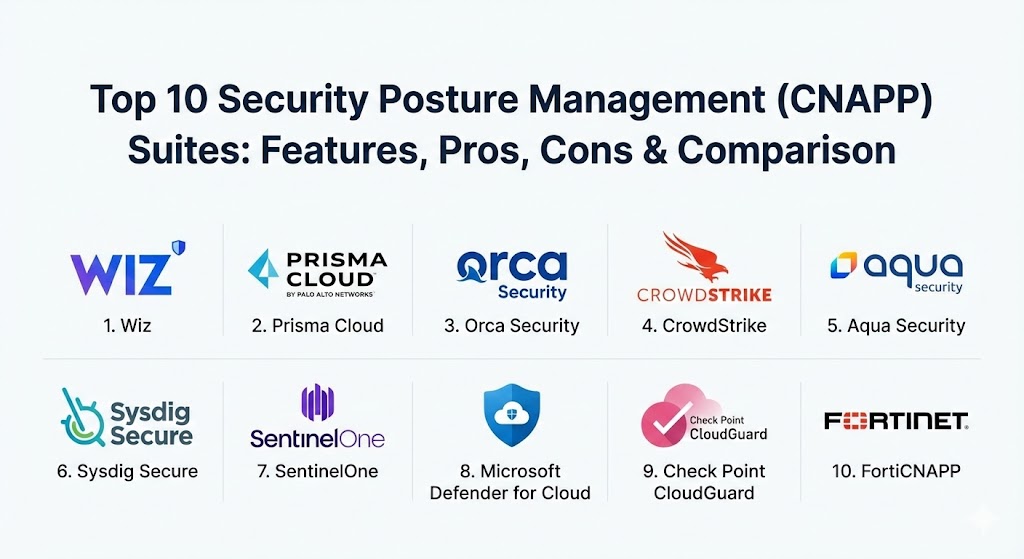
Top 10 Security Posture Management (CNAPP) Suites
1 — Wiz
Wiz is often credited with revolutionizing the cloud security market through its agentless, graph-based approach. It is designed to provide near-instant visibility into the most critical risks across massive multi-cloud environments.
- Key features:
- Cloud Security Graph: Correlates misconfigurations, vulnerabilities, and identities to find high-risk attack paths.
- Agentless Scanning: Uses snapshot-based scanning to inspect VMs, serverless, and containers without local software.
- Wiz Runtime Sensor: Optional lightweight sensor for real-time threat detection.
- Built-in Compliance: Maps cloud assets against 100+ frameworks (CIS, NIST, GDPR).
- Wiz Code: Integrates security checks directly into the developer’s IDE and CI/CD pipeline.
- Advanced DSPM: Discovers and classifies sensitive data across buckets and databases.
- Pros:
- Exceptionally fast time-to-value; can scan an entire cloud estate in minutes.
- The visualization of attack paths makes it easy for non-security staff to understand risks.
- Cons:
- Can be significantly more expensive than competitors for high-volume environments.
- High volume of features can lead to a slightly overwhelming dashboard for new users.
- Security & compliance: SOC 2 Type II, HIPAA, GDPR, ISO 27001, and FIPS 140-2.
- Support & community: Industry-leading documentation and a robust user community. Enterprise support includes dedicated Technical Account Managers (TAMs).
2 — Palo Alto Networks (Prisma Cloud)
Prisma Cloud is widely considered the most comprehensive CNAPP on the market. It offers a “code-to-cloud” platform that covers every possible angle of cloud security, including web application and API security (WAAS).
- Key features:
- Unified Agent and Agentless: Offers the flexibility to use agents for deep runtime security or agentless for easy visibility.
- Shift-Left Security: Powerful IaC scanning for Terraform, CloudFormation, and Bicep templates.
- WAAS (Web App & API Security): Protects web apps and APIs against the OWASP Top 10.
- Microsegmentation: Enforces identity-based network policies across containers and VMs.
- Supply Chain Security: Scans container registries and GitHub/GitLab repositories for secrets and vulnerabilities.
- Pros:
- The most extensive feature set; if you need it, Prisma Cloud likely does it.
- Strong integration with the broader Palo Alto Networks security ecosystem.
- Cons:
- High complexity; often requires dedicated personnel to manage the platform effectively.
- UI can feel fragmented as it is composed of several acquired technologies.
- Security & compliance: FedRAMP High, SOC 2, HIPAA, GDPR, ISO 27001, and NIST.
- Support & community: Comprehensive global support network with professional services available for complex deployments.
3 — Orca Security
Orca Security pioneered the “SideScanning” technology, which allows for full-stack visibility without agents. It focuses on reducing “alert fatigue” by prioritizing risks based on their context within the environment.
- Key features:
- SideScanning™: Scans the block storage of cloud workloads to detect vulnerabilities, malware, and secrets.
- Unified Data Model: Treats the entire cloud estate as a single searchable inventory.
- API Security: Automatically discovers and monitors API endpoints for vulnerabilities.
- AI-Driven Remediation: Provides code-level fixes and remediation steps using generative AI.
- Cloud Detection & Response (CDR): Monitors for active attacks and suspicious behavior in the cloud.
- Pros:
- Zero performance impact on production workloads since it doesn’t run agents on the systems.
- Excellent risk prioritization; it ignores “noise” and focuses on exploitable paths.
- Cons:
- Historical depth of runtime forensics can be lower than agent-based EDR solutions.
- Limited support for very niche or legacy cloud platforms outside the “Big Three.”
- Security & compliance: SOC 2 Type II, HIPAA, GDPR, and ISO 27001.
- Support & community: Strong knowledge base and active “Research Pod” that shares global threat intelligence.
4 — CrowdStrike (Falcon Cloud Security)
CrowdStrike leverages its reputation as a leader in Endpoint Detection and Response (EDR) to provide a CNAPP that is heavily focused on stopping active breaches in real-time.
- Key features:
- Unified Agent: Uses the same lightweight Falcon sensor for cloud workloads as it does for laptops/servers.
- Adversary-Centric Intelligence: Integrates world-class threat intel to identify specific attacker groups.
- Cloud Detection & Response (CDR): Real-time monitoring of cloud control plane and workload activity.
- Container Security: Provides deep visibility and protection for Kubernetes and Docker environments.
- Identity Protection: Monitors for compromised cloud credentials and excessive permissions.
- Pros:
- Best-in-class runtime protection and incident response capabilities.
- Single agent architecture simplifies deployment for existing CrowdStrike customers.
- Cons:
- Less focus on “Shift-Left” application source code scanning (SAST) compared to Wiz or Prisma.
- Configuration of custom policies can be more technical than with “graph-based” tools.
- Security & compliance: FedRAMP, SOC 2, HIPAA, PCI DSS, and GDPR.
- Support & community: Elite 24/7 managed services (Falcon OverWatch) and a massive global user base.
5 — Aqua Security
Aqua Security is a pioneer in the container and Kubernetes security space. Its CNAPP is built for organizations that are heavily invested in cloud-native development and require strict lifecycle controls.
- Key features:
- Supply Chain Security: Deep scanning of CI/CD pipelines and container image registries.
- Kubernetes Security (KSPM): Automated security and compliance for K8s clusters and nodes.
- Advanced CWP: Real-time runtime protection for containers, including drift prevention.
- Trivy Integration: Leverages the popular open-source Trivy scanner for vulnerabilities.
- Micro-Enforcer: Extremely lightweight agent for serverless and container security.
- Pros:
- Deepest expertise in the industry regarding Kubernetes and container-specific threats.
- The “Drift Prevention” feature is excellent for ensuring that container code remains immutable.
- Cons:
- The UI can be technical and less “executive-friendly” than tools like Wiz.
- Multi-cloud CSPM features are strong but sometimes trail behind Wiz/Orca in visualization.
- Security & compliance: SOC 2, HIPAA, PCI DSS, and GDPR.
- Support & community: Large open-source presence (Trivy) and extensive enterprise training programs.
6 — Sysdig Secure
Sysdig is built on top of open-source Falco, the de facto standard for cloud-native runtime threat detection. It provides deep visibility by tapping into system calls at the kernel level.
- Key features:
- Falco-Driven Runtime: Uses granular system-call monitoring to detect even the most subtle attacks.
- Vulnerability Management: Prioritizes fixes based on whether a vulnerable package is actually running.
- K8s & Cloud Posture: Automated checks for Kubernetes and multi-cloud configurations.
- Sysdig Sage: An AI assistant that helps interpret alerts and provides remediation advice.
- Activity Audit: Detailed forensic trails of every command run on a workload.
- Pros:
- The best tool for organizations that require deep forensic data and runtime visibility.
- “Risk-based prioritization” effectively filters out noise by focusing on “in-use” vulnerabilities.
- Cons:
- Deep kernel-level monitoring requires an agent, which can add operational complexity.
- Can be more difficult to set up initially compared to agentless-only solutions.
- Security & compliance: SOC 2, GDPR, HIPAA, and PCI DSS.
- Support & community: Strong open-source roots with the Falco project; excellent technical documentation.
7 — SentinelOne (Singularity Cloud)
SentinelOne’s Singularity Cloud is an AI-powered CNAPP that focuses on automated threat hunting and simulated offensive security.
- Key features:
- Offensive Security Engine: Automatically simulates attack paths to verify if a vulnerability is exploitable.
- Verified Exploit Paths: Provides “proof” that a risk is real before alerting the team.
- Purple AI: A generative AI analyst that summarizes incidents and helps hunt for threats in plain English.
- Binary Integrity: Real-time protection against unauthorized changes to cloud workloads.
- Data Security: Scans cloud storage for malware and sensitive data exposure.
- Pros:
- The “Offensive Security Engine” drastically reduces false positives by verifying exploits.
- Strong cross-platform visibility (Cloud, Endpoint, and Identity).
- Cons:
- Multi-cloud configuration monitoring (CSPM) is a newer addition and slightly less mature than Prisma.
- Pricing models can be complex when combining cloud workload and endpoint protection.
- Security & compliance: FedRAMP, SOC 2, HIPAA, and GDPR.
- Support & community: Growing global presence with high customer satisfaction ratings for technical support.
8 — Microsoft Defender for Cloud
For organizations that are heavily invested in the Azure ecosystem, Microsoft Defender for Cloud is the natural choice. It provides deep, native integration across Azure services and has expanded to support AWS and GCP.
- Key features:
- Security Score: A centralized metric that measures your overall posture and provides prioritized tasks.
- Native Azure Integration: One-click activation for Azure SQL, Storage, and VMs.
- Multi-Cloud Support: Extends its protection to AWS and GCP environments via Azure Arc.
- Regulatory Compliance Dashboard: Real-time tracking against dozens of global standards.
- Logic Apps Integration: Allows for automated remediation via serverless workflows.
- Pros:
- Lowest barrier to entry for Azure-heavy teams; no new platform to learn.
- Excellent compliance reporting that is easy for executive stakeholders to digest.
- Cons:
- Advanced features can become very expensive as you move beyond basic CSPM.
- Multi-cloud management (AWS/GCP) still feels slightly less intuitive than native tools like Wiz.
- Security & compliance: Microsoft has the broadest range of certifications globally (FedRAMP, HIPAA, etc.).
- Support & community: Vast global support ecosystem and a massive user base.
9 — Check Point CloudGuard
Check Point CloudGuard is a powerhouse for network security within the cloud. It is designed for organizations that need to extend their enterprise-grade firewall and network controls into a virtualized environment.
- Key features:
- Network Flow Analysis: Deep analysis of cloud traffic to detect lateral movement.
- High-Fidelity Posture Management: Continuous scanning of cloud configurations with a “prevention-first” mindset.
- Unified Console: Single view for public cloud, private cloud, and on-premises security.
- CloudBot Technology: Automated remediation of misconfigurations using pre-built scripts.
- Workload Protection: Scans containers and serverless functions for vulnerabilities.
- Pros:
- Strongest network-layer security controls in the CNAPP category.
- Consistent policy enforcement across hybrid cloud environments.
- Cons:
- The user interface can feel dated and “heavy” compared to modern SaaS-native rivals.
- Significant learning curve for teams not already familiar with Check Point’s management style.
- Security & compliance: SOC 2 Type II, ISO 27001, PCI DSS, and GDPR.
- Support & community: Mature enterprise support with a wide range of certifications available (CCSE).
10 — FortiCNAPP (formerly Lacework)
Following Fortinet’s acquisition of Lacework, FortiCNAPP combines machine-learning-driven behavioral analytics with the massive reach of the Fortinet Security Fabric.
- Key features:
- Polygraph® Data Platform: Uses ML to build a baseline of “normal” behavior and alerts on anomalies.
- Composite Alerts: Correlates multiple minor events into a single high-confidence security incident.
- Code-to-Cloud Visibility: Deep scanning of CI/CD pipelines, identities, and infrastructure.
- Identity Lifecycle Management: Analyzes net-effective permissions to find over-privileged users.
- Automated Remediation: Integrates with FortiGate firewalls to block malicious IPs automatically.
- Pros:
- Exceptional at reducing alert volume; you only see what truly matters.
- The “behavioral” approach detects threats that static rules-based systems miss.
- Cons:
- Integration with the full Fortinet suite is still a work in progress post-acquisition.
- Can be difficult to “fine-tune” if you want to understand the exact logic behind an ML-driven alert.
- Security & compliance: SOC 2 Type II, HIPAA, ISO 27001, and GDPR.
- Support & community: Backed by Fortinet’s global support infrastructure and partner network.
Comparison Table
| Tool Name | Best For | Platform(s) Supported | Standout Feature | Rating (Gartner Peer Insights) |
| Wiz | Multi-Cloud Visibility | AWS, Azure, GCP, OCI | Cloud Security Graph | 4.8 / 5 |
| Prisma Cloud | Full Lifecycle Security | Multi-Cloud, Hybrid | Comprehensive WAAS | 4.6 / 5 |
| Orca Security | Agentless Context | AWS, Azure, GCP, OCI | SideScanning™ Tech | 4.7 / 5 |
| CrowdStrike Falcon | Runtime & Response | Cloud, Endpoint | Adversary Intelligence | 4.7 / 5 |
| Aqua Security | Container/K8s Focus | Multi-Cloud, Hybrid | Drift Prevention | 4.5 / 5 |
| Sysdig Secure | Runtime Forensics | Cloud, Kubernetes | Falco Integration | 4.6 / 5 |
| Singularity Cloud | Verified Exploitability | Multi-Cloud | Offensive Security Engine | 4.7 / 5 |
| Defender for Cloud | Azure Environments | Azure, AWS, GCP | Native Azure Sync | 4.4 / 5 |
| CloudGuard | Network-Heavy Security | Multi-Cloud, Hybrid | Network Flow Analysis | 4.3 / 5 |
| FortiCNAPP | Behavioral Analytics | AWS, Azure, GCP | Polygraph® ML | 4.4 / 5 |
Evaluation & Scoring of CNAPP Suites
Choosing a CNAPP is a high-stakes decision. The following rubric outlines the weights we applied to evaluate the effectiveness and long-term value of these platforms.
| Category | Weight | Evaluation Notes |
| Core Features | 25% | Includes CSPM, CWPP, CIEM, and “Shift-Left” scanning capabilities. |
| Ease of Use | 15% | How quickly a team can onboard and interpret complex graph-based risk maps. |
| Integrations | 15% | Ability to connect with Jira, ServiceNow, Slack, and major CI/CD pipelines. |
| Security & Compliance | 10% | Breadth of pre-built compliance frameworks and depth of audit logging. |
| Performance | 10% | Impact on workload latency and speed of agentless snapshot scans. |
| Support & Community | 10% | Quality of documentation and availability of enterprise-tier response times. |
| Price / Value | 15% | Licensing transparency and the “Return on Security Investment” (ROSI). |
Which Security Posture Management (CNAPP) Suite Is Right for You?
Solo Users vs. SMB vs. Mid-Market vs. Enterprise
- Solo Users/Small Startups: You likely don’t need a full CNAPP. Basic cloud-native tools (like the free tier of AWS Security Hub) are often sufficient until you reach 10+ cloud accounts.
- SMBs: Look for agentless solutions that don’t require maintenance. Orca Security or DNSFilter (for web layers) are ideal.
- Mid-Market: Wiz or SentinelOne offer a great balance of rapid setup and powerful visualization.
- Large Enterprise: Prisma Cloud or CrowdStrike are built for the scale and complexity of thousands of workloads and specialized security teams.
Budget-Conscious vs. Premium Solutions
If budget is the primary driver, Microsoft Defender for Cloud (for Azure users) or open-source-based tools like Sysdig or Aqua (leveraging Falco and Trivy) provide a powerful entry point. Wiz and Prisma Cloud are premium solutions that command a higher price but often replace 3-4 other tools, justifying the cost through consolidation.
Feature Depth vs. Ease of Use
If you need deep forensics and kernel-level data, you must go with an agent-based approach like Sysdig. If you want a tool that your developers will actually use because the UI is clean and the remediation is easy, Wiz or Orca are the winners.
Frequently Asked Questions (FAQs)
1. What is the difference between CSPM and CNAPP? CSPM (Cloud Security Posture Management) focuses only on the configuration of the cloud “plumbing” (e.g., is your S3 bucket public?). A CNAPP includes CSPM but adds workload protection (vulnerabilities), identity management, and application security.
2. Does “agentless” scanning catch everything? It catches almost all vulnerabilities, misconfigurations, and malware. However, for real-time “active” attack detection (like a hacker running commands right now), an agent-based approach (or a CNAPP with a runtime sensor) is still superior.
3. Will a CNAPP slow down my cloud applications? Agentless CNAPPs (like Wiz or Orca) have zero impact on performance because they scan copies of your data. Agent-based tools (like Sysdig or CrowdStrike) have a very minimal footprint, typically under 1-2% CPU.
4. How long does a CNAPP implementation take? Agentless tools can be connected via API in about 15 minutes. Seeing the full analysis might take a few hours. Agent-based rollouts across thousands of servers can take weeks of planning.
5. Can CNAPPs manage multi-cloud environments? Yes. All the tools on this list are designed to provide a single view across AWS, Azure, and Google Cloud, though the depth of support for niche clouds (Oracle, Alibaba) varies.
6. What is “Shift-Left” in cloud security? It means scanning code before it is deployed. By finding a security error in the Terraform template on a developer’s laptop, you prevent the risk from ever reaching the cloud.
7. Is a CNAPP a replacement for SIEM? No. A SIEM (like Splunk or Sentinel) is a general log aggregator. A CNAPP is a specialized security engine. Most companies feed high-priority CNAPP alerts into their SIEM for long-term storage and correlation.
8. What are “toxic combinations”? This is a CNAPP specialty. It’s when multiple risks combine to create a disaster—for example, a workload that has a critical vulnerability, is internet-facing, and has permission to read your most sensitive database.
9. Can CNAPPs help with compliance audits? Absolutely. They provide continuous monitoring and can generate “audit-ready” reports for SOC 2, HIPAA, and PCI DSS with the click of a button.
10. Why is CIEM (Identity Management) part of CNAPP? In the cloud, “Identity is the new perimeter.” Most breaches happen because of stolen credentials or over-privileged roles. A CNAPP analyzes these identities to ensure “least privilege” access.
Conclusion
The transition from fragmented cloud security to a unified CNAPP suite is the most significant trend in cybersecurity for 2026. The “best” tool is no longer the one with the most features, but the one that provides the most actionable context. If you prioritize speed and visualization, Wiz is hard to beat. If you require deep runtime protection and have a mature SecOps team, CrowdStrike or Sysdig are the logical paths. Ultimately, a successful CNAPP implementation is as much about people and process as it is about technology—choose the tool that your developers and security teams will actually use together.
CNAPP suites now use unified, graph-based risk analysis to connect misconfigurations with actual exploitability. The contrast between Wiz’s rapid agentless visibility and Prisma Cloud’s deep “code-to-cloud” coverage highlights the shift toward contextual security. This guide is a solid resource for prioritizing “toxic combinations” of risk without slowing down your DevSecOps pipeline.