Introduction
Secure Browser Isolation is a cybersecurity technology that separates a user’s browsing activity from their local device and the internal corporate network. Instead of loading website code directly on a user’s computer, SBI executes the web content in a protected, sandboxed environment—usually a disposable container in the cloud. The user only receives a safe, interactive visual stream (pixels or draw commands) of the website. Because no active code ever reaches the endpoint, malware, ransomware, and zero-day exploits have no way to take hold.+3
The importance of SBI tools lies in their proactive nature. Unlike traditional web gateways that rely on “blacklists” of known bad sites, SBI assumes no website is safe. Key real-world use cases include protecting high-value targets (like financial analysts or executives), allowing safe access to “uncategorized” or risky websites, and securing unmanaged “Bring Your Own Device” (BYOD) access for contractors. When evaluating SBI tools, users should look for low latency (performance), high rendering fidelity (the site shouldn’t “break”), seamless integration with existing Secure Web Gateways (SWG), and granular Data Loss Prevention (DLP) controls.
Best for: Enterprises with a high risk of targeted attacks, organizations in regulated sectors like healthcare or finance, and companies with a significant remote or hybrid workforce using unmanaged devices. It is ideal for IT teams looking to implement a true Zero Trust architecture for web access.
Not ideal for: Very small businesses with extremely limited budgets or organizations that rely on highly specialized, legacy web applications that may experience “rendering breaks” in an isolated environment. In these cases, a standard hardened browser or basic DNS filtering might suffice.
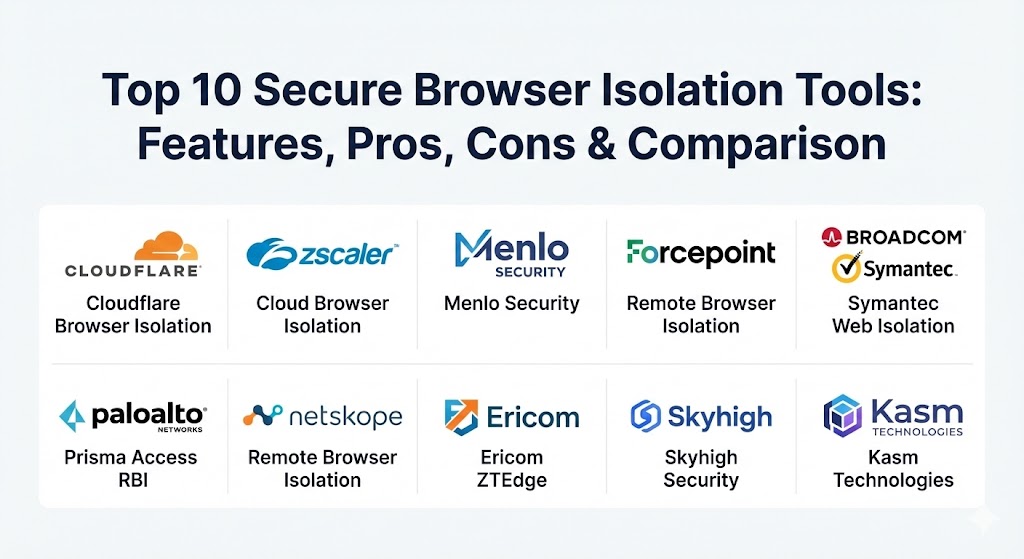
Top 10 Secure Browser Isolation Tools
1 — Cloudflare Browser Isolation
Cloudflare Browser Isolation is a cloud-native solution built on the massive Cloudflare global network. It uses a unique “Network Vector Rendering” (NVR) technology that sends safe draw commands to the user’s browser rather than just streaming pixels, significantly reducing latency and bandwidth usage.
- Key features:
- Network Vector Rendering (NVR) for high-speed, native-feeling browsing.
- Integrated with Cloudflare One (ZTNA, SWG, and CASB).
- Clientless deployment—works on any browser without software installation.
- Granular DLP controls (block copy/paste, printing, and file uploads).
- Global edge presence in over 330 cities for minimal latency.
- Automatic “disposable” sessions that clear all cookies and cache upon closing.
- Pros:
- Performance is industry-leading; users often cannot tell they are in an isolated session.
- Exceptionally easy to set up for teams already using Cloudflare’s Zero Trust suite.
- Cons:
- Some high-complexity sites may still occasionally encounter minor rendering issues.
- Full features are tied to the broader (and more expensive) Cloudflare Zero Trust plans.
- Security & compliance: SOC 2 Type II, ISO 27001, GDPR, HIPAA, and FIPS 140-2.
- Support & community: Extensive developer documentation, 24/7 enterprise support, and a very large global community of users and experts.
2 — Zscaler Cloud Browser Isolation
Zscaler, a leader in the Security Service Edge (SSE) space, offers a robust browser isolation tool that is part of its Zero Trust Exchange. It is designed to provide “air-gapped” security for both web surfing and access to private applications.
- Key features:
- Pixel-pushing and DOM reconstruction options based on risk levels.
- Native integration with Zscaler Internet Access (ZIA) and Private Access (ZPA).
- Agentless access for contractors and unmanaged devices.
- AI-driven threat isolation for automatically identifying risky URLs.
- File isolation that allows viewing attachments in a safe, read-only container.
- Deep policy control based on user identity and device posture.
- Pros:
- The integration with the Zscaler ecosystem provides a seamless “all-in-one” security stack.
- Excellent for securing access to internal web apps without a VPN.
- Cons:
- The administrative console can be overwhelming for smaller IT teams.
- Performance can vary depending on the distance to the nearest Zscaler data center.
- Security & compliance: FedRAMP High, SOC 2, ISO 27001, HIPAA, and PCI DSS.
- Support & community: World-class enterprise support with dedicated Technical Account Managers (TAMs) available for larger clients.
3 — Menlo Security
Menlo Security is often cited as the pioneer of the “Isolation-Core” architecture. They focus on 100% isolation, meaning all web traffic is treated as untrusted and processed through their cloud-based Secure Enterprise Browser platform.
- Key features:
- Adaptive Clientless Rendering (ACR) for a balance of speed and security.
- “Positive Selection” technology for sanitizing files and email attachments.
- Integrated Phishing protection that prevents users from entering credentials on risky sites.
- Browser-level visibility and audit logs for forensic analysis.
- Dedicated protection for Generative AI applications to prevent data leaks.
- Centralized policy management for global workforces.
- Pros:
- One of the highest levels of “fidelity”—websites rarely break in Menlo.
- Strong focus on preventing “evasive” threats that bypass traditional filters.
- Cons:
- High cost compared to basic web filtering alternatives.
- Requires a slight shift in mindset as it isolates all traffic, not just “risky” sites.
- Security & compliance: SOC 2, HIPAA, GDPR, and ISO 27001.
- Support & community: Extensive white papers, training modules, and highly-rated customer support.
4 — Forcepoint Remote Browser Isolation
Forcepoint RBI (formerly Cyberinc) focuses on “Smart Isolation,” which dynamically adjusts the isolation level based on the risk profile of the website being visited.
- Key features:
- Smart Isolation technology to optimize user experience on “safe” sites.
- Zero Trust Content Disarm and Reconstruction (CDR) for file downloads.
- Protection against steganography (malware hidden in images).
- Native integration with Forcepoint ONE SASE platform.
- “Read-only” mode for high-risk sites to prevent credential theft.
- Detailed analytics on blocked threats and user behavior.
- Pros:
- Great balance between high-security pixel-pushing and high-performance DOM rendering.
- The CDR functionality is excellent for organizations handling many external documents.
- Cons:
- Management interface can feel a bit fragmented if not using the full Forcepoint ONE suite.
- Smaller global network footprint compared to Cloudflare or Zscaler.
- Security & compliance: FIPS 140-2, ISO 27001, HIPAA, and GDPR.
- Support & community: Comprehensive online knowledge base and dedicated onboarding services.
5 — Broadcom Symantec Web Isolation
Symantec (by Broadcom) offers a Web Isolation solution that integrates deeply with its legacy Secure Web Gateway (ProxySG). It is built for large enterprises that need to add an isolation layer to their existing Symantec infrastructure.
- Key features:
- Support for on-premises, cloud, or hybrid deployment models.
- Isolation of both web browsing and email links.
- Integrated with Symantec Global Intelligence Network for real-time threat data.
- Advanced DLP to prevent sensitive data from being pasted into isolated browsers.
- High-fidelity rendering for complex business applications.
- Policy-based isolation for specific user groups or URL categories.
- Pros:
- Extremely reliable and “battle-tested” in some of the world’s largest financial institutions.
- Flexible deployment options are rare in this cloud-heavy market.
- Cons:
- Can be very expensive and complex to license.
- The UI feels traditional and less “agile” than modern cloud-native startups.
- Security & compliance: ISO 27001, SOC 3, HIPAA, and NDcPP certifications.
- Support & community: Massive global support infrastructure, though response times can vary for non-premium accounts.
6 — Palo Alto Networks Prisma Access RBI
Palo Alto Networks has integrated RBI directly into its Prisma Access (SASE) solution. It is designed to extend the company’s “Best-of-Breed” security to the web browser.
- Key features:
- Native integration with WildFire for zero-day malware analysis.
- Seamless transition between local browsing and isolated browsing.
- Policy-driven isolation for uncategorized or “gray-area” websites.
- Support for any device via the GlobalProtect agent or agentless access.
- High availability backed by industry-leading SLAs.
- Centralized management through Panorama.
- Pros:
- If you are already a Palo Alto shop, this is the most logical and integrated choice.
- Leverages one of the best threat intelligence engines in the world.
- Cons:
- Not available as a standalone product; requires the Prisma Access ecosystem.
- Complexity in initial configuration for non-Palo Alto experts.
- Security & compliance: FedRAMP, SOC 2, HIPAA, and GDPR.
- Support & community: Robust community (LIVEcommunity), training through Beacon, and top-tier enterprise support.
7 — Netskope Remote Browser Isolation
Netskope is a major player in the SSE market, and its RBI tool focuses on “Targeted Isolation”—isolating only the sites that represent a real risk while keeping the rest of the experience native.
- Key features:
- Integrated into the Netskope Security Cloud (one policy, one console).
- Pixel-rendering for uncategorized and risky websites.
- “Isolate” policy command is as simple as “Block” or “Allow.”
- Native mobile RBI experience for tablets and smartphones.
- Separate disposable containers for every user session.
- Detailed reporting on isolated session duration and activity.
- Pros:
- The “one console” philosophy makes it incredibly simple to manage.
- Low performance overhead for the majority of users who only visit “safe” sites.
- Cons:
- Pixel-pushing on mobile can sometimes feel slightly laggy on slower connections.
- Newer to the RBI space compared to Menlo or Symantec.
- Security & compliance: SOC 2 Type II, ISO 27001, HIPAA, and GDPR.
- Support & community: Highly rated customer success team and a fast-growing user community.
8 — Ericom ZTEdge (Cradlepoint/Ericsson)
Ericom (now part of Cradlepoint/Ericsson) offers a Zero Trust isolation solution that focuses on “air-gapping” the browser. It is specifically popular in government and high-security sectors.
- Key features:
- “Virtual Browser” containers that run in the cloud or on-premise.
- Integrated CDR to sanitize documents before they reach the desktop.
- Identity-based access control (ZTNA) integrated with the browser.
- Support for “Read-Only” web access for suspicious domains.
- Clientless access for third-party contractors and BYOD users.
- Specific modules for securing virtual meetings (Zoom/Teams) in isolation.
- Pros:
- Very strong focus on the “Air-Gap” philosophy for maximum security.
- Excellent value for mid-market enterprises looking for high-end security.
- Cons:
- Brand recognition is lower than giants like Palo Alto or Zscaler.
- The UI can be a bit more technical and less polished than Cloudflare.
- Security & compliance: FIPS 140-2, GDPR, and HIPAA.
- Support & community: Professional services are available for complex government-grade deployments.
9 — Skyhigh Security (formerly Hysolate/McAfee)
Skyhigh Security provides a unique take on isolation. While they offer remote isolation, they also absorbed technology (Hysolate) that allowed for local isolation via a hidden hypervisor on the endpoint.
- Key features:
- Support for both Remote Browser Isolation (RBI) and Local Isolation.
- Part of the Skyhigh Cloud Platform (formerly McAfee Enterprise).
- Integrated Data Loss Prevention that follows the data from the web to the cloud.
- Detailed user behavior analytics within the isolated session.
- Policy-based isolation triggered by the Skyhigh Client Proxy.
- Automated cleanup of session data to ensure privacy.
- Pros:
- Local isolation (when available) offers near-zero latency compared to cloud-based RBI.
- Deep heritage in data protection and DLP.
- Cons:
- The transition from McAfee to Skyhigh has led to some platform complexity.
- High resource requirements for local isolation on older laptops.
- Security & compliance: SOC 2, HIPAA, GDPR, and FIPS 140-2.
- Support & community: Large global support team with significant enterprise experience.
10 — Kasm Technologies
Kasm Technologies offers a container-based “Workspaces” platform that includes highly powerful Browser Isolation. It is the favorite of the “Power User” and DevOps communities due to its flexibility.
- Key features:
- Containerized Desktop Infrastructure (CDI) for isolating browsers and full desktops.
- Support for “Streaming” full Linux-based browsers (Chrome, Firefox, Brave).
- Highly customizable—allows users to build their own isolation images.
- Open-source core with an enterprise orchestration layer.
- Persistent or non-persistent session options.
- Multi-tenant support for MSPs and large organizations.
- Pros:
- The most flexible tool on the list; can isolate almost anything, not just a browser.
- Very cost-effective for organizations that have the in-house talent to manage it.
- Cons:
- Steeper learning curve than “plug-and-play” SASE solutions.
- Requires more manual management of container images and infrastructure.
- Security & compliance: SSO, MFA integration, and audit logs. (Varies by deployment).
- Support & community: Extremely active community on Discord and GitHub; professional enterprise support available.
Comparison Table
| Tool Name | Best For | Platform(s) Supported | Standout Feature | Rating (Gartner Peer Insights) |
| Cloudflare | Performance / Speed | Cloud / Clientless | Network Vector Rendering | 4.7 / 5 |
| Zscaler | Large Enterprises | SaaS / Cloud | Zero Trust Exchange Integration | 4.6 / 5 |
| Menlo Security | 100% Isolation | Cloud / Clientless | Adaptive Clientless Rendering | 4.7 / 5 |
| Forcepoint | Document Security | Cloud / Hybrid | Integrated CDR & Smart Isolation | 4.4 / 5 |
| Symantec | Legacy/Hybrid Ent. | On-prem / Cloud | Global Intelligence Network | 4.3 / 5 |
| Palo Alto | Network Security | Cloud / Prisma | WildFire Threat Intelligence | 4.5 / 5 |
| Netskope | Ease of Use | Cloud / Mobile | One-Click “Isolate” Policy | 4.6 / 5 |
| Ericom | Air-Gapped Security | Cloud / On-prem | Secure Virtual Meetings | 4.5 / 5 |
| Skyhigh Security | Data Protection / DLP | Cloud / Local | Local Isolation Hypervisor | 4.3 / 5 |
| Kasm Tech | Customization / CDI | Containers / Cloud | Customizable Browser Images | 4.8 / 5 |
Evaluation & Scoring of Secure Browser Isolation Tools
| Category | Weight | Evaluation Criteria |
| Core Features | 25% | Isolation method (Pixel vs DOM), high-fidelity rendering, and protocol support. |
| Ease of Use | 15% | Admin console simplicity, end-user transparency, and deployment speed. |
| Integrations | 15% | Compatibility with existing SASE, SWG, and identity providers (Okta/AD). |
| Security & Compliance | 10% | Encryption standards, anti-phishing, and regulatory certifications. |
| Performance | 10% | Latency, bandwidth consumption, and impact on the end-user experience. |
| Support & Community | 10% | Availability of enterprise support, documentation quality, and user forums. |
| Price / Value | 15% | Total cost of ownership (TCO) relative to the security risk reduction. |
Which Secure Browser Isolation Tool Is Right for You?
The right SBI tool depends on where you are in your security journey.
- Solo Users & SMBs: Most small businesses don’t need a standalone isolation tool. However, if you are in a high-risk industry, Cloudflare’s free or Pro tiers offer a great entry point into basic browser isolation.
- Budget-Conscious Organizations: Kasm Technologies or Ericom often offer more competitive pricing for mid-market firms compared to the “Big Three” (Zscaler, Palo Alto, Broadcom).
- Enterprise Power Users: If performance is your #1 priority, Cloudflare and Menlo Security are the top contenders. Their rendering engines are designed to feel invisible to the end user.
- Security-First (Zero Trust): For organizations that want an “Air-Gap” between their network and the world, Menlo Security and Ericom provide the most uncompromising isolation-by-default models.
- Integrated SASE Users: If you are already invested in Zscaler, Netskope, or Palo Alto Networks, the best tool is almost certainly the one already integrated into your existing security cloud. Managing isolation from the same console as your firewall and VPN replacement is a huge operational win.
Frequently Asked Questions (FAQs)
1. Does browser isolation slow down the internet? It can. Pixel-pushing isolation adds latency because every action must travel to a remote server and back. However, modern technologies like Cloudflare’s NVR or Menlo’s ACR have reduced this delay to the point where it is often imperceptible to users.
2. Will browser isolation break my favorite websites? Early RBI tools often “broke” complex sites (like maps or video editors). Today’s top-tier tools have high-fidelity rendering engines that support almost all modern web standards, though very rare or legacy apps might still require testing.
3. Is browser isolation better than an antivirus? They serve different purposes. Antivirus tries to detect malware once it’s on your machine. Browser isolation prevents the malware from ever reaching your machine. Ideally, you use both as part of a layered defense.
4. How does SBI protect against phishing? Many SBI tools can open links in “read-only” mode. This allows the user to see the site but prevents them from typing in passwords or uploading files, effectively neutralizing credential theft attempts.
5. Can I use browser isolation on mobile devices? Yes. Leading vendors like Netskope and Zscaler offer native mobile isolation that works within the smartphone’s browser or via a lightweight app.
6. What is “Pixel Pushing”? Pixel pushing is an isolation method where the remote server renders the website and streams a video-like image of the page to the user. It is highly secure but can be bandwidth-heavy.
7. Do I need to install an agent on every laptop? No. Many modern SBI tools are “clientless,” meaning they work via a browser extension or a web gateway redirect, making them perfect for contractors or BYOD scenarios.
8. Does isolation help with GDPR compliance? Yes. By ensuring that no trackers or malicious cookies are stored on the local device and by providing an audit trail of web activity, SBI tools significantly strengthen your data privacy posture.
9. Can isolation stop “Zero-Day” exploits? Yes. Since the exploit code executes in a disposable cloud container and never reaches the user’s actual browser, the exploit has nothing to “attack” on the local machine.
10. What is the biggest mistake when implementing SBI? The biggest mistake is over-isolating. Isolating every single “safe” site (like Google or a known partner portal) can frustrate users and consume unnecessary bandwidth. Most experts recommend a “Targeted Isolation” approach for risky or uncategorized sites.
Conclusion
Secure Browser Isolation is no longer a niche luxury for government agencies; it is a vital tool for any business that operates on the modern web. By shifting the “battleground” from the user’s computer to a disposable container in the cloud, SBI effectively removes the browser as an attack vector. When choosing a tool, prioritize the user experience—because the most secure tool in the world is useless if your employees find a way to bypass it.
This post provides a really clear and practical breakdown of why Secure Browser Isolation has shifted from a niche government security measure to a business necessity. I especially appreciated the point in the conclusion about the danger of “over-isolating”—it’s a common mistake to think that more security is always better, but if the latency or rendering issues frustrate employees, they’ll inevitably look for workarounds that create even bigger vulnerabilities. The comparison between Network Vector Rendering and traditional pixel pushing was also very insightful, as performance is usually the biggest hurdle for adoption in a fast-paced corporate environment. It’s great to see tools like Cloudflare and Netskope making this technology more accessible to mid-market companies rather than just massive enterprises with unlimited budgets. This is a solid resource for anyone looking to build a true Zero Trust architecture without sacrificing the user experience. Thanks for putting together such a comprehensive guide; the breakdown of pros and cons for each vendor makes the evaluation process much less overwhelming for IT teams.