Introduction
Secrets scanning tools are specialized security solutions designed to detect, redact, and remediate sensitive credentials—passwords, API tokens, SSH keys, and encryption certificates—that have been accidentally hardcoded into source code, configuration files, or documentation. Unlike generic static analysis, these tools use a combination of high-entropy string detection, complex regular expressions (regex), and machine learning to distinguish between a random string and an actual exploitable credential.
The importance of these tools cannot be overstated. As organizations move toward “Infrastructure as Code” (IaC) and cloud-native architectures, the number of credentials a developer manages has exploded. Real-world use cases include preventing leaks during the CI/CD pipeline, auditing years of Git history to find dormant “time bombs,” and real-time blocking of commits that contain sensitive data. When choosing a tool, teams should look for low false-positive rates, deep integration with their Version Control System (VCS), and—crucially—secret validity checking to know if a leaked key is actually live and dangerous.
Best for: Software engineers, DevSecOps teams, and Chief Information Security Officers (CISOs) at organizations of all sizes—from high-growth startups to Fortune 500 enterprises. They are essential for industries with high regulatory burdens like finance, healthcare, and government.
Not ideal for: Purely low-code/no-code environments where manual configuration is non-existent, or extremely small teams that do not use version control (though even then, the risk exists). If your “codebase” is just a set of isolated documents with no external API integrations, the overhead of a dedicated scanner might exceed its utility.
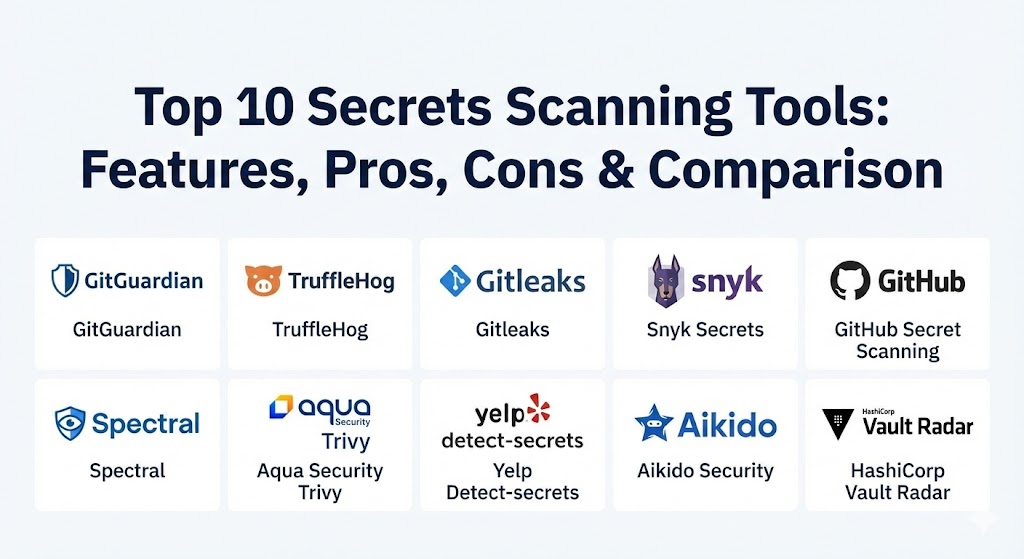
Top 10 Secrets Scanning Tools
1 — GitGuardian
GitGuardian is widely recognized as the market leader in the enterprise secrets detection space. It is built to monitor both public and private repositories at massive scale, providing a comprehensive platform for remediation rather than just simple detection.
- Key features:
- Over 550+ specific detectors covering almost every known cloud service and API.
- Real-time monitoring of public GitHub to catch leaks from employee personal accounts.
- Advanced machine learning models to identify “generic” secrets (like custom passwords).
- Integrated remediation workflows that allow security teams and developers to collaborate.
- Secret validity checking to verify if a leaked credential is still active.
- Support for multi-source scanning including Slack, Jira, and container registries.
- Pros:
- The most mature “prevention” suite in the industry, stopping leaks before they reach the server.
- Excellent developer experience with minimal false positives compared to open-source alternatives.
- Cons:
- Can be expensive for very large organizations with thousands of developers.
- The sheer volume of features may be overkill for a team looking for a simple CLI tool.
- Security & compliance: SOC 2 Type II, GDPR, HIPAA, SSO integration, and full audit logging.
- Support & community: Enterprise-grade 24/7 support, dedicated customer success managers, and extensive technical documentation.
2 — TruffleHog
TruffleHog is a legendary name in the security community. Known for its ability to dig deep into Git history, it focuses on finding secrets that were committed years ago and forgotten.
- Key features:
- Deep history scanning that searches through every branch and every commit.
- High-entropy string detection to find non-standard or custom secrets.
- Support for various platforms including GitHub, GitLab, and S3 buckets.
- Verified secret detection that automatically pings the service to see if the key works.
- Available as both an open-source CLI and a robust Enterprise version.
- Support for “detectors” for over 700+ different credential types.
- Pros:
- Unrivaled at cleaning up “technical debt” and historical leaks.
- The open-source version is highly powerful and free for individual use.
- Cons:
- Historical scanning can be extremely slow and resource-heavy on large repositories.
- High-entropy checks can lead to significant alert fatigue (false positives) if not tuned.
- Security & compliance: Varies by version; Enterprise supports SOC 2 and audit logs.
- Support & community: Massive community support via GitHub; Enterprise offers formal SLA-backed support.
3 — Gitleaks
Gitleaks is the preferred choice for developers who want a fast, lightweight, and highly customizable scanner that fits perfectly into a CI/CD pipeline.
- Key features:
- Blazing fast execution, optimized for scanning “deltas” (only new changes).
- Simple TOML-based configuration for adding custom regex rules.
- Native support for SARIF output, allowing easy integration with GitHub Code Scanning.
- Pre-commit hooks to block secrets locally on a developer’s machine.
- Available as a single binary for Windows, Linux, and macOS.
- Lightweight enough to run as a GitHub Action or GitLab CI job with zero overhead.
- Pros:
- Extremely easy to set up; literally takes minutes to integrate into a pipeline.
- Highly flexible for organizations with unique, internal secret formats.
- Cons:
- Lacks a centralized “management” dashboard in its native form.
- No built-in secret validity checking; you only know if a string looks like a secret.
- Security & compliance: N/A (Client-side tool); security depends on where you run it.
- Support & community: Active community on GitHub; no formal enterprise support for the open-source version.
4 — Snyk Secrets
Snyk has expanded its popular developer security platform to include secrets detection, allowing teams to manage code vulnerabilities, dependencies, and secrets in a single place.
- Key features:
- Unified security dashboard that correlates secrets findings with SAST and SCA results.
- Automated scanning of pull requests to provide immediate feedback to developers.
- IDE integrations for VS Code and JetBrains to catch secrets while typing.
- Policy-based enforcement to block builds if high-severity secrets are found.
- Centralized reporting for compliance and security posture.
- Integration with popular cloud providers to identify IaC secrets.
- Pros:
- Excellent if you are already using Snyk for other security needs (consolidation).
- Very high “developer empathy” with clear remediation instructions.
- Cons:
- Its secrets detector library is slightly less extensive than specialized tools like GitGuardian.
- The advanced secrets features are typically locked behind premium tiers.
- Security & compliance: ISO 27001, SOC 2 Type II, GDPR, and HIPAA.
- Support & community: Top-tier enterprise support and a large global community of users.
5 — GitHub Secret Scanning
For teams already hosted on GitHub, the native Secret Scanning feature offers the path of least resistance. It is “built-in” and requires almost no configuration to start protecting public repositories.
- Key features:
- Automatic scanning of all public repositories on GitHub.
- Push protection to block commits containing high-confidence secrets.
- Partner program with providers like AWS and Stripe to automatically revoke leaked keys.
- Integrated into the GitHub Advanced Security (GHAS) dashboard for private repos.
- Custom patterns support for enterprise users to find internal tokens.
- Validity checks for a growing list of major service providers.
- Pros:
- Zero-install; if you use GitHub, you already have access to the basic version.
- The push-protection feature is incredibly effective at preventing “leaks at the source.”
- Cons:
- The full feature set for private repositories requires an expensive GHAS license.
- Limited coverage for niche or smaller third-party API providers.
- Security & compliance: SOC 2, FedRAMP, and industry-standard encryption and auditing.
- Support & community: Standard GitHub support; extensive community through the GitHub forums.
6 — Spectral (by Check Point)
Spectral focuses on speed and “AI-enhanced” detection, aiming to provide a developer-first experience that doesn’t slow down the velocity of ship-cycles.
- Key features:
- Massive library of over 2,000+ detectors (claims the highest in the market).
- Hybrid detection engine combining regex, NLP, and machine learning.
- Support for IaC, mobile codebases, and data files beyond standard source code.
- Real-time protection with a lightweight CLI tool.
- Risk scoring and prioritization to help teams focus on the most dangerous leaks.
- Centralized policy management for large enterprises.
- Pros:
- One of the broadest “scopes” of scanning, catching secrets in places other tools miss.
- Very fast execution speeds, even on massive monorepos.
- Cons:
- Being part of the Check Point ecosystem can feel “heavy” for small startups.
- Documentation can sometimes lag behind the rapid pace of new features.
- Security & compliance: SOC 2, GDPR, and enterprise-grade encryption.
- Support & community: Backed by Check Point’s global support infrastructure.
7 — Aqua Security Trivy
Trivy has become the Swiss Army Knife of cloud-native security. While famous for container scanning, its secrets detection module is powerful and essential for DevSecOps pipelines.
- Key features:
- Multi-purpose scanning: vulnerability, misconfiguration, and secrets in one tool.
- Ideal for scanning container images and Kubernetes manifests for embedded secrets.
- Extremely fast and lightweight binary with no external dependencies.
- Integration with popular CI tools like Jenkins and CircleCI.
- Support for custom policies via Rego (Open Policy Agent).
- High-entropy detection for finding random-looking keys in binary files.
- Pros:
- If you are already scanning containers, adding secrets detection is a “free” win.
- Incredibly stable and trusted by the cloud-native/CNCF community.
- Cons:
- Not as specialized in secrets as GitGuardian; it won’t have as many “bespoke” detectors.
- Lacks a dedicated secrets remediation workflow; findings are just part of a list.
- Security & compliance: Varies; widely used in highly regulated government/DoD environments.
- Support & community: Massive open-source community; Aqua Security offers enterprise support plans.
8 — Yelp Detect-secrets
Originally developed by Yelp and now a community staple, detect-secrets is the “purist’s” tool. It focuses on maintaining a clean baseline and only alerting on new deviations.
- Key features:
- Baseline creation to “accept” existing (presumably safe or false positive) secrets.
- Plugin-based architecture allowing for easy extensibility.
- Heuristic analysis to reduce false positives in common coding patterns.
- Pre-commit hooks to force local checks before any data leaves the machine.
- Language-agnostic scanning that works across any file type.
- Designed for high-volume development environments with thousands of commits.
- Pros:
- The baseline feature is the best way to handle a “noisy” legacy codebase.
- Very low false-positive rate once the baseline is correctly established.
- Cons:
- Requires more manual setup and “tuning” than commercial tools.
- No centralized UI; strictly a command-line and pipeline tool.
- Security & compliance: N/A (Open source project).
- Support & community: Community-driven; used by major tech companies like Microsoft and Yelp.
9 — Aikido Security
Aikido is a newer player that emphasizes a “no-noise” approach. It is designed for startups and mid-market companies that want the benefits of 10 security tools in one simplified dashboard.
- Key features:
- Context-aware detection that looks at how a secret is used before flagging it.
- Consolidates secrets, SAST, SCA, and IaC scanning into a single view.
- One-click remediation for common leaks.
- Automatic “stitching” of findings across repositories to identify reused secrets.
- Extremely clean and modern user interface designed for speed.
- Tight integration with GitLab, GitHub, and Bitbucket.
- Pros:
- The best “user experience” for smaller teams without a dedicated security department.
- Dramatically reduces alert fatigue by intelligently grouping related issues.
- Cons:
- Less “depth” in advanced secrets features (like public GitHub monitoring) than GitGuardian.
- As a multi-tool platform, it may lack the extreme edge-case detectors of a point solution.
- Security & compliance: SOC 2 Type II, GDPR, and encrypted data storage.
- Support & community: Very responsive support; popular among the modern SaaS startup crowd.
10 — HashiCorp Vault Radar
Acquired by HashiCorp (and now part of the IBM family), Vault Radar is designed to bridge the gap between “finding” secrets and “managing” them in a vault.
- Key features:
- Deep integration with HashiCorp Vault for automated secret rotation and storage.
- Continuous scanning of VCS, CI/CD, and even local filesystems.
- Risk prioritization based on whether the secret provides access to production resources.
- Centralized visibility of “unmanaged” secrets across the entire enterprise.
- Ability to identify “ghost secrets” that exist in the vault but are exposed in code.
- Automated remediation paths that guide developers into the Vault ecosystem.
- Pros:
- The absolute best choice for organizations that are already standardized on HashiCorp Vault.
- Focuses on the “lifecycle” of the secret, not just the single moment of detection.
- Cons:
- Can be complex to set up if you aren’t already using Vault.
- High cost of entry as part of the broader HashiCorp enterprise suite.
- Security & compliance: Industry-leading security as a “security-first” company (SOC 2, ISO, etc.).
- Support & community: Enterprise-grade support backed by HashiCorp/IBM.
Comparison Table
| Tool Name | Best For | Platform(s) Supported | Standout Feature | Rating (Gartner/TrueReview) |
| GitGuardian | Large Enterprises | GitHub, GitLab, Bitbucket | Public GitHub Monitoring | 4.8 / 5 |
| TruffleHog | Historical Audits | Git, S3, Cloud | Verified Key Detection | 4.7 / 5 |
| Gitleaks | Lightweight CI/CD | CLI, GitHub Actions | SARIF / Fast Execution | 4.6 / 5 |
| Snyk Secrets | Consolidated Security | GitHub, GitLab, IDEs | Contextual DevSecOps | 4.7 / 5 |
| GitHub Native | GitHub Users | GitHub-only | Push Protection | 4.5 / 5 |
| Spectral | High Speed / AI | Multi-platform | 2,000+ Detectors | 4.6 / 5 |
| Aqua Trivy | Container/Cloud Native | CLI, K8s, CI/CD | All-in-one Scanner | 4.8 / 5 |
| Detect-secrets | Clean Baselines | CLI, Pre-commit | Baseline Management | 4.4 / 5 |
| Aikido | Startups / SMBs | SaaS-based | Unified Dashboard | 4.7 / 5 |
| Vault Radar | Vault Users | Git, Cloud, Vault | Vault Ecosystem Integration | 4.5 / 5 |
Evaluation & Scoring of Secrets Scanning Tools
To find the right balance for your organization, use the following weighted rubric. A tool that scores highly in “Ease of Use” might be better for a small team, while “Security & Compliance” weight is higher for regulated industries.
| Category | Weight | Evaluation Criteria |
| Core Features | 25% | Number of detectors, validity checking, historical scanning, and push protection. |
| Ease of Use | 15% | Time to first scan, quality of the UI/UX, and clarity of remediation steps. |
| Integrations | 15% | Breadth of VCS support (GitHub/Lab/Bitbucket), CI/CD plugins, and IDE extensions. |
| Security & Compliance | 10% | SOC 2 status, encryption, SAML/SSO support, and audit trail depth. |
| Performance | 10% | Execution speed, false-positive/negative rates, and scalability for monorepos. |
| Support | 10% | Documentation quality, community size, and enterprise SLA availability. |
| Price / Value | 15% | Cost per developer vs. the breadth of features and risk reduction provided. |
Which Secrets Scanning Tool Is Right for You?
Solo Users vs. SMB vs. Mid-Market vs. Enterprise
- Solo Users/Freelancers: Stick with Gitleaks or TruffleHog (OSS). They are free, run locally, and give you high-quality protection without any subscription.
- SMBs (10-50 Devs): Aikido or Snyk are excellent because they handle secrets and other security needs, saving you from managing multiple vendors.
- Mid-Market (50-500 Devs): GitGuardian or Spectral provide the centralized oversight your security manager needs without being too “heavy.”
- Enterprise (500+ Devs): GitGuardian or GitHub Advanced Security are the only ones that can handle the sheer volume and provide the governance required for audits.
Budget-Conscious vs. Premium
If budget is your only constraint, Gitleaks combined with Yelp Detect-secrets can build a world-class pipeline for $0 in licensing. If you have a budget, GitGuardian or Vault Radar are the “premium” options that save you money in the long run by reducing manual investigation time.
Security and Compliance Requirements
If your main goal is passing a SOC 2 or HIPAA audit, look at tools with deep audit logs and remediation timelines like GitGuardian or Nlyte. For highly sensitive government work, TruffleHog Enterprise or GitHub AE offer the highest isolation levels.
Frequently Asked Questions (FAQs)
1. What exactly is a “secret” in code? A secret is any piece of data that grants access to a resource. This includes API keys (AWS, Stripe, OpenAI), database passwords, SSH private keys, access tokens, and even sensitive configuration strings.
2. Can these tools scan my old commits? Yes. Tools like TruffleHog and GitGuardian specialize in “historical scanning.” They don’t just look at your current code; they look at every version of every file that has ever existed in your Git history.
3. Do secrets scanning tools block developers from working? They can. Features like “Push Protection” (GitHub) or “Pre-commit Hooks” (Gitleaks) will stop a commit if a secret is found. This is a best practice, but it can be configured as a simple “warning” if you prefer.
4. How do I fix a leaked secret found by a scanner? Simply deleting the secret from the code is not enough. You must: 1. Revoke the secret at the source (e.g., in AWS), 2. Issue a new one, 3. Update your code to use a secrets manager, and 4. (Optional but recommended) Rotate the keys.
5. Are open-source tools as good as paid ones? Open-source tools like Gitleaks are just as accurate at finding patterns. However, paid tools add “management” features: validity checking, remediation dashboards, and multi-repository oversight.
6. What is a “False Positive” in secret scanning? A false positive is when a scanner flags a string that looks like a secret but isn’t—for example, a test key in a tutorial, a non-sensitive UUID, or a long variable name.
7. Can these tools scan files other than source code? Yes. Advanced scanners check .env files, .json configs, .yaml IaC files, documentation (.md), and even container images.
8. Do these tools replace Secrets Managers (like HashiCorp Vault)? No. They are complementary. A Secrets Manager is where you store keys; a Secrets Scanner is the tool that finds them when you accidentally leave them outside the manager.
9. How often should I run a secrets scan? Ideally, every time a developer commits code (pre-commit) or opens a pull request. A full historical scan of all repositories should be done at least once a quarter.
10. What is “Entropy Detection”? Entropy detection is a technique that measures the “randomness” of a string. Since passwords and keys are usually highly random, scanners use this to find secrets that don’t match a known regex pattern.
Conclusion
The “keys to your kingdom” are likely sitting in a repository right now. Whether you choose the lightweight speed of Gitleaks, the enterprise power of GitGuardian, or the native ease of GitHub, the most important step is simply to start. A secrets scanning program doesn’t just prevent breaches—it builds a culture of security where developers feel empowered to innovate without the constant fear of a catastrophic oversight. Remember, it only takes one leak to change a company’s trajectory forever; choose the tool that fits your workflow today.
Secrets scanning now uses automated, real-time detection to catch sensitive credentials before they reach your repositories. The contrast between GitGuardian’s massive engine and Trufflehog’s developer-friendly approach highlights the “shift left” security trend. This guide is a solid resource for protecting code without slowing down your CI/CD pipeline.