Introduction
Secrets Management Tools are specialized platforms designed to securely store, manage, and rotate digital credentials. Unlike traditional password managers designed for humans, these tools are built for “non-human” identities—the applications, servers, and CI/CD pipelines that need programmatic access to sensitive resources. At their core, these tools provide a centralized vault where secrets are encrypted at rest and in transit, and access is strictly governed by identity-based policies.
The importance of these tools lies in their ability to eliminate hardcoded credentials. Instead of embedding a database password directly in source code, an application requests a short-lived, ephemeral credential from the secrets manager at runtime. This significantly reduces the blast radius of a credential leak. Key real-world use cases include automated credential rotation, dynamic secret generation, and centralized auditing for compliance frameworks like SOC 2, HIPAA, and GDPR. When evaluating these tools, users should look for native cloud integrations, support for dynamic secrets, scalability, and developer experience (CLI/SDK availability).
Best for: DevOps engineers, security teams, and developers in organizations of all sizes—from high-growth startups to massive enterprises. It is essential for any company practicing CI/CD or managing distributed infrastructure.
Not ideal for: Solo hobbyists with a single static website or very small teams with no automated infrastructure where the operational overhead of a dedicated vault might outweigh the security benefits.
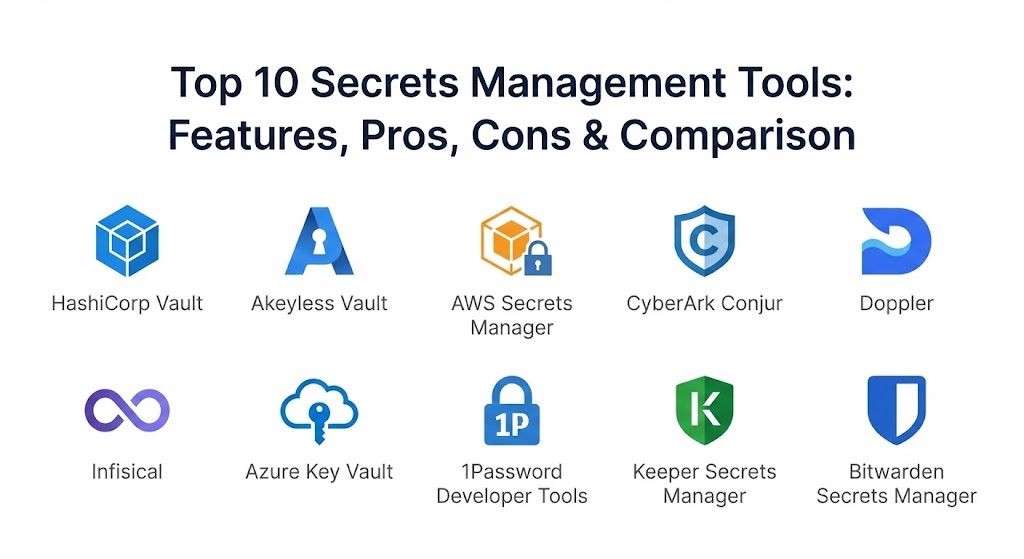
Top 10 Secrets Management Tools
1 — HashiCorp Vault
HashiCorp Vault remains the industry standard for secrets management. It is a highly flexible, platform-agnostic tool that provides a unified interface to any secret while providing tight access control and recording a detailed audit log.
- Key Features:
- Dynamic Secrets: Generates credentials on-demand for AWS, SQL databases, etc., which expire after use.
- Data Encryption: Provides encryption-as-a-service, allowing apps to encrypt data without storing it.
- Leasing and Renewal: Every secret has a lease associated with it; once expired, Vault automatically revokes it.
- Multiple Auth Methods: Integrates with Kubernetes, LDAP, Okta, and cloud IAM.
- Multi-Cloud Support: Works seamlessly across AWS, Azure, GCP, and on-premise data centers.
- Sentinel Policies: Policy-as-code framework to define granular access rules.
- Pros:
- Unmatched flexibility and the most comprehensive feature set in the market.
- Strong community support and a massive ecosystem of plugins.
- Cons:
- Notoriously steep learning curve and complex initial setup.
- Managing the open-source version requires significant operational overhead.
- Security & Compliance: SOC 2, GDPR, HIPAA, FIPS 140-2 (Enterprise). Includes comprehensive audit logs and identity-based access.
- Support & Community: Extensive documentation, a large community forum, and 24/7 enterprise support for the managed “HCP Vault” version.
2 — Akeyless Vault
Akeyless is a cloud-native, SaaS-based platform that prides itself on being “vaultless.” Using a patented “Distributed Fragments Cryptography” (DFC) technology, it ensures that even Akeyless never has a full encryption key.
- Key Features:
- DFC™ Technology: Keys are never assembled in full, providing zero-knowledge security.
- SaaS Delivery: Zero infrastructure to manage; high availability is handled by the platform.
- Unified Platform: Combines secrets management, KMS, and certificate lifecycle management.
- Universal Secrets Connector: Manages secrets stored in other vaults (like AWS or Azure) from one UI.
- Zero-Trust Remote Access: Provides temporary, JIT access to internal resources.
- Pros:
- Extremely fast time-to-value compared to self-hosted solutions.
- Significantly lower total cost of ownership (TCO) due to zero maintenance.
- Cons:
- As a SaaS-only solution, it may not suit organizations with strict air-gapped requirements.
- Dependency on a third-party vendor for critical infrastructure uptime.
- Security & Compliance: FIPS 140-2 level certification, SOC 2 Type II, ISO 27001, and GDPR compliant.
- Support & Community: High-quality documentation and responsive professional customer support.
3 — AWS Secrets Manager
For organizations primarily operating within the Amazon ecosystem, AWS Secrets Manager is the path of least resistance. It is a fully managed service that integrates natively with almost every AWS resource.
- Key Features:
- Native AWS Integration: Works out of the box with RDS, Redshift, and DocumentDB.
- Automatic Rotation: Built-in Lambda templates to rotate database passwords without downtime.
- IAM-Based Access: Uses standard AWS IAM roles and policies for secret retrieval.
- Replication: Easily replicates secrets to multiple AWS regions for disaster recovery.
- Pay-as-you-go: No upfront costs; you only pay for the secrets stored and API calls made.
- Pros:
- Frictionless deployment for AWS-centric teams.
- No servers to manage or scale; Amazon handles the backend.
- Cons:
- Potential for vendor lock-in; managing multi-cloud secrets is cumbersome.
- Pricing can become expensive for organizations with a massive number of secrets.
- Security & Compliance: HIPAA, PCI DSS, SOC 1/2/3, and FedRAMP compliant. Audit logs are integrated with AWS CloudTrail.
- Support & Community: Supported by the vast AWS technical support team and community.
4 — CyberArk Conjur
CyberArk is a titan in the Privileged Access Management (PAM) space. Conjur is their developer-focused offering, specifically designed to secure machine identities in DevOps pipelines and containerized environments.
- Key Features:
- Secretless Broker: Applications don’t even see the secret; Conjur injects it directly into the process.
- Identity-First Security: Uses machine identity (like Kubernetes service accounts) for authentication.
- RBAC at Scale: Extremely granular role-based access control for complex organizational structures.
- Enterprise PAM Integration: Connects natively with CyberArk’s core Vault for a unified security posture.
- Multi-Cloud Sync: Synchronizes secrets across AWS, Azure, and GCP environments.
- Pros:
- The best-in-class choice for large enterprises with existing CyberArk deployments.
- Robust security model that focuses on “non-human” identity security.
- Cons:
- Complexity of setup is comparable to HashiCorp Vault.
- The open-source version lacks many of the essential enterprise management features.
- Security & Compliance: SOC 2, GDPR, HIPAA, and ISO 27001. Complete auditability via the CyberArk Vault.
- Support & Community: Professional enterprise support with a strong focus on high-security industries.
5 — Doppler
Doppler is built with a “developer-first” philosophy. It focuses on solving the problem of secrets syncing across local development, staging, and production environments with minimal friction.
- Key Features:
- Environment Sync: Automatically syncs secrets across various cloud providers and CI/CD tools.
- Doppler CLI: Powerful command-line tool for injecting secrets into local processes.
- Git-Style Rollbacks: View the history of secret changes and roll back to a previous state instantly.
- Secret Referencing: Allows one secret to reference another, reducing duplication.
- Native Integrations: One-click integrations with Vercel, Netlify, Heroku, and GitHub.
- Pros:
- Exceptional developer experience; it “just works” for modern web dev teams.
- Unlimited machine identities included in the flat-rate pricing model.
- Cons:
- Less emphasis on “dynamic” secret generation compared to Vault or Akeyless.
- May lack the advanced PAM features required by traditional “legacy” IT enterprises.
- Security & Compliance: SOC 2 Type II, ISO 27001, and GDPR compliant. Zero-knowledge architecture.
- Support & Community: Active Slack community, detailed expert guides, and fast technical support.
6 — Infisical
Infisical is an open-source, developer-friendly alternative that aims to be the “all-in-one” platform for secrets, certificates, and privileged access. It has gained massive traction due to its ease of use.
- Key Features:
- Secrets Scanning: Scans your code and pipelines for exposed credentials to prevent leaks.
- Self-Hosting Support: Can be easily deployed on-premise or in your own cloud for total control.
- Infisical SSH: Manages SSH access using short-lived, policy-driven certificates.
- Native CI/CD Sync: Propagates secrets to providers like GitHub, GitLab, and Bitbucket automatically.
- Granular RBAC: Simple UI to manage who has read/write permissions at a project level.
- Pros:
- Beautiful, modern UI that makes secrets management accessible to non-security experts.
- Flexible hosting—use their cloud or host it yourself.
- Cons:
- Being a newer player, some niche integrations are still being developed.
- Enterprise features like dynamic rotation are evolving but not yet as mature as Vault.
- Security & Compliance: SOC 2, HIPAA, and GDPR compliant. Audit logs track every access and change.
- Support & Community: Rapidly growing open-source community on Discord; responsive founder-led support.
7 — Azure Key Vault
Microsoft’s native solution, Azure Key Vault, is designed to simplify the management of secrets, keys, and certificates for applications running in the Azure Cloud.
- Key Features:
- Vaults and Managed HSMs: Offers both software-protected and hardware-protected storage.
- Managed Identities: Simplifies secret retrieval by using the identity of the Azure resource itself.
- Certificate Management: Simplifies the task of enrolling, renewing, and managing SSL/TLS certificates.
- Encryption at Scale: Centralizes the management of keys used to encrypt data across Azure services.
- Standard and Premium Tiers: Allows users to choose the level of hardware security they need.
- Pros:
- Deeper integration with Azure AD (Entra ID) than any other tool.
- Generally very cost-effective for large enterprises already in the Microsoft stack.
- Cons:
- The GUI can be clunky, and searching for specific secrets is sometimes slow.
- Limited mobile support and cross-cloud functionality.
- Security & Compliance: FIPS 140-2 Level 2 and Level 3, SOC 1/2/3, ISO, and HIPAA compliant.
- Support & Community: Professional Microsoft enterprise support and a vast library of Azure documentation.
8 — 1Password Developer Tools
While famous for its consumer password manager, 1Password has built a powerful suite for developers that allows them to use their existing 1Password vaults for infrastructure secrets.
- Key Features:
- SSH Agent: Securely stores and manages SSH keys, allowing for biometric authentication of Git commits.
- 1Password CLI: Injects secrets into local environments without them ever touching the disk.
- Service Accounts: Programmatic access for CI/CD pipelines to read secrets from encrypted vaults.
- Connect Server: A self-hosted bridge that provides a private REST API for your infrastructure to access secrets.
- VS Code Integration: Allows developers to manage secrets directly within their code editor.
- Pros:
- Bridges the gap between “human” passwords and “machine” secrets in one tool.
- Exceptional user interface and biometric security features.
- Cons:
- Not a full “enterprise vault” in the sense of providing dynamic database rotation.
- Managing secrets at an extreme infrastructure scale can be less efficient than dedicated tools like Vault.
- Security & Compliance: SOC 2 Type II, GDPR, and ISO 27001. Features end-to-end encryption and zero-knowledge.
- Support & Community: Industry-leading user guides and widespread community adoption among developers.
9 — Keeper Secrets Manager
Keeper’s Secrets Manager is a zero-knowledge, cloud-based platform designed specifically to remove hard-coded credentials from source code and config files.
- Key Features:
- Zero-Knowledge Architecture: Data is encrypted at the device level; Keeper never sees your plaintext secrets.
- Keeper Commander: A powerful SDK and CLI for automating secrets management in DevOps workflows.
- Role-Based Permissions: Extremely detailed control over which users and machines can see specific records.
- Native CI/CD Plugins: Seamless integration with GitHub, GitLab, Jenkins, and Azure DevOps.
- Security Audit: Automated reports on password strength and secret usage across the organization.
- Pros:
- Very strong focus on the “Privileged Access Management” aspect of secrets.
- Clean, list-based UI that is easy for IT administrators to manage centrally.
- Cons:
- Some advanced features like dark web monitoring require additional paid add-ons.
- The auto-fill and auto-save features for developers are sometimes reported as clunky.
- Security & Compliance: SOC 2, HIPAA, ISO 27001, and FedRAMP authorized. 256-bit AES encryption.
- Support & Community: 24/7 live rep support and a well-populated community forum.
10 — Bitwarden Secrets Manager
Bitwarden is the favorite for open-source advocates. Their Secrets Manager extension brings their famous zero-knowledge security to the world of developer secrets and machine identities.
- Key Features:
- Open Source: The entire codebase is auditable, providing a high level of transparency.
- Self-Hosting available: Ideal for organizations that want to host their own secret vault instance.
- Collections: Facilitates easy secret sharing between specific team members or projects.
- Event and Audit Logs: Standardized reporting for compliance and security monitoring.
- Command Line Interface: Developer-friendly CLI for managing secrets in the terminal.
- Pros:
- The most affordable professional-grade option for small and mid-sized teams.
- Highly versatile and can be used for both personal and business secrets.
- Cons:
- Lacks some of the ultra-advanced enterprise features like just-in-time access.
- The UI, while functional, is often described as dated compared to competitors like Infisical.
- Security & Compliance: SOC 2, GDPR, HIPAA, and regular third-party security audits.
- Support & Community: Strong open-source community and 24/7 web ticketing support.
Comparison Table
| Tool Name | Best For | Platform(s) Supported | Standout Feature | Rating (SaaSworthy) |
| HashiCorp Vault | Complex Enterprise | Hybrid, Multi-Cloud | Dynamic Secret Generation | 4.6 / 5 |
| Akeyless Vault | SaaS-First Teams | SaaS (Cloud) | Vaultless DFC™ Security | 4.6 / 5 |
| AWS Secrets Mgr | AWS Power Users | AWS Cloud | Native RDS Rotation | 4.6 / 5 |
| CyberArk Conjur | Machine Identity | Hybrid, Containers | Secretless Broker | 4.7 / 5 |
| Doppler | Developer Speed | Cloud-Native | Git-style Rollbacks | 4.8 / 5 |
| Infisical | Open Source Teams | Cloud, Self-Host | Built-in Leak Scanning | 4.8 / 5 |
| Azure Key Vault | Microsoft Orgs | Azure Cloud | Managed Identities | 4.6 / 5 |
| 1Password Dev | Dev Productivity | Cloud, Local | Biometric SSH Agent | 4.6 / 5 |
| Keeper Secrets | Secure PAM | Cloud-Based | Zero-Knowledge HSM | 4.7 / 5 |
| Bitwarden Secrets | SMBs / Open Source | Cloud, Self-Host | Self-Hosting Availability | 4.8 / 5 |
Evaluation & Scoring of Secrets Management Tools
To determine the true value of these tools in a production environment, we have used a weighted scoring rubric based on the primary requirements of modern security teams.
| Criteria | Weight | Evaluation Basis |
| Core Features | 25% | Dynamic secrets, rotation, cert management, and vaulting depth. |
| Ease of Use | 15% | CLI quality, SDK support, and time-to-onboard developers. |
| Integrations | 15% | Native support for K8s, Cloud providers, and CI/CD tools. |
| Security & Compliance | 10% | SOC2/HIPAA status, zero-knowledge architecture, and encryption. |
| Performance | 10% | API latency, high-availability, and global replication. |
| Support & Community | 10% | Documentation quality and accessibility of 24/7 support. |
| Price / Value | 15% | Transparency of pricing and total cost of ownership (TCO). |
Which Secrets Management Tool Is Right for You?
Choosing a secrets manager is not just about features; it’s about fitting into your team’s current workflow.
Solo Users vs SMB vs Mid-Market vs Enterprise
If you are a solo developer, Doppler or Infisical’s free tier are likely all you need to keep your personal projects secure. For Small to Mid-Market (SMB) companies, Bitwarden or 1Password provide the best balance of cost and ease of use. For Global Enterprises, the decision usually rests between HashiCorp Vault (for maximum control) and CyberArk Conjur (for deep PAM integration).
Budget-conscious vs Premium Solutions
If budget is your primary concern, Infisical or Bitwarden (especially self-hosted) offer the most features for the lowest price. If you are looking for a Premium Solution where security and automation are more important than cost, Akeyless and HashiCorp Vault Enterprise provide the most robust automation capabilities.
Feature Depth vs Ease of Use
For Ease of Use, Doppler and 1Password are the undisputed champions; a developer can be up and running in minutes. If you require Feature Depth—such as the ability to generate a unique database user for every single application request—HashiCorp Vault is the only tool with that level of programmatic power.
Frequently Asked Questions (FAQs)
1. Why can’t I just use a standard password manager?
Standard password managers are for humans. Secrets management tools are for machines. Machines need APIs, CLIs, and automated rotation features that standard password managers don’t provide.
2. What is “Secret Sprawl”?
Secret sprawl occurs when API keys and passwords are leaked in multiple places—Slack, Jira, Git repositories, and local text files—making them impossible to track or secure centrally.
3. Do I need to be a security expert to use HashiCorp Vault?
While you don’t need to be an “expert,” Vault has a steep learning curve. It is best managed by a dedicated DevOps or security team rather than individual developers.
4. Can I use these tools if I am not in the cloud?
Yes. Tools like HashiCorp Vault, Infisical, and Bitwarden can be self-hosted on your own private hardware in your data center.
5. What are “Dynamic Secrets”?
Dynamic secrets are credentials created on the fly. For example, when an app needs to access a database, the secrets manager creates a temporary user with a 15-minute lifespan and deletes it afterward.
6. How do these tools integrate with Kubernetes?
Most of these tools offer “Secrets Injectors” or “CSI Drivers” that automatically pull secrets from the vault and mount them as files or environment variables in your Kubernetes pods.
7. Is SaaS secrets management safe?
Yes, modern SaaS providers like Akeyless and Doppler use zero-knowledge architecture. This means they encrypt the data with keys that only you hold, so they cannot see your secrets even if they wanted to.
8. What happens if the secrets manager goes down?
This is a critical risk. Most tools use high-availability (HA) clusters and local caching to ensure that even if the primary vault is unreachable, your applications can still retrieve cached secrets for a short time.
9. Can I store certificates in these tools?
Yes. Modern secrets managers (especially Akeyless and Infisical) have specialized engines for Certificate Lifecycle Management (CLM) to issue and rotate TLS certificates.
10. What is the “Secretless” approach?
Popularized by CyberArk and StrongDM, the secretless approach means the application never even receives the password. Instead, a “broker” handles the authentication on the app’s behalf.
Conclusion
The “best” secrets management tool in 2026 is the one that your developers will actually use. While HashiCorp Vault remains the technical heavyweight, the rise of “SaaS-First” and “Developer-First” platforms like Akeyless and Doppler has made high-end security accessible to teams of all sizes.
Ultimately, the goal is to stop the leakage of hardcoded credentials and bring order to secret sprawl. Whether you choose the deep enterprise governance of CyberArk, the open-source transparency of Infisical, or the frictionless sync of Doppler, the most important step is moving your secrets out of your code and into a secure, auditable vault.