Introduction
A Search Indexing Pipeline is a system designed to ingest, process, transform, and store data in a format optimized for rapid retrieval (an index). While a traditional data pipeline might move data for storage or analysis, an indexing pipeline specifically prepares data for a search engine. This involves “cleaning” the text, extracting metadata, generating vector embeddings for AI-powered search, and handling real-time updates so that new information is searchable immediately.
The importance of these tools lies in their impact on relevance and speed. Without a structured pipeline, search results are often stale, inaccurate, or cluttered with “noise.” Key real-world use cases include e-commerce sites ensuring new inventory is visible, law firms searching millions of case files, and AI chatbots using Retrieval-Augmented Generation (RAG) to answer questions based on company documents. When choosing a tool, users should evaluate connector depth, support for semantic (vector) search, scalability, and ease of schema management.
Best for: Data engineers, search architects, and AI developers in mid-to-large enterprises. They are essential for companies with high-volume, rapidly changing data across platforms like AWS, Google Workspace, or private data centers.
Not ideal for: Small personal blogs or simple static websites with minimal content. For these, native “out-of-the-box” search plugins or simple site-crawlers are far more cost-effective and easier to manage.
Top 10 Search Indexing Pipeline Tools
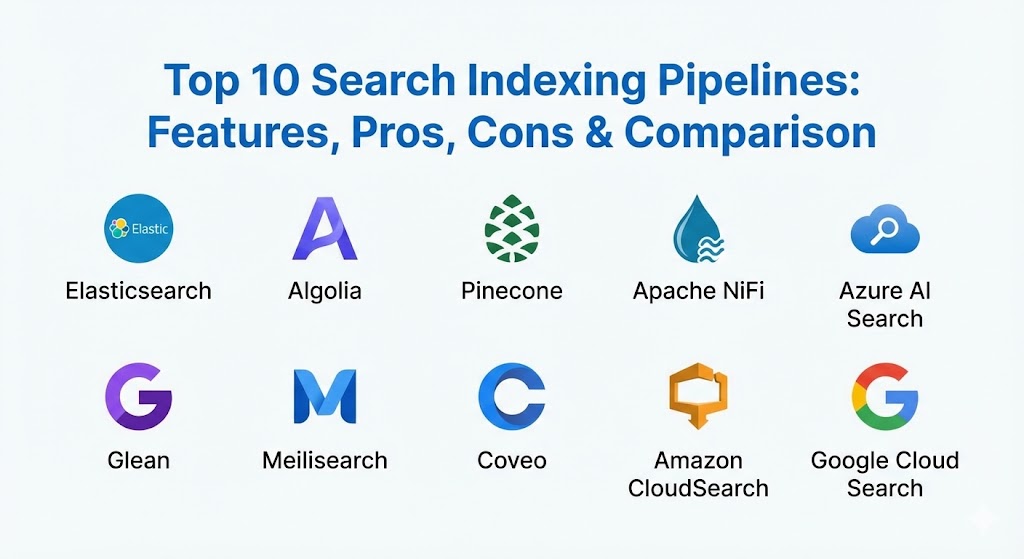
1 — Elasticsearch (Logstash & Ingest Node)
Elasticsearch remains the industry titan for search. Its pipeline ecosystem consists of Logstash (for heavy server-side processing) and Ingest Nodes (for lightweight, built-in transformations).
- Key features:
- Logstash Integration: Pulls data from almost any source via a rich plugin library.
- Ingest Pipelines: Built-in processors for Grok parsing, JSON, and GeoIP.
- Enrichment API: Adds extra data to documents during the indexing phase.
- Vector Search Support: Native support for dense vector fields for AI search.
- Real-time Indexing: Data is searchable within seconds of ingestion.
- Distributed Scaling: Handles petabytes of data across massive clusters.
- Pros:
- Extreme flexibility; can be customized for any complex search logic.
- Massive community support and extensive documentation.
- Cons:
- High operational complexity; requires dedicated engineers to manage.
- Significant resource consumption (RAM/CPU).
- Security & compliance: SOC 2, HIPAA, GDPR, ISO 27001, and granular RBAC.
- Support & community: World-class enterprise support; the most active search community globally.
2 — Algolia (Crawler & API)
Algolia is an API-first search platform optimized for speed and developer experience. It uses a specialized web crawler and robust APIs to build indexes without requiring heavy backend infrastructure.
- Key features:
- Hosted Crawler: Automatically visits and indexes websites with minimal setup.
- Typo Tolerance: Best-in-class natural language processing for “fuzzy” matches.
- AI Re-ranking: Uses machine learning to improve results based on user clicks.
- Granular Filtering: Easy-to-configure faceted search for e-commerce.
- Personalization: Tailors results to individual users in real-time.
- Pros:
- Ultra-fast response times (often under 100ms).
- Extremely easy for developers to integrate via well-documented APIs.
- Cons:
- Usage-based pricing can become very expensive as query volume grows.
- Less flexible for “big data” analytics compared to Elasticsearch.
- Security & compliance: SOC 2, GDPR, HIPAA, and ISO 27001 compliant.
- Support & community: High-quality technical support and a strong developer ecosystem.
3 — Pinecone
Pinecone is the leading vector database designed specifically for AI-powered semantic search. It manages the “indexing” of vector embeddings generated by LLMs like OpenAI or Cohere.
- Key features:
- Serverless Architecture: No need to manage shards or clusters.
- High-Dimensional Vector Support: Built for the complex math of AI search.
- Metadata Filtering: Combines vector similarity with traditional “keyword” filters.
- Real-time Updates: New vectors are indexed and searchable instantly.
- Hybrid Search: Mixes semantic meaning with exact keyword matching.
- Pros:
- The gold standard for building modern AI chatbots and RAG pipelines.
- Exceptional performance even with millions of high-dimensional vectors.
- Cons:
- Not a traditional search engine; requires an external LLM to generate vectors.
- Can be costly for extremely large, frequently updated datasets.
- Security & compliance: SOC 2 Type II, HIPAA (on certain plans), and GDPR.
- Support & community: Excellent documentation and a focus on AI developer success.
4 — Apache NiFi
Apache NiFi is a visual dataflow tool that excels at routing, transforming, and system-to-system indexing. It is often used as the “orchestrator” for complex search pipelines.
- Key features:
- Visual Flow Designer: Drag-and-drop pipeline creation.
- Provenance Tracking: See exactly how a piece of data changed throughout the pipeline.
- Backpressure Management: Prevents search engines from being overwhelmed by data spikes.
- Built-in Processors: Support for SQL, S3, Kafka, and direct Elasticsearch indexing.
- Pros:
- Superior visibility and control over complex data routing.
- Highly resilient and fault-tolerant.
- Cons:
- Heavy infrastructure footprint.
- Steep learning curve for the UI and flow-based logic.
- Security & compliance: SSO, RBAC, and TLS encryption.
- Support & community: Strong open-source community under the Apache Foundation.
5 — Azure AI Search
Microsoft’s managed search service is deeply integrated with the Azure ecosystem and focuses on “Cognitive Search”—using AI to enrich data as it is indexed.
- Key features:
- AI Skills: Built-in OCR, image analysis, and entity extraction.
- Incremental Indexing: Only updates changed documents to save resources.
- Semantic Ranking: Uses Bing’s deep learning models to re-score results.
- Native Azure Connectors: Seamlessly indexes Azure SQL, Blob Storage, and Cosmos DB.
- Pros:
- The best choice for organizations already running on Microsoft Azure.
- Powerful “out-of-the-box” AI capabilities for unstructured files (PDFs, images).
- Cons:
- Significant vendor lock-in to the Azure cloud.
- Pricing can be opaque for complex AI-enriched pipelines.
- Security & compliance: ISO, SOC, HIPAA, FedRAMP, and top-tier Azure security.
- Support & community: Full Microsoft enterprise support and extensive Azure documentation.
6 — Glean
Glean is a specialized “Workplace Search” platform. Its pipeline is unique because it is designed to index data across 100+ different SaaS apps (Slack, Jira, Drive) while respecting existing permissions.
- Key features:
- Permissions-Aware Indexing: Users only find what they already have access to.
- Enterprise Graph: Maps relationships between people, projects, and content.
- Plug-and-Play Connectors: Rapid setup for standard business apps.
- AI Answers: Synthesizes search results into a direct answer with citations.
- Pros:
- Zero-maintenance for internal IT teams; it “just works” with your existing apps.
- Dramatically improves employee productivity by centralizing knowledge.
- Cons:
- Not designed for customer-facing or e-commerce search.
- Enterprise-only pricing (no self-service or small-team tier).
- Security & compliance: SOC 2 Type II, GDPR, and strict data isolation.
- Support & community: High-touch enterprise customer success.
7 — Meilisearch
Meilisearch is an open-source, lightning-fast search engine designed to bring an “Algolia-like” experience to developers who want to self-host.
- Key features:
- Instant Search: Results appear as the user types.
- Search-as-you-type: Optimized for sub-50ms response times.
- Easy Synonyms & Filters: Simple API for complex ranking rules.
- Multi-language Support: Specialized handling of CJK and other non-Latin scripts.
- Pros:
- Incredibly easy to set up and run; very low barrier to entry.
- Much lighter on resources than Elasticsearch.
- Cons:
- Lacks some advanced “big data” analytics features.
- Community is smaller than the established giants.
- Security & compliance: SSO and encryption support.
- Support & community: Active Slack and Discord communities; excellent open-source documentation.
8 — Coveo
Coveo is an enterprise AI platform that specializes in unifying customer and employee experiences. Its indexing pipeline is built for scale and deep personalization.
- Key features:
- Unified Index: Combines data from 55+ disparate sources.
- Predictive Recommendations: Shows users what they need before they search.
- Case Deflection: Integrated AI for support portals to answer tickets automatically.
- Usage Analytics: Detailed reports on what users are searching for and finding.
- Pros:
- Exceptional for e-commerce and customer support use cases.
- Proven ROI in large-scale enterprise deployments.
- Cons:
- Requires significant technical effort to fully customize.
- Higher price point targeted at the upper enterprise market.
- Security & compliance: SOC 2, HIPAA, GDPR, and ISO standards.
- Support & community: Strong professional services and 24/7 support.
9 — Amazon CloudSearch
CloudSearch is a managed service in the AWS Cloud that makes it simple to set up, manage, and scale a search solution for your website or application.
- Key features:
- Automatic Scaling: Adjusts resources as data or query volume changes.
- Rich Query Language: Supports Boolean, prefix, and range searches.
- Multi-AZ Deployment: High availability across different zones.
- Integration with AWS Services: Simple ingestion from S3 or DynamoDB.
- Pros:
- Minimal operational effort; AWS handles the “heavy lifting.”
- Cost-effective for simple AWS-based search projects.
- Cons:
- Lacks the cutting-edge AI features found in Azure or Pinecone.
- Less frequent updates compared to other search technologies.
- Security & compliance: HIPAA, SOC, PCI DSS, and GDPR compliant.
- Support & community: Standard AWS support plans and documentation.
10 — Google Cloud Search
Google Cloud Search provides “Google-quality” search for your company’s internal content. Its pipeline is designed to crawl and index everything from Gmail and Drive to third-party databases.
- Key features:
- Google Search Engine Power: Uses the same core tech that powers the web.
- Identity Integration: Seamlessly works with Google Workspace accounts.
- Cloud Search SDK: Allows for building custom connectors to legacy systems.
- Assist Cards: Proactively shows relevant info based on your upcoming meetings.
- Pros:
- Unmatched search relevance for text-heavy documents and emails.
- Very easy adoption for teams already using Google Workspace.
- Cons:
- Limited usefulness outside of a Google-heavy environment.
- Can be difficult to customize the ranking algorithms.
- Security & compliance: Top-tier Google security, SSO, and global certificates.
- Support & community: Professional support from Google and a massive library of tutorials.
Comparison Table
| Tool Name | Best For | Platform(s) Supported | Standout Feature | Rating (Gartner) |
| Elasticsearch | Big Data / Custom Ops | Any / Cloud | Ultimate Flexibility | 4.5 / 5 |
| Algolia | E-commerce / Speed | API-first / SaaS | Fast Typo Tolerance | 4.6 / 5 |
| Pinecone | AI / Vector Search | SaaS / Serverless | High-Dim Vector Performance | 4.7 / 5 |
| Apache NiFi | Complex Data Routing | On-prem / Cloud | Visual Provenance | 4.3 / 5 |
| Azure AI Search | Azure-centric / AI | Azure Native | Integrated AI Skills | 4.4 / 5 |
| Glean | Workplace Search | 100+ SaaS Connectors | Permissions Preservation | 4.8 / 5 |
| Meilisearch | SMB Apps / Developer | Open Source / Cloud | Ease of Setup | 4.6 / 5 |
| Coveo | Enterprise Experience | SaaS / Cloud | Predictive Personalization | 4.5 / 5 |
| Amazon CloudSearch | Basic AWS Search | AWS Native | Managed Scalability | 4.2 / 5 |
| Google Cloud Search | Google Workspace | Google Native | Google-quality Relevance | 4.4 / 5 |
Evaluation & Scoring of Search Indexing Pipelines
Evaluating an indexing pipeline is different from evaluating a simple database. You must account for how quickly it “learns” new data and how effectively it transforms that data for human intent.
| Category | Weight | Evaluation Criteria |
| Core Features | 25% | Connector depth, real-time support, schema flexibility, and vector support. |
| Ease of Use | 15% | Time to first index, API quality, and intuitive UI. |
| Integrations | 15% | Compatibility with major clouds, data warehouses, and SaaS apps. |
| Security | 10% | Permission inheritance, encryption, and global compliance (GDPR/SOC). |
| Performance | 10% | Indexing throughput, latency, and resource efficiency. |
| Support | 10% | Quality of documentation, community size, and enterprise response. |
| Price / Value | 15% | TCO (Total Cost of Ownership) including engineering time vs. license fee. |
Which Search Indexing Pipeline Tool Is Right for You?
Choosing a tool depends on where your data lives and who is searching for it.
- Solo Users & SMBs: If you need a search bar for a website or a simple app, Meilisearch or Algolia are the winners. They are fast, easy to set up, and don’t require a DevOps team to manage.
- AI & LLM Developers: If you are building a chatbot that needs to search your company docs, Pinecone is the modern standard. It handles the vector math so you can focus on the AI.
- Cloud-First Teams: Stick with your ecosystem. If you are on AWS, use CloudSearch; on Azure, use Azure AI Search. These tools offer the lowest integration friction.
- The “Everything Everywhere” Enterprise: If your data is scattered across Slack, Jira, Drive, and internal databases, Glean is the best choice. It preserves permissions so sensitive data stays private while being searchable.
- Large Technical Teams: If you need total control over every single ranking rule and data transformation, Elasticsearch (and Logstash) remains the undisputed champion for technical depth.
Frequently Asked Questions (FAQs)
1. What is the difference between a search engine and an indexing pipeline? A search engine (like Elasticsearch) stores and queries the data. The indexing pipeline (like Logstash) is the “conveyor belt” that cleans, transforms, and prepares the data before it enters the engine.
2. Why do I need a pipeline at all? Why not just query my database? Databases are optimized for “writing” and simple “reading.” Search engines are optimized for “finding.” A pipeline transforms your raw database rows into searchable “documents” with relevance scores.
3. What is “real-time indexing”? It means that as soon as a change happens in your data source (like a new product is added), it is processed and becomes searchable within seconds, rather than hours.
4. Can these tools read text inside pictures or PDFs? Yes, but they require “AI skills.” Tools like Azure AI Search and Elasticsearch have built-in OCR (Optical Character Recognition) to extract text from images and binary files.
5. Is “Vector Search” better than keyword search? Not necessarily. Keyword search is best for finding exact terms (e.g., “iPhone 15”). Vector search is best for finding meanings (e.g., “high-end Apple smartphone”). Most modern tools now use “Hybrid Search” which combines both.
6. Do I need to be a coder to set these up? For tools like Elasticsearch, yes. For tools like Algolia or Glean, you can do a lot with no-code or low-code, though a developer is usually needed for the initial integration.
7. How do these tools handle private data? Leading tools like Glean and Coveo use “permission mapping.” They index the security settings of the source file so that a search result only appears if the user has permission to see that file in the original app.
8. What is “Fuzzy Matching”? It is the ability of a search engine to find the right result even if the user makes a typo (e.g., searching for “iPhne” and still getting results for “iPhone”).
9. Can I migrate from one tool to another easily? No. Indexing pipelines are often deeply tied to the specific schema and search engine. Moving from one usually requires re-designing the data transformation logic.
10. What is “Schema Management”? It is the process of defining what fields your data has (e.g., Title, Price, Date) and how they should be treated (e.g., “Price” is a number, “Title” is searchable text).
Conclusion
The “best” search indexing pipeline is the one that makes your data invisible to the user and indispensable to the business. In 2026, the trend is moving toward Hybrid Search—combining the reliability of keywords with the intelligence of AI vectors. Whether you prioritize the developer speed of Algolia, the AI depth of Pinecone, or the enterprise connectivity of Glean, the goal remains the same: ensuring that when a user asks a question, the answer is found in the blink of an eye.