Introduction
Scheduling assistant tools are software applications designed to automate the process of finding, booking, and managing appointments. They range from simple external-facing booking pages to deep AI engines that reshuffle your entire day in real-time as priorities shift. By removing the manual friction of coordination, these tools ensure that your most valuable asset—your time—is spent on actual work rather than the logistics of work.
The importance of these tools has skyrocketed in the hybrid work era. They are no longer just for sales demos; they are essential for managing “Focus Time,” avoiding burnout, and coordinating across global teams where “9 AM” means something different to every participant. When choosing a tool, you should look beyond the price tag and evaluate the depth of calendar sync, the quality of time-zone handling, “buffer time” automation, and how well it integrates with your existing tech stack like Slack or Salesforce.
Best for: Busy executives, sales and recruitment teams, freelancers managing multiple clients, and HR departments. They are ideal for any organization where high-volume coordination is a daily reality and time-blocking is necessary for survival.
Not ideal for: Purely internal teams in small offices who can already see each other’s availability via a shared basic calendar, or individuals who rarely have external-facing meetings and prefer manual control over every minute of their day.
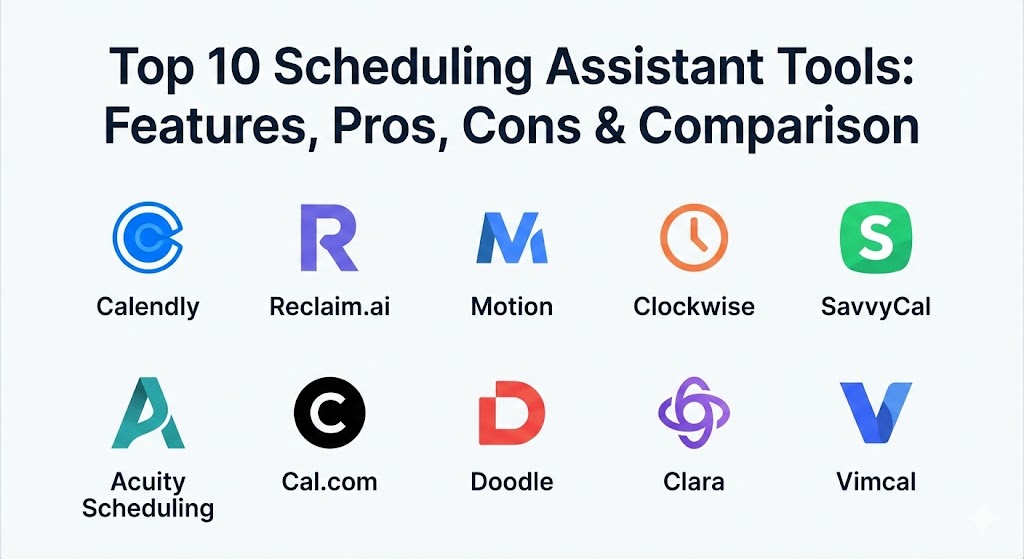
Top 10 Scheduling Assistant Tools
1 — Calendly
Calendly remains the heavyweight champion of the scheduling world. Known for its “set it and forget it” simplicity, it has evolved into a robust platform that handles everything from individual booking links to complex enterprise-level routing.
- Key features:
- Personalized booking links for one-on-one and group meetings.
- Automated lead routing to match prospects with the right team member.
- Round-robin scheduling to distribute meetings fairly across a team.
- Integrated payment collection via Stripe and PayPal.
- Automated email and SMS reminders to reduce no-shows.
- Robust “Workflows” to automate post-meeting follow-ups.
- Pros:
- Universal recognition; almost everyone knows how to use a Calendly link.
- The integration library is massive, covering nearly every CRM and video tool.
- Cons:
- Can feel a bit “impersonal” to some high-touch clients.
- Advanced team features are locked behind higher-priced tiers.
- Security & compliance: SSO, SCIM, SOC 2 Type II, GDPR, and HIPAA compliant.
- Support & community: Extensive documentation, a large user community, and dedicated customer success managers for enterprise clients.
2 — Reclaim.ai
Reclaim is a “smart” calendar assistant specifically designed for Google Calendar and Outlook users who struggle with burnout. It uses AI to automatically find time for your tasks, habits, and 1:1 meetings while protecting your work-life balance.
- Key features:
- “Habits” feature that auto-schedules recurring personal and work routines.
- Smart 1:1s that find the best mutual time for both parties.
- Automatic “buffer time” and travel time protection.
- Calendar Sync that merges personal and work calendars to prevent overbooking.
- Task-to-calendar integration with tools like Asana and ClickUp.
- Pros:
- Excellent at “defending” your time by marking slots as busy when they get too close.
- Intuitive handling of multiple calendars.
- Cons:
- Limited to Google and Microsoft ecosystems.
- The AI can sometimes be a bit “too” aggressive in reshuffling low-priority tasks.
- Security & compliance: SOC 2 Type II, GDPR compliant, and uses OAuth for secure calendar access.
- Support & community: Very active Slack community for power users and a detailed help center.
3 — Motion
Motion is not just a scheduler; it is an AI-powered “brain” for your entire workday. It combines project management, task lists, and your calendar into a single view that uses AI to build a daily schedule for you every morning.
- Key features:
- Intelligent Calendar that automatically prioritizes tasks and meetings.
- Meeting Assistant that creates custom booking pages based on your actual availability.
- Project management integration that turns deadlines into calendar blocks.
- Automatic rescheduling of tasks when a meeting runs over.
- “Focus Time” optimizer to group tasks together.
- Pros:
- Literally builds your daily plan for you, reducing decision fatigue.
- High value for teams that want one tool to replace three.
- Cons:
- One of the more expensive options on the market.
- Steep learning curve to fully trust the AI’s logic.
- Security & compliance: SOC 2 Type II, GDPR, and data encryption at rest/transit.
- Support & community: Email support and a comprehensive “getting started” guide for teams.
4 — Clockwise
Clockwise is a team-centric optimizer that moves meetings to create “Focus Time.” It is designed for managers who want to maximize their team’s productivity without micromanaging their calendars.
- Key features:
- Automated meeting rescheduling to create large blocks of uninterrupted work time.
- “Focus Time” stats and analytics for the entire organization.
- Slack integration that updates your status based on your calendar.
- Flexible meeting holds that move as your day changes.
- Cross-team availability management.
- Pros:
- The only tool that actually removes fragmented gaps from your day.
- Great for high-growth engineering and design teams.
- Cons:
- Requires team-wide adoption to be truly effective.
- Primarily focused on internal scheduling rather than external booking links.
- Security & compliance: SOC 2 Type II, GDPR, and enterprise-grade privacy controls.
- Support & community: Strong enterprise support and onboarding for large teams.
5 — SavvyCal
SavvyCal focuses on the “recipient experience.” It aims to remove the awkwardness of sending a booking link by allowing invitees to overlay their own calendar directly on your booking page to find a slot.
- Key features:
- Calendar overlay for invitees to see their own schedule while booking.
- Pre-filled forms to save the guest time.
- Ranked availability (show your “preferred” times first).
- Collective and round-robin scheduling for teams.
- Custom URL slugs and professional branding.
- Pros:
- Highly professional and respectful of the guest’s time.
- Very clean, modern interface that beats Calendly in aesthetics.
- Cons:
- Lacks some of the “AI reshuffling” features found in Reclaim or Motion.
- Newer than competitors, so fewer direct native integrations.
- Security & compliance: GDPR compliant; supports modern security headers and encryption.
- Support & community: Fast, direct support and a transparent product roadmap.
6 — Acuity Scheduling
Acuity is the go-to solution for service-based businesses like salons, consultants, and health clinics. It is a full business management system that happens to have world-class scheduling at its core.
- Key features:
- Advanced intake forms to collect client info before they book.
- Support for packages, memberships, and gift certificates.
- HIPAA-compliant options for healthcare providers.
- Time zone conversion for virtual clients.
- Branded client-facing scheduling pages.
- Pros:
- Extremely reliable and handles paid bookings better than almost anyone.
- Very flexible for “weird” scheduling needs (e.g., specific room availability).
- Cons:
- The back-end UI can feel a bit industrial/clunky.
- Can be overkill for someone who just needs a simple “book a call” link.
- Security & compliance: HIPAA, GDPR, and PCI DSS (for payments) compliant.
- Support & community: Extensive help docs and a robust support team via Squarespace (its parent company).
7 — Cal.com
Cal.com is the open-source alternative to Calendly. It is designed for developers and organizations that want total control over their scheduling infrastructure and data privacy.
- Key features:
- Self-hosting option for maximum security and data sovereignty.
- API-first architecture for building custom scheduling workflows.
- Support for nearly any video conferencing or payment provider.
- “Routing Forms” to qualify leads before they book.
- White-labeling to completely remove Cal.com branding.
- Pros:
- Total flexibility—if you can dream it, you can build it with their API.
- Excellent free tier for individuals.
- Cons:
- Might be too technical for non-developers who want a “plug and play” tool.
- Documentation is highly technical.
- Security & compliance: SOC 2, HIPAA, GDPR, and ISO 27001 compliant.
- Support & community: Vibrant developer community on GitHub and Discord.
8 — Doodle
Doodle remains the undisputed king of group coordination. If you need to find one time for ten people with different schedules, Doodle’s polling system is still the most efficient way to do it.
- Key features:
- Group polls to vote on the best meeting time.
- “Bookable Calendar” for 1:1 meetings (similar to Calendly).
- No-account-required voting for guests.
- Calendar sync to ensure you don’t offer times you are busy.
- Automated reminders for people who haven’t voted yet.
- Pros:
- Zero friction for guests; they don’t need to sign up for anything.
- Great for non-profit and community organizing.
- Cons:
- The free version is plagued by intrusive advertisements.
- Not designed for complex automated business workflows.
- Security & compliance: ISO 27001, GDPR, and TISAX compliant.
- Support & community: Standard help center and email support.
9 — Clara
Clara is a high-end AI assistant that lives in your inbox. Instead of sending a link, you simply CC “Clara” on an email, and the AI handles the back-and-forth negotiation with the human touch of a real assistant.
- Key features:
- Natural language email interaction (no links required).
- Automatic follow-ups with unresponsive participants.
- Context-aware scheduling (it knows your favorite coffee shop or “no meetings on Fridays”).
- Hand-off to human executive assistants if things get too complex.
- Enterprise-level administrative controls.
- Pros:
- Makes you look highly professional (and possibly like you have a real EA).
- Completely removes the “send a link” awkwardness from executive outreach.
- Cons:
- Very high price point compared to simple booking links.
- Guests sometimes get confused when they realize Clara is an AI.
- Security & compliance: SOC 2 Type II, GDPR, and strictly controlled email access.
- Support & community: High-touch white-glove support for enterprise users.
10 — Vimcal
Vimcal describes itself as “The World’s Fastest Calendar.” It is built for power users and executives who live in their calendar and want to use keyboard shortcuts to manage their entire life.
- Key features:
- Keyboard shortcuts for every single action (no mouse needed).
- Integrated “Time Zone Converter” that is better than most dedicated apps.
- “Slots” feature to quickly copy and paste availability into an email.
- Unified view of multiple calendars (iCloud, Google, Outlook).
- “Do Not Disturb” mode that syncs across your OS.
- Pros:
- Incredible speed; it saves hours of clicking every month.
- The “human-centric” design makes it feel like an Apple-made product.
- Cons:
- Desktop and iOS focus; Android users are currently left out.
- Subscription cost is high for what is essentially a “fancy calendar skin.”
- Security & compliance: GDPR compliant; uses modern encryption for local and cloud data.
- Support & community: Very responsive founder-led support and a cult-like following of power users.
Comparison Table
| Tool Name | Best For | Platform(s) Supported | Standout Feature | Rating (Gartner Peer Insights) |
| Calendly | Reliable Lead Routing | Web, iOS, Android | Multi-Team Routing | 4.6 / 5 |
| Reclaim.ai | Habits & Balance | Google, Outlook | AI Habit Auto-Scheduling | 4.7 / 5 |
| Motion | AI Daily Planning | Web, iOS, Android | Automatic Task Rescheduling | 4.5 / 5 |
| Clockwise | Team Focus Time | Google, Outlook | Meeting Moves for Focus | 4.7 / 5 |
| SavvyCal | Guest Experience | Web | Recipient Calendar Overlay | 4.8 / 5 |
| Acuity Scheduling | Service Businesses | Web, iOS, Android | Paid Appointment Packages | 4.5 / 5 |
| Cal.com | Developers / Privacy | Web, Self-Hosted | Open-Source API | 4.8 / 5 |
| Doodle | Large Group Polls | Web, iOS, Android | No-Account Guest Voting | 4.4 / 5 |
| Clara | Executive White-Glove | Email Native | Natural Language AI | 4.5 / 5 |
| Vimcal | Power User Speed | Mac, Windows, iOS | Keyboard Shortcut Navigation | 4.6 / 5 |
Evaluation & Scoring of Scheduling Assistants
| Category | Weight | Evaluation Notes |
| Core Features | 25% | Includes booking links, reminders, time-zone handling, and automation. |
| Ease of Use | 15% | Measured by the learning curve for the user and the friction for the guest. |
| Integrations | 15% | Connectivity with CRM, Video (Zoom/Teams), and Productivity (Slack) tools. |
| Security | 10% | Encryption, SOC 2 compliance, and control over calendar data. |
| Performance | 10% | App speed and real-time sync reliability across multiple calendars. |
| Support | 10% | Quality of documentation and speed of the customer support team. |
| Price / Value | 15% | Does the efficiency gained justify the monthly subscription fee? |
Which Scheduling Assistant Tool Is Right for You?
- Solo Users & Freelancers: If you want a clean experience that respects your clients, SavvyCal or the free tier of Cal.com are perfect. If you’re overwhelmed by tasks, Reclaim.ai will help you find time to actually work.
- Small to Medium Businesses (SMBs): Calendly is the safest choice for reliability and integrations. If you run a service-based business (consulting, coaching), Acuity Scheduling is non-negotiable for its payment and form features.
- Mid-Market & Engineering Teams: Clockwise is the winner here. It focuses on the health of the entire team’s calendar rather than just individual booking.
- Enterprises: Calendly’s enterprise tier or Axway/Globalscape (if moving massive data) are standard. However, for sheer security and data control, Cal.com’s self-hosted version is becoming the enterprise favorite.
- The “I Hate Links” Executive: If you find sending a link to be a status faux-pas, Clara is the only tool that preserves the “human assistant” feeling while automating the grunt work.
Frequently Asked Questions (FAQs)
1. Will a scheduling link make me look “lazy” to my clients?
Actually, in 2026, it is seen as respectful. It removes the pressure of the “Does Tuesday at 2 work?” game and allows them to check their own schedule in private.
2. Can I connect more than one calendar to these tools?
Yes. Most professional tools (except basic free versions) allow you to sync multiple calendars (e.g., Personal Google and Work Outlook) to prevent double bookings.
3. Do these tools handle daylight savings time correctly?
The top 10 listed above all handle DST changes automatically, ensuring you never miss a global call due to a “spring forward” in another country.
4. Is my calendar data safe?
Professional tools use OAuth, meaning they never see your password. They only have permission to read and write events to your calendar.
5. What is “Round Robin” scheduling?
It’s a team feature where the software automatically rotates incoming meetings among a group of people (like a sales team) to ensure a fair workload.
6. Can I accept payments through these links?
Yes, tools like Acuity, Calendly, and Cal.com integrate with Stripe and PayPal, allowing you to require payment before the meeting is confirmed.
7. Do guests need to download an app?
No. 99% of these tools work entirely in the browser for the guest, making it friction-free.
8. How does AI help with scheduling?
AI tools (like Motion) don’t just find a slot; they analyze your task list, deadlines, and working habits to create the slot where it makes the most sense.
9. What is “Focus Time”?
Focus time is a calendar block where the software automatically rejects new meeting requests or moves existing ones to ensure you have a large window of deep work.
10. Why is SavvyCal better for the guest?
Unlike Calendly, SavvyCal allows the guest to see their own calendar side-by-side with yours, so they don’t have to flip back and forth between tabs to book a time.
Conclusion
Finding the “best” scheduling assistant is about deciding whether you need a simple link or a full-time AI teammate. If you just need people to book time with you, Calendly or SavvyCal will serve you well. If your problem is a lack of time to actually work, AI tools like Motion or Reclaim.ai are worth every penny of their subscription cost. Ultimately, the best tool is the one that disappears into your workflow and lets you get back to what you were actually hired to do.