Introduction
SaaS Security Posture Management (SSPM) is a category of automated security tools designed to provide continuous visibility into the security health of an organization’s SaaS ecosystem. Unlike traditional security tools that focus on the network or the endpoint, SSPM looks directly into the “guts” of the applications. It scans for misconfigurations, analyzes user permissions to ensure least-privilege access, monitors third-party (SaaS-to-SaaS) integrations, and ensures that every app aligns with corporate security policies and regulatory frameworks like GDPR or HIPAA.
In the real world, SSPM is the difference between a secure environment and a disaster. Consider a marketing manager who accidentally makes a high-level Salesforce folder public, or a developer who connects a third-party AI tool to a sensitive GitHub repository via OAuth without IT approval. SSPM tools detect these “drifts” in real-time and often provide automated remediation to fix the issue before an attacker finds it. When evaluating these tools, organizations should look for the breadth of application support (how many apps can it scan?), the depth of its configuration checks, and how well it integrates with existing Identity and Access Management (IAM) and Security Operations (SecOps) workflows.
Best for: Security teams in mid-to-large enterprises, CISOs in highly regulated industries (finance, healthcare, tech), and IT administrators managing a “SaaS-first” stack with 50+ applications. It is essential for organizations that need to prove continuous compliance to auditors.
Not ideal for: Very small businesses with only 2-3 standard SaaS apps (e.g., just Google Workspace and QuickBooks), where native security settings and a simple checklist might suffice. It may also be redundant for organizations that have zero third-party integrations and strictly manage all apps through a single, highly restrictive Identity Provider (IdP).
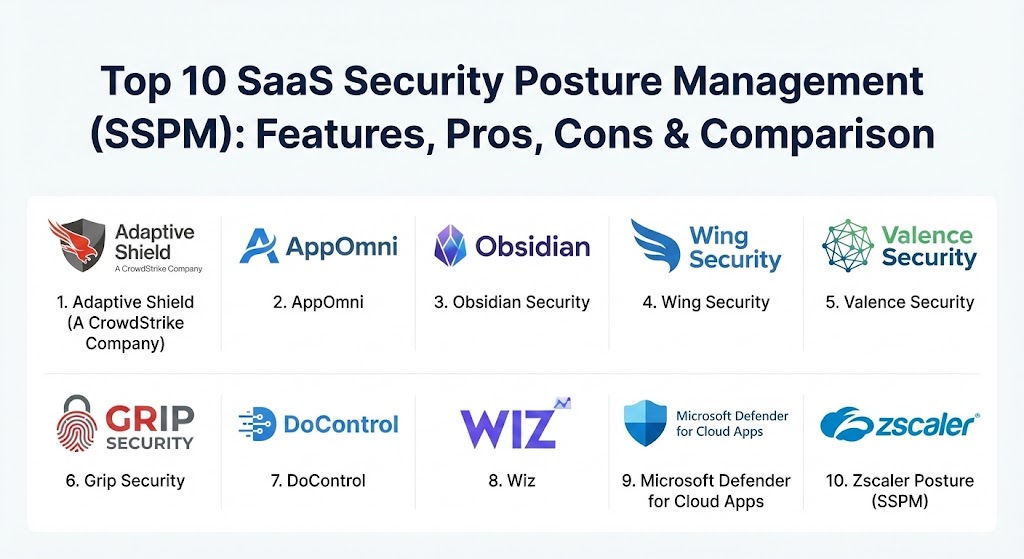
Top 10 SaaS Security Posture Management (SSPM) Tools
1 — Adaptive Shield (A CrowdStrike Company)
Adaptive Shield is widely recognized as a pioneer in the SSPM space. Recently integrated into the CrowdStrike Falcon platform, it provides deep, automated visibility across more than 150 SaaS applications. It focuses on identifying security drifts and providing clear, actionable remediation steps.
- Key features:
- Continuous monitoring of security settings across 150+ SaaS apps.
- Detailed “Step-by-Step” remediation guides for IT teams.
- Identity-centric risk assessment, mapping users to their devices and apps.
- Advanced discovery of SaaS-to-SaaS third-party integrations (OAuth).
- Pre-built compliance mapping for SOC 2, ISO 27001, and HIPAA.
- Threat detection for unusual activity within SaaS environments.
- Pros:
- Unrivaled breadth of application support compared to niche competitors.
- Excellent integration with the CrowdStrike ecosystem for unified security.
- Cons:
- Can be overwhelming for smaller teams due to the sheer volume of alerts.
- Pricing is geared toward enterprise budgets, especially after the acquisition.
- Security & compliance: SOC 2 Type II, GDPR, HIPAA, and ISO 27001 compliant. Supports SSO and granular RBAC for its own platform.
- Support & community: High-quality enterprise support with 24/7 availability; extensive documentation and a robust user community through the CrowdStrike network.
2 — AppOmni
AppOmni is a heavy hitter in the enterprise market, known for its deep configuration analysis. It is particularly strong for organizations with complex, mission-critical suites like Salesforce, ServiceNow, and Microsoft 365.
- Key features:
- Deep-dive “Insights” that go beyond basic checklists to find hidden risks.
- Centralized policy management for consistent security across the stack.
- Automated workflow integration with Jira and ServiceNow for ticketing.
- Visibility into external users and data sharing permissions.
- Developer-focused APIs for custom app integrations.
- Real-time monitoring of configuration changes (drift detection).
- Pros:
- Highly specialized in “powerhouse” apps like Salesforce; finds risks others miss.
- Very low false-positive rate due to sophisticated logic-based scanning.
- Cons:
- Application coverage is narrower but deeper than Adaptive Shield.
- The UI can feel more “technical” and may require specialized storage knowledge.
- Security & compliance: FIPS 140-2, SOC 2, HIPAA, and GDPR compliant. Includes robust audit logs and encryption at rest.
- Support & community: Dedicated customer success managers for large accounts and a comprehensive technical knowledge base.
3 — Obsidian Security
Obsidian Security differentiates itself by blending configuration management with behavioral analytics. It doesn’t just look at how an app is set up; it looks at what users are actually doing inside it to detect account takeovers and insider threats.
- Key features:
- Integrated Threat Detection and Response (ITDR) for SaaS.
- User behavior analytics to identify suspicious activity.
- Historical auditing to see “who changed what” and when.
- Cross-app correlation to track an attacker moving from one app to another.
- Automated posture scores for a quick “health check” of the ecosystem.
- Least-privilege access recommendations based on actual usage data.
- Pros:
- Excellent for incident response teams who need a “SaaS DVR” for forensics.
- Strong focus on identity security, making it a great companion to Okta or Azure AD.
- Cons:
- Can be more expensive than pure configuration-only tools.
- Requires a certain level of “SecOps” maturity to get the full value.
- Security & compliance: SOC 2, ISO 27001, and GDPR compliant. Uses high-level encryption for ingested telemetry data.
- Support & community: Strong professional services for onboarding and an active webinar/educational series for users.
4 — Wing Security
Wing Security is often praised for its “ease of use” and its focus on automated remediation. It is a favorite among mid-market companies that want to secure their SaaS stack without hiring a dedicated “SaaS Security Architect.”
- Key features:
- One-click remediation for common misconfigurations.
- Automated “Shadow IT” discovery using IdP and financial integrations.
- Risk-based prioritization that tells you which 5% of problems to fix first.
- Intelligent “App Vetting” to assess new tools before employees use them.
- User-centric workflows that allow employees to fix their own risks (e.g., MFA).
- Free-tier availability for basic SaaS discovery.
- Pros:
- One of the fastest deployment times in the industry (minutes, not days).
- The “user-engaged” remediation significantly reduces the burden on IT.
- Cons:
- Less “deep” configuration analysis for highly complex apps like Workday.
- Advanced automation features are locked behind higher price tiers.
- Security & compliance: SOC 2, HIPAA, and GDPR. Implements strong data anonymization for privacy.
- Support & community: Excellent documentation and responsive chat-based support for all tiers.
5 — Valence Security
Valence Security focuses heavily on the “SaaS Mesh”—the complex web of app-to-app integrations and API connections that often bypass standard security controls.
- Key features:
- Governance of OAuth grants and third-party API tokens.
- Automated “Inactive Integration” pruning to reduce the attack surface.
- Data exposure monitoring for shared files and public links.
- Automated “SaaS Hygiene” playbooks for recurring tasks.
- Visual mapping of how data flows between different SaaS applications.
- Integration with SIEM and SOAR tools for automated response.
- Pros:
- The best tool for managing “SaaS-to-SaaS” risk, which is a major blind spot.
- Very strong visual dashboards that make complex integrations easy to understand.
- Cons:
- Smaller library of core applications compared to the market leaders.
- Some advanced features require manual tuning to avoid over-blocking users.
- Security & compliance: SOC 2 Type II and GDPR compliant. Support for multi-factor authentication and SSO.
- Support & community: Personalized onboarding and a focused “customer-first” support model.
6 — Grip Security
Grip Security takes an “identity-first” approach to SSPM. It is famous for its ability to find “Shadow SaaS” that employees have signed up for using their corporate email—even if those apps haven’t been integrated with the corporate SSO.
- Key features:
- Discovery of 100% of the SaaS apps used by employees (including unsanctioned ones).
- Automated “offboarding” that revokes access to all SaaS apps instantly.
- Passive discovery that doesn’t require complex API connections for every app.
- Identity-centric risk scoring across the entire web.
- Security posture visibility for “zombie” apps that are no longer used.
- Pros:
- Unbeatable for solving the “Shadow IT” and “Orphaned Account” problem.
- Does not require an agent or proxy, making it invisible to end-users.
- Cons:
- Doesn’t offer the “deep configuration” audits that AppOmni or Adaptive Shield do.
- Focused more on identity and access than on specific application “internals.”
- Security & compliance: SOC 2 and GDPR. Heavily focused on privacy and data minimization.
- Support & community: Robust documentation and a growing presence in the enterprise security community.
7 — DoControl
DoControl focuses on the “Data” part of SaaS. It is essentially a data-centric SSPM that specializes in preventing unauthorized data access and leakage across collaboration platforms like Google Drive, Slack, and Box.
- Key features:
- No-code workflow engine for automated data access control.
- Real-time monitoring of “external sharing” events.
- Automated expiration of public links after a set period.
- High-fidelity alerts that reduce the noise of standard DLP tools.
- Integrated “User Interaction” via Slack/Teams to verify risky actions.
- Granular visibility into the sensitivity of files stored in SaaS.
- Pros:
- Exceptional for organizations with massive amounts of shared data.
- The no-code workflows allow for very sophisticated “if-this-then-that” logic.
- Cons:
- Primarily focused on collaboration and file-sharing apps; less effective for ERP/CRM posture.
- Requires clear data policies to be defined beforehand to be effective.
- Security & compliance: ISO 27001, SOC 2, HIPAA, and GDPR.
- Support & community: Excellent white-glove support and a very modern, helpful help center.
8 — Wiz (SSPM Module)
Wiz is the undisputed leader in Cloud Native Application Protection Platforms (CNAPP). While it started with infrastructure (CSPM), it has added a powerful SSPM module to provide a “unified security graph” from the cloud layer down to the SaaS app.
- Key features:
- Unified “Security Graph” that shows the path from an Internet vulnerability to a SaaS app.
- Integrated posture management for hybrid-cloud environments.
- Deep scanning of GitHub, GitLab, and other developer-centric SaaS.
- High-priority risk assessment using the Wiz “Risk Score.”
- Seamless integration with other Wiz cloud security modules.
- Pros:
- Perfect for organizations that want one tool to rule them all (Cloud + SaaS).
- The “Graph” visualization makes it incredibly easy to see the “blast radius” of a risk.
- Cons:
- SSPM is a module, not a standalone product; can be overkill if you don’t need CNAPP.
- Less granular configuration checks for niche, non-developer SaaS apps.
- Security & compliance: FedRAMP, SOC 2, HIPAA, PCI DSS, and ISO 27001.
- Support & community: World-class enterprise support and a massive global user community.
9 — Microsoft Defender for Cloud Apps
For organizations that are heavily invested in the Microsoft 365 ecosystem, Defender for Cloud Apps (formerly MCAS) offers native, deeply integrated SSPM capabilities.
- Key features:
- Native integration with the Microsoft Secure Score.
- Automated “SaaS Security Initiative” recommendations.
- Conditional Access App Control to proxy sessions in real-time.
- Discovery of unsanctioned apps using Defender for Endpoint signals.
- Pre-built templates for Microsoft-specific compliance benchmarks.
- Integrated threat protection and data loss prevention (DLP).
- Pros:
- “Zero-effort” integration for M365-centric organizations.
- Included in many Microsoft 365 E5 licenses, offering great value.
- Cons:
- Managing non-Microsoft apps (like Salesforce or Slack) can feel like a “second-class” experience.
- The interface is part of the massive Microsoft 365 Defender portal, which is famously complex.
- Security & compliance: All major global standards including FedRAMP, SOC 2, and GDPR.
- Support & community: Extensive Microsoft documentation, certifications, and massive third-party partner network.
10 — Zscaler Posture (SSPM)
Zscaler is a leader in Security Service Edge (SSE). Their SSPM solution is part of their broader data protection platform, making it a strong choice for companies that want to control SaaS security at the network and access layers simultaneously.
- Key features:
- Integrated “CASB + SSPM” approach for unified control.
- Automated discovery of “Shadow IT” via the Zscaler Zero Trust Exchange.
- Compliance dashboards mapped to global standards.
- Protection against “SaaS Phishing” and malicious OAuth apps.
- Data protection across SaaS, IaaS, and private apps.
- Pros:
- Ideal for organizations already using Zscaler for their remote work security.
- Combines “posture” with “inline” security (blocking risky actions in real-time).
- Cons:
- Managing it requires a deep understanding of the Zscaler platform architecture.
- Less focus on the “internal settings” depth compared to AppOmni or Adaptive Shield.
- Security & compliance: FedRAMP, SOC 2, HIPAA, and ISO 27001.
- Support & community: Global enterprise support with 24/7 coverage and extensive training programs.
Comparison Table
| Tool Name | Best For | Platform(s) Supported | Standout Feature | Rating (Gartner) |
| Adaptive Shield | Broad SaaS Coverage | 150+ Apps | Step-by-Step Remediation | 4.6 / 5 |
| AppOmni | Deep Config Audits | Salesforce, M365, SNOW | Logic-based Risk Insights | 4.7 / 5 |
| Obsidian Security | Threat & Behavior | Core SaaS + IdP | Behavioral Forensics | 4.5 / 5 |
| Wing Security | Ease of Use / SMB | 100+ Apps | Automated Remediation | 4.5 / 5 |
| Valence Security | SaaS Integration Risk | Core SaaS + OAuth | “SaaS Mesh” Governance | 4.4 / 5 |
| Grip Security | Shadow IT Discovery | Discovery Agentless | Universal SaaS Visibility | 4.5 / 5 |
| DoControl | Data Sharing Control | Collaboration Apps | No-Code Automation | 4.7 / 5 |
| Wiz | Unified Cloud/SaaS | Multi-cloud + SaaS | The Security Graph | 4.7 / 5 |
| MS Defender | Microsoft Ecosystem | M365 + Connectors | Native M365 Hardening | 4.4 / 5 |
| Zscaler SSPM | SASE/SSE Users | Zscaler Integrated | Inline Data Protection | 4.4 / 5 |
Evaluation & Scoring of SSPM Tools
When choosing an SSPM solution, it is vital to look past the marketing and evaluate the tool’s actual utility in your specific environment. Use the following weighted scoring rubric to compare your top choices.
| Criteria | Weight | Evaluation Notes |
| Core Features | 25% | Does it find misconfigurations, over-privileged users, and risky integrations? |
| Ease of Use | 15% | Is the dashboard intuitive? Does it provide actionable advice or just noise? |
| Integrations | 15% | How many apps does it support? Does it integrate with your SIEM/SOAR/Ticketing? |
| Security & Compliance | 10% | Are the compliance templates accurate and updated for 2026? |
| Performance | 10% | Does the scanning affect app performance? (Hint: It shouldn’t). |
| Support & Community | 10% | Is there a knowledge base and a responsive support team? |
| Price / Value | 15% | Does the pricing scale reasonably as you add more apps or users? |
Which SSPM Tool Is Right for You?
The “perfect” SSPM tool depends entirely on your organization’s maturity and tech stack.
- For the Microsoft-Centric SMB: If you are a 200-person shop running almost entirely on Microsoft 365, start with Microsoft Defender for Cloud Apps. It is likely already in your license and covers the basics.
- For the High-Growth “App-Heavy” Startup: If your team is constantly trying new SaaS tools, Wing Security or Grip Security are your best friends. They find the “Shadow IT” that your employees are using before it becomes a major problem.
- For the Global Enterprise with Complex Needs: If you have massive instances of Salesforce or ServiceNow, you need the depth of AppOmni or Adaptive Shield. These tools are built for “SaaS Architects” who need to manage 50,000+ users.
- For the Security-First Tech Company: If you are a developer-heavy company with a lot of GitHub and AWS usage, Wiz or Obsidian Security are ideal. They speak the language of “DevSecOps” and offer the threat detection features you need to stay ahead of attackers.
- For Regulatory Compliance (HIPAA/GDPR): Prioritize tools with automated “Compliance Drift” alerts. Adaptive Shield and AppOmni are the leaders in providing audit-ready reports that satisfy regulators.
Frequently Asked Questions (FAQs)
1. What is the difference between CSPM and SSPM?
CSPM (Cloud Security Posture Management) monitors your infrastructure like AWS, Azure, and Google Cloud. SSPM monitors the applications inside the cloud, like Slack and Salesforce. You usually need both for a complete strategy.
2. Can SSPM tools automatically fix security issues?
Some can. Tools like Wing Security and Adaptive Shield offer “Automated Remediation,” which can reset a setting or revoke a permission. However, many teams prefer “Guided Remediation” to avoid accidentally breaking a business process.
3. Do I need an agent installed on my computer to use SSPM?
No. Almost all SSPM tools are “agentless” and “API-based.” They connect directly to your SaaS applications through official APIs, meaning there is nothing to install on employee devices.
4. How long does it take to set up an SSPM tool?
A basic setup usually takes less than an hour. You simply grant the SSPM tool “read-only” or “administrative” access to your apps via OAuth, and it begins scanning immediately.
5. How much does an SSPM tool cost?
Pricing is typically based on the number of users or the number of applications monitored. Most enterprise tools start in the $\$10,000$ to $\$25,000$ range per year, while SMB-focused tools can be significantly cheaper.
6. Does SSPM help with “Shadow IT”?
Yes. Some tools discover shadow apps by scanning your SSO logs, others by checking your financial records, and some (like Grip Security) by looking at identity signals.
7. Can SSPM tools detect if someone’s account has been hacked?
Tools like Obsidian Security and Adaptive Shield include “Threat Detection” that flags unusual activity, such as a user logging in from an impossible location or downloading 1,000 files in a minute.
8. What is “SaaS-to-SaaS” risk?
This is when one SaaS app is connected to another (e.g., an AI meeting note-taker connected to your Zoom). SSPM tools (like Valence) scan these connections to ensure they don’t have excessive permissions to your data.
9. Will an SSPM tool slow down my SaaS applications?
No. Because these tools communicate via API “out-of-band,” they have zero impact on the speed or performance of the applications your employees are using.
10. Do I still need a CASB if I have an SSPM?
While they overlap, they are different. A CASB (Cloud Access Security Broker) is usually for “inline” security (blocking data in transit), while SSPM is for “offline” posture and configuration management. Modern tools are increasingly combining both.
Conclusion
The reality of 2026 is that every company is a “SaaS company.” Your most sensitive data lives in applications you don’t own, running on infrastructure you don’t manage. SaaS Security Posture Management (SSPM) isn’t just a luxury; it’s a fundamental requirement for maintaining control in a decentralized world.
The “best” tool isn’t necessarily the one with the most features, but the one that provides the clearest path to remediation without slowing your business down. Start by identifying your “crown jewel” applications, and choose a tool that goes as deep as possible into their specific security models.