Introduction
Runbook Automation (RBA) is the specialized practice of using software to orchestrate and automate the tactical procedures required to maintain, troubleshoot, and repair IT systems. While traditional automation focuses on “building” infrastructure, RBA focuses on “operating” it. It takes the standard operating procedures (SOPs) that used to live in Google Docs or Confluence and turns them into a series of automated actions that can be triggered by an alert or a single click.
The importance of RBA lies in its ability to reduce the Mean Time to Repair (MTTR) and eliminate the variance caused by human error. Key real-world use cases include automated service restarts, disk space cleanup, automated diagnostic data collection during an outage, and complex multi-cloud failovers. When evaluating tools in this category, users should look for deep integration with monitoring stacks, role-based access control (RBAC), audit logging for compliance, and low-code vs. code-based flexibility.
Best for: Site Reliability Engineers (SREs), DevOps teams, and Network Operations Center (NOC) staff in mid-to-large enterprises. It is particularly vital for organizations in highly regulated sectors like Finance and Healthcare where every action must be audited.
Not ideal for: Very small startups with simple, monolithic architectures where the overhead of setting up an RBA platform might exceed the time saved. It is also less effective for teams that lack documented processes, as you cannot automate what you haven’t first defined.
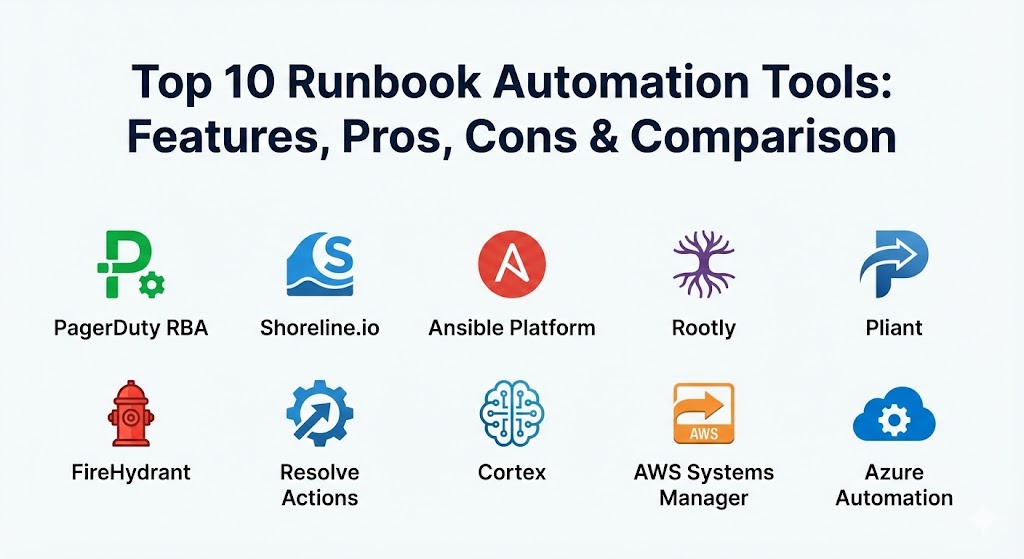
Top 10 Runbook Automation Tools
1 — PagerDuty Runbook Automation (formerly Rundeck)
PagerDuty Runbook Automation, built on the foundation of the open-source project Rundeck, is a powerhouse for self-service operations. It allows teams to give “safe” access to automation to those who need it, without handing over the keys to the kingdom.
- Key features:
- Self-Service Portals: Allow non-experts to run complex tasks safely via a web UI.
- Workflow Orchestration: Link together scripts, commands, and API calls across disparate systems.
- Plugin Ecosystem: Massive library of integrations for AWS, Azure, GCP, and on-premise hardware.
- Node Management: Automatically discovers and categorizes targets across your infrastructure.
- Scheduled Jobs: Run maintenance tasks automatically at specific intervals.
- Job Options: Prompt users for input (e.g., “Which server?”) before executing a task.
- Log Output Filtering: Parse and react to output from scripts in real-time.
- Pros:
- Excellent at “democratizing” operations by letting developers fix their own issues without SSH access.
- Highly flexible; if you can script it in Bash, Python, or PowerShell, you can automate it here.
- Cons:
- The UI can feel a bit technical and “developer-heavy” for some enterprise users.
- Scaling the open-source version can be difficult compared to the fully managed Cloud version.
- Security & compliance: SOC 2 Type II, GDPR, HIPAA, and ISO 27001. Features robust SSO, ACLs, and detailed execution logs for auditing.
- Support & community: Very strong community roots; enterprise support includes 24/7 technical help and dedicated account management.
2 — Shoreline.io
Shoreline is a modern, interactive runbook automation platform that emphasizes “Real-Time Operations.” It is designed for engineers who want to debug and fix things across a fleet of thousands of servers as if they were on a single machine.
- Key features:
- Interactive CLI: Run commands across your entire fleet and see the aggregated results instantly.
- Dynamic Resource Groups: Target resources based on real-time tags and status rather than static lists.
- Notebooks: Combine documentation with executable code blocks (similar to Jupyter Notebooks).
- Auto-Remediation: Link monitoring alerts directly to specific Shoreline actions.
- Fleet-wide Safety Checks: Built-in guardrails to prevent accidental “delete all” scenarios.
- Metrics Integration: Trigger runbooks based on Prometheus or Datadog thresholds.
- Pros:
- The “Notebooks” feature makes it incredibly easy to document and execute a fix in the same place.
- Built for massive scale; perfect for Kubernetes and cloud-native environments.
- Cons:
- Steeper learning curve for those who aren’t comfortable with a CLI-first approach.
- Focused primarily on cloud/K8s, making it less ideal for legacy hardware.
- Security & compliance: SOC 2, encryption at rest and in transit, and detailed audit trails of every command executed.
- Support & community: High-touch customer success model; provides extensive training and onboarding for engineering teams.
3 — Ansible Automation Platform (by Red Hat)
While often associated with configuration management, Ansible has become a dominant force in runbook automation thanks to its agentless architecture and human-readable YAML “Playbooks.”
- Key features:
- Agentless Architecture: Requires no software installed on target machines (uses SSH/WinRM).
- YAML-based Playbooks: Easy-to-read automation logic that serves as documentation.
- Ansible Tower / Automation Controller: Centralized dashboard for managing and scheduling jobs.
- Role-Based Access: Control exactly who can run which playbook on which inventory.
- Event-Driven Ansible: React to external events (like a webhook) to trigger automation.
- Content Collections: Thousands of pre-built modules for networking, security, and cloud.
- Pros:
- Massive talent pool; finding engineers who know Ansible is much easier than for niche tools.
- Exceptional for “Hybrid Cloud” environments where you manage both old servers and new cloud apps.
- Cons:
- YAML can become difficult to debug in very complex, nested logic scenarios.
- Can be slower than agent-based tools when managing tens of thousands of nodes simultaneously.
- Security & compliance: FIPS 140-2, Common Criteria, and SOC 2. Features integrated “Secrets Management” for passwords and keys.
- Support & community: The largest community in the automation space; world-class enterprise support via Red Hat.
4 — Rootly
Rootly is a Slack-native incident management and runbook automation tool. It focuses on the “Human Orchestration” of an incident, automating the administrative tasks that slow down responders.
- Key features:
- Slack-Based Execution: Trigger runbooks without ever leaving your incident channel.
- Incident Workflow Automation: Automatically create Zoom links, Jira tickets, and status pages.
- Customizable Workflow Builder: Visual drag-and-drop tool to build complex logic.
- Integration with 50+ Tools: Connects to Datadog, PagerDuty, AWS, and more.
- Retrospective Automation: Automatically pulls Slack chat into a post-mortem document.
- Variable Interpolation: Pass data from the alert directly into the runbook steps.
- Pros:
- Best-in-class for teams that want a frictionless, “chat-ops” experience.
- Drastically reduces the “to-do” list for an Incident Commander during a crisis.
- Cons:
- Less focused on “low-level” infrastructure automation (like patching a kernel).
- Entirely dependent on your chat platform (Slack/Teams).
- Security & compliance: SOC 2 Type II, GDPR, and HIPAA compliant. Features secure SSO and data masking.
- Support & community: High-growth startup with very responsive support and a clear, modern knowledge base.
5 — Pliant
Pliant is a “Low-Code” automation platform that aims to simplify the creation of complex cross-domain workflows. It is designed to let IT teams build automation faster than traditional scripting allows.
- Key features:
- Low-Code Visual Builder: Drag-and-drop blocks to create logic instead of writing code.
- Instant API Integration: Automatically turns any API into a usable block in the builder.
- Full Lifecycle Management: Build, test, deploy, and monitor automation in one place.
- Pre-built Action Blocks: Thousands of ready-to-use actions for major vendors.
- Multi-Cloud Orchestration: Easily move data and actions between AWS, Azure, and GCP.
- Execution Dashboards: Real-time visibility into the status of all running automations.
- Pros:
- Ideal for teams that need to build complex automations but don’t have enough “hardcore” coders.
- The speed of turning an API into a working automation is unmatched.
- Cons:
- Some advanced users may find the visual builder more restrictive than writing raw code.
- Can be expensive for smaller organizations.
- Security & compliance: SOC 2, GDPR, and encryption for all data at rest. Features granular RBAC.
- Support & community: Strong focus on professional services and enterprise onboarding.
6 — FireHydrant
FireHydrant is an incident management platform that treats runbooks as a core part of the “Service Catalog.” It focuses on ensuring that when a specific service fails, the right process is followed every time.
- Key features:
- Service Catalog Integration: Link runbooks directly to specific software components.
- Automated Runbook Triggering: Start a process based on the “Severity” or “Service” of an incident.
- Step-by-Step Task Tracking: Ensure every manual and automated step is logged.
- Status Page Automation: Automatically update stakeholders as runbook steps are completed.
- Integration with Kubernetes: Pull real-time data from your clusters into the incident.
- Dynamic Task Lists: Change the runbook steps based on real-time incident data.
- Pros:
- Excellent for creating a “culture of reliability” within an engineering organization.
- Strongest choice for organizations with a complex microservices architecture.
- Cons:
- The “automation” is often more about orchestration than executing low-level scripts.
- Requires a well-maintained Service Catalog to be effective.
- Security & compliance: SOC 2 Type II and GDPR compliant.
- Support & community: Active in the SRE community; provides great webinars and educational content.
7 — Resolve Actions
Resolve Actions is an enterprise-scale automation platform that focuses on “AIOps” and high-level orchestration. It is built to handle the most complex legacy environments alongside modern cloud stacks.
- Key features:
- Visual Workflow Designer: High-end graphical interface for complex logic.
- Pre-built Automation Content: Thousands of “Automation Blueprints.”
- Discovery and Mapping: Automatically maps your environment to find automation targets.
- Human-in-the-Loop: Seamlessly pause automation for a human approval step.
- Intelligent Decisioning: Uses AI to suggest which runbook to run for a specific alert.
- High Availability Architecture: Designed for the most mission-critical environments.
- Pros:
- One of the most powerful tools for “Old World + New World” enterprises (e.g., Banks).
- Very strong focus on ROI and automation efficiency metrics.
- Cons:
- Can be a “heavy” implementation; not a tool you set up in an afternoon.
- The cost is high, reflecting its target market of Global 2000 companies.
- Security & compliance: FIPS, SOC 2, HIPAA, and ISO 27001. Built for the highest levels of government and finance.
- Support & community: Extensive professional support and dedicated technical account managers.
8 — Cortex
Cortex is a “Reliability Platform” that helps teams build a better internal developer portal. Their runbook automation is centered around “Scorecards” and ensuring services stay healthy.
- Key features:
- Reliability Scorecards: Automatically grade services based on whether they have runbooks.
- Self-Service Actions: Let developers run maintenance tasks from a central portal.
- Integration with CI/CD: Trigger runbooks as part of a deployment pipeline.
- Resource Management: View all cloud and on-premise resources in one place.
- Scaffolding: Automatically create new services with the correct runbooks attached.
- Query Language: Powerful tool to find services that are “out of compliance.”
- Pros:
- The best tool for “Platform Engineering” teams trying to scale developer productivity.
- Shifts the focus from “reacting” to “preventing” issues through scorecards.
- Cons:
- Not a standalone incident management tool; it needs to be paired with something like PagerDuty.
- Pricing is per-service, which can be expensive for microservice-heavy teams.
- Security & compliance: SOC 2 Type II, GDPR, and secure SSO integration.
- Support & community: High-touch support for enterprise clients; active in the “Platform Engineering” community.
9 — AWS Systems Manager (SSM) Automation
For organizations that are 100% committed to the Amazon ecosystem, SSM Automation is an “integrated” choice that requires no extra licenses or servers.
- Key features:
- Native AWS Integration: Directly controls EC2, RDS, S3, and Lambda.
- Low-Code Builder: Visual interface to drag and drop AWS actions.
- Safety Controls: Built-in rate-limiting and error-threshold controls for massive fleet updates.
- Patch Manager: Integrated automation for OS security updates.
- Inventory Discovery: Automatically tracks all AWS resources.
- PowerShell & Bash Support: Run scripts directly on instances without SSH keys.
- Pros:
- “Zero-cost” entry point if you are already using AWS.
- Incredible security model; manages permissions via IAM roles, not passwords.
- Cons:
- Very limited support for non-AWS or on-premise infrastructure.
- The UI can be difficult to navigate within the massive AWS console.
- Security & compliance: FedRAMP High, SOC 1/2/3, HIPAA, and PCI DSS.
- Support & community: Part of the standard AWS support plans and vast documentation.
10 — Azure Automation
Similar to its AWS counterpart, Azure Automation is the native choice for Microsoft-centric organizations, focusing on PowerShell and Python-based automation.
- Key features:
- Shared Resources: Manage credentials, variables, and schedules in a central vault.
- Hybrid Runbook Worker: Run Azure runbooks on your on-premise servers.
- Update Management: Automate the patching of Windows and Linux machines.
- State Configuration: Built on top of PowerShell Desired State Configuration (DSC).
- Source Control Integration: Sync your runbooks directly from GitHub or Azure DevOps.
- Webhooks: Trigger runbooks from external monitoring systems.
- Pros:
- The absolute best tool for managing Windows-heavy legacy environments.
- Seamlessly integrated into the Azure portal and Resource Manager.
- Cons:
- Not as “friendly” for teams that prefer a purely Linux/Open Source ecosystem.
- Pricing can be complex as it is tied to “automation minutes” and concurrent jobs.
- Security & compliance: ISO, SOC 1/2, HIPAA, and GDPR compliant via the Microsoft Trust Center.
- Support & community: Backed by Microsoft’s global support and a massive library of community scripts.
Comparison Table
| Tool Name | Best For | Platform(s) Supported | Standout Feature | Rating (Gartner / True) |
| PagerDuty RBA | Self-Service Ops | SaaS, Hybrid | Rundeck Ecosystem | 4.6 / 5 |
| Shoreline | Cloud-Native Scale | SaaS, K8s, Cloud | Executable Notebooks | 4.7 / 5 |
| Ansible Platform | Hybrid / Legacy | On-prem, Cloud | Human-readable YAML | 4.8 / 5 |
| Rootly | Slack-First Teams | Slack, SaaS | Slack-native incident flow | 4.8 / 5 |
| Pliant | Low-Code Needs | SaaS, Cloud | Instant API-to-Block | 4.5 / 5 |
| FireHydrant | Microservices | SaaS, Cloud | Service Catalog Sync | 4.6 / 5 |
| Resolve Actions | Global Enterprise | On-prem, Cloud | AIOps Blueprints | 4.4 / 5 |
| Cortex | Platform Eng. | SaaS, Cloud | Reliability Scorecards | 4.7 / 5 |
| AWS SSM | AWS-Only Shops | AWS Cloud | IAM-based Security | 4.3 / 5 |
| Azure Automation | Microsoft Shops | Azure, Hybrid | PowerShell / DSC Native | 4.3 / 5 |
Evaluation & Scoring of Runbook Automation Tools
Choosing the right tool is a strategic decision. To help you evaluate, we’ve scored the category based on the priorities of a modern DevOps organization.
| Category | Weight | Evaluation Criteria |
| Core Features | 25% | Workflow depth, scheduling, self-healing, and node management. |
| Ease of Use | 15% | UI/UX quality, low-code capabilities, and setup speed. |
| Integrations | 15% | API depth and native connectors for modern and legacy stacks. |
| Security & Compliance | 10% | RBAC, SSO, encryption, and the quality of audit trails. |
| Performance | 10% | Execution speed, platform uptime, and ability to handle scale. |
| Support & Community | 10% | Documentation, training, and response times. |
| Price / Value | 15% | Licensing cost vs. the “time-to-resolution” savings. |
Which Runbook Automation Tools Tool Is Right for You?
The “best” tool is the one that fits your technical debt and your team’s culture.
- Solo Users vs SMB vs Mid-Market vs Enterprise:
- Solo/Small SMB: Stick with AWS SSM or Azure Automation if you are already there. If you need something external, PagerTree or Better Stack (not listed, but adjacent) are good.
- Mid-Market: PagerDuty RBA or Shoreline provide the right balance of power and modern interface.
- Enterprise: Ansible Automation Platform or Resolve Actions are the heavyweights designed for complex governance.
- Budget-conscious vs Premium:
- If budget is zero, start with the Open Source Rundeck or Ansible Core.
- If you want the most “bang for your buck” in terms of features, Shoreline and Rootly offer modern, efficient pricing.
- Feature depth vs Ease of use:
- If you want a visual, easy-to-use tool, Pliant or Rootly are the winners.
- If you need “limitless” power and don’t mind writing code/YAML, Ansible and PagerDuty RBA are the leaders.
- Integration and Scalability:
- For Kubernetes-heavy teams, Shoreline is the specialist.
- For teams moving toward “Platform Engineering,” Cortex is the foundation.
- Security and Compliance:
- If your primary goal is a clean audit for a SOC 2 or HIPAA check, PagerDuty RBA and Ansible Tower provide the most detailed reports.
Frequently Asked Questions (FAQs)
1. What is the difference between a Runbook and a Playbook?
In many circles, they are used interchangeably. However, traditionally a “Runbook” is a set of operational instructions for a specific task, while a “Playbook” (popularized by Ansible) is the automated code that executes those instructions.
2. Can runbook automation replace my SREs?
No. It augments them. It removes the “toil”—the repetitive, boring work—allowing SREs to focus on improving system architecture and preventing future bugs.
3. Is it safe to automate critical fixes?
It is safer than doing them manually. Automation is predictable and audited. Most RBA tools include “Human-in-the-Loop” features, where the automation pauses for a human to click “Approve” before a critical action (like a reboot) is taken.
4. How does RBA help with compliance?
Auditors love RBA. Instead of saying, “We have a process,” you can show them a report of exactly who triggered a fix, what the script did, and the timestamp—all without human error in the logging.
5. Can I automate legacy systems with modern RBA?
Yes. Tools like Ansible and Resolve are designed specifically to use SSH or WinRM to manage systems that don’t have modern APIs.
6. Do I need to be a programmer to use these tools?
Not necessarily. Tools like Pliant and Rootly offer “Low-Code” visual builders. However, a basic understanding of logic (If/Then) and some scripting (Bash/Python) will always help.
7. How much do these tools typically cost?
Pricing is all over the map. Cloud-native tools often price per-host or per-incident, while enterprise tools price by “Management Node” or “User.” Expect anything from $20/month for basic SaaS to $100k+ for global enterprise suites.
8. What is “Self-Healing”?
This is the holy grail of RBA. It’s when a monitoring tool detects an issue (e.g., “Web server is down”) and automatically triggers a runbook to fix it (e.g., “Restart Nginx”) before a human is even notified.
9. Can I use these for security patching?
Absolutely. Ansible and Azure Automation are top-tier choices for automating the rolling deployment of security patches across a fleet.
10. How do I start?
Don’t try to automate everything at once. Find your most frequent, boring task (e.g., clearing /tmp when a disk hits 90%) and automate that first. Success builds momentum.
Conclusion
The “best” runbook automation tool for 2026 is the one that your team actually trusts and uses. If a tool is too complex, engineers will revert to manual fixes; if it’s too simple, it won’t handle your enterprise edge cases.
If you are a modern, cloud-first team, Shoreline and Rootly represent the cutting edge of real-time operations. For those managing a sprawling hybrid empire, Ansible and PagerDuty RBA remain the industry standards. Whatever you choose, moving from static docs to executable code is the single best investment you can make in your company’s uptime and your team’s sanity.