Introduction
Resource Management Tools are specialized software platforms designed to help organizations plan, schedule, and allocate their resources—be they human talent, financial budgets, or physical equipment—with maximum efficiency. Unlike standard project management software that focuses on “what” needs to be done, resource management focuses on “who” is doing it and “when” they are available. In 2026, these platforms have integrated advanced AI to predict burnout before it happens and suggest “skills-based” routing to ensure the right person is always on the right task.
The importance of these tools cannot be overstated. Without them, companies face the “hidden costs” of over-allocation, project delays, and high employee turnover. Real-world use cases include professional services firms balancing billable hours across multiple clients, software engineering departments managing sprint capacity across global time zones, and construction companies tracking specialized machinery across multiple job sites. When evaluating these tools, look for visual heatmaps, capacity forecasting, skills tracking, and real-time utilization reporting.
Best for: Resource managers, operations leads, and project management offices (PMOs) in mid-to-large enterprises, creative agencies, and IT firms. It is vital for any organization where labor is the primary cost driver and project success depends on precise timing.
Not ideal for: Solo freelancers with straightforward schedules or very small businesses (under 5 people) where a shared digital calendar or a basic task list provides sufficient visibility. If your “resources” never overlap or compete for time, these heavy-duty platforms may introduce unnecessary administrative overhead.
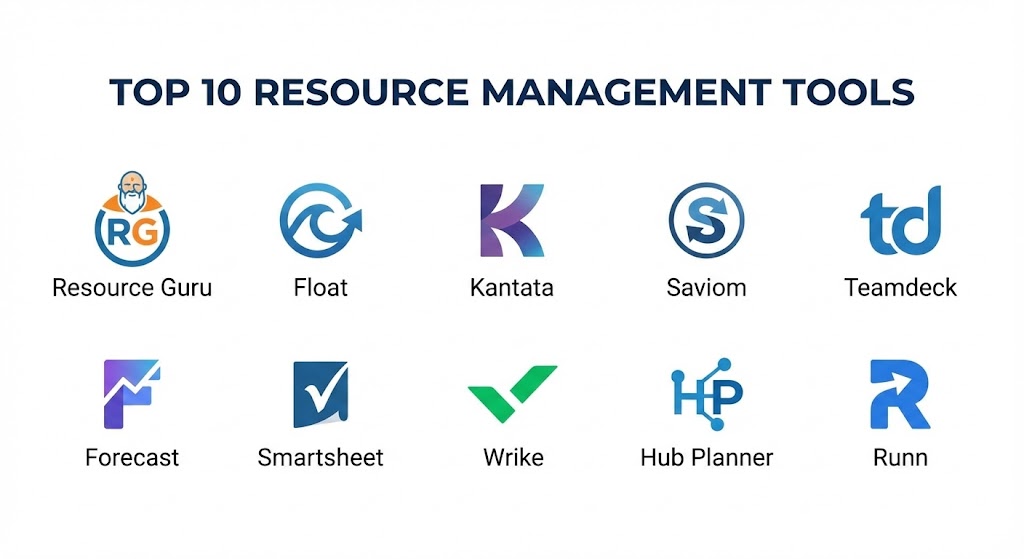
Top 10 Resource Management Tools
1 — Resource Guru
Resource Guru is widely recognized for its “fast and flexible” approach to scheduling. It was designed to solve the “clashing calendars” problem and has evolved into a sleek, visual powerhouse that emphasizes ease of use over complex data entry.
- Key features:
- Drag-and-Drop Scheduler: Effortlessly move assignments between team members in real-time.
- Clash Management: Prevents double-booking by providing instant alerts when a resource is over-allocated.
- Custom Resource Fields: Track people by skills, location, seniority, or equipment type.
- Leave Management: Integrated holiday and sick leave tracking that automatically updates availability.
- Non-Human Resources: Manage meeting rooms, vehicles, and specialized hardware alongside people.
- Reports & Utilization: Visual dashboards showing how much of your team’s time is actually being billed.
- Pros:
- The learning curve is practically non-existent; teams can be fully onboarded in less than an hour.
- The “Waiting List” feature allows you to log demand even when resources are fully booked, helping with future hiring plans.
- Cons:
- It lacks deep financial tracking (like margins and billing rates) compared to enterprise-grade tools.
- Not suitable for managing complex, long-term project dependencies or Gantt charts.
- Security & compliance: SOC 2 Type II, GDPR compliant, SSO support, and 256-bit SSL encryption.
- Support & community: High-quality searchable documentation, responsive email support, and an active blog featuring best practices for lean operations.
2 — Float
Float is the preferred choice for creative and advertising agencies worldwide. It excels in high-velocity environments where schedules change by the hour and visual clarity is paramount for the production team.
- Key features:
- Visual Capacity Planning: A clear, color-coded timeline view of everyone’s workload.
- Direct Time Tracking: Team members can log time directly against the scheduled tasks with one click.
- Budget Tracking: Real-time visibility into how much of the project budget has been “burned.”
- Advanced Search & Filter: Quickly find “Available Python Developers in New York” using powerful filters.
- Project Multi-View: Switch between resource-view and project-view to see the same data from different angles.
- Pros:
- The user interface is arguably the most beautiful and distraction-free in the category.
- Excellent integration with project tools like Jira, Asana, and Slack, ensuring data stays synced.
- Cons:
- The reporting engine can feel a bit rigid if you need highly customized, deep-dive data exports.
- Managing thousands of resources can become visually overwhelming on the main timeline.
- Security & compliance: ISO 27001, GDPR, and SOC 2 Type II compliant.
- Support & community: Extensive library of video tutorials, “Float Academy” for training, and a strong community of agency operations professionals.
3 — Kantata (formerly Mavenlink)
Kantata is a “heavy-duty” Professional Services Automation (PSA) tool. It is designed for businesses that need to tie resource management directly to their financial bottom line, margins, and complex revenue recognition.
- Key features:
- Skills-Based Routing: AI-driven suggestions for the best person for a task based on historical performance and skills.
- Financial Forecasting: Predict future revenue based on current resource allocations and billable rates.
- Master Planning: A high-level view for long-term resource strategy and “What-If” scenario planning.
- Embedded Analytics: Deep-dive reporting that goes beyond utilization into true profitability.
- Business Intelligence (BI): Custom report builder for enterprise-scale data analysis.
- Pros:
- The most robust tool for organizations where project management and accounting must be perfectly synced.
- Exceptional at managing the “entire lifecycle” of a project, from the initial proposal to final invoicing.
- Cons:
- The interface is dense and can be intimidating for creative teams who just want to see their tasks.
- Implementation is a significant undertaking that often requires specialized consultants.
- Security & compliance: HIPAA, SOC 2 Type II, GDPR, and ISO 27001 compliant.
- Support & community: 24/7 global support, dedicated account managers for enterprise clients, and a professional partner network.
4 — Saviom
Saviom is an enterprise-grade resource management solution that specializes in “Capacity Planning” and “Forecasting.” It is built for Global 2000 companies managing thousands of employees across diverse business units.
- Key features:
- Real-time Capacity vs. Demand: Identify resource gaps months in advance to inform recruitment strategies.
- Matrix Management: Manage resources that belong to multiple departments or functional units.
- “What-If” Analysis: Simulate the impact of taking on a new $10M project on your current workforce.
- Self-Service Portals: Allow employees to update their own skills and availability.
- Bench Management: Specialized tools to reduce the time employees spend “on the bench” (unassigned).
- Pros:
- Unrivaled in its ability to handle massive data sets without performance lag.
- Highly configurable; almost every field and workflow can be customized to fit unique corporate structures.
- Cons:
- The UI feels more like a traditional enterprise database than a modern SaaS app.
- Not suitable for small teams; the feature set is far too complex for basic scheduling needs.
- Security & compliance: ISO 27001, GDPR, and SOC 2 compliant. Offers on-premise and private cloud deployment.
- Support & community: High-touch implementation support and a library of industrial-strength project management guides.
5 — Teamdeck
Teamdeck positions itself as the “all-in-one” resource management tool, combining scheduling, time tracking, and leave management into a cohesive, affordable package for mid-sized teams.
- Key features:
- Resource Scheduling: Assign people to projects based on their specific availability and roles.
- Automated Timesheets: Timesheets are pre-populated based on the schedule, reducing manual entry.
- Customizable Reports: Build reports from scratch using a “pivot table” style interface.
- Availability Calendar: Employees can mark their own working hours, perfect for part-time or flexible teams.
- Mobile App: Allows team members to check their schedule and log time from their smartphones.
- Pros:
- Offers a very competitive price point for the level of features provided.
- The reporting engine is surprisingly powerful, allowing for very granular data slicing.
- Cons:
- The interface, while clean, lacks some of the “drag-and-drop” fluidity found in Resource Guru or Float.
- Limited advanced forecasting for complex, multi-year capacity planning.
- Security & compliance: GDPR compliant and features standard data encryption. SOC 2 varies by tier.
- Support & community: Detailed help center, email support, and a growing community of EU-based developers and agencies.
6 — Forecast
Forecast is the tool that brought AI to the forefront of resource management. It uses machine learning to automate project planning and predict how long tasks will actually take based on a team’s historical velocity.
- Key features:
- Auto-Schedule: AI automatically assigns resources to tasks based on availability and skill level.
- Workload Heatmaps: Instant visualization of who is nearing burnout and who has extra capacity.
- Financial Health Tracking: Predicts project profitability and budget overruns before they happen.
- Skills Matrix: A centralized database of every employee’s certifications and expertise.
- Integration Hub: Native hooks into Jira, Salesforce, Slack, and Microsoft Teams.
- Pros:
- Drastically reduces the manual work of “balancing the boards” by letting the AI do the heavy lifting.
- Great for teams that want a predictive, data-driven culture rather than a reactive one.
- Cons:
- The “AI” is only as good as the data you give it; if team habits are inconsistent, predictions will be too.
- One of the higher-priced options in the mid-market category.
- Security & compliance: SOC 2 Type II, ISO 27001, and GDPR compliant.
- Support & community: Fast-growing community, “Forecast Academy,” and dedicated success managers for larger accounts.
7 — Smartsheet
While often called a “spreadsheet tool,” Smartsheet has become a legitimate resource management contender through its acquisition of Resource Management (formerly 10,000ft).
- Key features:
- Grid-Based Flexibility: The power of a project database with the familiarity of a sheet.
- Portfolio Management: Roll up resource data from hundreds of individual sheets into one dashboard.
- Dynamic View: Control who sees what data, perfect for managing external contractors.
- Automated Workflows: Send alerts when a resource is over-allocated or a milestone is missed.
- Time Tracking Integration: Seamless link between “Project Sheet” and “Resource Schedule.”
- Pros:
- The easiest tool to adopt if your organization is already living in Excel or Google Sheets.
- Incredibly flexible—you can build almost any custom resource management workflow without code.
- Cons:
- Managing very complex resource logic can result in a “spaghetti” mess of cross-sheet formulas.
- The high-end resource features require a separate add-on license (Smartsheet Resource Management).
- Security & compliance: FedRAMP, HIPAA, SOC 2, ISO 27001, and GDPR compliant.
- Support & community: Massive global user group, “Smartsheet University,” and thousands of third-party consultants.
8 — Wrike
Wrike is a versatile work management platform that has significantly expanded its resource-specific features, making it a strong choice for “Hybrid” teams that need to mix task management with resource planning.
- Key features:
- Workload View: A centralized place to see and balance the work of every team member.
- Resource Booking: Reserve time for people on future projects without assigning specific tasks.
- Custom Request Forms: Standardize how work enters the system to ensure resources aren’t wasted.
- Time Tracking & Billing: Integrated timers that sync directly with project financial reports.
- Enterprise-Level Security: Granular control over who can see resource availability and rates.
- Pros:
- Excellent for cross-departmental collaboration (e.g., Marketing working with Product).
- Offers a strong balance between high-level resource views and granular task lists.
- Cons:
- The interface can feel cluttered due to the sheer volume of features.
- Not as specialized in “long-term capacity forecasting” as tools like Saviom.
- Security & compliance: SOC 2 Type II, ISO 27001, HIPAA, and GDPR compliant. Features “Wrike Lock” for user-managed encryption.
- Support & community: 24/7 support, extensive webinars, and a professional services team for large-scale rollouts.
9 — Hub Planner
Hub Planner is a specialized resource scheduling and timesheet tool that bridges the gap between simple calendar apps and complex enterprise PSA suites.
- Key features:
- Multi-View Scheduler: View resources by team, project, or location.
- Smart Scheduling: Automatically finds the next available slot for a specific resource type.
- Timesheet Approval: A rigorous workflow for reviewing and approving team labor hours.
- Vacation Tracking: Manage PTO, public holidays, and custom leave types in one place.
- Billing & Rates: Assign multiple rates to a single person (e.g., Senior rate vs. Junior rate).
- Pros:
- Very strong focus on the “Approval” side of resource management, perfect for regulated industries.
- The reporting engine is very visual and easy to explain to stakeholders.
- Cons:
- The UI lacks some of the modern, “snappy” feel of Float or Resource Guru.
- Limited built-in project management tools; focuses strictly on the resource side.
- Security & compliance: GDPR compliant and features SSO and data encryption.
- Support & community: Responsive customer support and a library of “how-to” videos for self-serve onboarding.
10 — Runn
Runn is a modern, cloud-native platform that focuses on the intersection of Projects, Resources, and Financials. It is designed for software houses and consultancies that need to plan with high precision.
- Key features:
- Interactive People Planner: Drag-and-drop scheduling that updates financial forecasts instantly.
- Capacity & Utilization Charts: Real-time visibility into the “bench” and upcoming gaps.
- Project Financials: Monitor revenue, costs, and profit margins on a per-project basis.
- Skills Tracking: A searchable directory of team capabilities.
- “People View” vs “Project View”: Instantly pivot your perspective to see either team capacity or project health.
- Pros:
- The integration between the schedule and the budget is incredibly seamless and real-time.
- Very fast performance; the app feels modern and reacts instantly to changes.
- Cons:
- Still a relatively new player; the third-party integration library is growing but not as large as Wrike’s.
- Lacks some of the “Task-level” granularity found in ClickUp or Monday.com.
- Security & compliance: SOC 2 ready and GDPR compliant.
- Support & community: Proactive customer success team and an excellent blog on modern resource strategy.
Comparison Table
| Tool Name | Best For | Platform(s) Supported | Standout Feature | Rating (Gartner / TrueReview) |
| Resource Guru | Quick & Visual Scheduling | Web, iOS, Android | Clashing Calendar Alerts | 4.6 / 5 |
| Float | Creative Agencies | Web, iOS, Android | Visual Production Timeline | 4.7 / 5 |
| Kantata | Professional Services | Web | Financial Lifecycle Sync | 4.5 / 5 |
| Saviom | Global Enterprises | Web, On-Premise | Enterprise Capacity Planning | 4.4 / 5 |
| Teamdeck | Mid-market Value | Web, Mobile | Pivot-style Reporting | 4.5 / 5 |
| Forecast | AI-Driven Teams | Web, Mobile | AI Project Auto-Schedule | 4.6 / 5 |
| Smartsheet | Spreadsheet Lovers | Web, iOS, Android | Control Center Automation | 4.5 / 5 |
| Wrike | Hybrid Task/Resource | Web, Mac, Win | Integrated Proofing/Approval | 4.3 / 5 |
| Hub Planner | Regulated Approvals | Web | Advanced Timesheet Workflow | 4.4 / 5 |
| Runn | Software Consultancies | Web | Real-time Margin Tracking | 4.7 / 5 |
Evaluation & Scoring of Resource Management Tools
| Criteria | Weight | Scoring Rationale |
| Core Features | 25% | Scheduling depth, capacity planning, and skills tracking. |
| Ease of Use | 15% | Intuitiveness, UI speed, and time-to-value for new users. |
| Integrations | 15% | Connectivity with existing tech stacks (Jira, Slack, ERP). |
| Security & Compliance | 10% | Adherence to ISO, GDPR, and enterprise data standards. |
| Performance | 10% | Stability, uptime history, and real-time syncing reliability. |
| Support & Community | 10% | Quality of documentation and availability of expert help. |
| Price / Value | 15% | ROI for the organization relative to monthly licensing costs. |
Which Resource Management Tool Is Right for You?
Solo Users vs SMB vs Mid-market vs Enterprise
If you are a solo user, you don’t need these tools—stick with a calendar and a simple task app. For SMBs, Resource Guru or Float provide the best “effort-to-visibility” ratio. Mid-market organizations with 100+ employees will find the balance in Runn or Teamdeck. For Enterprises managing global portfolios, the high-level governance of Saviom, Kantata, or Smartsheet is a non-negotiable requirement.
Budget-conscious vs Premium Solutions
If you are budget-conscious, Teamdeck and Zoho Projects (not listed, but relevant) offer the most features per dollar. However, if you are looking for a Premium solution where data-driven insights are more valuable than the license fee, Forecast (for AI) and Kantata (for financials) are the industry benchmarks.
Feature Depth vs Ease of Use
If you prioritize Ease of Use, Resource Guru is the clear winner. You can be productive in five minutes. If you need Feature Depth (e.g., you need to simulate the cost impact of a 5% increase in labor rates across 12 countries), Saviom or Kantata are the necessary choices.
Integration and Scalability Needs
If your organization is a Microsoft Shop, Smartsheet or Project for the Web (Microsoft) offer the most native hooks. If you are an Agile Software House, Forecast or Float‘s deep integration with Jira will be your primary decision factor.
Frequently Asked Questions (FAQs)
1. Is resource management different from project management?
Yes. Project management focuses on the “what” (tasks, deadlines). Resource management focuses on the “who” (availability, skills, utilization). You need both to be successful.
2. Can I use Excel for resource management?
Technically yes, but it is dangerous. Excel is a “static” tool. It doesn’t tell you if a resource is double-booked across two different sheets, leading to burnout and project failure.
3. What is “Resource Utilization”?
It is the percentage of time an employee spends on productive, billable work compared to their total available hours. A healthy utilization rate is usually between 70% and 80%.
4. How long does implementation take?
For simple tools like Float, 1 week. For enterprise suites like Saviom or Kantata, expect 3 to 6 months of planning, data migration, and training.
5. Do these tools handle “Equipment” or just “People”?
Most professional tools allow you to create “Non-Human” resources like drones, 3D printers, or vehicles, so you can track all assets in one view.
6. Are these tools cloud-based?
In 2026, almost all are cloud-native (SaaS). However, enterprise tools like Saviom still offer on-premise hosting for high-security defense or government projects.
7. Can AI really predict project delays?
Yes. By analyzing how long similar tasks took in the past, AI tools like Forecast can warn you that a project is trending toward a 2-week delay before a single task is missed.
8. What is “Skills-Based Routing”?
It is the process of assigning work based on who is best qualified, rather than just who is available. It prevents “Junior” staff from being stuck on “Expert” tasks.
9. Can I track contractor time alongside employees?
Absolutely. Most tools allow you to flag resources as “Internal” or “External,” giving you a holistic view of your entire labor force.
10. Do these tools help with employee burnout?
Directly. By showing a visual “red zone” when someone is working 60 hours a week, managers can proactively move tasks to someone with more capacity.
Conclusion
The best resource management tool is the one that your team will actually update. In 2026, the market has matured to offer a tool for every flavor of business. If you are an agency that thrives on visuals, Float is your ally. If you are a consultancy where every dollar counts, Kantata is your foundation. And if you are a global enterprise looking for long-term strategy, Saviom will provide the clarity you need.
Success in resource management isn’t just about the software; it’s about the visibility and empathy the software provides. By ensuring your team is balanced and focused, you aren’t just managing resources—you are building a sustainable organization.