Introduction
Remote sensing and satellite image analysis involve the acquisition and interpretation of data from a distance, typically using sensors on satellites or aircraft. These tools process various types of data—optical, radar (SAR), thermal, and hyperspectral—allowing users to “see” beyond the visible spectrum. For example, infrared sensors can detect heat signatures from wildfires, while Synthetic Aperture Radar (SAR) can penetrate cloud cover and darkness to map flood zones.
The importance of this category lies in its ability to provide objective, repeatable, and historical data for massive geographic areas. Key real-world use cases include precision agriculture (optimizing fertilizer use), disaster response (rapid flood mapping), defense intelligence, and ESG reporting (tracking carbon sequestration). When evaluating these tools, users should look for multi-sensor interoperability, cloud-based parallel processing, and integrated AI/ML toolkits for automated feature extraction.
Best for: Environmental researchers, urban planners, defense agencies, and agricultural firms needing high-accuracy spatial data and long-term trend analysis.
Not ideal for: Basic static mapping tasks or localized surveying where traditional CAD software or high-resolution terrestrial photography may be more cost-effective.
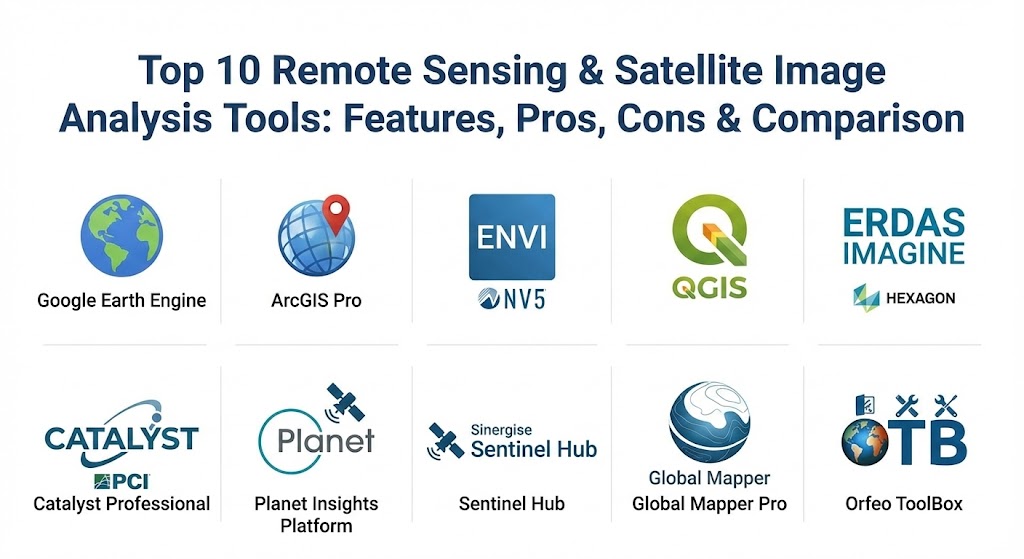
Top 10 Remote Sensing & Satellite Image Analysis Tools
1 — Google Earth Engine (GEE)
Google Earth Engine is a planetary-scale platform for environmental data analysis. It combines a multi-petabyte catalog of satellite imagery and geospatial datasets with planetary-scale analysis capabilities.
- Key features:
- Access to over 40 years of historical satellite data (Landsat, Sentinel, MODIS).
- Cloud-based parallel processing for rapid analysis of global datasets.
- Interactive JavaScript and Python APIs.
- Integrated machine learning algorithms for land-cover classification.
- Powerful time-series analysis tools.
- Pros:
- Eliminates the need for local data storage and high-end hardware.
- Completely free for academic and non-commercial research use.
- Cons:
- Significant learning curve for users unfamiliar with coding (JS/Python).
- Commercial licensing can be expensive for small enterprises.
- Security & compliance: Google Cloud infrastructure security; SOC 2/3, ISO 27001, and GDPR compliant.
- Support & community: Massive academic community and extensive documentation via the Earth Engine Developers list.
2 — ArcGIS Pro (with Image Analyst)
Esri’s ArcGIS Pro is the industry standard for GIS, and its Image Analyst extension transforms it into a powerhouse for remote sensing.
- Key features:
- Seamless integration of raster, vector, and 3D data.
- Deep learning integration for automated object detection (e.g., building footprints).
- Stereo mapping and 3D visualization tools.
- Multi-dimensional analysis for change detection over time.
- Access to the Living Atlas of the World.
- Pros:
- The most comprehensive GIS ecosystem available today.
- Superior cartographic and data management tools.
- Cons:
- High hardware requirements (requires a powerful GPU).
- Desktop-only version is Windows-bound; expensive licensing tiers.
- Security & compliance: SSO, FIPS 140-2 compatibility, and FedRAMP authorized.
- Support & community: World-class enterprise support and a vast global user network.
3 — ENVI (by NV5 Geospatial)
ENVI is a specialized software solution used by GIS professionals, remote sensing scientists, and image analysts to extract meaningful information from imagery.
- Key features:
- Industry-leading spectral analysis for hyperspectral and multispectral data.
- SARscape integration for advanced Synthetic Aperture Radar (SAR) processing.
- Atmospheric correction and radiometric calibration tools.
- ENVI Modeler for visual, code-free workflow automation.
- Integration with ArcGIS via Esri-compatible data formats.
- Pros:
- The “gold standard” for scientifically rigorous spectral analysis.
- Exceptional handling of non-optical data like Radar and Thermal imagery.
- Cons:
- Specialized interface can be intimidating for casual GIS users.
- Costly for organizations that do not require high-end spectral science.
- Security & compliance: SSO, data encryption, and HIPAA/GDPR readiness.
- Support & community: Extensive training programs and technical support via NV5 Geospatial.
4 — QGIS (with Semi-Automatic Classification Plugin)
QGIS is the leading open-source GIS software, and when paired with the Semi-Automatic Classification Plugin (SCP), it becomes a robust tool for remote sensing.
- Key features:
- Free and open-source with a massive library of user-contributed plugins.
- Direct download and preprocessing of Sentinel, Landsat, and MODIS data.
- Supervised and unsupervised classification algorithms.
- Band math and vegetation index calculators (NDVI, EVI, etc.).
- Cross-platform support (Windows, macOS, Linux).
- Pros:
- Zero licensing costs; ideal for budget-conscious researchers and non-profits.
- Highly customizable and lightweight compared to enterprise suites.
- Cons:
- UI can be cluttered; some plugins lack professional-grade stability.
- No native cloud-processing capability for large datasets.
- Security & compliance: Varies by installation; community-driven security patches.
- Support & community: Vibrant global community; extensive free tutorials and documentation.
5 — ERDAS IMAGINE (by Hexagon)
ERDAS IMAGINE is a professional-grade geospatial data authoring system that simplifies the processing of diverse data types.
- Key features:
- Spatial Modeler: A visual programming environment for building custom workflows.
- High-precision photogrammetry and ortho-mosaicking.
- Advanced change detection and point cloud analysis.
- Support for nearly any sensor type, from drones to deep-space satellites.
- 64-bit multi-core processing for heavy-duty raster analytics.
- Pros:
- Incredible stability for massive production-scale workflows.
- Best-in-class spatial modeling for users who prefer visual logic over code.
- Cons:
- High entry price; primarily geared toward large government or defense agencies.
- Interface feels somewhat traditional compared to modern web-based platforms.
- Security & compliance: Enterprise-ready security with ISO 27001 and GDPR alignment.
- Support & community: Strong professional services and enterprise support tiers.
6 — Catalyst Professional (formerly PCI Geomatica)
Catalyst (a brand of PCI Geomatics) specializes in high-precision photogrammetry and advanced SAR processing.
- Key features:
- Unrivaled SAR and InSAR tools for ground movement monitoring (millimeter precision).
- Automated generation of ortho-mosaics from satellite and aerial data.
- Support for 100+ satellite and aerial sensors.
- AI-enabled object classification and feature extraction.
- Python API for large-scale automation.
- Pros:
- Leading choice for geodetic and radar-based engineering projects.
- High-speed processing engine for high-resolution imagery.
- Cons:
- Niche focus makes it less ideal for general-purpose cartography.
- Professional version requires a significant investment.
- Security & compliance: SSO and encryption support; ISO/IEC 27001 compliant.
- Support & community: Dedicated technical support and training for engineering firms.
7 — Planet Insights Platform
Planet operates the largest constellation of Earth-imaging satellites, and their platform provides direct access to daily global data and analytics.
- Key features:
- Daily global imagery at 3-meter resolution.
- PlanetScope and SkySat (sub-meter) data integration.
- Automated change detection and road/building extraction.
- API-first architecture for seamless integration into business apps.
- Cloud-based analytics for agriculture, forestry, and energy.
- Pros:
- Provides “timeliness” that no other provider can match (daily revisits).
- Extremely modern, user-friendly web interface.
- Cons:
- You are primarily locked into Planet’s own satellite data ecosystem.
- Lower resolution compared to Maxar or SkySat for certain tactical needs.
- Security & compliance: SOC 2 Type II, GDPR, and FedRAMP (for specific government tiers).
- Support & community: Excellent developer documentation and onboarding support.
8 — Sentinel Hub (by Sinergise/Planet)
Sentinel Hub is a cloud-native platform that streamlines the access and processing of open satellite data.
- Key features:
- On-the-fly processing (WMS/WCS) of Sentinel-1, 2, 3, Landsat, and more.
- EO Browser for rapid visualization and time-lapse creation.
- Custom script support (JavaScript) for real-time index calculation.
- Scalable cloud infrastructure for large-scale application development.
- Multi-sensor data fusion capabilities.
- Pros:
- dratically reduces the time from “data download” to “insight.”
- Very affordable for developers and startups building satellite-based apps.
- Cons:
- Primarily a processing engine; lacks the deep cartography of ArcGIS or QGIS.
- Requires some scripting knowledge to unlock full potential.
- Security & compliance: GDPR-aligned; hosted on highly secure cloud nodes.
- Support & community: Very active STEP (Science Toolbox Exploitation Platform) forum.
9 — Global Mapper (Pro)
Global Mapper Pro is an “all-in-one” GIS software that excels in point cloud processing and terrain analysis.
- Key features:
- Pixels-to-Points: Converts drone/satellite photos into 3D point clouds.
- Automatic Lidar classification (ground, trees, powerlines).
- Powerful terrain analysis tools (slope, viewshed, watershed).
- Support for over 300 different spatial data formats.
- Intuitive 3D visualization and fly-through generation.
- Pros:
- Exceptional value for money; far cheaper than high-end enterprise tools.
- Light on system resources while handling massive datasets.
- Cons:
- Cartographic output is not as polished as Esri or QGIS.
- Less emphasis on spectral science compared to ENVI.
- Security & compliance: Client-side security; N/A.
- Support & community: Excellent US-based phone/email support and an active forum.
10 — Orfeo ToolBox (OTB)
Orfeo ToolBox is an open-source project for high-resolution remote sensing, developed by the French Space Agency (CNES).
- Key features:
- Optimized for processing massive, high-resolution raster images.
- Large-Scale Mean-Shift (LSMS) segmentation for object-based analysis.
- Comprehensive C++ library and Python bindings.
- Seamless integration as a plugin for QGIS.
- Advanced algorithms for classification, pansharpening, and SAR.
- Pros:
- Extremely powerful for developers and data scientists.
- Scientific-grade accuracy for large-scale land-cover mapping.
- Cons:
- Native GUI is spartan; most users will interact with it via QGIS or command line.
- Steep learning curve for non-technical users.
- Security & compliance: Open-source; standard community security protocols.
- Support & community: Strong backing from the European space community and CNES.
Comparison Table
| Tool Name | Best For | Platform(s) Supported | Standout Feature | Rating (Gartner/TrueReview) |
| Google Earth Engine | Global Analysis | Web/API | Planet-scale Cloud Processing | 4.8 / 5 |
| ArcGIS Pro | Enterprise GIS | Windows | Full 2D/3D/4D Integration | 4.7 / 5 |
| ENVI | Spectral Science | Windows, Linux | Hyperspectral Excellence | 4.6 / 5 |
| QGIS (w/ SCP) | Budget Researchers | Windows, Mac, Linux | Open Source Flexibility | 4.5 / 5 |
| ERDAS IMAGINE | Large Scale Production | Windows | Visual Spatial Modeler | 4.4 / 5 |
| Catalyst Pro | Engineering/SAR | Windows, Linux | Millimeter-level InSAR | 4.5 / 5 |
| Planet Insights | Daily Monitoring | Web/API | Daily Global Revisit | 4.6 / 5 |
| Sentinel Hub | Developers | Web/API | On-the-fly Data Processing | 4.7 / 5 |
| Global Mapper Pro | Lidar & 3D | Windows | Pixels-to-Points Tech | 4.6 / 5 |
| Orfeo ToolBox | High-Res Raster | Windows, Linux | LSMS Segmentation | 4.3 / 5 |
Evaluation & Scoring of Remote Sensing Tools
The following scoring rubric provides a framework for selecting a tool based on weighted organizational needs.
| Category | Weight | Evaluation Criteria |
| Core Features | 25% | Multi-sensor support (Optical, SAR, Lidar), analytical depth. |
| Ease of Use | 15% | User interface, learning curve, and code vs. no-code options. |
| Integrations | 15% | Compatibility with major GIS software, cloud platforms, and APIs. |
| Security & Compliance | 10% | Data sovereignty, encryption, and enterprise certifications (SOC2). |
| Performance | 10% | Speed of processing for massive, petabyte-scale datasets. |
| Support & Community | 10% | Documentation quality, professional training, and forums. |
| Price / Value | 15% | Licensing cost relative to feature set and productivity gains. |
Which Remote Sensing Tool Is Right for You?
Selecting the right tool involves balancing technical depth with operational budget.
- Solo Researchers & Students: Start with QGIS and Google Earth Engine. These provide professional-grade power at zero cost and are supported by the largest open-access educational resources.
- SMBs & Commercial Startups: Look at Sentinel Hub or Planet Insights. These tools allow you to build custom applications or monitor business assets without managing complex server infrastructure.
- Engineering & Environmental Consultancies: Global Mapper Pro or ArcGIS Pro offer the best balance of field-to-office workflows, especially if you handle Lidar or drone data.
- Defense & National Security Agencies: ENVI and ERDAS IMAGINE are the benchmarks for tactical and strategic intelligence due to their rigor in spectral and SAR analysis.
- Cloud-First Organizations: If your workflow is entirely digital and global, Google Earth Engine is the only tool currently capable of processing multi-petabyte datasets in seconds.
Frequently Asked Questions (FAQs)
1. What is the difference between multispectral and hyperspectral imagery? Multispectral imagery typically has 3 to 15 wide spectral bands (e.g., RGB + Near Infrared). Hyperspectral imagery contains hundreds of narrow bands, allowing for the precise chemical identification of materials like minerals or vegetation species.
2. Can remote sensing see through clouds? Optical sensors cannot see through clouds. However, Synthetic Aperture Radar (SAR) sensors use microwave energy, which can penetrate clouds, smoke, and darkness.
3. Is Google Earth Pro different from Google Earth Engine? Yes. Google Earth Pro is a visualization tool for viewing imagery. Google Earth Engine is a scientific processing platform for analyzing raw data to find trends and patterns.
4. How accurate is satellite-based GPS/Coordinate data? High-resolution commercial satellites can have sub-meter spatial accuracy. However, “accuracy” also refers to the spectral or temporal resolution, depending on the sensor used.
5. Do I need a high-end computer to do satellite analysis? If you use cloud platforms like Google Earth Engine or Sentinel Hub, you only need a web browser. For desktop tools like ArcGIS Pro or ENVI, a powerful GPU and at least 32GB of RAM are recommended.
6. What is “Change Detection”? Change detection is the process of comparing two or more images of the same location taken at different times to identify where features have appeared, disappeared, or moved.
7. Is Sentinel data really free? Yes. The European Space Agency’s Copernicus program provides Sentinel-1 and Sentinel-2 data free of charge for any purpose, including commercial use.
8. What is NDVI? The Normalized Difference Vegetation Index (NDVI) is a numerical indicator that uses the visible and near-infrared bands of the electromagnetic spectrum to assess the health and “greenness” of vegetation.
9. Can these tools identify individuals? No. Current commercial satellite imagery is generally limited to 30cm or 50cm per pixel. At this resolution, you can see cars or building features, but individuals are just blurred dots.
10. Why is Python so important in remote sensing? Python is the “glue” for geospatial data. Most tools offer Python APIs (like arcpy or ee) that allow users to automate repetitive tasks and integrate complex machine learning models into their analysis.
Conclusion
The selection of a remote sensing tool is no longer just about the software; it is about the entire ecosystem—the data access, the processing power, and the ease of integration. While ArcGIS Pro remains the king of the enterprise GIS world, the rapid ascent of cloud-native platforms like Google Earth Engine and Planet Insights has democratized access to planetary-scale data. Ultimately, the best tool is one that scales with your data needs and integrates seamlessly into your decision-making pipeline.