Introduction
Records Management & Retention tools are software solutions designed to manage the entire lifecycle of an organization’s records, from the moment of creation through to final disposition (archiving or destruction). Unlike simple storage, these tools apply “retention schedules”—rules that dictate how long a document must be stored based on its legal or business value. These systems automate the process of identifying records, applying the correct legal holds, and providing a defensible audit trail of disposal.
The importance of these tools cannot be overstated. In an era of strict privacy laws like GDPR, CCPA, and various industry-specific regulations (such as HIPAA or SEC rules), failing to manage records correctly can lead to catastrophic legal consequences. Key real-world use cases include automated legal holds during litigation, regulatory compliance auditing for financial institutions, and the long-term preservation of historical archives. When evaluating these tools, users should prioritize automation capabilities, security certifications, and the ability to manage both electronic and physical records.
Best for: Highly regulated industries such as healthcare, finance, government, and legal sectors. It is also essential for large-scale enterprises with complex litigation profiles and mid-market companies aiming to streamline their governance and data privacy posture.
Not ideal for: Early-stage startups with minimal data volume or creative agencies whose primary output is non-regulated intellectual property that does not require formal retention scheduling.
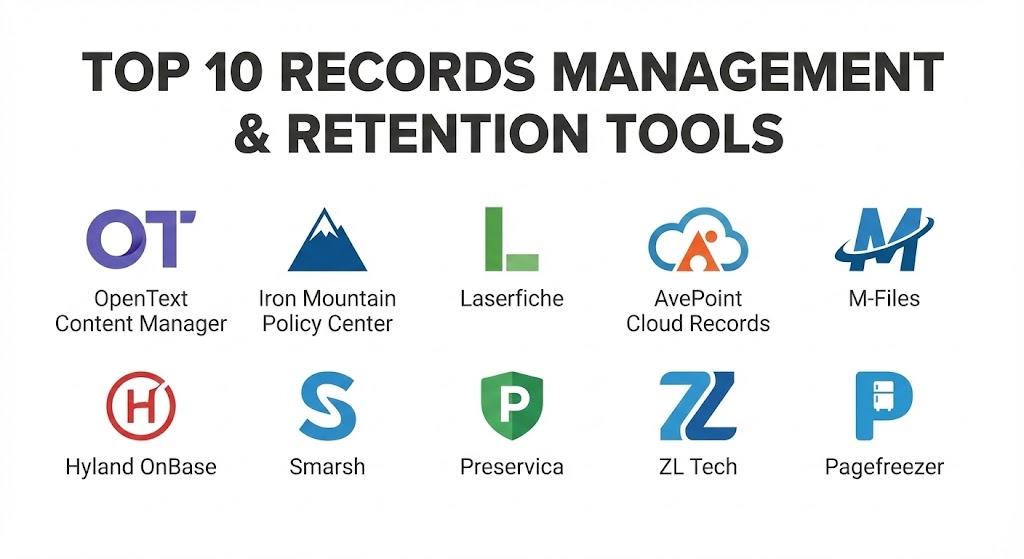
Top 10 Records Management & Retention Tools
1 — OpenText Content Manager
OpenText Content Manager is an enterprise-grade solution formerly known as HP TRIM. It is widely considered the gold standard for organizations that require rigorous, military-grade compliance and highly structured record-keeping.
- Key features:
- DoD 5015.02 Certification: Meets the highest standards for records management set by the Department of Defense.
- Automated Retention Schedules: Applies complex rules across millions of documents automatically.
- Physical Records Integration: Manages physical boxes and paper files alongside digital assets.
- Advanced Search and Retrieval: Deep indexing allows for rapid discovery during audits or legal inquiries.
- Seamless M365 Integration: Governs content living in Microsoft Teams, SharePoint, and Outlook.
- Pros:
- Unrivaled for high-compliance environments where “zero-failure” is the requirement.
- Exceptionally strong at managing the “disposition” phase of the record lifecycle.
- Cons:
- The user interface can feel dated and overly complex for non-specialists.
- Implementation often requires significant time and professional consulting.
- Security & compliance: SSO, 256-bit encryption, SOC 2, HIPAA, GDPR, ISO 15489, and DoD 5015.02 compliant.
- Support & community: Extensive documentation, global enterprise support, and a dedicated network of certified implementation partners.
2 — Iron Mountain Policy Center
Iron Mountain is the world leader in physical storage, and their Policy Center software bridges the gap between physical and digital records. It provides a centralized dashboard to manage retention policies across all media types.
- Key features:
- Global Retention Library: A vast database of legal requirements across different countries and industries.
- Policy-to-Record Mapping: Links high-level legal policies directly to specific document categories.
- Unified Management: A single pane of glass for both physical box storage and digital repositories.
- Expert Legal Research: Subscriptions often include access to up-to-date legal research on retention laws.
- Audit-Ready Reporting: Generates proof-of-compliance reports for regulators.
- Pros:
- Best-in-class for organizations transitioning from paper-heavy workflows to digital.
- Removes the guesswork of “how long to keep what” by providing the legal research in-app.
- Cons:
- Less focused on “document creation” and more on “policy and storage.”
- Pricing can be high for companies that only have digital records.
- Security & compliance: SSO, audit logs, ISO 27001, GDPR, and SOC 2 Type II compliant.
- Support & community: Dedicated account managers, robust knowledge base, and annual user conferences.
3 — Laserfiche
Laserfiche is a pioneer in Business Process Automation (BPA) and Records Management. It is highly regarded for its “Forms” feature, which captures records at the point of entry and immediately applies retention rules.
- Key features:
- Process Automation: Triggers retention workflows the moment a document is scanned or uploaded.
- Transparent Records Management: Users can work on documents without needing to know the complex RM rules happening in the background.
- Electronic Forms: Collects data and signatures that are instantly classified as records.
- Direct Share: Securely shares records with external auditors without granting them full system access.
- Mobile Access: Full records management capabilities for field workers via tablet or smartphone.
- Pros:
- Excellent balance between “Ease of Use” for staff and “Power” for Records Managers.
- Strongest visual workflow designer in the industry.
- Cons:
- Can become expensive if many add-on modules (like advanced AI capture) are required.
- High-level customization may require a specialized administrator.
- Security & compliance: SSO, SOC 2, HIPAA, GDPR, and DoD 5015.02 certified.
- Support & community: “Laserfiche Answers” community forum is one of the most active in the industry.
4 — AvePoint Cloud Records
AvePoint is a specialist in the Microsoft ecosystem. Cloud Records is a SaaS solution designed to extend the governance capabilities of Microsoft 365, making it a favorite for SharePoint-heavy organizations.
- Key features:
- In-Place Management: Manages records without moving them out of SharePoint or Teams.
- Physical Records Support: Extends M365 capabilities to include barcodes and tracking for physical files.
- Automated Classification: Uses rules-based logic to tag content as records based on metadata.
- Lifecycle Dashboard: Visual tracking of all items approaching their destruction date.
- Defensible Disposal: Provides a certificate of destruction for every record deleted.
- Pros:
- Zero impact on the end-user experience; people work in Teams as usual while records are managed.
- Very fast deployment for companies already on the Microsoft cloud.
- Cons:
- Restricted entirely to the Microsoft ecosystem; does not manage non-Microsoft repositories natively.
- Requires a solid existing M365 architecture to work effectively.
- Security & compliance: ISO 27001, SOC 2, HIPAA, and GDPR compliant. Microsoft 365 native security integration.
- Support & community: 24/7 global support, extensive webinars, and technical user groups.
5 — M-Files
M-Files uses a “metadata-driven” approach rather than a folder-based one. This allows the system to manage records based on what they are rather than where they are stored, which is a game-changer for information governance.
- Key features:
- Automatic Classification: AI identifies a document (e.g., “Employment Contract”) and applies the 7-year retention rule instantly.
- Repository Neutrality: Can manage records that live in other systems like Google Drive or Network Folders.
- 360-Degree View: See all records related to a single project or client in one interface.
- E-Sign Integration: Native integration with DocuSign and Adobe Sign for record verification.
- Compliance Templates: Pre-configured setups for ISO 9001 and other quality standards.
- Pros:
- Eliminates “duplicate” records; the system knows there is only one true version.
- AI-assisted metadata tagging significantly reduces manual labor.
- Cons:
- Transitioning from a “folder” mindset to a “metadata” mindset requires significant staff training.
- Pricing is on the premium end of the mid-market.
- Security & compliance: SSO, 256-bit AES encryption, SOC 2, HIPAA, and GDPR compliant.
- Support & community: Excellent online academy, dedicated partner network, and responsive support.
6 — Hyland OnBase
OnBase is a comprehensive Enterprise Content Management (ECM) platform with a very deep Records Management module. It is a preferred choice for large hospitals and government municipalities.
- Key features:
- Case Management: Ties records together by “case” or “incident” rather than just by folder.
- Retention & Disposition: Automated scheduling for destruction or permanent archiving.
- Legal Hold Management: One-click freezing of retention schedules for litigation.
- Intelligent Capture: High-speed scanning and data extraction for high-volume paper environments.
- Integration with ERP: Connects records to SAP, Oracle, and other major business systems.
- Pros:
- Unrivaled for “process-heavy” industries like Insurance or Government.
- Extremely scalable, capable of managing billions of records.
- Cons:
- Can be very “heavy” to manage; usually requires a dedicated internal admin.
- The interface can feel more utilitarian than modern SaaS apps.
- Security & compliance: SSO, SOC 2, HIPAA, GDPR, and DoD 5015.02 compliant.
- Support & community: Massive user community (Hyland Community), extensive certifications, and global support.
7 — Smarsh
Smarsh is a specialist in “Communication Records.” While others manage files, Smarsh is designed to capture and manage records of emails, social media, and instant messages for financial compliance.
- Key features:
- Omnichannel Capture: Records communications across 80+ channels (Slack, WhatsApp, Zoom, etc.).
- Searchable Archive: Turns “ephemeral” chat data into structured, searchable records.
- Surveillance Tools: AI-powered flagging of non-compliant behavior within records.
- Legal Discovery: Purpose-built for responding to SEC or FINRA requests.
- Retention Policy Engine: Applies different rules to different types of communication automatically.
- Pros:
- The industry standard for financial services compliance.
- Best-in-class for managing modern, non-document record types.
- Cons:
- Very specialized; not a general-purpose document management system.
- Higher cost due to the complex nature of social media and chat archiving.
- Security & compliance: FINRA, SEC, GDPR, SOC 2, and FedRAMP compliant.
- Support & community: High-end enterprise support and specialized compliance consulting.
8 — Preservica
Preservica is unique on this list because it focuses on “Digital Preservation.” While most tools focus on the next 7 years, Preservica is designed to ensure records remain readable for the next 70 years.
- Key features:
- Active Preservation: Automatically migrates old file formats (like WordPerfect) to modern ones (like PDF/A).
- Bit-Level Integrity: Constant checking to ensure files haven’t “rotted” or been corrupted over decades.
- Universal Access: Ensures that the software needed to read a record exists forever.
- Public Portals: Allows organizations to share their “permanent” records with the public.
- Governance Workflows: Standard retention and disposal for non-permanent records.
- Pros:
- The only choice for records that must be kept for 25+ years (Government archives, Pharma trials).
- Prevents “Technological Obsolescence” where you have the file but can’t open it.
- Cons:
- Overkill for standard business records that only need to be kept for a few years.
- Slower interface due to the complex “active preservation” checks.
- Security & compliance: ISO 27001, SOC 2, HIPAA, and GDPR compliant.
- Support & community: Excellent academic and archival community support.
9 — ZL Tech
ZL Tech (Unified Archive) is designed for the world’s largest data environments. It provides a massive, unified repository for all enterprise data, applying RM rules to billions of items.
- Key features:
- Massive Scalability: Built to handle the data of Fortune 100 companies without performance lag.
- Unified Analytics: Analyzes records for “Inclusion and Diversity” or “Privacy Risk” while managing them.
- Advanced E-Discovery: One of the most powerful search engines in the RM space.
- In-Place Governance: Can manage data where it sits or move it to a central archive.
- Granular Retention: Applies rules down to the individual user or keyword level.
- Pros:
- Ideal for the world’s largest, most complex global organizations.
- Combines RM with advanced data analytics for “hidden” insights.
- Cons:
- Way too complex and expensive for SMBs or mid-market firms.
- Requires a professional services team for implementation.
- Security & compliance: SOC 2, GDPR, HIPAA, and SEC/FINRA compliant.
- Support & community: High-touch enterprise support and dedicated technical account managers.
10 — Pagefreezer
Pagefreezer is a specialized tool for “Web and Social Media Records.” In 2025, a company’s website is a legal record, and Pagefreezer ensures you have a defensible copy of it.
- Key features:
- Live Website Archiving: Captures your website exactly as it appeared to users, including interactive elements.
- Social Media Capture: Records all posts, comments, and edits on company social pages.
- Enterprise Chat Capture: Records internal communications for legal evidence.
- Digital Signatures: Every archive is time-stamped and signed for legal defensibility.
- E-Discovery Search: Search across all web and social archives for specific keywords.
- Pros:
- The best tool for public-facing “digital footprint” record keeping.
- Very simple to set up compared to a full ECM system.
- Cons:
- Lacks the ability to manage internal “document” records (like invoices or contracts).
- Can be niche; most companies use this alongside another RM tool.
- Security & compliance: SOC 2 Type II, GDPR, and FedRAMP compliant.
- Support & community: Excellent onboarding and responsive chat support.
Comparison Table
| Tool Name | Best For | Platform(s) Supported | Standout Feature | Rating (Gartner) |
| OpenText Content Manager | High Compliance/Govt | Web, Win, Cloud | DoD 5015.02 Certification | 4.4 / 5 |
| Iron Mountain Policy Center | Policy/Physical Transition | Web-based | Global Retention Library | 4.3 / 5 |
| Laserfiche | Process Automation | Web, Win, Mobile | Visual Workflow Designer | 4.7 / 5 |
| AvePoint Cloud Records | Microsoft 365 Users | Cloud/SaaS | M365 In-Place Management | 4.5 / 5 |
| M-Files | Metadata-Driven Context | Win, Web, Mobile | AI-Powered Classification | 4.6 / 5 |
| Hyland OnBase | Health/Govt/Scaling | Win, Web, Mobile | Case Management Focus | 4.5 / 5 |
| Smarsh | Finance Communications | Cloud/SaaS | 80+ Comm Channel Support | 4.6 / 5 |
| Preservica | Long-Term Preservation | Cloud/SaaS | Active File Format Migration | 4.4 / 5 |
| ZL Tech | Global Fortune 100 | Hybrid/Cloud | Billion-scale Data Analytics | 4.2 / 5 |
| Pagefreezer | Web & Social Evidence | Cloud/SaaS | Live Website Snapshots | 4.5 / 5 |
Evaluation & Scoring of Records Management & Retention Tools
To select the right tool, organizations must look beyond just features. We use a weighted scoring rubric that prioritizes “Core Features” and “Security,” as these are non-negotiable for compliance.
| Criteria | Weight | Evaluation Rationale |
| Core Features | 25% | Automation of retention, legal holds, and disposition. |
| Ease of Use | 15% | The interface for both end-users and records managers. |
| Integrations | 15% | Connectivity with existing ERP, CRM, and Productivity tools. |
| Security & Compliance | 10% | Encryption, certifications (SOC 2, ISO), and audit logs. |
| Performance | 10% | Retrieval speed and system reliability under load. |
| Support & Community | 10% | Documentation, training, and customer service quality. |
| Price / Value | 15% | Licensing costs relative to the ROI of avoided fines. |
The weighted score can be represented as:
$$Score = (C_f \times 0.25) + (E_u \times 0.15) + (I \times 0.15) + (S_c \times 0.10) + (P \times 0.10) + (S_q \times 0.10) + (V \times 0.15)$$
Which Records Management & Retention Tools Tool Is Right for You?
Solo Users vs SMB vs Mid-Market vs Enterprise
If you are a solo user, you do not need these tools; simple cloud storage with a manual “delete by” folder is sufficient. For SMBs, Pagefreezer or Zoho WorkDrive (which has basic RM) offer the best entry point. Mid-market organizations with specific compliance needs should look at Laserfiche or M-Files, as they offer high power without requiring a 10-person IT team. Enterprise and global giants should stick to OpenText, Hyland, or ZL Tech, which are designed for the complexities of multi-national law.
Budget-Conscious vs Premium Solutions
If budget is the primary driver, AvePoint Cloud Records provides high value for those already paying for Microsoft 365. For Premium needs where “failure is not an option,” the investment in OpenText or Iron Mountain is justified by the legal research and military-grade security they provide.
Feature Depth vs Ease of Use
If you want your employees to actually use the system, M-Files or Laserfiche are the clear winners due to their intuitive interfaces. However, if your primary goal is the “Depth” of archival preservation, Preservica is the only choice, even if the interface is more technical.
Integration and Scalability Needs
For those in the Microsoft Cloud, AvePoint is the path of least resistance. For those in Healthcare or Government, the scalability of OnBase and its ability to handle millions of patient records makes it the industry standard.
Frequently Asked Questions (FAQs)
1. What is the difference between a Document Management System (DMS) and a Records Management (RM) system?
A DMS is for day-to-day collaboration (editing and sharing). An RM system is for the governance of finished documents. RM tools focus on retention periods, legal holds, and defensible destruction, which a standard DMS usually lacks.
2. What is a “Retention Schedule”?
A retention schedule is a policy that defines how long different types of records must be kept (e.g., “Invoices: 7 years,” “Employee Records: 10 years after termination”). RM tools automate these rules so they happen without human intervention.
3. What happens if I keep data longer than the retention period?
This is known as “over-retention.” It increases your liability in lawsuits (discovery costs) and violates privacy laws like GDPR, which state that data should only be kept for as long as it is needed.
4. How does a “Legal Hold” work?
A legal hold overrides a retention schedule. If a lawsuit occurs, an RM tool can “freeze” the deletion of relevant records so they aren’t destroyed until the case is closed.
5. Can these tools manage physical paper boxes?
Yes. Tools like Iron Mountain Policy Center, Laserfiche, and OpenText include modules for managing barcodes, box locations, and physical destruction of paper files.
6. Is cloud storage safe for records?
Yes, provided the tool is SOC 2 Type II or ISO 27001 compliant. Modern cloud RM tools use advanced encryption that is often more secure than on-premise servers.
7. Do I need an RM tool for GDPR compliance?
While not strictly required by name, the functionality of an RM tool (knowing what data you have and when to delete it) is essential to satisfying GDPR’s “Storage Limitation” principle.
8. What is “Defensible Disposal”?
It is a process where a record is deleted following a pre-set policy, and the system generates a “Certificate of Destruction.” This provides proof to a judge or regulator that the deletion wasn’t an attempt to hide evidence.
9. Can these tools handle video or social media?
Yes, specialized tools like Smarsh and Pagefreezer are designed specifically to turn “non-traditional” data into legal records.
10. How much do these tools cost?
SaaS tools usually charge per user per month (ranging from $15 to $100). Enterprise systems often have a large upfront implementation fee (starting at $10k+) plus ongoing maintenance.
Conclusion
The “best” Records Management tool isn’t the one with the most bells and whistles—it’s the one that ensures you never have to worry about a regulator knocking on your door. For organizations that live in the Microsoft ecosystem, AvePoint offers the most seamless experience. For those with a mix of paper and digital files, Iron Mountain and Laserfiche provide the best bridge. And for the world’s most regulated sectors, the rigor of OpenText remains the gold standard.
Before choosing, conduct a “data audit.” Know what types of records you have and which laws govern them. A record management tool is an insurance policy for your data; choosing the right one today will save your organization from the legal and financial headaches of tomorrow.