Introduction
Recipe management apps are specialized digital platforms designed to store, organize, and optimize culinary data. At their core, these tools allow users to “clip” recipes from the web, scan handwritten notes, and categorize collections into searchable databases. However, modern solutions go far beyond simple storage; they offer advanced features such as automated grocery list generation, AI-powered meal planning, nutritional analysis, and cost-per-serving calculations.
In 2026, the importance of these tools centers on efficiency and waste reduction. By providing a “single source of truth” for ingredients, these apps help users avoid over-purchasing and simplify the process of scaling recipes for different crowd sizes. When evaluating a tool, users should look for powerful web-scraping technology (to avoid manual data entry), cross-device syncing, offline access, and a clean, distraction-free “cooking mode” that keeps the screen on while your hands are busy.
Best for: Avid home cooks, professional chefs, nutritionists, and meal preppers who need a centralized hub for their culinary life. These tools are indispensable for large families or small catering businesses where organization directly impacts the bottom line.
Not ideal for: Occasional cooks who only follow one or two recipes a month or individuals who prefer the tactile experience of physical cards and do not mind manual organization. Similarly, massive industrial food manufacturers may require heavy-duty Enterprise Resource Planning (ERP) software rather than a dedicated recipe app.
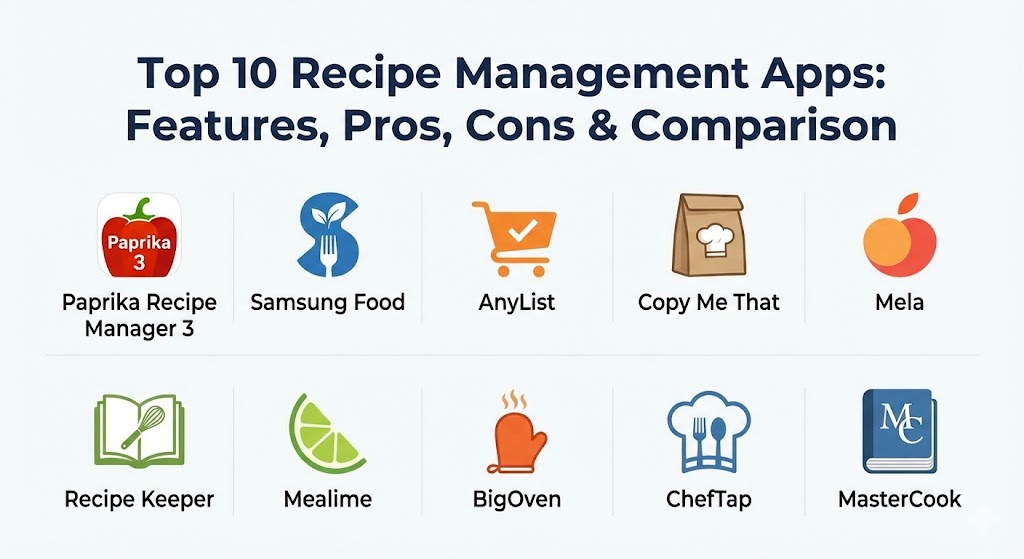
Top 10 Recipe Management Apps
1 — Paprika Recipe Manager 3
Paprika is widely considered the gold standard for dedicated recipe management. It is a powerful, cross-platform tool that prioritizes utility and a clean, ad-free experience. It’s designed for users who want to build a permanent, perfectly organized digital library.
- Key features:
- “Best-in-class” web clipper that strips ads and fluff from any recipe site.
- Automatic cloud sync across iOS, Android, macOS, and Windows.
- Integrated “Pantry” to track ingredient inventory and expiration dates.
- Scalable serving sizes with automatic measurement conversion.
- Smart grocery lists that automatically combine and categorize similar items.
- Interactive “Cooking Mode” with built-in timers and step-crossing features.
- Pros:
- No subscription model; it follows a one-time purchase structure per platform.
- Reliable offline access; all data is stored locally on your device.
- Cons:
- You must purchase the app separately for each platform (e.g., mobile and desktop).
- No community recipe sharing; it is a personal database only.
- Security & compliance: Uses AES-256 encryption for cloud sync; GDPR and CCPA compliant data deletion options.
- Support & community: High-quality email support, extensive online manual, and a massive Reddit community of power users.
2 — Samsung Food (Formerly Whisk)
Samsung Food is a comprehensive, AI-driven platform that bridges the gap between recipe organization and the “Smart Home.” It is ideal for tech-savvy families who want an integrated cooking ecosystem.
- Key features:
- “Virtual Pantry” that suggests recipes based on what you currently have.
- AI-powered meal planning with personalized “Taste Profiles.”
- Deep integration with smart appliances (Samsung Family Hub fridges/ovens).
- Collaborative “Communities” for sharing recipes and “Cooksnaps.”
- One-tap grocery ordering through local retailers like Instacart or Walmart.
- Recipe health scores and detailed nutritional breakdowns.
- Pros:
- The core features are completely free to use.
- Unmatched integration with smart kitchen hardware.
- Cons:
- Some users find the social/community aspect distracting.
- Privacy-conscious users may dislike the amount of data sharing with third parties.
- Security & compliance: SOC 2, ISO 27001, and HIPAA-compliant data handling; robust SSO integration.
- Support & community: 24/7 technical support, a global user community, and video onboarding tutorials.
3 — AnyList
AnyList is a “list-first” app that happens to have one of the most intuitive recipe managers on the market. It is designed for families who want a shared, real-time environment for shopping and cooking.
- Key features:
- Seamless sharing with family members (changes sync instantly).
- Web import extension for all major browsers.
- Siri and Alexa integration for voice-controlled list-making.
- Recipe scaling and meal planning calendar.
- Aisle-based organization for grocery lists.
- Ability to add photos and personal notes to any recipe.
- Pros:
- The most reliable “real-time” syncing for shared household accounts.
- Simple, clean UI that even non-tech-savvy users can master quickly.
- Cons:
- Advanced features (like web import and scaling) require an annual subscription.
- Less focus on nutritional data compared to fitness-oriented apps.
- Security & compliance: End-to-end encryption for shared lists; GDPR and SOC 2 Type II compliant.
- Support & community: Responsive email support and a very detailed FAQ database.
4 — Copy Me That
Copy Me That is a “no-nonsense” recipe manager known for its legendary web clipper. It is designed for the minimalist who wants their recipes clean, fast, and organized without the bells and whistles of social media.
- Key features:
- Industry-leading “one-click” web clipper that handles even the most cluttered sites.
- Ad-free reading and cooking view.
- Basic meal planner and grocery list functionality.
- Ability to organize recipes with custom tags and folders.
- “Cookbook Creator” feature to design and print physical cookbooks.
- Simple, searchable interface across web and mobile.
- Pros:
- The free version is extremely generous and functional.
- The browser extension is highly reliable for obscure food blogs.
- Cons:
- The user interface feels a bit dated compared to modern competitors.
- Syncing can occasionally lag on older devices.
- Security & compliance: Standard SSL/TLS encryption; GDPR compliant.
- Support & community: Active community forums and direct email support from the developer.
5 — Mela
Mela is a beautiful, minimalist recipe manager exclusive to the Apple ecosystem. It is designed for users who appreciate native iOS/macOS aesthetics and want their recipe collection to feel like a high-end digital book.
- Key features:
- Built-in RSS reader to follow and save recipes from your favorite blogs.
- “Text Scanner” that uses AI to pull recipes from physical cookbook photos.
- Full integration with Apple Reminders and iCloud.
- Native Safari extension for seamless importing.
- Highly accessible “Cook Mode” with large, high-contrast text.
- Support for Apple Vision Pro for futuristic, hands-free cooking.
- Pros:
- Stunning, minimalist design that feels like a native Apple app.
- Extremely low one-time purchase price with no recurring fees.
- Cons:
- Only available for Apple devices (no Android or Windows).
- Limited meal planning features compared to robust tools like Paprika.
- Security & compliance: Leverages Apple’s native security architecture; iCloud end-to-end encryption.
- Support & community: Handled through the developer’s site and Apple App Store reviews.
6 — Recipe Keeper
Recipe Keeper is an all-in-one organizer that excels at digitizing physical recipe collections. It is perfect for those who have a stack of index cards and magazine clippings they want to preserve forever.
- Key features:
- Superior Optical Character Recognition (OCR) for scanning handwritten notes.
- PDF and Word document import functionality.
- Cross-platform sync (Windows, Mac, iOS, Android).
- Integration with Alexa for voice-activated cooking steps.
- Robust meal planner with “Drag-and-Drop” capabilities.
- Nutrition label scanner to quickly add data to recipes.
- Pros:
- The best tool for digitizing “old school” paper recipes.
- Extremely flexible organization with nested categories.
- Cons:
- Syncing between different OS types requires a one-time “Pro” purchase.
- The interface can feel crowded due to the sheer number of features.
- Security & compliance: Standard data encryption; GDPR compliant.
- Support & community: Comprehensive online manual and email support.
7 — Mealime
Mealime is more than a manager; it is a personalized “meal-as-a-service” tool. It is designed for busy professionals who want to eliminate decision fatigue and spend less than 30 minutes in the kitchen.
- Key features:
- Curated 30-minute recipe library tailored to your dietary needs.
- “Zero Waste” meal plans that ensure all groceries are used.
- Automated grocery delivery integration with major retailers.
- Advanced dietary filters (Keto, Paleo, Vegan, Allergies).
- Step-by-step instructions designed for “non-cooks.”
- Nutritional tracking and macro-balanced meal options.
- Pros:
- Saves hours of time on meal planning and grocery shopping.
- High-quality, tested recipes that are guaranteed to work.
- Cons:
- You cannot import your own recipes in the free version.
- Not ideal for people who want to store a massive, personal library.
- Security & compliance: SOC 2 Type II; CCPA/GDPR compliant.
- Support & community: High-touch customer support and an active blog with cooking tips.
8 — BigOven
BigOven is one of the oldest and largest recipe communities in the world. With over 1,000,000 recipes, it is designed for the social cook who loves to discover new ideas from a global community.
- Key features:
- “Use Up Leftovers” tool—input three ingredients to find a recipe.
- Social feed to follow friends and see what they are cooking.
- Recipe scan service where staff manually digitizes your photos.
- Detailed calorie and nutritional analysis for every recipe.
- Multi-user grocery lists that sync across the family.
- Extensive library of professional and celebrity chef collections.
- Pros:
- Massive built-in database means you rarely have to search the web.
- “Use Up Leftovers” is a unique and highly practical feature.
- Cons:
- The free version is heavily ad-supported.
- The UI can feel “busy” due to the social networking elements.
- Security & compliance: Standard encryption; GDPR and COPPA compliant.
- Support & community: Huge global user base and dedicated enterprise support for the Pro version.
9 — ChefTap
ChefTap is the “power user’s” tool for web scraping. It is designed for users who have thousands of recipes across the web and need a robust system to ingest them without error.
- Key features:
- Advanced scraping technology that can clip from sites without standard formatting.
- Automatically identifies and categorizes ingredients into grocery aisles.
- Tablet-optimized layout for permanent kitchen counter displays.
- Intelligent auto-filling of recipe metadata (yield, prep time).
- Batch importing from other apps like Epicurious or AllRecipes.
- Detailed tagging system for complex libraries.
- Pros:
- The most powerful web clipper for “difficult” or ad-heavy websites.
- Clean, distraction-free reading mode is excellent for cooking.
- Cons:
- The design is very utilitarian and lacks visual “flair.”
- The free version is limited to 100 recipes.
- Security & compliance: AES encryption; Varies / N/A for SOC 2.
- Support & community: Reliable email support and a detailed technical wiki.
10 — MasterCook
MasterCook is an enterprise-grade solution that has been a staple in the industry for decades. It is designed for small business owners, catering companies, and “super-collectors” who manage 10,000+ recipes.
- Key features:
- Deep-level cost analysis for recipes (excellent for catering).
- Advanced nutritional analysis with thousands of data points.
- Cost-per-serving and cost-per-batch calculations.
- Import/Export functionality for text, Word, and PDF files.
- Menu and meal planning for large institutional groups.
- Large-scale database management with powerful search indexing.
- Pros:
- Professional-level data analysis that other apps lack.
- Incredible longevity; it is built for long-term database preservation.
- Cons:
- Overwhelming for casual home cooks who just want a dinner idea.
- One of the most expensive options on the market.
- Security & compliance: SSO; SOC 2 (enterprise level); GDPR; CCPA.
- Support & community: Professional onboarding, training videos, and dedicated enterprise support.
Comparison Table
| Tool Name | Best For | Platform(s) Supported | Standout Feature | Rating (TrueReviewnow.com) |
| Paprika 3 | Avid Home Cooks | iOS, Android, Mac, PC | All-in-one Efficiency | 4.9 / 5 |
| Samsung Food | Smart Home Users | iOS, Android, Web | Fridge/Oven Integration | 4.7 / 5 |
| AnyList | Shared Households | iOS, Android, Mac | Real-time List Sync | 4.8 / 5 |
| Copy Me That | Minimalists | iOS, Android, Web | Legendary Web Clipper | 4.5 / 5 |
| Mela | Apple Enthusiasts | iOS, macOS | RSS Feed Integration | 4.7 / 5 |
| Recipe Keeper | Digitizing Paper | Multi-platform | OCR Recipe Scanning | 4.6 / 5 |
| Mealime | Busy Professionals | iOS, Android | 30-Min Meal Plans | 4.8 / 5 |
| BigOven | Community Cooks | iOS, Android, Web | “Use Up Leftovers” Tool | 4.2 / 5 |
| ChefTap | Power Scrapers | iOS, Android, Web | Advanced Site Scraping | 4.3 / 5 |
| MasterCook | Small Businesses | Windows, Cloud | Cost/Batch Analysis | 4.1 / 5 |
Evaluation & Scoring of Recipe Management Apps
To determine which app provides the most value, we evaluated the top contenders across seven critical categories. Use the table below to see how each category weights into a final decision.
| Category | Weight | Top Performer | Why? |
| Core Features | 25% | Paprika 3 | Covers the entire lifecycle from clip to cook. |
| Ease of Use | 15% | AnyList | Minimal setup; feels natural on any device. |
| Integrations | 15% | Samsung Food | Connects to hardware, grocery stores, and AI. |
| Security & Compliance | 10% | MasterCook | Enterprise-grade audit logs and SOC 2. |
| Performance | 10% | Mela | Lightning-fast native code for Apple devices. |
| Support & Community | 10% | BigOven | Massive active community and manual scan services. |
| Price / Value | 15% | Copy Me That | Exceptional free tier and low lifetime cost. |
Which Recipe Management App Is Right for You?
The “best” app depends entirely on your specific culinary workflow and technical ecosystem.
Solo Users vs. Shared Households
If you are cooking for one and love your Apple devices, Mela is the most elegant choice. However, if you are managing a household of four or more, AnyList is superior because of its real-time list sharing and “Reminders” integration, ensuring everyone knows what is for dinner.
Budget-Conscious vs. Premium Solutions
For those on a strict $0 budget, Samsung Food offers incredible AI features for free. If you want to pay once and never think about it again, Paprika 3 and Mela follow the traditional “buy it, own it” model. Mealime and BigOven are better for users who don’t mind a subscription in exchange for curated recipes and advanced services.
Feature Depth vs. Ease of Use
MasterCook and ChefTap are designed for users with massive data needs (thousands of recipes and cost analysis). On the other end of the spectrum, Mealime is designed for extreme ease of use—perfect for those who want the app to do all the thinking for them.
Integration and Scalability Needs
If you have a smart fridge and use Alexa/Siri daily, prioritize Samsung Food or AnyList. If you are running a small professional kitchen or catering business, MasterCook is the only tool on this list capable of handling commercial cost-per-batch analysis.
Frequently Asked Questions (FAQs)
1. Can I import my recipes from a different app if I switch?
Yes, most major apps like Paprika and Recipe Keeper support file exports (usually in .fdx or .yml format). You can typically import these into a new app without losing your data.
2. Is there a way to save recipes from social media (Instagram/TikTok)?
Samsung Food and Whisk have specific tools to convert video descriptions into text recipes. For other apps, you may need to copy the link into the app’s browser to see if it can parse the text.
3. Do these apps work without an internet connection?
Paprika, Recipe Keeper, and Mela store all your data locally, meaning you can view recipes in a remote cabin without Wi-Fi. Apps like BigOven and Mealime require a connection for most features.
4. How do these apps handle nutrition and calorie counting?
Apps like Samsung Food and MasterCook use large databases (like the USDA database) to automatically calculate nutrition based on ingredient names and quantities.
5. Can I scan my grandmother’s handwritten recipe cards?
Yes. Recipe Keeper has the most advanced OCR (Optical Character Recognition) for handwriting. BigOven even offers a “human-powered” scan service for a small fee.
6. Do I have to pay for the app on every device?
It depends on the developer. Paprika requires a separate purchase for iOS and Mac. AnyList and Samsung Food usually use a single account across all your devices.
7. Can I order my groceries directly from these apps?
Most modern apps (Samsung Food, Mealime, AnyList) integrate with Instacart, Amazon Fresh, or Walmart, allowing you to move your list to a cart in one click.
8. What happens to my recipes if the app goes out of business?
This is a common concern. To protect yourself, choose an app like Paprika or MasterCook that allows you to export your entire database to a PDF or text file for backup.
9. Are there free versions of these apps?
Almost all have a free tier, but they are often limited to a certain number of recipes (e.g., 50) or show advertisements. Samsung Food is the most feature-rich free option.
10. Can I share my recipes with people who don’t have the app?
Yes, most apps allow you to “Share” a recipe via a public link, a PDF attachment, or even formatted text that you can send via email or text message.
Conclusion
The right recipe management app transforms cooking from a chore into a streamlined, creative process. While Paprika 3 remains the power user’s favorite and AnyList dominates the family market, the “best” tool is ultimately the one that fits your specific device ecosystem and budget. Whether you prioritize AI-driven meal plans or a simple digital home for your family’s secret sauce, choosing a tool with robust web-scraping and cross-device sync will ensure your kitchen remains organized for years to come.